1
PLAYBACK
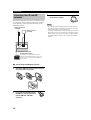
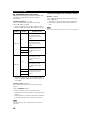
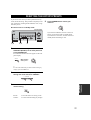
■ To adjust the tone
7
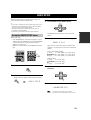
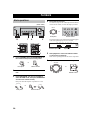
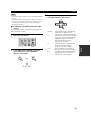
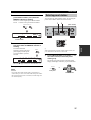
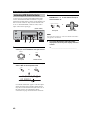
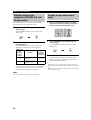
Select a sound field program if desired.
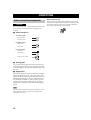
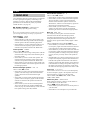
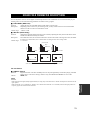
Press PROGRAM l / h repeatedly (or press AMP
to select the AMP mode, then press one of the sound
field program buttons on the remote control) to select
a sound field program. (See page 51 for details about
sound field programs.)
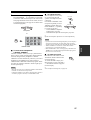
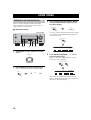
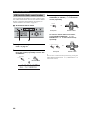
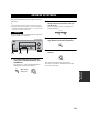
You can adjust the tonal quality
TONE CONTROL
of your front left and right
speakers or headphones (when
connected).
Press TONE CONTROL on the
front panel repeatedly to select
TREBLE or BASS, then press
BASS/TREBLE –/+ repeatedly
to increase or decrease.
• Select TREBLE to adjust the
high frequency response.
• Select BASS to adjust the low frequency response.
BASS/TREBLE
l
PROGRAM
h
Front panel
or
y
AMP
STEREO
MUSIC
ENTERTAIN
MOVIE
1
2
3
4
STANDARD
SELECT
EXTD SUR.
DIRECT ST.
5
6
7
8
A SPEAKERS B
9
0
NIGHT
10
STRAIGHT
ENT.
EFFECT
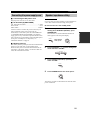
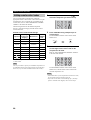
■ To listen with headphones
(“SILENT CINEMA”)
Notes
• If you increase or decrease the high-frequency or low-frequency
sound to an extreme level, the tonal quality of the surround
speakers may not match that of the front left and right speakers.
• TONE CONTROL is not effective with the Direct Stereo
program (page 31) or MULTI CH INPUT.
• When TC.BYPASS is set to AUTO (page 60), and BASS and
TREBLE are set to 0 dB, audio output automatically bypasses
this unit’s tone control cicuitry.
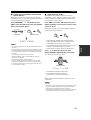
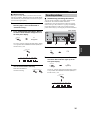
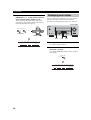
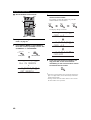
“SILENT CINEMA” allows you to enjoy multi-channel
music or movie sound, including Dolby Digital and DTS
surround, through ordinary headphones. “SILENT
CINEMA” activates automatically whenever you connect
headphones to the PHONES jack while listening to
CINEMA DSP or HiFi DSP sound field programs. When
activated, the “SILENT CINEMA” indicator lights up in
the front panel display.
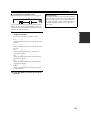
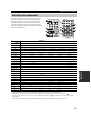
■ To mute the sound
Notes
y
• This unit will not be set to “SILENT CINEMA” when MULTI
CH INPUT is selected as the input source.
• “SILENT CINEMA” is not effective when the Direct Stereo or
2ch Stereo program is selected, or in STRAIGHT mode.
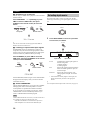
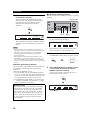
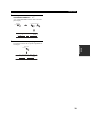
Press MUTE on the remote control.
The MUTE indicator flashes in the
front panel display.
To resume the audio output, press
MUTE again (or press VOLUME –/
+). The MUTE indicator disappears
from the display.
MUTE
You can adjust the muting level (see page 60).
27
BASIC
OPERATION
Remote control
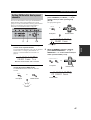
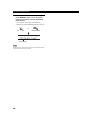
Speaker and headphone adjustments are stored independently.