1
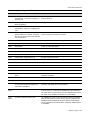
Configuring an Interface ................................................................................................................... 2-26
Displaying Interface Attributes .......................................................................................................... 2-26
Managing Message Logs ....................................................................................................................... 2-26
Logging Commands ......................................................................................................................... 2-27
Performing Fault Management ............................................................................................................... 2-27
Fault Report Commands .................................................................................................................. 2-28
Capturing Fault Report Data............................................................................................................. 2-28
Using the Real-Time Clock .................................................................................................................... 2-28
RTC/Network Clock Options............................................................................................................. 2-28
RTC Commands............................................................................................................................... 2-28
Managing the System Configuration ...................................................................................................... 2-29
Resetting the Configuration to Factory Default ...................................................................................... 2-29
Using the Default Button (XSR 1800/1200 Series Only) .................................................................. 2-29
Configuration Save Options ................................................................................................................... 2-30
Using File System Commands ......................................................................................................... 2-31
Bulk Configuration Management ............................................................................................................ 2-31
Downloading the Configuration ........................................................................................................ 2-31
Uploading the Configuration/Crash Report....................................................................................... 2-31
Creating Alternate Configuration Files.............................................................................................. 2-32
Managing the Software Image ............................................................................................................... 2-32
Creating Alternate Software Image Files .......................................................................................... 2-32
BootRom Upgrade Choices .............................................................................................................. 2-33
Loading Software Images ................................................................................................................. 2-38
Using EOS Fallback to Upgrade the Image...................................................................................... 2-38
Downloading with FIPS Security ...................................................................................................... 2-40
Software Image Commands ............................................................................................................. 2-40
Configuration Change Hashing ........................................................................................................ 2-40
Displaying System Status and Statistics ................................................................................................ 2-40
Memory Management ................................................................................................................................... 2-41
Creating Resources ............................................................................................................................... 2-41
Network Management through SNMP .......................................................................................................... 2-42
SNMP Informs ........................................................................................................................................ 2-42
Shaping Trap Traffic ............................................................................................................................... 2-43
Statistics ................................................................................................................................................. 2-43
Alarm Management (Traps) ................................................................................................................... 2-43
Network Monitoring via Service Level Agreement Agent ....................................................................... 2-43
Measuring Performance Metrics....................................................................................................... 2-44
Configuration Examples ................................................................................................................... 2-44
Using the SLA Agent in SNMP ......................................................................................................... 2-46
Full Configuration Backup/Restore ........................................................................................................ 2-47
Cabletron CTdownload MIB ............................................................................................................. 2-47
Enterasys Configuration Management MIB ...................................................................................... 2-47
Software Image Download using NetSight ............................................................................................. 2-47
CLI Translator................................................................................................................................... 2-48
Appending CLI Commands to Configuration Files via SNMP ................................................................ 2-48
Accessing the XSR Through the Web .......................................................................................................... 2-49
Network Management Tools ......................................................................................................................... 2-49
NetSight Atlas Router Services Manager v2.0 ....................................................................................... 2-49
Firmware Upgrade Procedures .............................................................................................................. 2-49
Using the CLI for Downloads............................................................................................................ 2-49
Using SNMP for Downloads ............................................................................................................. 2-49
Fault Reporting ....................................................................................................................................... 2-50
Auto-discovery ....................................................................................................................................... 2-50
x