1
3
Award BIOS Setup Utility
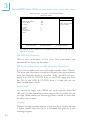
3.1.5.8 Soft-Off by PWR-BTTN
This field allows you to select the method of powering off your
system.
Hold 4 Sec. Regardless of whether the Power Management
function is enabled or disabled, if the power button
is pushed and released in less than 4 sec, the
system enters the Suspend mode. The purpose of
this function is to prevent the system from powering
off in case you accidentally “hit” or pushed the
power button. Push and release again in less than 4
sec to restore. Pushing the power button for more
than 4 seconds will power off the system.
Instant-Off Pressing and then releasing the power button at
once will immediately power off your system.
3.1.5.9 Resume on PCI Event
Enabled Access to a PCI card such as a modem or LAN card
will cause the system to wake up. The PCI card must
support the wake up function.
Disabled The system will not wake up despite access to the PCI
card.
3.1.5.10 Resume On Ring
Set this field to Enabled to use the modem ring-on function. This will
allow your system to power-on to respond to calls coming through
an external or internal modem. Refer to “Wake-On-Ring Connector”
in chapter 2 for more information.
3.1.5.11 Resume On LAN
If you are using a LAN card that supports the remote wake up
function, set this field to Enabled. The will allow the network to
remotely wake up a Soft Power Down (Soft-Off) PC. However, if
your system is in the Suspend mode, you can wake up the system
only through an IRQ or DMA interrupt. Refer to “Wake-On-LAN
Connector” in chapter 2 for more information.
72