1
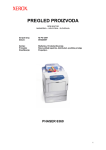
Phaser® 6300
Phaser® 6350
color printer
Xerox Phaser ® 6300/6350
Evaluator
Guide
ABOUT THIS GUIDE
This guide will introduce you to the Xerox Phaser 6300 and 6350 Color Laser Printers and help you in your printer evaluation process.
CONTENTS
Section 1
Introducing the Xerox Phaser 6300 and 6350 Color Laser Printers . . . . . 1
Product Overview. . . . . . . . . . . . . . . . . . . . . . . . . . . . . . . . . . . . . . . . . . . . 2
Common Features . . . . . . . . . . . . . . . . . . . . . . . . . . . . . . . . . . . . . . . . . . . 3
New Features . . . . . . . . . . . . . . . . . . . . . . . . . . . . . . . . . . . . . . . . . . . . . . . 4
Section 2 – Evaluating Workgroup Color Laser Printers
Suggests specific features to look for in a printer of this class, how to evaluate
that feature, and how the Phaser 6300 and 6350 measure up
Printing Performance . . . . . . . . . . . . . . . . . . . . . . . . . . . . . . . . . . . . . . . . . . . 6
Ease of Use . . . . . . . . . . . . . . . . . . . . . . . . . . . . . . . . . . . . . . . . . . . . . . . . 7
Shared Resource . . . . . . . . . . . . . . . . . . . . . . . . . . . . . . . . . . . . . . . . . . . 12
Cost of Ownership . . . . . . . . . . . . . . . . . . . . . . . . . . . . . . . . . . . . . . . . . 13
Inside a Single-Pass Laser. . . . . . . . . . . . . . . . . . . . . . . . . . . . . . . . . . . . 14
Section 3
Configuration Summary. . . . . . . . . . . . . . . . . . . . . . . . . . . . . . . . . . . . . . 15
Upgrades . . . . . . . . . . . . . . . . . . . . . . . . . . . . . . . . . . . . . . . . . . . . . . . . . 15
Competitive Comparisons . . . . . . . . . . . . . . . . . . . . . . . . . . . . . . . . . . . . 16
Supplies and Accessories . . . . . . . . . . . . . . . . . . . . . . . . . . . . . . . . . . . . 18
Media Supported . . . . . . . . . . . . . . . . . . . . . . . . . . . . . . . . . . . . . . . . . . . 19
Total Satisfaction Services . . . . . . . . . . . . . . . . . . . . . . . . . . . . . . . . . . . . 19
Specifications. . . . . . . . . . . . . . . . . . . . . . . . . . . . . . . . . . . . . . . . . . . . . . 20
Print Quality Modes . . . . . . . . . . . . . . . . . . . . . . . . . . . . . . . . . . . . . . . . . 20
TekColor Corrections . . . . . . . . . . . . . . . . . . . . . . . . . . . . . . . . . . . . . . . . 20
Information Sources . . . . . . . . . . . . . . . . . . . . . . . . . . . . . . . . . . . . . . . . 21
P H A S E R 6 3 0 0/6350 EVA LU ATO R G U ID E
SECTION 1
Introducing the Xerox Phaser 6300
and Phaser 6350 Color Laser Printers
®
®
The Phaser® 6300 and Phaser® 6350 are actually two printer families designed
specifically for two different user types while delivering high value and great
performance to both.
For those who want to move up to business color printing for a low acquisition
cost, there is the Phaser 6300 family. The Phaser 6300 printers have outstanding
performance. Even at their low purchase price, the legendary Phaser ease-of-use
features are still there, making the printers feature rich compared to the competition.
The Phaser 6300N, the base model with networking standard, prints at up to
26 ppm in color and 36 ppm black and white, with a fast first page out time as
fast as 12 seconds. Since most office printing jobs are 5 pages or less, the Phaser
6300 is often finished with a job while the competition is just getting started.
Phaser 6300N
The Phaser 6300DN adds automatic two-sided printing as a standard feature.
Two-sided printing not only saves money on paper but also gives a professional
appearance to reports, proposals, and anything you want to print to impress.
For those who desire advanced features and larger workgroup capacities, there is
the Phaser 6350 family – all with networking, automatic two-sided printing and
lower cost-per-page. Users who need maximum speed will prefer the Phaser 6350
printers. With up to 36 ppm in both color and black and white, and a first page out
time as fast as 10 seconds, the Phaser 6350 printers leave competitors far behind.
The Phaser 6350DP starts with up to 36 ppm print speed and an FPOT as fast
as 10 seconds, and adds high volume features like high-capacity toner cartridges
to help lower the cost per page. Maximum duty cycle is also increased to 120K
pages per month.
The Phaser 6350DT doubles memory to 512MB and adds an additional
550-sheet input tray, increasing the total capacity to 1250-sheets for longer
uninterrupted printing.
The Phaser 6350DX tops out the Phaser 6350 line with a Productivity Kit
that includes a 20 GB hard disk which enables advanced printing features
like personal print, secure print, proof print, saved print, extended font storage,
and disk collation. The DX also includes 4 input trays for a total input capacity
of 1800-sheets.
Phaser 6350DX
PHASER 6300/6350 EVALUATOR GUIDE
1
Product Overview
PHASER 6300N FEATURE SET
PHASER 6300DN FEATURE SET
PHASER 6350DP FEATURE SET
Even at the entry level, the Phaser 6300N comes
packed with many performance and productivity
features standard.
The Phaser 6300DN comes with all the features
of the 6300N plus:
The Phaser 6350DP pumps up some of the
6300DN features:
• Automatic duplexing (two-sided printing) for
saving paper and creating a more professional
appearance for multi-page documents
• Up to 36 ppm color print speed
• Up to 36 ppm print speed for black and white printing
• Up to 26 ppm print speed for color printing
• First Page Out as fast as 10 seconds
• 120,000 page per month duty cycle
• First Page Out as fast as 12 seconds
• optional 10k high capacity toner cartridges
for the lowest cost-per-page (6350 printers only)
• 800 MHz Power PC Risk processor
• True Adobe PostScript 3 and PCL5c emulation
• 256 MB of DDR memory (expandable to 1 GB)
• 100,000 page per month duty cycle
• 4k standard toner cartridges
• optional 7k high capacity toner cartridges
(6300 printers only)
• Selectable print modes
• Standard – 1200 x 600 dpi
• Enhanced – 2400 x 600 dpi
• Photo – 1200 x 1200 dpi
• 700-sheet input capacity
• 250-sheet output tray capacity
• Wide media variety including paper, transparencies,
labels, envelopes, cardstock, business cards and more
• Media weights up to 60 lb (163 gsm) from
Trays 2-5 and up to 80 lb (216 gsm) from Tray 1
• Media sizes from postcard – 3.5 x 5.5 in. (90 x 140
mm), to banner – 8.5 x 35.4 in. (220 x 900 mm)
• Printer Management Tools – Xerox CentreWare
Internet Services Embedded Web Server,
CentreWare Web Administrator, Xerox NDPS
Gateway, Xerox Usage Analysis Tool.
• Productivity Tools – PrintingScout automated
proactive pop-up help, and PhaserSMART web
based interactive troubleshooting
• USB 2.0 and 10/100BaseT Ethernet connections
• 1 year on-site warranty
• Xerox exclusive Total Satisfaction Guarantee
Note: Upgrade from 6300 to 6350 is not available.
2
P H A S E R 6 3 0 0 / 6 3 5 0 EVA LU ATO R G U ID E
PHASER 6350DT FEATURE SET
PHASER 6350DX FEATURE SET
The Phaser 6350DT comes with all the features
of the 6350DP plus:
The Phaser 6350DX comes with all the features
of the 6350DT plus:
• Standard memory increased to 512 MB DDR
• Productivity Kit which includes a 20 GB internal
Hard drive
• One additional 550-sheet input tray increases
total capacity to 1250-sheets
• A second additional 550-sheet input tray increasing
total capacity to 1800-sheets
Common Features
Both the Phaser 6300 and Phaser 6350 families continue to provide industry leading
features that save time, increase reliability, reduce the cost of printing, or make the
printers just plain simple to use. Features like…
PrintingScout – instantly displays pop-up help messages if attention is needed
during print jobs. Enhanced and improved in the 6300/6350 families.
PhaserSMART – remote diagnostic tool provides automated internet-based support,
24 hours a day, 7 days a week.
CentreWare IS embedded Web server – browser-based remote
monitoring and management features.
Automatic Color Correction – brilliant colors automatically, custom
settings easily available.
N-Up Printing – save paper and costs, use for internal reviews or
presentation handouts.
Cover Sheets – print the cover of your multi-page job on heavier
stock – automatically.
Separation pages – separate multiple sets of multi-page jobs by
pulling a cover sheet from a different tray.
AutoFit – automatically fit the file to the selected media size.
Watermarks – automatically print a background on your page such as DRAFT
or CONFIDENTIAL.
Job Pipelining – simultaneously print one job while processing the next.
Auto 2-sided printing – save paper costs and present professional looking reports,
proposals or anything you want to print to impress. (not available in the 6300N)
Booklet Printing – be more productive and present a professional appearance,
print newsletters, bulletins, flyers and more in booklet format.
Preloaded Toners – when they need to be replaced, just open the see-thru easy
access compartment at the top of the printer.
Smart Trays – automatically pulls media from the appropriate tray based on
the media size specified by the Microsoft application.
PHASER 6300/6350 EVALUATOR GUIDE
3
New Features
Both the Phaser 6300 and Phaser 6350 include next generation features inspired by
actual users. You talk – Xerox listens
Personal Print – a new job type that processes and stores sent jobs,
then prints all jobs together when requested reducing the chance of
your output being intermixed with your co-worker’s output. Great
for users doing web-based research and printing pages one-by-one.
Driver Color Controls – a new set of color controls enabling users to
match their color output to the colors on their individual monitors.
Support Centre – a “toolkit” installed with the driver
allowing access to all user documentation, tools and
utilities.
RAM Collation – multiple sets of multi-page jobs
automatically collated in RAM, no hard disk
required – saves time and hassle.
Enhanced Configuration Card – Printer settings are
saved to the configuration card – allowing all the
printer’s personality and ID settings to be swapped
to a new device for service reasons.
Silent Install and Scriptable Install – allows system administrators
to easily and simply install drivers from a centralized, remote location.
Usage Analysis Tool – improved to enable administrators to
collect, organize, and analyze job accounting data from multiple
users. This is very helpful for calculating chargeback billing or
planning optimized printer deployment.
64-bit Microsoft Windows Support - PostScript drivers will be
available for Windows Server 2003 64-bit Edition and Windows
XP 64-bit Edition Version 2003. X86-compatible processors,
such as AMD-64 and Xeon-64, will also be supported.
4
P H A S E R 6 3 0 0 / 6 3 5 0 EVA LU ATO R G U ID E
SECTION 2
Evaluating Workgroup Color Laser Printers
Color laser printers open up a wide range of creative possibilities and cost savings
for business professionals. Projects that once had to be outsourced to a costly
service bureau can now be produced inexpensively, at the touch of a button. But
evaluating which color laser printer is right for your needs can be a challenge.
There are many models on the market, all boasting numerous features. Based on
over 16 years of research and experience with the real-world needs of color printer
users, Xerox Office Group has identified some key issues for you to consider as
you undertake your own evaluation of color laser printers.
• Printing Performance
• Ease of Use
• Workgroup Sharing
This section of the Evaluation Guide will look at
each of these areas, and suggest ways you can
evaluate a printer’s performance against that
requirement. Do this for all the color laser
printers you are considering and you’ll see
how the Phaser 6300 and Phaser 6350
exceed expectations across the board.
PHASER 6300/6350 EVALUATOR GUIDE
5
EVALUATE PRINTING PERFORMANCE
High quality color printing cannot come at the expense of productivity — the two must go
together. A color printer must be able to handle a wide variety of documents quickly and reliably.
A color printer must keep up with the performance demands of a shared network environment.
Measure overall performance.
To accurately measure overall performance in a real workgroup environment, send a mix
of black-and-white and color documents of different length and complexity to the printer
over a standard Ethernet network. This combines the network transmission time, first page
out time, and multi-copy engine speed to paint a clear picture of actual overall performance.
Calculate print job throughput.
Print job throughput is the time it takes from clicking the print button on your computer
screen to the final delivery of the color document to the output tray, sometimes called
click-to-clunk. Raw print speed is only a part of the total print time; image-processing
speed, particularly of large, complex images, can be even more important to maximizing
throughput. Test for large, complex images.
Consider color print speed.
Since color printing, rather than black-and-white printing, is the primary use of most color
printers, it makes sense to pay attention to the color print speed. Start with the rated engine
speed, but be sure to investigate the total color and black-and-white throughput, including
image processing speed and first page out time.
HOW THE PHASER 6300 AND PHASER 6350 EXCEED THE
PRINTING PERFORMANCE REQUIREMENT:
With print speed up to 26 ppm in color and 36 ppm black and white, the Phaser 6300 printers
stand up to the demands of most office workgroups. The Phaser 6350 printers extend color printing
up to 36 ppm so there is no speed penalty for being creative and adding color to your documents.
Both the Phaser 6300 and 6350 printers fly through big and complex jobs thanks to a common
800 MHz Power PC Risk Processor. With first page out times as fast as 12 and 10 seconds, both
printer families start printing faster than the competition. Printing first, and printing faster means
the jobs are done sooner – a real productivity advantage.
Both the Phaser 6300 and 6350 printers handle media weights from 60 to 216 gsm, and sizes from
3.5 x 5.5 in. to 8.5 x 35.45 in. as well as all common office envelopes, labels, business cards,
glossy media, and card stock. And an input capacity of up to 2350-sheets assures the office of
more uninterrupted printing
6
P H A S E R 6 3 0 0 / 6 3 5 0 EVA LU ATO R G U ID E
EVALUATE EASE OF USE
The best way to evaluate a printer’s ease of use is to use it in a real environment over an
extended period of time. But even without that opportunity, the following questions can help
uncover a printer’s true start-up and day-to-day productivity potential:
How easy is it to install on the network?
How easy is it to learn to use and manage?
Does it offer easy control both over the network and from its front panel?
How easy is it to replace consumables? Is it difficult to access them?
Is it easy to check the consumable status before committing to a large or important print job?
Also, consider what tools are provided to help manage multiple printers in a network.
HOW THE PHASER 6300 AND PHASER 6350 EXCEED THE
EASE OF USE REQUIREMENT:
Installation
The Phaser 6300/6350 driver installation process is designed to provide an easy and
consistent installation process from all software sources, regardless of platform.
Features include:
• Automatic discovery of the printer on your network
• Automatic port creation
• Automatic printer model and feature detection
• Automatic driver installation
• Automatic IP address assignment
Install From the Web technology is used for the distribution of software from any of
the following sources:
• Product CD
• The printer itself
• CentreWare IS Embedded Web Server
• Xerox Web Site
And with pre-installed toners, the only consumable to install is the all-in-one imaging unit.
PHASER 6300/6350 EVALUATOR GUIDE
7
The Use Walk-Up Technology selection is the default, and is recommended
for network printers. Simply click Next and the program directs you to go
to the printer you want to install and select Use Walk-Up Technology from
the front panel. From that point, the installation proceeds automatically and
the printer prints an installation confirmation page. Back at your computer
you are asked to register your printer either now or later. That’s it. All
automatic. The easiest network printer installation in the industry.
For larger installations, the IT department can simply send an email to
end-users with a link to the Install from Web feature. Users simply follow
the link to the same simple installation process and they’re ready to print
Operation
The following points highlight the main features of the printer. Notice the minimum number of doors; and the
doors the printer does have open either forward or up, not out to the side. The printer has no rear access doors
because no printing function requires them.
All Phaser 6300 and 6350 printers come with Intelligent Ready. No need to turn off the printer. Intelligent
Ready software tracks when and how the printer is used over a rolling 3-week period. Then the printer
automatically places itself in standby power-saving modes during periods of non-use. The printer will
automatically return to its Ready mode, just prior to an expected use period, avoiding any warm-up time
and minimizing power usage in periods of non-use.
PrintingScout
When you send a document to the Phaser 6300 or 6350, our exclusive
PrintingScout monitors and reports any printer condition that can prevent
a print job from completing successfully. A pop-up Help window provides
appropriate how-to instructions, illustrations, and links to help end users
quickly identify and resolve their own printing problems. This way, you’ll
go to the printer completely prepared — no surprises. And no other printer
on the market can do this.
Automatic Notification
What would be better than knowing if your printer needs help before you print?
How about avoiding the problem altogether. MaiLinX can automatically send
an e-mail to a specified person when a printer needs supplies or maintenance.
So the printer is always ready.
Toners
Installing toner is quick and clean. Simply lift off the translucent cover,
unlock and replace the toner cartridge, remove the seal, and replace the
cover. Even someone unfamiliar with the printer can see where the toners
go and follow the simple instructions.
8
P H A S E R 6 3 0 0 / 6 3 5 0 EVA LU ATO R G U ID E
Routine Maintenance Items
The transfer roller, fuser and all-in-one imaging unit are just as easily accessed through the
front cover of the printer. Both the imaging unit and transfer roller last up to 35,000 prints,
and the fuser up to 100,000 prints. Replacement of any of them takes less than a minute,
and doesn’t require a technician.
Front Panel
The large high-contrast control panel display is simple
and intuitive, and it’s backlit for comfortable viewing.
A list of help topics is available at the main menu.
Pressing the “?” button pops up a contextual help
message to explain whatever menu function or
message is being displayed.
All Phaser-series printers provide detailed
information about consumable usage through the front panel and via email
notification so users can anticipate when an intervention may be needed.
Media Flexibility
You’ll always print on the media you expect thanks to the Smart Tray technology.
The driver knows what’s loaded in the printer trays, and what your Microsoft
application is set for, then matches them perfectly. If the application requires media
that is not currently loaded, the user will get a PrintingScout warning rather than
their job printed on the wrong media.
Automated Support
Phaser 6350DX with
optional extra paper tray
Both the Phaser 6300 and 6350 include Xerox exclusive PhaserSMART, an automated,
internet-based, support and service delivery tool. This tool leverages information from
the user’s own printer to diagnose and deliver customer self-support solutions. Available
24/7, support for your printer is only a mouse click away. And of course, both the
Phaser 6300 and Phaser 6350 are covered by a 1-year on-site warranty and the Xerox
Total Satisfaction Guarantee
Personal Print
Personal Print is a new job type that processes and stores sent jobs on the printer’s
optional hard drive (std. on 6350DX), and then prints all a user’s jobs together when
requested. Great for users doing web based research and printing pages one by one.
Any number of print jobs could be sent to a user’s Personal Jobs folder on the printer
(subject to disk space availability).
Support Centre
The Support Centre toolbox is automatically installed as a part of the driver installation.
The toolkit is a simple help utility that provides easy access to all user documentation,
tools, and utilities that are bundled with the printer (either on the CD or via links to the
Xerox web site).
PHASER 6300/6350 EVALUATOR GUIDE
9
Driver Color Control
A set of new color controls is provided to improve color matching to a user’s computer monitor.
This is primarily an issue for users who change their brightness, contrast, and saturation settings
on their monitors.
RAM Collation
Multiple sets of multi-page documents are now collated electronically providing distribution
ready output and saving time.
Ease-of-Use extends beyond the individual user or immediate workgroup. IT departments will
appreciate the extensive remote management capabilities for the Phaser 6300/6350 color printers.
CentreWare IS Embedded Web Server
The printer’s built-in CentreWare IS Embedded Web Server is a web site inside the printer. It allows
users to check the printer’s status, job accounting, troubleshooting and more, using a web browser
such as Microsoft Internet Explorer or Netscape Navigator. Users only need the printer’s IP address
to connect to the printer.
Management Tools
The Advanced Network Management Tools CD shipped with the printer includes:
• CentreWare MMC — (Microsoft Management Console) allows seamless installation,
configuration and status monitoring of Xerox network printers in the Windows 2000 environment.
• CentreWare for UNIX — provides enhanced printing and management capabilities for UNIX
(Linux) environments. CentreWare for UNIX will auto-load for UNIX customers.
• NDPS Gateway — allows you to use Novell Distributed Print Services (NDPS)/Novell Enterprise
Print Services (NEPS) with Xerox printers. Included is a set of NetWare modules and
administrative tools that snap into NW Admin.
• Multiple Printer Installation Tool — allows system administrators to copy settings from one
printer to many across the network.
• Usage Analysis Tool — provides detailed cost tracking for Phaser printers. Every job is logged and
cost for each page is based on actual ink or toner coverage, and your actual prices for supplies.
• Font Download Tool — manages your printer fonts from an easy to use Windows application.
• User Manuals — advanced user manuals provided in .pdf format.
• Technical Support Link — provides the latest printer information, software updates and printing
technical support.
10
P H A S E R 6 3 0 0 / 6 3 5 0 EVA LU ATO R G U ID E
CentreWare Web Printer Management
CentreWare Web is designed to provide enterprise management solutions for all devices
connected to your network – not just Xerox. Install, troubleshoot, configure, and produce
asset reports for all of your devices. Simply install CentreWare Web on MS Windows
2000 or NT 4 servers and gain access from anywhere on your network through any
standard web browser.
Key Advantages:
• When the system administrator enters the tool they will automatically see all of the
printers in error state rather than searching for them – saves time.
• Conduct installation, configuration, and troubleshooting on up to 25 printers
simultaneously – saves time.
• Install, configure, troubleshoot, and generate reports for all products, Xerox as well as
others, with this tool so that you only need one tool for all of your management needs.
• Clone printer configurations to other printers rather than taking the time to set up the
printer configurations one at a time.
• Produce asset reports, error history reports, status reports, and accounting reports from
all of your devices and have them e-mailed to key recipients.
• To save time, Intuitive Wizards will guide you through infrequently performed tasks
such as upgrading printer firmware, cloning device configurations, installing multiple
printers, and other tasks.
PHASER 6300/6350 EVALUATOR GUIDE
11
EVALUATE WORKGROUP SHARING
No matter how powerful and easy-to-use a printer is, it must also be considered a shared resource
in today’s busy business environment.
Consider the network capabilities and network installation process.
Is an IT specialist required to get the printer up and running on the network?
Consider processing power, memory and print speed.
Does the printer have sufficient power to process and store multiple jobs simultaneously?
Consider capacities.
Does the printer have large consumable capacities to support continuous operation and
minimize downtime? Are there multiple input sources to support the varied needs of
different users?
Consider usage tracking.
Can the printer keep track and report usage information for accounting purposes?
Consider cost.
Does the printer support a large workgroup so capital costs and operating expenses can be
kept low on a cost per user basis?
HOW THE PHASER 6300 AND PHASER 6350 EXCEED THE
WORKGROUP SHARING REQUIREMENT:
The Phaser 6300/6350 families of color printers were designed specifically to be shared. Built tough,
they have the rugged reliability to pump out up to 100,000 pages per month (120,000 for the 6350
printers) in support of a busy workgroup.
Simple network installation is a Phaser printer hallmark. Just a few mouse clicks and the rest is
automatic. Your new printer will be ready to support all network users in a matter of minutes. No IT
support is required. In the case of a large enterprise wide roll out of new printers, the IT department
can send an automatic install link to all users on the network and installation will be just as simple.
Both the Phaser 6300 and 6350 printer families are built on an 800 MHz Power PC processor so they
handle even complex jobs with ease. Up to 1 GB of memory and a 20 GB hard drive (standard on the
6350DX) helps keep multiple jobs moving through the print queue fast.
With up to 2350-sheet input capacity from five different sources, the Phaser 6300/6350 printers are
ready to handle both the volume and variety associated with a busy workgroup.
An enhanced Usage Analysis Tool (UAT) enables administrators to collect, organize, and analyze job
accounting data from multiple printers. It is often used to roll-up usage statistics by individual user or
group in order to calculate charge-back billing or to plan for optimized printer deployment.
PostScript drivers will be available for Windows Server 2003 64-bit Edition and Windows XP 64-bit
Edition Version 2003. X86-compatible processors, such as AMD-64 and Xeon-64, will also be supported.
12
P H A S E R 6 3 0 0 / 6 3 5 0 EVA LU ATO R G U ID E
Total Cost of Ownership
Real Costs
The Phaser 6300N provides an entry point into professional color printing for the office at
just $1,299 (ERP). When loaded with 6300-family high capacity toners (7k capacity), the
6300N and 6300DN produce quality full color output at a cost of $0.106 (based on an
average 5% coverage and includes toner and imaging unit).
The Phaser 6350DP is the entry level to the 6350-family of printers and has an ERP of just
$1,799. When loaded with 6350-family high capacity toners (10k capacity), the 6350DP,
6350DT and 6350DX produce high quality full color output for just $0.094 (based on an
average 5% coverage and includes toner and imaging unit).
Save Time – Save Money
Bringing color printing in-house also saves time and money, and the extensive suite of
color tools in the Phaser 6300 and 6350 printers help to get it right the first time, avoiding
multiple reprints. With a first-page-out time as low as 10 seconds in color and a print speed
up to 36 ppm, there is no costly wasted time waiting around for the printer to deliver. Also
note that the Phaser 6300 and 6350 have duty cycles of 100,000 and 120,000 color prints
per month respectively. This level of productivity goes straight to the bottom line.
The Phaser 6300 and 6350 Color Laser Printers are engineered to require a minimum of
user interventions. All of the user access is performed from the front or the top, unlike some
printers requiring access to the rear of the printer to change some consumables or remove
jams. The toner cartridges are easy to handle and easy to install into keyed slots in the top
of the printer. Less time spent taking care of the printer means more time printing.
PHASER 6300/6350 EVALUATOR GUIDE
13
Inside a Single-Pass Laser
How it Works
To create a four-color image in a single pass, four laser beams representing each of the four color
separations charge their respective imaging drums. The drums are then developed with toner.
The Yellow and Magenta drums transfer their images simultaneously to an intermediate transfer
roller. The Cyan and Black drums are simultaneously transferring their images to a different
intermediate transfer roller.
The Yellow/Magenta and Cyan/Black color toner images are then combined on the second intermediate
transfer drum, where the final image is transferred to the paper, then fused by heat and pressure.
Why it’s Better
The oil-less chemical toners used in the Phaser 6300 and 6350 printers adhere to the surface of the page
rather than soaking into the paper, increasing the intensity of the color.
The Constant Current Transfer (CCT) technology provides enhanced image transfer on a wide variety of
media, ensuring the best quality. The simple paper path and dual paper pick mechanism help to insure
the lowest paper jam rate in the industry. And the internal duplexing capability (two-sided printing) is
the same proven and reliable design used in the previous generations of Phaser printers.
14
P H A S E R 6 3 0 0 / 6 3 5 0 EVA LU ATO R G U ID E
Section 3
CONFIGURATION
SUMMARY
FEATURE
PHASER 6300N
Print Speeds
First Page Out Time
Memory (std/max)
Internal Hard Disk – 20 GB
Resolution
Connectivity
Automatic Duplexing
(two-sided printing)
Input (#trays/#sheets)
• standard
• maximum
Output
Media Weights
Media Sizes
Up to 26 ppm color, 36 ppm B&W
Up to 36 ppm color and B&W
As fast as 12 seconds
As fast as 10 seconds
256 MB/1 GB
512 MB/1 GB
optional
1200 x 600 Std., 2400 x 600 Enhanced, 1200 x 1200 Photo Mode
USB 2.0, 10/100BaseT Ethernet
Color Control
Color Standards
Print Drivers
Conservation
Productivity Tools
Printer/Job Management
Service/Support
Not Available
PHASER 6300DN
PHASER 6350DP
PHASER 6350DT
PHASER 6350DX
Standard
Standard
2/700
3/1250
4/1800
5/2350
5/2350
5/2350
250
Tray 1 (MPT): 17 lb – 80 lb (65 gsm – 216 gsm) Tray 2 - 5: 17 lb – 60 lb (65 gsm –163 gsm)
Letter: 8.5 x 11 in (215.9 x 279.4 mm)
Legal 13 in: 8.5 x 13 in (215.9 x 330.2 mm)
Legal 14 in: 8.5 x 14 in (215.9 x 355.6 mm)
Executive: 7.25 x 10.5 in. (184.2 x 266.7 mm)
A4: 8.27 x 11.7 in. (210 x 298 mm)
A5: 5.83 x 8.27 in. (148 x 210 mm)
B5 JIS: 7.17 x 10.1 in. (182 x 257 mm)
Custom Sizes from 3.5 x 5.5 in. up to 8.5 x 35.4 in.
TekColor™ Dynamic Color Correction profiles:
Automatic: Adjusts color of photos, graphics and text automatically for best results
Office Color: None, sRGB Display, sRGB Vivid
Press Match: Commercial, Euroscale, SWOP®, SNAP
PANTONE®-approved solid color simulation, Adobe PostScript device-independent color, CIE international color standards,
support for ICC and Apple ColorSync color management systems
Windows 98SE, Windows Me, Windows NT 4.0(SP6), Windows 2000/XP, Windows server 2003, EtherTalk, USB, and
Apple (OS 9.1, X, ver. 10.2 and higher), Linux: Red Hat 9, Suse 9, Fedora Core 1, Sun Solaris 2.8, 2.9, 2.10, HP/UX, 11.x,
IBM AIX 4.3.3, Novell Netware 5.x, 6.5
Intelligent Ready warm-up mode. Based on usage tracking, the printer automatically returns to Ready mode just prior to
anticipated use periods. ENERGY STAR qualified.
MaiLinx – notifies up to 3 groups of people via email when the printer generates an alert such as low toner
RIP-while-printing – processes multiple jobs concurrently
Remote Printing – enables users to print directly to any Phaser printer either by IPX on a TCP/IP network
or via email – making document sharing easier
PrintingScout – provides instant pop-up help if printing problems arise
PhaserSMART – provides access to Web-based knowledge base for interactive troubleshooting
CentreWare IS, Usage Profile, Job-accounting, MaiLinx, Collation Printing
1 year on-site warranty, PhaserSMART, online web technical support, and toll-free telephone support. Innovative service
offerings include optional extended Service Agreements and custom training for internal Help Desk. The Phaser 6300 and
6350 printers are backed by the Xerox Total Satisfaction Guarantee.
UPGRADES
The Phaser 6300 and 6350 families of printers have been optimized to bring you a low purchase price and low cost per
print respectively. No upgrade path is available between the 6300 and the 6350.
Only memory, the Productivity Kit, and number of input trays can be added within each family.
PHASER 6300/6350 EVALUATOR GUIDE
15
COMPETITIVE COMPARISONS
FEATURE
PHASER 6300N
HP 4610n
LEXMARK C760n
KONICA MINOLTA 5440DL
Price*
COLOR PERFORMANCE
Speed
$1299
$1199
$1299
$1299
Up to 26 ppm color,
36 ppm B/W
As fast as 12 seconds
22 ppm color and B/W
25 ppm color and B/W
27 ppm color and B/W
15 seconds
14.1 seconds
Single-pass Color Laser
800 MHz Power PC
Adobe PostScript 3,
PCL5c emulation,
137 fonts
Base: 256 MB
Max: 1 GB
20 GB optional
Up to 100,000/mo
1200 x 600 Std.
2400 x 600 Enhanced
1200 x 1200 Photo
Automatic, TekColor™,
ColorSync / ICM, and Pantone
Single-pass Color Laser
533 MHz
PCL 6, PCL 5c,
PostScript 3 emulation
Less than 15 seconds color,
Less than 13 seconds B/W
Single-pass Color Laser
600 MHz
PCL6 emulation,
PostScript 3 emulation
Base: 160 MB
Max: 160 MB
N/A
85,000/mo
600 x 600
Base: 128 MB
Max: 512 MB
N/A
70,000/mo
1200 x 1200
Base: 64 MB
Max: 576 MB
N/A
60,000/mo
2400 x 600
Automatic, ColorSync / ICM,
and Pantone
Automatic, ColorSync / ICM,
and Pantone
Automatic, ColorSync / ICM,
and Pantone
First Page Out
Technology
Processor
Language Support
Memory
Hard Disk
Duty Cycle
Resolution (dpi)
Color Controls
PAPER HANDLING
Paper Input
Paper Output
Duplex
Media Types
Media Weights
NETWORK FEATURES
Network Interfaces
Embedded Web Server
Proactive Help Tools
OTHER FEATURES
Warranty
16
Standard: 550-sheet tray
plus 150-sheet MPT (tray 1).
Max: 2350-sheet
250-sheet
Automatic standard on
the 6300DN
Paper, transparencies, labels,
envelopes, card stock, glossy,
business cards, CD inserts,
CD/DVD labels, digital photo
paper, and weatherproof paper
17 lb. Bond to 80 lb. Cover,
110 lb. Index (65 to 216 gsm)
Standard: 500-sheet tray,
plus 100-sheet MPT.
Max: 1100-sheet
250-sheet
Standard on the dn model
- $600 more.
Paper, (plain, glossy, recycled), Card stock, envelopes
envelopes, transparencies,
glossy paper, labels,
labels, card stock
plain paper, transparencies,
outdoor media, banner paper
Optional
60 to 200 gsm
60 to 216 gsm
60 to 210 gsm
USB 2.0 and
10/100BaseTX Ethernet
CentreWare Internet Services
(no additional installation req.)
PrintingScout, PhaserSMART™,
MaiLinX, Support Centre
Parallel, USB 1.1,
10/100BaseTX Ethernet
HP Embedded Web Server
Parallel, USB 2.0,
10/100BaseT Ethernet
Markvision
USB 2.0 and
10/100BaseTX Ethernet
PageScope Web connection
HP Toolbox
Markvision Messenger,
Markvision Professional
Status Display
(Windows only),
compatible with PageScope
Netcare and HP WebJetAdmin
1 year on-site + options
to extend (includes Xerox
Total Satisfaction Guarantee)
1 year on-site + options
to extend
1 year on-site + options
to extend
1 year exchange + options
to extend
P H A S E R 6 3 0 0 / 6 3 5 0 EVA LU ATO R G U ID E
Standard: 500-sheet tray,
plus 100-sheet MPT.
Max: 850-sheet
175-sheet
Manual only
Single-pass Color Laser
200 MHz
GDI
Standard: 500-sheet tray,
plus 100-sheet MPT.
Max: 1600-sheet
Plain and laser paper,
transparency, envelopes,
laser-quality labels, glossy
stock up to 110 lb. index
FEATURE
PHASER 6350DP
HP 4650n
LEXMARK C762n
KONICA MINOLTA 5450DL
Price*
COLOR PERFORMANCE
Speed
First Page Out
$1799
$2099
$2099
$1799
Up to 36 ppm color and B/W
As fast as 10 seconds
22 ppm color and B/W
15 seconds
27 ppm color and B/W
14.1 seconds
Technology
Processor
Language Support
Single-pass Color Laser
800 MHz Power PC
Adobe PostScript 3,
PCL5c emulation,
137 fonts
Base: 512 MB
Max: 1 GB
20 GB optional
Up to 120,000/mo
1200 x 600 Std.
2400 x 600 Enhanced
1200 x 1200 Photo
Automatic, TekColor™,
ColorSync / ICM, and Pantone
Single-pass Color Laser
533 MHz
PCL 6, PCL 5c,
PostScript 3 emulation
25 ppm color and B/W
Less than 15 seconds color,
Less than 13 seconds B/W
Single-pass Color Laser
600 MHz
PCL6 emulation,
PostScript 3 emulation
Base: 160 MB
Max: 544 MB
20 GB optional
85,000/mo
600 x 600
Base: 128 MB
Max: 512 MB
20 GB optional
100,000/mo
1200 x 1200
Single-pass Color Laser
667 MHz
PCL 5c emulation,
PCL6 emulation,
PostScript 3 emulation
Base: 256 MB
Max: 1024 MB
40 GB optional
60,000/mo
9600 x 600
Automatic, ColorSync / ICM,
and Pantone
Automatic, ColorSync / ICM,
and Pantone
Automatic, ColorSync / ICM,
and Pantone
Memory
Hard Disk
Duty Cycle
Resolution (dpi)
Color Controls
PAPER HANDLING
Paper Input
Paper Output
Duplex
Media Types
Media Weights
NETWORK FEATURES
Network Interfaces
Embedded Web Server
Proactive Help Tools
OTHER FEATURES
Warranty
Standard: 550-sheet tray
plus 150-sheet MPT (tray 1).
Max: 2350-sheet
250-sheet
Automatic standard
Standard: 500-sheet tray,
plus 100-sheet MPT.
Max: 3100-sheet
250-sheet, Max: 3900-sheet
Standard on the dn model
- $600 more.
Paper, (plain, glossy, recycled), Card stock, envelopes
envelopes, transparencies,
glossy paper, labels,
labels, card stock
plain paper, transparencies,
outdoor media, banner paper
60 to 200 gsm
60 to 216 gsm
Plain and laser paper,
transparency, envelopes,
laser-quality labels, glossy
stock up to 110 lb. index
60 to 210 gsm
USB 2.0 and
10/100BaseTX Ethernet
CentreWare Internet Services
(no additional installation req.)
PrintingScout, PhaserSMART™,
MaiLinX, Support Centre
Parallel, USB 1.1,
10/100BaseT Ethernet
HP Embedded Web Server
Parallel, USB 2.0,
10/100BaseT Ethernet
Markvision
Parallel, USB 2.0 and
10/100BaseTX Ethernet
PageScope Web Connection
HP Toolbox
Markvision Messenger,
Markvision Professional
Status Display
(Windows only),
compatible with PageScope
Netcare and HP WebJetAdmin
1 year on-site + options
to extend (includes Xerox
Total Satisfaction Guarantee)
1 year on-site + options
to extend
1 year on-site + options
to extend
1 year exchange + options
to extend
Paper, transparencies,
labels, envelopes, card stock,
glossy, business cards,
and weatherproof paper
17 lb. Bond to 80 lb. Cover,
110 lb. Index (65 to 216 gsm)
Standard: 250-sheet tray,
plus 100-sheet MPT.
Max: 850-sheet
175-sheet
Optional Automatic
Standard: 500-sheet tray,
plus 100-sheet MPT.
Max: 1600-sheet
250-sheet
Optional
* Base ERP
PHASER 6300/6350 EVALUATOR GUIDE
17
SUPPLIES AND ACCESSORIES
DESCRIPTION
Toner Cartridges
DETAILS
For both the Phaser 6300 and 6350:
Cyan Standard Capacity (4,000 sheet yield)*
Magenta Standard Capacity (4,000 sheet yield)*
Yellow Standard Capacity (4,000 sheet yield)*
Black Standard Capacity (4,000 sheet yield)*
106R01073
106R01074
106R01075
106R01076
For the Phaser 6300 only:
Cyan High Capacity (7,000 sheet yield)*
Magenta High Capacity (7,000 sheet yield)*
Yellow High Capacity (7,000 sheet yield)*
Black High Capacity (7,000 sheet yield)*
106R01082
106R01083
106R01084
106R01085
For the Phaser 6350 only:
Cyan High Capacity (10,000 sheet yield)*
Magenta High Capacity (10,000 sheet yield)*
Yellow High Capacity (10,000 sheet yield)*
Black High Capacity (10,000 sheet yield)*
35,000 sheet capacity**
106R01144
106R01145
106R01146
106R01147
108R00645
Transfer Roller
Oil-less Fuser
35,000 sheet capacity***
100,000 sheet capacity**** 110 volt
220 volt
108R00646
115R00035
115R00036
Productivity Kit
20 GB hard drive
097S03374
Xerox Printers
and Supplies are
Made for Each Other®
Imaging Unit
256 MB DDR Memory
097S03381
512 MB DDR Memory
Paper Tray
PART NUMBER
097S03382
550-sheet feeder
1100-sheet feeder
097S03378
097S03379
Supported media can be found at: www.xerox.com/office/6300_6350supplies
* Standard-capacity toner cartridge life expectancy is up to 4,000 images on letter-size paper at 5 percent coverage per color.
High-capacity toner cartridge life expectancy is up to 7,000 images per color for Phaser 6300 on letter-size paper at 5 percent
coverage, and 10,000 images per color for Phaser 6350 on letter-size paper at 5 percent coverage.
**Imaging unit life expectancy is up to 35,000 letter-size pages based on mixed printing.
The following usage patterns may significantly reduce imaging unit life:
• Printing jobs of less than 4 pages
• Higher than 15 percent coverage per color
• Using paper that is larger than letter-size
• Automatic two-sided printing
• Exposing the imaging unit to light for more than 10 minutes
***Transfer roller life expectancy is up to 35,000 letter-size pages based on mixed printing.
The following customer usage patterns may significantly reduce the transfer unit life:
• Excessive opening and closing of Door A
• Printing on transparencies or specialty papers
• Automatic two-sided printing
• Printing with high toner coverage
• Printing more than 2,000 pages in one day
• Printing on poor quality papers
• Not setting paper type correctly on Control Panel
****Fuser life expectancy is up to 100,000 letter-size pages.
The following customer usage patterns may significantly reduce the fuser life:
• Printing large numbers of transparencies or specialty papers
• Printing on certain unsupported papers, especially inkjet papers and inkjet transparencies
• Not setting the paper type correctly on the control panel so that the fuser temperature
is not set correctly
18
P H A S E R 6 3 0 0 / 6 3 5 0 EVA LU ATO R G U ID E
MEDIA SUPPORTED
WEIGHTS
PAPER TYPES
Letter
Legal
SIZE
8.5 x 11 in.
8.5 x 14 in.
DESCRIPTION
Plain Paper
WEIGHT
17 to 32 lb. Bond (65 to 130 gsm)
Heavy Plain Paper
22 to 28 lb. Bond (85 to 105 gsm)
Executive
7.25 x 10.5 in.
Thin Card Stock
36 to 60 lb. Cover (100 to 163 gsm)
Statement
5.5 x 8.5 in.
Thick Card Stock
59 to 80 lb. Cover (160 to 216 gsm)
US Folio
8.5 x 13 in.
Glossy Coated Paper
81 to 110 lb. Book (120 to 163 gsm)
Custom
from 3.5 x 5.5 in. up to 8.5 x 35.4 in.
A4
210 x 297 mm
A5
148 x 210 mm
B5 JIS
182 x 257 mm
ISO B5
176 x 250 mm
ENVELOPES
#10 Commercial
SIZE
4.12 x 9.5 in.
SPECIALTY MEDIA
DESCRIPTION
Labels
PRINTING INSTRUCTIONS
Print from any Tray
Business Cards
Greeting Cards
Do not print on label or business
card stock after items have been
removed from the sheet.
Print from MPT tray only.
Monarch
3.875 x 7.5 in.
A7
5.25 x 7.25 in.
Envelopes
Up to 10 from Tray 1 (MPT)
Custom
from 3.5 x 5.5 in. up to legal size
Banner
Print from Tray 1 only.
DL
110 x 220 mm
C5
162 x 229 mm
C6
114 x 162 mm
B5
176 x 250 mm
TOTAL SATISFACTION SERVICES
DESCRIPTION
Extended On-Site Service
(available during first 90 days of product ownership)
2 years additional (for a total of 3 years)
3 years additional (for a total of 4 years)
U.S.
PART NUMBER
CANADIAN
PART NUMBER
63XXS3
63XXS4
63XXS3C
63XXS4C
Annual On-Site Service
63XXSA
63XXSAC
Installation
(training and driver installation for max of two computers)
A4INST
A4INSTC
HDCORE
HD63XX
HDYEAR
HDCORE
HD63XX
HDYEAR
Help Desk Service
Core Training
Product Training for Phaser 6250
Annual Support Subscription
PHASER 6300/6350 EVALUATOR GUIDE
19
SPECIFICATIONS
PHYSICAL
Printer
(6300N, 6300DN, 6350DP)
Width: 429 mm (17.2 in.)
Depth: 580 mm (23.2)
Height: 457 mm (18.3 in.)
Weight: 35 kg (77 lb.)
POWER
110–127 VAC, 50/60 Hz
220–240 VAC, 50/60 Hz
ENERGY STAR qualified printer
Optional 550-Sheet Feeder
(add to above for 6350DT)
Width: 429 mm (17.2 in.)
Depth: 509 mm (20.4 in.)
Height: 130 mm (5.2 in.)
Weight: 6.8 kg (15 lb.)
ENVIRONMENTAL
Temperature
Storage: 0–35 degrees C
32–95 degrees F
Operating: 5–32 degrees C
41–90 degrees F
Optimal Print Quality Range:
15–28 degrees C
Optional 1100-Sheet
High-Capacity Feeder
(add to above for 6350DX)
Width: 429 mm (17.2 in.)
Depth: 509 mm (20.4 in.)
Height: 341 mm (13.42 in.)
Weight: 21 kg (46.25 lb.)
Relative Humidity
Storage: 15% – 85%
Operating: 15% – 85%
Optimal Print Quality Range:
20% – 70%
PRINT QUALITY MODES
MODE
Automatic
DESCRIPTION
Automatically selects the optimal print-quality mode for the paper type selected.
For example, Photo print-quality mode is used when printing on Glossy Paper and
Standard print-quality mode is used when printing on Plain Paper.
(This setting is only available in the printer driver.)
Standard (default)
High-speed, general-purpose mode for crisp, bright, color prints.
Recommended for most office use and quick prints.
Enhanced
High-quality mode for fine lines and detail. Recommended for vibrant, saturated,
color prints. Balances printing speed with quality.
Photo
Highest-quality mode for color prints and smoothest light colors.
Recommended for photographs, smooth shaded drawings, and vibrant color.
TEKCOLOR® CORRECTIONS
The TekColor correction options provide simulations of different color devices. Automatic is the default correction for general image
processing. See the following table to determine what option you want to use.
20
SELECTION
USE FOR:
Automatic
Applies the best color correction to each graphic element: text, artwork, and photographs.
Office Color
sRGB Display Approximates the colors on a computer display.
sRGB Vivid Produces brighter, more saturated colors than sRGB Display.
Press Match
SWOP Press Matches Specifications for Web Offset Publications.
Euroscale Matches FOGRA glossy paper specification.
Commercial Approximates U.S. commercial press target.
SNAP Press Matches Specifications for Newsprint Advertising Production.
None
Applies no color correction. Use with other color management tools, such as ICC
(International Color Consortium) profiles, ColorSync, or the PANTONE® Color Chart
for your printer.
Black and White
Converts all colors to shades of gray.
P H A S E R 6 3 0 0 / 6 3 5 0 EVA LU ATO R G U ID E
INFORMATION SOURCES
Front Panel
The Control Panel offers a suite of tools and information pages to help solve printing
problems, media feed and supply issues, and administration problems.
CD ROM
Support Centre toolbox
• User Guide
• Reference Guide
• Setup Guide (poster)
• Quick Reference Guide
• Instructional Videos
Printer drivers and installers (Mac, Windows)
ReadMe release notes
CentreWare Internet Services Help (HTML documentation)
Font Manager Utility
Adobe Type Manager (ATM)
On the Web
Visit www.xerox.com/office for:
• Product, supplies, and service information
• Downloading printer drivers
• Finding your local reseller
• On-line documentation
Visit www.xerox.com/office/support for:
The same troubleshooting knowledge base used by Xerox Customer Support staff
to provide the latest technical information on:
• Application issues
• Networking issues
• Printer errors
• Print-quality issues
• Troubleshooting
Visit www.colorconnection.xerox.com for:
• Color resource for tools and information to help you get the most from
your color printer
• Interactive tutorials and helpful tips for using your printer and favorite
software applications
• Easy access to on-line technical support
• Customized features to meet your individual needs
PHASER 6300/6350 EVALUATOR GUIDE
21
Phaser® 6300
Phaser® 6350
Questions? Comments? Problems?
If you have any questions or
issues with your evaluation
printer, please contact your Xerox
sales representative or the Xerox
Office Printing Help Desk at:
1-877-362-6567
(U.S. AND CANADA).
Or visit us on the web at
www.xerox.com/office
Copyright © 2005 XEROX CORPORATION. All rights reserved. Contents of this publication may not be reproduced in any form without permission of XEROX CORPORATION. XEROX®, CentreWare®, Made For Each Other®, Phaser®, PhaserSMART®, and TekColor® are registered trademarks of Xerox Corporation
in the U.S. and/or other countries. Finepoint™ is a trademark of Xerox Corporation. Adobe® PostScript® is a registered trademark of Adobe Systems Incorporated or its subsidiaries, which may be registered in certain jurisdictions. Apple®, Macintosh®, Mac OS®, and ColorSync® are registered trademarks of Apple
Computer Incorporated. PCL® and HP-GL® are registered trademarks of Hewlett-Packard Corporation. MS-DOS® and Windows® are registered trademarks of Microsoft Corporation. Novell and NetWare® are registered trademarks of Novell, Incorporated. Sun® and Sun Microsystems are registered trademarks
of Sun Microsystems, Incorporated. SWOP® is a registered trademark of SWOP, Inc. UNIX® is a registered trademark in the US and other countries, licensed exclusively through X/Open Company Limited. Other marks are trademarks or registered trademarks of the companies with which they are associated.
PANTONE® Colors generated may not match PANTONE-identified standards. Consult current PANTONE Publications for accurate color. PANTONE® and other Pantone, Inc. trademarks are the property of Pantone, Inc. As an ENERGY STAR® partner, Xerox Corporation has determined that this product with an
ES Option meets the ENERGY STAR guidelines for energy efficiency. The ENERGY STAR name and logo are registered U.S. marks. Bonjour, the Bonjour logo, and the Bonjour symbol are trademarks of Apple Computer, Inc. The information in this booklet is subject to change without notice. JS/KC 5/05
635EG-01UA