1
143
5. Press your four-digit security password and #.
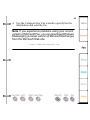
6. Press the fax number you want your faxes forwarded to
and ##.
7. Remain on the line until you hear three beeps, which
means the WorkCentre received your request, and then
hang up the telephone.
The WorkCentre deletes the fax after it’s sent.
Turning off fax forwarding from a remote location
You can turn off fax forwarding when you’ll no longer be
near a fax machine. When you turn off fax forwarding, the
WorkCentre either prints your faxes or stores them to
memory, depending on the Receive option setting.
Note If the Receive option is set To memory, you
should retrieve your faxes as soon as possible to free
up memory.
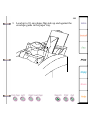
1. Lift the telephone handset and wait for a dial tone.
2. Dial your WorkCentre’s fax number.
After the WorkCentre answers, you hear the fax tones.
3. When you hear a pause in the tone sequence, press #
and wait for three confirmation tones.