Download Sun Microsystems Interface Adapter Network Card User Manual
Transcript
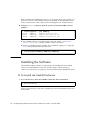
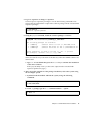
Before installing the SunHSI PCI software on your system, check your system to see if previous versions of the SunHSI software are installed. If older SunHSI software exists, you must remove this software before installing the new SunHSI software. ● Using the pkginfo command, check the system for installed SunHSI software packages: # /usr/bin/pkginfo | grep SUNWhsip system SUNWhsip SunHSI/P Driver for PCI system SUNWhsipm SunHSI/P Man Pages for PC system SUNWhsipu SunHSI/P Utilities for PCI ■ If no SunHSI packages are installed, skip to the next section, “Installing the Software” on page 12, to continue with the software installation. ■ If there are SunHSI packages installed, remove them by logging on as superuser (root) and typing the following command: # /usr/sbin/pkgrm SUNWhsip SUNWhsipu SUNWhsipm Installing the Software The SunHSI PCI driver, utilities, and man pages are distributed in the standard Solaris pkgadd distribution format. The pkgadd utility loads the SUNWhsip, SUNWhsipm, and SUNWhsipu packages onto the system from the distribution media. ▼ To Install the SunHSI Software 1. Access the directory where the SunHSI software has been downloaded. # cd download-directory where download-directory is the name of the directory where the SunHSI software was downloaded. 12 Sun PCI High Speed Quad Port Serial Interface Adapter User’s Guide • December 2005