1
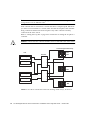
Rezoning and Reassigning Sun StorEdge A3500FC
LUNs from Host A to Host B
Rezoning to remove a storage device from host A and add it to host B causes host A
to loose all access to the storage device. To rezone a Sun StorEdge A3500FC array
from one host to another host, perform the following two procedures:
■
■
▼
“To Rezone a Sun StorEdge A3500FC Array From Host A” on page 121
“To Rezone a Sun StorEdge A3500FC Array to Host B” on page 121
To Rezone a Sun StorEdge A3500FC Array From
Host A
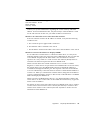
1. Stop all LUN activity to the Sun StorEdge A3500FC array.
2. Stop Raid Manager 6.22.
# /etc/init.d/rdacctrl stop
3. Unmount any file systems currently using the Sun StorEdge A3500FC array.
4. Deport any Volume Manager disk groups.
The system is ready for rezoning. You can reassign the Sun StorEdge A3500FC LUNs
from host A to host B.
5. Run the /etc/init.d/rdacctrl config command.
6. If necessary, run the /etc/init.d/rdacctrl start command.
▼
To Rezone a Sun StorEdge A3500FC Array to
Host B
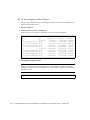
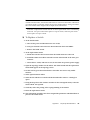
1. If Raid Manager 6.22 is installed, run the hot_add commnad.
If Raid Manager 6.22 has not been installed, do the following:
a. Install Raid Manager 6.22 software
Chapter 9
Managing the SAN
121