1
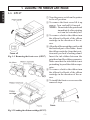
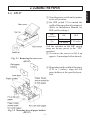
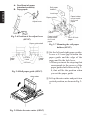
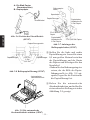
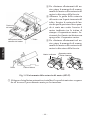
1 Turn the power switch on the printer
to the off position.
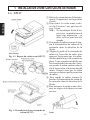
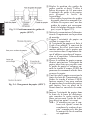
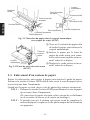
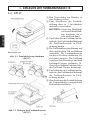
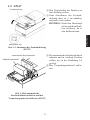
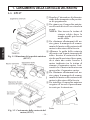
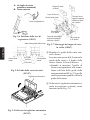
2 To remove the front cover lift it up
approx. 3cm. and pull it forward.
NOTE: Do not touch the print head
immediately after printing
as it can be extremely hot.
Front cover
Power off
Fig. 1-3 Removing the front cover
(SP347)
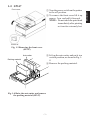
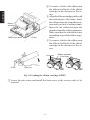
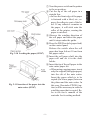
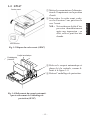
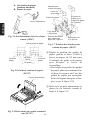
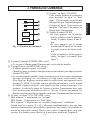
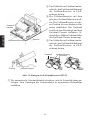
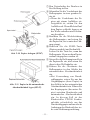
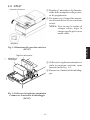
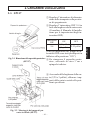
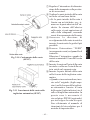
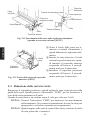
3 Lift up the auto cutter and put it in a
vertical position, as shown in Fig. 14.
4 Remove the packing material.
Auto cutter
Packing material
Fig. 1-4 Raise the auto cutter and remove
the packing material (SP347)
–3–
ENGLISH
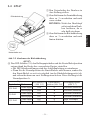
1-2. SP347