1
USING THE SETUP MENU TO
CHANGE SETTINGS
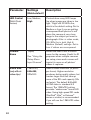
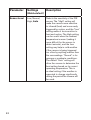
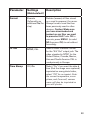
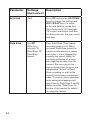
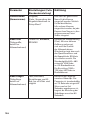
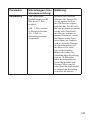
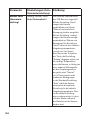
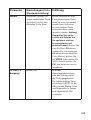
The main purpose of the SETUP mode is to allow you to change the
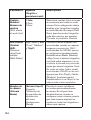
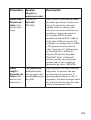
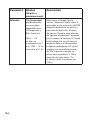
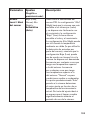
settings of the camera’s parameters (18 different ones are available!) so your
NatureView Cam operates exactly the way you want it to. You will do this
by entering the SETUP Menu and pressing the keys below the LCD display,
which will show you each parameter and its setting.
Changing Parameter Settings in SETUP Mode
A wide range of options or “parameters” are provided to allow you to set the
NatureView Cam to your operational preferences. To change the setting of
any parameter you must first switch to the SETUP mode. Once in SETUP
mode, pressing the MENU button will allow you to select any parameter and
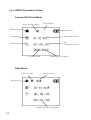
change its setting. The name of the parameter and its current setting will be
shown on the LCD. Pressing the RIGHT or LEFT key scrolls to the next or
previous parameter (RIGHT key to move on to the next parameter and LEFT
key to go back to the previous parameter), and pressing the UP or DOWN
key lets you select a different setting for the currently displayed parameter.
Once you have selected your preferred new setting for a parameter, press
the OK button to save the new setting (actually change it). When you are
finished changing the settings of one or more parameters, press MENU
again to exit the SETUP menu. MENU can also be pressed anytime you
want to cancel changing a parameter’s setting after a new setting has been
selected (but OK has not been pressed yet). After setting the parameters
to your preferences, be sure to move the switch to ON to begin actually
taking photos or videos. No images will be captured if the switch is left in the
SETUP position (unless you press the RIGHT/Shot key after exiting the menu)in fact, the camera will power off automatically after a few seconds with no
key pressed.
Parameter Setting Display
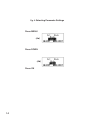
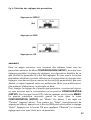
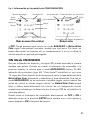
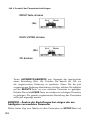
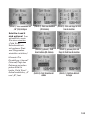
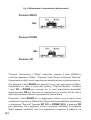
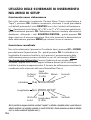
Only one setting is displayed at a time, starting with the current setting for
the parameter when it is first selected (Fig. 4a). To change the setting, use the
UP/DOWN keys to display the new setting you want (Fig. 4b), then press OK
to “Execute” (make the actual change to this setting). If you want to confirm
this setting is now the current one, just press the RIGHT key to scroll to the
next parameter, then press LEFT to go back again to the previous one. You
should see the parameter setting you just made.
13






































































![[5L]](http://vs1.manualzilla.com/store/data/006334761_1-707826ed3650c039718b0431604b8656-150x150.png)