1
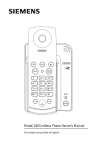
Model 242 Cordless Phone with Caller ID
Owner’s Manual
Se Incluyen Instrucciones en Espanol
Welcome
Congratulations on your purchase of the Siemens 242 cordless
telephone! This phone’s 2.4 GHz frequency and high-speed digital
voice encoding provide reception and voice clarity that is superior
to other cordless phones. And, it’s digital spread spectrum
technology will provide you with secure, private conversations.
To get the best performance out of your phone please read this
owner’s manual.
Customer Service
For customer service
in the US or Canada
call (888) 777-0211
Table of Contents
Package Contents ........................................................................................................................ 4
Installation and Setup ................................................................................................................. 6
Installing the AC Power Adapter and Base ....................................................................................... 6
Desk/Table Installation .......................................................................................................................... 6
Wall Installation ..................................................................................................................................... 6
Preparing the Handset ................................................................................................................ 7
Installing / Replacing the Battery Pack ............................................................................................. 7
Charging the Battery ............................................................................................................................. 7
Maximizing Battery Performance ....................................................................................................... 7
Memory Numbers Label ....................................................................................................................... 8
Setting Basic Features ................................................................................................................ 8
Adjusting the Ring Volume and Turning the Ringer Off/On ............................................................ 8
Selecting a Ring Tone ............................................................................................................................ 9
Selecting Tone or Pulse Dialing ........................................................................................................... 9
Storing Your Local Area Code (for use with Caller ID services) ................................................... 9
Programming Caller ID on Call Waiting (for use with Caller ID services) ................................ 10
Selecting the Language to Display ................................................................................................... 11
Using the Handset ..................................................................................................................... 11
Placing a Call ........................................................................................................................................ 11
Answering a Call .................................................................................................................................. 12
Ending a Call .......................................................................................................................................... 12
Redialing a Number ............................................................................................................................. 12
Displaying the Last Number Dialed .................................................................................................. 12
Active Call Features ................................................................................................................... 12
Changing the Handset’s Earpiece Volume ...................................................................................... 12
Turning Mute On and Off .................................................................................................................... 12
Answering Call Waiting ...................................................................................................................... 13
Speed Dialing and Memory Numbers ................................................................................... 13
Adding a Memory Number ................................................................................................................ 13
Dialing a Memory Number ................................................................................................................. 13
Using Multiple Memory Numbers with Chain Dialing ................................................................. 14
Deleting or Changing a Memory Number ....................................................................................... 14
Base Operation ........................................................................................................................... 15
Locating the Handset with the Page Feature ................................................................................. 15
Caller ID Operation ..................................................................................................................... 15
Receiving Caller ID ............................................................................................................................... 15
Receiving Caller ID from Call Waiting .............................................................................................. 16
Call Log Operation ...................................................................................................................... 16
Viewing the Call Log ............................................................................................................................ 16
Calling Back Numbers from the Call Log ........................................................................................ 17
Moving a Call Log Entry to a Memory Location ............................................................................ 17
Deleting a Call Log Entry .................................................................................................................... 18
Delete All Call Log Entries .................................................................................................................. 18
Warnings and Troubleshooting ............................................................................................... 19
Siemens 242 Cordless Phone
3
Owner’s Manual
Package Contents
If an item listed below is not included in your package, please contact your local
Siemens dealer.
Handset
Battery Cover
AC Power Adapter
withTelephone Line Cord
Base
Rechargeable Battery Pack
Memory Number Label
Siemens 242 Cordless Phone
4
Owner’s Manual
n z x
Handset and Base
Earpiece
Menu
(see page 8)
LCD Graphic
Display
Up and Down
Controls
(see page 8, 9, 10, 11,
12, 13, 14, 16, 18)
Talk (on/off)
(see page 11)
Redial/Pause
(see page 12, 13)
Battery Charging
Indicator
Tone
(see page 13)
Handset Page
(see page 15)
Flash
(see page 13)
Siemens 242 Cordless Phone
Delete/Mute
(see page 12, 13, 14, 18)
Microphone
5
Owner’s Manual
Installation and Setup
n z x
Installing the AC Power Adapter and Base
Warning! Use only the Siemens AC power adapter supplied with this
phone. DO NOT use an outlet controlled by a wall switch.
The AC power adapter has two cords ending
in plastic connectors. The larger of the two
connectors (RJ 45) plugs into the base. The
smaller of the two connectors (RJ 11) plugs
into a wall telephone jack. The AC power
adapter plugs into an electrical wall outlet.
Desk/Table Installation
1. Plug the large connector (RJ 45) into the base.
2. Plug the AC power adapter into a wall outlet (standard 110/120 VAC).
n z x
3. Plug the small connector (RJ 11) into a wall telephone jack.
Wall Installation
1. Plug the large connector (RJ 45) into the base.
2. Plug the small connector (RJ 11) into the wall telephone jack.
3. Align the mounting holes on the back of the base to the mounting posts on the
wall plate (not included).
4. Push the base down over the mounting posts until it is tight.
5. Plug the AC power adapter into the wall outlet (standard 110/120 VAC).
n z x
NOTE: If you do not have a standard wall plate, mount the base
directly to the wall (mounting screws not included).
Installation Tips
Fully charge the battery pack for 12 hours before first using the phone. To get the
maximum range and the best sound quality from your handset,
• Install and operate the base away from electrical appliances such as televisions,
personal computers, microwave ovens, and other cordless phones.
• Install the base in a high, central location with few obstructions.
n z x
Siemens 242 Cordless Phone
6
Owner’s Manual
Preparing the Handset
Installing / Replacing the Battery Pack
1. Press in on the battery cover release.
n z x
Battery Cover
Release
2. Slide the battery cover
off the handset.
3. Plug the plastic connector of Battery Pack into the socket inside the battery
compartment of the handset.
4. Insert the Battery Pack into the battery compartment.
5. Tuck the battery wires inside the battery compartment.
6. Slide the battery cover onto the handset; listen for a snap.
NOTE: Replacement battery packs are available for sale by
calling the Siemens Customer Service Center at 1 (888) 777-0211.
Charging the Battery
Place the handset in the base for 12 hours before first use.
Place the handset in the base for 4 to 6 hours to recharge.
n z x
•
•
NOTE: The battery cannot be overcharged. The handset may face
to the front or back while it is in the base.
Maximizing Battery Performance
A fully charged battery pack lasts for approximately
• 4 hours when using the handset continuously (talk time)
n z x
• 7 days when the handset is not in use (stand-by time)
To maximize battery performance
• Place the handset in the base when not in use.
• Clean the charging contacts on the handset and base once each month.
NOTE: To clean the charging contacts, use a pencil eraser or
other contact cleaner. Do not use liquids or solvents that can
damage your phone.
CONTAINS NICKEL CADMIUM BATTERY. BATTERY MUST BE RECYCLED OR DISPOSED OF PROPERLY. DO NOT DISPOSE OF IN
MUNICIPAL WASTE.
Siemens 242 Cordless Phone
7
Owner’s Manual
Memory Numbers Label
For easy reference to memory numbers,
1. List the memory numbers beside the corresponding memory location number on
the label supplied.
2. Place the label on the base or back of the handset.
n z x
Memory Number Label
Charging Contacts
Setting Basic Features
Basic feature programming is done while the phone is in the idle state (not during an
active call).
n z x
Adjusting the Ring Volume and Turning the Ringer Off/On
1.
Press
2.
Press the
.
key once to move to “RING VOLUME”.
"RING VOLUME
RING TONE
3.
4.
Press
to select “RING VOLUME” (the current setting will sound).
Press the
or
key to change the ring volume or turn it
off/on.
RING VOLUME
2
RING VOLUME
RINGER OFF
Each time a new volume is selected, the ring will sound. If the ringer is turned
off, the display will read “Ringer Off.”
5.
Press
to save.
6.
Press
to exit.
Siemens 242 Cordless Phone
8
Owner’s Manual
n z x
Selecting a Ring Tone
1.
Press
2.
Press the
.
key twice to move to “RING TONE”.
"RING TONE
DIAL MODE
3.
Press
.to select “RING TONE”(current tone will sound).
RING TONE
2
or
4.
Press the
key to change the ring tone (selected tone will sound).
5.
Press
to save the ring tone setting.
6.
Press
to exit.
Selecting Tone or Pulse Dialing
To set the dial mode used by your local phone service (tone or pulse),
n z x
1.
Press
2.
Press the
.
key three times to move to “DIAL MODE”
"DIAL MODE
YOUR AREA CODE
3.
4.
Press
.to select “DIAL MODE”.
Press the
or
key to change between tone and pulse.
PULSE DIAL
#$TO CHANGE
TONE DIAL
#$TO CHANGE
5.
Press
to save a dial mode setting.
6.
Press
to exit.
Storing Your Local Area Code (for use with Caller ID services)
When you program a local area code, calls from that area code will be stored in the
call log without the area code. This makes a local number readily available for call
back or for moving it to a memory location. To store the local area code,
n z x
1.
Press
.
Siemens 242 Cordless Phone
9
Owner’s Manual
2.
Press the
key four times to move to “YOUR AREA CODE”
"YOUR AREA CODE
CALL WAIT ID
3.
Press
.to select “YOUR AREA CODE”.
ENTER AREA CODE
4.
Enter the local area code.
NOTE: If there is already an area code stored, use
before entering the new area code.
5.
Press
to save the local area code.
6.
Press
to exit.
to erase it
NOTE: Do not store the local area code in areas
with 10-digit dialing. If an area code changes from 7-digit to 10digit dialing, repeat steps 1 through 5 and delete the area code.
Programming Caller ID on Call Waiting (for use with Caller ID services)
The phone comes from the factory with Caller ID on Call Waiting turned on. If you do
not subscribe to Call Waiting or your local telephone company does not provide
Caller ID on Call Waiting, it is recommended to turn this feature off.
n z x
1.
Press
2.
Press the
.
key five times to move to “CALL WAIT ID”.
"CALL WAIT ID
LANGUAGE
3.
4.
Press
.to select “CALL WAIT ID”.
Press the
or
key to select on or off.
CALL WAIT ID ON
#$TO CHANGE
5.
Press
to save the setting.
6.
Press
to exit.
Siemens 242 Cordless Phone
CALL WAIT ID OFF
#$TO CHANGE
10
Owner’s Manual
Selecting the Language to Display
To select the language for screen display text,
n z x
1.
Press
2.
Press the
.
key six times to move to “LANGUAGE”.
"LANGUAGE
MEMORY DIAL
3.
4.
Press
.to select “LANGUAGE”.
Press the
or
key to change the language.
ENGLISH
#$ TO CHANGE
Or
FRANCAIS
#$ POUR CHANGER
Or
ESPANOL
#$ PARA CAMBIAR
5.
Press
to save the language setting.
6.
Press
to exit.
Using the Handset
n z x
1.
2.
Placing a Call
Press
to get a dial tone.
Dial the number.
OR
If you would like to view or edit the number before connecting (composed dialing),
1.
Dial the number (press
2.
Press
.to delete any wrong digits).
to connect the call.
Siemens 242 Cordless Phone
11
Owner’s Manual
NOTE: The display will show a maximum of 16 digits. If more than
16 are used, the digits at the left of the display move off the
screen as additional digits are dialed. The call timer will activate
when you press TALK .
Answering a Call
1. Remove the handset from the base.
OR
n z x
2.
Press
.
Ending a Call
1. Place the handset in the base.
OR
n z x
2.
Press
.
Redialing a Number
To immediately redial the last number dialed,
n z x
1.
Press
.
2.
Press
.
n z x
Displaying the Last Number Dialed
1.
Press
to display the last number dialed.
2.
Press
.to dial.
NOTE: You may edit the display number by using the
and/or typing new numbers.
key
Active Call Features
The following features are only available while you are on an active call.
n z x
1.
Changing the Handset’s Earpiece Volume
or
Press the
key to change the handset volume.
Turning Mute On and Off
Mute allows you to hear the other caller, but the other caller cannot hear you. To turn
mute on or off,
n z x
1.
Press
to turn mute on (the display will read “MUTE ON”).
MUTE ON
Siemens 242 Cordless Phone
12
Owner’s Manual
2.
Press
again to turn mute off.
Answering Call Waiting
If you subscribe to a call waiting service from you local phone company,
n z x
1.
Press
to answer the second call.
2.
Press
again to return to the first call.
Speed Dialing and Memory Numbers
Speed dialing enables you to store up to 10 memory numbers for instant dialing. Each
number can have up to 22 digits (including pauses).
n z x
1.
Adding a Memory Number
Press
to add a number to memory.
"MEMORY DIAL
RING VOLUME
2.
Press
to select “MEMORY DIAL”.
1:
_ _ _ _ _ _ _ _ _ _ _ _ _ _
_ _ _ _ _ _ _ _
or
3.
Press the
key to move to the desired memory location.
4.
Enter the number (dialing string) to store the number in the memory location
(enter numbers only, not dashes).
1: 5125551212
•
Press
•
Press
to enter a 2-second pause between digits, displayed as “P.”
to temporarily switch from pulse to tone dialing.
5.
Press
to save the number.
6.
Press
to exit.
n z x
Dialing a Memory Number
1.
Press
.
2.
Press
.
Siemens 242 Cordless Phone
13
Owner’s Manual
PRESS MEMORY
DIAL LOCATION
3.
Press a memory location (0 to 9); the number is displayed and dialed.
5125551212
0:00
Using Multiple Memory Numbers with Chain Dialing
To use more than one memory number (such as a bank account number or
password),
n z x
1.
Press
.
2.
Press
.
PRESS MEMORY
DIAL LOCATION
3.
Press the first memory location (0 to 9); the number is displayed and dialed.
5125551212
0:00
4.
Repeat steps 2 and 3 as needed to dial additional numbers.
n z x
1.
Deleting or Changing a Memory Number
Press
.
"MEMORY DIAL
RING VOLUME
2.
Press
to select “MEMORY DIAL.”
PRESS MEMORY
DIAL LOCATION
or
3.
Press the
change.
4.
Press
to delete some or all the digits. Type new numbers to enter them into
the dialing string.
Siemens 242 Cordless Phone
key to scroll to the memory location you want to delete or
14
Owner’s Manual
5.
Press
to save the number.
6.
Press
to exit.
Base Operation
n z x
1.
2.
Locating the Handset with the Page Feature
Press
on the base.
The handset beeps every second for 30 seconds and displays “Paging From
Base.”
PAGING FROM BASE
3.
4.
Repeat as needed to locate the handset.
Press any button on the handset to end the Page.
NOTE: Page does not work if the handset is connected to a call or
receiving a call.
Caller ID Operation
Receiving Caller ID
Caller ID name and number display when a call is received.
n z x
1.
JOHN DOE
512-555-1212
2.
After 1 minute, the number is removed so it does not interfere with the call timer.
JOHN DOE
0:03
The caller’s name and number will not be displayed in the following cases:
• The call is made through a telephone company that does not offer caller ID
services. In this case “UNKNOWN” will be displayed.
• The call was “blocked.” For privacy reasons, many phone companies allow
callers the option to prevent their telephone data from being displayed. In this
case, “PRIVATE” will be displayed.
Siemens 242 Cordless Phone
15
Owner’s Manual
Receiving Caller ID from Call Waiting
If a second call is received during a call,
1. The new name and number displays.
n z x
SALLY SMITH
512-555-1212
2.
After 10 seconds, the name and number are replaced with the call timer.
Call Log Operation
When the handset is idle, the display indicates the number of new calls in the Caller
ID call log (if you subscribe to Caller ID services). A maximum of 30 call log entries
can be stored in the order they were received. When the call log is full, the oldest
entry is removed and the newest entry is added.
Viewing the Call Log
The phone must be idle to review the call log entries.
n z x
1.
NEW CALLS: 30
#$TO CHANGE
2.
or
Press the
key to display call log entries.
JOHN DOE
512-555-1212
11:30 AM
3.
4.
12/01
Pressing the
key will scroll from the most recent to the last entry. Pressing
the
key will scroll from the last to the most recent entry.
When you reach the end of the call log, press the
key to return to the top of
the call log.
* * * END * * *
5.
Press
to exit the call log and return the phone to idle state.
Siemens 242 Cordless Phone
16
Owner’s Manual
Calling Back Numbers from the Call Log
To dial a call stored in the call log,
1. Select the call log entry you want to dial (following steps 1-3 above).
n z x
2.
Press
to dial the selected number.
JOHN DOE
512-555-1212
11:30 AM
12/01
TIP: If the call you want to dial requires a “1” before the dialing
string (a long distance call) or a “0” (connecting through the
operator), simply press the “1” or “0” before pressing “TALK” and
that digit will be automatically inserted at the beginning of the
dialing string.
1.
Moving a Call Log Entry to a Memory Location
Select the call log entry to move to a memory location (see “Viewing the Call
Log” steps 1-3).
2.
Press
n z x
to open the call log menu.
"MOVE TO MEMORY
DEL ALL CALLS
3.
Press
.to select “MOVE TO MEMORY”.
SAVE NUMBER TO
MEM LOCATION: 0-9
11:30 AM
4.
5.
12/01
Press a memory location (0 to 9) to store the number.
The display returns to the call log entry.
SALLY SMITH
512-555-1212
11:30 AM
12/01
NOTE: Moving a log entry to a memory location does not delete
the number from the call log. If you select a memory location that
already contains a stored number, that number will automatically
be replaced with the number moved from the call log.
Siemens 242 Cordless Phone
17
Owner’s Manual
Deleting a Call Log Entry
Select the call log entry to delete (see “Viewing the Call Log” steps 1-3).
n z x
1.
SALLY SMITH
512-555-1212
11:30 AM
2.
3.
12/01
Press
to delete the call log entry.
The next call log entry received will display (or END, if no entries remain).
JOHN DOE
512-555-1212
11:30 AM
12/01
1.
Delete All Call Log Entries
Select any call log entry.
2.
Press
n z x
to open the call log menu.
"MOVE TO MEMORY
DEL ALL CALLS
3.
Press the
key once to move to “DEL ALL CALLS”.
"DEL ALL CALLS
MOVE TO MEMORY
4.
Press
to select “DEL ALL CALLS”or press
to exit.
PRESS OK
TO CONFIRM
5.
Press
.to confirm.
Caller ID information will not be displayed if the handset is in the programming or call
log menu:
•
To stop the current operation and display Caller ID information, press
answer the call, press
•
.
To stop the current operation and answer the call, press
information displays while connected to the call.
Siemens 242 Cordless Phone
. To
18
. Caller ID
Owner’s Manual
Warnings
Battery Low Warnings
When the handset beeps 2 times and displays “BATTERY LOW,” the battery needs to
be recharged. This warning will be repeated every 20 seconds during an active call
until the battery is depleted.
n z x
BATTERY LOW
Out of Range Warnings
When the handset beeps 3 times and displays “OUT OF RANGE,” the handset is too
far away from the base to operate.
n z x
OUT OF RANGE
NOTE: An active call is disconnected if the handset is out of range
for more than 3 seconds. Move the handset closer to the base to
make a new call.
Troubleshooting
Problem
The charge indicator light does not come on when the handset is placed in the base.
Solution
•
•
•
Make sure AC adapter is plugged into the base and wall outlet.
Make sure the handset is placed securely in the base.
Make sure the charging contacts on the handset and base are clean.
Siemens 242 Cordless Phone
19
Owner’s Manual
Problem
The audio sounds weak or scratchy.
Solution
•
•
Move the handset or base to a different location.
Avoid locating the handset or base near metal objects or appliances.
Problem
Unable to make or answer calls.
Solution
•
•
•
Make sure the AC adapter is plugged into the base, wall outlet, and the RJ45
connector is plugged into the phone jack.
Disconnect the AC adapter for a few minutes, and then reconnect.
Place the handset back on the charging cradle for a few seconds.
Problem
The handset does not ring or receive a page.
Solution
•
•
•
•
The battery pack may need to be charged for 4 to 6 hours.
Move the handset closer to the base.
Move the base away from appliances or metal objects.
Place the handset on the base for a few seconds.
Problem
A call is disconnected when the handset is out of the base.
Solution
•
•
•
•
Check to see if the handset displays “BATTERY LOW” or “OUT OF RANGE,”
indicating the battery needs to be charged or the handset needs to be moved
closer to the base.
Make sure the RJ45 connector is plugged into the base.
Make sure the AC adapter is plugged into the wall outlet.
Charge the battery by placing the handset in the base.
Siemens 242 Cordless Phone
20
Owner’s Manual
FCC Information
WARNING: Changes or modifications to this unit not expressly approved by Siemens Communication Devices could void the FCC authority
to operate the equipment. This includes the addition of any external antenna device.
This telephone system complies with Part 68 of the FCC rules. On the bottom of the base station is a label that contains, among other
information, the FCC Registration Number, Ringer Equivalence number (REN) and the Universal Service Order Code (USOC), which is RJ-11C,
for this equipment. You must, upon request, provide this information to your telephone company.
The REN is useful in determining the quantity of devices you may connect to your telephone line and still have all of those devices ring
when your telephone number is called. In most, but not all areas, the sum of the RENs of all devices connected to one line should not
exceed five (5.0). To be certain of the number of devices you may connect to your line, as determined by the REN, you should contact your
local telephone company to determine the maximum REN for your calling area.
If your telephone equipment causes harm to the telephone network, the telephone company may ask you to disconnect the system from
the line until the problem has been corrected or they may discontinue your service temporarily. If possible, they will notify you in advance.
But if advance notice isn’t practical, you will be notified as soon as possible. You will be informed of your right to file a complaint with FCC.
Your telephone company may make changes in its facilities, equipment, operations, or procedures that could affect the proper functioning
of your telephone system. If they do, you will be notified in advance to give you an opportunity to maintain uninterrupted telephone
service. If you experience trouble with this telephone system, disconnect it from the network until the problem has been corrected or until
you are sure that the equipment is not malfunctioning.
This telephone system may not be used on coin service provided by the telephone company. Connection to party lines is subject to state
tariffs. Privacy of communications may not be ensured when using this phone.
This telephone system equipment has been tested and found to comply with the limits for Class B digital device, pursuant to Part 15 of the
FCC Rules. Operation is subject to the following two conditions: (1) This device may not cause harmful interference, and (2) This device must
accept any interference received, including interference that may cause undesired operation. These limits are designed to provide
reasonable protection against harmful interference in a residential installation. Some cordless telephones operate at frequencies that may
cause interference to nearby TV’s and VCR’s; to minimize or prevent such interference, the system base should not be placed near or on top
of a TV or VCR; and, if interference is experienced, moving the base farther away from the TV or VCR will often reduce or eliminate the
interference.
However, there is no guarantee that interference will not occur in a particular installation. If this telephone system does cause harmful
interference to radio or television reception, which can be determined by turning the system off and on, the user is encouraged to try to
correct the interference by one or more of the following measures:
1. Increase the separation between the base station and receiver.
2. Connect the base station into an outlet on a circuit different from that to which the receiver is connected.
3. Consult the dealer or an experienced radio TV technician for help.
NOTICE TO HEARING AID WEARERS: This phone system is compatible with inductively coupled hearing aids.
POWER OUTAGE: In the event of a power outage, your cordless telephone will not operate. The cordless telephone requires electricity for
operation. You should have a telephone that does not require electricity available for use during power outages.
Industry Canada Certification
NOTICE: If the product has an Industry Canada label, this label identifies certified equipment. This device requires a radio license, unless it
(including antenna) is installed totally inside a building. (User must obtain this license from Industry Canada). This certification means that
the equipment meets certain telecommunications network, protective, operational and safety requirements as prescribed in the
appropriate Terminal Equipment Technical Requirements document(s). The Department does not guarantee the equipment will operate to
the user’s satisfaction.
Before installing this equipment, users should ensure that it is permissible to be connected to the facilities of the local telecommunications
company. The equipment must also be installed using an acceptable method of connection. The customer should be aware that compliance
with the above conditions may not prevent degradation of service in some situations.
Repairs to certified equipment should be coordinated by a representative designated by the supplier. Any repairs or alterations made by
the user to this equipment, or equipment malfunctions, may give the telecommunications company cause to request the user to disconnect
the equipment.
Users should ensure for their own protection that the electrical ground connections of the power utility, telephone lines and internal
metallic water pipe system, if present, are connected together. This precaution may be particularly important in rural areas.
CAUTION: Users should not attempt to make such connections themselves, but should contact the appropriate electric inspection
authority, or electrician, as appropriate.
Siemens 242 Cordless Phone
21
Owner’s Manual
Important Safety Instructions and Product Information
Before using your telephone equipment, basic safety instructions should always be followed to reduce the risk of fire, electric shock and
injury to persons.
1. Read and understand all instructions.
2. Follow all warnings and instructions marked on the product.
3. Unplug this product from the wall telephone jack and power outlet before cleaning. Do not use liquid cleaners or aerosol cleaners. Use
damp cloth for cleaning.
4. Do not use this product near water, for example, near a bathtub, wash bowl, kitchen sink, or laundry tub, in a wet basement or near a
swimming pool.
5. Place this product securely on a stable surface. Serious damage and/or injury may result if the unit falls.
6. Slots or openings in the cabinet and the back and bottom are provided for ventilation, to protect it from overheating. These openings
must not be blocked or covered. This product should never be placed near or over a radiator or heat register, or in a place where proper
ventilation is not provided.
7. This product should be operated only from the type of power source indicated on the marking label. If you are not sure of the type of
power supply to your home, consult your dealer or local power company.
8. Do not place objects on the power cord. Install the unit where no one can step or trip on the cord.
9. Do not overload wall outlets and extension cords as this can result in the risk of fire or electric shock.
10. Never push objects of any kind into this product through cabinet slots as they may touch dangerous voltage points or short out parts
that could result in the risk of fire or electric shock. Never spill liquid of any kind on this product.
11. To reduce the risk of electric shock or burns, do not disassemble this product. Take it to a qualified service center when service is
required. Opening or removing covers may expose you to dangerous voltages, dangerous electrical current or other risks. Incorrect
reassembly can cause electric shock when the appliance is subsequently used.
12. Unplug the product from the wall outlet and refer servicing to qualified service personnel under the following conditions:
a.) When the power cord is damaged or frayed. b.) If liquid has been spilled into the product. c.) If the product has been exposed to rain or
water. d.) If the product does not operate normally by following the operating instructions. Adjust only those controls that are covered by
the operating instructions because improper adjustment of other controls may result in damage and may require extensive work by a
qualified technician to restore the product to normal operation. e.) If the product has been dropped or physically has been damaged. f.) If
the product exhibits a distinct change in performance.
13. Avoid using a telephone (other than a cordless type) during a thunderstorm. There may a remote risk of electrical shock from lightning.
14. Do not use the telephone to report a gas leak in the vicinity of the leak.
BATTERY SAFETY PRECAUTIONS: To reduce the risk of fire, injury or electric shock, and to properly dispose of batteries, please read and
understand the following instructions.
CONTAINS NICKEL CADMIUM BATTERY. BATTERY MUST BE RECYCLED OR DISPOSED OF PROPERLY. DO NOT DISPOSE OF IN MUNICIPAL
WASTE.
1. Only use the batteries specified for use with this product.
2. DO NOT USE ALKALINE OR LITHIUM BATTERIES, or mix batteries of different sizes or from different manufacturers in this product.
3. Do not dispose of the batteries in a fire; the cells may explode. Do not expose batteries to water. Check with local codes for special
disposal instructions.
4. Do not open or mutilate the batteries. Released electrolyte is corrosive and may cause damage to the eyes or skin. The electrolyte may
be toxic if swallowed.
5. Exercise care in handling the batteries in order not to short the batteries with conducting materials such as rings, bracelets, and keys.
The batteries or conducting material may overheat and cause burns or fire.
6. Charge the batteries provided with, or identified for use with, this product only in accordance with the instructions and limitations
specified in the user’s manual. Do not attempt to charge the batteries with any means other than that specified in the user’s manual.
7. Periodically clean the charge contacts on both the charger and handset.
8. The RBRC™ Battery Recycling Seal on the batteries indicates Siemens is voluntarily participating in an industry program to collect and
recycle these batteries at the end of their useful life, when taken out of service within the United States or Canada. The RBRC program
provides a convenient alternative to placing used batteries into the trash or municipal waste stream, which is illegal in some areas. Please
call 1-800-8-BATTERY for information on battery recycling in your area. Siemens involvement in this program is part of our commitment to
preserving our environment and conserving our natural resources.
Siemens 242 Cordless Phone
22
Owner’s Manual
Limited Warranty
This limited, non-transferable warranty is provided to the original purchaser. The product is warranted to be free from defects in materials
and workmanship under normal installation, use, and service for period of one (1) year from the date of purchase as shown on the
purchaser’s receipt.
Our obligation under this warranty is limited to repair or replacement (at our option) of the product or any part(s) which are defective
provided that the product is returned to the original place of purchase or an authorized service location during the warranty period. A copy
of the purchase receipt must accompany products returned. In the absence of a purchase receipt, the warranty period shall be one (1) year
from the date of manufacture. Repair or replacement of the product is your sole and exclusive remedy.
If the product is repaired, reconditioned component parts or materials may be used. If the product is replaced, we may choose to replace it
with a new or reconditioned product of the same or similar design. The repaired or replacement product will be warranted for either (a) 90
days or (b) the remainder of the original one (1) year warranty period, whichever is longer. Batteries provided are warranted for the same
time period.
This warranty does not apply to defects outside of our control, including but not limited to acts of God, fire, flood, damage while in transit to
service facility. We do not warranty that the product will be compatible with any telephone equipment or systems or party lines.
This warranty shall be void if the product is damaged as a result of defacement, misuse, abuse, neglect, accidents, destruction, or
alteration of the serial number, improper electrical voltages or currents, repair, alteration or maintenance by any person or party other than
our authorized service facility or any violation of instructions furnished by us.
This warranty is also void if this product is removed from the country in which the original purchaser purchased it, if it is used in a country,
which it not registered for use, or if it is used in a country for which it was not designed. Due to variations in telephone systems and
communications laws, this product may be illegal for use in some countries. We assume no responsibility for damages or penalties
incurred resulting from the use of this product in a manner or location other than that for which it is intended.
THIS ONE-YEAR LIMITED WARRANTY IS IN LIEU OF ALL OTHER WARRANTIES EXPRESS OR IMPLIED. ANY IMPLIED WARRANTIES,
INCLUDING BUT NOT LIMITED TO THE IMPLIED WARRANTIES OF MERCHANTABILITY AND FITNESS FOR A PARTICULAR PURPOSE, SHALL
BE LIMITED IN DURATION TO THE ONE-YEAR DURATION OF THIS WRITTEN LIMITED WARRANTY. WE DISCLAIM ANY LIABILITY FOR
DAMAGES FOR LOSS OF USE OF THE PRODUCTS, LOSS OF TIME, INCONVENIENCE, INJURY TO CUSTOMER OR ANY OTHER PERSON, OR
DAMAGE TO CUSTOMER PROPERTY CAUSED BY THE PRODUCT, LOSS OF REVENUE OR PROFIT, OR DAMAGES FOR ANY FAILURE TO
PERFORM. IN NO EVENT SHALL WE BE LIABLE FOR ANY SPECIAL, INCIDENTAL, PUNITIVE OR CONSEQUENTIAL DAMAGES EVEN IF WE
ARE ADVISED OF THE POSSIBILITY OF SUCH DAMAGES.
Some states do not allow limitations on how long an implied warranty lasts, so the above limitations may not apply to you.
This warranty is the sole and exclusive warranty provided for the product. There are no other express warranties. This warranty gives you
specific legal rights, and you may also have other rights, which vary from state to state.
Siemens Communication Devices
Siemens is a registered trademark of Siemens AG.
Siemens Communication Devices is a division of Siemens Information and
Communication Products, LLC.
RBRC™ is a trademark of the Rechargeable Battery Recycling Corporation.
Information subject to change since Siemens reserves the right, without notice, to
make changes in equipment design or components as progress in engineering or
manufacturing methods warrant.
Order Number: CS242PUBES
Part Number: S30883-Y2100-A305
© Copyright February 1999
Siemens 242 Cordless Phone
23
Owner’s Manual