1
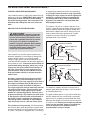
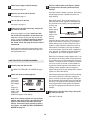
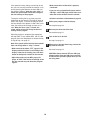
When only three seconds remain in the first segment of the program, both the Current Segment
column and the column to the right will flash and a
series of tones will sound. If the speed and/or incline of the treadmill is about to change, the speed
setting and/or the incline setting will flash in the
display to alert you.
HOW TO USE A PRESET PROGRAM
1
Insert the key into the console.
See HOW TO TURN ON THE POWER on page
10.
2
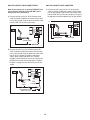
When the first ends, all speed settings will move
one column to the left. The speed setting for the
second segment will then be shown in the flashing
Current Segment column and the treadmill will automatically adjust to the speed and incline settings
for the second segment. Note: If all five of the indicators in the Current Segment column are lit, the
speed settings may move downward so that only
the highest indicators appear in the matrix.
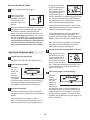
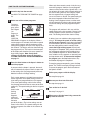
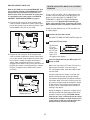
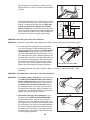
Select one of the four preset programs.
To select
one of the
four preset
programs,
press the
Programs
button repeatedly. As
each preset
program is selected, the maximum speed setting
of the program and the maximum incline setting of
the program will flash in the display for a few seconds. The display will also show how long the program will last. The matrix in the lower part of the
display will show the first seven speed settings of
the program.
3
The program will continue in this way until the
speed setting for the last segment is shown in the
Current Segment column and the last segment
ends. The walking belt will then slow to a stop.
If the speed or incline setting for the current
segment is too high or too low, you can manually
override the setting by pressing the Speed or
Incline buttons. Every few times a Speed button is
pressed, an additional indicator will appear or disappear in the Current Segment column; If any of
the columns to the right of the Current Segment
column have the same number of lit indicators as
the Current Segment column, an additional indicator may appear or disappear in those columns as
well. Important: When the current segment of
the program ends, the treadmill will automatically adjust to the speed and incline settings
for the next segment.
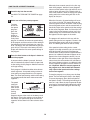
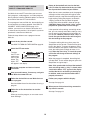
Press the Start button or the Speed + button to
start the program.
A moment after the button is pressed, the treadmill will automatically adjust to the first speed and
incline settings for the program. Hold the handrails
and begin walking.
Each program is divided into either 20 or 30 oneminute segments. One speed setting and one incline setting are programmed for each segment.
Note: The same speed setting and/or incline setting
may be programmed for two or more consecutive
segments.
To stop the program at any time, press the Stop
button. The time will begin to flash in the display.
To restart the program, press the Start button or
the Speed + button. The walking belt will begin to
move at 1 mph. When the next segment of the program begins, the treadmill will automatically adjust
to the speed and incline settings for the next segment.
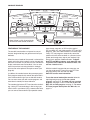
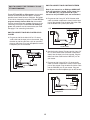
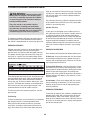
The speed
setting for
the first segment will be
shown in the
Current Segment
flashing
Current
Segment column of the matrix in the lower part of
the display. (The incline settings are not shown in
the matrix.) The speed settings for the next four
segments will be shown in the four columns to the
right.
12