1
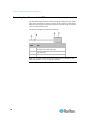
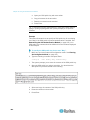
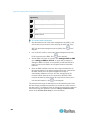
Chapter 8: Managing External Devices 3. Use the navigation icons to move through each snapshot, or enter a specific page number to jump to that snapshot snapshot page. 4. Click the Refresh icon to refresh the page. New snapshots are displayed if they are available. To delete snapshots manually: Delete snapshots by selecting the checkbox next to the snapshot you want to delete, then clicking the Delete icon at the top of the section. To select and delete all snapshots at once, click the checkbox in the checkbox column header, then click the Delete icon. Sending Videos in an Email or Instant Message You are able to email or instant message up to two (2) recipients a link to webcams attached to the EMX. Users can then click on the links and view snapshots or videos. Note: For remote Live Preview sessions, such as those accessed via link in an email or instant message, a total of up to three (3) simultaneous Live Preview sessions are supported at a time. One (1) from the originator in the EMX interface, and up to two (2) remote sessions. Note: For the purposes of this topic, the message sender is User A and the recipient is User B. The recipient is able to access the video image via the link so long as either: The video remains open in Live Preview mode in the User A's EMX interface, and User A does not log out of the interface and the session does not time out. Or 190