1
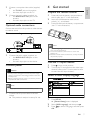
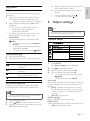
Remote control
English
2 Your DVD player
Congratulations on your purchase, and welcome to
Philips! To fully benefit from the support that Philips
offers, register your product at www.philips.com/
welcome.
1
Playable media
2
This product can play:
•
DVD-Video, DVD+R/+RW, DVD-R/-RW,
DVD+R/-R DL (Dual Layer), DVD-RW DL
•
Video CD/SVCD
•
Audio CD, CD-R/CD-RW
•
MP3 media, WMA media, JPEG files
4
17
Region codes
16
5
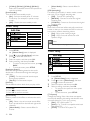
You can play discs with the following region codes.
DVD region code
18
3
6
Countries
15
7
India
14
8
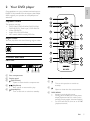
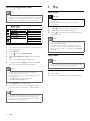
Product overview
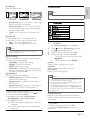
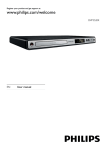
Main Unit
9
13
10
12
11
a
b
cd e
a Disc compartment
b Display panel
c
(Open/Close)
•
Open or close the disc compartment.
d
(Play/Pause)
Start, pause or resume disc play.
•
e
(Standby/On)
•
Turn on the unit or switch to standby.
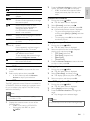
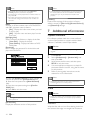
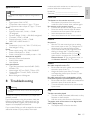
Remote control
a
•
Turn on this product or switch to
standby.
•
Open or close the disc compartment.
b
c DISC MENU
•
Access or exit the disc menu.
•
During photo slideshow, switch photo
display between the Fun mode (color)
and the Simple mode (black and white).
•
For VCD and SVCD, turn on or off PBC
(playback control).
EN
5