1
HT750En.book
Page 23 Tuesday, November 14, 2006
8:39 AM
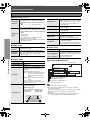
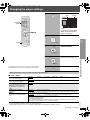
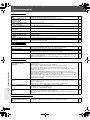
Changing the player settings
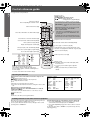
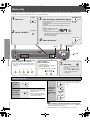
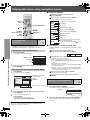
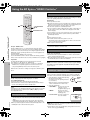
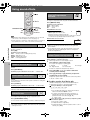
1
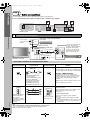
Show the Setup menu.
SETUP
Item
Setting
Setup
Disc
Video
Audio
HDMI
Display
Others
Numbered
buttons
Audio
Subtitle
Menus
English
Automatic
English
Advanced Disc Review
Intro Mode
Ratings
to select and press ENTER
Level 8
RETURN
to exit
Menu
,
,
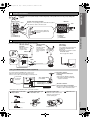
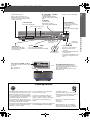
If you have not performed QUICK
SETUP (➜ page 9), the QUICK
SETUP screen appears.
,
ENTER
2
Select the menu.
Select
SETUP
Go right
3
Select the item.
Select
Register
Make the settings.
Select
≥Numbered buttons can be used.
Register
≥ The settings remain intact even if you switch the unit to standby.
≥ Underlined items are the factory settings in the following table.
5
Press to exit.
SETUP
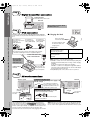
QUICK SETUP enables successive settings of the items in the shaded area.
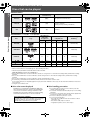
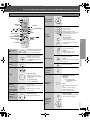
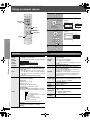
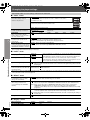
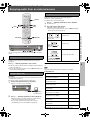
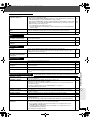
∫ “Disc” menu
Audio
≥ English
≥ French
≥ Spanish
≥ Original§1
≥ Other¢¢¢¢§2
≥ Automatic§3
≥ English
≥ French
≥ Spanish
≥ Other¢¢¢¢§2
≥ English
≥ French
≥ Spanish
≥ Other¢¢¢¢§2
Changing the player settings
4
Choose the audio language.
Subtitle
Choose the subtitle language.
Menus
Choose the language for disc menus.
Changing the menu language in
QUICK SETUP also changes this
setting.
Advanced Disc Review
(➜ page 21)
Ratings
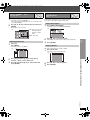
Set a rating level to limit DVD-Video
play.
§2
§3
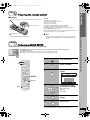
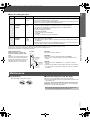
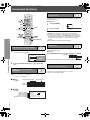
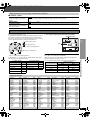
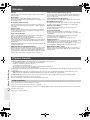
Setting ratings (When level 8 is selected)
≥ 8 No Limit
≥ 1 to 7
≥ 0 Lock All: To prevent play of discs without rating levels.
When you select your ratings level, a password screen is shown.
Follow the on-screen instructions.
Do not forget your password.
A message screen will be shown if a DVD-Video disc exceeding the rating level is inserted in the unit.
Enter your password and then follow the on-screen instructions.
The original language designated on the disc is selected.
Input the appropriate code from the language code list (➜ page 25).
If the language selected for “Audio” is not available, subtitles appear in that language (if available on the disc).
RQTX0044
§1
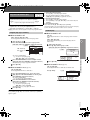
≥ Intro Mode:
Reviews each title/program.
≥ Interval Mode: Reviews not only each title/program but also each 10-minute interval within a title/program.
(Continued on next page)
23