1
PERSONAL ZAPPING
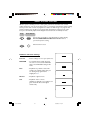
A list or series of favourite TV programs can be selected and stored in the 4 coloured buttons
with the Personal Zapping feature. With this feature you can easily viewed up to a total of 10
preferred channels for each coloured button.
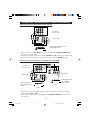
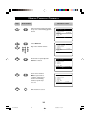
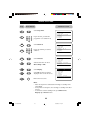
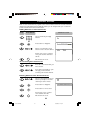
Adding Channels to the Favourite list
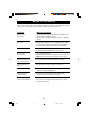
Step
Press button
1
4
7
2
5
8
0
3
6
9
Result on screen
Select a channel by the Digit
buttons
8
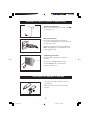
Press button to display list.
8
Choose your favourite colour
button to store selected channel.
{ 8
{ Select List!
Added!
Repeat steps 1 to 3 to add and
store your avourite channels to
the list.
m
Exit menu from screen.
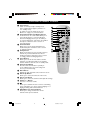
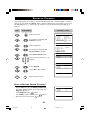
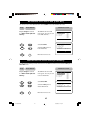
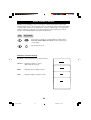
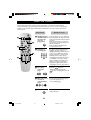
To view through the favourite list
Press the colour button that you
have selected.
Press button repeatedly to cycle
through your favourite list
and view your favourite channel.
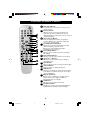
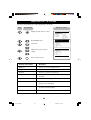
Deleting Channels from the Favourite list
Select a colour button and press
button repeatedly to select the
channel you want to delete.
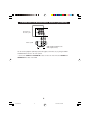
Press button to display list.
{ 8
{ 8 {Remove Item?- Press |
Press button to remove item.
Repeat steps 1 to 3 to delete
more channels from list.
m
Exit menu from screen.
31
29-31/30491/E
31
05/08/02, 5:12 pm