1
LIMITED LIFETIME WARRANTY
Products manufactured and sold by OMEGA RESEARCH & DEVELOPMENT, INC. (the Company),
are warranted to be free from defects in materials and workmanship under normal use. If a product
sold by the Company proves to be defective, the Company will repair or replace it free of charge within
the first year and thereafter all parts to be repaired will be free with only a nominal charge for Omega
Research and Development, Inc.'s labor and return shipping, to the original owner during the lifetime
of the car in which it was originally installed.
All products for warranty repair must be sent postage prepaid to Omega Research & Development,
Inc., P.O. Box 508, Douglasville, Georgia 30133, with bill of sale or other dated proof of purchase. This
warranty is nontransferable and does not apply to any product damaged by accident, physical or
electrical misuse or abuse, improper installation, alteration, any use contrary to its intended function,
unauthorized service, fire, flood, lightning, or other acts of God.
This warranty limits the Company's liability to the repair or replacement of the product. The
Company shall not be responsible for removal and/or reinstallation charges, damage to or theft of the
vehicle or its contents, or any incidental or consequential damages caused by any failure or alleged
failure of the product to function properly. Under No Circumstances Should This Warranty, Or The
Product Covered By It, Be Construed As A Guarantee Or Insurance Policy Against Loss. The
Company neither assumes nor authorizes any person or organization to make any Warranties or
assume any liability in connection with the sale, installation, or use of this product.
This device complies with part 15 of the FCC Rules. Operation is subject to the following two conditions: (1) This device may not cause harmful
interference and, (2) This device must accept any interference received, including interference that may cause undesired operation.
The manufacturer is not responsible for any radio TV interference caused by unauthorized modifications to this equipment. Such modifications
could void the user’s authority to operate the equipment.
One or more of these patents may apply to this product:
#5,612,669 #5,654,688 #5,663,704 #5,729,191 #5,818,329 #5,612,578 #5,739,747 #382,558 #385,878 #5,750,942
#5,739,748 #5,719,551 #406,107 #701,285 #5,973,592 #5,982,277 #5,986,571 #6,011,460 #6,037,859 #6,049,268
#6,130,605 #6,130,606 #6,140,938 #6,140,939 #6,150,926 #6,144,315 #6,184,780 #6,188,326 #6,243,004 #6,249,216
#6,275,147 #6,297,731 #6,320,514 #6,320,498 #6,346,876 #6,346,877 #6,366,198 #6,392,534 #6,429,768 #6,433,677
#6,480,095 #6,480,117 #6,480,098
Foreign Patent #199700312 #EP0817734B1 #98906445.6 #2,320,248 #701,285
08/05 MA_MARS10/11
OPERATING & INSTALLATION
INSTRUCTIONS
MARS-10
Add- on operation with
existing transmitters
and
/
MARS-11
Stand-Alone or Add- on
operation with dedicatedfunction transmitters
REMOTE STARTER
FOR AUTOMATIC TRANSMISSION VEHICLES ONLY
COPYRIGHT: OMEGA RESEARCH & DEVELOPMENT 2005
2
Contents
Operation Guide
Introduction & Safety Considerations .......................................................................... 3
To Activate Remote Start .......................................................................................... 4-5
Deactivating Remote Start ........................................................................................... 5
Valet Mode ................................................................................................................ 5-6
Programming Transmitters (MARS-11 only) ........................................................................ 6-7
Limited Lifetime Warranty ........................................................................... Back Cover
Installation
Programming Features ........................................................................................... 8-10
About the Programmable Features ....................................................................... 10-11
Installation Instructions
Installation Considerations, Cautions and Warnings ............................................ 12-13
Main Module .............................................................................................................. 13
Valet Switch and Status Light .................................................................................... 13
Wiring Diagram ..................................................................................................... 14-15
MARS-11Receiver Module ........................................................................................ 16
6 Wire Main Harness ............................................................................................ 16-18
3 Wire Connector .................................................................................................. 18-19
12 Wire Harness ................................................................................................... 19-26
27
prevents accidental starter grind should the key be turned while the remote starter is
in operation. Additionally, the Orange wire also provides the vehicle immobilizing
feature for the Anti-Carjacking operation. Connection instructions are included with optional starter interrupt socket and relay.
26
Introduction
3
Congratulations for choosing the Modular Advanced Remote Starter and Security
System, and enjoy the luxury of starting your vehicle's engine from the comfort of your
home or office.
MARS is a complete series of convenience and security systems; this version is “remote
starting only”, although the flexibility of its design allows its use in two distinct forms:
• The MARS-10 is operated by use of an existing keyless entry or alarm system.
• The MARS-11 is operated by its own dedicated transmitter device.
Both MARS-10 and MARS-11 systems utilize a Status Light for visual indicators, and a
Valet Switch to turn the system off and to program it. The MARS-11 has a small windowmountable receiver unit, in addition to its single-button transmitter.
Safety Considerations
✓ This unit is for vehicles with an automatic transmission only. Installation in a vehicle
equipped with a manual transmission can result in property damage or personal injury.
✓ This unit is for fuel injected gasoline or diesel engines.
✓ Children should not be left unattended in, or be allowed to play with the activating transmitter device of any remote starter equipped vehicle.
✓ Do not use the remote starter feature in an enclosed garage or other structure.
The MARS is a very flexible system. It has capabilities and features which may or may not
be utilized in your installation. It also has programmable features which can affect its
operation. While these are explained as thoroughly as possible in this guide, your Omega
dealer or installer is the best source for information about your system.
To Activate Remote Start:
MARS-10
Press the necessary button or
button combination on the
host system's transmitter.
MARS-11
:
Press the blue “START”
button on the MARS
system's transmitter.
• The parking lights will flash 3 times.
• The MARS will turn on the ignition circuit, turn the parking lights back on steady, and the
system’s interior Status Light will also start flashing.
• Within a few seconds the parking lights will turn off and the starter will engage.
• The engine will start, run, and the starter will be disengaged.
• The parking lights will turn back on and remain on while the MARS is controlling
the engine. The status light will pause, and then continue to flash slowly.
• Should the engine stall, the MARS will make two attempts to restart it.
diagrams. The correct wire will show 12 Volts only when the headlight switch is in
25
the "Parking Light" and "Head Light" positions. This wire can usually be found at
the headlight switch, and various other locations within the vehicle, such as the rear body
harness or firewall connector.
Caution: When such a wire is located, be sure to also test that it is non-rheostated:
While metering the wire, operate the dash light dimmer control. The correct wire will show
no change in voltage when the dimmer is operated. Some vehicles have a parking-light
relay which is triggered by a Negative signal from the headlight switch. In these vehicles,
the White wire must be connected after the relay, usually at the Fuse/Junction Block. Do
NOT connect the White wire directly to the vehicle’s headlights. An external relay is re123
quired. Vehicles having a split parking 123
123
123456
123
123456
light system must be diode-isolated,
123
123456
123
123456
Right
Side
Circuit
123
123456
with two IN4006 diodes as shown:
123
123456
123
123
Control
Module
Two IN4006 Diodes.
White Wire
The MARS-10 is an “add-on” unit operated by use of an existing keyless entry
or alarm system transmitter. The MARS-11 is operated by its own dedicated
single-button transmitter. Therefore the MARS-10 remote start activation procedure will vary; in some cases the host transmitter may have an open button which can
be used for remote starting; in other cases pressing the host transmitter “Lock” button
2 times within 5 seconds will activate remote start. Consult with the installer.
Diode Isolation Of Split
Parking Light Systems
123
123
123
123
123
123
123
123
123
123
123
Light
Switch
Left Side Circuit
123456
123456
123456
123456
123456
123456
123456
123456
123456
123456
123456
123456
123456
123456
123456
123456
123456
123456
123456
123456
123456
Parking Lights
4
20-Gauge Orange Wire:
( - ) Anti-Grind Output
Connection If Desired. The function of the Orange wire is to provide a 500mA Negative auxiliary output which may be used to operate a starter motor "Anti-Grind" relay, which
existing keyless entry or alarm system to activate the remote start operation. If the
Pink/Black wire receives a Negative pulse, the MARS unit will start the vehicle's
engine, provided that all safety circuits are in the proper status. After the engine has been
started by remote control, another Negative pulse on the Pink wire will turn the unit off,
stopping the engine.
The Pink/Black wire can be connected to an available auxiliary output of an existing Remote Security System, and the unit's remote control may also be used to activate the
remote start operation.
24
( +/- ) Parking Light Output
18-Gauge White Wire:
Connection Recommended.
The White wire is a programmable output to the
vehicle’s exterior parking lights to visually confirm system operations; +12 Volt or - Negative output may be selected by the Black jumper next to the doorlock port. Connect the
White wire to the vehicle's 12 Volt parking light circuit as shown in the accompanying
Dash Board
Lights
12
12
Dimmer
12
12
Control
Module
Jumper
Note: output
polarity is
selectable
White Wire
Light
Switch
1234567
1234567
1234567
1234567
1234567
1234567
1234567
1234567
1234
1234
1234567
1234567
1234
1234
1234567
1234567
1234
1234
1234567
1234
123456
1234
123456
1234
123456
1234
123456
123456
1234
123456
123456
123456
123456
123456
123456
123456
123456
Upon entering the vehicle place the ignition key in the switch and turn it to the "On" position, and then deactivate the MARS. Do not turn the key to the "Start" position!
Deactivation
Stepping on the brake pedal will turn the engine off.
To stop the engine by remote control, simply press the same button(s) used to start it.
Otherwise, after the preset programmable time the MARS will turn the engine off.*
Opening the hood will turn the engine off. If the hood is open when an activation attempt
is made, the MARS will only flash the parking lights 4 times, but will not start the engine.
• Pressing the Valet Switch will also stop the engine.
•
•
•
•
* The preset engine running time is 10 minutes, and 20, 30 and 40 minutes are optional.
Valet Mode
Parking Lights
12345
12345
12345
12345
12345
12345
12345
12345
12345
12345
Typical Parking Lights Connection
Parking Lights
123456
123456
123456
123456
123456
123456
123456
123456
123456
123456
5
When you leave your vehicle, simply set the climate controls for what you would
like to have operating upon remote starting - the heater, defroster or air conditioning.
The MARS may be placed into a “valet mode” which prevents the remote start feature
from being activated. Valet Mode should always be used when you do not wish for the
remote starter to be operated, such as when you have your vehicle serviced or leave it with
someone else. The Valet Switch, a small push-button, is used (check with the installer for
the location of this switch).
• At any time simply press the Valet Switch for 5 seconds; the Status Light will light steady,
to indicate Valet Mode, and stay illuminated continuously while the system is in Valet
Mode.
Once the MARS is in Valet Mode, an attempt to remote start will instead be acknowledged by the parking lights turning on, then flashing rapidly, then 3 slow
flashes, but no engine starting attempt will occur.
• To turn off Valet Mode, simply press the Valet Switch until the Status Light turns off, and
the parking lights flash once to confirm exiting valet mode.
6
Programming Transmitters
factory alarm system. Connect the Yellow/Green wire to the wire in the vehicle
23
which is connected to one of the doorlock key cylinders. The typical OEM alarm
has an electrical switch in the key cylinders which switches -Ground when the key unlocks
the door. This wire can usually be located in the vehicle in either kick panel area, in the
wiring harness which is routed into the cab from the door. The Yellow/Green wire has a
-Ground pulse whenever the MARS has an unlock output or its remote start operation is
activated.
- MARS-11 ONLY The MARS-11 can be operated by additional transmitters, up to four total. Additional or
replacement transmitters must be programmed to operate the MARS-11.
• Have present all of the transmitters which are to operate the MARS-11. Whenever a
transmitter is programmed to the system, any existing ones are automatically erased for
security. Therefore, all of the transmitters which are to operate the system must be
programmed at the same time.
1) Turn the ignition key “On” (and leave it “on”).
2) Within 7 seconds press the Valet Switch 5 times.
The parking lights flash once, and the system Status Light turns on steady.
3) Within 15 seconds press the first transmitter’s button.
The MARS will acknowledge the transmission by momentarily turning off the
Status Light, and flashing the parking lights once.
• Another transmitter to program? Go to step 4.
• Only needed to program the one transmitter? Allow MARS to exit programming mode.
20-Gauge Yellow/Red Wire:
( - ) OEM Arm Output
Connection If Needed. This output may be used to arm a factory-installed alarm, or, if
the vehicle is equipped with a Retained Accessory Power circuit, this output can be used to
“spike” the door pin switch wire, which will turn off the Retained Accessory Power circuit.
To arm a factory alarm after remote start engine run stops, connect the Yellow/Red wire
to the vehicle's factory arm wire. This wire will show Negative polarity when a key is held in
the "lock" position in the door key cylinder. This wire can usually be located in either kick
panel, in the wiring harness from the door, as it is routed between the door key cylinder and
the factory alarm.
To use this wire to turn off Retained Accessory Power, locate a vehicle wire within the
door or doorjamb which shows Negative when the door is open. Should such a wire be
found which is positive, a relay is needed to reverse the Yellow/Red wire’s Negative output
to Positive. The Yellow/Red wire produces a Negative pulse output whenever the system
turns off the engine after it has been remotely started.
20-Gauge Pink/Black Wire:
( - ) Start Activation Input
Connection If Needed. The Pink/Black wire allows for alternative devices such as an
1) Connect the Black/Yellow wire to the vehicle's tach wire, which is found in the
engine compartment, although in many cases it may also be located inside the vehicle. To use a multimeter to verify the correct tach wire, set it for AC Volts scale. The
correct wire will read 1 to 6 volts AC at idle, and will increase with engine speed.
2) Switch the selector slide switch on the MARS control module to the right toward
the 12-pin secondary harness (see diagram or the markings on the control module).
3) Adjust the tach signal by starting the engine and turning the right adjustment screw on
the control module slowly clockwise until the indicator LED lights solid.
4) Test the operation by remote starting and checking that the indicator LED slights solid.
The starter engagement is long enough for the engine to start, but without grinding. If
needed adjust the crank time by turning the adjustment screw clockwise for more signal
sensitivity and counterclockwise for less.
22
20-Gauge Green/Red Wire:
( +/- ) Glow Plug Input
Connection If Needed. The Green/Red wire allows the MARS to be used with diesel
engines, operates only if programmed (feature #13) and is also polarity-programmable.
Connect the Green/Red wire to the wire in the vehicle which powers the glow plugs, or the
wire which illuminates the “Wait To Start” light on the instrument panel. When connected,
the unit will not engage the starter if the Green/Red wire has +12 Volts; in other words,
using this wire simply delays the unit’s engagement of the starter. If the “Wait To Start”
light in the vehicle has a Negative switching circuit, change the position of the White “Glow
Plug +/- Select” Jumper on the module to reverse the Green/Red wire’s polarity input.
20-Gauge Yellow/Green Wire:
( - ) OEM Disarm Output
Connection If Needed. If needed, the Yellow/Green wire allows the MARS to disarm a
4) Within 15 seconds press the next transmitter’s button.
The Status Light turns off and the parking lights flash once.
Repeat this action for each remaining transmitter.
7
Exiting Transmitter Programming Mode: Simply allow the MARS to time out of the
programming mode, by not transmitting for 15 seconds; or, turn the ignition “Off” to exit
immediately.
The MARS indicates its exit from programming mode by turning off the Status
Light. If it is allowed to time out, the ATV display shows the number of operating
transmitters for 10 seconds afterward.
The MARS-11 can also be operated by the multi-button 1-way transmitter or the 2-way
controller which are used in other MARS systems. The transmitter and controller used in
other MARS systems has an “A/B” switch, for multi-car operation. To program another multibutton transmitter or controller to operate the MARS-11, enter programming mode, reprogram
the original 1-button transmitter, and then program the multi-button transmitter or controller
by pressing its “Start” button with the “A/B” switch in the “B” position. The transmitter/
controller will operate its original system with “A” position, and also independently operate
the MARS-11 system with “B” position.
If a MARS 2-way controller is programmed to operate the MARS-11, it will operate it,
activating remote start, but the MARS-11 can not transmit a signal back to the controller;
therefore the 2-way controller will not have the confirmation operation that remote starting
has occurred.
Installation
8
It is highly recommended that this system be professionally installed, as the sophistication
of the modern automobile and the complexity of this type of product installation is often
beyond the abilities of most do-it-yourselfers. The remainder of this booklet is comprised
of the Installation instructions, which includes the programming of features.
Programming Features
The MARS-10/11 has 5 “programmable features” which are “installation”-related, in that
they set parameters, or make allowances, for certain conditions which may be set by the
vehicle the system is installed in, or by the remote start activation means. There is only
one programmable feature, feature #1 “Engine Run Time”, which is of any benefit or interest to the vehicle owner or system user. Otherwise, the programmable features should not
be changed after installation.
#
FEATURE
DEFAULT
1 brake
pedal press
OPTION
2; 3 or 4 brake
pedal presses
#
1 Engine Running Time
10 Minutes
20, 30, 40 Min.
#
2 Starter Cranking Time
.5 Second
.75, 1.25, 1.5 Sec.
#
3 Single or Double Pulse Activation
#
4 Gasoline or Diesel Engine
#
5 Reset All Features To Default
Single
Double
Gasoline
Diesel Monitor, 10, 20
Press brake pedal 1 time to reset
all features to the default setting
20-Gauge Black/Yellow Wire:
Engine Detect Input
Connection Required. The Black/Yellow wire is the engine detect wire. The
21
MARS unit utilizes two different methods of monitoring the vehicle during the remote starting process. Consider both methods before selecting one to use, and then connect the
Black/Yellow wire accordingly. Either connection method must be performed at
the completion of the installation, after all other wiring connections are made.
Smart Start sensing is more commonly used, for its ease of installation. The unit as
received has Smart Start selected. Smart Start “reads” the vehicle’s battery voltage level
via the Black/Yellow wire to determine engine running status. To use Smart Start:
1) Connect the Black/Yellow wire to constant “Battery” 12 volts. This may done at the
ignition switch harness, or at the battery itself for better sensitivity.
2) Switch the selector slide switch on the MARS control module to the left toward the
module corner (see the wiring diagram and the markings on the control module).
3) Adjust Smart Start by starting the engine and turning the left adjustment screw on the
control module slowly clockwise until the indicator LED starts flashing. Turn the adjustment until the LED is flashing in a consistent and regular manner.
4) Test the operation by remote starting and checking that the indicator LED shows the
same consistent flashing (good voltage signal learned), and that the starter engagement is long enough for the engine to start, but without grinding. Turn clockwise for
more crank time and counterclockwise for less crank time.
Tach Wire sensing is generally more reliable, and preferable in cases were the engine
normally starts inconsistently, or is hard to start . With this method the Black/Yellow wire
reads the engine speed (tach) information directly from a wire in the vehicle. To use the
Tach Wire method:
20 18-Gauge Black Wire:
System Ground
How to program features:
9
Connect the Black wire to a very good, clean chassis
ground. A recommended connection is to an existing machine-thread bolt, either in the
driver's kick panel, steering column area or a major structural member behind the dash.
Small dash braces are not adequate, and the area must be clean, bright metal.
1) Turn the ignition key “On”, then “Off”.
20-Gauge Red/Black Wire:
( + ) Brake Input
Connection Required- The Red/Black wire must be connected. It is part a critical
3) Select the feature to be changed by pressing the Valet Switch the same number of times
as the feature number (example: feature #3 = 3 presses).
The Status Light will flash the same number as the Valet Switch presses just
entered. The parking lights will flash off the same number, then come back on.
Count the number of flashes to confirm that the desired feature has been
chosen (if needed, reenter the Valet Switch presses).
Connection Required.
safety feature which disables the unit whenever the brake pedal is pressed. Connect the
Red/Black wire to the brake switch wire which shows +12 Volts when the brake pedal is
pressed. The brake switch is typically located above the brake pedal, and usually mounted
to the brake pedal support bracket. Make this connection securely for long-term reliability,
and thoroughly test the operation of this circuit.
20-Gauge Blue Wire:
( - ) Hood Input
Connection Required- The Hood Safety Switch must be installed and the Blue
wire must be connected. This prevents operation of the unit if the hood is open. The Blue
wire’s second function is being a sensing wire to trigger the alarm, if the MARS is armed.
Carefully install the included pin switch so that it is open (pin down) when the hood is shut
and closed (pin up) when the hood is open. Connect the Blue wire to the pin switch and
carefully route this wire through the firewall, using an added or existing grommet, avoiding
any hot or moving parts. Instead of using a pin switch to monitor the hood's open or shut
status, an Omega AU-46 Mercury Tilt Switch may used. Connect one of the AU-46's wires
to Negative Chassis Ground and connect the remaining wire to the Blue wire.
2) Within 7 seconds press the Valet Switch 5 times.
The Status Light will flash twice, then turn off
.
The parking lights flash twice, and then stays on while in programming mode.
4) Once the feature has been confirmed, press the brake pedal 1 time for the first, default
setting, choice; or press the brake pedal 2, 3 or 4 times to select the second, third or
fourth settings (feature #3 only has two settings; see chart on previous page).
The Status Light will flash on the same number of brake presses, and the parking
lights will flash off the same number. Once these flashes occur, the feature is set.
• More features to program? Go to step 5.
• Only needed to program the one feature? Allow MARS to exit Programming Mode.
5) Select another feature by again making a new entry of Valet Switch presses
(repeating step 3) and again setting the newly chosen feature with the transmitter (as in
step 4).
10
Exiting Programming Mode:
Simply allow the MARS to time out of Features Programming Mode by not performing any programming actions for 15 seconds; or, turn the ignition “On” to immediately
exit the programming mode.
The MARS indicates its exit from Features Programming Mode with 2 short and 1
long Status Lights flashes and the parking lights turning off.
About the Programmable Features
Of the five MARS Programmable Features, four are strictly “installation”-related, and one is
“operational” in nature. Installation-related features adapt the MARS to certain vehicle
situations; these are to be utilized at the time of the installation only.
Only Features #1 has a “daily use” benefit to the vehicle operator:
• Feature #1 is “Engine Running Time”. When MARS remotely starts the engine, the
run time before automatic shut-off is adjustable. A 10 minute run time is the factory
setting, with options of 20, 30 or 40 minutes. When programming press the brake pedal
1 time for the default-set 10 minute run time; or press the brake 2 times for 20 minutes; 3
times for 30 minutes; or 4 times for 40 minutes.
• Feature #2 is “Starter Cranking Time”, which sets the base starter cranking time
for the Smart Start voltage sensing engine detection method (page 34). When using
Smart Start, a longer starter cranking time may be used for engines which do not start on
the first remote start attempt. Programming choices are: .5 second (“LOCK”, the default
setting); .75 second (“UNLOCK”); 1.25 second (“START”); and 1.5 second (“TRUNK”).
22 Gauge Blue Wire:
500mA ( - ) Ignition Output
Connection If Needed.
Optional
Relay
This 22 gauge Blue wire is a
500mA Negative output,
ire
which has the same
en W
Gre
operation as the
12 gauge Blue
Red Wire
Ignition output.
NOTE: If an
Blue
additional AccWire
Red
essory output is
3-pin
needed, use the
Harness
programmable
built-in relay (Yellow/Green wire).
Optional
Relay
To Additional
Starter Circuit
85 87a 86
87
Fused
constant
12 Volts
To Additional
Ignition Circuit
30
85 87a 86
87
Fused
constant
12 Volts
Wiring Connections - 12 Wire Harness
NOTE: On the 12
Wire Harness, the
19
30
20-Gauge Gray Wire: is NOT Used.
20-Gauge Brown Wire: is NOT Used.
18
Jumper
Accessory
Starter
Programming the Yellow/Green Wire
operation: Locate and open the small access panel
on the top of the control module case. Place the
Jumper as shown on the pins below the removable
panel on the control module. The factory setting is
the center “Ignition #2” position.
Ignition #2
Wiring - 3 Wire Connector / Satellite Relay Port
The Red satellite relay port can be used, if needed, to configure optional relays to energize
additional Ignition or Starter circuits, and Omega OEM security bypass interfaces also plug
into this port. Prewired dual relay sockets are available, and a plain 3-wire harness is
provided to use this port.
22 Gauge Green Wire:
500mA ( - ) Starter Output
Connection If Needed. This 22 gauge Green wire is a 500mA Negative output having
basically the same operation as the 12 gauge Green Starter output wire. If two or more
Starter wires are present in the vehicle an optional relay is needed, connected to satellite
port Green wire as shown in the diagram.
22 Gauge Red Wire:
( + ) Output For Optional Relay Coil
Connection If Needed. The Red wire supplies constant 12 Volts that can be used to
power the relay's coil only- DO NOT use this Red wire for the optional relay(s) power
input (pin 87).
• Feature #3 is “Single or Double Pulse Activation”. The “Double Pulse”
11
option allows the MARS-10, in certain vehicles, to activate remote starting by
locking the vehicle doors two times with the original keyless entry transmitter. Exact
operations and vehicle suitability varies; consult with the installer for specific details.
• Feature #4 is “Gasoline or Diesel Engine”. When programming, press brake pedal
once for the “Gasoline” setting. Diesel engines have three options: pressing the brake
twice selects “Monitor Glow Plug Wire”, by which the MARS delays engaging the starter
until its glow plug input wire detects the glow plugs turning off; and two preset delay
periods before starter engagement: 10 seconds (press brake 3 times) and 20 seconds
(press brake 4 times).
• Feature #5 is “Reset”, and returns all Programmable Features to their factory default
settings. To do this, enter programming mode, select Feature #5, and press the brake
pedal once. The MARS will acknowledge resetting the features turning off the parking
lights, flashing the Status Light once, and then immediately exiting programming mode
with the normal confirmation of 2 short and 1 long Status Light flashes and turning off the
parking lights.
Note: When a Programmable Features Reset is used, any feature which needs to be in
a setting different from the default setting will have to be reprogrammed.
12
Installation Instructions
After reading this manual, start the installation by affixing the WARNING DECAL to a visible area in the engine compartment!
Do not attempt to install this Remote Car Starter into a manual transmission
vehicle! Doing so could cause serious property damage, personal injury,
and will void all warranties!
the 3-pin Red port to energize the second Starter wire.
Note: If a security system is present which utilizes a starter interrupt circuit,
the Green wire must be connected to the Starter Motor side of the interrupt.
17
12-Gauge Yellow Wire:
Ignition Output
Connection Required. Connect the Yellow wire to the vehicle's Ignition wire (also known
Be aware of, and avoid, any airbag circuitry! Due to the fact that an installer
may not be in a normal, upright seated position, severe injury may occur in
an accidental airbag deployment!
as “Primary Ignition”). This wire will show +12 Volts when the ignition key is in the "Run"
and "Start" positions and no voltage in the "Off" and "Accessory" positions. This wire is
found in the ignition switch wiring harness.
Note: If two Primary Ignition wires are present, use the Yellow/Green wire for the second,
or configure an optional relay to the 3-pin Red port.
The use of a Digital Multimeter (DMM) or Volt-Ohm Meter (VOM) instead of a
standard testlight is required. This can greatly reduce the risk of an accidental airbag deployment or on-board computer damage.
12-Gauge White Wire:
Accessory Output
Connection Required. Connect the White wire to the vehicle's Accessory wire. This
Battery gases are explosive! Avoid sparks and do not smoke while working
near the vehicle's battery!
Always protect wires routed through the firewall from sharp metal edges and
hot parts of the engine! Always fuse positive wires at their source!
Installation Considerations: This entire booklet should be read before starting the
installation. An understanding of which control module wires are to be used and their
functions is essential. Installations will vary from car to car, as some control module wires
are required, while others are optional. Before starting the installation, it should be deter-
circuit supplies power to the Heat, Ventilation and Air Conditioning (HVAC) system. This
wire will show 12 Volts when the ignition key is in the "Run" and "Accessory" positions and
No voltage in the "Start" and "Off" positions. The connection point for this wire is also found
in the ignition switch wiring harness.
12-Gauge Yellow/Green Wire:
Programmable Output
Connection If Needed. The Yellow/Green wire is an additional output which can be
programmed to operate as an Ignition output, Accessory output or Starter output. As received, it is programmed as an Ignition #2 output. This wire may be used in cases where
the vehicle has more than one of any of these three circuits.
16
MARS-11 Receiver Module:
The MARS has a plug-in window mount Receiver Module. Optimum performance
is obtained by mounting this module high and unobstructed on the vehicle’s glass, such as
the windshield behind the rearview mirror. Make sure the glass surface is clean and free of
dust, grease, or debris. Peel the backing off of the adhesive tape and affix the Receiver
Module. Carefully route the receiver’s 3-wire ribbon cable to the control module; plug the
cable into the Black 3-pin port on the rear of the module
Wiring Connections - 6 Wire Main Harness
(Two 12-Gauge) Red Wires:
Constant +12 Volts Input
Connection Required. Connect both Red wires to constant 12 Volts. The source used
must supply adequate amperage. The most common sources are the battery (+) terminal
or the ignition switch wiring harness. Good reliable connections and use of the included
fuses are a must. Note that some ignition switches have the electrical switch as part of the
mechanical switch; others have the electrical switch lower on the steering column and
connected to the mechanical switch by a linkage. The ignition switch wiring harness is the
best source for these wires, and the Starter, Ignition #1 and Accessory wiring connections.
12-Gauge Green Wire:
Starter Output
Connection Required. Connect the Green wire to the vehicle's Starter wire. This wire
will show +12 Volts only when the ignition key is in the "Start" position. This wire is also
found in the ignition switch wiring harness. Some vehicles have a second Starter wire
known as a "Cold Start" wire. When this is encountered, two options are available: program
the Yellow/Green wire as a second starter output, or use an optional relay configured to
mined which control module wires will be used. Most installers will list these
13
wires, then "map out" the installation by locating and noting the target wires in
the vehicle. This will also determine the best location for the MARS control module,
which is mounted upon completion of the installation.
The MARS remote starting unit duplicates the actions that occur within the ignition
switch when you use your key to start the engine. Because of this, most of the main wiring
harness connections will be made at the ignition switch harness. The ignition switch wires
usually are high amperage circuits, which means that high reliability connections must be
made- soldering of all connections is recommended.
Caution! Avoid the Airbag circuit! Especially avoid any harness or wires encased in Yellow or Red tubing or sleeves. Do not use a standard test light, as it can deploy an airbag or
damage on-board computers and sensors.
Main Module:
The MARS Main Module should be mounted in a location close to the ignition switch
(where many of the wiring connections are made); typically, hidden behind the driver’s
side dash.
Valet Switch and Status Light:
Carefully select locations in which the Valet Switch may be easily reached, and the Status
Light may be easily seen, by the driver. Both locations will need clear space behind the
panel. Drill a 15/64” hole for the Status Light, and a 17/64” hole for the Valet Switch. Mount
these items and carefully route their wires to the Main Module.
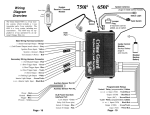
WIRING DIAGRAM
Starter
OPTIONAL
Relay For
Anti-Grind
Yellow/Green:
Programmable
Output
Orange: (-) Output When
Activated
Blue:
(-)
Hood
Switch
Ignition
Switch
Green:
Starter (+)
Yellow:
Ignition (+)
+
Hood Pin
Switch
Black/Yellow:
(Tach Wire) ? (Smart Start)
Tach
Smart
To Coil To Battery +
Wire
Start
Adjust
Yellow/Green: Adjust
Adjustment
OEM Disarm
Valet
LED
Yellow/Red:
Switch
OEM Arm
SMART START /
SWITCH
TACH WIRE
Tach Wire
White:
Accessory (+)
YELLOW/RED = OEM ARM - OUTPUT
BLACK/YELLOW = ENGINE DETECT INPUT
RED/BLACK = BRAKE + INPUT
YELLOW/GREEN = OEM DISARM - OUTPUT
GRAY = NOT USED
BLUE = HOOD - INPUT
ORANGE = ANTI-GRIND - OUTPUT
PINK/BLACK = START ACTIVATION - INPUT
BROWN = NOT USED
GREEN/RED = GLOW PLUG +/- INPUT
WHITE = PARKING LIGHT +/- OUTPUT
BLACK = CHASSIS GROUND
Gray: NOT USED
30 Amp
30 Amp
Red & Red:
(+) 12 Volts
Light Switch
1234567890 White: Parking
1234567890
1234567890 Light Output
Parking Lights
Pink/Black:
(-) Start
Activation
Brown: NOT USED
10 Amp
1234567890
1234567890
1234567890
Green/Red:
Glow Plug Input
PARKING LIGHT PROGRAM JUMPER
Black:
(-) Ground
GLOW PLUG PROGRAM JUMPER
SATELLITE RELAY PORT
RED
= +12V INPUT
Status
Light
RECEIVER PORT
VALET SWITCH PORT
YELLOW/GREEN = PROGRAMMABLE + OUTPUT
YELLOW = IGNITION + OUTPUT
RED
= +12V INPUT
WHITE = ACCESSORY + OUTPUT
GREEN = STARTER + OUTPUT
15
MARS-11 ONLY
Smart Start
Red/Black:
Brake (+)
Battery
Receiver
Unit
Program Jumper inside case below removable door (page 17)
14
STATUS LIGHT PORT