1
Troubleshooting 43
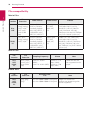
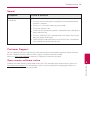
Sound
Symptom
Cause & Solution
There is no sound or the sound
is distorted.
yy Connect the audio connection securely.
yy The input source setting on the amplifier or the connection to the
amplifier is incorrect.
yy The unit is in scan, slow motion, or pause mode.
yy The sound volume is low.
yy Check that the connected amplifier is compatible with audio format
output from the unit.
yy The unit’s HDMI OUT jack is connected to a DVI device. The DVI jack
does not accept audio signal.
yy Check the device connected to unit’s HDMI OUT jack is compatible
with audio format output from the unit.
Customer Support
You can update the Player using the latest software to enhance the products operation and/or add new
features. To obtain the latest software for this player (if updates have been made),
please visit http://lgservice.com or contact LG Electronics customer care centre.
Open source software notice
5
Troubleshooting
To obtain the corresponding source code under GPL, LGPL and other open source licenses, please visit
http://opensource.lge.com. All referred license terms, warranty disclaimers and copyright notices are
available to download with the source code.