1
PENTOUCH
Using My Office
No.
You can draw or write in Microsoft Office or PDF
files.
Folders and formats supported are displayed in a
window.
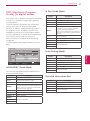
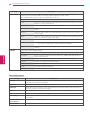
Supported file format
2003 version ppt, doc, xls
2007 version pptx, docx, xlsx
Office
Files
PDF
Files
All Microsoft PowerPoint files (*.ppt, .pptx)
All Microsoft Word files (*.doc, .docx)
All Microsoft Excel files (*.xls, .xlsx)
Outlook data files (*.msg, *.eml)
Adobe PDF files (*.pdf)
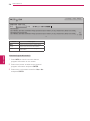
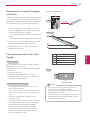
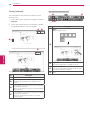
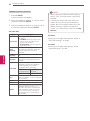
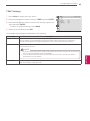
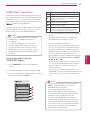
1 Touch the screen with the touch pen to select
My Office.
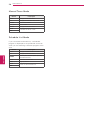
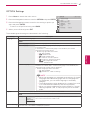
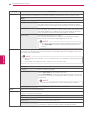
Description
1
Enter the Pentouch Home menu.
2
Virtual keyboard tab: Insert text. Select the
virtual keyboard tab to display the keyboard on
the screen.
3
If you select a pen icon on your TV, the drawing
mode will be activated.
When you in drawing mode, the virtual keyboard
will be hidden.
4
If you select a mouse icon on your TV, the click
mode will be activated.
Drawings will be cleared when you exit the
drawing mode.
Supported file format
Type.
47
CAUTION
Applications that support Microsoft Office
yy
and PDF files must be installed on your
computer.
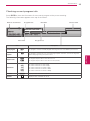
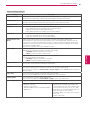
Specialized toolbar functions
1
4
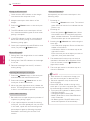
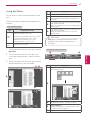
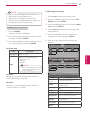
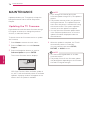
2 Touch the screen with the touch pen, then
ENG
ENGLISH
in the Open popup window, select the file to
open.
23
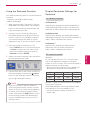
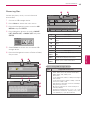
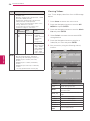
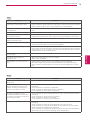
3 Touch the screen with the touch pen to select
the desired option or use the toolbar.
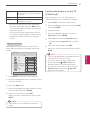
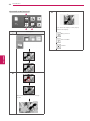
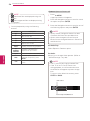
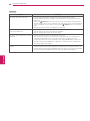
3 1
No.
Description
Memo
Select image for memo.
Home
2
1
4
2
Capture all
The Save confirmation message is shown.
3
Capture selection
The Save confirmation message is shown after
you select an area to capture.
4
Save