1
Setting up the printer
Follow these steps to set up your printer
Note: Do not connect cables until instructed.
CAUTION—POTENTIAL INJURY: Refer to the enclosed Safety Sheet before making any cable or electrical
connection.
1 Set up the printer hardware.
2 Decide how you want to connect the printer.
This guide includes three methods:
• Wireless
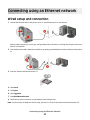
• Wired (Ethernet)
• Local (USB)
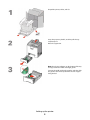
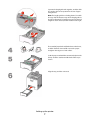
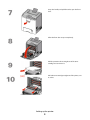
Setting up the printer hardware
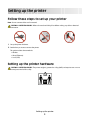
CAUTION—POTENTIAL INJURY: The printer weight is greater than 18 kg (40 lb) and requires two or more
trained personnel to lift it safely.
Setting up the printer
5