1
Contents
Chapter 1: Learning about the printer .........................................................6
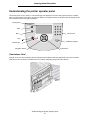
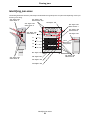
Understanding the printer operator panel ........................................................................ 8
Chapter 2: Installing drivers for local printing .........................................11
Windows ........................................................................................................................ 11
Macintosh ....................................................................................................................... 14
UNIX/Linux ..................................................................................................................... 15
Chapter 3: Installing drivers for network printing ....................................17
Printing a network setup page ....................................................................................... 17
Assigning a printer IP address ....................................................................................... 17
Verifying the IP settings ................................................................................................. 18
Windows ........................................................................................................................ 18
Macintosh ....................................................................................................................... 22
UNIX/Linux ..................................................................................................................... 24
NetWare ......................................................................................................................... 24
Chapter 4: Installing and removing options .............................................25
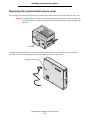
Removing the system board access cover .................................................................... 26
Installing a memory card ................................................................................................ 29
Installing a flash memory or firmware card .................................................................... 29
Installing a hard disk ...................................................................................................... 30
Installing an option card ................................................................................................. 32
Reinstalling the system board access cover .................................................................. 34
Aligning the optional high capacity feeder ...................................................................... 34
Aligning the optional finisher .......................................................................................... 36
Adjusting the finisher wheels .......................................................................................... 43
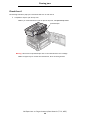
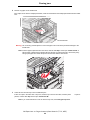
Removing the duplex unit .............................................................................................. 44
Removing the high capacity feeder ................................................................................ 46
Removing an optional drawer ........................................................................................ 49
3