1
60 SECOND
ELECTRONIC SKIP PROTECTION
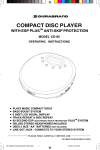
PROGRAMMABLE COMPACT DISC PLAYER
MODEL CD-857
OPERATING INSTRUCTIONS
•
•
•
•
•
•
•
•
•
PLAYS ALL MUSIC COMPACT DISCS, CD-R & CD-RW
PUSH BUTTON ELECTRONIC VOLUME CONTROL
BASS BOOST SYSTEM
6 DIGIT LCD VISUAL DISPLAY
TRACK REPEAT & DISC REPEAT
60 SECOND ELECTRONIC SKIP PROTECTION SYSTEM
DELUXE STEREO HEADPHONES INCLUDED
USES 2 SIZE “AA” BATTERIES (NOT INCLUDED)
LINE OUT JACK - CONNECTS TO YOUR STEREO SYSTEM
PLEASE READ CAREFULLY BEFORE USE
IB-CD857(CDX85A-60B3)-WM-E-010905
IB-CD857-WM(CDX85A-60B3)-E-010905.pmd 1
1/26/2005, 10:16 AM
LOCATION OF CONTROLS
4
3
2
5
6
7
8
1
14
13
12
1.
2.
3.
4.
5.
6.
7.
8.
9.
10.
11.
11
9
10
16
15
LCD DISPLAY
PROGRAM BUTTON (for programmed play)
REPEAT BUTTON
SKIP/SEARCH BACKWARD BUTTON
12. BASS BOOST BUTTON (BBS)
SKIP/SEARCH FORWARD BUTTON
13. HEADPHONES JACK
STOP AND POWER OFF BUTTON
(PHONES)
PLAY/PAUSE & POWER ON BUTTON
14. LINE OUT JACK
CD DOOR
(for home stereo connection)
CD DOOR OPEN BUTTON
15. AC ADAPTOR JACK
VOLUME CONTROL DECREASE
(AC ADAPTOR not included)
VOLUME CONTROL INCREASE
16. BATTERY DOOR
READ THIS IMPORTANT INFORMATION BEFORE USING YOUR HEADPHONES
The portable CD player is one of the most exciting and innovative
consumer electronics products ever developed. With it you can
now enjoy listening to your favorite music wherever you go,
through the supplied headphones .
But, for YOUR comfort, health and safety be sure to observe the
following guidelines.
HEARING COMFORT & WELL-BEING
not play your headphones at a high volume. Hearing experts advise against
• Do
continuous extended play.
• If you experience a ringing in your ears, reduce volume or discontinue use.
TRAFFIC SAFETY
not use while operating a motorized vehicle. It may create a traffic hazard and
• Do
is illegal in many areas.
should use extreme caution or temporarily discontinue use in potentially
• You
hazardous situations.
if your headphones are an open-air type designed to let you hear outside
• Even
sounds, do not turn up the volume so high that you can not hear what is around you.
1
IB-CD857-WM(CDX85A-60B3)-E-010905.pmd 2
IB-CD857(CDX85A-60B3)-WM-E-010905
1/26/2005, 10:16 AM
POWER SOURCES
Power your CD player by connecting an optional AC ADAPTOR or by inserting 2
size “AA” fresh alkaline batteries.
1. USING WITH BATTERIES
Insert 2 size “AA” alkaline batteries according
to the + and markings on the bottom of the set.
NOTE: Player will not work, and batteries will be
drained, if batteries are not inserted as
shown on the bottom of the set.
TIPS ON BATTERY USE
•
Reversing polarities will damage the batteries and possibly your set. Be sure
to follow polarity ( + and ) as indicated.
•
Do not mix different types together (Alkaline, Carbon-Zinc, Nickel-Cadmium
etc.), or old batteries with new ones.
•
When not in use for an extended period of time, or while internal batteries will
not be us ed, remove them to prevent possible acid leakage or corrosion
resulting in damage to your player.
•
When the batteries have become discharged, they must be disposed of in a
safe manner that complies with all applicable laws.
• Installation of
batteries should only be done by an adult (for safety).
ALKALINE BATTERY LIFE
Bear in mind that battery life expectancy is based upon volume and bass listening
levels. Maximum battery power consumption happens at maximum settings. Typical
life for 2 size “AA” alkaline batteries is about 9 hours of continuous CD play.
2. AC ADAPTOR (OPTIONAL)
Before you buy an optional AC Adaptor, please note, the only AC ADAPTOR suitable
for this player is DC 4.5V 600mA (or greater), with PLUS center polarity
(see page 3 for sketch). Others may damage your player. Please check voltage and
current (mA) before buying an AC ADAPTOR. If you can not find the suitable AC
Adaptor in the market, please send a $8.00 money order (included shipping and
handling) to our customer service center to order the adaptor (please also mark the
model number of your player): LENOXX ELECTRONICS CORP., 2 GERMAK DRIVE,
CARTERET N.J. 07008
WHEN
SHOWS IN THE DISPLAY
Y
While the CD is playing, if the alkaline batteries are weak or discharged, this symbol
“
” shows or flashes in the display, then the power automatically turns off. If this
occurs, replace both alkaline batteries (also if the display does not show anything,
the batteries are dead).
NO TE: You may use rec hargeable batteries on this s et. Howev er, bec aus e
rechargeable batteries generally have lower voltage (1.2 volts instead of
1.5 volts). Your playing time will be much less than normal fresh alkaline
batteries.
2
IB-CD857-WM(CDX85A-60B3)-E-010905.pmd 3
IB-CD857(CDX85A-60B3)-WM-E-010905
1/26/2005, 10:16 AM
CONNECTING TO HOME STEREO SYSTEMS
The LINE OUT jack is made to accept a stereo mini plug (3.5mm). Simply connect
the cable’s mini plug to the LINE OUT jack on your player, and the other appropriate
end usually RCA JACKS to the CD/AUX INPUTS of your home stereo.
PHO N ES
LINE OUT
DC IN 4.5V
OPTIONAL
AC ADAPTOR
YOUR HOME STEREO
PLASTIC PLUG
REMOVE TO EXPOSE THE JACK
FOR HOME STEREO CONNECTIONS.
NOTE 1:
Use the volume control of this set and your home stereo system to adjust the
volume. To get maximum volume from your home stereo, push the volume + button
till maximum (#32), then adjust your home stereo’s volume control.
NOTE 2:
To insure that the headphones are not accidentally put into the LINE OUT jack, we
have covered this jack with a plastic plug. You may leave this small plug in the LINE
OUT jack for normal headphone use. To connect your CD player to your home
stereo, simply grasp this plug with your fingernails, and remove it to expose the LINE
OUT jack.
NOTE 3:
If you plug the headphones into the LINE OUT jack, the music may be low.
Make sure you plug the headphones into the green PHONES jack only.
3
IB-CD857-WM(CDX85A-60B3)-E-010905.pmd 4
IB-CD857(CDX85A-60B3)-WM-E-010905
1/26/2005, 10:16 AM
CD PLAYING
1 Load the Disc.
Push here
Disc
2 Connect the Headphones.
Label side up
Slide right to open
Stereo Headphones
To PHONES jack
3 Press the PLAY/PAUSE button to turn on the set.
PLAY/PAUSE
button
TOTAL TRACKS
TOTAL PLAYING
TIME OF THE CD
TRACK NUMBER
CURRENTLY PLAYING
ELAPSED PLAYING
TIME OF THE
CURRENT TRACK
PUSH BUTTON
VOLUME CONTROLS
NOTE: The anti-skip function will turn on automatically when the PLAY/PAUSE
button is pressed.
4 Adjust the Volume.
Press the VOLUME CONTROL buttons (+ or ) on the left side of the set.
NO TE: The default volume level is 20, every time you turn off the CD player and
play it again, the volume level will go back to 20, you can press the
volume control buttons (+ or ) to adjust the volume up or down.
4
IB-CD857-WM(CDX85A-60B3)-E-010905.pmd 5
IB-CD857(CDX85A-60B3)-WM-E-010905
1/26/2005, 10:16 AM
OTHER OPERATIONS
Operation
Press
To pause play
PLAY/PAUSE
button
Display window shows
TRACK NUMBER
CURRENTLY PLAYING
PLAYING TIME
FLASHES
To release pause and
resume play
PLAY/PAUSE
button
TRACK NUMBER
CURRENTLY PLAYING
PLAYING TIME
ADVANCES
TOTAL TRACKS
To stop
STOP/O FF
button
TOTAL PLAYING TIME
To turn off the power
STOP/OFF button once and wait 30 seconds, or
press STOP/OFF button twice.
To skip to the next track(s)
SKIP/SEARCH button
once (or repeatedly).
To skip to the previous
trac k(s)
SKIP/SEARCH button
once (or repeatedly).
To go ahead at high speed
(s earc h)
Keep SKIP/SEARCH button
depressed and release
when the desired music section of the disc is found.
To go back at high speed
(s earc h).
Keep SKIP/SEARCH button
depressed and release
when the desired music section of the disc is found.
BASS BOOST button
This button enhances the low frequency
(bass) sounds at low listening levels.
BBS will show
in the display
BASS BOOST button (BBS)
5
IB-CD857-WM(CDX85A-60B3)-E-010905.pmd 6
IB-CD857(CDX85A-60B3)-WM-E-010905
1/26/2005, 10:16 AM
REPEAT AND INTRO PLAY
You may have repeat, intro or random play using the REPEAT button. Press the
REPEAT button several times, and the display will show the followings in turn:
REPEAT 1 --> REPEAT ALL --> INTRO --> RND --> NORMAL PLAY
Single Track Repeat
Plays one song over and over till you press STOP/OFF.
During play, select the song you want to repeat with
either of the SKIP/SEARCH (
or
) buttons, then
press the REPEAT button once, the symbol REPEAT 1 will
show in the display.
REPEAT
The song currently playing will repeat over and over,
until you press STOP/OFF.
REPEAT 1
All Tracks Repeat
Repeats all songs in order, till you press STOP/OFF.
REPEAT
During play, press the REPEAT button twice, the symbol
REPEAT ALL will show in the display.
All songs will keep playing in sequence 1, 2, 3, etc., and
when finished, will start all over again until you press
STOP/OFF button.
REPEAT
ALL
Intro Play
This plays the first 10 seconds of songs in sequential
order.
1. During play, press the REPEAT button three times,
the symbol INTRO will flash in the display.
2. Press the PLAY/PAUSE button, the symbol INTRO
will stop flashing and the first 10 seconds of each
song on the CD will play in sequential order.
3. When you find a song you like, press the PLAY/PAUSE
button again, the symbol INTRO will disappear from
the display, normal play will be resumed, that song
(and the following songs) will play NORMALLY.
REPEAT
Random Play
This plays the songs on the disc in a random order.
1. During play, press REPEAT button four times, the
symbol RND will flash in the display.
2. Press the PLAY/PAUSE button, this will play all of the
songs in random order selected by the CD player.
The symbol RND will stop flashing.
3. Press the SKIP/SEARCH
button to skip to the
next random song.
6
IB-CD857-WM(CDX85A-60B3)-E-010905.pmd 7
4
REPEAT
IB-CD857(CDX85A-60B3)-WM-E-010905
1/26/2005, 10:16 AM
PROGRAMMED PLAY
The tracks (songs) on the disc can be programmed (arranged in advance) to play in
any order you prefer (up to 20 tracks can be programmed).
Programming Example:
Program Number
1
2
3
4
5
6
7
8
etc.
Track Number (song number)
3
5
8
1
2
4
1
1
etc.
During programming, the symbol PROG flashes in the display. To program songs to
play in your preferred order, follow steps below:
1.Press the PROGRAM button.
Program number 2 will now show in
th e di s pla y, r eady for y ou r ne x t
selection of track.
PROGRAM
The symbol PROG and “
in the display.
” will flash
4. Repeat steps 2 and 3 to program other
tr ac k s til l y o u fi nis h (up to 20
selections).
Program number
2.Press the SKIP/SEARCH (
or
)
bu tton s to s el ec t trac k nu mber 3
(example). The s y mbol PRO G and
trac k number “03” will flash in the
display.
SKIP/SEARC H
Track number
3.Press the PROGRAM button to confirm.
Track 3 is now programmed.
7
IB-CD857-WM(CDX85A-60B3)-E-010905.pmd 8
5. After programming is finished, press the
PLAY/PAUSE button to begin
programmed play. The symbol PROG
changes to be steadily on in the display,
and music begins to play in the order
you programmed.
PLAY/
PAUSE
NO TE:
- The player will stop automatically after
all programmed trac k s hav e been
played.
- To quit programmed play, press the
STO P/O FF button onc e. Then you
may press the PLAY/PAUSE button to
restart normal play.
Your programmed memory will be
lost:
• When the alkaline batteries are
exhausted or removed, or the optional
AC ADAPTOR is disconnected.
• When the power is shut off or the CD
door is opened.
IB-CD857(CDX85A-60B3)-WM-E-010905
1/26/2005, 10:16 AM
60 SECOND ESP PLUS
TM
ANTI-SKIP SYSTEM
TM
This s et is des igned with the lates t 60 second ESP PLUS (Electronic Sk ip
Protection) - which allows virtually unlimited gentle skip protection above the normal
60 second shock protection.
TM
The 60 second ESP PLUS function prevents the sound from skipping by using a
TM
buffer memory that stores music data. The new 60 second ESP PLUS system can
store more music than normal 60 second anti-skip systems.
This new design allows gentle swaying of the set (as in walking) without music
TM
skipping. This function (CD ESP PLUS ) may not work during heavy jogging.
The 60 second ESP PLUS
PAUSE button is pressed.
TM
function will turn on automatically when the PLAY/
” (memory
When the PLAY/PAUSE button is pressed, the “
basket) indicator will appear in the display, the digital data
(music) is stored in the “read-ahead” memory buffer before it
is decoded and played. It may take a while for the basket to fill.
The “
” mark changes to the “
memory buffer (basket) is full.
•
•
EMPTY MEMORY
” mark, indicating that the
When the set is subject to a shock or a bump during play, the
data stored in memory continues to be decoded and played.
This gives the pickup time to stabilize and continue reading
new music. As the data is used from memory, the indicator
” to “
”. Once the pickup returns to its
changes from “
original position, new data is stored in memory and the display
changes back to the “
” mark.
FULL MEMORY
SOME MEMORY USED
If the set is subject to repeated shocks and all the data stored
” mark is displayed and the
in memory is used up, the “
sound will skip or stop for a brief period until the memory
basket has time to fill up again.
ALL MEMORY USED UP
NO TE:
- The music may stop if the player receives continuous shocking.
- You may hear noise or skipping if the CD is dirty or scratched.
or
) buttons, the memory
- If you press SKIP/SEARCH (
basket will empty itself temporarily.
8
IB-CD857-WM(CDX85A-60B3)-E-010905.pmd 9
IB-CD857(CDX85A-60B3)-WM-E-010905
1/26/2005, 10:16 AM
MAINTENANCE
Cleaning the lens
Handling Compact Discs
• Dirty, scratched or warped discs
A dirty lens will cause sound skipping. If
the lens is very dirty, the player may not
wo rk . We s ugge s t u s ing a s pec i al
cleaning disk (not included) available in
most music and Hi-Fi stores. However,
if you do not have one, you may use a
cotton swab very slightly dampened with
alcohol to clean the lens.
•
•
•
Cleaning the cabinet
•
Wipe with a soft cloth. If the cabinet is
very dirty, dampen (not dripping wet) the
cloth with a weak solution of soapy water,
and then wipe clean.
Cleaning the Discs
•
Fingerprints should be carefully wiped
from the surface of disc with a soft
cloth. Unlike c onv entional records,
compac t discs hav e no grooves to
collect dust and microscopic dirt, so
gently wiping them with a soft cloth
should remove most particles. Wipe
in a straight motion from the center to
the edge.
•
Never use thinner, benzine, record
c l eane r or ant is ta tic s pra y on a
compac t dis c. Such chemicals c an
damage its plastic surface.
may
cause skipping or noise.
Handle the disc only by the edges. To
keep clean, do not touch its surface.
Discs should be stored in their cases
after use to avoid scratches.
Do not expose discs to direct sunlight,
high humidity, high temperatures , or
du s t, etc . Pro long ed e x pos ure to
extreme temperatures can warp the
disc (such as leaving the discs in your
car during summertime).
Do not stick or write anything on either
side of disc. Sharp writing instruments,
or the inks used in some felt-tip pens,
may damage its surface.
To remove the Disc
Open the CD DOOR by sliding the CD
DOOR OPEN button, hold the disc by the
edge while slightly pressing on the center
spindle as illustrated, then lift it from the
edge to release and remove.
NOTE:
IB-CD857-WM(CDX85A-60B3)-E-010905.pmd 10
Always press the STOP/OFF button and
wait for the disc to stop rotating before
sliding the CD DOOR OPEN button to
remove the disc.
9
IB-CD857(CDX85A-60B3)-WM-E-010905
1/26/2005, 10:16 AM
SAFETY PRECAUTIONS
Do not take the set apart. The laser beam used in the set may harm your eyes.
Refer servicing to qualified service personnel only.
Do not insert pins or coins, clips, or any objects inside the set.
This set is equipped with a safety device which automatically turns the laser beam
off when the disc door is opened.
Do not drop the set or subject it to strong shocks. Doing so could result in damage.
Do not place the set in locations where the temperature is high, or in humid or dusty
locations, or locations with long heavy vibrations, or tilted surfaces.
The set’s cabinet may warp or the set may otherwise be damaged if it is placed in
direct sunlight, near heaters (where the temperature is 1400F/600C or higher) or in
cars with the windows closed. In the summer, the temperature may get as high as
2120F/1000C or more.
Use the set within a temperature range of 410F/50C to 950F/350C.
Use ONLY the optional DC 4.5V 600mA AC Adaptor with polarity
, others
may damage this set. Disconnect the Adaptor from the wall outlet when the set is not
to be used for an extended period of time (3 days or more).
When cleaning this set, use a soft dry cloth. Do not use solvents or commercially
available cleaners, as they may damage or discolor the finish.
Do not wear headphones while operating a motor vehicle. This could create a traffic
hazard and is illegal in many areas. Do not use this set when bicycling or running.
The headphones supplied with this set provide superb stereo listening while allowing
you to hear some outside sounds when listening at normally low volume levels.
Listening at extremely high volume levels minimizes the intrusion of outside noise/
sounds. In the interest of safety, it is strongly advised against the use while engaging
in activities where the exclusion of external sounds (whistles, horns, sirens, traffic,
etc.) could be hazardous. Also loud volume can hurt your ears. If you notice that the
sound has become weak or distorted or if tracks do not change, this is an indication
that the batteries are low. Replace both batteries at the same time (see USING
WITH BATTERIES).
This CD-857 is identified by a serial number located in the BATTERY COMPARTMENT.
Record this number in the space provided below.
Model CD-857
Serial No.
Date Purchased:
This Instruction Manual contains detailed information on its safety and use. Please
read it carefully so that you may take full advantage of its many features, and ensure
a safe reliable operation. Keep this Instruction Manual for future reference.
CONDENSATION
If cold water is poured into a glass, water droplets form on the outside of the glass. This
is called condensation. Condensation may occur on internal operating parts of the lens.
Condensation occurs:
When the set is brought from the cold outdoors into a warm room, or if it is in a cold room
to a room which is heated, or in the summer, if the set is moved from an air-conditioned
room or car to a hot or humid location.
Should condensation occur, the set may not operate properly. Open the CD DOOR and
wait for about 20 minutes (to allow the internal parts to adjust to the surrounding
temperature) before using the set.
10
IB-CD857-WM(CDX85A-60B3)-E-010905.pmd 11
IB-CD857(CDX85A-60B3)-WM-E-010905
1/26/2005, 10:16 AM
IMPORTANT INFORMATION REQUIRED BY THE FCC
Since the CD circuitry may cause interference to other radios nearby, switch this set
off when not in use or move it away from the affected radios.
This device complies with Part 15 of the FCC Rules. Operation is subject to the
following two conditions: (1) This device may not cause harmful interference, and (2)
This device must accept any interference received, including interference that may
cause undesirable operation.
NOTE: This equipment has been tested and found to comply with the limits for a
Class B digital device, pursuant to Part 15 of the FCC Rules. These limits
are designed to provide reasonable protection against harmful interference
in a residential installation. This equipment generates, uses and can radiate
radio frequency energy and, if not installed and used in accordance with the
instructions, may cause harmful interference to radio communications.
However, there is no guarantee that interferenc e will not occur in a
particular installation. If this equipment does cause harmful interference to
radio or television reception, which can be determined by turning the
equipment off and on, the user is encouraged to try to correct the interference
by one or more of the following measures:
• Reorient or relocate the receiving antenna.
• Increase the separation between the equipment and receiver.
• Connect the equipment into an outlet on a circuit different from that to which
the receiver is connected.
• Consult the dealer or an experienced radio/TV tec hnic ian for help.
SAFETY CERTIFICATION
This Compact Disc Player is made and tested to meet safety standards of the FCC
requirements and compliance with safety performance of the U.S. Department of Health
and Human Services, and also with FDA Radiation Performance Standards 21 CFR
Subchapter J.
WARNING
• To prevent fire or
shock hazard, do not expose this appliance to rain or moisture.
LASER SAFETY
THIS SET EMPLOYS AN OPTICAL LASER BEAM SYSTEM IN THE CD MECHANISM,
DESIGNED WITH BUILT-IN SAFEGUARDS. DO NOT ATTEMPT TO DISASSEMBLE.
EXPOSURE TO THIS INVISIBLE LASER LIGHT BEAM MAY BE HARMFUL TO HUMAN
EYES. THIS IS A CLASS-1 LASER PRODUCT. USE OF ADJUSTMENTS OTHER THAN
THOSE SPECIFIED HEREIN, MAY RESULT IN HAZARDOUS LASER LIGHT BEAM
EXPOSURE. THIS COMPACT DISC PLAYER SHOULD NOT BE ADJUSTED OR REPAIRED
BY ANYONE EXCEPT QUALIFIED SERVICE PERSONNEL. THE LASER MECHANISM
IN THE SET CORRESPONDS TO THE STYLUS (NEEDLE) OF A RECORD PLAYER.
ALTHOUGH THIS PRODUCT USES A LASER PICK-UP LENS, IT IS COMPLETELY SAFE
WHEN OPERATED ACCORDING TO DIRECTIONS.
11
IB-CD857-WM(CDX85A-60B3)-E-010905.pmd 12
IB-CD857(CDX85A-60B3)-WM-E-010905
1/26/2005, 10:16 AM
TROUBLE SHOOTING GUIDE
Symptoms
Causes
Solutions
Tra c k s do n ot
c ha nge or s et
doe s no t pl ay
normally.
Batteries are weak (they
may test OK on tester but
th ey a re w eak for CD
operation).
Replace both batteries with fresh
alkaline batteries. Battery life with
fresh batteries is about 9 hours for
continuous CD play (rechargeable
batteries have 1/2 of that life).
Replace both batteries with fresh
ones.
Dead or weak batteries.
CD Play er will
The optional AC ADAPTOR
not turn on.
not connected properly.
Check AC ADAPTOR connection at
AC outlet and the right side of the set.
Disc inserted incorrectly.
Re-insert disc with label side facing
up.
Defective compact disc.
Try another compact disc, this set
will not play MP3 or WMA discs.
Disc scratched or dirty.
Replace disc (this set will not play
damaged or scratched CDs), or buy
a disc repair polis her to repair it
yours elf.
CD DOOR not closed.
Close the door securely.
Mo is tu re h as form ed
inside the CD deck.
Take out the CD and leave the CD
Door open for about 20 minutes to
dry the moisture condensation.
Hea dpho ne p lug
inserted properly.
Re-insert headphone plug into
PHONES jack (not LINE OUT).
Disc will not
play.
No s ound from
headphones.
VOLUME
control has no
function.
Sound is
skipping or
sound stops.
Sound is
distorted.
Buttons do not
work.
not
Weak batteries.
Replace with fresh batteries or use
an optional AC ADAPTOR.
Defective compact disc.
Try another compact disc.
Headphones plugged into
LINE OUT jack.
Plug headphones into PHONES jack.
(NOT THE LINE OUT JACK)
The compact disc or lens
is dirty or CD is scratched.
Clean or replace the compact disc or
clean the lens.
Strong vibrations.
Place the player on a stable level.
Music is too loud.
Lower the VOLUME by pressing the
“ ” button.
BASS BOOST is ON.
Press BASS BOOST button.
Weak batteries.
Replac e both batteries or use an
optional AC ADAPTOR.
Electronic or static error
caused circuitry to lock.
Re mov e
bat ter ies
and
AC
ADAPTOR. Wait 15 seconds and reinsert. Make sure batteries are fresh
or the optional AC ADAPTOR has
power.
12
IB-CD857-WM(CDX85A-60B3)-E-010905.pmd 13
IB-CD857(CDX85A-60B3)-WM-E-010905
1/26/2005, 10:16 AM
TECHNICAL SPECIFICATIONS
CD Player Section
Frequency response .. ..... .... ..... .... ... 50Hz-15kHz +1/-2dB
Sampling frequency ......................... 44.1kHz
D/A converter ................................... 1-bit
Error correction method .................... CIRC
Pickup .............................................. Optical 3-beam semiconductor laser
(780 nm wavelength)
Laser diode material GaAIAs
Laser output less than 44.6mW
NOTE: This CD player will play NORMAL music CDs (or CD-R/CD-RW CDs).
General
Maximum output (stereo headphones)... 20mW + 20mW
Power Supply
AC adaptor .....................................120V/60Hz DC 4.5V,600mA Output (not included)
DC ..................................................3V: Using 2 size “AA” batteries (not included)
Set Dimensions (approximate)
Width ............................................ 5 3/ 4 ”
Depth ............................................ 5 3/4 ”
Height .......................................... 1 ”
Weight (approximate) .........................9.5oz. (270g) (set only)
Because the products are subject to continuous improvement, Lenoxx reserves the right to
modify product designs and specifications without notice and without incurring any obligation.
LIMITED WARRANTY
We warrant this product to be free from defects in material and workmanship under normal use for
a period of 90 days after purchase and we will repair it free of charge or replace it at no charge, should
it become defective under this warranty, providing you submit proof of purchase (sales slip) with the set.
During the initial 90 day period after original purchase, we will service or exchange, at no charge,
the set that is returned to LENOXX ELECTRONICS CORP. After the initial 90 day period expires,
and for a period of 12 months from original purchase, we will repair the unit covering any part(s) that
need to be replaced at no charge, but will charge for the cost of labor, return postage paid by Lenoxx.
This warranty does not apply to any products which have been subject to misuse, neglect or
a cci de n t. Th i s w ar r an ty d oe s n o t cove r b r oke n h ea d ph o ne s o r ca bi n et. U N DE R N O
CIRCUMSTANCES WILL LENOXX ELECTRONICS CORP. BE LIABLE FOR ANY INCIDENTAL
OR CONSEQUENTIAL DAMAGES. Some states do not allow the exclusion or limitation of incidental
or consequential damages, so the above limitations or exclusions may not apply to you.
This warranty gives you specific legal rights, and you may also have other rights which vary from
state to state. The following charges apply to repairs beyond the warranty period: $10.00. Be sure
to pack carefully and return postage paid insured together with your money order (personal checks
will not be accepted) and sales receipt to:
LENOXX ELECTRONICS CORP., 2 GERMAK DRIVE, CARTERET N.J. 07008.
For customer service Dial: 1-800-315-5885
(MONDAY - THURSDAY 9:00 AM - 5:00 PM, FRIDAY 9:00 AM - 1:00 PM EST)
http://www.lenoxx.com
© 2005 LENOXX ELECTRONICS CORP.
2 GERMAK DRIVE
CARTERET, N.J. 07008
MADE & PRINTED IN CHINA
13
IB-CD857-WM(CDX85A-60B3)-E-010905.pmd 14
IB-CD857(CDX85A-60B3)-WM-E-010905
1/26/2005, 10:16 AM