1
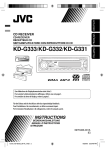
CD RECEIVER
KD-G333/KD-G332/KD-G331
For canceling the display demonstration, see page 5.
For installation and connections, refer to the separate manual.
INSTRUCTIONS
GET0406-003A
[EX/EU]
Cover_KD-G333_003A_f.indd 1
8/29/06 3:24:44 PM
ENGLISH
Thank you for purchasing a JVC product.
Please read all instructions carefully before operation, to ensure your complete understanding and to obtain the best
possible performance from the unit.
IMPORTANT FOR LASER PRODUCTS
1. CLASS 1 LASER PRODUCT
2. CAUTION: Do not open the top cover. There are no user serviceable parts inside the unit; leave all servicing to
qualified service personnel.
3. CAUTION: Visible and/or invisible class 1M laser radiation when open. Do not view directly with optical
instruments.
4. REPRODUCTION OF LABEL: CAUTION LABEL, PLACED OUTSIDE THE UNIT.
Caution on volume setting:
Warning:
If you need to operate the unit while driving, be
sure to look ahead carefully or you may be involved
in a traffic accident.
This symbol is only valid in
the European Union.
Information for Users on Disposal of Old
Equipment
This symbol indicates that the product with
this symbol should not be disposed as general
household waste at its end-of-life. If you wish to
dispose of this product, please do so in accordance
with applicable national legislation or other rules in
your country and municipality. By disposing of this
product correctly, you will help to conserve natural
resources and will help prevent potential negative
effects on the environment and human health.
Discs produce very little noise compared with other
sources. Lower the volume before playing a disc
to avoid damaging the speakers by the sudden
increase of the output level.
How to reset your unit
• Your preset adjustments will also be erased.
How to forcibly eject a disc
• Be careful not to drop the disc when it ejects.
• If this does not work, reset your unit.
2
EN02-05_KD-G333_003A_f.indd 2
8/29/06 9:50:47 AM
Ex.: When number button 2 works as
MO (monaural) button.
CONTENTS
Control panel — KD-G333/KD-G332/KD-G331 .. 4
Getting started ................................ 5
Basic operations ................................................... 5
ENGLISH
How to use the M MODE button
If you press M MODE, the unit goes into functions
mode, then the number buttons and ¢/4
buttons work as different function buttons.
Radio operations ............................. 6
FM RDS operations ........................... 7
Searching for your favorite FM RDS programme .... 7
To use these buttons for their original functions
again after pressing M MODE, wait for 5 seconds
without pressing any of these buttons until the
functions mode is cleared or press M MODE again.
Detaching the control panel
Attaching the control panel
Disc operations ................................ 9
Playing a disc in the unit ..................................... 9
Sound adjustments ..........................
General settings — PSM ..................
Maintenance ...................................
More about this unit ........................
Troubleshooting ..............................
Specifications ..................................
11
12
14
15
17
19
Note: Only for [EX] model users in UK and
European countries
For security reasons, a numbered ID card is provided
with this unit, and the same ID number is imprinted on
the unit’s chassis. Keep the card in a safe place, as it will
help the authorities to identify your unit if stolen.
For safety...
This unit is equipped with the steering wheel
remote control function.
• See the Installation/Connection Manual (separate
volume) for connection.
• Do not raise the volume level too much, as this will
block outside sounds, making driving dangerous.
• Stop the car before performing any complicated
operations.
Temperature inside the car...
If you have parked the car for a long time in hot or cold
weather, wait until the temperature in the car becomes
normal before operating the unit.
3
EN02-05_KD-G333_003A_f.indd 3
8/29/06 9:50:49 AM
ENGLISH
Control panel — KD-G333/KD-G332/KD-G331
Parts identification
Display window
1
2
3
4
5
6
7
8
9
p
q
w
e
r
t
y
u
i
0 (eject) button
Loading slot
(standby/on/attenuator) button
SOURCE button
Display window
BAND button
T/P (traffic programme/programme type) button
¢/4 buttons
Control dial
SEL (select) button
DISP (display) button
EQ (equalizer) button
MO (monaural) button
SSM (Strong-station Sequential Memory) button
Number buttons
RPT (repeat) button
RND (random) button
M MODE button
o
(control panel release) button
; Disc information indicators—
TAG (Tag information),
(track/file),
(folder)
a DISC indicator
s Playback mode / item indicators—RND (random),
(disc),
(folder), RPT (repeat)
d RDS indicators—AF, REG, TP, PTY
f Tuner reception indicators—MO (monaural),
ST (stereo)
LOUD (loudness) indicator
EQ (equalizer) indicator
Tr (track) indicator
Source display / Volume level indicator / Time
countdown indicator
l Main display
/ Sound mode (C-EQ: custom equalizer) indicators—
JAZZ, ROCK, HIP HOP, CLASSIC, POPS, USER
g
h
j
k
4
EN02-05_KD-G333_003A_f.indd 4
9/7/06 9:17:02 AM
Getting started
Basic operations
• See also “General settings — PSM” on pages 12 and
13.
~
1
Turn on the power.
ENGLISH
Basic settings
2
Ÿ
* You cannot select “DISC” as the playback source
if there is no disc in the unit.
!
For FM/AM tuner
⁄
Adjust the volume.
1 Canceling the display demonstrations
Select “DEMO,” then “DEMO OFF.”
2 Setting the clock
Select “CLOCK H” (hour), then adjust the hour.
Select “CLOCK M” (minute), then adjust the
minute.
Select “24H/12H,” then “24H” (hour) or “12H”
(hour).
Volume level appears.
@
3
Finish the procedure.
Adjust the sound as you want. (See
page 11.)
To drop the volume in a
moment (ATT)
To restore the sound, press the
button again.
To check the current clock time while the
power is turned off
Clock time is shown on the
display for about 5 seconds. See
also page 12.
To turn off the power
5
EN02-05_KD-G333_003A_f.indd 5
9/7/06 9:17:05 AM
ENGLISH
Radio operations
To restore the stereo effect, repeat the same
procedure. “MONO OFF” appears and the MO indicator
goes off.
~
Storing stations in memory
Ÿ
You can preset six stations for each band.
Lights up when receiving an FM stereo
broadcast with sufficient signal strength.
FM station automatic presetting—
SSM (Strong-station Sequential
Memory)
1
!
Start searching for a station.
When a station is received,
searching stops.
To stop searching, press the
same button again.
To tune in to a station manually
Select the FM band (FM1 – FM3) you want to
store into.
2
3
In step ! above...
1
“SSM” flashes, then disappears when automatic
presetting is over.
2 Select a desired station frequency.
Local FM stations with the strongest signals are
searched and stored automatically in the FM band.
Manual presetting
Ex.: Storing FM station of 92.5 MHz into preset
number 4 of the FM1 band.
When an FM stereo broadcast is hard to
receive
1
2
Lights up when monaural mode is activated.
Reception improves, but stereo effect will be lost.
6
EN06-11_KD-G333_003A_f.indd 6
9/7/06 9:21:51 AM
Searching for your favorite
FM RDS programme
Preset number flashes for a while.
Listening to a preset station
1
You can tune in to a station broadcasting your favorite
programme by searching for a PTY code.
• To store your favorite programme types, see the
following.
~
Ÿ
2
Select the preset station (1 – 6) you want.
ENGLISH
3
The last selected PTY code
appears.
Select one of your favorite programme
types.
or
Select one of the PTY codes (see page
9).
To check the current clock time while
listening to an FM (non-RDS) or AM station
• For FM RDS stations, see page 9.
Frequency Ô Clock
!
If there is a station broadcasting
a programme of the same PTY
code as you have selected, that
station is tuned in.
FM RDS operations
What you can do with RDS
RDS (Radio Data System) allows FM stations to send an
additional signal along with their regular programme
signals.
By receiving the RDS data, this unit can do the
following:
• Programme Type (PTY) Search (see the following)
• TA (Traffic Announcement) and PTY Standby
Receptions (see pages 8 and 13)
• Tracing the same programme automatically
—Network-Tracking Reception (see page 8)
• Programme Search (see pages 9 and 13)
Start searching for your favorite
programme.
Storing your favorite programme
types
You can store six favorite programme types.
Preset programme types in the number buttons
(1 to 6):
1
Select a PTY code (see above).
Continued on the next page
7
EN06-11_KD-G333_003A_f.indd 7
9/7/06 9:21:53 AM
Select the preset number (1 – 6) you want to
store into.
ENGLISH
2
Ex.: When “ROCK M” is selected
3
Repeat steps 1 and 2 to store other PTY
codes into other preset numbers.
4
Finish the procedure.
Using the standby receptions
PTY Standby Reception
PTY Standby Reception allows the unit to switch
temporarily to your favorite PTY programme from any
source other than AM.
To activate and select your favorite PTY code for
PTY Standby Reception, see page 13.
The PTY indicator either lights up or flashes.
• If the PTY indicator lights up, PTY Standby Reception
is activated.
• If the PTY indicator flashes, PTY Standby Reception is
not yet activated.
To activate PTY Standby Reception, tune in to another
station providing these signals. The PTY indicator will
stop flashing and remain lit.
To deactivate the PTY Standby Reception, select
“OFF” for the PTY code (see page 13). The PTY indicator
goes off.
TA Standby Reception
TA Standby Reception allows the unit to switch
temporarily to Traffic Announcement (TA) from any
source other than AM.
The volume changes to the preset TA volume level if the
current level is lower than the preset level (see page
13).
To activate TA Standby Reception
The TP (Traffic Programme) indicator
either lights up or flashes.
• If the TP indicator lights up, TA Standby Reception is
activated.
• If the TP indicator flashes, TA Standby Reception is
not yet activated. (This occurs when you are listening
to an FM station without the RDS signals required for
TA Standby Reception.)
To activate TA Standby Reception, tune in to another
station providing these signals. The TP indicator will
stop flashing and remain lit.
Tracing the same programme—
Network-Tracking Reception
When driving in an area where FM reception is not
sufficient enough, this unit automatically tunes in to
another FM RDS station of the same network, possibly
broadcasting the same programme with stronger
signals (see the illustration below).
When shipped from the factory, Network-Tracking
Reception is activated.
To change the Network-Tracking Reception
setting, see “AF-REG” on page 12.
Programme A broadcasting on different frequency areas
(01 – 05)
To deactivate the TA Standby Reception
The TP indicator goes off.
8
EN06-11_KD-G333_003A_f.indd 8
9/7/06 9:21:53 AM
Usually when you press the number buttons, the preset
station is tuned in.
If the signals from the FM RDS preset station are not
sufficient for good reception, this unit, using the AF
data, tunes in to another frequency broadcasting the
same programme as the original preset station is
broadcasting.
• The unit takes some time to tune in to another
station using programme search.
• See also page 13.
To check the current clock time while
listening to an FM RDS station
Station name (PS) = Station
Frequency = Programme
type (PTY) = Clock = (back to
the beginning)
PTY codes
NEWS, AFFAIRS, INFO, SPORT, EDUCATE, DRAMA,
CULTURE, SCIENCE, VARIED, POP M (music), ROCK M
(music), EASY M (music), LIGHT M (music), CLASSICS,
OTHER M (music), WEATHER, FINANCE, CHILDREN, SOCIAL,
RELIGION, PHONE IN, TRAVEL, LEISURE, JAZZ, COUNTRY,
NATION M (music), OLDIES, FOLK M (music), DOCUMENT
Ÿ
ENGLISH
Automatic station selection—
Programme Search
All tracks will be played repeatedly until you
change the source or eject the disc.
To stop play and eject the
disc
• Press SOURCE to listen to
another playback source.
To fast-forward or reverse
the track
To go to the next or
previous tracks
To go to the next or previous folders (only
for MP3 or WMA discs)
To locate a particular track (for CD) or folder
(for MP3 or WMA discs) directly
Disc operations
Playing a disc in the unit
~
To select a number from 01 – 06:
To select a number from 07 – 12:
Turn on the power.
• To use direct folder access on MP3/WMA discs, it
is required that folders are assigned with 2-digit
numbers at the beginning of their folder names—
01, 02, 03, and so on.
Continued on the next page
9
EN06-11_KD-G333_003A_f.indd 9
9/5/06 7:14:43 PM
ENGLISH
: Elapsed playing time with the current
track number
: Clock with the current track number
: Corresponding indicator lights up on the
display
To select a particular track in a
folder (for MP3 or WMA disc):
Prohibiting disc ejection
You can lock a disc in the loading slot.
*1 If the current disc is an audio CD, “NO NAME” appears.
*2 If an MP3/WMA file does not have Tag information,
folder name and file name appear. In this case, the
TAG indicator will not light up.
Selecting the playback modes
You can use only one of the following playback modes
at a time.
To cancel the prohibition, repeat the same
procedure.
Changing the display information
1
2
Select your desired playback mode.
7 Repeat play
While playing an audio CD or a CD
Text
Mode
RPT OFF
While playing an MP3 or a WMA disc
Plays repeatedly
TRK RPT : The current track.
FLDR RPT * : All tracks of the current folder.
: Cancels.
7 Random play
• When “TAG DISP” is set to “TAG ON” (see
page 13)
Mode
Plays at random
FLDR RND * : All tracks of the current folder,
then tracks of the next folder and
so on.
DISC RND : All tracks of the current disc.
• When “TAG DISP” is set to “TAG OFF”
RND OFF
: Cancels.
* Only while playing an MP3 or a WMA disc.
: Corresponding indicator lights up on
the display
10
EN06-11_KD-G333_003A_f.indd 10
9/5/06 7:14:45 PM
Sound adjustments
You can select a preset sound mode suitable to the
music genre (C-EQ: custom equalizer).
You can adjust the sound characteristics to your
preference.
1
1
2
2
Preset values
Indication (For)
BAS
(bass)
TRE
ENGLISH
Adjusting the sound
LOUD
(treble) (loudness)
Indication, [Range]
USER
(Flat sound)
00
00
OFF
BAS*1 (bass), [–06 to +06]
Adjust the bass.
ROCK
(Rock or disco music)
+03
+01
ON
TRE*1 (treble), [–06 to +06]
Adjust the treble.
CLASSIC
(Classical music)
+01
–02
OFF
FAD*2 (fader), [R06 to F06]
Adjust the front and rear speaker balance.
POPS
(Light music)
+04
+01
OFF
BAL (balance), [L06 to R06]
Adjust the left and right speaker balance.
HIP HOP
(Funk or rap music)
+02
00
ON
JAZZ
(Jazz music)
+02
+03
OFF
LOUD*1 (loudness), [LOUD ON or LOUD OFF]
Boost low and high frequencies to produce a
well-balanced sound at low volume level.
VOL (volume), [00 to 30 or 50*3]
Adjust the volume.
*1 When you adjust the bass, treble, or loudness, the
adjustment you have made is stored for the currently
selected sound mode (C-EQ) including “USER.”
*2 If you are using a two-speaker system, set the fader
level to “00.”
*3 Depending on the amplifier gain control setting. (See
page 13 for details.)
11
EN06-11_KD-G333_003A_2.indd 11
8/15/06 11:51:26 AM
ENGLISH
General settings — PSM
You can change PSM (Preferred Setting Mode) items
listed in the table that follows.
3
Adjust the PSM item selected.
4
Repeat steps 2 and 3 to adjust other PSM
items if necessary.
5
Finish the procedure.
1
2
Select a PSM item.
Indications
Item
( : Initial)
Selectable settings, [reference page]
DEMO
Display demonstration
• DEMO ON
: Display demonstration will be activated automatically if no
operation is done for about 20 seconds, [5].
: Cancels.
• DEMO OFF
1
CLK DISP *
Clock display
• ON
• OFF
: Clock time is shown on the display at all times when the power is
turned off.
: Cancels; pressing DISP will show the clock time for about
5 seconds when the power is turned off, [5].
CLOCK H
Hour adjustment
0 – 23 (1 – 12)
[Initial: 0 (0:00)], [5].
CLOCK M
Minute adjustment
00 – 59
[Initial: 00 (0:00)], [5].
24H/12H
Time display mode
• 24H
• 12H
: See also page 5 for setting.
CLK ADJ *2
Clock adjustment
• AUTO
: The built-in clock is automatically adjusted using the CT (clock
time) data in the RDS signal.
: Cancels.
• OFF
2
AF-REG *
Alternative frequency/
regionalization
reception
• AF
• AF REG
• OFF
: When the currently received signals become weak, the unit
switches to another station (the programme may differ from the
one currently received), [8].
• The AF indicator lights up.
: When the currently received signals become weak, the unit
switches to another station broadcasting the same programme.
• The AF and REG indicators light up.
: Cancels.
12
EN12-19_KD-G333_003A_f.indd 12
8/23/06 12:36:47 PM
Item
( : Initial)
Selectable settings, [reference page]
PTY-STBY *2
PTY standby
OFF, PTY codes
Activates PTY Standby Reception with one of the PTY codes, [9].
TA VOL *2
Traffic announcement
volume
VOL 00 – VOL
30 or 50 *3
[Initial: VOL 15]
P-SEARCH *2
Programme search
• ON
• OFF
: Activates Programme Search, [9].
: Cancels.
DIMMER
Dimmer
• ON
• OFF
: Dims the display illumination.
: Cancels.
TEL
Telephone muting
• MUTING 1/
MUTING 2
• OFF
: Select either one which mutes the sounds while using a cellular
phone.
: Cancels.
SCROLL *4
Scroll
• ONCE
• AUTO
• OFF
:
:
:
•
TAG DISP
Tag display
• TAG ON
• TAG OFF
: Shows the Tag information while playing MP3/WMA tracks, [10].
: Cancels.
AMP GAIN
Amplifier gain control
• LOW PWR
: VOL 00 – VOL 30 (Select this if the maximum power of the
speaker is less than 50 W to prevent them from damaging the
speaker.)
: VOL 00 – VOL 50
• HIGH PWR
• AUTO
IF BAND
Intermediate frequency
• WIDE
band
ENGLISH
Indications
Scrolls the disc information once.
Repeats scrolling (at 5-second intervals).
Cancels.
Pressing DISP for more than one second can scroll the display
regardless of the setting.
: Increases the tuner selectivity to reduce interference noises
between close stations. (Stereo effect may be lost.)
: Subject to the interference noises from adjacent stations, but
sound quality will not be degraded and the stereo effect will
remain.
*1 If the power supply is not interrupted by turning off the ignition key of your car, it is recommended to select “OFF” to
save the car’s battery.
*2 Only for FM RDS stations.
*3 Depends on the amplifier gain control.
*4 Some characters or symbols will not be shown correctly (or will be blanked) on the display.
13
EN12-19_KD-G333_003A_f.indd 13
8/23/06 12:36:49 PM
ENGLISH
Maintenance
How to clean the connectors
Frequent detachment will deteriorate the connectors.
To minimize this possibility, periodically wipe the
connectors with a cotton swab or cloth moistened with
alcohol, being careful not to damage the connectors.
To keep discs clean
A dirty disc may not play correctly.
If a disc does become dirty, wipe it with
a soft cloth in a straight line from center
to edge.
• Do not use any solvent (for example, conventional
record cleaner, spray, thinner, benzine, etc.) to clean
discs.
To play new discs
Connector
Moisture condensation
Moisture may condense on the lens inside the unit in
the following cases:
• After starting the heater in the car.
• If it becomes very humid inside the car.
Should this occur, the unit may malfunction. In this
case, eject the disc and leave the unit turned on for a
few hours until the moisture evaporates.
New discs may have some rough spots
around the inner and outer edges. If
such a disc is used, this unit may reject
the disc.
To remove these rough spots, rub the edges with a
pencil or ball-point pen, etc.
Do not use the following discs:
Warped disc
Sticker
Sticker residue
How to handle discs
When removing a disc from its
Center holder
case, press down the center holder
of the case and lift the disc out,
holding it by the edges.
• Always hold the disc by the edges.
Do not touch its recording surface.
When storing a disc into its case, gently insert the
disc around the center holder (with the printed surface
facing up).
• Make sure to store discs into the cases after use.
Stick-on label
Unusual shape
Single CD (8 cm disc)
14
EN12-19_KD-G333_003A_f.indd 14
9/6/06 9:29:40 AM
• If you want to know more about RDS, visit
<http://www.rds.org.uk>.
Basic operations
Disc operations
Turning on the power
Caution for DualDisc playback
• By pressing SOURCE on the unit, you can also turn on
the power. If the source is ready, playback also starts.
• The Non-DVD side of a “DualDisc” does not comply
with the “Compact Disc Digital Audio” standard.
Therefore, the use of Non-DVD side of a DualDisc on
this product may not be recommended.
Turning off the power
• If you turn off the power while listening to a disc, disc
play will start from where playback has been stopped
previously, next time you turn on the power.
Tuner operations
Storing stations in memory
• During SSM search...
– All previously stored stations are erased and
stations are stored newly.
– Received stations are preset in No. 1 (lowest
frequency) to No. 6 (highest frequency).
– When SSM is over, the station stored in No. 1 will
be automatically tuned in.
• When storing a station manually, the previously
preset station is erased when a new station is stored
in the same preset number.
FM RDS operations
• Network-Tracking Reception requires two types of
RDS signals—PI (Programme Identification) and AF
(Alternative Frequency) to work correctly. Without
receiving these data correctly, Network-Tracking
Reception will not operate correctly.
• If a Traffic Announcement is received by TA Standby
Reception, the volume level automatically changes to
the preset level (TA VOL) if the current level is lower
than the preset level.
• When Alternative Frequency Reception is activated
(with AF selected), Network-Tracking Reception is
also activated automatically. On the other hand,
Network-Tracking Reception cannot be deactivated
without deactivating Alternative Frequency
Reception. (See page 12.)
ENGLISH
More about this unit
General
• This unit has been designed to reproduce CDs/CD
Texts, and CD-Rs (Recordable)/CD-RWs (Rewritable)
in audio CD (CD-DA), MP3 and WMA formats.
• MP3 and WMA “tracks” (words “file” and “track” are
used interchangeably) are recorded in “folders.”
• While fast-forwarding or reversing on an MP3 or
WMA disc, you can only hear intermittent sounds.
Playing a CD-R or CD-RW
• Use only “finalized” CD-Rs or CD-RWs.
• This unit can play back only files of the same type
which are first detected if a disc includes both audio
CD (CD-DA) files and MP3/WMA files.
• This unit can play back multi-session discs; however,
unclosed sessions will be skipped while playing.
• Some CD-Rs or CD-RWs may not be played back on
this unit because of their disc characteristics, or for
the following reasons:
– Discs are dirty or scratched.
– Moisture condensation occurs on the lens inside
the unit.
– The pickup lens inside the unit is dirty.
– CD-R/CD-RW on which the files are written with
“Packet Write” method.
– There are improper recording conditions (missing
data, etc.) or media conditions (stained, scratched,
warped, etc.).
Continued on the next page
15
EN12-19_KD-G333_003A_f.indd 15
9/5/06 7:06:49 PM
ENGLISH
• CD-RWs may require a longer readout time since the
reflectance of CD-RWs is lower than that of regular
CDs.
• Do not use the following CD-Rs or CD-RWs:
– Discs with stickers, labels, or protective seal stuck
to the surface.
– Discs on which labels can be directly printed by an
ink jet printer.
Using these discs under high temperatures or high
humidities may cause malfunctions or damage to the
unit.
Playing an MP3/WMA disc
• This unit can play back MP3/WMA files with the
extension code <.mp3> or <.wma> (regardless of
the letter case—upper/lower).
• This unit can show the names of albums, artists
(performer), and Tag (Version 1.0, 1.1, 2.2, 2.3, or
2.4) for MP3 files and for WMA files.
• This unit can display only one-byte characters. No
other characters can be correctly displayed.
• This unit can play back MP3/WMA files meeting the
conditions below:
– Bit rate: 8 kbps — 320 kbps
– Sampling frequency:
48 kHz, 44.1 kHz, 32 kHz (for MPEG-1)
24 kHz, 22.05 kHz, 16 kHz (for MPEG-2)
– Disc format: ISO 9660 Level 1/ Level 2, Romeo,
Joliet, Windows long file name
• The maximum number of characters for file/folder
names vary among the disc format used (includes 4
extension characters—<.mp3> or <.wma>).
– ISO 9660 Level 1: up to 12 characters
– ISO 9660 Level 2: up to 31 characters
– Romeo: up to 128 characters
– Joliet: up to 64 characters
– Windows long file name: up to 128 characters
• This unit can recognize a total of 512 files, of 200
folders, and of 8 hierarchies.
• This unit can play back files recorded in VBR (variable
bit rate).
Files recorded in VBR have a discrepancy in elapsed
time display, and do not show the actual elapsed
time. Especially, after performing the search function,
this difference becomes noticeable.
• This unit cannot play back the following files:
– MP3 files encoded with MP3i and MP3 PRO format.
– MP3 files encoded in an inappropriate format.
– MP3 files encoded with Layer 1/2.
– WMA files encoded with lossless, professional, and
voice format.
– WMA files which are not based upon Windows
Media® Audio.
– WMA files copy-protected with DRM.
– Files which have the data such as WAVE, ATRAC3,
etc.
• The search function works but search speed is not
constant.
Changing the source
• If you change the source, playback also stops
(without ejecting the disc).
Next time you select “DISC” for the playback source,
disc play starts from where it has been stopped
previously.
Ejecting a disc
• If the ejected disc is not removed within 15 seconds,
the disc is automatically inserted again into the
loading slot to protect it from dust.
• After ejecting a disc, “NO DISC” appears and you
cannot operate some of the buttons. Insert another
disc or press SOURCE to select another playback
source.
General settings—PSM
• If you change the “AMP GAIN” setting from
“HIGH PWR” to “LOW PWR” while the volume level
is set higher than “VOL 30,” the unit automatically
changes the volume level to “VOL 30.”
16
EN12-19_KD-G333_003A_f.indd 16
9/7/06 9:22:51 AM
What appears to be trouble is not always serious. Check the following points before calling a service center.
FM/AM
General
Symptoms
ENGLISH
Troubleshooting
Remedies/Causes
• Sound cannot be heard from the speakers.
• Adjust the volume to the optimum level.
• Check the cords and connections.
• The unit does not work at all.
Reset the unit (see page 2).
• SSM automatic presetting does not work.
Store stations manually.
• Static noise while listening to the radio.
Connect the aerial firmly.
• Disc cannot be played back.
Insert the disc correctly.
Disc playback
• CD-R/CD-RW cannot be played back.
• Insert a finalized CD-R/CD-RW.
• Tracks on the CD-R/CD-RW cannot be skipped. • Finalize the CD-R/CD-RW with the component which you
used for recording.
• Disc can be neither played back nor ejected.
• Unlock the disc (see page 10).
• Eject the disc forcibly (see page 2).
• Disc sound is sometimes interrupted.
• Stop playback while driving on rough roads.
• Change the disc.
• Check the cords and connections.
• “NO DISC” appears on the display.
Insert a playable disc into the loading slot.
Continued on the next page
17
EN12-19_KD-G333_003A_2.indd 17
8/15/06 9:19:28 AM
MP3/WMA playback
ENGLISH
Symptoms
Remedies/Causes
• Disc cannot be played back.
• Use a disc with MP3/WMA tracks recorded in the format
compliant with ISO 9660 Level 1, Level 2, Romeo, or
Joliet.
• Add the extension code <.mp3> or <.wma> to the file
names.
• Noise is generated.
Skip to another track or change the disc. (Do not add the
extension code <.mp3> or <.wma> to non-MP3 or WMA
tracks.)
• A longer readout time is required (“CHECK”
keeps flashing on the display).
Do not use too many hierarchies and folders.
• Tracks are not played back in the order you
have intended.
Playback order is determined when the files are recorded.
• Elapsed playing time is not correct.
This sometimes occurs during play. This is caused by how
the tracks are recorded on the disc.
• “PLEASE EJECT” appears on the display.
Insert a disc that contains MP3/WMA tracks.
• Correct characters are not displayed (e.g.
album name).
This unit can only display alphabets (upper case),
numbers, and a limited number of symbols.
• Microsoft and Windows Media are either registered trademarks or trademarks of Microsoft Corporation in the
United States and/or other countries.
18
EN12-19_KD-G333_006A_f.indd 18
9/18/06 11:16:17 AM
AUDIO AMPLIFIER SECTION
CD PLAYER SECTION
Maximum Power Output:
Front/Rear:
50 W per channel
Continuous Power Output (RMS):
Front/Rear:
19 W per channel into 4 Ω,
40 Hz to 20 000 Hz at no more
than 0.8% total harmonic
distortion.
Load Impedance:
4 Ω (4 Ω to 8 Ω allowance)
Tone Control Range:
Bass:
±12 dB at 100 Hz
Treble:
±12 dB at 10 kHz
Frequency Response: 40 Hz to 20 000 Hz
Signal-to-Noise Ratio: 70 dB
Line-Out Level/
2.5 V/20 kΩ load (full scale)
Impedance:
Output Impedance: 1 kΩ
Other Terminals:
Steering wheel remote input
Type:
Compact disc player
Signal Detection
Non-contact optical pickup
System:
(semiconductor laser)
Number of Channels: 2 channels (stereo)
Frequency Response: 5 Hz to 20 000 Hz
Dynamic Range:
96 dB
Signal-to-Noise Ratio: 98 dB
Wow and Flutter:
Less than measurable limit
MP3 Decoding Format: (MPEG1/2 Audio Layer 3)
Max. Bit Rate:
320 kbps
WMA (Windows Media® Audio) Decoding Format:
Max. Bit Rate:
192 kbps
TUNER SECTION
Frequency Range:
FM:
AM:
87.5 MHz to 108.0 MHz
MW: 522 kHz to 1 620 kHz
LW: 144 kHz to 279 kHz
FM Tuner
Usable Sensitivity:
50 dB Quieting
Sensitivity:
Alternate Channel
Selectivity (400 kHz):
Frequency Response:
Stereo Separation:
11.3 dBf (1.0 μV/75 Ω)
16.3 dBf (1.8 μV/75 Ω)
ENGLISH
Specifications
GENERAL
Power Requirement:
Operating Voltage:
DC 14.4 V
(11 V to 16 V allowance)
Negative ground
0°C to +40°C
Grounding System:
Allowable Operating
Temperature:
Dimensions (W × H × D): (approx.)
Installation Size:
182 mm × 52 mm × 150 mm
Panel Size:
187 mm × 58 mm × 13 mm
Mass:
1.4 kg (excluding accessories)
Design and specifications are subject to change without
notice.
65 dB
40 Hz to 15 000 Hz
30 dB
MW Tuner
Sensitivity/Selectivity: 20 μV/35 dB
LW Tuner
Sensitivity:
50 μV
19
EN12-19_KD-G333_003A_f.indd 19
9/7/06 3:26:03 PM
Having TROUBLE with operation?
Please reset your unit
Refer to page of How to reset your unit
Dear Customer,
This apparatus is in conformance with the valid European
directives and standards regarding electromagnetic
compatibility and electrical safety.
European representative of Victor Company of Japan, Limited
is:
JVC Technology Centre Europe GmbH
Postfach 10 05 52
61145 Friedberg
Germany
EN, FR
© 2006 Victor Company of Japan, Limited
Rear_KD-G333_003A_f.indd 2
0906DTSMDTJEIN
9/7/06 3:25:41 PM