1
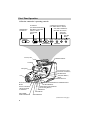
Viewfinder
The camcorder’s viewfinder is a miniature monitor that displays the picture seen by
the camcorder when recording.
The viewfinder can also be used for viewing the tape during playback.
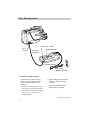
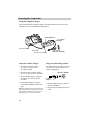
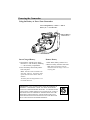
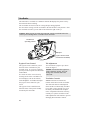
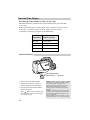
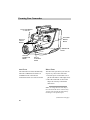
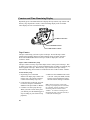
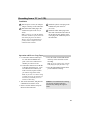
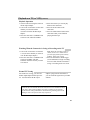
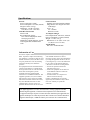
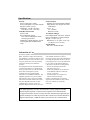
For convenient viewing, turn the viewfinder to the left and lock it into position. After
the viewfinder is locked, you can slide it out and use the right or left eye.
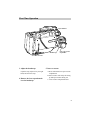
Caution: When carrying or storing the camcorder, turn the viewfinder back to the
front to prevent damage to the viewfinder and/or camcorder.
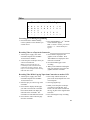
Viewfinder in
Operating Position
T
BAT
EJECT
T
STOP/EJEC
POWER
PAUSE
REW
PLAY
F.FWD
T
AUD •DUB
D
•VID RECOR
EDIT ADV.
TITLE SELEC
STILL
S
UAL
FOCU
MAN
REVIEW
FADE
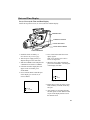
Eyepiece
W/B
FOCUS
AUTO
CAMERA
MAN
MAN
VCR
AUTO
IME
R
UTO
PUSH/A
SELF
TIMER
DATE/T
SHUTTE
TER
COUN
TITLE
CLOCK
DISPLAY
CT
RESET
SET
SELE
E
TIME
LAPS
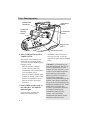
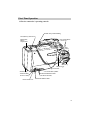
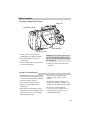
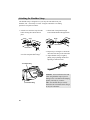
Eyepiece Focus Control
(on bottom of viewfinder)
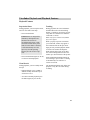
Eyepiece Focus Control
Tilt Adjustment
The eyepiece focus control lets you set
the focus of the viewfinder for your
personal vision. If you wear eyeglasses,
you may be able to operate the camcorder
without them.
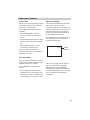
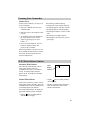
It is easiest to set the correct focus by
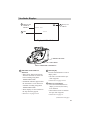
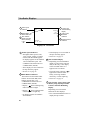
focusing on one of the viewfinder’s onscreen displays (such as the counter).
Look through the viewfinder and adjust
the eyepiece focus control for your
vision.
The eyepiece focus control does not
affect the focus of the picture actually
recorded by the camcorder.
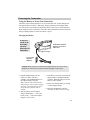
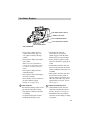
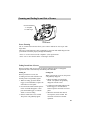
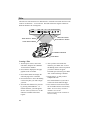
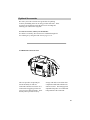
You can turn the eyepiece up or down
about 180 degrees.
Caution: Do not force the eyepiece to
rotate completely around. This will
damage the viewfinder and/or the
camcorder.
18
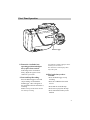
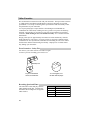
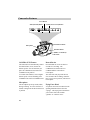
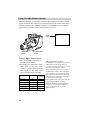
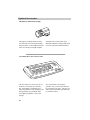
Viewfinder Controls
BRIGHT and FOCUS controls are
located on the bottom of the viewfinder.
The camcorder must be turned upside
down and the viewfinder fully extended
to see them. These controls were set at
the factory and should need no adjustment. If adjustment becomes necessary,
carefully use a plastic screwdriver and
make adjustments with caution to prevent
damaging these miniature controls.