1
Safety Instructions
Operating Instructions
Throughout this manual, features and appearance may vary from your model.
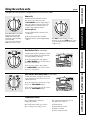
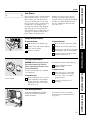
Using the Warming Zone
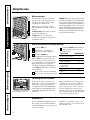
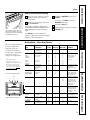
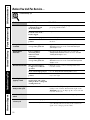
WARMER GUIDE
SETTING FOOD
(Low)
(Medium)
(Medium)
Bread/Pastries
Chocolate/Butter
Sauces, Stews,
Cream Soups
(Medium)
Vegetables
(High)
Soups (liquid)
(High)
Tea or Coffee
The Warmer Guide is for reference
only and the SETTING that you need
will depend on the amount and type of
food, the starting temperature of the
food and the length of the holding time.
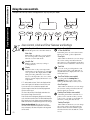
The WARMING ZONE, located in the back
center of the glass surface, will keep hot,
cooked food at serving temperature. Always
start with hot food. Do not use to heat cold
food. Placing uncooked or cold food on the
WARMING ZONE could result in food-borne
illness.
Push and turn the control knob to any
desired setting.
For best results, all foods on the
WARMING ZONE should be covered with a lid
or aluminum foil. When warming pastries or
breads, the cover should be vented to allow
moisture to escape.
Always use pot holders or oven mitts when
removing food from the WARMING ZONE,
since cookware and plates will be hot.
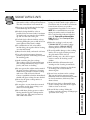
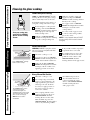
Be sure the canner is centered over the
surface unit.
Make sure the canner is flat on the
bottom.
To prevent burns from steam or heat,
use caution when canning.
for more than two hours.
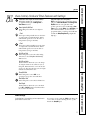
NOTE: The surface warmer will not glow red like the
cooking elements.
A HOT surface indicator light will glow when
the glass surface is hot and will remain on
until the surface is cool enough to touch.
Lower settings may not heat the glass surface
enough to cause the HOT surface indicator
light to come on.
A WARMING ZONE indicator light will glow
when the unit is on.
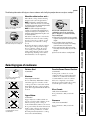
■ Do not use plastic wrap to cover food. Plastic may
melt onto the surface and be very difficult to clean.
■ Use only cookware recommended for top-of-range
cooking.
Use recipes and procedures from
reputable sources. These are available
from manufacturers such as Ball® and
Kerr® and the Department of Agriculture
Extension Service.
Flat-bottomed canners are
recommended. Use of water bath
canners with rippled bottoms may
extend the time required to bring
the water to a boil.
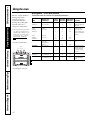
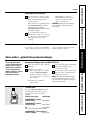
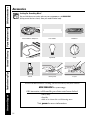
Wok Cooking
We recommend that you use only a flat-bottomed
wok. They are available at your local retail store.
Do not use woks that have support rings.
Consumer Support
CAUTION: Do not warm food on the WARMING ZONE
Home Canning Tips
Troubleshooting Tips
Care and Cleaning
Using the surface units.
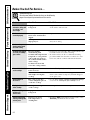
Use only flat-bottomed woks.
8
Do not use round bottom woks.
You could be seriously burned if the
wok tipped over.