1
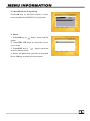
3. System Setup
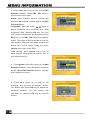
1. Press OK key or
key to move the
cursor to the right menu.
2. Press PR+, PR- keys to move the cursor
up or down.
3. Press EXIT key or
key to move the
focus to the left menu.
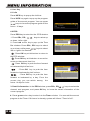
3.1 Language
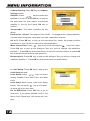
1. Press OK key to enter into the Language
window. Press
keys to select the
language in circle, while press PR+, PRkeys to move the cursor up or down in circle.
2. Press MENU key or EXIT key to save and
exit.
3. The types of the language, pleaser refer to
the configuration of the customer.
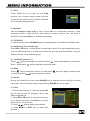
3.2 TV System
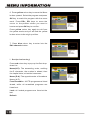
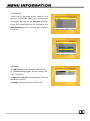
Press PR+, PR- key to move the cursor up or
down, while press
keys to change the
setting and the setting will take effect
immediately.
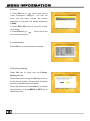
1. Display Mode: Select among Auto,PAL,
PAL-M, PAL-N, NTSC.
2. Aspect Mode: Select among 4:3LetterBox,
4:3PanScan, 16:9.
3. Video Output: Select between RGB and
CVBS.If you select the mode of RGB,the
VCR Loopthrough will turn grey below.
4. RF System Select among PAL-I, PAL-BG, PAL-DK and NTSC.
5. RF Channel PAL:21-69,NTSC:14-83.