1
Skipping Tracks and High Speed Music Search
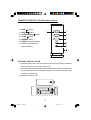
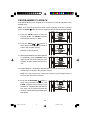
During CD Playback, repeatedly press the SKIP
or SKIP
buttons to skip to
higher or lower number tracks. When the desired track number appears on the
display release the buttons and playback will begin on the desired track.
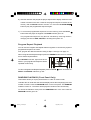
To rapidly search forward or back within a track to locate a specific musical passage,
depress and hold either the SKIP
or SKIP
buttons. The player will move
forward or backward at high speed as long as the buttons are depressed. When
you hear the desired passage release the buttons. Normal playback will resume at
that point.
Repeat Playback
This feature allows you to continuously repeat a single track or the entire disc.
To Repeat A Single Track
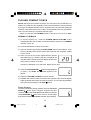
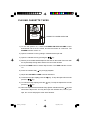
Press the REPEAT button once. The REPEAT indicator
flashes. Press the
or
buttons to select the desired
track, then press the CD PLAY/PAUSE
button to begin
Repeat Playback of the selected track.
To Repeat The Entire Disc
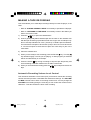
Press the REPEAT button twice. The REPEAT indicator
remains ‘on’. Press the CD PLAY/PAUSE
button to begin
Repeat Playback of the entire disc.
To cancel Repeat Playback press the REPEAT button until the REPEAT Indicator
goes ‘off’. Repeat Playback is also canceled by pressing the STOP
setting the Function selector to the TAPE, AM or FM position.
13
MS7630_011504.p65
13
15/1/2004, 10:06
button, or