1
Contents
Cable and Adapter Specifications B-3
Two Twisted-Pair Cable Pinouts B-3
Four Twisted-Pair Cable Pinouts for 10/100 Ports B-3
Four Twisted-Pair Cable Pinouts for 1000BASE-T Ports B-4
Rollover Cable and Adapter Pinouts B-5
Identifying a Rollover Cable B-5
Adapter Pinouts B-5
APPENDIX
C
DC Power Connections
C-1
Connecting to DC Power C-1
Preparing for Installation C-1
Grounding the Switch C-2
Wiring the DC-Input Power Source
APPENDIX
D
C-4
Configuring the Switch with the CLI-Based Setup Program
Accessing the CLI Through Express Setup
D-1
D-1
Accessing the CLI Through the Console Port D-2
Connecting to the Console Port D-2
Starting the Terminal-Emulation Software D-3
Powering on the Switch D-4
Entering the Initial Configuration Information
IP Settings D-4
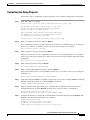
Completing the Setup Program D-5
D-4
INDEX
Catalyst 3550 Multilayer Switch Hardware Installation Guide
OL-6155-01
v