1
Viewing Snapshots and Movies
Viewing Snapshots
See page 19 for the procedure for viewing snapshots.
Viewing a Movie
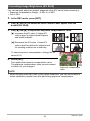
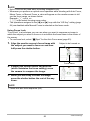
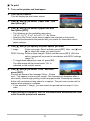
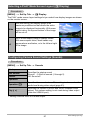
1.
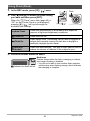
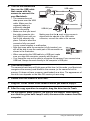
Press [p] (PLAY) and then use [4] and [6] to display the movie you
want to view.
2.
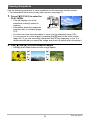
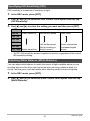
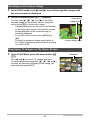
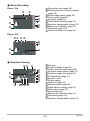
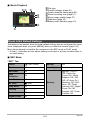
Press [SET] to start
playback.
Movie icon: »
Recording time
Image quality
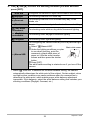
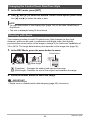
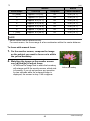
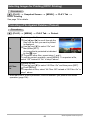
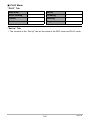
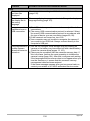
Movie Playback Controls
Fast forward/
fast reverse
[4] [6]
• Each press of either button increases the speed of the fast
forward or fast reverse operation.
• To return to normal playback speed, press [SET].
Play/pause
[SET]
1 frame
forward/back
[4] [6]
• Holding down either button scrolls continuously.
Volume
adjustment
Press [2] and then press [8] [2]
• Volume can be adjusted only while movie playback is in
progress.
Information
display on/off
[8] (DISP)
Zoom
Press the zoom button z ([).
• You can use [8], [2], [4], and [6] to scroll the zoomed image
on the monitor screen. You can zoom a movie image up to 4.5
times normal size.
Stop playback
[MENU]
• Playback may not be possible for movies not recorded with this camera.
61
Viewing Snapshots and Movies