1
lename[D:\DataSEM_Llily\Revision_DE497\4252084131\4252084131\GB03CON_STRDE497-CEL.fm]
masterpage:Left
GB01COV_STR-DE497-CEL.book Page 18 Friday, July 16, 2004 2:34 PM
x
5: Setting up the speakers
You can use the SET UP menu to set the size,
distance and location of the speakers connected
to this receiver.
1
2
3
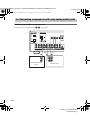
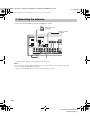
Press ?/1 to turn on the receiver.
Press MAIN MENU repeatedly to select
“ SET UP ”.
Press
or
repeatedly to select the
parameter you want to adjust.
For details, see “Speaker setup parameters”
below.
Note
Some speaker setup items may appear dimmed in
the display. This means that they have been
adjusted automatically due to other speaker
settings or may not be adjustable.
4
Press + or – repeatedly to select the
setting you want.
The setting is entered automatically.
Note
Press ENTER on the receiver if you select the
setting for “SP. PAT. X–X”.
5
Repeat steps 3 and 4 until you have set
all of the items that follow.
Speaker setup parameters
The initial settings are underlined.
• YES
If you connect a sub woofer, select “YES”.
• NO
If you did not connect a sub woofer, select
“NO”. The front speakers are automatically
set to “LARGE” and you cannot change this
setting. This activates the bass redirection
circuitry and outputs the LFE signals from
other speakers.
• In order to take full advantage of the Dolby
Digital bass redirection circuitry, we
recommend that you set the cut off frequency
on the sub woofer as high as possible.
x
• EASY
If you want to set up your speakers
automatically, select “EASY SET”. You can
select a pre-defined speaker pattern (see the
supplied “Easy Setup Guide”).
• NORM
If you want to adjust the settings of each
speaker manually, select “NORM SET”.
x SP. PAT. X–X (Speaker setup pattern)
When you select “EASY SET”, select the
speaker setup pattern. Press + or – repeatedly to
select the speaker setup pattern and press
ENTER to enter the selection. Check your
speaker pattern using the supplied “Easy Setup
Guide”.
L
R
XXXXX (FRONT)
(Front speaker size)
• LARGE
If you connect large speakers that will
effectively reproduce bass frequencies, select
“LARGE”. Normally, select “LARGE”.
• SMALL
If the sound is distorted, or you feel a lack of
surround effects when using multi channel
surround sound, select “SMALL” to activate
the bass redirection circuitry and output the
front channel bass frequencies from the sub
woofer. When the front speakers are set to
“SMALL”, the center and surround speakers
are also automatically set to “SMALL”
(unless previously set to “NO”).
x
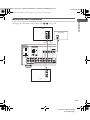
x XXXX SET (Speaker easy setup)
SW
S.W. XXX (SUB WOOFER)
(Sub woofer selection)
C
XXXXX (CENTER)
(Center speaker size)
• LARGE
If you connect a large speaker that will
effectively reproduce bass frequencies, select
“LARGE”. Normally, select “LARGE”.
However, if the front speakers are set to
“SMALL”, you cannot set the center speaker
to “LARGE”.
• SMALL
If the sound is distorted, or you feel a lack of
surround effects when using multi channel
surround sound, select “SMALL” to activate
the bass redirection circuitry and output the
center channel bass frequencies from the front
speakers (if set to “LARGE”) or sub woofer.a)
18GB
model name1[STR-DE497]
[4-252-084-13(1)]