1
Cover-Basic_Eng.fm Page 2 Monday, July 31, 2006 11:02 AM
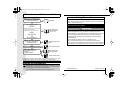
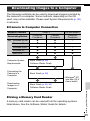
Flowchart and Reference Guides
The following guides are available. Refer to them as necessary
according to the flowchart below.
For information on included items
and items sold separately
System Map
Safety Precautions
Be sure to read, understand and follow the safety precautions below
when using the camera, in order to prevent injury, burns or electrical
shock to yourself and others.
Be sure to also read the safety precautions listed in the
Advanced Camera User Guide.
The Components Guide
Preparations
• Installing the batteries and memory card
• Opening the LCD monitor
• Setting the date, time and language
Warnings
Basic Camera User
Guide (This Guide)
• Read this first.
Shooting
Playback/Erasing
Menus and Settings
Handling precautions, references
to the various shooting and
playback functions
Advanced Camera User
Guide
Printing
Direct Print User Guide
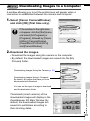
• Installing the software
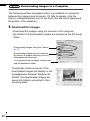
• Downloading images to a
computer
• Using the software
• Do not trigger the flash in close proximity to human or animal eyes.
• Store this equipment out of the reach of children and infants.
• Avoid dropping or subjecting the camera to severe impacts. Do not
touch the flash portion of the camera if it has been damaged.
• Stop operating the equipment immediately if it emits smoke or
noxious fumes.
• Do not handle the power cord if your hands are wet.
• Do not use batteries which are not specified for this camera.
• The compact power adapter output terminals have been designed
exclusively for this equipment. Do not use them for other products.
Basic Camera User
Guide (This Guide)
Software Starter Guide
In this guide, the Basic Camera User Guide is called the Basic Guide, and
the Advanced Camera User Guide is called the Advanced Guide.
In this guide, explanations are given using illustrations for the PowerShot A640.
Viewing the PDF Manuals
Adobe Reader or Adobe Acrobat Reader must be installed to view the
PDF Manuals. If this software is not installed in your computer, access
the following web site and download the software.
http://www.adobe.com/products/acrobat/readstep2.html
PRINTED IN THE EU
© 2006 CANON INC.
33