1
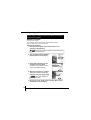
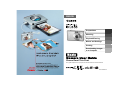
Flowchart and Reference Guides
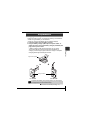
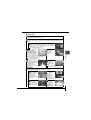
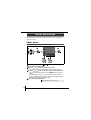
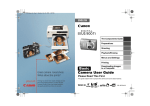
The following guides are available. Refer to them as necessary
according to the flowchart below.
For information on included
items and items sold separately
System Map
Shooting
Playback/Erasing
Warnings
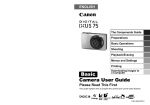
Basic Camera User
Guide (This Guide)
• Read this first.
Menus and Settings
Handling precautions,
references to the various
shooting and playback functions
Printing
• Installing the software
• Downloading images to a
computer
• Using the software
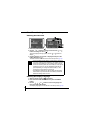
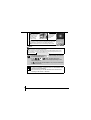
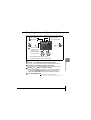
Be sure to read, understand and follow the safety precautions below
when using the camera, in order to prevent injury, burns or electrical
shock to yourself and others.
Be sure to also read the safety precautions listed in the
Advanced Camera User Guide.
Preparations
• Charging the battery
• Installing the battery and memory
card
• Setting the date, time and language
Safety Precautions
Advanced Camera
User Guide
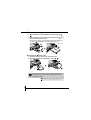
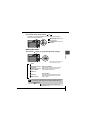
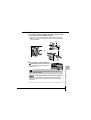
• Do not trigger the flash in close proximity to human or animal eyes.
• Store this equipment out of the reach of children and infants.
• Avoid dropping or subjecting the camera to severe impacts. Do not
touch the flash portion of the camera if it has been damaged.
• Stop operating the equipment immediately if it emits smoke or noxiousfumes.
• Do not handle the power cord if your hands are wet.
• Use only recommended batteries and accessories.
• The battery charger and compact power adapter are designed for exclusive use with your camera. Do not use it with other products or batteries.
Caution
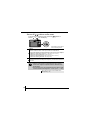
Direct Print User Guide
• Do not sit with the camera in a back pocket as it may cause the camera
to malfunction or damage the LCD monitor.
Basic Camera User
Guide (This Guide)
Software Starter Guide
In this guide, the Basic Camera User Guide is called the Basic Guide,
and the Advanced Camera User Guide is called the Advanced Guide.
Also, "battery" refers to the battery pack.
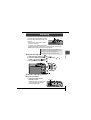
Viewing the PDF Manuals
Adobe Reader or Adobe Acrobat Reader must be installed to view
the PDF Manuals. If this software is not installed in your computer,
access the following web site and download the software.
http://www.adobe.com/products/acrobat/readstep2.html
PRINTED IN THE EU
© 2005 CANON INC.