1
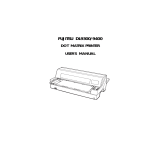
FUJITSU DL9300/9400
DOT MATRIX PRINTER
USER'S MANUAL
Federal Communications Commission
Radio Frequency Interference Statement
for United States Users
NOTE: This equipment has been tested and found to comply with the
limits for a Class B digital device, pursuant to Part 15B of the FCC
Rules. These limits are designed to provide reasonable protection
against harmful interference in a residential installation. This
equipment generates, uses, and can radiate radio frequency energy
and, if not installed and used in accordance with the instructions, may
cause harmful interference to radio communications. However, there
is no guarantee that interference will not occur in a particular
installation. If this equipment does cause harmful interference to
radio or television reception, which can be determined by turning the
equipment off and on, the user is encouraged to try to correct the
interference by one or more of the following measure:
• Reorient or relocate the receiving antenna.
• Increase the separation between the equipment and receiver.
• Connect the equipment into an outlet on a circuit different from
that to which the receiver is connected.
• Consult the dealer or an experienced radio/TV technician for help.
FCC warning: Changes or modifications not expressly
approved by the party responsible for compliance could void
the user’s authority to operate the equipment.
NOTES
1. Testing of this equipment was performed on model number
M33021A or M33011A.
2. The use of a nonshielded interface cable with the referenced
device is prohibited. The length of the parallel interface cable
must be 3 meters (10 feet) or less. The length of the serial interface
cable must be 15 meters (50 feet) or less.
3. The length of the power cord must be 3 meters (10 feet) or less.
Notice to Canadian Users
This class B digital apparatus meets all requirements of the Canadian
Interference-Causing Equipment Regulations.
Cet appareil numérique de la Classe B respecte toutes les exigences
du Règlement sur le matériel brouilleur du Canada.
Notice to German Users
Bescheinigung des Herstellers/Importeurs
Hiermit wird bescheinigt, daß der/die/das
• M33021B/M33011B
in Übereinstimmung mit den Bestimmungen der
• “CE”
funk-entstört ist.
Der Deutschen Bundesport wurde das inverkehrbringen dieses
Gerätes angezeigt und die Berechtigung zur Überprüfung der Serie
auf Einhaltung der Bestimmungen eingeräumt.
• Maschinenlärminformationsverordnung 3. GSGV, 18.01.1991:
Der höchste Schalldruckpegel beträgt 70 dB (A) oder weniger gemäß
EN 27779-1991.
The contents of this manual may be revised without prior notice and
without obligation to incorporate changes and improvements into
units already shipped.
Every effort has been made to ensure that the information included
here is complete and accurate at the time of publication; however,
Fujitsu cannot be held responsible for errors and omissions.
Printer model specifications differ with the print column (80 or 136)
and the power supply input voltage (100-120 or 220-240 VAC).
C147-E031-02EN February 1996
Copyright © 1996 FUJITSU LIMITED
Printed in Japan. All rights reserved. No part of this manual may be
reproduced or translated, stored in a database or retrieval system, or
transmitted, in any form or by any means, electronic, mechanical,
photocopying, recording, or otherwise, without the prior written
permission of Fujitsu Limited.
TRADEMARK
ACKNOWLEDGMENT
FUJITSU is a registered trademark and Fujitsu Creative Faces is a
trademark of Fujitsu Limited. Centronics is a trademark of
Centronics Data Computer Corporation IBM PC and IBM Proprinter
XL24E are trademarks of International Business Machines
Corporation. ESC/P2 is a trademark of Seiko Epson Corporation.
Microsoft is a registered trademark and MS-DOS, Windows and
Microsoft BASIC are trademarks of Microsoft Corporation. Nimbus
Sans is a registered trademark of URW Unternehmensberatung
Karow Rubow Weber GmbH, Hamburg.
Other product names mentioned in this manual may also be
trademarks of their respective companies.
ABOUT THIS MANUAL
Thank you for buying the Fujitsu DL9300/9400 dot matrix printer. You
can expect years of reliable service with very little maintenance. This
manual explains how to use your printer to full advantage. It is
written for both new and experienced printer users.
This manual describes how to install, set up, and use your printer and
printer options. It also explains how to keep the printer in good
working condition and what to do should something go wrong.
Detailed procedures are provided for first-time users. Experienced
users can skip some of the details, using the table of contents and
chapter introductions to locate information.
This manual has several appendixes, a glossary, and an index.
Appendix A lists supplies and additional documentation and
information available from your dealer or authorized Fujitsu
representative. Fujitsu offices are listed at the end of the manual.
PRINTER MODELS AND
OPTIONS
This manual covers model DL9300, an 80-column printer, and model
DL9400, a 136-column printer. Each model has a 100-120 VAC or 220240 VAC power supply. You must specify these when purchasing the
printer. Other options include a cut sheet feeder which can be added
by yourself after purchasing the printer.
Unless otherwise stated, the information given here applies to both
models. All illustrations are of the DL9300/9400.
DL9300/9400
Basic specifications
Print line at 10 cpi: 80 columns (DL9300)
136 columns (DL9400)
Interface: Dual (Contro+KS232C)
Alternative specification
Power supply: 100–120 VAC or 220–240 VAC
Factory add-on option
Front cover (visible type)
User add-on options
Cut sheet feeder
Tractor unit
cpi: characters per inch
ORGANIZATION
This manual is organized as follows:
Quick Reference summarizes everyday printer operations. After you
become familiar with the printer, use this section as a memory aid.
Chapter 1, Introduction, introduces the printer and identifies key
features and options that enhance the printer’s capabilities.
Chapter 2, Setting Up, gives step-by-step procedures for setting up
the printer for immediate use and identifies the main parts of the
printer. If this is your first printer, you should read the entire chapter
before attempting to use the printer.
Chapter 3, Paper Handling, explains how to load and use paper with
your printer.
Chapter 4, Printing, covers basic printing operations. This chapter
describes everyday operations from the printer’s control panel, such
as loading paper and selecting print features, in detail. After you
become more familiar with the printer, use Quick Reference at the
beginning of the manual to refresh your memory as needed.
Chapter 5, Using Setup Mode, describes how to change the printer’s
optional settings, such as print features, hardware options, and topof-form. Most settings only affect print features such as the typestyle
and page format. Note that certain settings directly affect hardware
and software compatibility. Refer to this chapter as indicated in
Chapter 2 or as required.
Chapter 6, Maintenance, explains basic maintenance procedures for
this printer.
Chapter 7, Trouble-Shooting, describes problem-solving techniques.
Before you contact your dealer for help, check the list of problems and
solutions provided in this chapter.
Chapter 8, Installing Options, describes the options available for the
printer and explains how to install them.
At the end of this manual, you will find several appendixes, a
glossary, and an index. Appendix A gives order numbers for printer
supplies, options, and publications. Other appendixes provide
additional technical information about the printer.
CONVENTIONS
Special information, such as warnings, cautions, and notes, are
indicated as follows:
WARNING
A WARNING indicates that personal injury may result if you do not follow
a procedure correctly.
CAUTION
A CAUTION indicates that damage to the printer may result if you do not
follow a procedure correctly.
NOTE
A NOTE provides “how-to” tips or suggestions to help you perform
a procedure correctly. NOTEs are particularly useful for first-time
users.
For Experienced Users:
If you are familiar with this printer or with dot matrix printers in general,
this information will help you use the manual effectively.
Maintenance
TABLE OF CONTENTS
Quick Reference ............................................................ QR–1
CHAPTER 1 INTRODUCTION
Features ...........................................................................
Options ............................................................................
1–1
1–3
Selecting a Good Location ...........................................
Unpacking the Printer ....................................................
Checking Options and Supplies ..............................
Assembling the Printer....................................................
Installing the Rear Stand ...........................................
Setting the Paper Table ............................................
Installing the Ribbon Cartridge ................................
Getting Acquainted With Your Printer .........................
Connecting the Power Cord ........................................
Testing the Printer (Offline) ............................................
Loading Paper for the Self-Test ................................
Printing the Self-Test ...................................................
Connecting the Printer to Your Computer ..................
Selecting a Parallel Interface Cable .......................
Selecting a Serial Interface Cable ..........................
Connecting the Interface Cable ............................
Installing the Printer Driver .............................................
Installing the Printer Driver for Windows 3.1 ............
Installing the Printer Driver for Windows® 95 ...........
Plug and Play Printer Detection ...............................
Setup from Printers Folder .........................................
Selecting an Emulation ..................................................
Printing a Sample Page (Online) ..................................
Installing Dlmenu (Remote Setup Utility) ......................
Procedure ..................................................................
2–1
2–3
2–5
2–6
2–6
2–8
2–10
2–13
2–14
2–16
2–16
2–17
2–22
2–22
2–22
2–23
2–25
2–25
2–25
2–26
2–26
2–28
2–32
2–35
2–36
CHAPTER 2 SETTING UP
User's Manual
i
CHAPTER 3 PAPER HANDLING
Selecting Paper ..............................................................
Overview of Paper Operations .....................................
Selecting Paper Path .....................................................
Paper Path and feed Directions ..............................
Adjusting for Paper Thickness ........................................
Using Single Sheets .........................................................
Loading a Single Sheet of Paper .............................
Loading Paper from the Cut Sheet Feeder (Option) .
Ejecting Single Sheets ...............................................
Using Continuous Forms .................................................
Positioning the Paper Stack .....................................
Loading Continuous Forms (Front Feed) ................
Loading Continuous Forms (Rear Feed) .................
Unloading Continuous Forms ...................................
Tearing Off Continuous Forms ..................................
Feeding and Positioning Paper ....................................
Line Feed/Form Feed ................................................
Micro Feed .................................................................
Load Position Adjust ..................................................
Tips on Paper Handling ..................................................
General Tips ...............................................................
Multipart Forms ..........................................................
Envelopes ...................................................................
Labels ..........................................................................
3–1
3–2
3–4
3–4
3–6
3–7
3–7
3–10
3–16
3–16
3–17
3–18
3–21
3–23
3–23
3–25
3–25
3–25
3–25
3–26
3–26
3–26
3–26
3–27
Using Multipart Form (Multi Copy Mode) .....................
Starting or Stopping Printing ..........................................
Starting Printing ..........................................................
Stopping Printing .......................................................
Resuming from a Paper-Out ....................................
Removing Printed Pages ...............................................
Removing Single Sheets............................................
Removing Continuous Forms ...................................
Clearing the Print Buffer .................................................
4–1
4–2
4–2
4–2
4–3
4–5
4–5
4–5
4–6
CHAPTER 4 PRINTING
ii
User's Manual
How to Use This Chapter ................................................
Entering Setup Mode .....................................................
Overview of Setup Mode ..............................................
Setup Mode Example ...............................................
Points to Remember ..................................................
Printing a List of Selected Options ................................
Deciding Which Options to Change ...........................
MENU1 and MENU2 Items and Options .......................
Resetting MENU1 and MENU2 ..................................
Hardware Items and Options ........................................
Print Position Adjustment Items and Options ...............
Configuration Items and Options .................................
Head Gap Ajustment Items and Options ....................
Exiting and Saving ..........................................................
Procedure ..................................................................
Resetting Defaults...........................................................
Resetting Power-On Defaults ...................................
Resetting Factory Defaults .......................................
Resetting Factory Defaults in MENU1 and MENU2 .
Using the Diagnostic Functions .....................................
Printing the Self-Test ...................................................
Procedure .............................................................
Printing Hex Dumps ........................................................
Procedure .............................................................
Checking Vertical Print Alignment (V-ALMNT) ............
Procedure .............................................................
Setup Mode Reference .................................................
DPL24C PLUS ORGANIZATION ..................................
Differences in IBM Proprinter XL24E Emulation .......
Differences in Epson ESC/P2 Emulation ..................
Online Setup Mode ........................................................
5–1
5–2
5–4
5–6
5–9
5–10
5–12
5–14
5–26
5–27
5–32
5–35
5–39
5–40
5–40
5–41
5–41
5–41
5–41
5–42
5–43
5–43
5–44
5–45
5–47
5–47
5–49
5–50
5–52
5–52
5–53
CHAPTER 6 MAINTENANCE
Cleaning ..........................................................................
Cleaning and Vacuuming the Printer .....................
Cleaning the Platen ..................................................
Replacing the Ribbon ....................................................
Replacing the Print Head ..............................................
User's Manual
6–1
6–1
6–3
6–3
6–7
iii
Maintenance
CHAPTER 5 USING SETUP MODE
CHAPTER 7 TROUBLE-SHOOTING
Solving Problems ............................................................. 7–1
Print Quality Problems ............................................... 7–1
Paper Handling Problems ......................................... 7–4
Operating Problems .................................................. 7–7
Printer Failures ............................................................ 7–9
Diagnostic functions....................................................... 7–10
Getting Help.................................................................... 7–10
CHAPTER 8
INSTALLING OPTIONS
Installing the Cut Sheet Feeder.....................................
Installing the Tractor Unit................................................
8–1
8–2
APPENDIX A SUPPLIES, OPTIONS, AND PUBLICATIONS
Supplies ............................................................................ A–1
Options ............................................................................ A–1
Publications ..................................................................... A–1
APPENDIX B PRINTER AND PAPER SPECIFICATIONS
Physical Specifications ...................................................
Functional Specifications ..............................................
Performance Specifications ..........................................
Paper Specifications .....................................................
Print Area ....................................................................
Paper Thickness .........................................................
B–1
B–2
B–4
B–6
B–6
B–8
APPENDIX C COMMAND SETS
Fujitsu DPL24C PLUS ........................................................ C–2
IBM Proprinter XL24E Emulation ..................................... C–14
Epson ESC/P2 Emulation ................................................ C–19
iv
User's Manual
Parallel Interface ............................................................
Data Transmission Timing ..........................................
Serial Interface ................................................................
Serial Options .............................................................
Cable Wiring ..............................................................
Serial Protocols ...........................................................
D–1
D–4
D–4
D–6
D–6
D–8
APPENDIX E CHARACTER SETS
Character Sets 1 and 2
(DPL24C PLUS and IBMXL24E Emulation) ............... E–1
Italic and Graphics Character Sets
(ESC/P2 Emulation) ................................................... E–2
National Character Sets (All Emulations) ..................... E–4
National Character Sets (DPL24C PLUS and IBM
XL24E Emulation) ....................................................... E–14
National Character Sets (ESC/P2 Emulation) .............. E–15
National Character Sets and Supported Resident
Fonts (All Emulations) ................................................ E–18
APPENDIX F RESIDENT FONTS .....................................................................
F–1
GLOSSARY OF TERMS ................................................................................... GL–1
INDEX ............................................................................................................ IN–1
User's Manual
v
Maintenance
APPENDIX D INTERFACE INFORMATION
vi
User's Manual
QUICK REFERENCE
Quick Reference is written for experienced users —
users who are familiar with how the printer works,
but who may need to refresh their memory
occasionally. Only the printer’s normal (non-setup)
mode is covered. For details on setup mode, see Chapter 5.
Normal mode operation includes everyday operations, such as paper
handling and font selection. The printer comes up in normal mode
when turned on. To enter setup mode, press the ↑MICRO and
↓MICRO buttons at the same time while the ONLINE indicator is off
(not lit).
POWER
PAPER OUT
FRONT
TRACTOR
REAR
TRACTOR
CUT
SHEET
ONLINE
PAPER PATH
SAVE TOP
MULTI
LOAD
MULTI
COPY
LF / FF
FRONT
FRONT DIR
TEAR OFF
MICRO
MICRO
SET UP
Control panel
The table on the next page lists normal mode operations with online
and offline conditions and gives the required user response.
Operations are listed alphabetically.
User's Manual
QR-1
Quick
Reference
Q
QUICK REFERENCE
QUICK REFERENCE
Printer Operations (Normal Mode)
√
: Operation can be performed when the printer is in this state.
—
: Operation cannot be performed when the printer is in this state.
N/A : Does not apply.
Operation
Online
Offline
Clear print buffer
—
√
Press LOAD and LF/FF.
Eject single sheets
√
√
Press LF/FF.
Enter normal mode
N/A
N/A
Enter setup mode
—
√
Press ↑MICRO and ↓MICRO.
Exit to normal mode
—
√
Press ONLINE, then press ↑MICRO or ↓MICRO.
Form feed (forward)
√
√
Press and hold LF/FF until the operation starts.
Line feed (forward)
√
√
Press LF/FF within three seconds.
Load paper
√
√
Press LOAD.
Micro feed (backward)
√
√
Press ↑MICRO.
Micro feed (forward)
√
√
Press ↓MICRO.
Place printer offline
√
—
Press ONLINE.
Place printer online
—
√
Press ONLINE.
Reset power-on defaults
√
√
Turn printer off, then on.
Resume printing after paper end
√
—
Press ONLINE.
Save adjusted load positions
√
√
Press ONLINE and LOAD.
Start/stop/resume printing
√
—
Start: Send print command.
Stop/resume: Press ONLINE.
Select a paper input source
√
√
Press PAPER PATH.
Select a paper feed direction
√
√
Press FRONT DIR.
Self-test printing
√
√
Start: Turn printer off. Press LF/FF while turning
printer on.
Pause/resume: Press ↑MICRO and ↓MICRO.
Exit: Press ONLINE.
Set/reset multi copy mode
√
√
Press MULTI COPY.
Tear off forms
(continuous forms only)
√
√
Press TEAR OFF. Tear off forms, then press any
button to retract forms.
Unload paper to park position
(both front and rear-fed
continuous forms)
√
√
Press LOAD.
QR-2
Required Response
Turn printer on. (Press 1 on the power switch.)
User's Manual
INTRODUCTION
1
INTRODUCTION
Dot matrix printer
FEATURES
Key printer features and options are listed in the next two sections.
• Software compatibility. This printer, which operates primarily
with the Fujitsu DPL24C PLUS command set, is compatible with
the IBM Proprinter XL24E command set and the Epson ESC/P2
command set.
• Various character sets. As basic character sets, IBM PC character
sets 1 and 2 are available for the Fujitsu DPL24C PLUS command
set and the IBM Proprinter XL24E emulation, and the italic character set and graphics character sets 1 and 2 are available for the
Epson ESC/P2 emulation. As national character sets, a total of 56
or 58 national character sets (depending on the emulation), including IBM PS/2 character sets, are available.
User's Manual
1-1
Introduction
Congratulations on purchasing this printer. This
printer is a compact, versatile, flat paper path
printer that offers maximum compatibility with
today’s software packages and personal computers.
The 24-wire print head provides crisp, clear printing for business,
office, and home environments. This printer is also easy to install and
use.
INTRODUCTION
• Multiple fonts. The printer has eighteen resident fonts: Nine bitmap fonts — Courier 10, Pica 10, Prestige Elite 12, Boldface PS,
OCR-B 10, OCR-A 10, Correspondence, Compressed, and Draft and
nine outline fonts — Timeless, Nimbus Sans, and Courier, each in
upright, italic, and bold.
• High-speed printing. At 10 cpi, print speed ranges from 100 cps
for letter quality to 360cps for draft quality.
• Large print buffer. 96K bytes are available in total for storing input
data and downloading fonts. A large input data buffer allows you
to send files to the printer and return to work in your application.
A large download buffer allows you to use custom fonts.
• 80-column or 136-column print line. 80-column printers print in
landscape mode using letter- or A4- size paper. 136-column
printers print in landscape mode using legal- or standard-size
computer forms.
• Simple switching of paper types. The ability to “park” continuous
forms makes it easy to switch between continuous forms and single
sheets from the control panel. This switching is possible even for
an optional cut sheet feeder.
• Dual tractor feeding capability. The tractor unit is removable and
can be converted to front-feed or rear-feed.
• Multi-path of paper. The printer has multiple paths to feed paper :
8 combinations of front feed, rear feed, front eject, and rear eject.
• Tear-off function. Available at both the front and the rear of the
printer. The tear-off button on the control panel is used.
• Hight copy capability
1-2
Up to eight sheets for front continuous
forms and cut sheets fed from front
paper table.
Up to six sheets for rear continuous
forms.
Up to five sheets for CSF fed.
User's
Manual
USER'S
MANUAL
INTRODUCTION
• Auto paper thickness control. Features as standard equipment.
• Dual interfaces and auto interface selection. The printer has the
dual interface connectors and automatically selects the interface
proper to the occasion.
• DLMENU. You can control the printer using the remote setup
utility program, DLMENU, stored in the floppy disk which is
furnished with the printer.
• Maintenance-free. The printer only requires periodic cleaning and
changing of the ribbon cartridge.
OPTIONS
Printer add-on options are listed below. For details, see Chapter 8.
• Cut sheet feeder. The SF930 single-bin feeder is available as an
option for the 80-column printer (DL9300) and the SF940 single-bin
feeder and double-bin available for the 136-column printer
(DL9400).
A cut sheet feeder allows single cut sheets and multiple part cut
sheets to be fed automatically.
• Tractor unit. A second tractor unit may be bought as an addtional
option if dual tractor feeding capability is required.
• Front cover (visible type). The visible-type front cover is a factory
option.
User's Manual
1-3
Introduction
• Printer driver. To be able to print from a Windows application you
need a printer driver installed on your PC. The printer driver
controls docummnt printing. Also, this printer has plug and play
printer detection feature for Windows 95.
INTRODUCTION
1-4
User's
Manual
USER'S
MANUAL
SETTING UP
SETTING UP
Your new printer is easy to install and set up.
This chapter tells you how to set up the printer
and start printing right away. If this is your first
printer, you should read the entire chapter before
attempting to use the printer.
2
Setting Up
In this chapter, you will learn how to:
• Unpack, assemble, and select a good location for the printer
• Identify the printer’s major parts
• Connect the power and interface cables
• Test the printer before connecting it to your computer
• Install the printer driver
• Select an emulation and print a sample page using your
software
• Install the DLMENU (remote setup utility)
If you have a problem while setting up the printer, review the section
Solving Problems in Chapter 7. If the problem persists, contact your
dealer.
SELECTING A GOOD
LOCATION
This printer is suitable for most business, office, and home environments. To obtain peak performance from the printer, select a location
that meets the following guidelines:
√ Place the printer on a sturdy, level surface.
√ Place the printer near a well-grounded AC power outlet.
√ Ensure easy access to the front and rear of the printer by leaving
several inches of space around the printer. Do not block the air
vents on the front, left, and right sides of the printer.
√ Do not place the printer in direct sunlight or near heaters.
√ Make sure that the room is well-ventilated and free from
excessive dust.
User's Manual
2-1
SETTING UP
√ Do not expose the printer to extremes of temperature and
humidity.
√ Use only the power cord supplied with the printer or recommended by your dealer. Do not use an extension cord.
√ Do not plug the printer into a power outlet that is shared with
heavy industrial equipment, such as motors, or appliances, such
as copiers or coffee makers. Such equipment often emits
electrical noise or causes power degradation.
2-2
User's Manual
SETTING UP
UNPACKING THE PRINTER
Unpack the printer as follows:
1. Open the carton and remove the printer and its components.
Make sure that you have all of the items shown below. Note
that the power cord supplied depends on the printer model
(100-120 or 220-240 VAC power supply).
Ribbon cartridge
Rear stacker
Setting Up
Printer
Power cord
User's manual
DLMENU
Printer driver
Checking items received
User's Manual
2-3
SETTING UP
2. Carefully examine each item for damage. Report any problems
to your dealer or shipping agent.
3. Place the printer where you plan to use it.
4. Remove the tapes and cushions securing the printer. Open the
front cover and remove the shipping restraint cardboard that
holds the print head carriage in place (shown below).
Cardboard
Front cover
Removing the shipping restraint cardboard
5. Store the original shipping carton and packaging materials for
future use. For example, the original packaging is ideal for use
when you move or ship your printer to another location.
NOTE
The interface cable is not included with the printer. You must
purchase it separately. Connection of the interface cable is described
later in this chapter.
2-4
User's Manual
SETTING UP
Checking Options and Supplies
The following options and supplies, if ordered, are shipped separately:
• Cut sheet feeder (option)
• Tractor unit (option)
• Extra monochrome ribbon cartridges
Make sure that you received all the options you ordered. Installation
of options is described in Chapter 8.
User's Manual
2-5
Setting Up
Once you are sure you have everything, you are ready to assemble the
printer.
SETTING UP
ASSEMBLING THE PRINTER
This section explains how to install the rear stacker and ribbon
cartridge.
Installing the Rear Stacker
The rear stacker enables smooth feeding of both single sheets and
continuous forms. Install the rear stacker as described below:
1. Referring to the following figure, located stacker guides and
upper and lower stacker grooves at either side of the printer.
2. Locate the front and rear mounting pins on each side of the rear
stacker.
3. While holding the rear stacker at an inclined angle, slide the
front mounting pins into the stacker guides and the rear
mounting pins into the upper stacker grooves. (Adjust the letter
C labeled on the rear stacker to the letter C labeled on the
printer. Insert the stacker in the direction of the arrow.) This is
the rear stacker’s up position.
Upper groove
Stacker guide
Rear stacker
Mounting pins
Installing the rear stacker (up position)
2-6
User's Manual
SETTING UP
To place the rear stacker in its down position, place the front mounting
pins beneath the stacker guides and slide the rear mounting pins into
the lower stacker grooves. (Adjust the letter C labeled on the rear
stacker to the letter C labeled on the printer. Insert the stacker in the
direction of the arrow.) The rear stacker is put in this position when a
cut sheet feeder is to be attached to the rear of the printer or using the
front tractor.
Lower groove
Stacker guide
Setting Up
Mounting pins
Installing the rear stacker (down position)
NOTE
Do not place the rear stacker under the stacker guides of the printer.
Upper cover
Upper groove
Stacker guide
Rear
stacker
Lower groove
Good placement
User's Manual
Bad placement
2-7
SETTING UP
Setting the Paper Table
Lower the paper table until it is in the horizontal position, as shown in
the figure below.
The paper table has two modes depending on how the printer is used.
(Normal mode)
Normal mode is used for manual feeding of cut sheets from the
paper table and feeding continuous forms from the front or rear
tractor.
The following figure shows the paper table in normal mode.
(Stack mode)
Stack mode is used when a cut sheet feeder option is attached to
the rear of the printer. To put the paper table from normal
mode to stack mode, proceed as follows:
1. Lift up the paper table and remove the tractor unit.
Tractor unit
2-8
User's Manual
SETTING UP
NOTE
When lifting the paper table, keep it located against the printer side
by pushing gently towards the printer. If this is not done, the flaps
may come free.
2. Lower the paper table to down position (normal mode) and pull
the paper table forward.
Flaps
Setting Up
Paper table
3. Tilt the paper table in the direction of the arrow below.
User's Manual
2-9
SETTING UP
4. Keeping to the path of the guide slot, push the paper table
sloping downwards to locate in position.
NOTE
When the paper table is set for stack mode, the cut sheet feeder
option cannot be attached to the front of the printer.
Installing the Ribbon Cartridge
WARNING
To avoid personal injury, do NOT connect the printer to a power source before
installing the ribbon cartridge.
1. Open the front cover of the printer. Slide the print head
carriage so that its center is at the position for replacing the
ribbon cartridge (indicated by the triangle marking on the front
of the upper cover).
2-10
User's Manual
SETTING UP
2. Rotate the paper thickness indicator upwards until head gap is
at maximum R.
Move to R
Setting Up
Preparing the printer to install the ribbon cartridge
3. Remove the ribbon cartridge from its package. Push in the two
ribbon release tabs. The tabs snap into the cartridge and the
ribbon feed mechanism engages.
Turn the ribbon feed knob clockwise to be sure that it feeds
properly.
Ribbon feed knob
Turn clockwise to tighten.
Ribbon release lever
Mounting pin
Ribbon release tabs
Preparing the ribbon cartridge
User's Manual
2-11
SETTING UP
4. Locate the two ribbon release levers on either side of the ribbon
cartridge. Each ribbon release lever has a mounting pin on the
side. Place the mounting pins on the ribbon support bracket of
the print head cartridge. Insert the ribbon so that the ribbon
falls between the nose of the print head and the plastic print
guide.
Head carrier
Print guide
Print head
Triangle mark
Installing the ribbon cartridge
5. Press the ribbon release levers inward until the mounting pins
snap into the holes of the ribbon support brackets. Gently pull
on the cartridge to be sure that the pins are secure in the holes.
6. Turn the ribbon feed knob clockwise to take up any slack in the
ribbon.
7. Close the front cover.
NOTE
A Fujitsu ribbon cartridge is recommended. Don’t use other cartridges. If other cartridges are used, operating problems or damage
of print head may be caused.
2-12
User's Manual
SETTING UP
GETTING ACQUAINTED
WITH YOUR PRINTER
Now that your printer is assembled, take a moment to become familiar
with its major parts.
Looking at the printer from the front right side, you can see the parts of
the printer shown in the figure below.
Rear CSF connector Rating label
Print guide
Front
Print head
cover
Rear stacker
Power
connector
Setting Up
Platen
Paper thickness
indicator
Paper guide
Power switch
Paper table
Tractor unit
Front CSF connector
Interface
connector
Control panel
Printer components
The printer control panel has the buttons and indicators used to load
and feed paper (see Chapter 3) and select print features (see Chapter
4). The control panel also allows you to change the printer’s optional
settings (see Chapter 5).
User's Manual
2-13
SETTING UP
CONNECTING THE
POWER CORD
Before you plug in the printer:
√ Make sure that the printer power is switched off. The side
marked “|” on the power switch should be raised.
√ Make sure that the power outlet is properly grounded.
√ Make sure that you use the power cord shipped with the
printer. This cord is designed to minimize radio frequency
interference.
To plug in the power cord:
1. Plug one end of the power cord into the power connector on the
rear of the printer.
2. Plug the other end of the power cord into the power outlet.
Connecting the power cord
2-14
User's Manual
SETTING UP
3. Make sure that the power cord is securely connected.
4. Turn on the power by pressing the side marked “|” on the
power switch. Within a few seconds, the POWER indicator on
the printer control panel will light, the print head will move to
its home position, and the ONLINE indicator will light (green).
NOTE
If no forms are loaded, the printer beeps and the red PAPER OUT
indicator lights and the ONLINE indicator will not light.
Setting Up
User's Manual
2-15
SETTING UP
TESTING THE PRINTER
(OFFLINE)
At this point, load paper and run the printer self-test. The self-test
checks printer performance and print quality before you connect the
printer to the computer. Use either single sheets or continuous forms
(see Chapter 3). This section describes the self-test procedure using
single sheets.
Loading Paper for the Self-Test
To print the self-test, use paper wider than 215.9 mm (8.5 inches) and
set the left paper guide all the way to the right to avoid clipping the test
pattern. Standard letter or A4 size paper can be used lengthwise
(portrait mode).
Before loading paper, make sure that the printer is on. Then, proceed
as follows:
1. Press the PAPER PATH button on the control panel to select the
cut sheet mode (the CUT SHEET indicator LED lights).
2. Raise the rear stacker to its up position.
Rear stacker
Loading a sheet of paper
2-16
User's Manual
SETTING UP
3. Place the paper table in normal mode position. Insert a sheet of
paper (A4 or larger) into the printer, keeping it aligned with the
paper guide on the left hand side of the paper table. The sheet
will automatically be pulled into the printing start position.
Printing the Self-Test
The printer has a built-in self-test program. The self-test prints the
firmware version, the names of the printer’s resident emulations, and
all of the characters available in the emulations. The self-test prints 80
characters per line.
Setting Up
To print a self-test page, make sure that a sheet of paper is loaded.
Then proceed as follows:
1. Turn the printer off.
2. While pressing the LF/FF button, turn the printer back on.
Keep the LF/FF button pressed until the printer beeps.
Self-test printing will start.
Starting the self-test
User's Manual
2-17
SETTING UP
3. Allow printing to continue for a dozen or more lines of repeat
printing. To exit the self-test mode, press the ONLINE button.
Then press the LOAD button to remove the test page.
4. Examine the self-test page. It should look like the sample on the
next page.
Check that printing is uniform and that there are no light, dark,
or smudged areas. If the print quality is good, go to step 5.
Otherwise, try to correct the problem as follows:
• Make sure that the ribbon is installed correctly.
• Load a new sheet of paper.
• Repeat the procedure to self-test.
2-18
User's Manual
SETTING UP
Setting Up
Sample self-test page
5. To exit the self-test mode, press the ONLINE button. The
printer will return online.
User's Manual
2-19
SETTING UP
NOTE
The printer can also print a special “demo pattern” that illustrates
some of the printer’s capabilities. To print the demo pattern:
1. Load a sheet of paper (A4 or larger).
2. Turn the printer off .
3. While pressing the FRONT DIR button, turn the printer back on.
The printer will start printing the demo pattern.
4. The demo pattern stops printing after one page. To pause or
restart the demo during printing of a page, press the ONLINE
button.
5. To exit demo mode, turn the printer off.
2-20
User's Manual
SETTING UP
Setting Up
Demo pattern
User's Manual
2-21
SETTING UP
CONNECTING THE PRINTER
TO YOUR COMPUTER
Your printer has a Centronics parallel interface and an RS-232C serial
interface. The parallel interface connector has wire clips. The serial
interface connector has tapped holes. Cables for both interfaces are
available from dealers, cable manufacturers, and other suppliers. For
detailed interface specifications, see Appendix D.
This printer communicates with the interface from which it first
receives data. The interface is active until the input buffer becomes
empty.
For detailed interface selection, see the section Hardware items and
options in Chapter 5.
Selecting a Parallel Interface Cable
For the parallel interface, use a cable that meets the following specifications:
√ At the printer end, use a shielded male Centronics connector,
such as an Amphenol DDK 57FE-30360 or its equivalent. To
prevent RFI (radio frequency interference), the connector cover
must be connected to the cable shield.
√ At the computer end, most computers (including IBM PCs)
require a male DB-25P connector. Some computers, however,
require a Centronics connector. To determine the type of
connector your computer uses, refer to your computer user
manual.
√ Make sure that the cable length does not exceed 3 meters
(10␣feet).
Selecting a Serial Interface Cable
For the serial interface, use a cable that meets the following specifications:
√ At the printer end, use a 25-pin male connector, such as a
Cannon DB-25P or its equivalent.
√ To determine the type of connector your computer requires,
refer to your computer user manual or ask your dealer.
2-22
User's Manual
SETTING UP
√ The cable length can be up to 15 meters (50 feet). This type of
length is required in many networking and shared-printer
configurations.
Connecting the Interface Cable
To connect the interface cable:
1. Turn off both the printer and the computer.
2. Attach the interface cable to the connector.
Setting Up
Parallel
Serial
Clip
Connecting the interface cable
User's Manual
2-23
SETTING UP
3. To secure a parallel interface cable, flip the fastener clips located
on the printer into the notches on the cable connector. To secure
a serial interface cable, tighten the screws in the cable connector.
4. Attach the other end of the interface cable to your computer.
Gently pull on the cable to verify that it is secure.
2-24
User's Manual
SETTING UP
INSTALLING THE PRINTER
DRIVER
Installing the Printer Driver for Windows 3.1
To be able to print from a Windows application you need a printer
driver installed on your PC. The printer driver controls document
printing. It has several dialog boxes where you choose the page size,
the orientation of the paper, and so on. Each printer driver is specific
to the type of printer that you want to use.
To install the printer driver for Windows 3.1:
1. Turn your computer on.
3. Insert the printer driver floppy disk into your floppy disk drive
A:.
4. From Program Manager, select the “File” menu option “Run....”
5. In the Run window, type “A:\Install”.
6. Click “OK”.
7. Choose your language from the dedicated dialog box and click
“Install”.
The installation program automatically performs the set-up procedure.
Once the set-up is complete, the printer driver is set as the default
printer driver.
Installing the Printer Driver for Windows® 95
The Windows printer driver can be installed by either of the following
two methods. The first one applies when Windows 95 is started with
the printer on and the second one applies when the printer is turned on
with Windows 95 started.
User's Manual
2-25
Setting Up
2. Start Windows.
SETTING UP
Plug and Play Printer Detection
1. Windows 95 automatically detects the printer when Windows
95 is installed or during Windows 95 the boot process. Please
ensure the printer is connected to the parallel port and is
ONLINE.
2. Plug and Play detection code will prompt the user for the
appropriate files if they are not resident in the Windows
directory, by displaying the “New Hardware Found” dialog
box.
3. From the “New Hardware Found” dialog box, select the option
“Driver from disk provided by hardware manufacturer” and
click “OK”.
4. The “Install from disk” dialog box is displayed prompting the
user to select the drive and directory containing the installation
disk.
5. Insert the Printer driver installation disk into the A: drive. Use
the “Browse” button to select sub-directory PREDV95 of drive
A: and click “OK”.
6. The “Select Device” dialog box appears displaying the modelname “Fujitsu DL9300” or “Fujitsu DL9400”. Click “OK” to
continue.
7. Follow steps 8 to 11 in “Set-up from Printers Folder”.
Setup from Printers Folder
1. Click the Start button, point to Settings, and then click Printers.
2. Double-click Add Printer.
3. The Add Printer Wizard appears. Click “Next>”.
2-26
User's Manual
SETTING UP
4. Click “Have Disk” from the next dialog and the “Install from
disk” dialog box is displayed prompting the user to select the
drive and directory containing the installation disk.
5. Inset the Printer driver installation disk into the A: drive and
using the “Browse” button to select sub-directory PREDV95 of
drive A: and click “OK” push-button.
6. A dialog box displays the model-name “Fujitsu DL9300” and
“Fujitsu DL9400”. Select model of choice and click “Next>” to
continue.
8. A dialog appears prompting the user to type the Printer name.
Type an appropriate name or use the one supplied and click
“Next>”.
9. The next dialog prompts the user to print a test page. Select
“Yes” or “No” and click “Finish”.
10.Driver files are copied from the installation disk.
11.When all files have been copied and the driver is installed, if the
print test page option was selected, a dialog appears querying
the result of test page printout. Depending on whether the test
page was printed correctly or not click “Yes” or “No”.
The Fujitsu DL9300 or DL9400 Windows 95 printer driver is now
installed.
For further details, see the appropriate country version of the driver’s
Readme,txt file.
User's Manual
2-27
Setting Up
7. A list of available Ports appears. Select an appropriate Port and
click “Next>”.
SETTING UP
SELECTING AN EMULATION
Before printing with your software, verify that the correct emulation is
selected on your printer. This section describes the available
emulations and their selection.
For Experienced Users:
The printer’s preselected factory setting is the Fujitsu DPL24C PLUS
emulation. If this emulation is acceptable, you may skip this section.
An emulation is a set of commands used by your software to communicate with the printer. There are many different emulations available for
printers. Each emulation has unique features and capabilities. This
printer offers three resident emulations:
• Fujitsu DPL24C PLUS (for Fujitsu DL-series printers)
• IBM Proprinter XL24E
• Epson ESC/P2
Resident emulations are stored in the printer’s permanent memory.
Here are some points to help you determine which emulation to select:
√ Determine which emulations your software supports. (Refer to
your software documentation.) Since most software programs
support this printer, try to run a program with the factory
default emulation first. (DPL24C␣PLUS emulation is the factory
default.) Try this emulation even if you are not sure of which
emulation to choose. See Chapter 5 for detailed information
about how your printer communicates with your software.
2-28
User's Manual
SETTING UP
√ If you are using more than one software package, determine
which emulation is supported by the software you use most
frequently. Select that emulation.
√ If your software supports more than one emulation, select the
DPL24C PLUS emulation if possible. This emulation has the
greatest capabilities.
To select an emulation, proceed as follows:
1. Turn the printer on and load a sheet of paper.
To change a single printer setting, such as the emulation, you
can use a single sheet paper. To change several printer settings
as described in Chapter 5, you must load continuous forms
paper. See Chapter 3 for paper loading instructions.
User's Manual
2-29
Setting Up
√ If you want to use an emulation that is not supported by your
software, contact your software manufacturer or printer dealer
and ask whether support is available. You may be able to
obtain a printer driver that is not shipped with the original
software package.
SETTING UP
2. Enter setup mode.
Press the ONLINE button to place the printer offline. Then,
press the ↑MICRO button and the ↓MICRO button.
As the printer enters offline setup mode, it prints the following
information:
Function
<<FUNCTION>> menu
Red cursor on print
guide
Initial printout in setup mode
Check that the <<FUNCTION>> menu is printed at the bottom
of the page.
2-30
User's Manual
SETTING UP
3. Select the MENU1 function.
Locate the red cursor (two red lines) on the plastic print guide.
Initially, this cursor should be positioned on SAVE & END at
the beginning of the <<FUNCTION>> menu. Press the ← or →
button repeatedly to position the cursor on MENU1, as shown
below:
Print guide
Setting Up
Cursor
(red lines)
Press the ↑ button or the ↓ button to select MENU1 and print the
following <EMULATE> options:
DPL24C+
XL24E
ESC/P2
<EMULATE>
The currently selected emulation is indicated by a short underline. In the figure shown above, the Fujitsu DPL24C PLUS
emulation is selected.
4. Select an emulation.
Press the ← or → button repeatedly to position the cursor under
the required emulation. Press the ↑ button to select the emulation and print the next MENU1 item.
User's Manual
2-31
SETTING UP
5. Exit MENU1.
Press the ONLINE button to exit the MENU1 function and
reprint the <<FUNCTION>> menu.
6. Exit setup mode to save the emulation.
To exit setup mode and save the new emulation, make sure that
the red cursor is positioned under SAVE & END. Then press
the ↑MICRO button or the ↓MICRO button. The printer selects
SAVE & END and then goes online.
To change other printer settings using the printer setup mode, see
Chapter 5.
PRINTING A SAMPLE PAGE
(ONLINE)
Once the self-test verifies that the printer is functioning correctly, try
printing using one of your software packages. This exercise will ensure
that the printer is correctly connected to your computer.
If you are using a parallel interface, the printer usually prints the
correct characters automatically. However, you may need to adjust the
page layout or various print features using your software or the printer
setup mode. If you are using a serial interface, the printer may not
work at all or it may print a lot of “?” characters. In this case, the serial
settings on the printer do not match those of your computer or your
software. Before changing any settings, use the procedure described
below to try printing using the printer’s preselected factory settings.
Test communication between the printer and computer as follows:
1. Load a sheet of paper.
2. Check that the printer is online. If the ONLINE indicator is not
green, press the ONLINE button.
3. Try to print using your word processor, a programming
language, or other software.
2-32
User's Manual
SETTING UP
4. Use your software printer selection menus or the printer setup
mode (described in Chapter 5) to make required changes in the
page layout or other print features.
If the printer does not print or prints the wrong characters,
proceed as follows:
• Make sure that the interface cable is properly connected.
• Make sure that the printer emulation selected in your
software is the same as that selected on the printer.
You can change the serial settings on either the printer or
your computer. To change the printer settings, see Chapter
5. To change the computer settings, use the selection menus
provided by your software or the commands of your
computer operating system. The following example uses the
MS-DOS operating system:
User's Manual
2-33
Setting Up
• If you are using a serial interface, make sure that the printer
serial interface settings are the same as those on the computer. The printer’s preselected factory settings are 8 data bits,
no parity, 1 stop bit, 9600 baud, and XON/XOFF protocol.
SETTING UP
Using MS-DOS to Specify Serial Interface Settings
For an IBM PC or compatible device, use the following MSDOS MODE commands to set the computer serial settings to
match the printer factory settings:
MODE COM1:9600,N,8,1,P
MODE LPT1:=COM1
To activate these settings whenever you turn the computer on,
write the MODE commands in your AUTOEXEC.BAT file.
Make sure that the MODE.COM file is included in your root
directory.
If the printer still doesn’t work, consult your dealer or
someone experienced in serial interface communications.
2-34
User's Manual
SETTING UP
INSTALLING DLMENU
(REMOTE SETUP UTILITY)
Generally, the printer driver controls the printer. You can also controls
the printer using the remote setup utility program, DLMENU, stored in
the DLMENU floppy disk which is furnished with the printer.
This section focuses on the DLMENU. The DLMENU allows you to
easily change your printer’s features directly from your computer
display and keyboard in place of the printer’s control panel. You use it
to configure your printer to suit the requirements of your computer,
software, and documents to be printed. The DLMENU also has
maintenance-aid functions which allows you to print self-test reports
and print commands and data in hexadecimals.
For more details and the latest modifications, refer to the “ReadMe.txt”
file on the DLMENU disk.
The DLMENU first displays the opening screen then the main menu.
The main menu offers functions to select print options for your
documents. It also offers an operation guide of some keys and a help
message line. If the printer is not ready or has an error, a status
message is displayed. The top menu bar offers pull-down menus for
file functions, emulation selection and interface setting, and maintenance. You can select options or perform a function by using the main
menu and top menu bar accessed through your mouse or keyboard.
One of the six languages is selectable for messages when installing the
DLMENU.
To use the DLMENU, the following are require: :
• IBM PC/AT or compatible or PS/2
• PC DOS 5.02, MS-DOS 3.3, or higher
• VGA (640 x 400) or higher display
• Hard disk driver installed (1 MB essential for DLMENU)
• 3.5-inch 2HD floppy disk drive (1.44 MB)
User's Manual
2-35
Setting Up
The parameters you can change using the DLMENU affect page layout,
font, and printer control. If your software programs have printer
drivers, the printer drivers control these parameters for you. You may
never need to change the settings manually using the DLMENU.
SETTING UP
Procedure
1.
2.
3.
4.
Insert the DLMENU disk in the floppy disk drive (e. g. A).
Type A: then press ENTER.
Type DLMENU\INSTALL then press ENTER.
To run DLMENU, type DLMENU then press ENTER.
The following main menu is displayed if the printer has no error
after the opening screen is displayed.
File(F)
Option(O)
Menu function 1
Menu function 2
Hardware function
Adjust function
Config function
Key Guide
ALT+( ) : Short cut key
Enter
:
TAB
:
ESC
: Cancel
Cursor
:
F5
: Cuctum setup
Help(H)
Menu function 1
FONT
QUALITY
PITCH
LINE SP
CHAR-W
CHAR-H
ATTRIB
PAGE LG
COLOR
LFT-END
TOP-MRG
LANGUGE
CHR-SET
AGM
SEND
:
:
:
:
:
:
:
:
:
:
:
:
:
:
COUR 10
LETTER
10CPI
6 LPI
NORMAL
NORMAL
NONE
11.0IN
AUTOSEL
1 COLM
1 LINE
USA
SET 1
OFF
Exit
(Help windows : discribes item Indicated by cursor)
Main menu
5. To perform operations in the main menu, use the keys as
follows:
• Select a pull-down menu: Alt key + F, S, or O key
• Select (highlight) a feature or option: TAB and cursor keys
• Confirm or execute: Enter key
• Cancel: ESC key
To apply new options to the printer, press the Tab key to select
the SEND button and press the Enter key. To save the settings,
select the “Save current settings” function from the top menu
bar.
You can use the mouse cursor and the left mouse button instead
of the above keys.
2-36
User's Manual
SETTING UP
6. To end the DLMENU and exit to DOS or your application,
choose the item “Exit” in the “File” menu or select the EXIT
button in the main menu. (The DLMENU displays a message
asking if the options are to be saved.)
For information about the factory defaults and other options,
see Chapter 5.
Setting Up
User's Manual
2-37
SETTING UP
2-38
User's Manual
PAPER HANDLING
PAPER HANDLING
This chapter explains how your printer uses paper.
Topics covered are:
3
•
•
•
•
•
Selecting paper
Overview of paper operations
Adjusting for paper thickness
Using single sheets
Using continuous forms (front-tractor feed and rear-tractor
feed)
• Feeding and positioning paper
• Switching paper types
Tips for paper handling are given at the end of this chapter. Check that
section if you are using multipart forms, envelopes, or labels.
SELECTING PAPER
For best results, use paper that meets the specifications listed below.
(See Appendix B for detailed specifications.) If you are unsure of the
suitability of a particular paper, try testing the paper or consult your
dealer.
Length
80
Single sheets: 70 to 364 mm (3 to 14.3 in)
columns Continuous forms: 102 mm (4 in) or greater
Width
User's Manual
136
columns
Single sheets: 70 to 420 mm (3 to 16.5 in)
Continuous forms: 102 mm (4 in) or greater
80
columns
Single sheets: 55 to 267 mm (2.16 to 10.5 in)
Continuous forms: 102 to 267 mm (4 to 10.5 in)
136
columns
Single sheets: 55 to 420 mm (2.16 to 16.5 in)
Continuous forms: 102 to 420 mm (4 to 16.5 in)
Thickness
0.57 mm (0.022 in) maximum total thickness.
Copies
1 to 8-copies (Paper table/Front tractor)
1 to 6-copies (Rear tractor)
1 to 5-copies (Cut sheet feeder)
3-1
Paper
Handling
The printer can handle either single sheets or continuous forms. Single
sheets, also called cut sheets, include envelopes and noncontinuous,
multipart forms. Continuous forms include labels and multipart forms
fed into the printer using the forms tractors.
PAPER HANDLING
OVERVIEW OF PAPER
OPERATIONS
The following buttons are used in paper handling:
• LF/FF, TEAR OFF, PAPER PATH, ↑MICRO, ↓MICRO and
LOAD buttons on the control panel
(A different function is enabled when each button is pressed in
conjunction with the ONLINE button.)
The following figure shows the location of each of the button:
POWER
PAPER OUT
FRONT
TRACTOR
REAR
TRACTOR
CUT
SHEET
ONLINE
PAPER PATH
SAVE TOP
MULTI
LOAD
MULTI
COPY
LF / FF
FRONT
FRONT DIR
TEAR OFF
MICRO
MICRO
SET UP
Location of the buttons
Table 3.1 summarizes the use of buttons in paper handling. More
detailed information is provided later in this chapter.
NOTE
To load or feed paper, the printer must be:
• Online but not receiving or printing data
• Offline but not in setup mode
To micro feed paper, the printer must be:
• Online but not receiving or printing data
• Offline but not in setup mode
3-2
User's Manual
PAPER HANDLING
Table 3.1 Buttons Used for Paper Handling
Button
Purpose
Change the
printer mode
Stop/resume
printing
Press ONLINE to place the printer online or offline.
LOAD
Load/unload
paper
Save adjusted
load point
Press LOAD to load paper or to retract continuous
forms to the “park position.”
Press LOAD and ONLINE to permanently store the
load position adjusted by micro feeding.
LF/FF
Form feed
Press and hold LF/FF to execute a form feed.
Continuous forms are fed forward by one page.
Single sheets are ejected.
Press LF/FF within three seconds to feed paper
forward by one line.
ONLINE
Line feed
Press ONLINE to stop or resume printing.
TEAR OFF
Advance forms
for tear-off
Press TEAR OFF to advance the forms perforation to
the tear-off edge. Tear off the forms, then press any
button to retract remaining the forms.
PAPER
PATH
Selects paper
path
Press PAPER PATH to select the paper path: front
tractor, rear tractor, cut sheet.
MULTI
COPY
Set/reset multi
copy mode
Press MULTI COPY to set or reset multi copy mode.
FRONT
DIR
Select cut sheet
ejection
Select a direction of ejecting cut sheet.
• Front ejection – FRONT indicates
• Rear ejection – FRONT does not indicate
When you save your setting in the setup mode, it
becomes the new default. The default setting is
invoked whenever you turn on the printer.
↑MICRO
↓MICRO
Micro Feed
Press ↑MICRO/↓MICRO to feed paper by 1/180
inch in the direction of the arrow.
3-3
Paper
Handling
User's Manual
Action
PAPER HANDLING
SELECTING PAPER PATH
This printer has a variety of paper paths and feed directions.
Paper Paths and Feed Directions
: Cut sheet
: Continuous forms
(2)
(3)
(1)
(1)
(3)
(2)
NOTE
The number of cut sheets stacked
in the printer may be reduced
depending on printing conditions
and enviroments. When printing
thin paper, multipart copy paper,
or large size paper, frequently
remove the paper from the rear
stacker or the paper table. When
printing B-4 size or larger length
paper in portrait orientation, be
sure to set the paper table in stack
mode or place the rear stcker in up
position.
Rear tractor
Front tractor
Front and rear tractors (either optional)
Front cut sheet
feeder
Rear tractor and front optional cut sheet feeder
Rear cut sheet feeder
(5)
NOTE
When the cut sheet feeder is
installed at the rear of the printer,
the rear stacker paper capacity is a
maximum of 30 sheets.
3-4
Rear tractor and rear optional cut sheet feeder
User's Manual
PAPER HANDLING
(1) Paper table
→ Platen →Paper table (normal mode)
or
Rear stacker
(2) Front tractor
→ Platen →Rear ejection
(3) Rear tractor
→ Platen →Front ejection
(4) Front cut sheet feeder → Platen →Paper table (normal mode)
or
Rear stacker
(5) Rear cut sheet feeder → Platen →Paper table (stack mode)
or
Rear stacker
Avairiable combinations of paper paths and feed directions are
below:
User's Manual
(1)+(2)+(3)
(1)+(2)+(3)+(5)
(1)+(3)+(4)
(1)+(3)+(4)+(5)
When loading the paper from the rear cut sheet feeder, it is
Paper
Handling
•
•
•
•
3-5
PAPER HANDLING
ADJUSTING FOR PAPER
THICKNESS
The printer can handle paper of different thicknesses, including
multipart forms with up to eight parts (original plus seven copies). For
details on paper thickness specifications, see Appendix B.
The printer automatically adjusts for different paper thicknesses.
The paper thickness setting can be read from the paper thickness
indicator.
You can use the paper thickness indicator as a dial to adjust the paper
thickness manually.
Before adjusting, specified AMOUNT : MANUAL using the GAP-ADJ
function in the setup mode.
Adjusting the paper thickness indicator
NOTE
Do not touch the paper thickness indicator during printing.
3-6
User's Manual
PAPER HANDLING
Table 3.2 Paper Thickness Indicator Settings
Number of Copies
(Including the Original) *1
1 copy
2 copies
3 copies
4 copies
5 copies
6 copies
7 copies
8 copies
Envelops
Slips
Ribbon replacement
Setting *2
1
2
3
4
5
6
7
8
A
B, C, D
R
USING SINGLE
SHEETS
This section describes how to load paper from the paper table or cut
sheet feeder. The paper table allows paper to be loaded manually, one
sheet at a time. A cut sheet feeder allows paper to be loaded automatically from the paper bin.
Loading a Single Sheet of Paper
To load a sheet of paper from the paper table:
1. Make sure that the printer is turned on.
2. Press the PAPER PATH button to select CUT SHEET (the
indicator lights).
3. Put the paper table in the nomal position (horizontal).
User's Manual
3-7
Paper
Handling
*1 For carbon-interleaved paper, the carbon counts as one copy.
*2 Vary the setting up or down (including A to R) to optimize
printing. Select R when replacing a ribbon or clearing a paper
jam. For labels and envelopes, use trial-and-error to determine
a satisfactory setting.
PAPER HANDLING
4. Press the FRONT DIR button to select the direction of ejecting
single sheets.
• Front ejection
FRONT indicator lights.
• Rear ejection
FRONT indicator doesn’t lights.
5. Adjust the left margin.
On the left hand side of the paper table, a scale graduated in
units of 0.1 inch. When the paper guide is positioned all the
way to the right, the left margin is 5 mm (0.2 inch). The arrow
on the paper table indicates the location of the first character.
Push the lock lever down to secure the guide.
NOTE
When using the paper whose width is under 100 mm (4 inch),
position the paper guide all the way to the right.
Left margin
(minimum)
Lock lever
Preparing to load a sheet of paper
6. Insert a sheet of paper into the paper table. Make sure that the
front edge of the paper engages snugly with the platen.
3-8
User's Manual
PAPER HANDLING
7. Press the LOAD button. The paper will advance to the top-ofform position. The top-of-form position is the first line on
which printing can start. To adjust the position of the paper
slightly, press the ↑MICRO button or the ↓MICRO button. The
paper will move forward or backward in 1/180-inch increments.
After loading paper, the printer goes into online mode.
Paper
Handling
Loading a sheet a paper
8. Print a sample page and check the page margins. Make the
following adjustments, as necessary:
• Horizontal alignment. Readjust the paper guide if required.
• Top-of-form setting (see Chapter 5).
• Margin settings. Use your software or the printer setup
mode (see Chapter 5).
NOTE
Do not open the front cover during printing.
User's Manual
3-9
PAPER HANDLING
Loading Paper from the Cut Sheet Feeder (Option)
A cut sheet feeder allows automatic printing on single sheets without
the need to manually insert the sheets one-by-one. This can save you a
lot of time when printing long files using single sheets. The 80-column
printer uses an SF930 cut sheet feeder; the 136-column printer uses a
SF940 cut sheet feeder. See Chapter 8 for more infomation on cut sheet
feeders.
The front cut sheet feeder cannot be used with front tractor (see the
section Using Continuous Forms later in this chapter).
For installation of the feeder, refer to its user’s manual. When a feeder
is mounted and the feeder cable is connected, the printer mechanically
knows the feeder type and controls the feeder accordingly.
NOTES
• Cut sheet feeder options may be attached to the front and the rear
of the printer simultaneously.
• A front cut sheet feeder unit and a front tractor unit can not be
attached to the printer at the same time.
• Two steps of extension are available for supporting long sheets of
paper.
2
1
2 Steps of extension
3-10
User's Manual
PAPER HANDLING
To load paper from the cut sheet feeder:
1. Make sure that the printer is turned on and continuous forms
are retracted to the park position. (For details, see the section
Unloading Continuous Forms later in this chapter.)
2. Press the PAPER PATH button to select CUT SHEET (the
indicator lights).
3. Press the FRONT DIR button to select the direction of ejecting
cut sheets.
• Front ejection
FRONT indicator lights.
• Rear ejection
FRONT indicator doesn’t lights.
Paper
Handling
4. Prepare the feeder as follows:
Preparing the cut sheet feeder (Front)
• Lift up the paper table
• Attach the cut sheet feeder, locating it on the guide pins.
Adjust the letter A labeled on the cut sheet feeder to the
letter A labeled on the printer
• Put the paper table on the cut sheet feeder.
Guide pin
User's Manual
3-11
PAPER HANDLING
Preparing the cut sheet feeder (Rear)
• Remove the rear tractor (if present).
• Place the rear stacker in its lower position (the guide pins are
located in the lower groove on the rear of the printer).
(Adjust the letter C labeled on the rear stacker to the letter C
labeled on the printer. Insert the stacker in the direction of the
arrow.)
NOTE
Do not place the rear stacker under the stacker guides of the printer.
3-12
User's Manual
PAPER HANDLING
• Attach the cut sheet feeder above the rear stacker, locating it on
the guide pins.
(Adjust the letter A labeled on the cut sheet feeder to the letter
A labeled on the printer.)
Guide pin
Paper
Handling
• Put the paper table in its stacker mode (inclined position).
User's Manual
3-13
PAPER HANDLING
5. Adjust the left margin.
To help align the left paper guide, use the inch-based ruler
located behind the paper guides. The ruler is graduated in 10
columns per inch. For example, setting the left paper guide 12.7
mm (0.5 inch) from the left gives a left margin of 6.3 mm (0.25
inch) plus the left margin specified by your software or the
printer setup mode.
Right paper
guide
Left paper
guide
Make sure that the left edge of your
paper falls within this area.
• Slide the right paper guide until the distance between the two
guides is the approximate width of your paper.
6. Manually fan the stack of paper and place it in the paper bin.
NOTE
A short horizontal mark inside each paper guide indicates the
maximum capacity of the bin. Make sure that your paper
stack does not cover these vertical marks.
3-14
User's Manual
PAPER HANDLING
Bin lever
Loading the cut sheet feeder (Front feed)
Paper
Handling
Bin lever
Loading the cut sheet feeder (Rear feed)
7. Readjust the right paper guide, leaving a slight gap between the
paper guide and the right edge of the paper. Slide the guide to
the approximate width of the paper, or the paper will not be
loaded properly. Pull the right locking lever forward.
8. Push the bin lever down to the “SET” position.
User's Manual
3-15
PAPER HANDLING
9. Load paper to the top-of-form position using either of the
following methods:
• Load the paper manually. Press the LOAD button. The
paper will advance to the top-of-form position. Adjust the
position of the paper as needed by the ↑MICRO button or
the ↓MICRO button (micro feed).
• Load the paper using your software. Press the ONLINE
button to place the printer online. Load paper according to
the instructions in your software documentation. Most
software packages load paper automatically.
After loading paper, the printer goes into online mode.
10. Print a sample page and check the page margins. Make the
following adjustments, as necessary:
• Horizontal alignment. Readjust the paper guides if required.
• Top-of-form setting (see Chapter 5).
• Margin settings. Use your software or the printer setup
mode (see Chapter 5).
NOTE
Do not open the front cover during printing.
Ejecting Single Sheets
If you print using software, each sheet is ejected automatically when
the end of the printed page is reached. To manually eject sheets of
paper, use the following method:
• Press and hold down the LF/FF button to execute a forward
form feed.
USING CONTINUOUS
FORMS
3-16
Continuous forms paper, fanfolded at the horizontal perforations, is
ideal for printing rough drafts and long files. The paper is fed into the
printer using the forms tractors.
User's Manual
PAPER HANDLING
Positioning the Paper Stack
Place the stack of continuous forms paper directly below the rear of the
printer or below the front of the printer. After the paper is installed in
the printer, the paper path should look like this:
Good placement
Paper
Handling
Bad placement
Placement of continuous forms
User's Manual
3-17
PAPER HANDLING
Loading Continuous Forms (Front Feed)
This section explains how to use continuous forms as the tractor unit is
installed at the front of the printer. The tractor unit pushes continuous
forms. This condition applies when you first purchase the printer.
Up to 8-ply media can be fed by the front tractor unit.
You can use continuous forms paper even if you have a cut sheet
feeder installed at the rear of the printer.
To load continuous forms paper:
1. Make sure that the printer is turned on. Remove any singlesheet paper from the printer.
2. Lift up the paper table as shown below.
3. Press the PAPER PATH button to select “FRONT TRACTOR”.
(The indicator lights.)
Paper table
Preparing to load continuous forms paper
3-18
User's Manual
PAPER HANDLING
4. Release the tractor locking levers by pulling them up. Open the
tractor paper holders. See the following figure.
5. Position the left tractor. Push the left locking lever down to
secure the tractor. Center the middle forms support.
Locking lever
Middle forms
support
Release
Positioning the tractors
6. Adjust the left margin.
Below the left tractor, there is a tractor guide, short inch-based
ruler graduated in 10 columns per inch. Use the ruler to help
position the tractor. When the paper edge is positioned to the
zero line, the left margin is 12 mm (0.5 inch) including perforation area and the arrow indicates the location of the first
character.
User's Manual
3-19
Paper
Handling
Locking lever
PAPER HANDLING
7. Fit the paper feed holes onto the left and right tractor pins.
Adjust the right tractor to the width of the form. Close the
paper holders.
Paper holders
Adjusting paper tension
8. Pull the right tractor to stretch the paper taut. Push the right
locking lever down to secure the tractor in place.
9. Lower the paper table to the down position (normal mode).
Paper table
Lowering the cut sheet stand
CAUTION
• Before lowering the paper table, make sure that the paper
holders are closed.
If the holders are opened, they may cause damage to the
tractors and the paper table.
• Make sure that the paper table is positioned to its normal
mode. If it is not done, jamming may occur when continuous
forms paper is fed.
3-20
User's Manual
PAPER HANDLING
10. Put the rear stacker in its down position.
11. Press the LOAD button to advance the paper to the top-of-form
position. Top-of-form is the first line on which printing can
start. After loading paper, the printer goes into online mode.
12. Print a sample page and check the page margins. Make the
following adjustments, as necessary:
• Horizontal alignment. Move the forms tractors as required.
• Top-of-form setting (see Chapter 5).
• Margin settings. Use your software or the printer setup
mode (see Chapter 5).
NOTE
Do not open the front cover during printing.
Loading Continuous Forms (Rear Feed)
To reinstall the tractor unit for rear feed:
1. Slide the rear stacker horizontally to remove it from the printer.
User's Manual
3-21
Paper
Handling
A tractor is supplied as standard and is attached to the front of the
printer. It can be attached to the rear of the printer. You can also buy a
tractor unit as an additional rear tractor unit.
A maximum of 6-ply media can be fed from the rear tractor unit.
• Put the paper table in the normal mode when the rear tractor
unit is to be used.
PAPER HANDLING
2. Locate the tractor unit on the mounting pins as shown below.
Gently push the unit and down until it clicks into position.
(Adjust the letter B labeled on the cut sheet feeder to the letter B
labeled on the printer.)
Left side mounting
pin (from rear)
Installing the tractor unit (for rear feeding)
3. Press the PAPER PATH button to select REAR TRACTOR (the
indicator lights).
4. Set the continuous forms.
Go to step 4~9 in the section Loading Continuous Forms (Front
Feed) in this chapter.
5. Install the rear stacker to its upper or lower position.
NOTE
Do not place the rear stacker under the stacker guides of the
printer.
6. Load the continuous forms.
Go to step 10 in the section Loading Continuous Forms (Front
Feed) in this chapter.
3-22
User's Manual
PAPER HANDLING
Unloading Continuous Forms
To unload continuous forms:
1. Make sure that the FRONT TRACTOR or REAR TRACTOR
indicator lights.
2. Press the LOAD button. The continuous forms paper is
retracted to the park position. If the paper cannot be retracted
in one operation, continue to press the LOAD button until the
paper is parked.
NOTE
The printer can retract continuous forms paper a maximum of
55.8 cm (22 inches) per operation.
3. To remove the paper, raise the tractor paper holders and lift out
the paper.
Tearing Off Continuous Forms
Your printer has a special “tear-off edge” that allows you to tear off
printed pages without wasting paper. The tear-off edge is located on
the front and rear of the printer.
To tear off continuous forms using the tear-off edge:
1. Press the TEAR OFF button. The bottom perforation of the last
page advances to the tear-off edge. If you specified TEAR OFF:
AUTO using the HARDWRE function in setup mode, the paper
automatically advances to the tear-off edge at the end of each
job (or when the printer has printed all the data received).
User's Manual
3-23
Paper
Handling
NOTE
If continuous forms are unloaded without stopping, the paper
may slip off the tractors.
PAPER HANDLING
NOTE
If the bottom perforation of your paper is not positioned at
the tear-off edge, the length of your paper may not be specified correctly in your software or the printer setup mode.
Check that the paper length is specified correctly. For
information on specifying page length using setup mode, see
Chapter 5.
2. Tear the paper off at the perforation.
Tearing off continuous forms (front feed)
Tearing off continuous forms (rear feed)
3. Press any button to retract the forms back to the top-of-form
position.
3-24
User's Manual
PAPER HANDLING
FEEDING AND POSITIONING
PAPER
Line Feed/Form Feed
Use the line feed/form feed function to move paper forward. Pressing
and holding down the LF/FF button feeds one sheet of paper. Pressing the LF/FF button once advances the paper one line (do not hold
the button more than three seconds).
Micro Feed
Use the micro feed function to fine tune the position of the paper.
Press the ↑MICRO/↓MICRO button to feed paper by 1/180 inch in the
direction of the arrow.
Remember that the top-of-form will slip from the original setting.
Load Position Adjust
User's Manual
3-25
Paper
Handling
Use also the micro feed function to adjust the load position of the
paper. When this function is used immediately after the LOAD button
is pressed, the adjusted position is retained as the new load position
until the power is turned off. Pressing the ONLINE␣and LOAD
buttons simultaneously saves the new position permanently.
PAPER HANDLING
TIPS ON PAPER HANDLING
General Tips
• Use high-quality paper. Do not use paper that is wrinkled or
curled at the edges.
• Do not use paper with staples or metal parts.
• Do not use paper with unpredictable variations in thickness,
such as paper with partial multilayers, paper with embossed
printing, and labels with the backing sheet exposed.
• Store paper in a clean, dry environment.
Multipart Forms
• Avoid using carbon-interleaved single sheets if possible.
Printing tends to become misaligned on the bottom sheet.
• To ensure smoother feeding of paper-stapled, multipart forms,
raise the rear stacker to support the forms.
Envelopes
When printing envelopes, use the paper table or the manual feed slot
of the cut sheet feeder. Note the following:
• When loading envelopes, make sure that the envelope flaps face
forward. Otherwise, the envelopes may jam in the printer.
3-26
User's Manual
PAPER HANDLING
Labels
• Be careful to check operating conditions when using labels.
Labels are sensitive to temperature and humidity.
• Only use labels mounted on continuous forms backing sheets.
Do not print labels mounted on single sheet backing. Labels
mounted on single sheet backing tend to slip and printing
becomes crooked.
• Do not feed labels backwards using the LOAD button from the
control panel. Jamming may occur.
• Do not use the printer tear-off feature when printing labels. If
the labels are retracted, the backing may peel off and the labels
may jam in the printer.
• Test-print labels before running a job. If jams occur, go into
setup mode and set the paper thickness control to manual mode
and set the paper thickness indicator to a wider position
manually. If jamming problems continue, try a different type of
label.
Paper
Handling
User's Manual
3-27
PAPER HANDLING
3-28
User's Manual
PRINTING
CHAPTER
PRINTING
This chapter describes the following everyday
printing operations:
•
•
•
•
USING MULTIPART FORM
(MULTI COPY MODE)
4
PRINTING
Using multipart form (multi copy mode)
Starting, stopping, or resuming printing
Removing printed pages
Clearing the print buffer
Instructions for loading paper are given in Chapter 3.
This printer has enough capability to print multipart form.
When superior copy capability is required, use the multi copy mode.
Press the MULTI COPY button on the printer control panel. This
function is valid when the MULTI indicator lights.
POWER
PAPER OUT
FRONT
TRACTOR
REAR
TRACTOR
CUT
SHEET
ONLINE
PAPER PATH
SAVE TOP
MULTI
LOAD
MULTI
COPY
LF / FF
FRONT
TEAR OFF
MICRO
MICRO
Printing
FRONT DIR
SET UP
Print control panel
NOTE
• Setting multi copy mode by pressing the MULTI COPY button is
cancelled when you turn off the printer.
• If you wish to have the multi copy mode set on power-on, save the
setting in setup mode.
User's Manual
4-1
PRINTING
STARTING OR STOPPING
PRINTING
Starting Printing
To start printing, press the ONLINE button to place the printer
online. Then start your software.
Stopping Printing
To stop printing immediately, press the ONLINE button to place the
printer offline. You can also use your software to stop printing, but
there will be a slight delay before printing stops. Any data sent to the
print buffer but not yet printed is stored until you resume printing.
Data in the print buffer is lost if you turn the printer off.
To resume printing, press the ONLINE button again. To cancel
printing, use the cancel commands provided by your software or
computer. To clear the print buffer, place the printer offline and press
the LOAD and LF/FF buttons. Any data sent to the print buffer
before you canceled printing will be lost.
4-2
User's Manual
PRINTING
Resuming from a Paper-Out
PRINTING
The printer can “sense” when paper runs out. Depending upon how
PPR-OUT (paper-out) is set in setup mode, the printer either:
• Stops printing and lights the red PAPER OUT indicator, or
• Continues printing until no more data remains in the printer.
See Chapter 5 for details on setting PPR-OUT. The factory default is
to stop printing if continuous forms paper or single sheet paper runs
out.
When the cut sheet feeder runs out of paper, the printer always stops
printing, regardless of the PPR-OUT setting.
To resume printing when paper runs out, use either of the methods
described below:
Printing the remaining lines on a page
This method is convenient to continue printing under the paper-out
condition, but is not available when the cut sheet feeder is used.
1. Press the ONLINE button. The printer returns to online mode,
prints or feeds one line, and the PAPER OUT indicator lights
up again.
Printing
2. Repeat this procedure until the full page is printed. Line
spacings, however, may be uneven.
CAUTION
When printing remaining lines, be careful not to print on the platen.
Printing on the platen may damage both the platen and the print
head.
User's Manual
4-3
PRINTING
Continuing printing after supplying paper
1. Install paper on the forms tractors, on the paper table, or in the
cut sheet feeder bin, as described in Chapter 3.
2. To load the first sheet of paper, press the LOAD button. The
PAPER OUT indicator will turn off.
3. The printer goes online and resumes printing.
NOTE
For continuous forms paper, the page where printing
stopped and the page where printing resumes may be
incorrectly printed. In this case, wait for the entire job to
finish printing. Then reprint the incorrect pages.
4-4
User's Manual
PRINTING
REMOVING PRINTED PAGES
This section describes the best methods for removing single sheets or
PRINTING
continuous forms paper after printing.
Removing Single Sheets
When you print using software, the printer automatically ejects each
sheet of paper when the end of the printed page is reached. To eject
sheets manually, use one of the following methods:
• Press and hold down the LF/FF button to execute a form feed
Removing Continuous Forms
To avoid wasting paper, use the printer tear-off function to remove
continuous forms paper. Press the TEAR OFF button to advance the
perforation to the tear-off edge. Tear the paper off, and then press
any button to retract the paper back to the top-of-form position. See
Chapter 3 for more detailed instructions.
Printing
User's Manual
4-5
PRINTING
CLEARING THE PRINT
BUFFER
Press the LOAD and LF/FF buttons simultaneously to clear all data
from the print buffer. This method is useful when you cancel a print
operation and do not want to continue printing data already sent to
the printer.
This method does not change or clear MENU1 and MENU2 settings,
paper loading position settings, and downloaded fonts.
4-6
User's Manual
USING SETUP MODE
USING SETUP MODE
Your printer has two modes: normal and setup.
Normal mode is used for everyday printer operations and is explained in Chapters 3 and 4.
5
Setup mode serves two purposes. It enables you to:
•
•
Select the printer’s optional settings
Help diagnose printer problems
These setup mode functions can be done either offline, using the
printer control panel (offline setup), or remotely, using a setup
program in your computer system or software (online setup).
Primarily, this chapter explains how to use the offline setup mode.
The online setup mode, which is reviewed briefly at the end of this
chapter, is valid in all emulations.
Optional settings on the printer include the emulation, fonts, pitch,
page length and page width, serial interface options, and the top-ofform setting. When you save your settings in the printer’s permanent
memory, they become the new settings or defaults. These defaults are
invoked whenever you turn on the printer. For example, if you save
DPL24C PLUS as the default emulation, DPL24C PLUS is invoked
when you turn on the printer.
The printer diagnostic functions are SELF-TST, HEX-DUMP, and
V-ALMNT. These functions are helpful for printer trouble-shooting,
as described in Chapter 7.
The sections in this chapter are presented in logical sequence. If you
are a first-time user, be sure to read the following sections first:
•
•
User's Manual
Entering Setup Mode
Overview of Setup Mode
5-1
Setup Mode
HOW TO USE THIS CHAPTER
USING SETUP MODE
These sections will familiarize you with how setup mode works.
Once you understand the basics, use the following sections to select
printer options that are compatible with your computer system’s
hardware and software setup:
•
•
•
•
•
•
•
•
Printing a List of Selected Options
Deciding Which Options to Change
MENU1 and MENU2 Items and Options
Hardware Items and Options
Print Position Adjustment Items and Options
Configuration Items and Options
Head Gap Adjustment Items and Options
Exiting and Saving
To restore the printer default settings (factory defaults or power-on
defaults), see the section Resetting Defaults later in this chapter.
For information on using the SELF-TST, HEX-DUMP, and V-ALMNT
functions, see the section Using the Diagnostic Functions later in this
chapter.
For Experienced Users:
Once you are familiar with setup mode, you may want to use the flowchart
at the end of this chapter for quick reference. The flowchart lists all printer
setup functions, items, and options.
ENTERING SETUP MODE
Before entering setup mode, load continuous forms paper from the
front tractor into the printer as described in Chapter 3. Several sheets
of paper may be required to make all of your setup mode selections.
To enter setup mode, follow these steps:
1. Make sure that continuous forms paper is loaded and press the
PAPER PATH button to select the approporiate paper path.
2. Press the ONLINE button to place the printer offline.
5-2
User's Manual
USING SETUP MODE
3. Press the ↑MICRO and ↓MICRO buttons simultaneously until
the printer beeps.
POWER
PAPER OUT
FRONT
TRACTOR
REAR
TRACTOR
CUT
SHEET
ONLINE
PAPER PATH
SAVE TOP
MULTI
LOAD
MULTI
COPY
LF / FF
FRONT
FRONT DIR
TEAR OFF
MICRO
MICRO
SET UP
Entering setup mode
If you do not hear a beep or hear an alarm beep (beeps four
times), you are not in setup mode. Place the printer offline and
try again.
4. When the printer enters offline setup mode, it prints the
following information.
Function buttons in
setup mode
Setup Mode
Function
<<FUNCTION>> menu
Red cursor on print guide
Initial printout in setup mode
User's Manual
5-3
USING SETUP MODE
The initial printout contains a header, help menu, and <<FUNCTION>> menu. The header tells you that the printer is offline and in
setup mode. The help menu provides a quick summary of how to use
setup mode. The <<FUNCTION>> menu lists all of the functions
available to you in setup mode. Note that the red cursor on the plastic
print guide is initially positioned below the SAVE & END function.
Setup mode can also be entered by turning off the printer, then
turning the printer back on while pressing the ↑MICRO and ↓MICRO
buttons simultaneously until the printer beeps.
OVERVIEW OF SETUP MODE
When you enter setup mode, the following <<FUNCTION>> menu is
printed:
<<FUNCTION>>
SAVE&END
MENU1
MENU2
HARDWRE
ADJUST
LIST
SELF-TST
HEX-DUMP
V-ALMNT
GAP-ADJ
CONFIG
DEFAULT
Table 5.1 summarizes the purpose of each function.
Table 5.1 Setup Mode Functions
Function
5-4
Purpose
SAVE & END
Exits setup mode and saves any changes made
while in setup mode.
MENU1 and
MENU2
Assigns print features to MENU1 and
MENU2 on the printer control panel.
HARDWRE
Changes the printer hardware options.
ADJUST
Changes the print position adjustment options.
CONFIG
Changes the configuration options.
GAP-ADJ
Adjust the gap between the print head and
printing paper.
User's Manual
USING SETUP MODE
Table 5.1 Setup Mode Functions (Cont.)
Function
Purpose
DEFAULT
Resets factory defaults in MENU1 and
MENU2.
LIST
Prints a list of all currently selected options.
SELF-TST
Runs the self-test.
HEX-DUMP
Prints hex dumps.
V-ALMNT
Checks and corrects vertical print alignment.
To select a function from the <<FUNCTION>> menu:
1. Repeatedly press the “←” or “→” button to position the red
cursor on the plastic print guide under the function you require.
2. Press the “↑” button or the “↓” button to select the function. If
the function has items and options, the printer prints the first
item and its options. The MENU1, MENU2, HARDWRE,
ADJUST, CONFIG, and GAP-ADJ functions contain items that
have selectable options. The other functions have neither
items nor options.
The first three MENU1 items and their options are shown
below. Items are enclosed in single brackets < >.
DPL24C+ XL24E
ESC/P2
<EMULATE>
COUR 10 PRSTG12
COMPRSD
BOLDFCE PICA 10
CORRESP
OCR-B
OCR-A
COUR-B
COUR-I
N.SAN-B
N.SAN-I
TIMLS-I
DOWNLD0 DOWNLD1
COUR-N
TIMLS-N TIMLS-B
LETTER
REPORT
User's Manual
DRAFT
N.SAN-N
Setup Mode
<FONT>
<QUALITY>
5-5
USING SETUP MODE
Enter setup mode:
Press ↑MICRO and ↓MICRO
Reprint <<FUNCTION>> menu
Printer prints<<FUNCTION>>menu
Select function: Press “←” or “→” to
position the cursor, then press “↑” or “↓”
Desired function is selected
Press ↑MICRO
or ↓MICRO
Printer
saves
changes
and exits
setup mode
Press ONLINE
SAVE&END
MENU1,MENU2,HARDWRE,
ADJUST, CONFIG, and GAP-ADJ
Select options: Press
“←” or “→” to
position cursor, then press
“↑” or “↓”
Press ONLINE
LIST, DEFAULT
SELF-TST, HEX-DUMP
Press ↑MICRO or ↓MICRO
to pause/resume
Press FRONT DIR
V-ALMNT
Setup Mode
See Checking Vertical Print
Alignment (V-ALMT) later in
this chapter for details.
: Functions having items and options
Summary of setup mode
User's Manual
5-7
USING SETUP MODE
4. Select the current emulation.
Since you do not want to change the emulation, press the “↓”
button to select the current emulation and print the next item,
<FONT> and its options.
5. Change the font to Prestige Elite 12.
Press the “←” or “→” button once to position the cursor on
PRSTG12. Press the “↓” button to select PRSTG12 and print
the next item, <QUALITY>, and its options.
6. Select the current print quality.
Since you do not want to change the print quality, press the
“↓” button to select the current print quality and print the next
item, <PITCH>, and its options.
7. Change the pitch to 12 cpi and exit the MENU2 function.
Press the “←” or “→” button once to position the cursor on 12
CPI. Since you do not want to make any other changes in
MENU2, press the ONLINE button to select 12 CPI and exit
MENU2. The <<FUNCTION>> menu is then reprinted.
8. Exit setup mode, saving the new font and pitch.
Since the cursor is on SAVE & END, press the ↑MICRO button
or the ↓MICRO button to select SAVE & END. The printer
saves Prestige Elite 12 and 12 cpi as the new power-on defaults
in MENU2. The printer then exits setup mode and returns
online. These settings remain in effect until changed.
5-8
User's Manual
USING SETUP MODE
Points to Remember
• Whenever you enter setup mode, short help menus are printed
at the top of the page. Help menus are also printed when you
select the SELF-TST, HEX-DUMP, or V-ALMNT functions.
Use help menus for quick reference while in setup mode.
• When printing the items and options for each function, you
can only print one item at a time. However, you can move
either forward or backward in the item list. To move forward
(print the next item), press the “↓” button. To move backward
(print the previous item), press the “↑” button.
• While in the <<FUNCTION>> menu or when selecting a
function that contains items and selectable options, press the
ONLINE button to reprint the <<FUNCTION>> menu.
• A short underline under the first two letters of an option
indicates that it is the current default setting. For example, 12
CPI indicates that 12 characters per inch is the default pitch.
To change the default, select and save a new pitch setting.
• While in setup mode, you can use the LIST function to print
out a list of the currently selected options (see the next section
for details).
• To exit setup mode and permanently save your changes, select
either the SAVE & END function. For details, see the section
Exiting and Saving later in this chapter. To exit setup mode
without saving your changes, turn the printer off. Your
previous power-on defaults are active when you turn the
printer on again.
Setup Mode
User's Manual
5-9
USING SETUP MODE
PRINTING A LIST OF
SELECTED OPTIONS
The LIST function prints a list of all the printer’s currently selected
options. This function is useful for checking the printer settings when
you first enter setup mode or just before you exit. To print a list of
options, load continuous forms paper and then proceed as follows:
1. Enter setup mode.
Press the ↑MICRO button and the ↓MICRO button simultaneously until the printer beeps. Wait for the printer to stop
printing and check that the following <<FUNCTION>> menu
is printed:
<<FUNCTION>>
SAVE&END
MENU1
MENU2
HARDWRE
ADJUST
LIST
SELF-TST
HEX-DUMP
V-ALMNT
GAP-ADJ
CONFIG
DEFAULT
2. Select the LIST function.
Repeatedly press the “←” or “→” button to position the red
cursor on LIST. Next press the “↑” button or the “↓” button to
select the LIST function. The printer starts to print a list of the
currently selected options. The preselected factory settings,
also called factory defaults, are shown on the opposite page.
When the printer finishes printing the list of options, it reprints
the <<FUNCTION>> menu.
3. Do either of the following:
• Select another function, or
• Exit setup mode, saving any changes you made.
For details about other functions, see the other sections in this
chapter. To exit setup mode and save your changes, make sure
that the red cursor is positioned on SAVE & END, then press
the ↑MICRO button or the ↓MICRO button.
5-10
User's Manual
USING SETUP MODE
(*1)
(*2)
(*3)
FORMAT to DUPLEX are not printed when PARALEL OPTION is selected
for INTRFCE.
*2
*3
PIN-18 is not printed when SERIAL option is selected for INTRFCE.
TEAR-EN is printed when AUTO option is selected for TEAROFF.
Printout of factory defaults using LIST
User's Manual
5-11
Setup Mode
*1
USING SETUP MODE
DECIDING WHICH OPTIONS
TO CHANGE
The previous page shows a printout of the printer’s factory default
settings. In this printout, options are listed by functional group:
•
•
•
•
•
•
Menu 1 settings (MENU1 function)
Menu 2 settings (MENU2 function)
Hardware settings (HARDWRE function)
Print position adjustment settings (ADJUST function)
Configuration settings (CONFIG function)
Print head gap adjustment settings (GAP-ADJ function)
Most selectable options only alter print features, such as the typestyle,
and page format. However, some options must be selected correctly
for the printer to work properly with your hardware and software.
For each function, Table 5.2 lists items whose options must be selected
correctly for system and printer accessory compatibility.
Table 5.2 Required Options
Function
MENU1
Item
Option
EMULATE
The emulation selected on the printer
must be the same as the emulation
selected in your software. If you selected
an emulation when you set up the
printer (Chapter 2), you do not need to
change the EMULATE option unless you
want to change to a different emulation.
The emulation assigned to MENU1 is the
default when you turn the printer on.
See the section MENU1 and MENU2
Items and Options later in this chapter.
MENU2
None
If you use MENU2, the emulation
selected for MENU 2 must be the same as
the emulation selected in your software.
See the section MENU1 and MENU2
Items and Options later in this chapter.
5-12
User's Manual
USING SETUP MODE
Table 5.2 Required Options (Cont.)
Function
Item
HARDWRE FORMAT
BAUD-RT
PROTOCL
DSR
DUPLEX
Option
If you have a serial interface, the serial
interface options selected on the printer
must be the same as the settings you
selected using your software or your
computer operating system. If the
settings are not the same, the printer
will not print or will print garbage.
See the section Hardware Items and
Options later in this chapter.
ADJUST
None
If you are not using software to specify
the top margin of the page, use the
printer’s default top-of-form setting, 1
inch (25.4 mm) from the top of the paper.
If you are using software to specify the
top margin of the page, change the
default setting to 1/6 inch (4.2 mm).
See the section Print Position Adjustment Items and Options later in this
chapter.
CONFIG
User's Manual
You can change the printer’s primary
configuration.
See the section Configuration Items
and Options later in this chapter.
Setup Mode
GAP-ADJ
None
If you adjust the gap manually or fix
the gap, change the setting.
See the section Print Head Gap
Adjustment Items and Options.
5-13
USING SETUP MODE
MENU1 AND MENU2 ITEMS
AND OPTIONS
The MENU1 and MENU2 functions allow you to change the print
options assigned to MENU1 and MENU2 on the printer control panel.
In normal (nonsetup) mode, you can easily switch between the menus
for printing, as described in Chapter 4.
MENU1 is invoked when you first turn the printer on.
Select the same emulation on the printer as is selected in your
software. If the emulations are not the same, the printer will not work
correctly with your software. If you plan to use two different
emulations on a regular basis, assign the most frequently used
emulation to MENU1. Assign the second emulation to MENU2. All
of the other settings available for MENU1 and MENU2 are optional.
Some of the items and options will vary with the emulation.
To determine which features your software supports, refer to your
software documentation.
Table 5.3 describes the MENU1 and MENU2 items and options. Both
functions offer the same items and options. The items in Table 5.3 are
listed in the order in which they are printed. Not all items are defined
for all emulations and some options vary with the emulation.
The procedure for changing the options is reffered to Setup Mode
Example.
5-14
User's Manual
USING SETUP MODE
Table 5.3 MENU1 and MENU2 Items and Options
NOTES:
• Underlined options are the factory defaults.
• Asterisks identify items and options that differ for the IBM XL24E and
Epson ESC/P2 emulations. The notes are defined at the end of the table.
MENU1 and
Options
MENU2 Items
Description
Select the same emulation as is selected
in your software. See the section
Selecting an Emulation in Chapter 2 for
information on selecting an emulation.
<EMULATE>
DPL24C+
Fujitsu DL-series printers
(DPL24C PLUS command set)
XL24E
ESC/P2
IBM Proprinter XL24E printers
Epson printers using the ESC/P2
command set
NOTE: When you change the
emulation, all MENU1 or MENU2
options are reset to the factory
defaults for that emulation.
<FONT>
For each of the following fonts, the
recommended pitch settings are given
after the font name. When you change
the font, be sure to also change the
pitch, if required.
User's Manual
Setup Mode
COUR 10
PRSTG12
COMPRSD
BOLDFCE
PICA 10
CORRESP
OCR-B
OCR-A
COUR-N
COUR-B
COUR-I
N.SAN-N
N.SAN-B
N.SAN-I
5-15
USING SETUP MODE
Table 5.3 MENU1 and MENU2 Items and Options (Cont.)
NOTES:
• Underlined options are the factory defaults.
• Asterisks identify items and options that differ for the IBM XL24E and
Epson ESC/P2 emulations. The notes are defined at the end of the table.
MENU1 and
Options
MENU2 Items
<FONT>
(continued)
Description
TIMLS-N
TIMLS-B
TIMLS-I
DOWNLD# Font 0 or font 1 in the printer’s
download RAM
See Appendix F for font examples.
<QUALITY>
5-16
Select the print quality that most often
meets your needs.
LETTER
Letter print quality. This option
provides the highest resolution but
the slowest print speed. It cannot be
used with the compressed font.
REPORT
Report print quality. This option
provides lower resolution than letter
quality, but at twice the speed. If you
want only the double speed, regardless of fonts, use the correspondence
font. The quality of the correspondence font is higher than that of report.
DRAFT
Regular draft print quality. This option
provides lower resolution than report
quality, but at 3.6 times letter speed.
User's Manual
USING SETUP MODE
Table 5.3 MENU1 and MENU2 Items and Options (Cont.)
NOTES:
• Underlined options are the factory defaults.
• Asterisks identify items and options that differ for the IBM XL24E and
Epson ESC/P2 emulations. The notes are defined at the end of the table.
MENU1 and
MENU2 Items
<PITCH>
<LINE SP>
Options
Description
## CPI
2.5, 3, 5, 6, 10, 12, 15, 17, 18, or 20 cpi
(characters per horizontal inch)
PROP SP
Proportional spacing (1/12 inch per
character space)
## LPI
1, 2, 3, 4, 5, 6, 7, or 8 lpi
(lines per vertical inch)
6 lpi
ABCD
ABCD
ABCD
ABCD
ABCD
ABCD
<CHAR-W>
ABCD
ABCD
Change also the pitch 2 TIMES or 4
TIMES is selected.
NORMAL
Standard character width
2 TIMES
Double character width
4 TIMES
(*1)
Quadruple character width
Setup Mode
User's Manual
3 lpi (double spacing)
ABCD
5-17
USING SETUP MODE
Table 5.3 MENU1 and MENU2 Items and Options (Cont.)
NOTES:
• Underlined options are the factory defaults.
• Asterisks identify items and options that differ for the IBM XL24E and
Epson ESC/P2 emulations. The notes are defined at the end of the table.
MENU1 and
MENU2 Items
Options
<CHAR-H>
Description
Change also the line spacing if 2
TIMES or 4 TIMES is selected.
NORMAL
Standard character height
2 TIMES
Double character height
4 TIMES
(*1)
Quadruple character height
<ATTRIB>
Selects an attribute to add emphasis
to your documents.
Only one attribute may be selected at
a time.
NONE
ITALICS
CONDNSD
(*1)
SHADOW
BOLD
5-18
User's Manual
USING SETUP MODE
Table 5.3 MENU1 and MENU2 Items and Options (Cont.)
NOTES:
• Underlined options are the factory defaults.
• Asterisks identify items and options that differ for the IBM XL24E and
Epson ESC/P2 emulations. The notes are defined at the end of the table.
MENU1 and
MENU2 Items
Options
<PAGE LG>
## IN
Description
Specifies the length of the page in
inches.
For DPL24C PLUS and IBM XL24E
emulations:
3.0, 3.5, 4.0, 5.0, 5.5, 6.0, 7.0, 8.0, 8.5,
11.0 (letter size), 11.6 (A4 size), 12.0,
14.0, or 18.0 inches
For Epson ESC/P2 emulation:
4.0, 4.5, 5.0, ..., 11.0, 11.5, ...,
22.0 inches
<LFT-END>
Specifies the print start column for
changing the left margin. Printing
starts at the position given by this
column plus your softwarespecified left margin.
## COLM
Column 1, 2, 3, ..., 41
LET-END
Softwarespecified
margin
Setup Mode
User's Manual
5-19
USING SETUP MODE
Table 5.3 MENU1 and MENU2 Items and Options (Cont.)
NOTES:
• Underlined options are the factory defaults.
• Asterisks identify items and options that differ for the IBM XL24E and
Epson ESC/P2 emulations. The notes are defined at the end of the table.
MENU1 and
Options
MENU2 Items
<TOP-MRG>
Description
Specifies the number of space lines
for the top margin. The resultant
blank space is the <TOP-MRG>
setting minus 1 line.
The total size of your top margin is the
above resultant value plus the following
two settings: top-of-form (default = 1
inch) and the software-specified top
margin. If you are using software to
specify the top margin, use the
default (1 line) for <TOP-MRG>.
## LINE
1, 2, 3,4, 5, 6, 7, 8, 9, or 10 lines
Top-of-form
Top margin
setting
<LANGUGE>
Selects a language. Appendix E shows
the character sets for each language.
Two-pass means that diacritical marks
are printed separately from their
letters and that letters are printed
without any reduction.
5-20
User's Manual
USING SETUP MODE
Table 5.3 MENU1 and MENU2 Items and Options (Cont.)
NOTES:
• Underlined options are the factory defaults.
• Asterisks identify items and options that differ for the IBM XL24E and
Epson ESC/P2 emulations. The notes are defined at the end of the table.
MENU1 and
MENU2 Items
Options
<LANGUGE>
Description
The first listing is common to all
emulations. Options specific to each
emulation are skipped. See the
subsequent listings (*3) and(*4).
USA
User's Manual
Setup Mode
American English
(Same as code page 437)
UK
British English
GERMAN German
SWEDISH Swedish
PAGE437
Code page 437
PAGE850
Code page 850
PAGE860
Code page 860
PAGE863
Code page 863
PAGE865
Code page 865
ECMA94
ECMA 94
ISO8859
ISO 8859-1
PG852
Code page 852
PG852-T
Code page 852 two-pass
PG855
Code page 855
PG866
Code page 866
HUNGARY Hungarian
HUNG-T
Hungarian two-pass
SLOV
Slovenian
SLOV-T
Slovenian two-pass
POLISH
Polish
POLSH-T
Polish two-pass
MAZOWIA Mazowian
MAZOW-T Mazowian two-pass
LATIN2
Latin 2
LATIN2-T Latin 2 two-pass
KAMENIC Kamenicky
KAMEN-T Kamenicky two-pass
TURKY
Turkish
5-21
USING SETUP MODE
Table 5.3 MENU1 and MENU2 Items and Options (Cont.)
NOTES:
• Underlined options are the factory defaults.
• Asterisks identify items and options that differ for the IBM XL24E and
Epson ESC/P2 emulations. The notes are defined at the end of the table.
MENU1 and
MENU2 Items
Options
<LANGUGE> TURKY-T
CYRILIC
IBM437
IBM851
ELOT928
PG-DHN
LATIN-P
ISO-LTN
LITHUA1
LITHUA2
MIK
MACEDON
PG-MAC
ELOT 927
ABG
ABY
DEC GR
HBR-OLD
PG 862
HBR-DEC
GREEK 11
5-22
Description
Turkish two-pass
Cyrillic
IBM 437
IBM 851
ELOT 928
Code page DHN
Latin Polish
ISO Latin
Lithuanian1
Lithuanian2
Macedonian
(*3)
FRENCH
ITALIAN
SPANISH
DANISH1
DANISH2
FINNISH
NORWEGN
French
Italian
Spanish
Danish I
Danish II
Finnish
Norwegian
(*4)
DANISH1
ITALIAN
DANISH1
DANISH2
JAPAN
Danish I
Italian
Danish I
Danish II
Japanese
User's Manual
USING SETUP MODE
Table 5.3 MENU1 and MENU2 Items and Options (Cont.)
NOTES:
• Underlined options are the factory defaults.
• Asterisks identify items and options that differ for the IBM XL24E and
Epson ESC/P2 emulations. The notes are defined at the end of the table.
MENU1 and
Options
MENU2 Items
Description
<LANGUGE> NORWEGN Norwegian
(continued)
LATIN A
Latin American
FRENCH
French I
DANISH2
Danish II
<CHR-SET>
SET 1
SET 2
IBM character set 1
IBM character set 2
If a downloaded (soft) font is used,
the character set for that font
overrides the <CHR-SET> setting.
(*4)
ITALIC
GRAPHIC
<AGM> (*2)
OFF
ON
<PRF-SKP>
Specifies that Alternate Graphics
Mode (AGM) is off. The base of line
spacing is 1/72 inch or 1/216 inch.
Specifies that Alternate Graphics
Mode (AGM) is on. The base of line
spacing is 1/60 inch or 1/180 inch.
NO-SKIP
One inch is skipped around the
perforation.
The perforation is not skipped.
Printing continues in the bottom
margin of the page.
5-23
Setup Mode
For continuous forms, this option
specifies whether an inch is skipped
around the perforation. If you are
not using software to specify a
bottom margin, select SKIP when
using thicker, multipart forms.
SKIP
User's Manual
Italic characters are available.
Graphics characters (ruled lines) are
available.
USING SETUP MODE
Table 5.3 MENU1 and MENU2 Items and Options (Cont.)
NOTES:
• Underlined options are the factory defaults.
• Asterisks identify items and options that differ for the IBM XL24E and
Epson ESC/P2 emulations. The notes are defined at the end of the table.
MENU1 and
MENU2 Items
Options
Description
<LF-CODE>
(*3)
LF ONLY
No carriage return is added to a line
feed.
LF & CR
A carriage return is added to each
line feed.
<RGHTEND> WRAP
OVR-PRT
<==END==>
User's Manual
Characters are overprinted at the end
of a line.
Indicates the end of MENU1 items.
Press the ↓MICRO button to print the
first item, <EMULATE>. Press the
↑MICRO button to print the previous
item, <RGHTEND>. Press the
ONLINE button to reprint the
<<FUNCTION>> menu.
Unavailable in the IBM XL24E emulation
Available only in the IBM XL24E emulation
Unavailable in the Epson ESC/P2 emulations
Available only in the Epson ESC/P2 emulations
Available only in the DPL24C+ emulation
Available only for 136-column printer
5-25
Setup Mode
*1
*2
*3
*4
*5
*6
End-of-line wrap. Causes a carriage
return plus a line feed.
USING SETUP MODE
Resetting MENU1 and MENU2
To reset the factory defaults for both MENU1 and MENU2, select the
DEFAULT function. For more information, see the section Resetting
Defaults later in this chapter. The DEFAULT function cannot reset
those options which are handled by the HARDWRE, ADJUST,
CONFIG, and GAP-ADJ functions.
5-26
User's Manual
USING SETUP MODE
HARDWARE ITEMS AND
OPTIONS
The HARDWRE function defines the printer’s hardware operating
conditions. If you are using the RS-232C serial interface, the serial
interface options must be set properly for the printer to function
correctly with your system hardware.
Table 5.4 describes the HARDWRE items and options . Items are
listed in the order in which they are printed. The procedure for
changing the options is reffered to Setup Mode Example.
Table 5.4 HARDWRE Items and Options
NOTE: Underlined options are the factory defaults.
HARDWRE
Items
Options
<PPR-OUT>
Description
Specifies how the printer responds
when you run out of paper.
CNTONLY
DETECT
IGNORE
The printer detects paper-out only
for continuous forms. Printing stops
and the PAPER OUT indicator
lights red.
The printer detects paper-out for
both continuous forms and single
sheets. Printing stops and the
PAPER OUT indicator lights red.
The printer ignores paper-out for
both continuous forms and single
sheets. Printing continues until no
more data remains. No PAPER
OUT warning is displayed.
User's Manual
5-27
Setup Mode
NOTE: For cut sheet feeders, printing
stops and the PAPER OUT indicator
lights red, regardless of the PPR-OUT
setting.
USING SETUP MODE
Table 5.4 HARDWRE Items and Options (Cont.)
NOTE: Underlined options are the factory defaults.
HARDWRE
Items
Options
<PRT-DIR>
BI-DIR
UNI-DIR
<BUZZER>
Bidirectional printing. The printer
prints in either direction while
seeking the next print direction for a
shorter print time.
Unidirectional printing. Unidirectional
printing is used for printing vertical
lines in tables even if vertical alignment
is not adjusted. Unidirectional printing
is slower than bidirectional printing.
Enables or disables the printer status
buzzer.
ON
OFF
<WORD-LG>
Buzzer on (recommended).
The printer beeps to indicate paperout or other conditions.
Buzzer off under any conditions.
To determine the required word
length, refer to your computer
documentation. Select 8-BIT to print
bit image graphics.
8 BIT
7 BIT
<BUFFER>
8-bit word length (used by most
computers)
7-bit word length (MSB = 0)
Assigns buffer memory to input data
and downloaded font data.
NONE
256BYTE
2KBYTE
8KBYTE
24KBYTE
32KBYTE
96KBYTE
5-28
Description
Print buffer
0 byte
256 bytes
2K bytes
8K bytes
24K bytes
32K bytes
96K bytes
Download buffer
96K bytes
95.75K bytes
94K bytes
88K bytes
72K bytes
64K bytes
0K bytes
User's Manual
USING SETUP MODE
Table 5.4 HARDWRE Items and Options (Cont.)
NOTE: Underlined options are the factory defaults.
HARDWRE
Items
Options
<BUFFER>
(continued)
<PIN-18>
Description
NOTE:
• 0BYTE option is recommended
only for graphics application.
• With 96KB selected, the printer
cannot accept any download font
data.
N/C:
+5V
<INTRFCE>
Does not out put +5V to pin 18 of the
Centronics cable.
Outputs +5V to pin 18 of the
Centronics cable.
Selects the type of the interface to the
computer.
PARALEL
SERIAL
AUTO-2S
AUTO-4S
AUTO-6S
AUTO10S
AUTO15S
AUTO20S
Centronics parallel interface
RS-232C serial interface
Auto interface selection mode
Both interfaces are ready for
communication.
Specify the timing of regarding the
selected interface as being inactive.
Serial Interface Items. The following <FORMAT> to <DUPLEX>
items are not printed when you select the PARALEL option for the
<INTRFCE> item. Be sure that the options selected on the printer
are the same as the options selected using your computer operating
system or your software. Refer to the documentation provided for
your computer and software.
<FORMAT>
User's Manual
Parity bit
None
None
Even
Odd
Even
Odd
Mark
Number of
stop bits
1
2
1
1
1
1
1
5-29
Setup Mode
8NONE 1
8NONE 2
8EVEN 1
8ODD 1
7EVEN 1
7ODD 1
7MARK 1
Number of
data bits
8
8
8
8
7
7
7
USING SETUP MODE
Table 5.4 HARDWRE Items and Options (Cont.)
NOTE: Underlined options are the factory defaults.
HARDWRE
Items
Options
<FORMAT>
7SPACE 1
7EVEN 2
7ODD 2
Description
Number of
data bits
7
7
7
Parity bit
Space
Even
Odd
Number of
stop bits
1
2
2
The data format also includes a start
bit. The mark is logical 1. The space
is logical 0.
<BAUD-RT> 150
300
600
1200
2400
4800
9600
19200
The baud rate is in bps (bits per
second). Select the same baud rate as
used by your computer or modem.
<PROTOCL>
Indicates data transmission protocol.
XON/XOF
DTR
REV-CHL
The DC1 and DC3 codes are used.
The Data Terminal Ready signal is
used.
The Reverse Channel signal is used.
<DSR>
IGNORE
DETECT
DSR is ignored by the printer.
DSR is detected by the printer.
<DUPLEX>
FULL
Simultaneous data transmission occurs
in opposite directions.
Data transmission occurs in either
direction, but not simultaneously.
HALF
5-30
User's Manual
USING SETUP MODE
Table 5.4 HARDWRE Items and Options (Cont.)
NOTE: Underlined options are the factory defaults.
HARDWRE
Items
<==END==>
Options
Description
Indicates the end of the HARDWRE
item list. Press the ↓MICRO button
to print the first item, which is
<PPR-OUT>. Press the ↑MICRO
button to print the previous item.
Press the ONLINE button to reprint
the <<FUNCTION>> menu.
Setup Mode
User's Manual
5-31
USING SETUP MODE
PRINT POSITION
ADJUSTMENT ITEMS AND
OPTIONS
When you print using ruled paper, you often want to adjust the print
position so that the print sits properly on the ruled lines. The
ADJUST function allows you to:
•
•
•
•
Set top-of-form position
Fine-tune top-of-form position
Fine-tune left print start column (left margin)
Adjust for accumlative line spacing error in a page
The first three items are provided separately for cut single sheets and
continuous forms. The last item is available for single sheets only.
The top edge of your paper is the physical top of the page. The logical
top of the page, as “understood” by the printer when loading paper,
is called the top-of-form. Printing starts at this position. Note that
printing actually starts at the position obtained by adding the
following:
• Top-of-form, default = 1 inch (25.4 mm)
• Top margin specified by your software
• Printer TOP-MRG (top margin setting), default = 1 line
Table 5.5 describes the ADJUT items and options. Items are listed in
the order they are printed. The procedure for changing the options
reffered to Setup Mode Example.
Load your paper and check the adjustment by printing a sample page
using your software. If necessary, reenter setup mode and fine-tune
the top-of-form position by changing the <CNTFINE> option.
5-32
User's Manual
USING SETUP MODE
Table 5.5 ADJUST Items and Options
NOTE: Underlined options are the factory defaults.
ADJUST
Items
Options
<CNT-ORG>
Description
Sets the top-of-form for continuous forms in increments of 1/6
inch (4.2␣mm) from the physical
top of the page.
1/6 IN
:
6/6 IN
:
66/6 IN
<CNTFINE>
The default is recommended if
your top margin is not softwarespecified. A setting of 1/6 inch
is preferable when your top
margin is software-specified.
Fine-tunes the top-of-form
position for continuous forms.
0/180, ..., 29/180 Increases top-of-form in
increments of 1/180 inch
(0.14 mm).
<CUT-ORG>
Sets the top-of-form for single
sheets in increments of 1/6 inch
(4.2 mm) from the physical top
of the page.
1/6 IN
:
6/6 IN
:
66/6 IN
Fine-tunes the top-of-form
position for single sheets.
0/180, ..., 29/180 Increases top-of-form in increments of 1/180 inch (0.14␣mm).
User's Manual
5-33
Setup Mode
<CUTFINE>
The default is recommended if
your top margin is not softwarespecified. A setting of 1/6 inch
is preferable when your top
margin is software-specified.
USING SETUP MODE
Table 5.5 ADJUST Items and Options (Cont.)
NOTE: Underlined options are the factory defaults.
ADJUST
Items
Options
<CNT-LFT>
Fine-tunes the left print
start position for
continuous forms.
-10/90, ..., 0/90,
..., 10/90
<CUT-LFT>
<CUT-ADJ>
Moves the position left or
right in increments of
1/90 inch (0.28 mm).
Compensates the line
spacing pitch on the basis
of the spacing error
accumulated for feeding
single sheets by10 inches.
-22/360, ..., 0/360,
..., 22/360
5-34
Moves the position left or
right in increments of 1/90
inch (0.28 mm).
Fine-tunes the left print start
position for single sheets.
-10/90, ..., 0/90,
..., 10/90
<==END==>
Description
Decreases or increases in
increments of 1/360 inch in
total.
Indicates the end of the
ADJUST item list. Press
↓MICRO to print the first
item, which is <CNTORG>. Press ↑MICRO to
print the last item, which is
<CUT-ADJ>. Press
ONLINE to reprint the
<<FUNCTION>> menu.
User's Manual
USING SETUP MODE
CONFIGURATION ITEMS
AND OPTIONS
The CONFIG function defines the printer’s primary configuration.
You can set the following options to ensure that the printer meets
your requirements:
•
•
•
•
Tear off for continuous forms
Autoloading of single sheets
Direct decoding of certain commands
Settings for feeding, printing and ejecting
Table 5.6 describes the CONFIG items and options. Items are listed in
the order they are printed. The procedure for changing the options is
reffered to Setup Mode Example.
Table 5.6 CONFIG Items and Options
NOTE: Underlined options are the factory defaults.
CONFIG Items
Options
<TEAROFF>
MANUAL
AUTO
<TEARPOS>
VISIBLE
User's Manual
Auto or manual tearoff feed.
Automatic tearoff feed is invalid,
and tearoff feed must be done using
the TEAR OFF button.
Automatic tearoff feed is valid but
only for continuous forms. Tearoff
feed can also be done using the
TEAR OFF button.
Tearoff position.
Select this option when your
software positions forms to the next
top-of-form after printing the last
data. The printer performs tearoff
feed without adding a form feed
when data transfer has stopped.
Select this option when your software stops after printing the last
data. The printer performs tearoff
feed after adding a form feed when
data transfer has stopped.
5-35
Setup Mode
ALWAYS
Description
USING SETUP MODE
Table 5.6 CONFIG Items and Options (Cont.)
NOTE: Underlined options are the factory defaults.
CONFIG Items Options
<TEARPOS>
Description
Note: For both settings, tearoff
positioning will fail if the page
length setting does not match the
actual perforation spacing.
The following <TEAR-EN> item is printed when TEAROFF:AUTO
is specified for the <TEAROFF> item.
<TEAR-EN>
0 sec
1 sec
2 sec
4 sec
6 sec
5-36
Tearoff enabled time (offset time).
The offset time is from when data
transfer stops to when the printer
performs automatic tearoff feed.
If the printer receives data again
within the offset time, the printer does
not perform automatic tearoff feed.
In some application programs, data
transfer may stop temporarily due
to internal processing. This setting
can avoid an undesired tearoff feed by
waiting for up to six seconds each
time data transfer stops.
User's Manual
USING SETUP MODE
Table 5.6 CONFIG Items and Options (Cont.)
NOTE: Underlined options are the factory defaults.
CONFIG Items Options
<CUTLOAD>
AUTO
BUTTON
Description
Single sheet autoloading.
Single sheet paper is automatically
loaded a certain time after you set
the paper.
Single sheet paper can be loaded by
pressing the LOAD button.
The following <LOADTIM> item is printed when
CUTLOAD:AUTO is specified for the <CUTLOAD> item.
<LOADTIM>
0.5, 1.0,
1.5, 2.0
2.5, 3.0SEC
<DECODE>
DIRECT
QUEUED
Command decode timing.
The printer decodes certain
commands immediately after
receiving data.
Example:
ESC SUB I, ESC CR P (DPL24C+)
ESC Q # (IBM XL24E)
The printer decodes commands after
storing all data (including commands) in the input buffer. This
speeds data reception because the
printer does not require decoding
time during data reception.
5-37
Setup Mode
User's Manual
Autoload start time.
Autoloading starts when this
amount of time passes after you set
single sheet paper.
USING SETUP MODE
Table 5.6 CONFIG Items and Options (Cont.)
NOTE: Underlined options are the factory defaults.
CONFIG Items Options
<ON-LOAD>
OFF LINE
ONLINE
<EJECT>
FRONT
REAR
<COPY>
SINGLE
MULTI
<CSFBIN1>
FRONT
REAR
<SENSOR>
POSN1
POSN2
Description
POST-loading status in offline mode.
Remains offline after paper loading.
Goes into online after paper loading.
Ejection direction.
Front ejection. FRONT indicator
lights.
Rear ejection. FRONT indicator
does not light.
Printing pressure.
Standard printing pressure. MULTI
indicator does not light.
High printing pressure. MULTI
indicator lights.
CSF frist bin assignment when
installing the front and rear cut
sheet feeder.
Assigns the first bin to the front CSF.
Assigns the first bin to the rear CSF.
Paper sensor position for front
feeding.
Set the paper sensor to position1,
when paper width is under 70 mm.
Optional sensor position.
NOTE:
The values of position 1 and 2 are fixed.
<==END==>
5-38
Indicates the end of the CONFIG
item list. Press the ↓MICRO button
to print the first item, which is
<TEAROFF>.
Press the ↑MICRO button to print
the previous item. Press the
ONLINE button to reprint the
<<FUNCTION>> menu.
User's Manual
USING SETUP MODE
HEAD GAP ADJUSTMENT
ITEMS AND OPTIONS
The GAP-ADJ function adjusts the gap between the print head and
the paper. The automatic paper thickeness control (APTC) feature is
built in this printer.
If you adjust the gap manually or fix the gap, change the option of
GAP-ADJ function.
For the procedure for changing the options,reffer to the section Setup
Mode Example ealier in this chapter.
Table 5.7 GAP-ADJ Items and Options
NOTE:
Underlined options are the factory defaults.
GAP-ADJ
Items
Options
<AMOUNT>
AUTO
1-PLY
2-PLY
3-PLY
4-PLY
5-PLY
6-PLY
7-PLY
8-PLY
POS.A
POS.B
MANUAL
<==END==>
Specifies the print head gap.
The print head gap is set automatically.
Select one to eight-ply paper and
auxiliary positions A or B.
Turn the paper thickness dial
(indicator) manually.
Indicates the end of the GAP-ADJ
item list. Press the ↓MICRO button
to print the first item, which is
<AMOUNT>.
Press the ↑MICRO button to print
the previous item. Press the
ONLINE button to reprint the
<<FUNCTION>> menu.
5-39
Setup Mode
User's Manual
Description
USING SETUP MODE
EXITING AND SAVING
This section describes how to exit setup mode save any changes you
made:
To exit setup mode immediately, select the SAVE & END function.
Any settings changed while in setup mode are saved as the new
power-on defaults for the printer. The new defaults remain active
until you change them again.
NOTE
The only way to exit setup mode without saving your changes is to
turn off the printer. When you turn the printer back on, the
previous default settings are used.
Procedure
To exit setup mode and save your changes using SAVE/END,
proceed as follows:
1. Print the <<FUNCTION>> menu.
The <<FUNCTION>> menu should be the last printed line on
the page. If the menu is not printed, press the ONLINE button
to print the menu. If you are using the SELF-TST or HEXDUMP function, press the FRONT DIR button instead of the
ONLINE button to print the menu. The <<FUNCTION>>
menu is shown below:
<<FUNCTION>>
SAVE&END
MENU1
MENU2
HARDWRE
ADJUST
LIST
SELF-TST
HEX-DUMP
V-ALMNT
GAP-ADJ
CONFIG
DEFAULT
2. Select the SAVE/END function.
Make sure that the red cursor is positioned under SAVE &
END. Press the ↑MICRO button or the ↓MICRO button to
select SAVE & END. The printer exits setup mode and returns
online (the ONLINE indicator lights green). Any changes you
made while in setup mode are saved.
5-40
User's Manual
USING SETUP MODE
RESETTING DEFAULTS
This section describes how to reset the printer’s power-on defaults, all
of the factory defaults, or the factory defaults only for MENU1 and
MENU2.
Resetting Power-On Defaults
Power-on defaults are the settings saved in the printer’s permanent
memory. The defaults are enabled whenever you turn the printer on.
The easiest way to reset the power-on defaults is to turn the printer
off and then on again. This method is useful if you have made
changes in setup mode that you do not want to save.
Resetting Factory Defaults
Factory defaults are those settings preselected at the factory. For a list
of the printer’s factory defaults, see the section Printing a List of
Selected Options earlier in this chapter. To reset the factory defaults
for all functions, proceed as follows:
1. Turn off the printer.
2. While pressing the FRONT DIR and, TEAR OFF buttons, turn
on the printer. Continue to press all three buttons until the
printer beeps.
The factory defaults are now reset.
Resetting Factory Defaults in MENU1 and MENU2
User's Manual
5-41
Setup Mode
This method resets factory defaults for MENU1 and MENU2 options,
listed in Table 5.3, but does not reset the printer hardware, print
position adjustment, and configuration options. To reset the factory
defaults in MENU1 and MENU2, proceed as follows:
USING SETUP MODE
1. Enter setup mode.
Press the ↑MICRO button and the ↓MICRO button simultaneously until the printer beeps. Wait for the printer to stop printing
and check that the following <<FUNCTION>> menu is printed:
<<FUNCTION>>
SAVE&END
MENU1
MENU2
HARDWRE
ADJUST
LIST
SELF-TST
HEX-DUMP
V-ALMNT
GAP-ADJ
CONFIG
DEFAULT
2. Select the DEFAULT function.
Repeatedly press the “←” or “→” button to position the red
cursor on DEFAULT. Press the FONT button or the MENU
button to select the DEFAULT function. The printer reprints
the <<FUNCTION>> menu. The default values in MENU1
and MENU2 are now reset.
3. Do either of the following:
• Select new options for MENU1 or MENU2.
• Exit setup mode, saving the factory defaults.
See the section MENU1 and MENU2 Items and Options. To
exit setup mode and save the new defaults, make sure that the
red cursors are positioned on SAVE & END, then press the
↑MICRO button or the ↓MICRO button.
USING THE DIAGNOSTIC
FUNCTIONS
This section describes how to use the following diagnostic functions:
• SELF-TST
• HEX-DUMP
• V-ALMNT
These functions are used for checking print quality and diagnosing
printer problems. HEX-DUMP also provides useful information for
programmers.
5-42
User's Manual
USING SETUP MODE
Printing the Self-Test
The SELF-TST function prints test pages to check how the printer
operates independently of your computer. The self-test does not
check the interface between the computer and the printer.
The self-test prints the printer’s firmware version, its resident
emulations, and all of the characters available in the currently selected
character set. If the DPL24C PLUS emulation is selected for MENU1,
the self-test is printed using the settings currently assigned to MENU1.
Procedure
This procedure assumes that you are in setup mode. To print the selftest, make sure that continuous forms paper is loaded into the printer.
Then proceed as follows:
1. Print the <<FUNCTION>> menu.
The <<FUNCTION>> menu should be the last printed line on the
page. If the menu is not printed, press the ONLINE button to
print the menu. If you are using the HEX-DUMP function, press
the “←” or “→” button instead of the ONLINE button to print
the menu. The following <<FUNCTION>> menu is printed:
<<FUNCTION>>
SAVE&END
MENU1
MENU2
HARDWRE
ADJUST
LIST
SELF-TST
HEX-DUMP
V-ALMNT
GAP-ADJ
CONFIG
DEFAULT
Setup Mode
User's Manual
5-43
USING SETUP MODE
2. Select the SELF-TST function.
Repeatedly press the “←” or “→” button to position the red
cursor on SELF-TST, and then press the “↑” button or the “↓”
button. The printer selects SELF-TST and starts printing. A
short help menu is printed at the top of the page, followed by
the self-test. Note that the printer is not online during self-test
printing.
3. Examine the self-test page.
A sample self-test page is shown in Chapter 2. To pause
during self-test printing, press the “↑” button or the “↓”
button. To resume self-test printing, press the “↑” button or
the “↓” button again.
4. Exit the SELF-TST function.
Exit the SELF-TST function in either of the following ways:
• To exit SELF-TST and remain in setup mode, press the
FRONT DIR button. The <<FUNCTION>> menu is then
reprinted.
• To exit SELF-TST and return online, press the ONLINE
button. The printer permanently saves any changes made
while in setup mode and returns online.
The self-test can also be started by turning off the printer, and then
pressing the LF/FF button while turning the printer back on. As
described in Chapter 2, this method is useful when you first set up the
printer.
Printing Hex Dumps
The HEX-DUMP function prints data and commands in hexadecimal
characters and abbreviated control codes. The IBM character set 2 is
used for printing (see Appendix E). The HEX-DUMP function is
useful for checking whether your computer is sending the correct
commands to the printer and whether the printer is executing the
commands correctly. It is also useful for debugging software
programs.
5-44
User's Manual
USING SETUP MODE
Procedure
To print hex dumps, make sure that continuous forms paper is loaded
into the printer. Then proceed as follows:
1. Enter setup mode.
Press the ↑MICRO button and the ↓MICRO button simultaneously until the printer beeps. Wait for the printer to stop printing
and check that the following <<FUNCTION>> menu is printed:
2. Select the HEX-DUMP function.
<<FUNCTION>>
SAVE&END
MENU1
MENU2
HARDWRE
ADJUST
LIST
SELF-TST
HEX-DUMP
V-ALMNT
GAP-ADJ
CONFIG
DEFAULT
Repeatedly press the “←” or “→” button to position the red
cursor on HEX-DUMP, then press the “↑” button or the “↓”
button to select the HEX-DUMP function. The printer goes
online and prints a header and a short help menu.
3. Print the hex dump.
To start hex dump printing, send your file or program to the
printer. The printer goes online and prints the hex dump.
Press the ↑MICRO button or the ↓MICRO button to pause
during hex dump printing. To resume hex dump printing,
press the button again.
User's Manual
5-45
Setup Mode
NOTE
When hex dump printing stops, the printer remains online in
setup mode (the ONLINE indicator is green). To print
another hex dump, send another file to the printer.
USING SETUP MODE
Sample hex dump
4.
Exit the HEX-DUMP function.
Exit the HEX-DUMP function in either of the following
ways:
• To remain in setup mode, press the FRONT DIR button.
The <<FUNCTION>> menu is then reprinted. For details
on other functions, see other sections in this chapter.
• To return to online normal mode, press the ONLINE button.
If you press the ONLINE button while the hex dump is
printing, printing. The printer immediately switches to
normal online mode. Any data that was sent to the printer
but not printed is discarded (cleared).
You can also enter hex dump mode, by turning off the printer, and
then turning the printer back on while simultaneously pressing the
ONLINE button and the LF/FF button until the printer beeps.
5-46
User's Manual
USING SETUP MODE
Checking Vertical Print Alignment (V-ALMNT)
The V-ALMNT function corrects the vertical character displacement
that sometimes occurs with bidirectional printing. Characters printed
from left to right are not aligned with characters printed from right to
left as shown below:
This example shows how printing looks
when characters are vertically
misaligned. Note that the left
margin is not straight.
If you notice misaligned printing, use the following procedure to
check and correct the vertical print alignment.
Procedure
Make sure that continuous forms paper is loaded in the printer. If
possible, use forms at least 216 mm (8.5 inches) wide for 80-column
printers or 356 mm (14 inches) wide for 136-column printers to avoid
printing on the platen. However, you can also use letter or A4 size
forms if you set the WIDTH option in MENU1 to 8 inches. See the
section Changing MENU1 and MENU2 Items and Options for details.
Then proceed as follows to check and correct vertical print alignment:
1. Enter setup mode.
Press the ↑MICRO button and the ↓MICRO button simultaneously until the printer beeps. Wait for the printer to stop printing
and check that the following <<FUNCTION>> menu is printed:
Setup Mode
<<FUNCTION>>
SAVE&END
MENU1
MENU2
HARDWRE
ADJUST
LIST
SELF-TST
HEX-DUMP
V-ALMNT
GAP-ADJ
User's Manual
CONFIG
DEFAULT
5-47
USING SETUP MODE
2. Select the V-ALMNT function.
Repeatedly press the “←” or “→” button to position the red
cursor under V-ALMNT, then press the “↑” button or the “↓”
button to select the V-ALMNT function. The printer prints the
help menu then starts printing rows of parallel bars using
letter quality speed.
3. Adjust the vertical print alignment at letter quality speed.
Examine the parallel bars. If the bars are aligned (not jagged),
go to step 4. If the bars are offset to the left, repeatedly press
the “→” button until the bars are aligned. If the bars are offset
to the right, repeatedly press the “←” button until the bars are
aligned. (In the following figure, the first line is assumed to be
printed from left to right.)
Bars offset to the left
Bars offset to the right
4. Adjust the vertical print alignment at correspondence speed.
Press the “↓” button to switch from letter speed to correspondence speed.
Examine the parallel bars and adjust the vertical print alignment as described step 3.
5. Adjust the vertical print alignment at draft speed.
Press the “↓” button to switch from correspondence speed to
draft speed.
Examine the parallel bars and adjust the vertical print alignment as described step 3.
5-48
User's Manual
USING SETUP MODE
6. Exit the V-ALMNT function.
Press the ONLINE button to exit the V-ALMNT function and
save the new vertical alignment settings. The printer exits
setup mode and returns online.
NOTE
To exit the V-ALMNT function, you must exit setup mode.
SETUP MODE REFERENCE
User's Manual
The following flowchart shows how setup mode is organized for the
Fujitsu DPL24C PLUS emulation. Differences in the IBM Proprinter
XL24E and Epson ESC/P2 emulations are summarized after the
flowchart.
5-49
Setup Mode
Correct vertical print alignment
USING SETUP MODE
DPL24C PLUS ORGANIZATION
SETUP MODE
Note:
Asterisks (*) indicate default settings at shipment.
FUNCTIONS
ITEMS & OPTIONS
or
Move red cursor on the print head.
or
Select function.
or
Move red cursor on the print head.
Select option, print previous item.
ONLINE
Select option, print next item.
SETUP MODE
SAVE&END
MENU1
MENU2
EMULATE: DPL24C+*
XL24E
ESC/P2
CHAR-H: NORMAL*
2 TIMES
4 TIMES
ATTRIB: NONE*
ITALICS
CONDNSD
SHADOW
BOLD
CHR-SET: SET 2*
SET 1
PRF-SKP: NO-SKIP*
SKIP
FONT: COUR 10*
PRSTG12
COMPRSD
BOLDFCE
PICA10
CORRESP
COUR-N
COUR-B
COUR-I
N•SAN-N
N.SAN-B
N.SAN-I
PAGE LG: 3.0 IN
3.5 IN
4.0 IN
5.0 IN
5.5 IN
6.0 IN
7.0 IN
8.0 IN*
8.5 IN
11.0 IN
11.6 IN
12.0 IN
14.0 IN
18.0 IN
TIMLS-N
TIMLS-B
TIMLS-I
OCR-B
OCR-A
DOWNLD#
LFT-END: 1 COLM*
2 COLM
3 COLM
4 COLM
•
•
•
40 COLM
41 COLM
WIDTH: 13.6 IN*
11.4 IN
11.0 IN
8.0 IN**
ZEROFNT: NO-SLSH*
SLASH
QUALITY: LETTER*
REPORT
DRAFT
TOP-MRG: 1 LINE*
2 LINE
3 LINE
•
•
•
10 LINE
DC3-CDE: ENABLE*
DISABLE
PITCH: 2.5 CPI
3 CPI
5 CPI
6 CPI
10 CPI*
12 CPI
15 CPI
17 CPI
18 CPI
20 CPI
PROP SP
LANGUGE: USA
UK
GERMAN
FRENCH
ITALIAN
SPANISH
SWEDISH
DANISH1
PAGE437*
PAGE850
PAGE860
PAGE863
PAGE865
ECMA94
DANISH2
FINNISH
LINE SP: 1 LPI
2 LPI
3 LPI
4 LPI
5 LPI
6 LPI*
7 LPI
8 LPI
NORWEGN
ISO8859
PG852
PG852-T
PG855
PG866
HUNGARY
HUNG-T
SLOV
SLOV-T
POLISH
POLSH-T
MAZOWIA
MAZOW-T
LATIN2
CR-CODE: CR ONLY*
CR & LF
CHAR-W: NORMAL*
2 TIMES
4 TIMES
LATN2-T PG-MAC
KAMENIC ELOT 927
KAMEN-T ABG
TURKY
ABY
TURKY-T DEC GR
CYRILIC HBR-OLD
IBM437
PG 862
IBM851
HBR-DEC
ELOT928 GREEK 11
PG-DHN
LATIN-P
ISO-LTN
LITHUA1
LITHUA2
MIK
MACEDON
LF-CODE: LF & CR*
LF ONLY
RGHTEND: WRAP*
OVR-PRT
* 136-column printer
** 80-column printer
== END ==
5-50
User's Manual
USING SETUP MODE
HARDWRE
ADJUST
CONFIG
DEFAULT
LIST
SELF-TST
HEX-DUMP
V-ALMNT
GAP-ADJ
AMOUNT: AUTO*
1-PLY
2-PLY
TEAROFF: MANUAL*
AUTO
➤
CNT-ORG: 1/6 IN
:
6/6 IN*
:
66/6 IN
DECODE: DIRECT* ON-LOAD: OFFLINE
ONLINE*
QUEUED
CNTFINE: 0/180*
1/180
:
29/180
PRT-DIR: BI-DIR*
UNI-DIR
EJECT: FRONT* COPY: SINGLE* CSF1BIN: FRONT* SENSOR: POSN1*
REAR
MULTI
REAR
POSN2 == END ==
CNT-ORG: 1/6 IN CUTFINE: 0/180* CNT-LFT: -10/90 CUT-LFT: -10/90
-9/90
-9/90
:
1/180
:
:
6/6 IN*
:
0/90*
0/90*
:
29/180
:
:
66/6 IN
10/90
10/90
BUZZER: ON*
OFF
WORD-LG: 8 BIT*
7 BIT
INTRFCE: PARALEL
SERIAL
AUTO-2S*
AUTO-4S
AUTO-6S
AUTO-10S
AUTO-15S
AUTO-20S
== END ==
== END ==
Setup Mode
BUFFER: NONE
PIN18: N/C*
256 BYTE
+5V
2K BYTE
8K BYTE*
24K BYTE
32K BYTE
96K BYTE
CUT-ADJ: -22/360
-21/360
:
0/360*
:
+22/360
➤
PPR-OUT: CNTONLY
DETECT*
IGNORE
➤
LOADTIM: 0.5 SEC
1.0 SEC*
1.5 SEC
2.0 SEC
2.5 SEC
3.0 SEC
8-PLY
POS.A
POS.B
MANUAL
CUTLOAD: AUTO*
BUTTON
➤
TEARPOS: VISIBLE* TEAR-EN: 0 sec
ALWAYS
1 sec*
2 sec
4 sec
6 sec
RS232C interface only
➤
User's Manual
7ODD1
7MARK1
7SPACE1
7EVEN
7ODD2
➤
FORMAT: 8NONE1*
8NONE2
8EVEN1
8ODD1
7EVEN1
BAUD-RT: 150
300
600
1200
2400
4800
9600*
19200
PROTOCL: XON/XOF* DSR: IGNORE*
DTR
DETECT
REV-CHL
DUPLEX: FULL*
HALF
== END ==
5-51
USING SETUP MODE
Differences in IBM Proprinter XL24E Emulation
In the IBM Proprinter XL24E emulation, MENU1 and MENU2 differ
from the DPL24C PLUS emulation in the following ways:
• The following options are different:
CHAR-W: NORMAL *
2 TIMES
CHAR-H: NORMAL *
2 TIMES
ATTRIB: NONE *
ITALIC
SHADOW
BOLD
• The AGM item is provided:
CHR-SET: SET 2 *
SET 1
AGM: OFF *
ON
PRF-SKIP: NO-SKIP *
SKIP
Differences in Epson ESC/P2 Emulation
In the Epson ESC/P2 emulation, MENU1 and MENU2 differ from the
DPL24C PLUS emulation in the following ways:
• The ZEROFNT and LF-CODE items are not defined.
• The following options are different:
PAGE LG:
5-52
4.0 IN
4.5 IN
5.0 IN
5.5 IN
•
•
•
11.0 IN
11.5 IN *
•
•
•
22.0 IN
LANGUGE: USA
UK
GERMAN
SWEDISH
DANISH1
ITALIAN
SPANSH1
SPANSH2
JAPAN
NORWEGN
LATIN A
FRENCH
PAGE437*
PAGE850
PAGE860
PAGE863
PAGE865
ECMA94
DANISH2
ISO8859
PG852
PG852-T
PG855
PG866
HUNGARY
HUNG-T
SLOV
SLOV-T
POLISH
POLSH-T
MAZOWIA
MAZOW-T
LATIN2
LATN2-T
KAMENIC
KAMEN-T
TURKY
TURKY-T
CYRILIC
IBM437
IBM851
ELOT928
PG-DHN
LATIN-P
ISO-LTN
LITHUA1
LITHUA2
MIK
MACEDON
PG-MAC
ELOT 927
ABG
ABY
DEC GR
HBR-OLD
PG 862
HBR-DEC
GREEK 11
CHR-SET: ITALIC *
GRAPHIC
User's Manual
USING SETUP MODE
ONLINE SETUP MODE
The preceding sections describe offline setup mode. This section
introduces online setup mode. The tedious task of setting up printer
features one-by-one from the control panel and printing and checking
the desired options on paper can be avoided by using online setup
mode. In online setup mode, printer features are set via the computer
rather than the printer control panel.
Put the printer in online setup mode, in either of the following two
ways:
• Turn the printer off and then turn the printer back on while
pressing the TEAR OFF button. Hold down the button until
the printer beeps.
• Issue the printer command ESC e ONLINE. This command
is valid in any emulation.
Send setup data from the computer in any of the following three
ways:
• Enter setup data directly from the computer keyboard
before starting your job. With MS-DOS, hold down the Ctrl
key and type P. Data entered from the keyboard is sent
directly to the printer. When data entry is complete, hold
down the Ctrl key again and type P. This method is useful
when just a few settings need to be changed.
• Use an editor program to prepare a setup data file and then
send the file to the printer using a command before starting
your job. With MS-DOS, use the COPY command. This
method is useful when settings are used repeatedly.
To exit from online setup mode, send EXIT as the last setup data.
For details of setup data and its format, refer to the programmer’s
manual for each emulation.
User's Manual
5-53
Setup Mode
• Write a program that enables interactive entry of setup data
on the CRT screen. This method is the most useful of the
three. This printer is provided with a floppy disk which
contains this program called DLMENU. For DLMENU, see
the last section of chapter 2.
USING SETUP MODE
5-54
User's Manual
MAINTENANCE
Your printer requires very little care. Occasional
cleaning and replacement of the ribbon cartridge
are all that is required.
Maintenance
MAINTENANCE
6
Lubrication of the printer is not usually necessary.
If the print head carriage does not move smoothly back and forth, clean
the printer as described in this chapter. If the problem continues,
contact your dealer to determine whether lubrication might be needed.
CLEANING
The front cover, the rear stacker, and the paper table of the printer
help protect against dust, dirt, and other contaminants. However,
paper produces small particles that accumulate inside the printer.
This section explains how to clean and vacuum the printer and how
to clean the platen.
It is easier to clean the printer when the front cover, the rear staeker is
removed.
Cleaning and Vacuuming the Printer
WARNING
To avoid any possibility of injury, before cleaning the printer, turn
off the power to both the printer and the computer, and unplug the
printer.
Use the following procedure to clean and vacuum the printer as
required:
1. Remove any paper from the printer. Make sure that the power
is off, and then disconnect the printer power cord.
2. Using a soft vacuum brush, vacuum the exterior of the printer.
Be sure to vacuum the air vents at the front, left sides, and
bottom of the printer. Also vacuum the paper table, rear
stacker, and the cut sheet feeder.
User's Manual
6-1
MAINTENANCE
3. Use a soft, damp cloth to wipe the exterior of the printer,
including the cover, paper table, and rear stacker. A mild
detergent may be used.
CAUTION
Do not use solvents, kerosene, or abrasive cleaning materials
that may damage the printer.
4. Open the front cover of the printer and remove the ribbon
cartridge. Using a soft vacuum brush, gently vacuum the
platen, print head carriage, and surrounding areas. You can
easily slide the print head to the left or right when the power is
off. Be careful not to press too hard on the flat ribbon cable
that extends from the print head carriage.
Flat cable
Printer interior
5. Re-install the ribbon cartridge. Close the front cover.
6. Raise the paper table and rear stacker. Vacuum the forms
tractors and surrounding areas.
6-2
User's Manual
MAINTENANCE
Clean the platen about once a month to remove excess ink. Use the
platen cleaner recommended by your supplier and proceed as follows:
1. Apply a small amount of platen cleaner to a soft cloth. Avoid
spilling platen cleaner inside the printer.
CAUTION
Do not use alcohol to clean the platen. Alcohol may cause the
rubber to harden.
2. Place the cloth against the platen.
3. To dry the platen, place a dry cloth against the platen.
REPLACING THE RIBBON
There are two ways of replacing the ribbon. You can install a new
ribbon cartridge in the printer or refill the old ribbon cartridge with
new ribbon from a ribbon subcassette. Appendix A lists order
numbers for ribbon cartridges and ribbon subcassettes. The following
procedure is for ribbon cartridges. For ribbon subcassettes, refer to
the instructions shipped with the subcassette.
To replace the ribbon cartridge:
1. Turn off the printer.
2. Open the front cover of the printer. For easy installation, slide
the print head carriage to a position for replacing the ribbon
cartridge (indicated by the triangle marking on the front of the
upper cover).
CAUTION
The print head may be hot if you have been printing recently.
User's Manual
6-3
Maintenance
Cleaning the Platen
MAINTENANCE
3. Move the paper thickness indicator to position R to widen the
head gap if the indicator is not positioned at R.
Paper thickness indicator
4. To remove the ribbon cartridge, press the ribbon release levers
located on either side of the cartridge and carefully lift the
cartridge out of the printer.
Removing the ribbon cartridge
6-4
User's Manual
MAINTENANCE
Turn the ribbon feed knob clockwise to be sure that it feeds
properly.
Ribbon feed knob
Turn clockwise
to tighten.
Ribbon release lever
Munting pin
Ribbon release tabs
Preparing the new ribbon cartridge
User's Manual
6-5
Maintenance
5. Remove the new ribbon cartridge from its package. Push in
the sides of the two ribbon release tabs. The tabs will snap into
the cartridge and the ribbon feed mechanism will engage.
MAINTENANCE
6. Place the two mounting pins on the ribbon support brackets of
the head cartridge. (The two mounting pins are located on the
sides of the ribbon release levers.) Insert the ribbon so that the
ribbon falls between the nose of the print head and the plastic
print guide.
Print guide
Installing the new ribbon cartridge
7. Press the ribbon release levers until the mounting pins snap
into the holes on the ribbon support brackets. Gently pull on
the cartridge to verify that the pins are securely positioned in
the holes.
8. Turn the ribbon feed knob clockwise to tighten the ribbon.
9. Close the front cover of the printer.
6-6
User's Manual
MAINTENANCE
Maintenance
REPLACING THE PRINT HEAD
The print head is easy to replace.
CAUTION
The print head may be hot if you have been printing recently.
To remove the print head:
1. Turn off the printer.
2. Open the front cover of the printer and remove the ribbon
cartridge.
3. Pull the left end of the head lock wire forward to release it
from the hook at the left of the print head carriage. Then
release the wire from the center hook.
4. Release the wire (under the head) on the left side.
5. Remove the print head from the connector on the carriage, as
shown in the figure below.
Wire
(Left side releases)
Replacing the print head
User's Manual
6-7
MAINTENANCE
To install the print head:
1. Carefully fit the mounting guide grooves of the print head on
the locating studs on the carriage.
2. Push the print head into the connector and hook the wire into
place in the reverse order of removal.
6-8
User's Manual
TROUBLE-SHOOTING
7
Troubleshooting
Your printer is extremely reliable, but occasional
problems may occur. You can solve many of
these problems yourself, using this chapter.
If you encounter problems that you cannot resolve,
contact your dealer for assistance.
This chapter is organized as follows:
•
•
•
SOLVING PROBLEMS
Solving problems
Diagnostic functions
Getting help
The tables in this section describe common printer problems and their
solutions. The following types of problems are considered:
•
•
•
•
Print quality problems
Paper handling problems
Operating problems
Printer failures
Print Quality Problems
Poor print quality or other printing problems are often caused by
incorrect printer setup or incorrect software settings. A gradual
decrease in print quality usually indicates a worn ribbon. Table 7.1
identifies common print quality problems and suggests solutions.
User's Manual
7-1
TROUBLE-SHOOTING
Table 7.1 Print Quality Problems and Solutions
Problem
Printing is too
light or too dark.
Solution
Make sure that the ribbon cartridge is
properly installed and that the ribbon feeds
smoothly.
Check ribbon wear. Replace the ribbon if
necessary.
Stains or smudges Check ribbon wear. Replace the ribbon if
appear on the
necessary.
page.
Check whether the tip of the print head is dirty.
Clean the head with a soft cloth if necessary.
The page is blank. Make sure that the ribbon cartridge is properly
installed.
Printing is erratic
or the wrong
characters are
printed. Many
“?” characters are
printed.
Make sure that the interface cable is securely
connected to both the printer and computer.
Make sure that the printer emulation selected in
your software is the same as the emulation
selected on the printer. See the section Selecting
an Emulation in Chapter 2.
If you are using an RS-232C serial interface, make
sure that the serial settings required by your
software or computer are the same as the settings
on the printer. See the section Hardware Items
and Options in Chapter 5.
7-2
User's Manual
TROUBLE-SHOOTING
Table 7.1 Print Quality Problems and Solutions (Cont.)
Problem
Use the printer’s V-ALMNT function to
check the vertical print alignment. If necessary,
adjust the print alignment. See the section
Using the Diagnostic Functions in Chapter 5.
The top margin is The top margin is the sum of the top-of-form
wrong.
setting, the software-specified top margin, and
the printer’s TOP-MRG setting. Proceed as
follows:
• Make sure that the top-of-form setting is
correct. The factory default is 25.4 mm (1
inch). See the section Changing Top-of
Form in Chapter 5.
• Check the software-specified top margin.
Refer to your software documentation.
• Check the printer’s TOP-MRG setting. See
the section MENU1 and MENU2 Items and
Options in Chapter 5.
Lines are double
spaced instead of
single spaced.
User's Manual
Check the line spacing setting in your software.
Change the CR-CODE setting in the printer
setup mode to CR ONLY. See the section
MENU1 and MENU2 Items and Options in
Chapter 5.
The printer
overprints on the
same line.
Change the CR-CODE setting in the printer
setup mode to CR & LF. See the section
MENU1 and MENU2 Items and Options in
Chapter 5.
The next print line
starts where the
previous line
ended instead of
at the left margin.
Change the LF-CODE setting in the printer
setup mode to LF & CR. See the section
MENU1 and MENU2 Items and Options in
Chapter 5.
7-3
Troubleshooting
Printing is
vertically
misaligned
(jagged).
Solution
TROUBLE-SHOOTING
Paper Handling Problems
Table 7.2 describes common paper handling problems and suggests
solutions. See Chapter 3 for detailed procedures on loading and using
paper.
Table 7.2 Paper Handling Problems and Solutions
Problem
Paper cannot be
loaded or fed.
Solution
Make sure that the paper path indicator
(FRONT TRACTOR, REAR TRACTOR, CUT
SHEET) lights correctly.
Press the PAPER PATH button to select the
paper path.
Make sure that the paper covers the paper-out
sensor, i.e., the left paper edge is within 52 mm
for single sheets or 41 mm for continuous forms
from the left edge of the platen. (This problem
cannot occur if you use the forms tractor unit or
insert a single sheet with its left edge in contact
with the left paper guide.)
Make sure that the tractor unit is correctly
installed and that the tractor shaft gear engages
the platen shaft gear.
If you are using a cut sheet feeder, make sure
that the bin lever is set to the “CLOSED”
position. (The bin lever is on the left side of the
feeder.)
If you are using a cut sheet feeder, make sure
that the feeder is firmly mounted on the printer
and the cable is correctly connected.
7-4
User's Manual
TROUBLE-SHOOTING
Table 7.2 Paper Handling Problems and Solutions (Cont.)
Problem
Paper jams while
loading.
Solution
If you are using a cut sheet feeder, make sure
that the bin lever is set to the “CLOSED”
position. (The bin lever is on the left side of the
feeder.)
Make sure that the paper is not folded, creased,
or torn.
Reload the paper.
Make sure that the paper table is normal mode.
Set the paper table to normal mode.
Paper jams while
printing.
Turn off the printer and remove the jammed
paper. Remove any obstructions from the
paper path.
For continuous forms, make sure that the
incoming and outgoing paper stacks are
correctly placed. Paper should feed straight.
Make sure that the paper table is normal mode.
Set the paper table to normal mode.
If you are using a cut sheet feeder, make sure
that the bin lever is set to the “CLOSED” posi
tion. (The bin lever is on the left side of the
feeder.)
Reload the paper.
User's Manual
7-5
Troubleshooting
Turn off the printer and remove the jammed
paper. Remove any obstructions from the
paper path.
TROUBLE-SHOOTING
Table 7.2 Paper Handling Problems and Solutions (Cont.)
Problem
Paper slips off the
forms tractors or
the perforated
holes of the paper
tear during
printing.
7-6
Solution
Make sure that the forms tractors are positioned
correctly for the width of your paper and that
the perforated holes of the paper fit directly over
the tractor sprockets.
User's Manual
TROUBLE-SHOOTING
Operating Problems
Table 7.3 identifies common operating problems and suggests
solutions. If you cannot resolve a problem, contact your dealer.
Problem
The power does
not turn on.
Troubleshooting
Table 7.3 Operating Problems and Solutions
Solution
Make sure that the “1” on the printer power
switch is toggled up.
Make sure that the power cord is securely
connected to both the printer and the outlet.
Make sure that the power outlet is functional.
Turn the power off. Wait 30 seconds and then
turn the printer on again. If the printer still has
no power, contact your dealer.
The printer is on
but it will not
print.
Make sure that the printer is online.
Make sure that the interface cable is securely
connected to both the printer and the computer.
If the red PAPER OUT indicator is lit, load
paper.
Run the printer self-test (see Chapter 5). If the
self-test executes normally, the problem is
caused by the interface, the computer, incorrect
printer settings, or incorrect software settings.
Make sure that the printer emulation selected
in your software is the same as the emulation
selected on the printer. See the section Selecting an Emulation in Chapter 2.
User's Manual
7-7
TROUBLE-SHOOTING
Table 7.3 Operating Problems and Solutions (Cont.)
Problem
Solution
The printer is on If you are using an RS-232C serial interface,
but it will not
make sure that the serial settings required by
print (continued). your software or computer are the same as the
settings on the printer. See the section Hardware Items and Options in Chapter 5.
The cut sheet
feeder does not
operate.
Make sure that the cut sheet feeder is firmly
mounted on the printer.
Make sure that the cable is correctly connected.
7-8
User's Manual
TROUBLE-SHOOTING
Printer Failures
A user cannot generally resolve a problem involving defective
printer hardware. On detecting a fatal error, the printer will:
Stop printing
Beep four times
Turn the ONLINE indicator off
Blink the PAPER OUT indicator
Troubleshooting
•
•
•
•
The following errors cause the printer to turn off the power:
•
•
•
•
Print head error
Space motor error
Line feed motor error
+34 V overvoltage error
No error condition is displayed if any of these errors occurs.
Turn the printer off and back on, then rerun the same job to check
if the error was transient. If the error recurs, contact your dealer.
User's Manual
7-9
TROUBLE-SHOOTING
DIAGNOSTIC
FUNCTIONS
The printer diagnostic functions are SELF-TST, HEX-DUMP, and
V-ALMNT.
• SELF-TST tells you whether the printer hardware is functioning
correctly. If the printer hardware is functional, any problems
you are having are probably caused by incorrect printer
settings, incorrect software settings, the interface, or the
computer.
• HEX-DUMP allows you to determine whether the computer is
sending the correct commands to the printer, and whether the
printer is executing the commands correctly. This function is
useful to programmers or others who understand how to
interpret hex dumps.
• V-ALMNT allows you to check and, if necessary, correct the
printer’s vertical print alignment.
For details on using these functions, all of which are available in the
printer setup mode, see the section Using the Diagnostic Functions in
Chapter 5.
GETTING HELP
If you are not able to correct a problem using this chapter, contact your
dealer for assistance. Be prepared to provide the following information:
• Your printer model number, serial number, and date of
manufacture. Look for this information on the rating label on
the left side of the printer.
• Description of the problem
• Type of interface you are using
• Names of your software packages
• List of the printer default settings. To print the default settings,
see the section Printing a List of Selected Options in Chapter 5.
7-10
User's Manual
INSTALLING OPTIONS
INSTALLING OPTIONS
The installation of options allows, you to expand
the capabilities of your printer. Options available
for the printer include:
8
• Cut sheet feeder
• Tractor unit
Options can be purchased from your dealer and installed by you.
Order numbers for options are given in Appendix A.
This chapter describes what to do after installing each option.
User's Manual
8-1
Options
A cut sheet feeder allows you to automatically feed single sheet.
The SF930 single-bin feeder is available as an option for the 80-column
INSTALLING OPTIONS
• When attaching the cut sheet feeder to the front of the
printer, remove the tractor unit and put the paper table in
the normal position (horizontal).
• When attaching the cut sheet feeder to the rear of the
printer, put the rear stacker in its lower position.
• For both front and rear, the cut sheet feeder can handle a
max. of 5-ply multipart media.
• When installing the front and rear cut sheet feeders, the
printer assigns the first bin to the front feeder. You can
change the assignment using set up mode.
INSTALLING THE
TRACTOR UNIT
A tractor unit is supplied as standard equipment attached to the
front of the printer. A max. of 8-ply media may be fed from the
front by the tractor unit.
This unit may also be attached to the rear of the printer for rear
feeding of continuous forms.
However, a max. of only 6-ply media may be fed from the rear by
the tractor unit.
Tractor unit
8-2
User's Manual
SUPPLIES, OPTIONS,
AND PUBLICATIONS
This appendix lists the supplies, options, and
programmer’s manuals available for the printer.
Contact your dealer for information on ordering
any of these items.
SUPPLIES
Supplies
Order Number
Ribbon cartridge
Black ribbon
Ribbon subcassette
Black ribbon
Print head
OPTIONS
CA02374-C104
CA02374-C204
CA02281-E622
For 136-column printers
Tractor unit
For 80-column printers
For 136-column printers
Order Number
SF930
(CA02892-D750)
SF940
(CA02790-D750)
CA02892-E650
CA02790-E650
Publication
Programmer’s Manuals (DPL24C PLUS
Command Set)
User's Manual
Supplies
Option
Cut sheet feeder
For 80-column printers
PUBLICATIONS
A
Order Number
B-69518
A-1
SUPPLIES, OPTIONS, AND PUBLICATIONS
A-2
User's Manual
APPENDIX
B
PRINTER AND PAPER
SPECIFICATIONS
This appendix gives the physical, functional, and
performance specifications for the printer.
It also gives detailed paper specifications.
Dimensions
PHYSICAL
SPECIFICATIONS
80 columns
Height: 250 mm (9.8 in)
Width: 456 mm (17.9 in)
Depth: 300 mm (11.8 in)
Weight:
12 kg (26.4 lb)
B
136 columns
250 mm (9.8 in)
598 mm (23.5 in)
300 mm (11.8 in)
14 kg (30.8 lb)
AC power requirements
M33021A/M33011A: 100 to 120 VAC ±10%; 50/60 Hz
M33021B/M33011B: 220 to 240 VAC -10%, +6%; 50/60 Hz
Average 120 VA
Maximum 240 VA
Heat generation
Average 65 kcal/h
Interface
Centronics parallel and RS-232C serial
Data buffer size
0, 256, 2K, 8K, 24K, 32K or 96K bytes
Download buffer
Maximum 96K bytes
(96K minus data buffer size)
Operating environment
5 to 38˚C (41 to 100˚F)
30% to 80% RH (no condensation)
Wetbulb temperature, less than 29˚C (84˚F)
Storage environment
-15 to 60˚C (-4 to 140˚F)
10% to 95% RH (no condensation)
Acoustic noise
Average 55 dB (A)
ISO 7779 (Bystander Position-Front)
User's Manual
B-1
Specifications
Power consumption
PRINTER AND PAPER SPECIFICATIONS
FUNCTIONAL
SPECIFICATIONS
Print method
Impact dot matrix with a 0.2 mm, 24wire head
Print direction
Bidirectional logic-seeking or unidirectional seeking
Character cell
Letter (10 cpi):
Letter (12 cpi):
Report:
Draft:
Horizontal × vertical
36 × 24 dots
30 × 24 dots
18 × 24 dots
12 × 24 dots
Paper handling
Standard:
Optional:
1 to 5-copies for cut sheet feeder
1 to 6-copies for rear tractor
1 to 8-copies for front tractor and paper
table
Paper type
Paper size
Continuous
Width:
Length:
Cut sheets
(Paper table)
Width:
Length:
(Cut sheet feeder)
Width:
Length:
B-2
Friction-feed platen (cut sheets)
Convertible bi-directional tractor on
front or rear
Paper loading by LOAD button
Advancing perforations to tear-off edge
by TEAR OFF button
Parking continuous forms when using
cut sheets
Cut sheet feeder
Tractor unit
80 columns
102-267 mm
(4-10.5 in)
102 mm (4 in)
or greater
136 columns
102-420 mm
(4-16.5 in)
Same as left
55-267 mm
(2.16-10.5 in)
70-364 mm
(2.76-14.3 in)
55-420 mm
(2.16-16.5 in)
70-420 mm
(2.76-16.5 in)
100-257 mm
(4-10.1 in)
70-364 mm
(2.76-14.3 in)
100-420 mm
(4-16.5 in)
70-420 mm
(2.76-16.5 in)
User's Manual
PRINTER AND PAPER SPECIFICATIONS
Up to 0.65 mm (0.025 inch)
Paper thickness
Paper length
By software
By control panel
DPL24C+/XL24E:
ESC/P2:
Up to 5, including the original (normal
mode)
Up to 8, including the original (multi
copy mode)
Number of copies
Paper stack
Cut sheet
100 sheets (A4 size, 1p, 55 kg/m )
(The stack of cut sheets may decrease,
depending upon the various paper
conditions such as quality, the extent of
curl, and storage environment.)
2
Command sets (emulations)
Resident
ESC/P2:
Fujitsu DPL24C PLUS
IBM Proprinter XL24E
Epson ESC/P2
• IBM PC character sets 1 and 2 (code
pages 437)
• IBM PS/2 character sets (code pages)
and other national character sets
(56 languages in total)
• Fujitsu character sets (692 characters)
• Italic character set
Graphics character sets 1 and 2
• IBM PS/2 character sets (code pages )
and other national character sets
(58 languages in total)
B-3
Specifications
Character sets
DPL24C+/XL24E:
User's Manual
Programmable in one line or inch
increments in all emulations
Depends upon emulations. Default is 11
inches for all emulations.
3, 3.5, 4, 5, 5.5, 6, 7, 8, 8.5, 11, 11.6, 12, 14,
or 18 inches
4, 4.5, 5, 5.5, ..., 11, 11.5, ..., 22 inches
PRINTER AND PAPER SPECIFICATIONS
Fonts
Resident
Bit map:
Outline:
Downloaded
Line spacing
1, 2, 3, 4, 5, 6, 7, or 8 lines per inch.
Programmable in 1/360 inch or various
increments for image graphics.
Character pitch
2.5, 3, 5, 6, 10, 12, 15, 17.1, 18, or 20 cpi,
or proportional spacing.
Programmable in 1/360 inch or various
increments for image graphics.
Characters per line
10 cpi:
12 cpi:
15 cpi:
17.1 cpi:
18 cpi:
20 cpi:
PERFORMANCE
SPECIFICATIONS
B-4
eighteen fonts available
Courier 10, Pica 10, OCR-B 10, OCR-A
10 , Prestige Elite 12, Boldface PS,
Correspondence, Compressed, and
Draft.
Courier, Timeless, and Nimbus Sans ®;
each in normal, bold, and italic styles
Available from independent vendors
Print speed
Letter:
Report:
Correspondence:
Draft:
80 columns
136 columns
80 cpl
136 cpl
96 cpl
163 cpl
120 cpl
204 cpl
136.8 cpl
231 cpl
144 cpl
244 cpl
160 cppl
272 cpl
cpi: characters per inch
cpl: characters per line
10 cpi 12 cpi
100 cps
120 cps
200 cps
240 cps
200 cps
240 cps
360 cps
432 cps
cpi: characters per inch
cps: characters per second
User's Manual
PRINTER AND PAPER SPECIFICATIONS
Line feed speed
60 ms per line at 6 lines per inch
Form feed speed
6 inches per second
Ribbon life
Up to 5.0 million characters
Certification
Safety:
Model
Regulation
M33021A/M33011A UL 1950+D3United States
(for 100 to 120 VAC)
M33021B/M33011B
Country
United States
CSA C22.2/950
(for 100 to 120 VAC)
Canada
TÜVEN 60 950
(for 220 to 240 VAC)
Germany
RFI regulation:
Model
Regulation
M33021A/M33011A Class B of FCC Part 15B
(for 100 to 120 VAC)
Country
United States
Specifications
User's Manual
B-5
PRINTER AND PAPER SPECIFICATIONS
PAPER SPECIFICATIONS
Print Area
This section illustrates the recommended print area for single sheets
and continuous forms.
55-266.7 mm (2.16-10.5 in)
for 80-column printer
55–420 mm (2.16–16.5 in)
for 136-column printer
H
H
70-364 mm (3-14.3 in)
for 80-column printer
70–420 mm (3–16.5 in)
for 136-column printer
May be
decreased to
4.23 mm
(1/6 inch).
However, line
spacing may be
uneven.
4.73 mm (0.18 inch)
Print area
H
H
4.73 mm (0.18 inch)
5.08-38 mm (0.2-1.5 in)
5.08 mm or more
(0.2 inch or more)
Print area may be
off the paper,
depending on
paper setting or
width.
Print area for single sheets
B-6
User's Manual
PRINTER AND PAPER SPECIFICATIONS
101.6-266.7 mm (4-10.5 in)
for 80-column printer
101.6-422 mm(4–16.5 in)
for 136-column printer
4.73 mm (0.18 in)
102 mm
(4 inches)
or more
Print area
May be
decreased to
4.23 mm
(1/6 inch).
However, line
spacing may be
uneven.
4.73 mm (0.18 in)
Perforation
4.73 mm (0.18 in)
Print area
Specifications
Approx. 89 mm (3.5 inches)
for push-tractor feed
Approx. 80 mm (3.14 inches)
for pull-tractor feed
Paper end
5.08-38 mm (0.2-1.5 in)
Print area may be off the
5.08 mm or more paper, depending on
(0.2 inch or more) paper setting or width.
Print area for continuous forms
User's Manual
B-7
PRINTER AND PAPER SPECIFICATIONS
Paper Thickness
Paper thickness is given by the weight of the paper in either grams
per square meter (g/m2) or in pounds per bond (lbs/bond). The
following table shows the allowable paper thickness for one-part
paper or for each sheet of multipart paper. The total thickness
must not exceed 0.65 mm (0.025 inch).
The weight of carbonless or carbon-backed paper may vary,
depending upon the paper manufacturer. When using paper of
borderline thickness, test the paper before running a job.
Type of Paper
Number of Parts
Thickness
Single
47-81 g/m2 (40-70 kg or 12-22 lb)
Top
40-64 g/m2 (34-55 kg or 11-17 lb)
Bottom
40-81 g/m2 (34-70 kg or 11-22 lb)
Top
Middle
Bottom
40-64 g/m2 (34-55 kg or 11-17 lb)
40-64 g/m2 (34-55 kg or 11-17 lb)
40-81 g/m2 (34-70 kg or 11-22 lb)
Top
Middle (2-3p)
Bottom
40-64 g/m2 (34-55 kg or 11-17 lb)
40-64 g/m2 (34-55 kg or 11-17 lb)
40-81 g/m2 (34-70 kg or 11-22 lb)
5P
Top
Middle (2-4p)
Bottom
40-52 g/m2 (34-45 kg or 11-14 lb)
40-52 g/m2 (34-45 kg or 11-14 lb)
40-64 g/m2 (34-55 kg or 11-17 lb)
6P
Top
Middle (2-5p)
Bottom
40-52 g/m2 (34-45 kg or 11-14 lb)
40-52 g/m2 (34-45 kg or 11-14 lb)
40-64 g/m2 (34-55 kg or 11-17 lb)
One-part
Carbonless
2P
3P
4P
kg: Weight in kilograms of 1000 sheets of 788 × 1091 mm paper
(1.16 g/m2 )
lb: Weight in pounds of 500 sheets of 17 × 22 inch paper (3.76 g/m 2)
B-8
User's Manual
PRINTER AND PAPER SPECIFICATIONS
Type of Paper
Number of Parts
Thickness
Carbonless
7P
8P
Top
Middle (2-6p)
Bottom
40-52 g/m2 (34-45 kg or 11-14 lb)
40-52 g/m2 (34-45 kg or 11-14 lb)
40-64 g/m2 (34-55 kg or 11-17 lb)
Top
Middle (2-7p)
Bottom
40-52 g/m2 (34-45 kg or 11-14 lb)
40-52 g/m2 (34-45 kg or 11-14 lb)
40-64 g/m2 (34-55 kg or 11-17 lb)
Carbon-backed Do not use in high humidity environments.
Top
Bottom
40-64 g/m2 (34-55 kg or 11-17 lb)
40-81 g/m2 (34-70 kg or 11-22 lb)
3P
Top
Middle
Bottom
40-64 g/m2 (34-55 kg or 11-17 lb)
40-64 g/m2 (34-55 kg or 11-17 lb)
40-81 g/m2 (34-70 kg or 11-22 lb)
4P
Top
Middle (2-3p)
40-64 g/m2 (34-55 kg or 11-17 lb)
40-64 g/m2 (34-55 kg or 11-17 lb)
Bottom
40-81 g/m2 (34-70 kg or 11-22 lb)
5P
Top
Middle (2-4p)
Bottom
40-52 g/m2 (34-45 kg or 11-14 lb)
40-52 g/m2 (34-45 kg or 11-14 lb)
40-64 g/m2 (34-55 kg or 11-17 lb)
6P
Top
Middle (2-5p)
Bottom
40-52 g/m2 (34-45 kg or 11-14 lb)
40-52 g/m2 (34-45 kg or 11-14 lb)
40-64 g/m2 (34-55 kg or 11-17 lb)
kg: Weight in kilograms of 1000 sheets of 788 × 1091 mm paper
(1.16 g/m2)
lb: Weight in pounds of 500 sheets of 17 × 22 inch paper (3.76 g/m2 )
User's Manual
B-9
Specifications
2P
PRINTER AND PAPER SPECIFICATIONS
Type of Paper
Number of Parts
Thickness
Carbon-backed Do not use in high humidity environments.
7P
8P
Carboninterleaved
Top
Middle (2-6p)
40-52 g/m2 (34-45 kg or 11-14 lb)
40-52 g/m2 (34-45 kg or 11-14 lb)
Bottom
40-64 g/m2 (34-55 kg or 11-17 lb)
Top
Middle (2-7p)
Bottom
40-52 g/m2 (34-45 kg or 11-14 lb)
40-52 g/m2 (34-45 kg or 11-14 lb)
40-64 g/m2 (34-55 kg or 11-17 lb)
Avoid using carbon-interleaved single sheets.
Top
35-64 g/m2 (30-55 kg or 9-17 lb)
Carbon
Bottom
Counted as one sheet
35-81 g/m2 (30-70 kg or 9-22 lb)
3P
Top
Carbon
Middle
Carbon
Bottom
35-52 g/m2 (30-45 kg or 9-14 lb)
Counted as one sheet
35-52 g/m2 (30-45 kg or 9-14 lb)
Counted as one sheet
35-64 g/m2 (30-55 kg or 9-17 lb)
4P
Top
Carbon
Middle (3,5P)
Carbon (4,6P)
Bottom
35-52 g/m2 (30-45 kg or 9-14 lb)
Counted as one sheet
35-52 g/m2 (30-45 kg or 9-14 lb)
Counted as one sheet
35-64 g/m2 (30-55 kg or 9-17 lb)
2P
kg: Weight in kilograms of 1000 sheets of 788 × 1091 mm paper
(1.16 g/m2)
lb: Weight in pounds of 500 sheets of 17 × 22 inch paper (3.76 g/m2)
B-10
User's Manual
COMMAND SETS
COMMAND SETS
This appendix describes printer commands and
their parameters.
C
This printer has three resident command sets:
• Fujitsu DPL24C PLUS (native command set for Fujitsu DL
series printers)
• IBM Proprinter XL24E
• Epson ESC/P2
Separate programmer’s manuals are available for these emulations.
See Appendix A for order information.
Select the same emulation on the printer and in your software. If your
software emulations include DPL24C PLUS, select DPL24C PLUS for
optimum performance.
Command
Sets
User's Manual
C-1
COMMAND SETS (DPL24C PLUS)
FUJITSU DPL24C PLUS
This section describes the printer commands for the DPL24C PLUS
command set which is the native command set of this printer. See the
Programmer’s Manual (DPL24C PLUS) for detailed information on
using these commands.
Function
Print Mode Control
Double-strike (bold) printing on
Double-strike (bold) printing off
Emphasized (shadow) printing on
Emphasized (shadow) printing off
Italic printing on
Italic printing off
Select character style and screening
n1 = 0: Normal
1: Outline
2: Shaded
3: Outline and shaded
4: Thin outline
5: Thin shaded
6: Thin outline and shaded
n2 = 0: Transparent
1: Light dot matrix
2: Heavy dot matrix
3: Vertical bars
4: Horizontal bars
5: Slants
6: Back slants
7: Lattice
One-line double width characters on
One-line double width characters off
Double width characters on/off
(on: n = 1, off: n =0)
C-2
Command
ESC G
ESC H
ESC E
ESC F
ESC 4
ESC 5
ESC e S (n1) (n2)
SO or ESC SO
DC 4
ESC W (n)
User's Manual
COMMAND SETS
Function
Double-height characters on/off
(on: n = 1, off: n =0)
This command does not adjust the line
spacing.
Multiwidth and height printing
n = 0:
1:
2:
3:
Not adjusted
Character pitch multiplied
Line spacing multiplied
Character pitch and line spacing
multiplied
User's Manual
ESC V (n)
ESC u (n) (h1) (h2)
(v1) (v2)
SI or ESC SI
DC2
ESC S (n)
ESC T
ESC e U (n)
ESC – (n)
ESC e o (n)
Command
Sets
h1 : Tens digit of horizontal multiple
h2 : Units digit of horizontal multiple
v1 : Tens digit of vertical multiple
v2 : Units digit of vertical multiple
(0 < h1 h2 or v1 v2 < 11)
Condensed characters on
Condensed characters off
Subscript or superscript printing on
(subscript: n=1, superscript: n=0)
Subscript and superscript printing off
Select underline type
n = 0: Single line
1: Bold single line
2: Extremely bold single line
3: Double line
4: Bold double line
5: Extremely bold double line
Underline on/off
(on: n=1, off: n=0)
Overline on/off
(on: n=1, off: n=0)
Command
C-3
COMMAND SETS (DPL24C PLUS)
Function
Select printing style
This command allows you to combine
various printing styles. The value of n is
the sum of the values of the styles you
want to combine.
n = 0: Pica pitch
1: Elite pitch
4: Condensed
8: Shadow
16: Bold
32: Double width
64: Proportional
Select image overlay type
This command allows you to overlay a
pattern on characters.
n = 1: Light dot matrix
2: Heavy dot matrix
3: Vertical bars
4: Horizontal bars
5: Slants
6: Back slants
7: Lattice
Image overlay printing on/off
(on: n=1, off: n=0)
Horizontal Control
Space
Backspace
Carriage return
Elite pitch (12 cpi)
Pica pitch (10 cpi)
Proportionally spaced characters on/off
(on: n=1, off: n=0)
Set character pitch to (n-1)/120 inch
(1 ≤ n ≤ 127)
Set character pitch to n/180 inch
(0 ≤ n ≤ 255)
C-4
Command
ESC ! (n)
ESC e I (n)
ESC e L (n)
SP
BS
CR
ESC M
ESC P
ESC p (n)
ESC US (n)
ESC h (n)
User's Manual
COMMAND SETS
Function
Set character offset to n/120 inch
Cancelled by CR or ESC x.
(0 ≤ n ≤ 63) (64 ≤ n ≤ 127)
Set character pitch to n/360 inch
(0 ≤ n1 n2 n3 ≤ 999)
n1, n2, and n3 are the hundreds, tens, and
units digits.
User's Manual
ESC DC1 (n)
ESC e H
(n1) (n2) (n3)
LF
ESC LF
FF
ESC J (n)
ESC j (n)
ESC e J
(n1) (n2) (n3)
ESC e j
(n1) (n2) (n3)
ESC 0
ESC 3 (n)
ESC 1
ESC A (n)
ESC 2
Command
Sets
Vertical Control
Line feed
Reverse line feed
Form feed
Advance paper n/180 inch (0 ≤ n ≤ 255)
Reverse paper n/180 inch (0 ≤ n ≤ 255)
Advance paper n/360 inch
(0 ≤ n1 n2 n3 ≤ 999)
n1, n2, and n3 are the hundreds, tens, and
units digits.
Reverse paper n/360 inch
(0 ≤ n1 n2 n3 ≤ 999)
n1, n2, and n3 are the hundreds, tens, and
units digits.
Set line spacing to 1/8 inch (8 lpi)
Set line spacing to n/180 inch
(0 ≤ n ≤ 255)
Set line spacing to 7/60 inch
Set line spacing to n/60 inch
(0 ≤ n ≤ 127)
Set line spacing to 1/6 inch (6 lpi) or to the
value set with the ESC A command.
The preset line spacing command is
ESC A (n).
Set line spacing to n/360 inch
(0 ≤ n1 n2 n3 ≤ 999)
n1, n2, and n3 are the hundreds, tens, and
units digits.
Set line spacing to n/360 inch
(1 ≤ n ≤ 255)
Command
ESC e V
(n1) (n2) (n3)
FS 3 (n)
C-5
COMMAND SETS (DPL24C PLUS)
Function
Tabulation
Horizontal tab execution
Set horizontal tabs
The values of n1 to nk in this command
are the ASCII values of the print
columns (at the current character width)
at which tabs are to be set.
(1 ≤ n ≤ 255) (1 ≤ k ≤ 255)
Move to print column n (1 ≤ n ≤ 255)
Move dot column n/360 inch
(n = n1 + n2 x 256)
The value below is for 136-column printers.
(0 ≤ n1 255) (0 ≤ n2 ≤ 19)
(0 ≤ n2 x 256 + n1 ≤ 4895)
Horizontal relative move by n/360 inch
(–999 ≤ n1 n2 n3 ≤ +999)
n1, n2, and n3 are the hundreds, tens, and
units digits of the distance. s is a plus
or minus ( + or –) sign.
Vertical tab execution
Set vertical tabs
The values of n1 to nk in this command
are the ASCII values of the lines (at the
current line spacing) at which tabs are
to be set.
(1 ≤ n ≤ 255) (1 ≤ k ≤ 64)
Move to line n (1 ≤ n ≤ 255)
Page Formatting
Set right margin (0 ≤ n ≤ 255)
Set left margin (0 ≤ n ≤ 255)
Set perforation skip by n lines
(1 ≤ n ≤ 127)
Perforation skip off
Set page length to n lines
(1 ≤ n ≤ 127)
C-6
Command
HT
ESC D (n1) ... (nk)
NUL
ESC HT (n)
ESC $ (n1) (n2)
ESC e R (s)
(n1 ) (n2) (n3)
VT
ESC B (n1) ... (nk)
NUL
ESC VT (n)
ESC Q (n)
ESC l (n)
ESC N (n)
ESC O
ESC C (n) or
ESC e C (n) or
ESC FF (n)
User's Manual
COMMAND SETS
Function
Set page length to n inches
(1 ≤ n ≤ 22)
Set page length to n/360 inch
(n = n1 × 256 + n2)
(0 ≤ n1 n2 ≤ 255)
(1 ≤ n1 × 256 + n2 ≤ 7920)
Character Set Control
Select character set 1
Appendix E gives the character sets
Select character set 2
Appendix E gives the character sets.
Select international character set
n = 0: USA
1: France
2: Germany
3: United Kingdom
4: Denmark 1/Norway
5: Sweden/Finland
6: Italy
7: Spain
8: Denmark 2
Clear print buffer
Select printer
Deselect printer (ignore input)
Force most significant bit to 1
Force most significant bit to 0
Cancel control over most significant bit
Command
ESC C NUL (n) or
ESC e C NUL (n) or
ESC FF NUL (n)
ESC e f (n1) (n2)
ESC 7
ESC 6
ESC R (n)
CAN
DC1
DC3
ESC >
ESC =
ESC #
Command
Sets
User's Manual
C-7
COMMAND SETS (DPL24C PLUS)
Function
Select code table
n = 0: Code page 437
1: Code page 850
2: Code page 860
3: Code page 863
4: Code page 865
5: ISO 8859-1/ECMA 94
Select extended character by character
number
(0 ≤ n1 n2n3 ≤ 664)
n1, n2, and n3 are the hundreds, tens, and
units digits.
Command
ESC e C (n)
ESC e E
(n1) (n2) (n3 )
Word Processing
Line justification on
Automatically center printing
Reset word processing features
ESC m
ESC c
ESC x
Font Selection and Downloading
Select font m with source and style set by n
ESC % (m) (n)
•m (bits 0 and 1: Font device selection)
Bit 1
0
0
1
Bit 0
0
1
0
Selection of font
Resident font
Downloaded font
Resident font
•m (bits 2 and 3: Print quality specification
Bit 3
0
0
1
1
C-8
Bit 2
Print quality
0 Original quality of font
1 Letter quality (360 dpi)
0 Correspondence
quality (180 dpi)
1 Draft quality (120 dpi)
User's Manual
COMMAND SETS
Function
Command
• n (bit 0 to 2: Specification of font number)
(1) Resident fonts
n
m = 0, 0
m = 1, 0
0
1
2
3
4
5
6
7
Courier 10
OCR-B
Prestige elite 12
OCR-A
Draft
Compressed
Boldface PS
Pica 10
Correspondence
High-speed draft
User's Manual
ESC e q (n)
ESC e s (n)
ESC e p (n1) (n2 )
Command
Sets
(2) Downloaded fonts
n = 0: Downloaded font 0
1: Downloaded font 1
Select print quality (font attributes)
n = 0: Letter (360 × 180 dpi)
1: Correspondence (180 × 180 dpi)
2: Draft (120 × 180 dpi)
3: High-speed Draft (90 × 180 dpi)
Select spacing mode (font attributes)
n = 0: Fixed pitch font
1: Proportional spacing font
Select character pitch (n/360 inch, font
attributes)
(0 ≤ n1 ≤ 255) (1 ≤ n2 ≤ 255)
(n = n1 × 256 + n2 )
Ex. n = 36: 10 pitch
30: 12 pitch
24: 15 pitch
21: 17 pitch
Condense/enlarge vertically (font attributes)
n = 1: Executed
0: Not executed
Select point size (n/1200 inch, font attributes)
(0 ≤ n1 ≤ 255) (0 ≤ n2 ≤ 255)
(n = n1 × 256 + n2 )
Ex. n = 166: 10 point
ESC e A (n)
ESC e v (n1) (n2)
C-9
COMMAND SETS (DPL24C PLUS)
Function
Command
Select character style (font attributes)
n = 0: Upright
1: Italic
Select stroke weight (font attributes)
n = 249: –7 (reserved)
251: –5 (reserved)
253: –3 (light)
0: 0 (medium)
3: 3 (bold)
5: 5 (black)
7: 7 (ultrablack)
Select typeface (font attributes)
n = 1: Pica
3: Courier
4: Nimbus Sans ®
5: Timeless
8: Prestige
23: Boldface
130: OCR-A
131: OCR-B
Select font by I.D. (font attributes)
ESC e w (n)
ESC e t (n)
ESC e F (n)
n
Quality
Spacing
Pitch
Point
Typeface
1
2
3
4
9
10
32
34
128
132
140
LQ
LQ
LQ
LQ
LQ
LQ
CQ
DQ
LQ
LQ
LQ
Fixed
Fixed
PS
Fixed
Fixed
Fixed
Fixed
Fixed
PS
PS
Fixed
10 cpi
12 cpi
–
10 cpi
10 cpi
10 cpi
10 cpi
12 cpi
–
–
10 cpi
12 pt
10 pt
12 pt
12 pt
Courier (bitmap)
Prestige
Boldface
Pica
OCR-A
OCR-B
Courier (bitmap)
Gothic
Timeless
Nimbus Sans ®
Courier (outline)
Copy resident font to download area
m = 0: Courier 10
1: Prestige Elite 12
2: Draft
3: Compressed
4: Boldface PS
C-10
ESC e i (n)
12 pt
12 pt
11 pt
10 pt
10 pt
10 pt
ESC : NUL (m) (n)
User's Manual
COMMAND SETS
Function
Command
5: Pica 10
6: Correspondence
7: High-speed Draft
n = 0: Downloaded font 0
1: Downloaded font 1
Create download font
ESC & (m) (Cs)
(Ce) (data)
• m (bits 4 and 5: Specifies the quality of
characters to be registered)
Bit 5
0
1
1
Bit 4
1
0
1
Font quality selection
Letter (360 dpi)
Correspondence (180 dpi)
Draft (120 dpi)
• m (bit 0: Specifies external font number
to be registered)
Bit 0
Font number selection
0
Downloaded font 0
1
Downloaded font 1
Remarks
At power on, resident font 0 is
automatically downloaded.
At power on, resident font 1 is
automatically downloaded.
• m (bits 1, 2, 3, 6, 7) Not used (don’t care)
• Cs (Download start character, ASCII
code)
• Ce (Download end character, ASCII
code)
0 ≤ Cs, Ce < 255
00 ≤ Cs, Ce ≤ FF
Command
Sets
Decimal
Hex
Precaution: Ce ≥ Cs
• data (More than one byte of data
containing bit map data)
(Reserved)
User's Manual
ESC e D (data);
C-11
COMMAND SETS (DPL24C PLUS)
Function
Bit Image Graphics
Graphics type m graphics
Single-density graphics
Double-density graphics
High-speed double-density graphics
Quadruple-density graphics
360 dot per inch 24-pin graphics
ESC * (m)
(n1) (n2) (data)
ESC e b (m)
(n1) (n2) (data) or
ESC e B (m)
(n1) (n2) (data)
ESC K (n1 ) (n2) (data)
ESC L (n1) (n2) (data)
ESC Y (n1) (n2) (data)
ESC Z (n1) (n2) (data)
FS Z (n1) (n2) (data)
Cut Sheet Feeder Control
Feed a sheet from bin 1
Feed a sheet from bin 2
Feed a sheet from bin 3
Eject a page from the printer
Select bin 1 for following pages
Select bin 2 for following pages
Select bin 3 for following pages
Eject sheet at end of current page
Change bins at next page
ESC EM 1
ESC EM 2
ESC EM E
ESC EM R
//1//
//2//
//E//
//R//
//C//
Initialize Printer
Reset printer
Reset printer
Initialize printer
ESC @
ESC CR P
ESC SUB I
Graphics type m graphics
Bar Code Printing
Print bar code
Print Option Control
Friction feed selection
Rear tractor feed selection
Front tractor feed selection
Host controlled paper path control n= “F” : Friction
“T” : Rear Tractor
“M” : Front Tractor
Automatic paper thickness control
C-12
Command
ESC DC4 (b) R
(c) (w) (h) (a)
(ch1 ) ... (chn)
//F//
//T//
//M//
ESC e T(n)
ESC e P (n1) (n2) (n3) (n4)
User's Manual
COMMAND SETS
Function
Miscellaneous
Sound bell
Enable paper-out sensor
Ignore paper-out sensor
Typewriter mode on/off
(on: n=1, off: n=0)
Move print head to home position
Unidirectional printing on/off
(on: n=1, off: n=0)
Select CR code definition
n = 0: CR = CR only
1: CR = CR + LF
Select LF code definition
n = 0: LF = LF only
1: LF = LF + CR
Enter online setup mode
Move print head (unit: 1/180 inch)
(0 ≤ n1 ≤ 255) (0 ≤ n2 ≤ 255)
Command
BEL
ESC 9
ESC 8
ESC i (n)
ESC <
ESC U (n)
ESC e r (n)
ESC e l (n)
ESC e ONLINE
(data)
ESC e h (n1 ) (n2)
Command
Sets
User's Manual
C-13
COMMAND SETS (IBM XL24E)
COMMAND SETS (DPL24C PLUS)
IBM PROPRINTER XL24E
EMULATION
This section describes the printer commands for the IBM Proprinter
XL24E emulation. Asterisks in the “Function” column indicate
extended commands that are not supported by the original printer.
Function
Command
Print Mode Control
Double-strike (bold) printing on
Double-strike (bold) printing off
Emphasized (shadow) printing on
Emphasized (shadow) printing off
One-line double-width characters on
One-line double-width characters off
Double-width characters on/off
(on: n = 1, off: n = 0)
Double-height/double-width characters
n1 = 4, n2 = 0, m1 = 0, m2 = 0
m3 controls character height and line
spacing:
m3
Height
Spacing
0
1
2
16
17
18
32
33
34
Unchanged
Normal
Double
Unchanged
Normal
Double
Unchanged
Normal
Double
Unchanged
Unchanged
Unchanged
Single
Single
Single
Double
Double
Double
ESC G
ESC H
ESC E
ESC F
SO or ESC SO
DC4
ESC W (n)
ESC [ @ (n1) (n2 )
(m1) ... (m4)
m4 controls character width:
m4
0
1
2
C-14
Width
Unchanged
Normal
Double
User's Manual
COMMAND SETS
Function
Condensed characters on
Condensed and elite characters off
Subscript or superscript printing on
(subscript: n = 1, superscript: n = 0)
Subscript and superscript printing off
Underline on/off (on: n = 1, off: n = 0)
Overline on/off (on: n = 1, off: n = 0)
Horizontal Control
Space
Backspace
Carriage return
Elite characters on
Proportionally spaced characters on/off
(on: n = 1, off: n = 0)
User's Manual
SI or ESC SI
DC2
ESC S (n)
ESC T
ESC - (n)
ESC (n)
SP
BS
CR
ESC :
ESC P (n)
LF
FF
ESC J (n)
ESC J (n)
ESC 0
ESC 1
ESC 3 (n)
ESC 3 (n)
ESC A (n)
ESC A (n)
Command
Sets
Vertical Control
Line feed
Form feed
Advance paper n/216 inch (1 ≤ n ≤ 255)
Advance paper n/180 inch (in AG mode)
(1 ≤ n ≤ 255)
Set line spacing to 1/8 lines
Set line spacing to 7/72 inch
Set line spacing to n/216 inch
(0 ≤ n ≤ 255)
Set line spacing to n/180 inch (in AG mode)
(0 ≤ n ≤ 255)
Preset line spacing to n/72 inch
(1 ≤ n ≤ 255)
Preset line spacing to n/60 inch (in AG mode)
(1 ≤ n ≤ 255)
Set line spacing to 1/6 inch or to the value
preset by line spacing command ESC A (n)
Command
ESC 2
C-15
COMMAND SETS (DPL24C
(IBM XL24E)
PLUS)
Function
Change graphics line spacing base to
1/216 or 1/180 inch (for ESC J and ESC 3)
m1 = 4, m2 = 0
0 ≤ t1 ≤ 255, 0 ≤ t2 ≤ 255, t3 = 0
t4 = 180 or 216
Tabulation
Horizontal tab execution
Set horizontal tabs
The values of n1to nk in this command
are the ASCII values of the print columns
(at the current character width) at which
tabs are to be set. (1 ≤ n ≤ 255) (1 ≤ k ≤ 28)
Clear all horizontal tabs
Move print position right by n/120 inch
(0 ≤ n1 , n2 ≤ 255) (n = n1 + n2 × 256)
Vertical tab execution
Set vertical tabs
The values of n1to nk in this command
are the ASCII values of the lines (at the
current line spacing) at which tabs are to be
set. (1 ≤ n ≤ 255) (1 ≤ k ≤␣64)
Clear all vertical tabs
Reset tabs to default values
Page Formatting
Set left margin at column n and right
margin at column m (0 ≤ n, m ≤ 255)
Set perforation skip by n lines
(1 ≤ n ≤ 255)
Perforation skip off
Set page length to n lines (1 ≤ n ≤ 255)
Set page length to n inches (1 ≤ n ≤ 22)
Set top of form
C-16
Command
ESC [ \ (m1) (m2 )
(t1) ... (t4)
HT
ESC D (n1) ...
(nk) NUL
ESC D NUL
ESC d (n1 ) (n2)
VT
ESC B (n1 )...
(nk) NUL
ESC B NUL
ESC R
ESC X (n) (m)
ESC N (n)
ESC O
ESC C (n)
ESC C NUL (n)
ESC 4
User's Manual
COMMAND SETS
Function
Character Set Control
Select character set 1
Select character set 2
Print n1 + n2 × 256 characters from allcharacter set
(chars.: codes of characters to print,
0 ≤ chars. ≤ 255)
Print a character from all-character set
(char.: a code of character to print,
0 ≤ char. ≤ 255)
Select code page table n
(0 ≤ n1 , n2 ≤ 255) (n = n1 + n2 × 256)
c1
c2
Code page ID
0
1
3
3
3
3
0
181
82
92
95
97
Ignore command
Code page 437
Code page 850
Code page 860
Code page 863
Code page 865
Clear input buffer
Select printer
Deselect printer (ignore input)
Command
ESC 7
ESC 6
ESC \ (n1) (n2)
(chars.)
ESC ^ (char.)
ESC [ T (n1) (n2 )
0 0 (c1) (c2)
CAN
DC1
ESC Q #
Command
Sets
User's Manual
C-17
COMMAND SETS (DPL24C
(ESC/P2) PLUS)
Function
Downloading
Select resident or downloaded font
Ex. n = 0: Resident Draft
2: Resident Courier
4: Downloaded Draft
6: Downloaded Courier
Create download font
Bit Image Graphics
Single-density graphics
Double-density graphics
High-speed double-density graphics
Quadruple-density graphics
High-resolution graphics
Select graphics mode (in AG mode only)
Cut Sheet Feeder Control*
Feed a sheet from bin 1*
Feed a sheet from bin 2*
Feed a sheet from bin 3*
Eject a page from the printer*
Select bin 1 for following pages*
Select bin 2 for following pages*
Select bin 3 for following pages*
Eject sheet at end of current page*
Change bins at next page*
Print Option Control
Friction feed selection*
Rear tractor feed selection*
Front tractor feed selection*
Miscellaneous
Sound the bell
Unidirectional printing on/off
(on: n = 1, off: n = 0)
Add a carriage return to all line feeds
(on: n = 1, off: n = 0)
Printer offline
Enter online setup mode*
Select default settings
C-18
Command
ESC I (n)
ESC = (n1) (n2)
ID (m1) (m2 ) (data)
ESC K (n1 ) (n2) (data)
ESC L (n1 ) (n2) (data)
ESC Y (n1 ) (n2) (data)
ESC Z (n1 ) (n2) (data)
ESC [ g (n1) (n2)
(m) (data)
ESC * (m) (c1) (c2)
(data)
ESC EM 1
ESC EM 2
ESC EM E
ESC EM R
//1//
//2//
//E//
//R//
//C//
//F//
//T//
//M//
BEL
ESC U (n)
ESC 5 (n)
ESC j
ESC e ONLINE
(data)
ESC [ K (n1 ) (n2)
(i) (ID) (p 1) (p2)
User's Manual
COMMAND SETS
EPSON ESC/P2
EMULATION
This section describes the printer commands for the Epson ESC/P2
emulation. Asterisks in the “Function” column indicate extended
commands that are not supported by the original printer.
Function
Print Mode Control
Double-strike (bold) printing on
Double-strike (bold) printing off
Emphasized (shadow) printing on
Emphasized (shadow) printing off
Italic printing on
Italic printing off
Select character style
n = 0: Normal
1: Outlined
2: Shaded
3: Outlined and shadowed
One-line double-width characters on
One-line double-width characters off
Double-width characters on/off
(on: n = 1, off: n = 0)
Double-height characters on/off
(on: n = 1, off: n = 0)
Condensed characters on
Condensed characters off
Subscript or superscript printing on
(subscript: n = 1, superscript: n = 0)
Subscript and superscript printing off
Underline on/off
(on: n = 1, off: n = 0)
Command
ESC G
ESC H
ESC E
ESC F
ESC 4
ESC 5
ESC q (n)
SO or ESC SO
DC4
ESC W (n)
ESC w (n)
SI or ESC SI
DC2
ESC S (n)
ESC T
ESC - (n)
Command
Sets
User's Manual
C-19
COMMAND SETS (ESC/P2)
(DPL24C PLUS)
Function
Select line
n1 = 3, n2 = 0, d1 = 1
d2 = 0: Ignore command
1: Underline
2: Strike through
3: Overscore
d3␣ = 0 or 4: Cancel line selection
1: Single line
2 or 3: Double line
5: Single-dotted line
6 or 7: Double-dotted line
Select printing style
This command allows you to combine
various printing styles. The value
of n is the sum of the values of the
styles you want to combine.
n = 0: Pica pitch
1: Elite pitch
2: Proportional spacing
4: Condensed
8: Shadow
16: Bold
32: Double-width
64: Italics
128: Underline
Horizontal Control
Space
Backspace
Carriage return
Set elite pitch
Set pica pitch
Set 15 CPI
Proportionally spaced characters on/off
(on: n = 1, off: n = 0)
Set inter-character space to n/120 inch (for
draft) or n/180 inch (for letter and
proportional) (0 ≤ n ≤ 127)
C-20
Command
ESC ( - (n1) (n2)
(d1 ) (d2) (d3)
ESC ! (n)
SP
BS
CR
ESC M
ESC P
ESC g
ESC p (n)
ESC SP (n)
User's Manual
COMMAND SETS
Function
Set character pitch to (n1 + n2 × 256)/360 inch
(0 ≤ n1 ≤ 255) (0 ≤ n2 ≤ 4)
Select character pitch (specify unit o pitch)
n1 = 1, n2 = 0
d = 10 to 19: 10/3600 inch = 1/360 inch
d = 20 to 29: 20/3600 inch = 1/180 inch
d = 30 to 39: 30/3600 inch = 1/120 inch
d = 40 to 49: 40/3600 inch = 1/90 inch
d = 50 to 59: 50/3600 inch = 1/72 inch
d = 60 to 69: 60/3600 inch = 1/60 inch
Vertical Control
Line feed
Form feed
Advance paper n/180 inch (1 ≤ n ≤ 255)
Set line spacing to 1/8 inch
Set line spacing to n/180 inch (0 ≤ n ≤ 255)
Set line spacing to n/60 inch (0 ≤ n ≤ 127)
Set line spacing to 1/6 inch
Set line spacing to n/360 inch (0 ≤ n ≤ 255)
*1
User's Manual
ESC c (n1) (n2)
ESC ( U (n1) (n2) (d)
LF
FF
ESC J (n)
ESC 0
ESC 3 (n)
ESC A (n)
ESC 2
ESC + (n)
HT
ESC D
(n1) ... (nk) NUL
ESC $ (n1) (n2)
ESC \ (n1) (n2)
Command
Sets
Tabulation
Horizontal tab execution
Set horizontal tabs
The values of n1to nk in this
command are the ASCII values of the
print columns (at the current character
width) at which tabs are to be set.
(1 ≤ n ≤ 255) (1 ≤ k ≤ 32)
Move print position n/120 inch (for draft)(*1)
or n/180 inch (for letter)(*1) right from
left margin (n = n1 + n2 × 256)
Move print position n/120(*1) inch (for draft)
or n/180(*1) inch (for letter) left or right
from the current position
(n = n1 + n2 × 256)
Vertical tab execution
Command
VT
The value depends on the pitch set by the ESC ( U command.
C-21
COMMAND SETS (ESC/P2)
(DPL24C PLUS)
Function
Set vertical tabs
The values of n1to nk in this
command are the ASCII values of the
lines (at the current line spacing)
at which tabs are to be set.
(1 ≤ n ≤ 255) (1 ≤ k ≤ 16)
Move to dot line (d1 + d2 × 256)/360 (*1) inch
n1 = 2, n2 = 0
(0 ≤ d1 ≤ 255) (0 ≤ d2 ≤ 127)
Vertical relative move by (d1 + d2 × 256)/360 (*1)
inch
n1 = 2, n2 = 0
(0 ≤ d1 ≤ 255) (0 ≤ d2 ≤ 127)
–32768 ≤ d1 + d2 × 256 ≤ 32768
Page Formatting
Set right margin to column n
(1 ≤ n ≤ 255)
Set left margin to column n
(0 ≤ n ≤ 255)
Set top and bottom margins from top of page
n1 = 4, n2 = 0
• Top margin =(t1 + t2 × 256)/360 (*1) inch
(0 ≤ t1 ≤ 255) (0 ≤ t2 ≤ 127)
• Bottom margin␣= (b1 + b 2 × 256)/360(*1) inch
(0 ≤ b1 ≤ 255)
(0 ≤ b2 ≤ 127)
Set perforation skip by n lines
(1 ≤ n ≤ 127)
Perforation skip off
Set page length to n lines (1 ≤ n ≤ 127)
Set page length to n inches (1 ≤ n ≤ 22)
Set page length to (d1 + d 2 ¥ 256)/360(*1) inch
n1 = 2, n2 = 0
(0 ≤ d1 ≤ 255) (0 ≤ d2 ≤ 127)
*1
C-22
Command
ESC B (n1) ...
(nk) NUL
ESC ( V (n1 ) (n2)
(d1) (d2 )
ESC ( v (n1) (n2)
(d1) (d2 )
ESC Q (n)
ESC l (n)
ESC ( c (n1 ) (n2)
(t1) (t2 ) (b1 ) (b2 )
ESC N (n)
ESC O
ESC C (n)
ESC C NUL (n)
ESC ( C (n 1) (n2)
(d1) (d2)
The value depends on the pitch set by the ESC ( U command.
The defult is 1/360 inch.
User's Manual
COMMAND SETS
Function
Character Set Control
Select character set 1
Select character set 2
Select character set table
n = 0: Italics character set
1: Graphics character set
2: Downloaded character set
3: Graphics character set
Select international character set
n = 0: USA
1: France
2: Germany
3: United Kingdom
4: Denmark 1
5: Sweden
6: Italy
7: Spanish 1
8: Japan
9: Norway
10: Denmark 2
11: Spanish 2
12: Latin America
Command
ESC 7
ESC 6
ESC t (n)
ESC R (n)
Command
Sets
User's Manual
C-23
(DPL24C PLUS)
COMMAND SETS (ESC/P2)
Function
Assign a character set to active character set
number 0 to 3
n1= 3, n2 = 0
d1 = 0: Active character set number 0
1: Active character set number 1
2: Active character set number 2
3: Active character set number 3
d2 = 0: Italic
1: PC 437 (USA)
3: PC 850 (Multilingual)
7: PC 860 (Portugal)
8: PC 863 (Canada-French)
9: PC 865 (Norway)
d3 = 0
Print n1 + n2 × 256 characters from allcharacter set
(0 ≤ n1 ≤ 255) (0 ≤ n2 ≤ 127)
(0 ≤ n1 + n2 × 256 ≤ 255)
(0 ≤ character codes ≤ 254)
Clear input buffer
Delete a character
Force most significant bit to 1
Force most significant bit to 0
Cancel control over most significant bit
Font Selection and Downloading
Select font
n = 0: Resident character set
1: Downloaded character set
Select letter or draft quality
n = 0: Draft
1: Letter
C-24
Command
ESC ( t (n1) (n2 )
(d1) (d2) (d3)
ESC ( ^ (n1) (n2)
(character codes)
CAN
DEL
ESC >
ESC =
ESC #
ESC % (n)
ESC x (n)
User's Manual
COMMAND SETS
Function
User's Manual
ESC k (n)
ESC X m (n1 ) (n2)
ESC : NUL (n) (s)
ESC & NUL (n1) (n2)
(d0) (d1) (d2) (data)
C-25
Command
Sets
Select type style
•Bitmap font:
n = 0: Courier
1: Courier
2: Courier
3: Prestige
4: Courier
5: OCR-B
6: OCR-A
7: Courier
8: Courier
9: Courier
•Scalable font:
n = 0: Timeless
1: Nimbus Sans ®
2: Courier
3: Timeless
4: Timeless
5: Timeless
7: Timeless
8: Timeless
9: Timeless
Set scalable font mode
• m sets character pitch.
m = 0: Keep previous pitch
1: Set proportional space mode
m ≥ 5: Select character pitch
(m/360 inch)
(Reset proportional space mode)
• n1 and n2 set point size of font.
Point size = (n1 + n2 × 256) × 0.5 point
(0 ≤ n1 ≤ 255) (0 ≤ n2 ≤ 127)
Copy resident character set to download area
Create download font
Command
COMMAND SETS (ESC/P2)
(DPL24C PLUS)
Function
Bit Image Graphics
Graphics type m graphics
Bit image mode definition
Single-density graphics
Double-density graphics
High-speed double-density graphics
Quadruple-density graphics
Select raster image graphics
n1 = 1, n2 = 0
d = 1: Raster image graphics mode
Print raster image graphics
Command
ESC * (m) (n1) (n2)
(data)
ESC ? (s) (n)
ESC K (n1 ) (n2) (data)
ESC L (n1 ) (n2) (data)
ESC Y (n1 ) (n2) (data)
ESC Z (n1 ) (n2) (data)
ESC ( G (n1) (n2) (d)
ESC . (c) (v) (h) (m)
(n1) (n2) (data)
Cut Sheet Feeder Control
Feed a sheet from bin 1
Feed a sheet from bin 2
Feed a sheet from bin 3 *
Eject a page from the printer
Select bin 1 for following pages *
Select bin 2 for following pages *
Select bin 3 for following pages *
Eject sheet at end of current page *
Change bins at next page *
ESC EM 1
ESC EM 2
ESC EM E
ESC EM R
//1//
//2//
//E//
//R//
//C//
Print Option Control
Friction feed selection *
Rear tractor feed selection *
Front tractor feed selection *
//F//
//T//
//M//
Miscellaneous
Sound the bell
Move print head to home position
Unidirectional printing on/off
(on: n = 1, off: n = 0)
Initialize printer
Enter online setup mode *
BEL
ESC <
ESC U (n)
ESC @
ESC e ONLINE
(data)
* Indicates extended commands not supported by the original
printer.
C-26
User's Manual
This printer can communicate with a computer
through either a Centronics parallel interface or
an RS-232C serial interface.
D
This appendix provides information you may need for wiring your
own interface cables or for programming computer-to-printer communications. Most users do not need the information in this appendix. To
simply connect your printer to your computer, follow the instructions
in Chapter 2.
PARALLEL INTERFACE
The Centronics interface is the industry-standard parallel interface.
The cable connector at the printer side should be a shielded,
Amphenol DDK 57FE-30360 or equivalent.
The connector pin assignments are given in the table that follows. In
the table:
• “Input” denotes a signal from the computer to the printer.
• “Output” denotes a signal from the printer to the computer.
• The return lines specified in the second column represent
twisted pairs, with one side connected to signal ground.
• The standard signal levels are 0.0 to +0.4 V (low), and +2.4 to
+5.0 V (high).
User's Manual
D-1
Interface
INTERFACE INFORMATION
INTERFACE INFORMATION
Pin Return
No. Pin No.
1
2–9
D-2
19
Signal
name
Data Strobe
(DSTB)
20--27 Data 1 to 8
Direction
Description
Input
This signal is a strobe pulse
for reading data (Data 1 to 8).
The printer reads data when
this signal is low. The pulse
width must be 1 µs or more at
the receiving terminal.
Input
Data 8 (pin 9) is the most
significant bit; however, this
pin is not used in 7-bit ASCII
communications.
Logical 1 signals must go high
at least 1 µs before the falling
edge of the Data Strobe signal
and must stay high for at least
1 µs after the rising edge.
10
28
Acknowledge Output This pulse signal indicates
(ACK)
that the printer has received
data and is ready to accept the
next set of data.
This signal is also sent when
the printer is switched from
offline to online.
11
29
Busy
Output Data cannot be received when
this signal is high. This signal
is high during data entry,
when the printer is offline,
when the buffer is full, or
when an error occurs.
12
30
Paper Empty
(PE)
Output This signal is high when the
printer is out of paper.
13
–
Select
(SLCT)
Output This signal is high when the
printer is online.
14
–
Auto Feed XT Input
Not used
User's Manual
INTERFACE INFORMATION
User's Manual
Signal
name
Direction
–
–
No connection
Interface
Pin Return
No. Pin No.
Description
15
–
16
–
Signal Ground
–
Logic ground level (0 V)
17
–
Frame Ground
–
Printer chassis ground line.
FG and SG are connected.
18
–
–
–
No connection
19–
30
–
Signal Ground
–
Twisted pair return lines
31
–
Input Prime
(INPRM)
Input
32
–
Fault
Output This signal is low when the
printer is offline, paper is out,
or when there is a printer
error.
33
–
Signal Ground
–
Logic ground level (0 V)
34
–
–
–
No connection
35
–
+5 VR
Output Pulled up to +5 V through a
3.3 kΩ resistor
36
–
SLCT-IN
Input
If this signal is low for more
than 50 µs, the printer is reset
to the initial condition and is
placed online.
Not used
D-3
INTERFACE INFORMATION
Data Transmission Timing
The Centronics interface of this printer guarantees the received data
when the Data and Data Strobe signals from the computer have the
following timing with respect to the Busy and Acknowledge signals
from the printer.
Data 1 to Data 8
Data Strobe
BUSY
Acknowledge
➤
➤
➤
T3
➤
T5
➤
➤
➤
➤
➤
➤
T4
T1 T2
T6
➤
➤
T1, T2, T3 > 1 µs
T4 < 1 µs
0 µs < T5 < 3 µs
2 µs < T6 < 6 µs
SERIAL INTERFACE
RS-232C is the standard serial interface for data terminal equipment.
The cable connector at the printer side should be a D-subminiature
Cannon or Cinch DB-25P male connector or equivalent that conforms
to EIA standards.
The table that follows shows the pin assignments commonly used by
most computers. In the table:
• “Input” denotes a signal from the computer to the printer.
• “Output” denotes a signal from the printer to the computer.
• The signal level for mark state (logical 1) is -3 V or lower; for
space state (logical 0), it is +3 V or higher.
D-4
User's Manual
INTERFACE INFORMATION
User's Manual
Direction
–
Interface
Pin Signal
No. Name
Description
1
FG
Frame Ground
2
TD
3
RD
4
RTS
Output Request To Send. Spaces are sent when the
printer is ready to transmit data.
5
CTS
Input
Clear To Send. Spaces are sent when the
computer is ready to receive data.
6
DSR
Input
Data Set Ready. Spaces are sent when the
computer has been powered on and is ready
to receive or transmit data.
7
SG
–
8
CD
Input
11
RC
Output Reverse Channel. This signal is used instead
of the DTR signal in the RC protocol. Spaces
are sent when the printer is ready to receive
or transmit data.
20
DTR
Output Data Terminal Ready. Spaces are sent when
the printer has been powered on and is ready
to receive or transmit data.
Output Transmitted Data. This pin carries information from the printer to the computer.
Input
Received Data. This pin carries information
from the computer to the printer.
Signal Ground (common return)
Carrier Detect. Spaces are sent when the
computer allows the printer to receive data.
D-5
INTERFACE INFORMATION
Serial Options
The serial options for the computer and the printer must match. Use
the printer control panel, the computer operating system, or your
software to change options specified as “selectable.”
Transmission mode: Asynchronous, full duplex, or half duplex
(selectable)
Speed:
150, 300, 600, 1200, 2400, 4800, 9600, or 19200
baud (selectable)
Data bits:
7 or 8 bits (selectable)
Parity bit:
Odd, even, mark, space, or none (selectable)
Start bit:
1 bit
Stop bit:
1 or 2 bits (selectable)
Protocol:
XON/XOFF (DC1/DC3), DTR (Data Terminal
Ready), or RC (Reverse Channel) (selectable)
Buffer size:
0, 256, 2K, 8K, 24K, 32K, or 96K bytes
(selectable)
Cable Wiring
This printer allows two types of serial communication control: DSRenabled and DSR-disabled. The type of control required is determined
by your computer requirements. The type of control also affects the
way the interface cable is wired. To determine whether you need DSRenabled control or DSR-disabled control, use the printer HARDWRE
function (see Chapter 5).
DSR-disabled control offers simpler cabling and communication than
does DSR-enabled control. DSR-disabled control can be used to
interface with an IBM PC and most other personal computers. With
DSR-disabled control, the input control signals DSR, CTS, and CD are
always considered high, regardless of their actual states. Therefore, no
wire connection for these pins is required. The following figure shows
the wiring required for connection to an IBM PC.
D-6
User's Manual
INTERFACE INFORMATION
TD
RD
DSR
DTR
RTS
CTS
CD
SG
(Pin 2)
(Pin 3)
(Pin 6)
(Pin 20)
(Pin 4)
(Pin 5)
(Pin 8)
(Pin 7)
1
2
#
#
#
#
#
Interface
Host
Printer
TD
RD
DSR
DTR (RC)
RTS
CTS
CD
SG
# indicates an open wire.
Wire 1 is unnecessary for the DTR (or RC) protocol.
Some computers may not require wire 2 .
DSR-enabled control enables communication using an RS-232C
interface. The CTS and DSR input control signals are enabled; CD is
ignored. DSR must be high when the printer receives data. If the
printer has data to be transmitted to the computer, the printer transmits the data when both DSR and CTS are high.
When using DSR-enabled control, use a straight-through cable to
connect to a DCE (data communications equipment) device. Use a
null-modem cable to connect to a DTE (data terminal equipment)
device, as shown below.
Host (DTE)
TD
RD
DSR
DTR
RTS
CTS
CD
SG
User's Manual
(Pin 2)
(Pin 3)
(Pin 6)
(Pin 20)
(Pin 4)
(Pin 5)
(Pin 8)
(Pin 7)
Printer (DTE)
TD
RD
DSR
DTR
RTS
CTS
CD
SG
D-7
INTERFACE INFORMATION
Serial Protocols
A protocol is a set of instructions that control the way data is transmitted between devices such as a computer and printer. The protocol
ensures that the computer does not send information to the printer
faster than the information can be processed. By telling the computer
when the printer can receive data, the protocol prevents the printer’s
buffer from overflowing.
This printer offers a choice of four different protocols for connection to
a variety of computers: XON/XOFF, DTR, RC, and ETX/ACK. If you
computer documentation does not recommend a particular protocol,
try DTR. The following table describes the three protocols.
Protocol
D-8
Description
XON/XOFF
(DC1/DC3)
When the printer is ready to receive data, it sends the
XON (DC1) code (hex 11). When fewer than 255 bytes
of space remain in the buffer (or when the printer is
taken offline), the printer sends the XOFF (DC3) code
(hex 13). (When the input buffer is configured for 256
bytes, the buffer limit is reduced from 255 bytes to 63
bytes.) The computer must stop transmitting data
within 255 (63) characters of receiving the XOFF code,
or information may be lost. If paper runs out, the
printer sends an NAK code (hex 15).
DTR
DTR is a hardware protocol; that is, the DTR signal on
interface cable pin 20 is used to control the flow of
data rather than transmission of a character code.
When the printer is ready to receive data, pin 20 is
high. When fewer than 255 (63) bytes of space remain
in the buffer (or when the printer is taken offline), pin
20 is low. The computer must stop transmitting data
within 255 (63) characters of DTR being low, or
information may be lost.
RC
The RC protocol is the same as the DTR protocol,
except that the Reverse Channel signal (pin 11) is used
instead of the Data Terminal Ready signal (pin 20).
User's Manual
CHARACTER SETS
E
Below are character sets 1 and 2 of Code Page 437,
available in the DPL24C PLUS command set and
the IBM Proprinter XL24E emulation. Characters
enclosed in boxes differ for sets 1 and 2.
Characters in set 2 also vary with the national character set.
Code Page 437 is for the USA character set.
Character
Sets
CHARACTER SETS 1
and 2
(DPL24C PLUS and
IBM XL24E Emulation)
Code Page 437 Character Set 1
Code Page 437 Character Set 2
User's Manual
E-1
CHARACTER SETS
ITALIC AND GRAPHICS
CHARACTER SETS (ESC/P2
EMULATION)
The following shows character sets available in the Epson ESC/P2
emulation. Characters differ in codes 128 to 255 (hex 80 to FF).
Italic Character Set
Graphics Character Set 1
E-2
User's Manual
CHARACTER SETS
Graphics Character Set 2
Character
Sets
User's Manual
E-3
CHARACTER SETS
NATIONAL CHARACTER
SETS (ALL EMULATIONS)
UK (British English)
GERMAN (German)
E-4
Below are the 49 national character sets available for all emulations of
this printer. These character sets support different characters and
symbols specific to different languages. Note that these tables are for
Courier 10, a resident font, and that some national character sets do
not have some characters and symbols whose use depends on resident
fonts. For details, see the table at the end of this appendix.
SWEDISH (Swedish)
ISO8859/ECMA94 (ISO 8859-1/ECMA94)
User's Manual
CHARACTER SETS
PAGE852/PG852-T (Code Page 852)
PAGE850 (Code Page 850(Multilingual))
PAGE855 (Code Page 855)
Character
Sets
PAGE437/USA (Code Page 437/USA)
User's Manual
E-5
CHARACTER SETS
PAGE860 (Code Page 860(Portugal))
PAGE865 (Code Page 865(Nordic))
PAGE863 (Code Page 863(Canada-French)) PAGE866 (Code Page 866(Cyrillic))
E-6
User's Manual
CHARACTER SETS
HUNGARY/HUNG-T (Hungarian)
POLISH/POLSH-T (Polish)
Character
Sets
SLOV/SLOV-T (Slovenian)
User's Manual
MAZOWIA/MAZOW-T (Mazowian)
E-7
CHARACTER SETS
LATIN2/LATN2-T (Latin2)
TURKY/TURKY-T (Turkish)
KAMENIC/KAMEN-T (Kamenicky)
CYRILIC (Cyrillic)
E-8
User's Manual
CHARACTER SETS
ELOT928 (ELOT 928)
IBM851 (IBM 851)
PG-DHN (Code Page DHN)
Character
Sets
IBM437 (IBM 437)
User's Manual
E-9
CHARACTER SETS
LATIN-P (Latin Polish)
ISO-LTN (ISO Latin)
E-10
LITHUA1 (Lithuanian 1)
LITHUA2 (Lithuanian 2)
User's Manual
CHARACTER SETS
PG-MAC
MIK
ELOT 927
Character
Sets
MACEDON (Macedonian)
User's Manual
E-11
CHARACTER SETS
ABG
DEC GR
ABY
HBR-OLD
E-12
User's Manual
PAGE 862 (Code Page 862)
GREEK 11
Character
Sets
HBR-DEC
User's Manual
E-13
CHARACTER SETS
NATIONAL CHARACTER
SETS (DPL24C PLUS AND
IBM XL24E EMULATION)
The following character sets differ from those of Code Page 437 (USA),
available in the DPL24C PLUS command set and the IBM Proprinter
XL24E emulation.
FRENCH (French)
ITALIAN (Italian)
SPANISH (Spanish)
FINNISH (Finnish)
E-14
User's Manual
CHARACTER SETS
DANISH1/NORWEGN (Danish1/Norwegian)
DANISH2 (Danish2)
Character
Sets
NATIONAL CHARACTER
SETS (ESC/P2 EMULATION)
DANISH1 (Danish1)
User's Manual
The following character sets differ from the graphics character sets
available in the Epson ESC/P2 emulation.
SPANSH1 (Spanish1)
E-15
CHARACTER SETS
ITALIAN (Italian)
SPANSH2 (Spanish2)
JAPAN (Japanese)
LATIN A (Latin American)
E-16
User's Manual
CHARACTER SETS
NORWEGN (Norwegian)
FRENCH (French)
Character
Sets
DANISH2 (Danish2)
User's Manual
E-17
CHARACTER SETS
NATIONAL CHARACTER
SETS AND SUPPORTED
RESIDENT FONTS (ALL
EMULATIONS)
In all emulations, this printer supports 49 national character sets for
characters and symbols specific to different languages. Some national
character sets, however, do not have some characters and symbols and
may not be usable, depending on resident fonts. The following tables
show which of the resident fonts are supported for each national
character set:
National
character set
USA *
United Kingdom
German
Swedish
ISO 8859-1
ECMA94
Code Page 437 *
Code Page 850
Code Page 852
Code two-pass
Code Page 855
Code Page 860
Code Page 863
Code Page 865
Code Page 866
Name in
setup menu
USA
UK
GERMAN
SWEDISH
ISO8859
ECMA94
PAGE437
PAGE850
PAGE852
PAGE852-T
PAGE855
PAGE860
PAGE863
PAGE865
PAGE866
OCR-A
OCR-B
Correspondence
Nimbus Sans **
Timeless **
Courier OL**
Pica 10
Bold PS
Draft
Compress
Elite 12
Courier 10
Resident font
√
√
√
√
√
√
√
√
√
√
√
√
√
√
√
√
√
√
√
√
√
√
√
√
√
√
√
√
√
√
√
√
√
√
√
√
√
√
√
√
√
√
√
√
√
√
√
√
√
√
√
√
√
√
√
√
√
√
√
√
√
√
√
√
√
√
√
√
√
√
√
√
√
√
√
√
√
√
√
√
√
√
√
√
√
√
√
√
√
√
√
√ √ √
√ √ √
√ √ √
√
√
√
√
√
√
√
√
√
√
√
√
√
√
√
√
√
√
√
√
√
√
√
√
√
√
√
√
√
√
√
√
√
√
√
√
√
√
√
√
√
√ √
√
√
√
√
√
√ √
√
√ √
√ √
√ √
(Continued on the next page)
*
USA is the same as Code Page 437.
** Upright, italic, and bold available
√: Supported
Courier OL: Courier outline
E-18
User's Manual
CHARACTER SETS
National
character set
HUNGARY
HUNG-T
√ √
√ √
√ √ √ √ √ √
√ √ √ √ √ √
√ √
√ √
SLOV
SLOV-T
√ √
√ √
√ √ √ √ √ √
√ √ √ √ √ √
√ √ √
√ √
POLISH
POLSH-T
MAZOWIA
MAZOW-T
√
√
√
√
√
√
√
√
√
√
√
√
√
√
√
√
√
√
√
√
√ √ √
√ √ √
√
√
√ √
√ √
√
√
LATIN2
LATIN2-T
KAMENIC
KAMEN-T
√
√
√
√
√
√
√
√
√
√
√
√
√
√
√
√
√
√
√
√
√
√
√
√
√
√
√
√
√
√
√
√
√
√
√
√
TURKY
TURKY-T
CYRILIC
IBM437
IBM851
ELOT928
PG-DHN
LATIN-P
ISO-LTN
√
√
√
√
√
√
√
√
√
√
√
√
√
√
√
√
√
√
√
√
√
√
√
√
√
√
√
√
√
√
√
√
√
√
√
√
√ √ √
√ √ √
√
√
√
√
√
√
√
√
√ √
√ √
√
√
√
√ √
√ √
√ √
√
√
√
√
√
√
√
(Continued on the next page)
** Upright, italic, and bold available
√: Supported
Courier OL: Courier outline
User's Manual
E-19
Character
Sets
Hungarian
Hungarian
two-pass
Slovenian
Slovenian
two-pass
Polish
Polich two-pass
Mazovian
Mazovian
two-pass
Latin 2
Latin 2 two-pass
Kamenicky
Kamenicky
two-pass
Turkish
Turkish two-pass
Cyrillic
IBM 437
IBM 851
ELOT 928
Code Page DHN
Latin Polish
ISO Latin
Name in
setup menu
OCR-A
OCR-B
Correspondence
Nimbus Sans **
Timeless **
Courier OL**
Pica 10
Bold PS
Draft
Compress
Elite 12
Courier 10
Resident font
CHARACTER SETS
National
character set
Lithuanian 1
Lithuanian 2
MIK
Macedonian
ABG
ABY
DEC GR
ELOT 927
GREEK 11
PG 862
HBR-DEC
HBR-OLD
PG-MAC
Name in
setup menu
LITHUA1
LITHUA2
MIK
MACEDON
ABG
ABY
DEC GR
ELOT 927
GREEK 11
PG 862
HBR-DEC
HBR-OLD
PG-MAC
OCR-A
OCR-B
Correspondence
Nimbus Sans **
Timeless **
Courier OL**
Pica 10
Bold PS
Draft
Compress
Elite 12
Courier 10
Resident font
√
√
√
√
√
√
√
√
√
√
√
√
√
√
√
√
√
√
√
√
√
√
√
√
√
√
√
√
√
√
√
√
√
√
√
√
√
√
√
√
√
√
√
√
√
√
√
√
√
√
√
√
√
√
√
√ √ √
√ √ √
√ √ √
√
√
√
√
√
√
√
√
√
√
√
√
√
√
√
√
√
√
** Upright, italic, and bold available
√: Supported
Courier OL: Courier outline
E-20
User's Manual
RESIDENT FONTS
This appendix provides print samples of
the printer's eighteen resident fonts.
F
COURIER 10
PRESTIGE ELITE 12
Fonts
DRAFT
COMPRESSED
PICA 10
CORRESPONDENCE
HIGH-SPEED DRAFT
BOLDFACE PS
OCR-B 10
OCR-A
User's Manual
F-1
RESIDENT FONTS
COURIER (OUTLINE)
Normal
Bold
Italic
NIMBUS SANS ® (OUTLINE)
Normal
Bold
Italic
TIMELESS (OUTLINE)
Normal
Bold
Italic
F-2
User's Manual
GLOSSARY OF TERMS
GLOSSARY OF TERMS
A standard paper size used in Japan and other countries.
Paper is 210 × 295 mm (8.25 × 11.6 inches).
Application software
Software programs that perform tasks on a computer. Such
programs include word processing, database management,
and accounting, for example.
APTC
See Automatic paper thickness control.
ASCII
The acronym for American Standard Code for Information
Interchange. ASCII is a set of 256 codes (numbered 0 to 255)
used to communicate information between a computer and
another device such as a printer.
Automatic paper
thickness control (APTC)
A feature that automatically adjusts the gap between the print
head and the platen for the thickness of the paper.
Baud rate
The speed, in bits per second, at which data is transmitted to a
device such as a printer. Baud rates apply to serial data only.
1200 baud equals approximately 120 characters per second.
Bidirectional printing
Alternate printing of lines from left to right and right to left.
Bidirectional printing is faster than unidirectional printing
because there are no carriage returns.
Bit
The smallest unit of information in computer memory. A bit is
a single digit, either a 1 or a 0, in the binary numbering system.
Eight bits equal one byte.
Buffer
A storage area for data in the printer or computer. The printer’s
buffer consists of a print buffer and a download buffer. The
print buffer holds data to be printed. The download buffer
holds downloaded data such as download (soft) fonts.
Byte
A byte consists of eight bits that constitute one symbol. A
byte represents a single character, such as number, letter, or
special control character.
User's Manual
GL-1
Glossary
Glossary
A4 size
GLOSSARY OF TERMS
Carriage return (CR)
The return of the print head carriage to the beginning of the
next line.
Centronics interface
A type of parallel interface. See Parallel interface.
Column
A vertical section on a printed page. This printer can print 136column pages at 10-pitch (10 characters per inch).
Command set
A set of print and format commands used to control the
printer. Each printer has its own resident command sets
embedded in the printer firmware. These command sets are
actuated by codes sent from the host computer.
Condensed print
Print that uses “condensed” characters. Condensed characters
are narrower than regular characters. Using condensed print
increases the number of characters per line.
Continuous forms
Connected, fan-folded sheets of paper that are fed into the
printer using forms tractors. The fan-folded sheets are
separated by tearing them at their perforations.
Control panel
A panel containing the printer indicators and buttons. The control
panel is used to control printer operations, such as loading paper,
selecting print features, and changing setup options.
cpi
Characters per horizontal inch. Also referred to as pitch. For
example, 12-pitch means 12 cpi.
cps
Characters per second.
Cut sheets
See Single sheets.
Cut sheet feeder
An option that allows automatic loading from a stack of cut
sheet paper.
Defaults
Settings selected automatically by the printer when power is
turned on. Enter setup mode to change the defaults to ensure
compatibility with your system hardware and software.
GL-2
User's Manual
GLOSSARY OF TERMS
The grid used to print characters on a dot matrix printer. Each
dot corresponds to a wire in the print head.
Downloading
Transferring soft fonts from the computer to the printer’s
memory. Downloading allows you to use fonts not resident in
the computer.
dpi
Dots per inch.
Emulation
A command set that allows one printer to print like another
printer. This printer has three resident emulations: Fujitsu
DPL24C PLUS (native command set), IBM proprinter XL24E,
and Epson ESC/P2.
Factory default
The settings that are programmed into a printer at the factory.
The printer uses these settings unless they are replaced by user
settings selected from the control panel or through application
software.
Font
A complete set of printable characters having the same size
and style. For example, Courier 10 and Prestige Elite 12 are
commonly used fonts.
Form feed (FF)
A signal to the printer to advance the paper forward one page.
Form feeds can be executed either by your software or by
holding down the LF/FF button on the printer control panel.
Front feed
The feeding of paper through the tractor unit attached at the
front of the printer.
Graphics printing
Controlling the print head wires (dots) individually to produce
a picture or an image on the page.
Hexadecimal
A base-16 numbering system (also commonly referred to as
hex numbers). Since a base-16 system requires 16 digits,
numbers 0 through 9 and letters A through F are used.
Expressing binary numbers in hexadecimal uses fewer digits.
User's Manual
GL-3
Glossary
Glossary
Dot matrix
GLOSSARY OF TERMS
Hex dump
A hexadecimal printout of control codes and data. Hex dumps
are used to debug computer programs and to troubleshoot
printer malfunctions. To print a hex dump on the printer, use
the HEX-DUMP function in setup mode.
Interface
A connection that allows communication from one part of a
system to another. For example, electrical signals are transferred
between the computer and printer over an interface cable.
K byte
Kilobyte. 1K byte equals 1024 bytes.
Letter size
A standard paper size used in the United States and other
countries. Paper is 8-1/2 × 11 inches (215.9 × 279.4 mm).
Line feed (LF)
A signal to the printer that advances the paper forward one
line. Line feeds can be executed either by your software or by
pressing the LF/FF button on the printer control panel.
Line spacing
The vertical spacing between lines, measured in lines per inch.
lpi
Lines per inch. Used to measure line spacing.
Monospacing
Character spacing in which each printed character has the
same width. Also called fixed pitch, monospacing is the
opposite of proportional spacing. Typewriter or computerprinted text is typically monospaced.
Nonresident font
Fonts not present (resident) in the printer’s permanent
memory. Soft fonts and fonts on font cards are examples of
nonresident fonts.
Normal mode
One of the printer’s two operating modes. In normal mode,
the control panel can be used to perform everyday printer
operations, such as loading and unloading paper, and feeding
paper. See also Setup mode.
Offline
When the printer is offline, it receives commands from the
printer control panel rather than from the computer. “Offline”
indicates that the printer is not “online” with the computer.
GL-4
User's Manual
GLOSSARY OF TERMS
When the printer is online, it is ready to receive or is receiving
commands from the computer. The printer must be online to
print.
Parallel interface
A standard computer interface. Information is transferred
between devices over separate wires, allowing all of the bits
that make up the character to be transmitted simultaneously
(in parallel).
Park position
The position in which continuous forms paper is retracted or
“parked” on the tractors. When continuous forms paper is
loaded, it moves forward from the park position to the platen.
Permanent memory
Memory that retains information even when power is turned
off. The printer’s permanent memory retains the default
settings specified using the printer setup mode.
Pitch
Characters per horizontal inch (cpi).
Platen
A hard rubber cylinder that moves paper forward during
printing.
Print head
The printing mechanism in a dot matrix printer. The print
head consists of several print wires (pins) arranged in a matrix.
The pins strike the ribbon in the pattern needed to create the
desired character. Depending on the printer model, the print
head has either 9 or 24 pins.
Printer driver
A set of instructions in application software that translates
formatting choices into printer commands. When installing
the application, the user identifies the type of printer being
used so the application knows which printer driver to use.
Proportional spacing
Character spacing in which wide characters occupy more
space than do narrow characters. For example, characters such
as “W” or “M”occupy more horizontal space than do
characters such as “i” or “l.” Many soft fonts are
proportionally spaced. Sometimes designated PS, proportional
spacing is the opposite of monospacing.
User's Manual
GL-5
Glossary
Glossary
Online
GLOSSARY OF TERMS
Protocol
A set of instructions that control how data is transmitted
between devices such as a computer and printer.
Rear feed
The feeding of paper through the tractor unit attached at the
rear of the printer.
Resident fonts
Fonts present (resident) in the printer’s permanent memory.
For this printer, the resident fonts are Courier 10, Prestige Elite
12, Pica 10, OCR-B 10, OCR-A, Boldface PS, Compressed font,
Correspondence, and Draft. Unlike soft fonts, resident fonts
can always be accessed.
RS-232C interface
A type of serial interface. See Serial interface.
Self-test
A test that determines whether the printer is working correctly.
Test pages are printed to show print quality and verify whether
all characters print. The self-test only tests the printer. It does
not test how thecomputer works with the printer.
Serial interface
A standard computer interface. Information is transferred
between devices over a single wire (although other wires are
used for control). A serial interface can use an interface cable
greater than 3 meters (10 feet). A long cable is often necessary
in networking environments, where the printer may be shared.
Setup mode
One of the printer’s two operating modes. In setup mode, the
control panel can be used to select the printer default settings,
such as print features, hardware options, and top-of-form.
Setup mode also provides some diagnostic functions. See also
Normal mode.
Shadow printing
Shadow printing prints characters twice for emphasis.
Characters printed the second time are shifted slightly to the
right.
Single sheets
Single sheets are sheets of paper, envelopes, and noncontinuous
multipart forms fed into the printer using the paper table or
optional cut sheet feeder. Single sheets are also called cut sheets.
GL-6
User's Manual
GLOSSARY OF TERMS
Fonts downloaded from a disk to the printer memory. Soft
fonts are also referred to as downloaded fonts. Unlike resident
fonts, soft fonts are available only when in the printer memory.
Software
Programs that control the computer and printer to perform
specified tasks, such as word processing, database
management, and preparation of spreadsheets. Software is
sometimes referred to as application software.
Top margin
The total space at the top of the printed page. The top margin
is the sum of the top-of-form setting, the software-specified top
margin, and the printer’s TOP-MRG setting.
Top-of-form (TOF)
The logical top of the physical page, as “understood” by the
printer when loading paper. The default TOF settings are 1
inch (25.4 mm) for both cut sheets and continuous forms.
Tractor feed
A method for feeding continuous forms through the printer.
Holes on the sides of the forms fit over sprockets on two
tractors located inside the printer.
Unidirectional printing
Printing is performed in one direction only, left to right.
Unidirectional printing is slower than bidirectional printing,
but the vertical alignment is more accurate. Unidirectional
printing is useful when precise vertical alignment is required,
as in ruled tables.
User's Manual
GL-7
Glossary
Glossary
Soft fonts
GLOSSARY OF TERMS
GL-8
User's Manual
INDEX
A
Adjustments
left margin ................................ 3-8, 3-14, 3-19
paper select lever ............................. 2-11, 3-3
paper thickness ..........................................3-6
top-of-form............................................... 5-34
AGM (Alternate Graphics Mode) ..... 5-23, 5-52
AMOUNT ...................................................... 5-39
ATTRIB .......................................................... 5-18
Attributes, font .............................................. 5-18
B
C
Cables
parallel (Centronics) ....................... 2-22, D-1
serial (RS-232C) ............................... 2-22, D-4
User's Manual
IN-1
Index
Bidirectional printing ................................... 5-28
Bold face ......................................................... 5-15
BUFFER .......................................................... 5-28
Buffer size ...................................................... 5-28
Buttons
FRONT DIR ........................................ 3-2, 3-3
LF/FF ................................................... 3-2, 3-3
LOAD................................................... 3-2, 3-3
↑MICRO .............................................. 3-2, 3-3
↓MICRO .............................................. 3-2, 3-3
ONLINE .............................................. 3-2, 3-3
PAPER PATH ..................................... 3-2, 3-3
TEAR OFF ........................................... 3-2, 3-3
BUZZER ......................................................... 5-28
Carriage return (CR) .................................... 5-25
missing ........................................................7-3
Centronics interface
cable connection ...................................... 2-23
specifications ............................................ D-1
Change ribbon cartridge ................................6-3
Character
enlargement .................................... 5-17, 5-18
height ........................................................ 5-18
pitch .......................................................... 5-17
sets ...................................................... 5-23, E-1
width ......................................................... 5-17
CHART-H ...................................................... 5-18
CHAR-W ........................................................ 5-17
CHR-SET ........................................................ 5-23
Cleaning ............................................................6-1
Clear print buffer .............................................4-6
Command sets, resident ................................ C-1
Compressed font .......................................... 5-15
Condensed printing ..................................... 5-18
Continuous forms
loading ...................................................... 3-18
front feed ............................................ 3-18
rear feed .............................................. 3-21
placement ................................................. 3-17
tearing off ................................................. 3-23
unloading ................................................. 3-23
Control panel ......................................... 2-13, 3-2
COPY .............................................................. 5-38
Correspondence ............................................ 5-15
Courier 10 ...................................................... 5-15
CR-CODE ....................................................... 5-24
CSFBIN1 ......................................................... 5-38
Cursor, on print guide ................................. 2-31
INDEX
Cut sheet feeder
installing ......................................................8-1
loading ...................................................... 3-10
Epson ESC/P2
commands ................................................ C-19
selecting ........................................... 2-28, 5-15
Exiting setup mode ...................................... 5-40
D
F
DC1/DC3 commands .................................. 5-24
DC3-CDE ....................................................... 5-24
DEFAULT function ............................. 5-26, 5-41
Default settings
factory defaults ....................................... 5-11
resetting .............................................. 5-41
resetting MENU1 and MENU2 ....... 5-41
power-on defaults ......................................5-1
resetting .............................................. 5-41
Demo pattern ................................................ 2-21
Diagnostic functions ........................... 5-42, 7-10
Download buffer .......................................... 5-28
Downloaded (soft) fonts ...................... 4-1, 5-15
DPL24C PLUS
commands .................................................. C-1
factory defaults ....................................... C-14
selecting ........................................... 2-28, 5-15
DRAFT ........................................................... 5-16
DTR protocol ......................................... 5-31, D-8
E
EJECT ............................................................. 5-38
Ejecting single sheets .............. C-12, C-18, C-26
EMULATE ...................................2-31, 5-12, 5-15
Emulations
selecting ..................................2-28, 5-12, 5-14
supported ................................................. 2-29
Entering setup mode .......................................5-2
Envelopes, using ........................................... 3-27
IN-2
Factory settings (defaults) .................. 5-11, 5-41
Feeder type detection ......................... 3-10, 5-38
Feeding paper
form feed ........................................... 3-3, 3-25
line feed ............................................. 3-3, 3-25
problems......................................................7-4
FONT .............................................................. 5-15
Fonts
attributes .................................................. 5-18
selecting .................................................... 5-15
types ..................................................... 1-2, F-1
Form feed ................................................ 3-3, 3-25
FRONT DIR button ................................. 3-2, 3-3
Fujitsu DPL24C PLUS
selecting ........................................... 2-28, 5-15
<<FUNCTION>> menu .................................5-3
Functions ....................................................... 5-12
ADJUST .................................................... 5-32
CONFIG ................................................... 5-35
DEFAULT ....................................... 5-26, 5-42
GAP ADJ .................................................. 5-39
HARDWARE ........................................... 5-27
HEX-DUMP .................................... 5-44, 7-10
LIST ........................................................... 5-10
MENU1 ..................................................... 5-14
MENU2 ..................................................... 5-14
purpose ........................................................5-4
SAVE&END ............................................. 5-40
selecting .......................................................5-5
SELF-TST ......................................... 5-43, 7-10
V-ALMNT ....................................... 5-47, 7-10
User's Manual
G-H
L
GAP-ADJ function ....................................... 5-39
Glossary of terms ......................................... GL-1
Hardware (options)
in setup mode .......................................... 5-27
installing ......................................................8-1
order numbers .......................................... A-1
HARDWRE function .................................... 5-27
Help menus ......................................................5-9
Help, where to get ........................................ 7-10
HEX-DUMP function .......................... 5-44, 7-10
Labels, using .................................................. 3-27
LANGUGE .................................................... 5-20
Lever
bin .............................................................. 3-15
tractor locking ......................................... 3-19
LF/FF button .......................................... 3-2, 3-25
LF-CODE ....................................................... 5-25
LFT-END ........................................................ 5-19
Line feed .................................................. 3-3,3-25
LINE SP .......................................................... 5-17
Line spacing .................................................. 5-17
LIST function ................................................. 5-10
LOAD button ................. 3-2, 3-3, 3-9, 3-18, 3-21
Loading
continuous forms .................................... 3-16
front feed ............................................ 3-18
rear feed .............................................. 3-21
cut sheet feeder ....................................... 3-10
single sheets ................................................3-7
Lubrication, printer .........................................6-1
I
User's Manual
M
Maintenance, printer .......................................6-1
Margins
checking.................................... 3-9, 3-16, 3-21
left .............................................................. 5-19
top ............................................................. 5-20
MENU1 function .......................................... 5-14
MENU1 and MENU2
changing options (setup mode) ............ 5-14
MENU2 function .......................................... 5-14
Menu, <<FUNCTION>> ...................... 2-31, 5-4
MENU ............................................................ 5-12
↑MICRO .................................................... 3-2, 3-3
↓MICRO .................................................... 3-2, 3-3
IN-3
Index
IBM Proprinter XL24E
commands ................................................ C-14
selecting ........................................... 2-28, 5-15
Installing
cut sheet feeder ....................................... 3-11
interface cable .......................................... 2-23
paper table ..................................................2-8
power cord ............................................... 2-14
printer head ................................................6-7
rear stacker..................................................2-6
ribbon cartridge ............................... 2-11, 6-3
Italics .............................................................. 5-18
Items, setup
ADJUST .................................................... 5-33
CONFIG ................................................... 5-35
GAP-ADJ .................................................. 5-39
HARDWRE .............................................. 5-27
MENU1 ..................................................... 5-15
MENU2 ..................................................... 5-15
INDEX
MULTI COPY ......................................... 4-1, 5-38
Multipart paper ............................. 3-26, 4-1, B-8
N
National character sets
all emulations ............................................ E-4
DPL24C PLUS/IBM XL24E ................... E-14
ESC/P2 ..................................................... E-15
Number of copies .................................... 3-1, B-3
O
ONLINE
button .......................................... 2-32, 3-2, 5-7
indicator ............................................ 2-15, 3-2
Online setup .................................................. 5-53
ON-LOAD ..................................................... 5-38
Options, hardware ..........................................1-3
installing ......................................................8-1
order numbers .......................................... A-1
Options, setup
adjustment ............................................... 5-33
configuration ........................................... 5-35
currently selected .................................... 5-10
hardware .................................................. 5-27
P
Page
length ................................................. 3-1, 5-19
width .................................................. 3-1, 5-24
PAGE LG ....................................................... 5-19
Paper
continuous forms ........................... 3-18, 3-21
IN-4
ejecting single sheets .............................. 3-16
feeding ...................................................... 3-25
guides ................................................ 3-8, 3-14
loading ................... 3-7, 3-10, 3-16, 3-18, 3-21
operations ...................................................3-2
print areas .................................................. B-6
selection ............................................... 3-1, B-6
single sheets ................................................3-7
size and thickness .............................. 3-1, B-6
specifications ...................................... 3-1, B-6
thickness indicator .....................................3-6
tips for handling ..................................... 3-26
unloading forms...................................... 3-23
Paper-out detection ............................... 4-3, 5-27
PAPER OUT indicator .......................... 2-15, 3-3
Paper-out sensor ............................................ 7-4
Paper path
button................................................... 3-2, 3-3
selecting .......................................................3-3
Paper table
installing ......................................................2-8
loading .........................................................3-7
Parallel interface
cable connection ...................................... 2-23
specifications ............................................ D-1
Perforation skip ............................................ 5-23
Pica 10 ............................................................. 5-15
PITCH ............................................................. 5-17
Pitch, selecting in setup mode .................... 5-17
Platen .............................................................. 2-13
cleaning .......................................................6-3
Power
connector .................................................. 2-13
cord .................................................... 2-3, 2-14
switch ........................................................ 2-13
Power-on defaults ........................................ 5-41
PPR-OUT ....................................................... 5-27
Prestige Elite 12 ............................................. 5-15
User's Manual
User's Manual
Publications .................................................... A-1
Q
QUALITY ....................................................... 5-16
Quick Reference, operation ....................... QR-1
R
Rating label ........................................... 2-13, 7-10
RC protocol ..................................................... D-8
Rear stacker ......................................................2-6
Removing printed pages ................................4-5
Replacing ribbon .............................................6-3
Reset defaults ................................................ 5-41
Resident
command sets ............................................ C-1
emulations....................................... 2-28, 5-15
fonts ..................................................... 1-2, F-1
Resident Fonts ................................................. F-1
Resume printing ..............................................4-3
RGHTEND ..................................................... 5-25
Ribbon cartridge
installing ................................................... 2-11
replacing ......................................................6-3
Ribbon subcassette ........................... 6-3, A-1
RS-232C (serial) interface
cable connection ...................................... 2-23
optional settings (setup) ............... 2-32, 5-29
specifications ............................................ D-4
S
SAVE&END function .................................. 5-40
Saving settings ....................................... 5-8, 5-40
IN-5
Index
PRF-SKIP ....................................................... 5-23
Print
areas ............................................................ B-6
buffer, clearing ................................. 4-6, 5-28
list of selected options ............................ 5-10
Print head ............................................. 2-12, 2-13
Printer
control panel .............................. 2-13, 3-2, 4-1
failures .........................................................7-9
features ........................................................1-1
location ........................................................2-1
normal mode .................................. QR-1, 5-1
options ................................................. 1-3, 8-1
parts .......................................................... 2-13
performance ............................................... B-4
problems......................................................7-1
setup.............................................................2-1
setup mode .................................................5-1
specifications ............................................. B-1
Printing
currently selected options ..................... 5-10
demo pattern ........................................... 2-21
in hexadecimal ........................................ 5-46
problems......................................................7-2
self-test............................................. 2-17, 5-45
start ..............................................................4-2
stop ...............................................................4-2
with parallel interface ............................ 2-32
with serial interface ................................ 2-32
Problems
operating .....................................................7-7
paper handling ...........................................7-4
power ...........................................................7-7
printer failures............................................7-9
printing ........................................................7-1
solving .........................................................7-1
Protocols, serial ..................................... 5-30, D-8
PRT-DIR ......................................................... 5-28
INDEX
Select (DC1)/Deselect (DC3) commands . 5-23
Self-test, printer ................................... 2-17, 5-43
SELF-TST function ....................................... 5-43
SENSOR ......................................................... 5-38
Serial (RS-232C) interface
cable connection ...................................... 2-23
optional settings (setup) ............... 2-32, 5-29
specifications ............................................ D-4
Setup mode
DPL24C PLUS flowchart ....................... 5-50
entering ........................................................5-2
example .......................................................5-6
exiting ....................................................... 5-40
online ........................................................ 5-53
overview of .................................................5-4
saving settings ......................................... 5-40
summary of buttons ..................................5-7
Setup options
adjustment options ................................. 5-32
Alternate Graphics Mode (AGM) ........ 5-23
attributes (ATTRIB) ................................ 5-18
autoload start time (LOADTIM) .......... 5-37
buffer (BUFFER) ...................................... 5-28
buzzer ON/OFF (BUZZER) .................. 5-28
carriage return (CR) ............................... 5-24
character height (CHAR-H) .................. 5-18
character set (CHR-SET) ........................ 5-23
character width (CHAR-W) .................. 5-17
configuration options ............................. 5-35
command decode timing (DECODE) .. 5-37
complete listing ....................................... 5-10
continuous forms fine adjust (CNTFINE) 533
continous forms
top-of-form (CNT-LFT) .................... 5-34
continuous forms
left print position (CNT-ORG) ........ 5-33
emulation (EMULATE) .......................... 5-15
IN-6
fonts (FONT)............................................ 5-15
hardware options .................................... 5-27
interface (INTRFCE) ............................... 5-29
language (LANGUGE)........................... 5-20
left end of page (LFT-END) .................. 5-19
line feed (LF) ............................................ 5-25
line spacing (LINE SP) ........................... 5-17
MENU1 and MENU2 options............... 5-14
page length (PAGE LG) ......................... 5-19
page width (WIDTH) ............................. 5-24
paper-out response (PPR-OUT) ........... 5-27
perforation skip (PRF-SKIP) ................. 5-23
pitch .......................................................... 5-17
print direction (PRT-DIR) ...................... 5-28
print options ............................................ 5-16
print quality ............................................. 5-16
right end of page (RGHTEND)............. 5-25
Select/Deselect commands (DC3-CDE)5-24
serial options ........................................... 5-29
single sheet autoload (CUTLOAD)...... 5-37
single sheet fine adjust (CUTFINE) ..... 5-33
single sheet left
print position (CUT-LFT) ................. 5-34
single sheet
line spacing adjust (CUT-ADJ) ....... 5-34
single sheet top-of-form (CUT-ORG) .. 5-33
tear-off (TEAROFF) ................................ 5-35
tear-off enable time (TEAR-EN) ........... 5-36
tear-off position (TEARPOS) ................ 5-35
top margin (TOP-MRG) ......................... 5-20
top-of-form............................................... 5-33
word length (WORD-LG) ...................... 5-28
zero with a slash (ZEROFNT)............... 5-24
Shadow printing ........................................... 5-18
Shipping restraint ............................................2-4
Single sheets
ejecting ...................................................... 3-16
loading ............................................... 3-7, 3-10
User's Manual
Soft (downloaded) fonts .............................. 5-16
Software, using ............................................. 2-32
Specifications
interface ..................................................... D-1
paper ........................................................... B-6
printer ......................................................... B-1
Supplies ........................................................... A-1
Switching MENU1 and MENU2 ...................4-5
T
Tearing off forms .......................................... 3-24
Tear-off setup options .................................. 5-35
Testing printer
offline ............................................... 2-16, 5-43
online ........................................................ 2-32
Top margin, changing ........................ 2-15, 5-20
TOP-MRG ...................................................... 5-20
Top-of-form, changing ................................ 5-33
U-Z
User's Manual
Index
Unidirectional printing ............................... 5-28
Unpacking ........................................................2-3
V-ALMNT function ............................. 5-49, 7-10
Vertical character displacement
correcting ........................................ 5-49, 7-10
WIDTH ........................................................... 5-24
Word length .................................................. 5-28
WORD-LG ..................................................... 5-28
XON/XOFF protocol ..................2-33, 5-30, D-8
ZEROFNT ...................................................... 5-24
IN-7
INDEX
IN-8
User's Manual
FUJITSU OFFICES
Please send your comments on this manual or on Fujitsu products
to the following addresses (arranged alphabetically):
FUJITSU COMPUTER PRODUCTS OF
AMERICA, INC.
2904 Orchard Parkway, San Jose
CA 95134-2022, U.S.A.
TEL: (1-408) 432-6333
FAX: (1-408) 894-1709
FUJITSU ITALIA S.p.A.
Via Melchiorre Gioia No. 8
20124 Milano, ITALY
TEL: (39-2) 6365-1
FAX: (39-2) 6572-257
FUJITSU CANADA INC.
2800 Matheson Boulevard East
Mississauga, Ontario L4W 4X5, CANADA
TEL: (1-905) 602-5454
FAX: (1-905) 602-5457
FUJITSU KOREA LTD.
9th Floor, Korean Reinsurance Bldg.
80, Susong-Dong, Chongro-Gu
Seoul Special City, Republic of KOREA
TEL: (82-2) 739-3281
FAX: (82-2) 739-3294
FUJITSU AUSTRALIA LIMITED
475 Victoria Avenue, Chatswood
N.S.W., 2067, AUSTRALIA
TEL: (61-2) 410-4555
FAX: (61-2) 411-8603
FUJITSU NORDIC AB
Kung Hans Väg 12
S-191 76 Sollentuna, SWEDEN
TEL: (46-8) 626-6000
FAX: (46-8) 626-6711
FUJITSU DEUTSCHLAND GmbH.
Frankfurter Ring 211
80807, München, F.R. GERMANY
TEL: (49-89) 32378-0
FAX: (49-89) 32378-100
FUJITSU (SINGAPORE) PTE. LTD.
75 Science Park Drive
#02-06 CINTECH II, SINGAPORE 0511
TEL: (65) 777-6577
FAX: (65) 777-8794
FUJITSU ESPAÑA, S.A.
Almagro 40, 28009 Madrid, SPAIN
TEL: (34-1) 581-8400
FAX: (34-1) 581-8125
FUJITSU SYSTEMS BUSINESS
(MALAYSIA) SDN. BHD.
Fujitsu Plaza, 1A, Jalan Tandang 204
P.O. Box 636 Pejabat Pos Jalan Sultan
46770 Petaling Jaya
Selangor Darul Ehsan, MALAYSIA
TEL: (60-3) 793-3888
FAX: (60-3) 793-0888
FUJITSU EUROPE LTD.
2 Longwalk Road, Stockly Park, Uxbridge
Middlesex UB11 1AB, ENGLAND
TEL: (44-81) 573-4444
FAX: (44-81) 573-2643
FUJITSU FRANCE S.A.
Batiment Aristote, Rue Olof Palme 94006
Créteil cedex, FRANCE
TEL: (33-1) 45-13-16-16
FAX: (33-1) 43-99-07-00
FUJITSU SYSTEMS BUSINESS
(THAILAND) LTD.
12th Floor, Olympia Thai Tower
444 Rachadapisek Road, Samsennok
Huaykwang, Bangkok 10310, THAILAND
TEL: (662) 512-6066
FAX: (662) 512-6068
FUJITSU HONG KONG LIMITED
Room 2521, Sun Hung Kai Centre
30 Harbour Road, HONG KONG
TEL: (852) 827-5780
FAX: (852) 827-4724
FUJITSU TAIWAN LTD.
8th FL., NO. 170, Hung Tai Center
Tun Hwa N. RD., Taipei, TAIWAN, R.O.C.
TEL: (886-2) 545-7700
FAX: (886-2) 717-4644
FUJITSU ICIM LTD.
Nagar Road, Pune 411 014, INDIA
TEL: (91-212) 681-528
FAX: (91-212) 680-238
FUJITSU LIMITED
Computer Products Business Group
1015, Kamikodanaka, Nakahara-ku
Kawasaki-shi 211, JAPAN
TEL: (81-44) 754-8633
FAX: (81-44) 754-8510