1
60
CHAPTER 6: CONFIGURING THE COREBUILDER 7000 FAMILY ATM SWITCH
Entering Data
The Integrated Fast Setup procedure runs sequentially through the
relevant data for all of the sections, displaying a prompt for each data
item and a default value. If you want to change the default, enter the
desired value in place of the default. If you want to accept the default,
press Enter.
Default Parameter Values
The default parameter value displayed at the prompt is the value stored in
flash memory. In case there is no value in flash memory, the factory
default value is displayed.
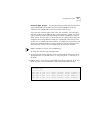
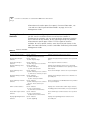
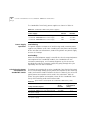
Navigation Aids
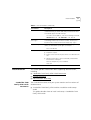
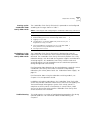
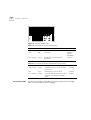
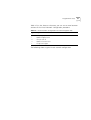
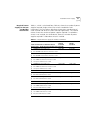
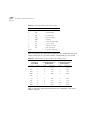
Table 15 lists the short-cut characters you can use to move between
sections of the Integrated Fast Setup procedure:
Table 15 Integrated Fast Setup Procedure Navigation Aids
Integrated Fast Setup
Operation
Type:
To Go:
<
Back to previous section
>
To next section
>S
To section indicated by double-underlined identifier letter S in section
title
\
Back to beginning of setup
$
To end of setup
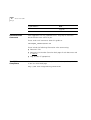
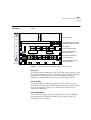
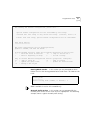
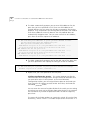
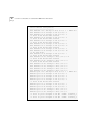
You initiate the Integrated Fast Setup from the LMA Main Menu of the
Corebuilder 7000 family ATM switch (see Figure 12).
To begin the Integrated Fast Setup process, select the menu item:
(9) FST: Fast Setup
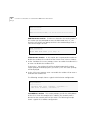
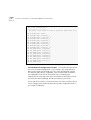
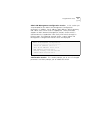
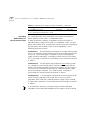
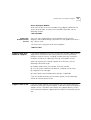
Note that the Integrated Fast Setup “Full” setup mode may override any
specific configurations that have previously been carried out in any of the
installed interface cards (see “Setup Modes” on page 58). The following
warning message is displayed when this is about to occur:
***Note: Full fast setup, special module configuration will
be overridden.
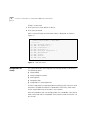
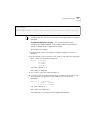
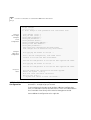
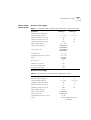
The following message appears on the screen.