1
R-654M O/M & C/B 05/04/2001 10:59 Page 19
Website: http://www.sharp.co.uk/support
Help Line: 08705 274277 (office hours)
CONVENIENT FUNCTIONS
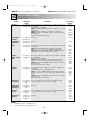
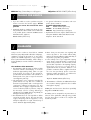
5. KITCHEN TIMER:
You can use the KITCHEN TIMER for timing where microwave cooking is not involved. For example, to time a
boiled egg cooked on a conventional hob, to monitor the standing time for microwaved food or to remind
you of the time when making a phone call.
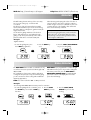
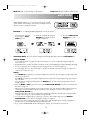
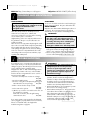
Example: To set the timer for 5 minutes:
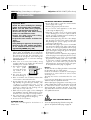
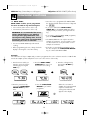
1. Press the KITCHEN
TIMER key once.
2. Enter the desired time
by pressing the 1 MIN
key 5 times.
The display will count down.
When the display reaches zero,
the ‘beep’ signal will sound.
3. Press the START/
AUTO MINUTE
key once.
STIR TURN KG•LB GRILL MICRO COOK
x5
x1
x1
You can enter any time up to 99 minutes, 90 seconds. To cancel the KITCHEN TIMER whilst counting down,
simply press the STOP/CLEAR key and the display will return to the time of day, if set.
NOTE: The KITCHEN TIMER function cannot be used whilst cooking or when the DELAY START function is set.
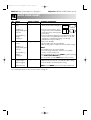
6. WEIGHT CONVERSION:
Your oven comes set for kg.
You can use the weight conversion function to convert kg to lbs or vice-versa. The oven memorises the weight
unit of the last operation, until you change it. To change from kg to lbs press the WEIGHT CONVERSION
key when the display shows the time of day or before entering the weight.
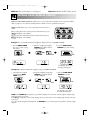
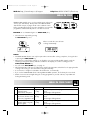
Example:
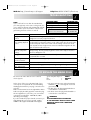
To change from kg to lbs when using EXPRESS DEFROST “Whole Poultry”, 3lb 8oz.
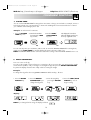
1. Press the WHOLE
POULTRY key.
2. Press the WEIGHT
CONVERSION key to
change from kg to lbs.
3. Enter the weight by
pressing the WEIGHT
keys.
4. Press the START/AUTO
MINUTE key once to
begin cooking.
OR
x1
x1
x1
x15
x1
Display:
STIR TURN KG•LB GRILL MICRO COOK
STIR TURN KG•LB GRILL MICRO COOK
STIR TURN KG•LB GRILL MICRO COOK
NOTE: If you change from lbs to kg, the display will show
STIR TURN KG•LB GRILL MICRO COOK
19
STIR TURN KG•LB GRILL MICRO COOK