1
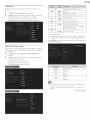
Video
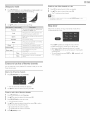
Music (HP3)
t
Use
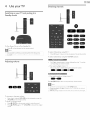
& Y to select
2
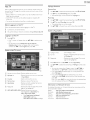
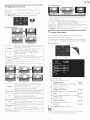
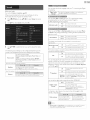
Press OK or I_|| to play the selected files.
• Press OKor
resume.
• Press _
• Press _1
a file or a folder.
1,|| to pause, then press OKor
t
Use
2
Press OK or I_|| to play the selected files.
1,|| again to
to fast-forward
to return to the beginning of the file currently
• Press _
to fast-backward
playing.
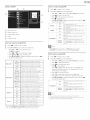
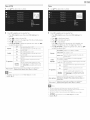
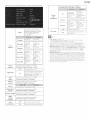
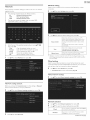
Sets repeat playbad< to Off.
On
Sets repeat playback for all NP3 files in the
current folder:
Off
Sets shuffle playback to Off:
On
Sets shuffle playback for all NP3 files in the
current folden
Off
The sound will not be output
speakers.
On
The sound will be output
TV speakers
EasyLink
stopped. Press OK to play from the beginning of the file.
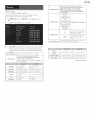
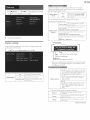
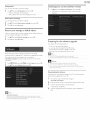
Subtitle
Displays if no subtitle is available.
Subtitle Off
Sets subtitle to Off,
1-8
Selects the desired subtitle iftheVideo
contains them,
from the unit's
Not available
Audio
from the unit's
language
Selects the sound mode according to your" preference.
(Standard,Vivid,
Sports, Movie, Music and News)
Audio
1-8
Master
Auto
The sound will not be output
speakers.
On
The sound will be output
from the unit's
from the unit's
speakers.
You can control Audio Output from your"
connected EasyLink Compliant Devices vdth
+/- (VOLUME) by using this unit's remote
control
Selects the sound mode according to your" preference.
(Standard,Vivid,
Sports, Movie, Music and News)
sound
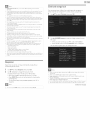
•
The resume
•
If you play another
information
vdll be kept even when
file while the
of the previously
•
The file or dne folder
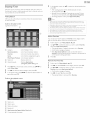
Thumbnails.
•
TV speakers
EasyLink
language iftheVideo
Selects the picture mode according to your" preference.
(Vivid, Sports, Standard, Movie, Game, tnternet video and
Power saver)
picture
information
available.
Off
EasyLink is set to On.
Auto
file
The unit displays if no Audio language is
Selects the desired Audio
file contains them.
TV speakers
u,J p.39
menu, then use A T
Not available
Subtitle
speakers.
You can control Audio Output from your"
connected EasyLink Compliant Devices vdth
+/- (VOLUME) by using this unit's remote
control.
will be displayed only when
search.
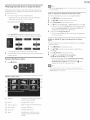
• Press [] to stop playback.
Press I_II to resume from the point at which playback was
Speakers
EasyLink
•
1,|| again to
search.
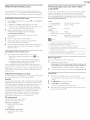
• Press [_ OPTIONS to display the optional
to select the desired item.
Off
Speakers
EasyLink
sound
1,|| to pause, then press OKor
• Press _
TV speakers
Auto
a file or a folder.
to skip to the next file.
• Press [_ OPTIONS to display the optional menu, then use A T
to select the desired item.
Shuffle
to select
• Press OKor
resume.
• Press II to stop playback.
Repeat
A T
viewed
in resume
will be displayed
u,J p.39
previously
the
viewed
unit isTarned
Off_
file is being resumed,
the resume
file will be deleted.
stop mode
only when
will be highlighted
Master
EasyLink
in gray on List or
is set to On.