1
Part 3: Operating Instructions
BJC-6000
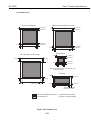
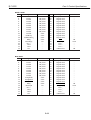
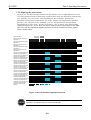
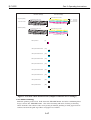
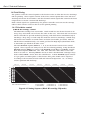
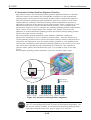
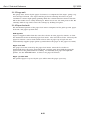
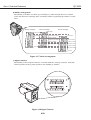
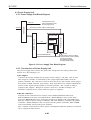
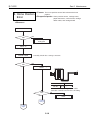
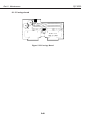
Black BJ Cartridge
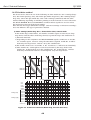
Large dot printing
Color BJ Cartridge
Printed with the first nozzle
Printed with the first nozzle
Yellow
48 nozzles
Cyan
48 nozzles
Magenta 48 nozzles
Black 160 nozzles
Printed with the 48th nozzle
Printed with the 160th nozzle
Small-dot printing
Printed with the first nozzle
Printed with the first nozzle
Printed with the 48th nozzle
Printed with the 160th nozzle
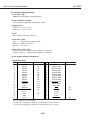
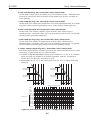
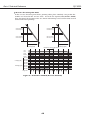
360-dpi vertical
(Y)
180-dpi horizontal forward
(X1)
180-dpi horizontal reverse
(X2)
360-dpi horizontal forward
(X3)
360-dpi horizontal reverse
(X4)
720-dpi horizontal forward
(X5)
720-dpi horizontal reverse
(X6)
180-dpi bi-directional
(B1)
360-dpi bi-directional
(B2)
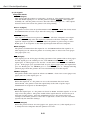
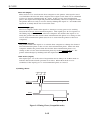
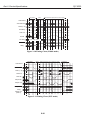
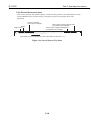
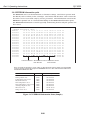
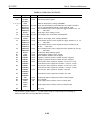
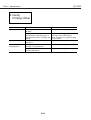
Figure 3-15 Nozzle Check Pattern Print (Sample for Black/Color Cartridge)
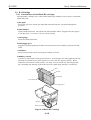
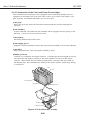
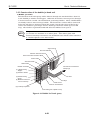
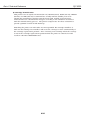
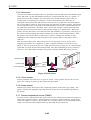
3.5.3 Roller cleaning
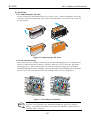
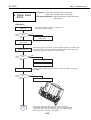
With the printer powered on, hold down the RESUME button and after confirming three
beeps, release the RESUME button. The roller cleaning will start, feeding a cleaning
sheet from the auto sheet feeder and ejecting it without printing so that paper dust is
removed it from the pick-up rollers and paper feed rollers.
3-17