1
Contents
Contents....................................................................................................... iii
Notices.......................................................................................................... iv
Safety information....................................................................................... vi
Care & Cleaning ......................................................................................... vii
Chapter 1:
Product introduction
1.1
Welcome! ..................................................................................... 1-1
1.2
Package contents.......................................................................... 1-1
1.3
Monitor introduction..................................................................... 1-2
1.3.1
Front view........................................................................ 1-2
1.3.2
Back view......................................................................... 1-3
Chapter 2:
Setup
2.1
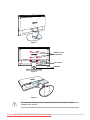
Assembling the monitor base...................................................... 2-1
2.2
Adjusting the monitor angles...................................................... 2-2
2.3
Detaching the arm/base (for VESA wall mount)......................... 2-2
2.4
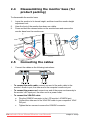
Disassembling the monitor base (for product packing)............ 2-4
2.5
Connecting the cables.................................................................. 2-4
2.6
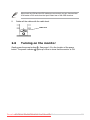
Turning on the monitor................................................................. 2-5
Chapter 3:
3.1
General instruction
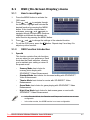
OSD (On-Screen Display) menu ................................................. 3-1
3.1.1
How to reconfigure........................................................... 3-1
3.1.2
OSD Function Introduction............................................... 3-1
3.2
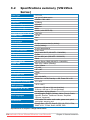
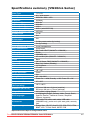
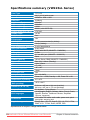
Specifications summary............................................................... 3-4
3.3
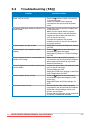
Troubleshooting (FAQ)................................................................. 3-7
3.4
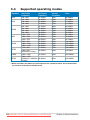
Supported operating modes........................................................ 3-8
Downloaded from ManualMonitor.com Manuals
iii