1
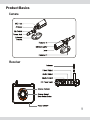
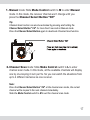
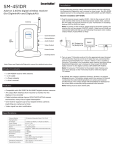
1. Manual mode: Slide Mode Control switch to M to enter Manual
mode. In this mode, the receiver channel won’t change until you
press the Channel Select Button “CH”
Tip:
Channel-Scan function can also be activated by pressing and holding the
Channel Select Button "CH" for more than 5 seconds in Manual mode.
Press the Channel Select Button again to deactivate Channel-Scan function.
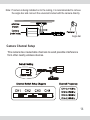
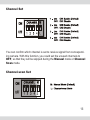
2. Channel Scan mode: Slide Mode Control switch to L to enter
channel scan mode. In this mode, all the available channels will display
one by one looping in turn per 5s. So you can watch the situations from
up to 4 different cameras via one receiver.
Note:
Press the Channel Select Button "CH" at the channel scan mode, the current
channel will be looped to the next channel immediately.
Slide the Mode Control switch to M to exit the channel scan mode.
17