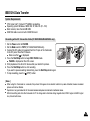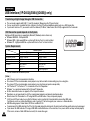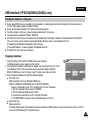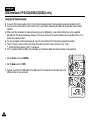
1
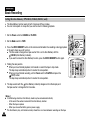
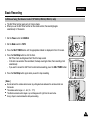
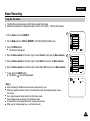
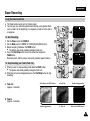
ENGLISH
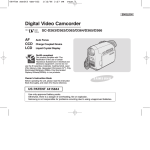
Digital Video Camcorder
VP-D451(i)/D453(i)/D454(i)/D455(i)
AF
CCD
LCD
Auto Focus
Charge Coupled Device
Liquid Crystal Display
Owner’s Instruction Book
Before operating the unit, please read this
Instruction Book thoroughly, and retain it for
future reference.
This product meets the intent of
Directive 89/336 CEE, 73/23 CEE, 93/68 CEE.
ENGLISH
Contents
Notes and Safety Instructions ....................................................................................................................................... 6
Getting to Know Your Camcorder ............................................................................................................................. 11
Features .................................................................................................................................................................................................................................... 11
Accessories Supplied with Camcorder ......................................................................................................................................................................................12
Front & Left View........................................................................................................................................................................................................................13
Left Side View.............................................................................................................................................................................................................................14
Right & Top View ........................................................................................................................................................................................................................15
Rear & Bottom View...................................................................................................................................................................................................................16
Remote Control (VP-D453(i)/D454(i)/D455(i) only)...................................................................................................................................................................17
Preparation .................................................................................................................................................................. 18
Adjusting the Hand Strap ...........................................................................................................................................................................................................18
Hand Strap............................................................................................................................................................................................................................ 18
When You carry Your Camcorder..........................................................................................................................................................................................18
Attaching the Lens Cover ......................................................................................................................................................................................................18
Lithium Battery Installation (VP-D453(i)/D454(i)/D455(i) only)..................................................................................................................................................19
Battery Installation for the Remote Control...........................................................................................................................................................................19
Connecting a Power Source ......................................................................................................................................................................................................20
To use the AC Power Adapter and DC Cable.......................................................................................................................................................................20
To select the Camcorder Mode (VP-D453(i)/D454(i)/D455(i) only)......................................................................................................................................20
Using the Lithium Ion Battery Pack............................................................................................................................................................................................21
Charging the Lithium Ion Battery Pack .................................................................................................................................................................................21
Table of continuous Recording Time based on Model and Battery Type.............................................................................................................................22
Battery Level Display.............................................................................................................................................................................................................23
OSD (On Screen Display in Camera/Player Modes) ................................................................................................................................................................24
OSD (On Screen Display in M.Cam/M.Player Modes) (VP-D453(i)/D454(i)/D455(i) only)......................................................................................................25
Turning the OSD (On Screen Display) On/Off .........................................................................................................................................................................25
System Menu Setting .................................................................................................................................................. 26
Selecting the OSD Language ...................................................................................................................................................................................................26
Setting the Clock ........................................................................................................................................................................................................................27
Setting the Wireless Remote Control Acceptance (Remote) (VP-D453(i)/D454(i)/D455(i) only).............................................................................................28
Setting the Beep Sound .............................................................................................................................................................................................................29
Setting the Shutter Sound (VP-D453(i)/D454(i)/D455(i) only)...................................................................................................................................................30
Viewing the Demonstration ........................................................................................................................................................................................................31
Display Menu Setting................................................................................................................................................... 32
Adjusting the LCD Screen..........................................................................................................................................................................................................32
Displaying the Date/Time ...........................................................................................................................................................................................................33
Setting the TV Display................................................................................................................................................................................................................34
2
ENGLISH
Contents
Basic Recording ........................................................................................................................................................... 35
Using the Viewfinder ..................................................................................................................................................................................................................35
Adjusting the Focus ...............................................................................................................................................................................................................35
Inserting and Ejecting a Cassette ..............................................................................................................................................................................................36
Hints for Stable Image Recording..............................................................................................................................................................................................37
Recording with the LCD Screen............................................................................................................................................................................................37
Recording with the Viewfinder...............................................................................................................................................................................................37
Various Recording Techniques...................................................................................................................................................................................................38
Making your First Recording ......................................................................................................................................................................................................39
Using EASY.Q Mode (for Beginners).........................................................................................................................................................................................40
Record Search (REC SEARCH) ...........................................................................................................................................................................................41
Setting the Zero Memory (VP-D453(i)/D454(i)/D455(i) only) ....................................................................................................................................................42
Self Record using the Remote Control (VP-D453(i)/D454(i)/D455(i) only)...............................................................................................................................43
Zooming In and Out ...................................................................................................................................................................................................................44
Using the Tele Macro..................................................................................................................................................................................................................45
Using Quick Menu: Tele Macro .............................................................................................................................................................................................46
Using the Fade In and Out.........................................................................................................................................................................................................47
To Start Recording.................................................................................................................................................................................................................47
To Stop Recording (use Fade In/Fade Out)..........................................................................................................................................................................47
Using Back Light Compensation Mode (BLC)...........................................................................................................................................................................48
Using the Color Nite/LED Light (VP-D453(i)/D454(i)/D455(i) only)...........................................................................................................................................49
Advanced Recording.................................................................................................................................................... 50
Use of various Functions............................................................................................................................................................................................................50
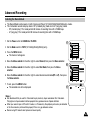
Setting Menu Items................................................................................................................................................................................................................50
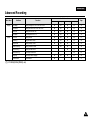
Function availability in each Mode ........................................................................................................................................................................................52
Selecting the Record Mode........................................................................................................................................................................................................53
Selecting Audio Mode.................................................................................................................................................................................................................54
Cutting Off Wind Noise (Wind Cut) ............................................................................................................................................................................................55
Setting the Shutter Speed & Exposure......................................................................................................................................................................................56
Recommended Shutter Speeds when Recording ................................................................................................................................................................56
Auto Focus/Manual Focus .........................................................................................................................................................................................................57
Auto Focusing........................................................................................................................................................................................................................57
Manual Focusing ...................................................................................................................................................................................................................57
Setting the White Balance..........................................................................................................................................................................................................58
Using Quick Menu: White Balance .......................................................................................................................................................................................59
Setting the Digital Image Stabilizer (DIS) ..................................................................................................................................................................................60
Using Quick Menu: Digital Image Stabilizer (DIS) ................................................................................................................................................................61
Programmed Automatic Exposure Modes (Program AE)..........................................................................................................................................................62
Setting the Program AE.........................................................................................................................................................................................................63
Using Quick Menu: Program AE ...........................................................................................................................................................................................63
3
ENGLISH
Contents
Applying Digital Effects...............................................................................................................................................................................................................64
Selecting the Digital Effects...................................................................................................................................................................................................65
Zooming In and Out with Digital Zoom ......................................................................................................................................................................................66
Selecting the Digital Zoom ....................................................................................................................................................................................................66
Photo Image Recording .............................................................................................................................................................................................................67
Searching for a Photo Image ................................................................................................................................................................................................67
Playback ....................................................................................................................................................................... 68
Playing back a Tape you have recorded on the LCD Screen...................................................................................................................................................68
Adjusting the LCD Bright/Colour during Playback ................................................................................................................................................................68
Controlling Sound from the Speaker..........................................................................................................................................................................................69
Tape Playback ............................................................................................................................................................................................................................70
Playback on the LCD Screen ................................................................................................................................................................................................70
Playback on a TV Monitor .....................................................................................................................................................................................................70
Connecting to a TV which has Audio/Video Input Jacks ......................................................................................................................................................70
Connecting to a TV which has no Audio and Video Input Jacks..........................................................................................................................................71
Playback.................................................................................................................................................................................................................................71
Various Functions while in Player mode....................................................................................................................................................................................72
Playback Pause .....................................................................................................................................................................................................................72
Picture Search (Forward/Reverse)........................................................................................................................................................................................72
Slow Playback (Forward/Reverse) (VP-D453(i)/D454(i)/D455(i) only) ................................................................................................................................72
Frame Advance (To play back frame by frame) (VP-D453(i)/D454(i)/D455(i) only) ............................................................................................................73
X2 Playback (Forward/Reverse) (VP-D453(i)/D454(i)/D455(i) only)....................................................................................................................................73
Reverse Playback (VP-D453(i)/D454(i)/D455(i) only) ..........................................................................................................................................................73
Zooming during Playback (PB ZOOM) ......................................................................................................................................................................................74
AV In/Out (VP-D451i/D453i/D454i/D455i only)..........................................................................................................................................................................75
Audio Dubbing (VP-D453(i)/D454(i)/D455(i) only).....................................................................................................................................................................76
Dubbing Sound ......................................................................................................................................................................................................................76
Dubbed Audio Playback .............................................................................................................................................................................................................77
IEEE1394 Data Transfer ............................................................................................................................................... 78
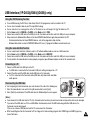
USB Interface (VP-D453(i)/D454(i)/D455(i) Only) .................................................................................................. 80
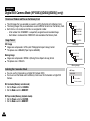
Digital Still Camera Mode (VP-D453(i)/D454(i)/D455(i) Only) .............................................................................. 86
Memory Stick (Optional Accessory)...........................................................................................................................................................................................86
Memory Stick Functions ........................................................................................................................................................................................................86
Inserting and Ejecting the Memory Card ..............................................................................................................................................................................87
Structure of Folders and Files on the Memory Card ............................................................................................................................................................88
Image Format ........................................................................................................................................................................................................................88
Selecting the Camcorder Mode .................................................................................................................................................................................................88
Selecting the Built-in Memory (VP-D454(i)/D455(i) only)..........................................................................................................................................................89
Using Quick Menu: Memory Type.........................................................................................................................................................................................89
4
ENGLISH
Contents
Selecting the Image Quality .......................................................................................................................................................................................................90
Select the Image Quality .......................................................................................................................................................................................................90
Number of Images on the Memory Card ..............................................................................................................................................................................90
Using Quick Menu: Photo Quality .........................................................................................................................................................................................91
Memory File Number..................................................................................................................................................................................................................92
Taking Photos .............................................................................................................................................................................................................................93
Viewing Still Images ...................................................................................................................................................................................................................94
To view a Single Image .........................................................................................................................................................................................................94
To view a Slide Show ............................................................................................................................................................................................................94
To view the Multi Display .......................................................................................................................................................................................................95
Protection from Accidental Erasure............................................................................................................................................................................................96
Using Quick Menu: Protect....................................................................................................................................................................................................97
Deleting Still Images and Moving Images .................................................................................................................................................................................98
Using Quick Menu: Delete.....................................................................................................................................................................................................99
Formatting the Memory Card ...................................................................................................................................................................................................100
MPEG Recording .....................................................................................................................................................................................................................101
Saving Moving Picture Files onto a Memory Card .............................................................................................................................................................101
MPEG Playback .......................................................................................................................................................................................................................102
Using Quick Menu: M.Play Select.......................................................................................................................................................................................103
Recording an Image from a Cassette as a Still Image. ..........................................................................................................................................................104
Copying Still Images from a Cassette to Memory Card..........................................................................................................................................................105
Copy to (Copies Files from the Memory Card to the Built-in Memory) (VP-D454(i)/D455(i) only) ........................................................................................106
Marking Images for Printing .....................................................................................................................................................................................................107
Using Quick Menu: Print Mark ............................................................................................................................................................................................108
PictBridgeTM (VP-D453(i)/D454(i)/D455(i) Only) .................................................................................................... 109
Maintenance............................................................................................................................................................... 111
After Finishing a Recording ......................................................................................................................................................................................................111
Cleaning and Maintaining the Camcorder ...............................................................................................................................................................................112
Using Your Camcorder Abroad.................................................................................................................................................................................................113
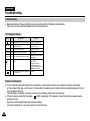
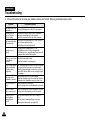
Troubleshooting ......................................................................................................................................................... 114
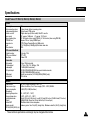
Specifications ............................................................................................................................................................. 117
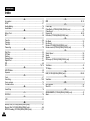
Index........................................................................................................................................................................... 118
Power Sources (United Kingdom Only) ....................................................................................................................119
5
ENGLISH
Notes and Safety Instructions
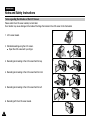
Notes regarding the Rotation of the LCD Screen
Please rotate the LCD screen carefully as illustrated.
Over rotation may cause damage to the inside of the hinge that connects the LCD screen to the Camcorder.
1
1. LCD screen closed.
2. Standard recording using the LCD screen.
■ Open the LCD screen with your finger.
2
3. Recording when looking at the LCD screen from the top.
3
LCD open
4. Recording when looking at the LCD screen from the front.
5. Recording when looking at the LCD screen from the left.
6. Recording with the LCD screen closed.
6
4
5
6
ENGLISH
Notes and Safety Instructions
Notices regarding Copyright (VP-D451i/D453i/D454i/D455i Only)
Television programmes, video tapes, DVD titles, films, and other programme materials may be copyrighted.
Unauthorized copying of copyrighted material may be against the law.
All the trade names and registered trademarks mentioned in this manual or other documentation provided with your Samsung
product are trademarks or registered trademarks of their respective holders.
Notes regarding Moisture Condensation
1. A sudden rise in atmospheric temperature may cause condensation to form inside the Camcorder.
for example:
■
When you move the Camcorder from a cold location to a warm location (e.g. from outside to inside during the winter.)
■
When you move the Camcorder from a cool location to a hot location (e.g. from inside to outside during the summer.)
2. If the
(DEW) protection feature is activated, leave the Camcorder for at least two hours in a dry, warm room with the
cassette compartment opened and the Battery pack removed.
Notes regarding Camcorder
1. Do not leave the Camcorder exposed to high temperatures (above 60°C or 140°F).
For example, in a parked car in the sun or exposed to direct sunlight.
2. Do not let the Camcorder get wet.
Keep the Camcorder away from rain, sea water, and any other form of moisture.
If the Camcorder gets wet, it may get damaged.
Sometimes a malfunction due to exposure to liquids cannot be repaired.
7
ENGLISH
Notes and Safety Instructions
Notes regarding the Battery Pack
■
■
■
■
■
■
■
Be sure to use a recommended battery pack as described on page 22. The batteries are available at a SAMSUNG retailer.
Make sure that the Battery pack is fully charged before starting to record.
To preserve battery power, keep your Camcorder turned off when you are not operating it.
If your Camcorder is in CAMERA mode, and it is left in STBY mode without being operated for more than 5 minutes with a
tape inserted, it will automatically turn itself off to protect against unnecessary battery discharge.
Make sure that the Battery pack is fitted firmly into place.
Do not drop the Battery pack. Dropping the Battery pack may damage it.
A brand-new Battery pack is not charged.
Before using the Battery pack, you need to charge it completely.
Fully discharging a Lithium-Ion battery damages the internal cells. The Battery pack may be prone to leakage when fully
discharged.
When the battery reaches the end of its life, please contact your local dealer.
The batteries have to be dealt with as chemical waste.
Notes regarding the Video Head Cleaning
■
■
8
To ensure normal recording and a clear picture, clean the video heads regularly.
If a square block-shape distorts playback, or only a blue screen is displayed, the video heads may be dirty.
If this happens, clean the video heads with a dry type cleaning cassette.
Do not use a wet type cleaning cassette. It may damage the video heads.
ENGLISH
Notes and Safety Instructions
Note regarding the Lens
Do not film with the camera lens pointing directly at the sun.
Direct sunlight can damage the CCD(Charge Coupled Device).
Notes regarding electronic Viewfinder
1. Do not position the Camcorder such that the Viewfinder is pointing towards the sun.
Direct sunlight can damage the inside of the Viewfinder. Be careful when placing the Camcorder under sunlight
or near a window exposed to sunlight.
2. Do not pick up the Camcorder by holding the Viewfinder.
3. Applying excessive force to the Viewfinder may damage it.
Notes regarding ‘Record’ or ‘Playback’ Using the LCD Screen
1. The LCD screen has been manufactured using high precision
technology. However, there may be tiny dots (red, blue or green in
colour) that appear on the LCD screen.
These dots are normal and do not affect the recorded picture in any
way.
2. When you use the LCD screen under direct sunlight or outdoors,
it maybe difficult to see the picture clearly.
If this occurs, we recommend using the Viewfinder.
3. Direct sunlight can damage the LCD screen.
Notes regarding the Hand Strap
■
■
To ensure a steady picture while filming, check that the hand strap is properly adjusted.
Do not force your hand into the hand strap as you could damage it.
9
ENGLISH
Notes and Safety Instructions
Precautions regarding the Lithium battery
1. The camcorder’s built-in lithium battery maintains the clock function and user settings, even if the battery pack or
AC adapter is removed.
2. The lithium battery for the camcorder lasts about 3 months under normal operation from the time of installation.
3. When the lithium battery becomes weak or is dead, the date/time indicator will display 00:00 1.JAN.2005 when you
set the Date/Time to On.
When this occurs, connect the camcorder to power to fully recharge the built-in lithium battery. If the same problem occurs
with a fully recharged battery, contact a Samsung authorized Service Centre to replace the battery.
Precautions regarding the external lithium battery for the remote control
Warning:
■ Keep the LITHIUM BATTERY(Remote Control) out of reach of children.
Should a battery be swallowed, consult a doctor immediately.
■ Danger of explosion if battery is incorrectly replaced.
Replace only with the same or equivalent type.
Servicing
Do not attempt to service this Camcorder yourself.
Opening or removing covers may expose you to dangerous voltage or other hazards.
Refer all servicing to qualified service personnel.
Replacement Parts
When replacement parts are required, be sure the service technician has used replacement parts specified by the manufacturer
and having the same characteristics as the original part.
Unauthorized substitutions may result in fire, electric shock or other hazards.
10
ENGLISH
Getting to Know Your Camcorder
Features
■
■
■
■
■
■
■
■
■
■
■
■
■
■
Multi OSD Language
You can select the desired OSD language from OSD List.
Digital Data Transfer Function with IEEE1394
By incorporating the IEEE1394 (i.LINK™: i.LINK is a serial data transfer protocol and interconnectivity system, used to transmit DV
data) high speed data transport port, both moving and still images can be transferred to a PC, making it possible to produce or edit
various images.
USB Interface for Digital Image Data Transfer (VP-D453(i)/D454(i)/D455(i) only)
You can transfer images to a PC using the USB interface without an add-on card.
PHOTO
The photo function lets you capture an object as a still image along with sound, in camera mode.
900x Digital Zoom
The 900x Digital Zoom allows you to magnify an image up to 900 times its original size.
Colour TFT LCD
A high-resolution colour TFT LCD gives you clean, sharp images as well as the ability to review your recordings immediately.
Digital Image Stabilizer (DIS)
The DIS compensates for any handshake, reducing unstable images, particularly at high magnification.
Various Digital Effects
The digital effects allows you to give your films a special look by adding various special effects.
Back Light Compensation (BLC)
The BLC function compensates for the bright background behind a subject you're recording.
Program AE
The program AE enables you to alter the shutter speed and aperture to suit the type of scene/action to be filmed.
Digital Still Camera Function (VP-D453(i)/D454(i)/D455(i) only)
- Using Memory Card, you can easily record and play back standard still images.
- You can transfer standard still images on the Memory Card to your PC using the USB interface.
MPEG Recording (VP-D453(i)/D454(i)/D455(i) only)
MPEG recording makes it possible to record video onto a Memory Card.
Multi Memory Card Slot (VP-D454(i)/D455(i) only)
Multi Memory Card slot is compatible with Memory Stick, Memory Stick PRO, MMC and SD.
Built-in Memory (VP-D454(i)/D455(i) only)
You can use digital still camera functions without a separate external Memory Card, using the built-in memory installed in your
Camcorder. (VP-D454(i): 16MB/VP-D455(i): 64MB)
11
ENGLISH
Getting to Know Your Camcorder
Accessories Supplied with Camcorder
Make sure that the following basic accessories are supplied with your digital video camera.
Basic Accessories
1. Lithium Ion Battery Pack
2. AC Power Adapter (AA-E8 TYPE)
3. AC Cord
4. Multi-AV Cable (Audio/Video/S-Video Cable)
5. Instruction Book
6. USB Cable (VP-D453(i)/D454(i)/D455(i) only)
7. Software CD (VP-D453(i)/D454(i)/D455(i) only)
8. Lens Cover
9. Lens Cover Strap
10.Lithium Battery for Remote Control.
(TYPE: CR2025) (VP-D453(i)/D454(i)/D455(i) only)
11.Remote Control (VP-D453(i)/D454(i)/D455(i) only)
Optional Accessories
1. Lithium Ion Battery Pack
2. AC Power Adapter
(AA-E8 TYPE)
3. AC Cord
4. Multi-AV Cable
(Audio/Video/S-Video Cable)
5. Instruction Book
6. USB Cable
7.Software CD
8. Lens Cover
9. Lens Cover Strap
10. Lithium Battery
(CR2025)
11. Remote Control
12. Memory Stick
13. Scart Adapter
12. Memory Stick (VP-D453(i)/D454(i)/D455(i) only)
13. Scart Adapter
12
ENGLISH
Getting to Know Your Camcorder
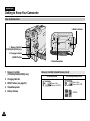
Front & Left View
1. Lens
6. EASY.Q button
2. LED Light
(VP-D453(i)/D454(i)/D455(i) only)
7. TFT LCD Screen
3. Remote Sensor
(VP-D453(i)/D454(i)/D455(i) only)
8. IEEE1394 Jack
4. Hand Strap Hook
9. USB Jack
(VP-D453(i)/D454(i)/D455(i) only)
10. AV/S-Video Jack
5. Internal MIC
11. Jack Cover
1. Lens
5. Internal MIC
2. LED Light (see page 49)
(VP-D453(i)/D454(i)/D455(i) only)
6. EASY.Q button
(see page 40)
3. Remote Sensor
(VP-D453(i)/D454(i)/D455(i) only)
7. TFT LCD Screen
9. USB Jack
(VP-D453(i)/D454(i)/D455(i) only)
10. AV/S-Video Jack
11. Jack Cover
8. IEEE1394 Jack
4. Hand Strap Hook
13
ENGLISH
Getting to Know Your Camcorder
Left Side View
4. Focus Adjustment Knob
5. Viewfinder
1. Speaker
6. Function buttons
2. Mode Switch
(VP-D453(i)/D454(i)/D455(i) only)
FADE
BLC
S.SHOW
MULTI
REC SEARCH
7. COLOR NITE/PB ZOOM
3. DISPLAY
1. Speaker
6. Function buttons
2. Mode Switch (MEMORY/TAPE)
(VP-D453(i)/D454(i)/D455(i) only)
PLAYER
-
CAMERA
EASY.Q
3. DISPLAY (see page 25)
: REW
REC SEARCH –
4. Focus Adjustment Knob
: FF
REC SEARCH +
FWD
5. Viewfinder
: PLAY/STILL
FADE
S.SHOW (SLIDE SHOW)
: STOP
BLC
MULTI
7. COLOR NITE/PB ZOOM
(see page 49/74)
14
M.Player (VP-D453(i)/D454(i)/D455(i) only)
REV
ENGLISH
Getting to Know Your Camcorder
Right & Top View
6. TAPE EJECT
1. Menu Selector (VOL/MF)
7. Zoom Lever
2. MENU button
8. PHOTO button
9. External MIC
10. Cassette Door
3. Start/Stop button
4. Power Switch
5. DC Jack
1. Menu Selector (VOL/MF)
6. TAPE EJECT
2. MENU button
7. Zoom Lever
3. Start/Stop button
4. Power Switch (CAMERA or PLAYER)
8. PHOTO button
(see page 67)
5. DC Jack
9. External MIC
10. Cassette Door
15
ENGLISH
Getting to Know Your Camcorder
Rear & Bottom View
5. Battery Release
1. Memory Card Slot
(VP-D453(i)/D454(i)/D455(i) only)
2. Charging indicator
3. RESET button
4. Tripod Receptacle
1. Memory Card Slot
(VP-D453(i)/D454(i)/D455(i) only)
2. Charging indicator
3. RESET button (see page 52)
4. Tripod Receptacle
5. Battery Release
16
Memory Card Slot (Usable Memory Card)
VP-D453(i) only
Memory Stick
Memory Stick PRO
VP-D454(i)/D455(i) only
Memory Stick
Memory Stick PRO
SD/MMC
ENGLISH
Getting to Know Your Camcorder
Remote Control (VP-D453(i)/D454(i)/D455(i) only)
18. DISPLAY
1. PHOTO
2. START/STOP
3. SELF TIMER
4. ZERO MEMORY
5. PHOTO SEARCH
6. A.DUB
7.
(FF)
8.
(REW)
9.
(PLAY)
10.
/
17. Zoom
16. X2
15. DATE/TIME
14.
(SLOW)
13. (STILL)
12.
(STOP)
11. F. ADV
(Direction)
1. PHOTO (see page 67)
10.
2. START/STOP
11. F. ADV (see page 73)
3. SELF TIMER (see page 43)
12.
(STOP)
4. ZERO MEMORY (see page 42)
13.
(STILL)
5. PHOTO SEARCH (see page 67)
14.
(SLOW)
6. A.DUB (see page 76)
15. DATE/TIME
7.
(FF)
16. X2 (see page 73)
8.
(REW)
17. Zoom
9.
(PLAY)
18. DISPLAY
/
(Direction) (see page 72)
17
ENGLISH
Preparation
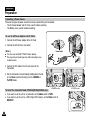
Adjusting the Hand Strap
It is very important to ensure that the Hand strap has been correctly adjusted before you begin your recording.
The Hand strap enables you to:
- Hold the Camcorder in a stable, comfortable position.
- Press the ZOOM and Start/Stop button without having to change the position of your hand.
18
Hand Strap
1. Insert the Hand strap into the
Hand strap hook on the front
side of the Camcorder and pull
its end through the hook.
2. Insert your hand into the hand
strap and adjust its length for
your convenience.
3. Close the Hand strap.
1
When You carry Your Camcorder
1. Pull and open the Hand strap
cover to release the Hand strap.
2. Remove it from the ring and
adjust its length.
3. Put your hand through the Hand
Strap and close the cover of
Hand Strap.
1
Attaching the Lens Cover
1. Hook up the Lens cover with the
Lens cover strap as illustrated.
2. Hook up the Lens cover strap to
the Hand strap, and adjust it
following the steps as described
for the Hand strap.
3. Close the Hand strap.
1
2
2
3
3
2
3
ENGLISH
Preparation
Lithium Battery Installation (VP-D453(i)/D454(i)/D455(i) only)
Battery Installation for the Remote Control
You need to insert or replace the Lithium battery when:
- You purchase the Camcorder.
- The remote control doesn’t work.
✤ Position the Lithium battery in the Lithium battery holder, with the positive (
✤ Be careful not to reverse the polarity of the battery.
✤
) terminal face up.
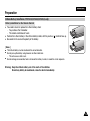
[ Notes ]
■ The Lithium battery must be inserted in the correct direction.
■ Do not pick up the battery using tweezers or other metal tools.
- This will cause a short circuit.
■ Do not recharge, disassemble, heat or immerse the battery in water, to avoid the risk of explosion.
Warning: Keep the Lithium battery out of the reach of the children.
Should any battery be swallowed, consult a doctor immediately.
19
ENGLISH
Preparation
Connecting a Power Source
There are two types of power source that can be connected to your Camcorder.
- The AC Power adapter and AC Cord: used for indoor recording.
- The Battery pack: used for outdoor recording.
To use the AC Power Adapter and DC Cable
1. Connect the AC Power adapter to the AC Cord.
2. Connect the AC Cord to a wall socket.
[ Notes ]
■ You must use an AA-E8 TYPE AC Power adapter.
■ The plug and wall socket type may differ according to your
resident country.
Power Switch
3. Connect the DC cable to the DC jack socket of the
Camcorder.
4. Set the Camcorder to each mode by holding down the tab
on the Power switch and turning it to the CAMERA or
PLAYER mode.
To Select the Camcorder Mode (VP-D453(i)/D454(i)/D455(i) only)
✤
✤
20
<CAMERA mode>
If you want to use this unit as a Camcorder, set the Mode switch to TAPE.
If you want to use this unit as a DSC (Digital Still Camera), set the Mode switch to
MEMORY.
<PLAYER mode>
ENGLISH
Preparation
Using the Lithium Ion Battery Pack
✤
The amount of continuous recording time available depends on.
- The type and capacity of the Battery pack you are using.
- How often the zoom function is used.
It is recommended that you have several batteries available.
Charging the Lithium Ion Battery Pack
1. Attach the Battery pack to the Camcorder.
2. Connect the AC Power adapter to an AC Cord and connect the AC Cord to
a wall socket.
3. Connect the DC cable to the DC jack socket on the Camcorder.
4. Turn the Power switch to OFF, and the charging indicator will start to flash,
showing that the battery is charging.
Blinking time
Once per second
Twice per second
Three times per second
Blinking stops and stays on
On for a second and
off for a second
Power Switch
Charging rate
Less than 50%
50% ~ 75%
75% ~ 90%
90% ~ 100%
Error - Reset the Battery pack and
the DC cable
5. When the battery is fully charged, disconnect the Battery pack and the AC Power adapter from
the Camcorder.
Even with the Power switched OFF, the Battery pack will still discharge.
4
<Charging indicator>
[ Notes ]
■
The Battery may contain a slight charge at the time of purchase.
■ To prevent reduction in the life and capacity of the Battery pack, always remove it from the Camcorder after it is fully charged.
■ The amount of continuous recording time available depends on:
- The type and capacity of the Battery pack you are using.
- How often the zoom is used.
- Type of use (Camcorder/Camera/With LCD screen etc.).
- Ambient temperature.
It is recommended to have additional battery packs available.
■ Even when the Power switched Off, the Battery pack will still discharge if it is left attached to the device.
21
ENGLISH
Preparation
Table of continuous Recording Time based on Model and Battery Type.
✤
✤
If you close the LCD screen, it switches off and the Viewfinder switches on automatically.
The continuous recording time given in the table below are approximations.
Actual recording time depends on usage.
Time
Continuous recording time
Charging
time
LCD ON
VIEWFINDER ON
SB-LSM80
Approx.
1hr 20min
Approx.
1hr 20min
Approx.
1hr 30min
SB-LSM160
Approx.
3hr
Approx.
2hr 40min
Approx.
3hr
Battery
[ Notes ]
■ The Battery pack should be recharged in an environment between 32 °F (0 °C) and 104 °F (40 °C).
■ The Battery pack should never be charged in a room with a temperature below 32 °F (0 °C).
■ The life and capacity of the Battery pack will be reduced if it is used in temperatures below 32 °F (0 °C) or left in temperatures
above 104 °F (40 °C) for a long period of time, even when it is fully recharged.
■ Do not put the Battery pack near any heat source (i.e. fire or a heater).
■ Do not disassemble, apply pressure to or heat the Battery pack.
■ Do not allow the + and – terminals of the Battery pack to be short-circuited.
Doing so may cause leakage, overheating, or fire.
■ Use SB-LSM80 or SB-LSM160 Battery pack only.
■ Be sure to use a recommended battery pack as described above. The batteries are available at a SAMSUNG retailer.
22
ENGLISH
Preparation
Battery Level Display
The battery level display indicates the amount of power remaining in the Battery pack.
a.
b.
c.
d.
e.
Fully charged
20~40% used
40~80% used
80~95% used
Completely used (Blinking)
(The Camcorder will turn off soon. Change the battery as soon as possible)
[ Notes ]
(Blinking)
■ Please refer to the Table on page 22 for approximate continuous recording time.
■ The recording time is affected by temperature and environmental conditions.
■ The recording time shortens dramatically in a cold environment.
The continuous recording time in the operating instructions are measured using a fully charged Battery pack at 77 °F (25 °C) since
the environmental temperature and conditions vary. The remaining battery time may differ from the approximate continuous
recording time given in the instructions.
23
ENGLISH
Preparation
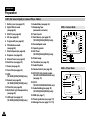
OSD (On Screen Display in Camera/Player Modes)
1. Battery Level (see page 23)
18. Audio Mode (see page 54)
2. Digital Effects mode
(see page 64)
19. Remaining Tape
(measured in minutes)
3. EASY.Q (see page 40)
20. Tape Counter
4. DIS (see page 60)
21. Zero Memory (see page 42)
(VP-D453(i)/D454(i)/D455(i) only)
5. Program AE (see page 62)
26 25 24 23 22 21
1
2
3
4
5
6
7
8
9
10
6. White Balance mode
(see page 58)
22. Record Speed mode
7. Shutter Speed (see page 56)
8. Exposure (see page 56)
24. Self Timer
(VP-D453(i)/D454(i)/D455(i) only)
9. Manual Focus (see page 57)
25. Photo Image
10. Date/Time (see page 33)
26. Tele Macro (see page 45)
11. Zoom (see page 44)
27. Audio Playback
12. Color Nite (see page 49)
28. Volume Control (see page 69)
13. USB
(VP-D453(i)/D454(i)/D455(i) only)
29. DV IN (DV data transfer mode)
(VP-D451i/D453i/D454i/D455i only)
(see page 79)
27
30. AV IN
(VP-D451i/D453i/D454i/D455i only)
32
33
34
14. Remote (see page 28)
(VP-D453(i)/D454(i)/D455(i) only)
15. Wind Cut (see page 55)
16. BLC (Back Light Compensation)
(see page 48)
17. LED Light (see page 49)
(VP-D453(i)/D454(i)/D455(i) only)
23. Operating mode
11
32. DEW (see page 7)
33. Warning indicator (see page 114)
STBY
10Sec
Art
SP
0:00:11
14min
16BIt
No Tape !
S. 1/50
[29]
00:00 1.JAN.2005
W
Color N.1/25
20
19
18
17
16
15
14
13
12
T
7
S. 1/50
8
[29]
†
…
†
…
OSD in Player Mode
31
√
31. Audio Dubbing (see page 76)
(VP-D453(i)/D454(i)/D455(i) only)
34. Message line (see page 114~115)
24
OSD in Camera Mode
Sound[2]
SP
0:00:00:10
14min
16BIt
No Tape !
AV In
28
[10]
†
30
29
00:00 1.JAN.2005
…
ENGLISH
Preparation
OSD (On Screen Display in M.Cam/M.Player Modes) (VP-D453(i)/D454(i)/D455(i) only)
1. Photo Quality
2. CARD (Memory Card) indicator
3. Image Counter
Total number of recordable still images.
4. Image Recording and Loading indicator
5. Erase Protection indicator (see page 96)
6. Print Mark (see page 107)
7. Folder Number-File Number (see page 88)
8. JPEG Image Size
9. Slide Show
OSD in M.Cam Mode
4
3
46
2 min
2
No Memory Card !
1
[29]
00:00 1.JAN.2005
W
T
[29]
†
…
Turning the OSD (On Screen Display) On/Off
■
■
Turning OSD on/off
Press the DISPLAY button on the left side control panel.
- Each press of the button toggles the OSD function on and off.
- When you turn the OSD off,
In CAMERA Mode: The STBY, REC modes are always displayed on the OSD,
even when the OSD is turned off and the key input is displayed for 3 seconds
then turned off.
In PLAYER Mode: When you press any function button, the function is displayed
on the OSD for 3 seconds before it turns off.
OSD in M.Player Mode
9
Slide
2/46
800X600
8
No Memory Card !
5
6
001
00:00 1.JAN.2005
100-0002
7
Turning the Date/Time on/off
To turn the Date/Time on or off, access the menu and change the Date/Time mode.
(see page 33)
25
ENGLISH
System Menu Setting
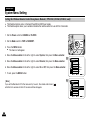
Selecting the OSD Language
✤
✤
The Language function works in Camera/Player/M.Cam/M.Player modes.
Select the appropriate OSD language from OSD List.
1. Set the Power switch to CAMERA or PLAYER.
1
2. Set the Mode switch to TAPE or MEMORY. (VP-D453(i)/D454(i)/D455(i) only)
3. Press the MENU button.
■ The menu list will appear.
4. Move the Menu selector to the left or right to select System, then press the Menu selector.
5. Move the Menu selector to the left or right to select Language, then press the Menu
selector.
■ The available language options are listed.
6. Move the Menu selector to the left or right to select desired OSD language, then press the
Menu selector.
■
The OSD will display the most recently selected language.
7. To exit, press the MENU button.
[ Note ]
The word “Language” in the menu is always indicated in English.
26
4
Camera Mode
√System
Clock Set
Beep Sound
USB Version
Language
Demonstration
Move
√On
√USB 2.0
√English
√On
Select
MENU
Exit
ENGLISH
System Menu Setting
Setting the Clock
✤
✤
Clock setup works in Camera/Player/M.Cam/M.Player modes.
The Date/Time is automatically recorded onto a tape.
Before recording, please set the Date/Time.
4
1. Set the Power switch to CAMERA or PLAYER.
2. Set the Mode switch to TAPE or MEMORY. (VP-D453(i)/D454(i)/D455(i) only)
3. Press the MENU button.
■ The menu list will appear.
4. Move the Menu selector to the left or right to select System, then press the Menu selector.
5. Move the Menu selector to the left or right to select Clock Set, then press the Menu selector.
■
The year will highlight first.
6. Move the Menu selector to the left or right to set the current Year, then press the Menu
5
selector.
■
The month will be highlighted.
7. You can set the month, day, hour and minute following the same procedure for setting the year.
8. Press the Menu selector after setting the minutes.
■
The message Complete ! will be displayed.
To adjust the clock, select the Year, Month, Day, Hour or Min by pressing the Menu selector,
then move the Menu selector to the left or right to set respective values.
8
9. To exit, press the MENU button.
Camera Mode
√System
Clock Set
Beep Sound
USB Version
Language
Demonstration
Move
Select
Camera Mode
Back
Clock Set
Beep Sound
USB Version
Language
Demonstration
Adjust
√On
√USB 2.0
√English
√On
MENU
Exit
…
1 JAN 2005
†
00 : 00
Select
MENU
Exit
■
Camera Mode
Back
Clock Set
Beep Sound
USB Version
Language
Demonstration
1 JAN 2005
10 : 30
[ Notes ]
■ Date/Time is memorized and maintained by the built-in Lithium battery installed in the camcorder.
Complete !
If you don’t use the camcorder for a long period of time, charge the Lithium battery at least once a
Move
Select
Exit
month. To charge the built-in Lithium battery, supply power to the camcorder and set the Power Switch
to CAMERA or PLAYER.
■ After the Lithium battery loses its charge (after about 3 months), the date/time appears on the screen as 00:00 1.JAN.2005.
■ You can set the year up to 2037.
■ If the built-in lithium battery is not charged, any input data will not be backed up.
MENU
27
ENGLISH
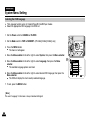
System Menu Setting
Setting the Wireless Remote Control Acceptance (Remote) (VP-D453(i)/D454(i)/D455(i) only)
✤
✤
The Remote function works in Camera/Player/M.Cam/M.Player modes.
The Remote option allows you to enable or disable the remote control for use with the Camcorder.
1. Set the Power switch to CAMERA or PLAYER.
1
2. Set the Mode switch to TAPE or MEMORY.
3. Press the MENU button.
■ The menu list will appear.
4. Move the Menu selector to the left or right to select System, then press the Menu selector.
4
5. Move the Menu selector to the left or right to select Remote, then press the Menu selector.
6. Move the Menu selector to the left or right to select On or Off, then press the Menu selector.
7. To exit, press the MENU button.
[ Note ]
If you set the Remote to Off in the menu and try to use it, the remote control icon (
will blink for 3 seconds on the LCD screen and then disappear.
Camera Mode
√System
Clock Set
Remote
Beep Sound
USB Version
Language
Demonstration
Move
6
)
28
Select
Camera Mode
Back
Clock Set
Remote
Beep Sound
USB Version
Language
Demonstration
Move
√On
√On
√USB 2.0
√English
√On
MENU
Exit
MENU
Exit
Off
On
Select
ENGLISH
System Menu Setting
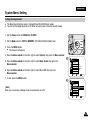
Setting the Beep Sound
✤
✤
The Beep Sound function works in Camera/Player/M.Cam/M.Player modes.
You can turn the Beep Sound on or off. When on, each press of a button sounds a beep.
1. Set the Power switch to CAMERA or PLAYER.
1
2. Set the Mode switch to TAPE or MEMORY. (VP-D453(i)/D454(i)/D455(i) only)
3. Press the MENU button.
■ The menu list will appear.
4. Move the Menu selector to the left or right to select System, then press the Menu selector.
4
5. Move the Menu selector to the left or right to select Beep Sound, then press the
Menu selector.
6. Move the Menu selector to the left or right to select On or Off, then press the
Menu selector.
7. To exit, press the MENU button.
[ Note ]
When you are recording, the Beep Sound is automatically set to Off.
Camera Mode
√System
Clock Set
Beep Sound
USB Version
Language
Demonstration
Move
6
Select
Camera Mode
Back
Clock Set
Beep Sound
USB Version
Language
Demonstration
Move
√On
√USB 2.0
√English
√On
MENU
Exit
MENU
Exit
Off
On
Select
29
ENGLISH
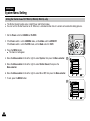
System Menu Setting
Setting the Shutter Sound (VP-D453(i)/D454(i)/D455(i) only)
✤
✤
The Shutter Sound function works in both Player and M.Cam modes.
You can turn the Shutter Sound on or off. When on, a simulated shutter click of a camera will sound while taking pictures.
1. Set the Power switch to CAMERA or PLAYER.
1
2. If the Power switch is set to CAMERA mode, set the Mode switch to MEMORY.
If the Power switch is set to PLAYER mode, set the Mode switch to TAPE.
3. Press the MENU button.
■ The menu list will appear.
4. Move the Menu selector to the left or right to select System, then press the Menu selector.
4
5. Move the Menu selector to the left or right to select Shutter Sound, then press the
Menu selector.
6. Move the Menu selector to the left or right to select On or Off, then press the Menu selector.
7. To exit, press the MENU button.
Player Mode
√System
Clock Set
Beep Sound
Shutter Sound
USB Version
Language
Move
6
30
Select
Player Mode
Back
Clock Set
Beep Sound
Shutter Sound
USB Version
Language
Move
√On
√On
√USB 2.0
√English
MENU
Exit
MENU
Exit
Off
On
Select
ENGLISH
System Menu Setting
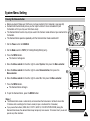
Viewing the Demonstration
✤
✤
Before you begin: Make sure that there is no tape inserted in the Camcorder. (see page 36)
Demonstration automatically shows you the major functions that are included with your
Camcorder so that you may use them more easily.
✤ The Demonstration function may only be used in the Camera mode without a tape inserted in the
Camcorder.
✤ The Demonstration operates repeatedly until the Demonstration mode switched off.
1
1. Set the Power switch to CAMERA.
2. Set the Mode switch to TAPE. (VP-D453(i)/D454(i)/D455(i) only)
4
3. Press the MENU button.
■ The menu list will appear.
4. Move the Menu selector to the left or right to select System, then press the Menu selector.
5. Move the Menu selector to the left or right to select Demonstration, then press the
Menu selector.
Camera Mode
√System
Clock Set
Beep Sound
USB Version
Language
Demonstration
Move
6
6. Move the Menu selector to the left or right to select On, then press the Menu selector.
7. Press the MENU button.
■ The Demonstration will begin.
8. To quit the Demonstration, press the MENU button.
[ Notes ]
■ The Demonstration mode is automatically activated when the Camcorder is left idle for more than
10 minutes after switching to the Camera mode (no tape is inserted in the Camcorder).
■ If you press other buttons (FADE, BLC, PHOTO, EASY.Q, COLOR NITE/PB ZOOM) during the
Demonstration mode, the demonstration stops temporarily and resumes 10 minutes later if you do not
operate any other functions.
Select
Camera Mode
Back
Clock Set
Beep Sound
USB Version
Language
Demonstration
Move
√On
√USB 2.0
√English
√On
MENU
Exit
MENU
Exit
Off
On
Select
Samsung Camcorder is...
[Digital Camcorder]
Demonstration
31
ENGLISH
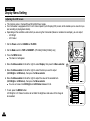
Display Menu Setting
Adjusting the LCD Screen
✤
✤
This function works in Camera/Player/M.Cam/M.Player modes.
Your Camcorder is equipped with a 2.5 inch Colour Liquid Crystal Display(LCD) screen, which enables you to view what you
are recording or playing back directly.
✤ Depending on the conditions under which you are using the Camcorder (indoors or outdoors for example), you can adjust;
- LCD Bright
- LCD Colour
1
1. Set the Power switch to CAMERA or PLAYER.
2. Set the Mode switch to TAPE or MEMORY. (VP-D453(i)/D454(i)/D455(i) only)
3. Press the MENU button.
■ The menu list will appear.
4. Move the Menu selector to the left or right to select Display, then press the Menu selector.
4
5. Move the Menu selector to the left or right to select the item you want to adjust
(LCD Bright or LCD Colour), then press the Menu selector.
6. Move the Menu selector to the left or right to adjust the value of the selected item
(LCD Bright or LCD Colour), then press the Menu selector.
■
You can set values for LCD Bright and LCD Colour between 0~35.
7. To exit, press the MENU button.
LCD Bright & LCD Colour functions do not affect the brightness and colour of the image to
be recorded.
Camera Mode
√Display
LCD Bright
LCD Colour
Date/Time
TV Display
Move
6
Select
MENU
Camera Mode
Back
LCD Bright
LCD Colour
Date/Time
TV Display
Adjust
32
√Off
√On
Select
Exit
[18]
MENU
Exit
ENGLISH
Display Menu Setting
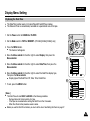
Displaying the Date/Time
✤
✤
The Date/Time function works in Camera/Player/M.Cam/M.Player modes.
The Date and Time are automatically recorded on a special data area of the tape.
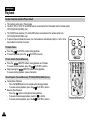
1. Set the Power switch to CAMERA or PLAYER.
1
2. Set the Mode switch to TAPE or MEMORY. (VP-D453(i)/D454(i)/D455(i) only)
3. Press the MENU button.
■ The menu list will appear.
4. Move the Menu selector to the left or right to select Display, then press the
Menu selector.
4
5. Move the Menu selector to the left or right to select Date/Time, then press the
Menu selector.
6. Move the Menu selector to the left or right to select the Date/Time display type,
then press the Menu selector.
■ Display type of the Date/Time: Off, Date, Time, Date&Time
7. To exit, press the MENU button.
[ Notes ]
■ The Date/Time will read 00:00 1.JAN.2005 in the following conditions.
- During playback of a blank section of a tape.
- If the tape was recorded before setting the Date/Time in the Camcorder.
- When the Lithium battery becomes weak or dead.
■ Before you use the Date/Time function, you must set the clock. See Setting the Clock on page 27.
Camera Mode
√Display
LCD Bright
LCD Colour
Date/Time
TV Display
Move
6
Select
Camera Mode
Back
LCD Bright
LCD Colour
Date/Time
TV Display
Move
√Off
√On
MENU
Exit
Off
Date
Time
Date&Time
Select
MENU
Exit
33
ENGLISH
Display Menu Setting
Setting the TV Display
✤
✤
The TV Display function works in Camera/Player/M.Cam/M.Player modes.
You can select the output path of the OSD (On Screen Display).
- Off: The OSD appears in the LCD screen and Viewfinder only.
- On: The OSD appears in the LCD screen, Viewfinder and TV.
- Use the DISPLAY button located at the left side of the Camcorder to turn the OSD on/off on the
LCD screen/Viewfinder/TV.
1. Set the Power switch to CAMERA or PLAYER.
1
2. Set the Mode switch to TAPE or MEMORY. (VP-D453(i)/D454(i)/D455(i) only)
3. Press the MENU button.
■ The menu list will appear.
4. Move the Menu selector to the left or right to select Display, then press the Menu selector.
4
5. Move the Menu selector to the left or right to select TV Display, then press the Menu selector.
6. To activate TV Display function, move the Menu selector to the left or right to select On or Off,
then press the Menu selector.
Camera Mode
√Display
LCD Bright
LCD Colour
Date/Time
TV Display
Move
√Off
√On
Select
MENU
Exit
MENU
Exit
7. To exit, press the MENU button.
6
[ Note ]
If a DV cable is connected to your camcorder, no OSD (On-screen Display) item is displayed
on the TV screen despite the TV Display has been set to On.
Camera Mode
Back
LCD Bright
LCD Colour
Date/Time
TV Display
Move
34
Off
On
Select
ENGLISH
Basic Recording
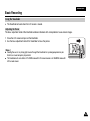
Using the Viewfinder
✤
The Viewfinder will work when the LCD screen is closed.
Adjusting the Focus
The focus adjustment knob of the Viewfinder enables individuals with vision problems to see clearer images.
1. Close the LCD screen and pull out the Viewfinder.
2. Use the focus adjustment knob of the Viewfinder to focus the picture.
[ Notes ]
■
Viewing the sun or any strong light source through the Viewfinder for a prolonged period may be
harmful, or cause temporary impairment.
■
The Viewfinder will work either in PLAYER mode with LCD screen closed or in CAMERA mode with
LCD screen closed.
35
ENGLISH
Basic Recording
Inserting and Ejecting a Cassette
✤
✤
When inserting a tape or closing the cassette compartment, do not apply excessive force, as it may cause a malfunction.
Do not use any tape other than Mini DV cassettes.
1. Turn on your Camcorder, then slide the TAPE EJECT switch on the upper of
the Camcorder and open the cassette door until it clicks.
■ The cassette holder automatically rises and opens forward.
2. Insert a tape into the cassette compartment with the tape window facing
outward and the protection tab toward the top. (Inserting a Cassette)
Remove the cassette tape, which is automatically ejected by pulling the
cassette out. (Ejecting a Cassette)
3. Press the PUSH label on the cassette holder and wait until it clicks and goes
back into place.
■ Do not apply excessive force or pressure on the cassette holder.
■ Do not forcibly push the cassette holder into the Camcorder.
■ The cassette is automatically loaded.
4. Close the cassette door.
1
2
3
4
PUSH
[ Note ]
When you have recorded something that you wish to keep, you can protect it so that it will not be accidentally
erased.
a. Protecting a tape:
Push the safety tab on the cassette so that the hole is uncovered.
b. Removing the tape protection:
If you no longer wish to keep the recording on the cassette, push the safety tab back so that it covers
the hole.
How to store a tape
a. Avoid places with magnets or magnetic interference.
b. Avoid humidity and dust prone places.
c. Keep the tape in an upright position and avoid storing it in direct sunlight.
d. Avoid dropping or mishandling your tapes.
36
a SAVE
b REC
ENGLISH
Basic Recording
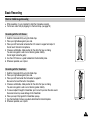
Hints for Stable Image Recording
✤
✤
While recording, it is very important to hold the Camcorder correctly.
Fix the lens cover firmly by clipping it to the hand strap. (see page 18)
Recording with the LCD Screen
1. Hold the Camcorder firmly using the hand strap.
2. Place your right elbow against your side.
3. Place your left hand under or beside the LCD screen to support and adjust it.
Do not touch the built-in microphone.
4. Choose a comfortable, stable position for the shots that you are taking.
You can lean against a wall or on a table for greater stability.
Do not forget to breathe gently.
5. Use the LCD frame as a guide to determine the horizontal plane.
6. Whenever possible, use a tripod.
Recording with the Viewfinder
1. Hold the Camcorder firmly using the hand strap.
2. Place your right elbow against your side.
3. Place your left hand under the Camcorder to support it.
Be sure not to touch the built-in microphone.
4. Choose a comfortable, stable position for the shots that you are taking.
You can lean against a wall or on a table for greater stability.
5. To view an object through the Viewfinder, pull it out until you hear the click sound.
Excessive force may cause damage to the Viewfinder.
6. Place your eye firmly against the Viewfinder eyecup.
7. Use the Viewfinder frame as a guide to determine the horizontal plane.
8. Whenever possible, use a tripod.
37
ENGLISH
Basic Recording
Various Recording Techniques
✤
In some situations different recording techniques may be required for more dramatic results.
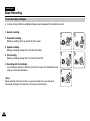
1. General recording.
1
2
3
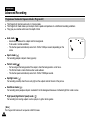
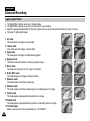
4
2. Downward recording.
Making a recording with a top view of the LCD screen.
3. Upward recording.
Making a recording viewing the LCD screen from below.
4. Self recording.
Making a recording viewing the LCD screen from the front.
5. Recording with the Viewfinder.
In circumstances where it is difficult to use the LCD screen, the Viewfinder can be
used as a convenient alternative.
[ Note ]
Please rotate the LCD screen carefully as excessive rotation may cause damage to
the inside of the hinge that connects the LCD screen to the Camcorder.
38
5
ENGLISH
Basic Recording
Making your First Recording
1. Connect a power source to the Camcorder. (see page 20)
(A Battery pack or a AC Power adapter)
Insert a cassette. (see page 36)
1
2
4
3
2. Remove the Lens cover.
√
√
3. Set the Power switch to CAMERA.
■ Open the LCD screen.
■ Set the Mode switch to TAPE.
(VP-D453(i)/D454(i)/D455(i) only)
Make sure that STBY is displayed.
■ If the write protection tab of the cassette is open
(set to save), STOP and Protection ! will be displayed.
Release the write protection tab to record.
■
■
Make sure the image you want to record appears on the LCD screen or Viewfinder.
Make sure the battery level indicates that there is enough remaining power for your expected recording time.
4. To start recording, press the Start/Stop button.
■ REC ● is displayed on the LCD screen.
To stop recording, press the Start/Stop button again.
■ STBY is displayed on the LCD screen.
[ Note ]
Detach the Battery pack when you are finished recording to prevent unnecessary battery power consumption.
39
ENGLISH
Basic Recording
Using EASY.Q Mode (for Beginners)
✤
✤
The EASY.Q mode works only in Camera mode.
The EASY.Q mode allows a beginner to easily make good recordings.
1. Set the Power switch to CAMERA.
1
2. Set the Mode switch to TAPE. (VP-D453(i)/D454(i)/D455(i) only)
3. By pressing the EASY.Q button, all functions on the camera will be set to off and the recording
settings will be set to the following basic modes:
■ The word EASY.Q will appear on the LCD screen at the same time.
■ Battery level, recording mode, counter, date/time, and DIS (
) will be displayed.
However, the Date/Time will only be seen if it has been previously set. (see page 33)
3
4. Press the Start/Stop button to start recording.
Recording will begin using the basic automatic settings.
5. Press the EASY.Q button again in the STBY mode and then turn the EASY.Q mode off.
■
The EASY.Q function will not turn off while you are recording.
■
The camera will return to the settings that were set prior to activating EASY.Q mode.
STBY
œ
[ Notes ]
■ In EASY.Q mode, certain functions are not available, such as Menu, BLC and Manual focus.
If you want to use these functions, you must first turn the EASY.Q mode off.
■ The EASY.Q mode settings are deleted when the Battery pack is removed from the Camcorder and
must be reset when the Battery pack is replaced.
■
■
40
Taking a photo image using the PHOTO button while EASY.Q is set, releases DIS function.
Digital Zoom, Color Nite or Digital Effect is not available in the EASY.Q mode.
SP
0:00:10
60min
ENGLISH
Basic Recording
When a cassette is loaded and the Camcorder is left in STBY mode for more than 5 minutes without being used,
it will switch off automatically.
To use it again, press the Start/Stop button or set the Power switch to OFF and then back to CAMERA.
This auto power off feature is designed to save battery power.
Record Search (REC SEARCH)
■
You can view a recording using the REC SEARCH +, - function in STBY mode.
REC SEARCH - enables you to play the recording backwards and
REC SEARCH + enables you to play it forwards, for as long as you keep each button pressed
down.
■
If you press the REC SEARCH - button in STBY mode, your Camcorder will play
in reverse for 3 seconds and return to the original position automatically.
[ Note ]
Mosaic shaped distortion may appear on the screen in Record Search mode.
41
ENGLISH
Basic Recording
Setting the Zero Memory (VP-D453(i)/D454(i)/D455(i) only)
✤
✤
The Zero Memory function works in both Camera and Player modes.
You can mark a point on a tape that you want to return to following playback.
1. Set the Power switch to CAMERA or PLAYER.
1
2. Set the Mode switch to TAPE.
3. Press the ZERO MEMORY button on the remote control before the recording or during playback
at the point where you wish to return.
■ The time code is changed to a tape counter that is set to Zero Memory with the
0:00:00 (Zero Memory indicator).
■ If you want to cancel the Zero Memory function, press the ZERO MEMORY button again.
4. Finding the zero position.
■ When you have finished playback, fast forward or rewind the tape in stop mode.
The tape stops automatically when it reaches the zero position.
■ When you have finished recording, set the Power switch to PLAYER and press the
(REW) button.
The tape stops automatically when it reaches the zero position.
5. The tape counter with the (Zero Memory indicator) disappears from the display and
the tape counter is changed to the time code.
[ Notes ]
■ In the following situations, Zero Memory mode may be canceled automatically:
- At the end of the section marked with the Zero Memory function.
- When the tape is ejected.
- When you remove the Battery pack or power supply.
■ The Zero Memory may not function correctly where there is a break between recordings on the tape.
42
œ
ENGLISH
Basic Recording
Self Record using the Remote Control (VP-D453(i)/D454(i)/D455(i) only)
✤
✤
The Self Timer function works only in Camera mode.
When you use the Self Timer function on the remote control, the recording begins
automatically in 10 seconds.
1. Set the Power switch to CAMERA.
1
2. Set the Mode switch to TAPE.
3. Press the SELF TIMER button until the appropriate indicator is displayed in the LCD screen.
4. Press the Start/Stop button to start the timer.
- Self Timer starts counting down from 10 with a beep sound.
- In the last one second of the countdown, the beep sound gets faster, then recording starts
automatically.
- If you want to cancel the Self Timer function before recording, press the SELF TIMER button.
3
œ
5. Press the Start/Stop button again when you wish to stop recording.
[ Notes ]
■ Do not obstruct the remote control sensor by putting obstacles between the remote control and
Camcorder.
■ The remote control range is 4 ~ 5m (13 ~ 17 ft).
■ The effective remote control angle is up to 30 degrees left /right from the centre line.
■ Using a tripod is recommended for delayed recording.
4
œ
43
ENGLISH
Basic Recording
Zooming In and Out
✤
✤
The Zoom function works in both Camera and M.Cam modes.
Zooming is a recording technique that lets you change the size of the subject in a scene.
✤ You can zoom using variable zoom speeds.
✤ Use these features for different shots. Please note that over-use of the zoom feature can lead to unprofessional looking
results and a reduction of battery usage time.
1. Move the Zoom Lever slightly for a gradual zoom, move it
further for a high-speed zoom.
■
Your zooming is monitored on the OSD.
TELE
2. T(Telephoto) side: Subject appears closer.
WIDE
3. W(Wide angle) side: Subject appears farther away.
■ You can record a subject that is about 10mm (about 0.5 inch)
away from the lens surface in the Wide position.
44
W
T
ENGLISH
Basic Recording
Using the Tele Macro
✤
✤
The Tele Macro function works in both Camera and M.Cam mode.
Effective focal distance in Tele Macro mode is 50 Cm (19.7 inches) ~ 100 Cm (39.4 inches).
1. Set the Power switch to CAMERA.
4
2. Set the Mode switch to TAPE or MEMORY. (VP-D453(i)/D454(i)/D455(i) only)
3. Press the MENU button.
■ The menu list will appear.
4. Move the Menu selector to the left or right to select Camera, then press the Menu selector.
5. Move the Menu selector to the left or right to select Macro, then press the Menu selector.
6. Move the Menu selector to the left or right to select On or Off, then press the Menu selector.
7. To exit, press the MENU button.
■ Tele Macro (
) icon will be displayed.
Camera Mode
√Camera
Program AE
White Balance
Digital Effect
Macro
DIS
Digital Zoom
Move
6
Select
Camera Mode
Back
Program AE
White Balance
Digital Effect
Macro
DIS
Digital Zoom
Move
STBY
√
[ Notes ]
■ When recording in Tele Macro mode, the focus speed may be slow.
■ When you operate the Zoom function in the Tele Macro mode, the recording subject may be
out of focus.
■ Use a tripod to prevent hand shake in the Tele Macro mode.
■ Avoid shadows when recording in the Tele Macro mode.
■ As the distance to the subject decreases, focusing area narrows.
■ When you can not get proper focus, use the Zoom Lever.
√Auto
√Auto
√Off
√Off
√Off
√Off
MENU
Exit
MENU
Exit
Off
On
Select
SP
0:00:10
60min
45
ENGLISH
Basic Recording
Using Quick Menu: Tele Macro
✤
✤
Quick menu is used to access Camcorder functions by simply using the Menu selector.
Quick menu provides easier access to the frequently used menus without using the MENU button.
1. Press the Menu selector.
1
STBY
Macro
DIS
Program AE
White Balance
Shutter
Exposure
Manual Focus
2. Move the Menu selector to the left or right to select Macro, then press the Menu selector.
3. Move the Menu selector to the left or right to select On or Off, then press the Menu selector.
4. To exit, press the MENU button.
MENU
SP
0:00:10
60min
SP
0:00:10
60min
Off
Exit
3
STBY
…
Macro
DIS
Program AE
White Balance
Shutter
Exposure
Manual Focus
MENU
46
Exit
Off
On
†
ENGLISH
Basic Recording
Using the Fade In and Out
✤
✤
The Fade function works only in Camera mode.
You can give your recording a professional look by using special effects
such as fade in at the beginning of a sequence or fade out at the end of
a sequence.
To Start Recording
1. Set the Power switch to CAMERA.
2. Set the Mode switch to TAPE. (VP-D453(i)/D454(i)/D455(i) only)
3. Before recording, hold down the FADE button.
■ The picture and sound gradually disappear (fade out).
4. Press the Start/Stop button and at the same time release the
FADE button.
Recording starts and the picture and sound gradually appear (fade in).
To Stop Recording (use Fade In/Fade Out)
5. When you wish to stop recording, hold down the FADE button.
■ The picture and sound gradually disappear (fade out).
6. When the picture has disappeared, press the Start/Stop button to stop
recording.
a. Fade Out
(Approx. 4 seconds)
3
STBY
SP
0:00:05
60min
REC ●
SP
0:00:20
60min
REC ●
SP
0:00:25
60min
STBY
SP
0:00:30
60min
➔
4
√
➔
5
➔
6
Hold down the FADE button
√
a. Fade Out
➔
Gradual disappearance
b. Fade In
(Approx. 4 seconds)
Gradual appearance
b. Fade In
Release the FADE button
47
ENGLISH
Basic Recording
Using Back Light Compensation Mode (BLC)
✤
✤
BLC works in both Camera and M.Cam modes.
Back lighting exists when the subject is darker than the background:
- The subject is in front of a window.
- The person to be recorded is wearing white or shiny clothes and is placed
against a bright background; the person’s face is too dark to distinguish
his/her features.
- The subject is outdoors and the background is overcast.
- The light sources are too bright.
- The subject is against a snowy background.
1. Set the Power switch to CAMERA.
<BLC off>
<BLC on>
3
2. Set the Mode switch to TAPE or MEMORY. (VP-D453(i)/D454(i)/D455(i) only)
3. Press the BLC button.
■ BLC icon (
) will be displayed.
[ Note ]
The BLC function will not operate in EASY.Q mode.
48
4
STBY
SP
0:00:10
60min
œ
4. To exit BLC mode, press the BLC button again.
■ Each press of the BLC button toggles: Normal ➝ BLC ➝ Normal.
ENGLISH
Basic Recording
Using the Color Nite/LED Light (VP-D453(i)/D454(i)/D455(i) only)
✤
✤
✤
✤
✤
The Color Nite function works only in Camera mode.
Shutter speed can be controlled, allowing you to record slow moving objects.
The Color Nite function may produce a brighter image.
The LED light can be used with Color Nite function only. (VP-D453(i)/D454(i)/D455(i) only)
The LED light enables you to record a subject in dark places without sacrificing colour.
(VP-D453(i)/D454(i)/D455(i) only)
1
1.
2.
3.
4.
Set the Power switch to CAMERA.
Set the Mode switch to TAPE.
Press the COLOR NITE button.
Each time you press the COLOR NITE button, shutter speed is changed to;
√ Color N. 1/25, Color N. 1/13 and off. (VP-D451(i) only)
√ Color N. 1/25, Color N. 1/13, Color N. 1/13( ) and off. (VP-D453(i)/D454(i)/D455(i) only)
3
[ Notes ]
■
The Color Nite will not turn ON or OFF while you are recording.
■
When using the Color Nite function, the image takes on a slow motion like effect.
■
When using the Color Nite function, the focus adjusts slowly and white dots may appear
on the screen, this is not a defect.
■
Color Nite is not available while DIS, photo image recording or EASY.Q is in use.
Danger (VP-D453(i)/D454(i)/D455(i) only)
4
STBY
SP
0:00:10
60min
œ
■
Digital Zoom, photo image recording, Mosaic, Mirror, Emboss2, Pastel2 or 16:9 Wide is not
available in the Color Nite mode.
If DIS or EASY.Q is set, Color Nite mode will be released.
œ
■
Color N.1/13
■
■
■
■
The LED Light can become extremely hot.
Do not touch it while in operation or soon after turning it off, otherwise serious injury may result.
Do not place the Camcorder in the carrying case immediately after using the LED Light,
since it remains extremely hot for some time.
Do not use near flammable or explosive materials.
49
ENGLISH
Advanced Recording
Use of various Functions
Setting menu Items
Main Menu
Camera
Tape
Record
Memory !
Sub Menu
Functions
Program AE
Selecting the Program AE Function
White Balance
Setting White Balance
Digital Effect
Setting the Digital special effect
Macro
Setting the Tele Macro
DIS
Selecting the Digital Image Stabilizing
Digital Zoom
Selecting Digital Zoom
Photo Search
Searching pictures recorded in Tape
Photo Copy
Copying still images from a cassette to Memory card
Audio Select
Selecting the Audio playback channel
Rec Mode
Selecting the recording speed
Audio Mode
Selecting Sound Quality for recording
Wind Cut
Minimizing wind noise
AV In/Out @
Selecting the AV or S-Video input/output
Memory Type #
Selecting the memory type
Photo Quality
Selecting Image Quality
M.Play Select
Selecting Storage Media (Photo, Movie) to playback
Delete
Deleting Files
Delete All
Deleting All files
Protect
Preventing Accidental Erasure
Print Mark
Print images recorded on a Memory Card
Copy To #
Copying the image of Memory card to int. memory
Format
Formatting the Memory Card
File No.
File Naming Options
(!): VP-D453(i)/D454(i)/D455(i) only
(@): VP-D451i/D453i/D454i/D455i only
(#): VP-D454(i)/D455(i) only
50
Available mode
Camera
Player
✔
✔
✔
✔
✔
✔
✔
✔
✔
M.Cam !
M.Player !
Page
62, 63
✔
58
64, 65
✔
45, 46
60, 61
66
✔
✔
✔
✔@
✔
✔
✔
✔
✔
67
105
77
53
54
55
75
✔
✔
✔
✔
✔
✔
✔
✔
✔
✔
✔
89
90, 91
102, 103
98, 99
98
96, 97
107, 108
106
100
92
ENGLISH
Advanced Recording
Main Menu
Display
System
Sub Menu
Functions
LCD Bright
Setting the Brightness tone of the LCD screen
LCD Colour
Setting the Colour tones of the LCD screen
Date/Time
Setting the Date and Time
TV Display
Selecting OSD on/off of TV
Clock Set
Setting the time
Remote !
Using the remote control
Beep Sound
Setting the Beep sound
Shutter Sound !
Setting the Shutter sound
USB Version !
Setting the USB Version
USB Connect !
Selecting the USB device
Language
Selecting the OSD language
Demonstration
Demonstration
Available mode
Camera
Player
M.Cam !
M.Player !
✔
✔
✔
✔
✔
✔
✔
✔
✔
✔
✔
✔
✔
✔
✔
✔
✔
✔
✔
✔
✔
✔
✔
✔
✔
✔
✔
✔
✔
✔
✔
✔
✔
✔
✔
Page
32
32
33
34
27
28
29
30
✔
✔
✔
82
81
26
31
(!): VP-D453(i)/D454(i)/D455(i) only
51
ENGLISH
Advanced Recording
Function availability in each Mode
Operating
Mode
Requested
Mode
DIS
Digital Zoom
PHOTO
(TAPE)
Color Nite
✕
✩
✕
✕
✕
The other
Digital Effect
O
✩
✩
✩
✩
O
✕
✕
✕
✕
✕
✕
O
Digital Zoom
PHOTO (TAPE)
✕
✕
✕
✕
16:9 Wide
✕
✕
Emboss2
Pastel2
Mirror
Mosaic
✕
O
O
O
Color Nite
Digital
Effects
The other
Digital Effect
Digital Effects
Digital functions
DIS
O
16:9
Wide
Emboss2, Pastel2
Mirror, Mosaic
O
O : The requested mode will work in this operating mode.
✕ : You cannot change the requested mode.
: The requested mode will work.
✩ : The requested mode will work. (operating mode data will be backed up.)
[ Note ]
When you select an item that cannot be changed, an error message will be displayed.
RESET
If you press the RESET button, the MENU settings are changed to the default settings.
Press the RESET button using an object with sharp point such as a small screwdriver.
✤
✤
52
ENGLISH
Advanced Recording
Selecting the Record Mode
✤
✤
The Record Mode function works in both Camera and Player (VP-D451i/D453i/D454i/D455i only) modes.
This Camcorder records and plays back in SP (standard play) mode and in LP (long play) mode.
- SP (standard play): This mode permits 60 minutes of recording time with a DVM60 tape.
- LP (long play): This mode permits 90 minutes of recording time with a DVM60 tape.
1. Set the Power switch to CAMERA or PLAYER.
4
2. Set the Mode switch to TAPE. (VP-D453(i)/D454(i)/D455(i) only)
Camera Mode
√Record
Rec Mode
Audio Mode
Wind Cut
√SP
√12Bit
√Off
3. Press the MENU button.
■ The menu list will appear.
Move
Select
MENU
Exit
MENU
Exit
4. Move the Menu selector to the left or right to select Record, then press the Menu selector.
6
5. Move the Menu selector to the left or right to select Rec Mode, then press the Menu
selector.
Camera Mode
Back
Rec Mode
Audio Mode
Wind Cut
SP
LP
6. Move the Menu selector to the left or right to select desired record mode(SP or LP), then press
the Menu selector.
Move
7. To exit, press the MENU button.
■ The selected icon will be displayed.
7
Select
STBY
SP
œ
0:00:10
60min
œ
[ Notes ]
■ We recommend that you use this Camcorder to play back any tapes recorded on this Camcorder.
Playing back a tape recorded in other equipment may produce mosaic shaped distortion.
■ When you record a tape in SP and LP modes, or LP mode only, the playback picture may be distorted
or the time code may not be written properly if there is a gap between scenes.
■ Record using SP mode for best picture and sound quality.
53
ENGLISH
Advanced Recording
Selecting the Audio Mode
✤
✤
The Audio Mode function works in both Camera and Player modes.
This Camcorder records sound in two ways. (12Bit, 16Bit)
- 12Bit: You can record two 12Bit stereo sound tracks.
The original stereo sound can be recorded onto the Main (Sound1) track.
Additional stereo sound can be dubbed onto the Sub (Sound2) track.
- 16Bit: You can record one high quality stereo sound using the 16Bit recording mode.
Audio dubbing is not possible when using this mode.
1. Set the Power switch to CAMERA or PLAYER.
4
2. Set the Mode switch to TAPE. (VP-D453(i)/D454(i)/D455(i) only)
Camera Mode
√Record
Rec Mode
Audio Mode
Wind Cut
√SP
√12Bit
√Off
3. Press the MENU button.
■
The menu list will appear.
Move
4. Move the Menu selector to the left or right to select Record, then press the Menu selector.
6
5. Move the Menu selector to the left or right to select Audio Mode, then press the Menu
selector.
6. Move the Menu selector to the left or right to select desired audio mode(12Bit or 16Bit), then
press the Menu selector.
7. To exit, press the MENU button.
Camera Mode
Back
Rec Mode
Audio Mode
Wind Cut
Move
7
Select
Exit
12Bit
16Bit
Select
STBY
MENU
SP
MENU
Exit
0:00:10
60min
16Bit
[ Note ]
When 12Bit is selected, no 12Bit indication will be displayed.
54
œ
ENGLISH
Advanced Recording
Cutting Off Wind Noise (Wind Cut)
✤
The Wind Cut function works in both Camera and Player (Audio dubbing) modes.
✤
The Wind Cut function minimizes wind noise or other noise while recording.
- When the wind cut is on, some low pitched tones sounds are eliminated along with the sound of the wind.
Use the Wind Cut when recording in windy places such as the beach or near buildings.
1. Set the Power switch to CAMERA or PLAYER.
4
2. Set the Mode switch to TAPE. (VP-D453(i)/D454(i)/D455(i) only)
3. Press the MENU button.
■ The menu list will appear.
Camera Mode
√Record
Rec Mode
Audio Mode
Wind Cut
Move
√SP
√12Bit
√Off
Select
MENU
Exit
MENU
Exit
4. Move the Menu selector to the left or right to select Record, then press the Menu selector.
Camera Mode
Back
Rec Mode
Audio Mode
Wind Cut
6. To activate the Wind Cut function, move the Menu selector to the left or right to select On,
then press the Menu selector.
Move
7. To exit, press the MENU button.
■ Wind Cut (
) icon will be displayed.
[ Note ]
Make sure Wind Cut is set to off when you want the microphone to be as sensitive as possible.
7
Off
On
Select
STBY
SP
0:00:10
60min
œ
6
5. Move the Menu selector to the left or right to select Wind Cut, then press the Menu
selector.
55
ENGLISH
Advanced Recording
Setting the Shutter Speed & Exposure
✤
✤
✤
The Shutter Speed function works only in Camera mode.
The Exposure function works in both Camera and M.Cam modes.
Quick menu is used to access Camcorder functions by simply using the Menu selector.
3
1.
2.
3.
4.
Set the Power switch to CAMERA.
Set the Mode switch to TAPE. (VP-D453(i)/D454(i)/D455(i) only)
Press the Menu selector.
Move the Menu selector to the left or right to select Shutter or Exposure, then press the
Menu selector.
5. Move the Menu selector to the left or right to select Manual, then press the Menu selector.
6. Move the Menu selector to the left or right to select desired shutter speed or exposure, then
press the Menu selector.
■
Shutter speed can be set to 1/50, 1/120, 1/250, 1/500, 1/1000, 1/2000, 1/4000 or
1/10000.
■
Exposure value can be set between 00 and 29.
7. To exit, press the MENU button.
■ Selected settings are displayed.
Recommended Shutter Speeds when Recording
✤ Outdoor sports such as golf or tennis: 1/2000 or 1/4000
✤ Moving cars or trains or other rapidly moving vehicles such as roller coasters: 1/1000, 1/500
or 1/250
✤ Indoor sports such as basketball: 1/120
STBY
Macro
DIS
Program AE
White Balance
Shutter
Exposure
Manual Focus
MENU
STBY
Macro
DIS
Program AE
White Balance
Shutter
Exposure
Manual Focus
SP
0:00:10
60min
…
Manual
†
Exit
6
S. 1/50
[29]
†
…
†
…
[ Notes ]
■ If you manually change the shutter speed and the exposure value when Program AE option is
selected, manual changes are applied first.
■ The image may not seem as smooth when a high shutter speed is set.
■ The Camcorder returns to the auto shutter and auto exposure settings when you set the change to the EASY.Q mode.
■ When recording with a Shutter Speed of 1/1000 or higher, make sure the sun is not shining into the lens.
56
0:00:10
60min
Exit
5
MENU
SP
Off
ENGLISH
Advanced Recording
Auto Focus/Manual Focus
✤
✤
The Auto Focus/Manual Focus function works in both Camera and M.Cam modes.
In most situations, it is better to use the automatic focus feature, as it enables you to concentrate
on the creative side of your recording.
✤ Manual focusing may be necessary under certain conditions that make automatic
focusing difficult and/or unreliable.
a
✤ Manual Focus can be set in the Quick Menu.
Auto Focusing
If you are inexperienced in the use of Camcorders, we recommend that you make use
of Auto Focus.
b
✤
c
d
Manual Focusing
In the following situations, you may obtain better results by adjusting the focus
manually.
a.
b.
c.
d.
A picture containing several objects, some close to the Camcorder, others further away.
A person enveloped in fog or surrounded by snow.
Very shiny or glossy surfaces like a car.
People or objects moving constantly or quickly like an athlete or a crowd.
1.
2.
3.
4.
Set the Power switch to CAMERA.
Set the Mode switch to TAPE or MEMORY. (VP-D453(i)/D454(i)/D455(i) only)
Press the Menu selector.
Move the Menu selector to the left or right to select Manual Focus, then press the Menu
selector.
5. Move the Menu selector to the left or right to select On, then press the Menu selector.
■
M.Focus( ) will blink.
6. Move the Menu selector to the left or right until the object is in focus.
4
STBY
Macro
DIS
Program AE
White Balance
Shutter
Exposure
Manual Focus
MENU
0:00:10
60min
…
On
†
Exit
5
SP
STBY
SP
0:00:10
60min
œ
✤
[ Note ]
Manual focus is not available in the EASY.Q mode.
57
ENGLISH
Advanced Recording
Setting the White Balance
✤
✤
✤
The White Balance function works in both Camera and M.Cam modes.
The White Balance is a recording function that preserves the unique image colour of the object in any recording condition.
You may select the appropriate White Balance mode to obtain good quality image colour.
■ Auto ( A ): This mode is generally used to control the White Balance automatically.
■ Hold (
):This holds the current White Balance value.
■ Indoor (
): This controls the White Balance according to the indoor ambience.
- Under halogen or studio/video lighting
- Subject is of one dominant colour
4
Camera Mode
- Close up
√Camera
Program AE
√Auto
■ Outdoor (
): This controls the White Balance according to the outdoor ambience.
White Balance √Auto
Digital Effect
- In daylight, especially for close up and where the subject is of one dominant colour.
√Off
1. Set the Power switch to CAMERA.
Move
2. Set the Mode switch to TAPE or MEMORY. (VP-D453(i)/D454(i)/D455(i) only)
6
4. Move the Menu selector to the left or right to select Camera, then press the Menu selector.
Move
58
7. To exit, press the MENU button.
■ The selected icon will be displayed.
■ When the Auto mode is selected, no icon will be displayed.
7
MENU
Auto
Hold
Indoor
Outdoor
Select
STBY
œ
6. Move the Menu selector to the left or right to select desired mode (Auto, Hold, Indoor or
Outdoor), then press the Menu selector.
Select
Camera Mode
Back
Program AE
White Balance
Digital Effect
Macro
DIS
Digital Zoom
3. Press the MENU button.
■ The menu list will appear.
5. Move the Menu selector to the left or right to select White Balance, then press the
Menu selector.
√Off
√Off
√Off
Macro
DIS
Digital Zoom
SP
MENU
Exit
A
Exit
0:00:10
60min
ENGLISH
Advanced Recording
Using Quick Menu: White Balance
Quick menu is used to access Camcorder functions by using the Menu selector.
Quick menu provides easier access to frequently used menus without using the MENU button.
1. Press the Menu selector.
1
3. Move the Menu selector to the left or right to select desired mode (Auto, Hold, Indoor or
Outdoor), then press the Menu selector.
4. To exit, press the MENU button.
STBY
Macro
DIS
Program AE
White Balance
Shutter
Exposure
Manual Focus
2. Move the Menu selector to the left or right to select White Balance, then press the
Menu selector.
MENU
STBY
Macro
DIS
Program AE
White Balance
Shutter
Exposure
Manual Focus
MENU
0:00:10
60min
SP
0:00:10
60min
Exit
3
[ Notes ]
■ The White Balance function will not operate in EASY.Q mode.
■ Turn the digital zoom off (if necessary) to set a more accurate white balance.
■ Reset the white balance if lighting conditions change.
■ During normal outdoor recording, setting to Auto may provide better results.
SP
Off
…
Outdoor
†
Exit
4
STBY
SP
0:00:10
60min
œ
✤
✤
59
ENGLISH
Advanced Recording
Setting the Digital Image Stabilizer (DIS)
✤
✤
The DIS function works only in Camera mode.
DIS (Digital Image Stabilizer) is a function that compensates for any shaking or hand movement while holding the
Camcorder (within reasonable limits).
✤ It provides more stable pictures when:
- Recording with the optical zoom (Under 10x. DIS is not available in Digital Zoom mode.)
- Recording a small object close-up
- Recording and walking at the same time
- Recording through the window of a vehicle
4
Camera Mode
1. Set the Power switch to CAMERA.
2. Set the Mode switch to TAPE. (VP-D453(i)/D454(i)/D455(i) only)
3. Press the MENU button.
■ The menu list will appear.
4. Move the Menu selector to the left or right to select Camera, then press the Menu selector.
5. Move the Menu selector to the left or right to select DIS, then press the Menu selector.
6. To activate the DIS function, move the Menu selector to the left or right to select On, then
press the Menu selector.
■ If you do not want to use the DIS function, set the DIS menu to Off.
7. To exit, press the MENU button.
■ DIS(
) icon will be displayed.
√Camera
Program AE
White Balance
Digital Effect
Macro
DIS
Digital Zoom
Move
6
60
MENU
Exit
MENU
Exit
Off
On
Select
STBY
œ
7
[ Notes ]
■ Digital Zoom, Color Nite, Mosaic, Mirror, Emboss2, Pastel2 and 16:9 Wide are not available in the
DIS mode.
■ When you press the PHOTO button while the DIS function is enabled, the DIS will be released shortly
and resume automatically after the photo recording.
Select
Camera Mode
Back
Program AE
White Balance
Digital Effect
Macro
DIS
Digital Zoom
Move
√Auto
√Auto
√Off
√Off
√Off
√Off
SP
0:00:10
60min
ENGLISH
Advanced Recording
Using Quick Menu: Digital Image Stabilizer (DIS)
✤
✤
Quick menu is used to access Camcorder functions by simply using the Menu selector.
Quick menu provides easier access to the frequently used menus without using the MENU button.
1. Press the Menu selector.
1
STBY
Macro
DIS
Program AE
White Balance
Shutter
Exposure
Manual Focus
2. Move the Menu selector to the left or right to select DIS, then press the Menu selector.
3. Move the Menu selector to the left or right to select On or Off, then press the Menu selector.
4. To exit, press the MENU button.
MENU
STBY
Macro
DIS
Program AE
White Balance
Shutter
Exposure
Manual Focus
MENU
0:00:10
60min
SP
0:00:10
60min
Exit
2
[ Notes ]
■ It is recommended that you deactivate the DIS function when using a tripod.
■ If you use the DIS function, the picture quality may deteriorate.
■ EASY.Q mode automatically sets the DIS to On.
SP
Off
…
On
†
Exit
STBY
SP
0:00:10
60min
œ
61
ENGLISH
Advanced Recording
Programmed Automatic Exposure Modes (Program AE)
✤
✤
✤
The Program AE function works only in Camera mode.
The Program AE mode allows you to adjust shutter speeds and apertures to suit different recording conditions.
They give you creative control over the depth of field.
■
Auto mode ( A )
- Auto balance between the subject and the background.
- To be used in normal conditions.
- The shutter speed automatically varies from 1/50 to 1/250 per second, depending on the
scene.
SP
œ
■
Sports mode ( )
For recording people or objects moving quickly.
■
Portrait mode ( )
- For focusing on the background of the subject, when the background is out of focus.
- The Portrait mode is most effective when used outdoors.
- The shutter speed automatically varies from 1/50 to 1/1000 per second.
■
Spotlight mode ( )
For recording correctly when there is only light on the subject and not the rest of the picture.
■
Sand/Snow mode ( )
For recording when people or objects are darker than the background because of reflected light from sand or snow.
■
High Speed (High Shutter Speed) mode ( )
For recording fast-moving subjects such as players in golf or tennis games.
[ Note ]
The Program AE function will not operate in EASY.Q mode.
62
STBY
0:00:10
60min
ENGLISH
Advanced Recording
Setting the Program AE
1. Set the Power switch to CAMERA.
4
Camera Mode
√Camera
Program AE
White Balance
Digital Effect
Macro
DIS
Digital Zoom
2. Set the Mode switch to TAPE. (VP-D453(i)/D454(i)/D455(i) only)
3. Press the MENU button.
■ The menu list will appear.
Move
4. Move the Menu selector to the left or right to select Camera, then press the Menu
selector.
6
6. Move the Menu selector to the left or right to select desired Program AE option, then
press the Menu selector.
7. To exit, press the MENU button.
■ The selected icon will be displayed.
■ When the Auto mode is selected, no icon will be displayed.
Move
1
MENU
1. Press the Menu selector.
2. Move the Menu selector to the left or right to select Program AE,
then press the Menu selector.
3. Move the Menu selector to the left or right to select desired Program AE option,
then press the Menu selector.
Exit
MENU
Exit
SP
0:00:10
60min
SP
0:00:10
60min
Off
Exit
3
STBY
Macro
DIS
Program AE
White Balance
Shutter
Exposure
Manual Focus
MENU
MENU
A
Auto
Sports
Portrait
Spotlight
Sand/Snow
High Speed
Select
STBY
Macro
DIS
Program AE
White Balance
Shutter
Exposure
Manual Focus
Using Quick Menu: Program AE
Select
Camera Mode
Back
Program AE
White Balance
Digital Effect
Macro
DIS
Digital Zoom
5. Move the Menu selector to the left or right to select Program AE, then press the Menu
selector.
√Auto
√Auto
√Off
√Off
√Off
√Off
…
Auto
A
†
Exit
4. To exit, press the MENU button.
63
ENGLISH
Advanced Recording
Applying Digital Effects
✤
✤
✤
✤
The Digital Effect function works only in Camera mode.
The Digital Effects enable you to give a creative look to your recording.
Select the appropriate digital effect for the type of picture that you wish to record and the effect you wish to create.
There are 11 digital effect modes.
1
2
1. Art mode
This mode gives the images a coarse effect.
2. Mosaic mode
3
4
This mode gives the images a mosaic effect.
3. Sepia mode
This mode gives the images a reddish-brown pigment.
4. Negative mode
This mode reverses the colours, creating a negative image.
5. Mirror mode
This mode cuts the picture in half, using a mirror effect.
6. BLK & WHT mode
This mode changes the images to black and white.
7. Emboss1 mode
This mode creates a 3D effect (embossing).
8. Emboss2 mode
This mode creates a 3D effect (embossing) on surrounding area of an image.
9. Pastel1 mode
This mode applies a pale pastel drawing effect to an image.
10.Pastel2 mode
This mode applies a pale pastel drawing effect to surrounding area of an image.
11.16:9 Wide mode
Select to record a picture to be played back on a 16:9 Wide TV.
64
5
6
7
8
9
10
11
ENGLISH
Advanced Recording
Selecting the Digital Effects
1. Set the Power switch to CAMERA.
1
2. Set the Mode switch to TAPE. (VP-D453(i)/D454(i)/D455(i) only)
3. Press the MENU button.
■ The menu list will appear.
4. Move the Menu selector to the left or right to select Camera, then press the Menu selector.
4
5. Move the Menu selector to the left or right to select Digital Effect, then press the
Menu selector.
6. Move the Menu selector to the left or right to select the desired digital effect mode,
then press the Menu selector.
Camera Mode
√Camera
Program AE
White Balance
Digital Effect
Macro
DIS
Digital Zoom
Move
7. To exit, press the MENU button.
■ The selected effect will be set.
6
[ Notes ]
■ The Mosaic, Mirror, Emboss2, Pastel2 and 16:9 Wide modes are not available while DIS or Color Nite
are in use.
■
Once DIS, EASY.Q or Color Nite is set, Mosaic, Mirror, Emboss2, Pastel2 or 16:9 Wide mode will be
released.
Digital Zoom is not available in the Mosaic, Mirror, Emboss2, Pastel2 or 16:9 Wide mode.
Digital Effect modes other than Mosaic, Mirror, Emboss2, Pastel2 and 16:9 Wide are available while DIS is in use.
Photo image recording is not available in the 16:9 Wide mode.
■
MENU
Exit
Off
Art
Mosaic
Sepia
Negative
Mirror
▼
Move
Digital Effect modes are not available while EASY.Q is in use.
■
Select
Camera Mode
Back
Program AE
White Balance
Digital Effect
Macro
DIS
Digital Zoom
■
■
√Auto
√Auto
√Off
√Off
√Off
√Off
Select
MENU
Exit
65
ENGLISH
Advanced Recording
Zooming In and Out with Digital Zoom
✤
Zoom works only in Camera mode.
Selecting the Digital Zoom
Zooming more than 10x is achieved digitally, up to 900x when combined with optical zoom.
The picture quality may deteriorate depending on how much you zoom in on the subject.
✤
✤
1. Set the Power switch to CAMERA.
2. Set the Mode switch to TAPE. (VP-D453(i)/D454(i)/D455(i) only)
3. Press the MENU button.
■ The menu list will appear.
4. Move the Menu selector to the left or right to select Camera, then press the Menu selector.
5. Move the Menu selector to the left or right to select Digital Zoom, then press the Menu
selector.
6. Move the Menu selector to the left or right to select the desired zoom mode (Off, 100x, 200x,
400x or 900x), then press the Menu selector.
4
7. To exit, press the MENU button.
[ Notes ]
■ Maximum zooming may result in lower picture quality.
■ Digital Zoom is not available while DIS, EASY.Q, photo image recording, Color Nite, Mosaic, Mirror,
Emboss2, Pastel2 or 16:9 Wide is in use.
6
■ Once photo image recording, Color Nite, Mosaic, Mirror, Emboss2, Pastel2 or 16:9 Wide is set,
Digital Zoom mode will be released. (The Digital Zoom mode will be backed up.)
■ Once DIS or EASY.Q is set, Digital Zoom mode will be released.
1
Camera Mode
√Camera
Program AE
White Balance
Digital Effect
Macro
DIS
Digital Zoom
Move
66
Select
Camera Mode
Back
Program AE
White Balance
Digital Effect
Macro
DIS
Digital Zoom
Move
√Auto
√Auto
√Off
√Off
√Off
√Off
MENU
Exit
Off
100x
200x
400x
900x
Select
MENU
Exit
ENGLISH
Advanced Recording
Photo Image Recording
✤
Photo image recording works only in Camera mode.
1. Set the Power switch to CAMERA.
2. Set the Mode switch to TAPE. (VP-D453(i)/D454(i)/D455(i) only)
3. Press the PHOTO button.
■ The still picture is recorded for about 6~7 seconds.
4. After the PHOTO has been recorded, the Camcorder returns to its previous mode.
Searching for a Photo Image
✤ The Photo Search works only in Player mode.
1. Set the Power switch to PLAYER.
2. Set the Mode switch to TAPE. (VP-D453(i)/D454(i)/D455(i) only)
3. Press the MENU button.
The menu list will appear.
4. Move the Menu selector to the left or right to select Tape, then press the Menu selector.
5. Move the Menu selector to the left or right to select Photo Search, then press the Menu
selector.
6. Press the
/ (REW/FF) buttons to select the photo.
■
The photo search process appears on LCD screen while you are searching.
■
After completing the search, the Camcorder displays the still image.
7. To exit, press the (STOP) or MENU button.
[ Notes ]
■ Taking a photo image while recording a video is not available.
■ You can use the remote control to take a photo by using the PHOTO button on the remote control.
Pressing the PHOTO button on the remote control records the still image with automatic focusing.
4
Player Mode
√Tape
Photo Search
Photo Copy
Audio Select
Move
6
■
■
■
When there are no still images recorded on the tape, it will be fully rewound or forwarded.
Photo image recording is not available while Color Nite or 16:9 Wide is in use.
DIS, Digital Zoom, Color Nite or Digital Effect is not available when taking a photo image.
Taking a photo image while EASY.Q, DIS or Digital Zoom mode is in use will release current mode.
(After a photo image is taken, the mode will return automatically.)
Select
SP
Photo Search
œœ /√
√√
Search
MENU
Exit
0:41:56:10
25min
Cancel
SP
MENU
Exit
0:44:38:03
25min
Photo Search
(VP-D453(i)/D454(i)/D455(i) only)
■
√Sound[1]
Photo searching...
œœ /√
√√
Search
Cancel
MENU
Exit
67
ENGLISH
Playback
Playing back a Tape you have recorded on the LCD Screen
✤
✤
The Playback function works only in Player mode.
You can monitor the playback picture on the LCD screen.
1. Set the Power switch to PLAYER.
1
2. Set the Mode switch to TAPE. (VP-D453(i)/D454(i)/D455(i) only)
3. Insert the tape you wish to view. (see page 36)
4. Open the LCD screen.
■ Adjust the angle of the LCD screen and set the brightness or colour if necessary.
3
5. Press the
(REW) button to rewind the tape to the starting point.
■ To stop rewinding, press the
(STOP) button.
■ The Camcorder stops automatically after rewinding is complete.
6. Press the
(PLAY/STILL) button to start playback.
■ You can view the picture you recorded on the LCD screen.
■ To stop the play operation, press the
(STOP) button.
5
Adjusting the LCD Bright/Colour during Playback
You can adjust the LCD Bright/Colour during playback.
The adjustment method is the same procedure as used in Camera mode. (see page 32)
✤
✤
[ Notes ]
■ You can also view the picture on a TV screen, after connecting the Camcorder to a TV or VCR. (see pages 70~71)
■
Various functions are available in Player mode. (see page 72)
■ For searching and viewing still images recorded onto tape. (see page 67)
68
ENGLISH
Playback
Controlling Sound from the Speaker
✤
✤
The Speaker works only in Player mode.
When you use the LCD screen for playback, you will hear recorded sound from the built-in Speaker.
- Take the following steps to lower the volume or mute the sound while playing a tape on the Camcorder.
1. Set the Power switch to PLAYER.
3
2. Set the Mode switch to TAPE. (VP-D453(i)/D454(i)/D455(i) only)
3. Press the
(PLAY/STILL) to play the tape.
4. Use the Menu selector to adjust the volume.
■ A volume level display will appear on the LCD screen.
Levels may be adjusted from anywhere between 00 to 19.
You will not hear any sound when the volume is set on 00.
■ If you close the LCD screen while playing, you will not hear sound from the speaker.
4
[ Notes ]
■ When the AV cable is connected to the Camcorder, you will not hear sound from the Built-In Speaker
and cannot adjust the volume.
■ The sound will return when you remove the connected AV cable from the jack of your Camcorder.
√
[05]
†
SP
0:46:00:11
60min
…
69
ENGLISH
Playback
Tape Playback
✤
The Playback function works only in Player mode.
Playback on the LCD Screen
It is easier to view a tape using the LCD screen as opposed to the viewfinder when in a moving automobile or outdoors.
✤
Playback on a TV Monitor
To play back a tape, the television must be PAL compatible. (see page 113)
We recommend that you use the AC Power adapter as the power source for the Camcorder.
✤
✤
Connecting to a TV which has Audio/Video Input Jacks
1. Connect the Camcorder to your TV with the Multi-AV cable.
■ The yellow jack: Video
■ The white jack: Audio(L)-mono
■ The red jack: Audio(R)
If you connect to a monaural TV, connect the yellow jack (Video)
to the video input of the TV and the white jack (Audio L) to the audio input
of the TV.
■ You may use the SCART adapter. (optional)
2. Set the Power switch to PLAYER.
3. Set the Mode switch to TAPE. (VP-D453(i)/D454(i)/D455(i) only)
4. Turn on the TV and set the TV/VIDEO selector on the TV to Video.
■ Refer to the TV user’s manual.
5. Play the tape.
S-Video input
TV
Video input-Yellow
Audio input
(left)-White
Audio input
(right)-Red
DV
USB
AV/ S
Audio/Video/
S-Video
[ Notes ]
■ You may use the S-Video connector on the cable to obtain better quality pictures if you have an S-Video jack on your TV.
■ Even if you use the S-Video connector, you still need to make audio connections on your TV.
■ If you connect the cable to the Audio/Video jack, you will not hear sound from the Camcorder's speakers.
■ If only a mono audio input is available on the TV set, use the Audio cable with the white jack (Audio L).
70
Camcorder
ENGLISH
Playback
Connecting to a TV which has no Audio and Video Input Jacks
✤
You can connect your Camcorder to a TV through a VCR.
1. Connect the Camcorder to your VCR with the Multi-AV cable.
■ The yellow jack: Video
■ The white jack: Audio(L) - Mono
■ The red jack: Audio(R)
2. Connect a TV to the VCR.
3. Set the Power switch to PLAYER.
4. Set the Mode switch to TAPE. (VP-D453(i)/D454(i)/D455(i) only)
5. Turn on both the TV and VCR.
■ Set the input selector on the VCR to Line.
■ Select the channel reserved for your VCR on the TV set.
6. Play the tape.
S-Video input
VCR
Video input-Yellow
Audio input(left)-White
Audio input(right)-Red
Camcorder
DV
USB
AV/ S
TV
Audio/Video/
S-Video
Antenna
Playback
You can play the recorded tape in Player mode.
✤
1.
2.
3.
4.
5.
Connect a power source and set the Power switch to PLAYER.
Set the Mode switch to TAPE. (VP-D453(i)/D454(i)/D455(i) only)
Insert the tape you wish to play back.
Using the
/ (REW/FF) buttons, find the first position you wish to play back.
Press the
(PLAY/STILL) button.
■ The images you recorded will appear on the TV after a few seconds.
■ If a tape reaches its end while being played back, the tape will rewind automatically.
[ Notes ]
■ The playback mode (SP/LP) is determined by the mode in which the tape was recorded.
■ If the VCR has an S-Video input terminal, you may use S-Video Connector for better quality.
■ The S-Video Connector transmits video only. Connect Audio cables for sound.
■ If only a mono audio input is available on the TV set, use the audio cable with the white jack (Audio L).
71
ENGLISH
Playback
Various Functions while in Player Mode
✤
✤
This function works only in Player mode.
The PLAY, STILL, STOP, FF and REW buttons are located on the Camcorder and the remote control.
(VP-D453(i)/D454(i)/D455(i) only)
✤ The F.ADV(Frame advance), X2 and SLOW buttons are located on the remote control only.
(VP-D453(i)/D454(i)/D455(i) only)
✤ To prevent tape and head-drum wear, your Camcorder will automatically stop if it is left in still or
slow mode for more than 3 minutes.
Playback Pause
■
■
Press the
(PLAY/STILL) button during playback.
To resume playback, press the
(PLAY/STILL) button.
Picture Search (Forward/Reverse)
■
■
œ
Press the
/ (REW/FF) buttons during playback or still mode.
To resume normal playback, press the
(PLAY/STILL) button.
Keep pressing the / (REW/FF) buttons during playback.
To resume normal playback, release the button.
Slow Playback (Forward/Reverse) (VP-D453(i)/D454(i)/D455(i) only)
■
œ
72
œ
■
Forward Slow Playback
- Press the SLOW button on the remote control during playback.
- To resume normal playback, press the
(PLAY/STILL) button.
Reverse Slow Playback
- Press the
(-) button during forward slow playback.
- To resume forward slow playback, press the
(+) button.
- To resume normal playback, press the
(PLAY/STILL) button.
(VP-D453(i)/D454(i)/D455(i) only)
ENGLISH
Playback
Frame Advance (To play back frame by frame) (VP-D453(i)/D454(i)/D455(i) only)
■
œ
X2 Playback (Forward/Reverse) (VP-D453(i)/D454(i)/D455(i) only)
Forward X2 playback
- Press the X2 button on the remote control during playback.
- To resume normal playback, press the
(PLAY/STILL) button.
■ Reverse X2 playback
- Press the
(-) button during forward X2 playback.
- To resume normal playback, press the
(PLAY/STILL) button.
œ
■
Press the F.ADV button on the remote control while in still mode.
- The Video advances frame by frame each time you press the F.ADV button.
- The F.ADV function works in still mode only.
To resume normal playback, press the
(PLAY/STILL) button.
- Forward frame advance
Press the F.ADV button on the remote control in still mode.
- Reverse frame advance
Press the
(-) button on the remote control to change the direction in F.ADV mode.
Press the F.ADV button on the remote control.
■
(VP-D453(i)/D454(i)/D455(i) only)
Reverse Playback (VP-D453(i)/D454(i)/D455(i) only)
To playback in reverse at normal speed, press the
(-) button during normal forward playback.
■ Press the
(PLAY/STILL) or
(+) button to return to normal forward playback.
■
[ Notes ]
■ Mosaic shaped distortion may appear on the screen while in some of the various playback modes.
Mosaic shaped distortion or noise may be experienced when you play back tapes recorded in LP
which contain various playback functions.
■ Sound will only be heard during normal SP or LP playback.
73
ENGLISH
Playback
Zooming during Playback (PB ZOOM)
✤
✤
The PB ZOOM function works in Player mode.
The PB ZOOM function enables you to magnify the playback or still image.
1. Set the Power switch to PLAYER.
3
2. Set the Mode switch to TAPE. (VP-D453(i)/D454(i)/D455(i) only)
3. Press the PB ZOOM button during playback or still mode.
4. The image is magnified starting from the centre of image.
5. You can zoom in from 1.2x to 8.0x by moving the Zoom lever.
■
Zoom ratio is not displayed on the screen.
6. To cancel the PB ZOOM function, press the PB ZOOM or
(STOP) button.
[ Notes ]
■ The PB ZOOM function enlarges starting from the centre of the screen only.
■ You cannot apply the PB ZOOM function to pictures which are being input from an external video source.
■ The PB ZOOM image cannot be imported to your PC from the Camcorder’s DV jack.
■ The PB ZOOM images cannot be exported to a PC.
■ OSD will not be displayed on the LCD screen while the PB ZOOM function is being operated.
To display OSD, press the PB ZOOM button once to stop operating PB ZOOM function,
or press the (STOP) button to stop playback.
74
5
ENGLISH
Playback
AV In/Out (VP-D451i/D453i/D454i/D455i only)
✤
✤
1.
2.
3.
4.
5.
AV In/Out function works only in Player mode.
AV In/Out setting enables you to record signal from external sources and display it on LCD screen.
Also, you can direct your video or image to external devices to record or play back.
Connect the Camcorder to your VCR or TV with the Multi-AV cable. (See pages 70~71)
Set the Power switch to PLAYER.
Set the Mode switch to TAPE. (VP-D453i/D454i/D455i only)
Turn on the VCR or TV.
Insert the blank tape with protection tab closed into the Camcorder.
■ If you want to record from a connected VCR, insert a recorded VHS tape into the VCR.
6. Press the MENU button.
■ The menu list will appear.
7. Move the Menu selector to the left or right to select Record, then press the Menu selector.
7
8. Move the Menu selector to the left or right to select AV In/Out, then press the
Menu selector.
9. Move the Menu selector to the left or right to select Out, AV In or S-Video In, then press the
Menu selector.
■ If you want to see the Camcorder picture with a TV, set AV In/Out menu to Out.
10.To exit, press the MENU button.
11.Press the Start/Stop button to set the Camcorder to REC PAUSE mode.
■ PAUSE appears on the LCD screen.
9
12.Select the TV programme or play back the VHS tape.
13.Press the Start/Stop button to start recording.
■ If you want to temporarily pause a recording, press the Start/Stop button.
14.To stop recording, press the (STOP) button.
1
Player Mode
√Record
Rec Mode
Audio Mode
Wind Cut
AV In/Out
Move
Player Mode
Back
Rec Mode
Audio Mode
Wind Cut
AV In/Out
[ Note ]
Move
When you record the images being played back on an analog VCR, if they are not being played back at
normal speed, (for example, more than double speed or slow playback), only a gray image appears on the Camcorder.
√SP
√12Bit
√Off
√Out
Select
MENU
Exit
Out
AV In
S-Video In
Select
MENU
Exit
75
ENGLISH
Playback
Audio Dubbing (VP-D453(i)/D454(i)/D455(i) only)
✤
✤
✤
✤
✤
The Audio Dubbing function works only in Player Mode.
You cannot dub sound on a pre-recorded tape in LP or 16 bit mode.
You can add sound to the original sound on a pre-recorded tape recorded in SP mode with 12bit sound.
Use the internal or an external microphone (not supplied) or other audio equipment.
The original sound will not be erased.
Dubbing Sound
1. Set the Power switch to PLAYER.
■ If you want to use an external microphone, connect the microphone to
the external MIC input jack on the Camcorder.
1
2. Set the Mode switch to TAPE.
■ When you wish to dub using the External A/V input, connect the Multi-AV
cable to the Multi-AV jack at the front side of camcorder. (see to page 75)
(PLAY/STILL) button and find the time frame of the scene to
4. Press the
(PLAY/STILL) button to pause the scene.
3 4
5. Press the A.DUB button on the remote control.
■ Audio dubbing (
) icon will be displayed.
■ The Camcorder is ready for dubbing.
6. Press the
7. Press the
76
5
√
3. Press the
be dubbed.
(PLAY/STILL) button to start dubbing.
(STOP) button to stop the dubbing.
[ Notes ]
■ You cannot use the Audio dubbing function while playing a write protected video tape.
■ To utilize an external MIC or sound source, connect a microphone to the MIC jack or use the Multi-AV cable to connect to
external sound source input.
■ To dub an external sound source, set the AV In/Out function to AV In. (VP-D453i/D454i/D455i only) (see page 75)
ENGLISH
Playback
Dubbed Audio Playback
1. Set the Power switch to PLAYER.
4
2. Set the Mode switch to TAPE. (VP-D453(i)/D454(i)/D455(i) only)
3. Insert the dubbed tape and press the MENU button.
4. Move the Menu selector to the left or right to select Tape, then press the Menu selector.
5. Move the Menu selector to the left or right to select Audio Select, then press the Menu
selector.
Player Mode
√Tape
Photo Search
Photo Copy
Audio Select
Move
6
6. Move the Menu selector to the left or right to select the audio playback channel, then press
the Menu selector.
■ Sound[1]: play the original sound.
■ Sound[2]: play the dubbed sound.
■ MIX[1+2]: play back sound 1 and 2 equally mixed.
8. Press the
Select
Player Mode
Back
Photo Search
Photo Copy
Audio Select
Move
7
√
Sound[2]
MENU
Exit
Sound[1]
Sound[2]
MIX[1+2]
Select
√
7. To exit, press the MENU button.
√Sound[1]
SP
MENU
Exit
0:01:53:10
20min
(PLAY/STILL) button to playback the dubbed tape.
[ Note ]
When you playback added sound (Sound 2 or MIX mode), you may experience a loss of sound quality.
77
ENGLISH
IEEE1394 Data Transfer
Transferring IEEE1394 (i.LINK)-DV standard data connections
Connecting to a DV Device (DVD Recorder, Camcorder, etc.)
■
■
Connecting to other DV standard products.
A standard DV connection is quite simple.
If a product has a DV jack, you can transfer data by connecting to the DV jack using the correct cable.
NOTE: Please be careful since there are two types of DV ports, (4pin, 6pin). This Camcorder has a 4pin terminal.
With a digital connection, video and audio signals are transmitted in digital format, allowing high quality images
to be transferred.
Connecting to a PC
If you want to transmit data to a PC, you must install an IEEE1394 add-on card into the PC. (not supplied)
■ The frame rate for video capture is dependent on the capacity of the PC.
■
[ Notes ]
■ When you transmit data from the Camcorder to another DV device, some functions may not work.
If this occurs, please reconnect the DV cable or turn the power OFF and ON again.
■ You cannot transmit data from the Camcorder to PC in M.Player mode. (VP-D453(i)/D454(i)/D455(i) only)
■ Do not use the Camcorder and IEEE1394 together as this will cause IEEE1394 to shut off.
■ Do not connect the Camcorder to a PC using both DV and USB cables. It may not operate properly.
■ Operation is not guaranteed for all computer environments recommended above.
■ The IEEE1394 cable (DV cable)is sold separately.
■ Video Capture software is commercially available.
■ Most DV enabled PCs have a 6 pin socket. In this case, a 6pin/4pin cable is required for the connection.
■ Most DV enabled Notebooks and Laptops have a 4 pin socket. Use a 4pin/4pin cable for the connection.
■ DIS and Color Nite are not available in DV (IEEE1394) mode.
78
ENGLISH
IEEE1394 Data Transfer
System Requirements
■
■
■
■
CPU: faster Intel® Pentium III™ 450MHz compatible.
Operating system: Windows® 98SE, ME, XP, Mac OS (9.1~10.2)
Main memory: more than 64 MB RAM
IEEE1394 add-on card or built in IEEE1394 card
Recording with a DV Connection Cable (VP-D451i/D453i/D454i/D455i only)
1. Set the Power switch to PLAYER.
2. Set the Mode switch to TAPE. (VP-D453i/D454i/D455i only)
3. Connect the DV cable (not supplied) from the DV jack of the Camcorder
to the DV jack of the other DV device.
■ Make sure that
is displayed.
4. Press the Start/Stop button to begin REC PAUSE mode.
■ PAUSE is displayed on the LCD screen.
5. Start playback on the other DV device while you monitor the picture.
6. Press the Start/Stop button to start recording.
If you want to pause recording momentarily, press the Start/Stop button again.
7. To stop recording, press the (STOP) button.
DV
USB
AV/ S
[ Notes ]
■ When using this Camcorder as a recorder, the pictures that appear on an external monitor may seem distorted, however recorded
pictures will not be affected.
■ Operation is not guaranteed for all the recommended computer environments mentioned above.
■
While transmitting data from the Camcorder to PC at strong electric field and strong magnetic field, VIDEO signal or AUDIO signal
may transmit with noise.
79
ENGLISH
USB Interface (VP-D453(i)/D454(i)/D455(i) only)
Transferring a Digital Image through a USB Connection
✤ The camcorder supports both USB 1.1 and 2.0 standards. (Depends on the PC specification)
✤ You can easily transfer recorded files from a Memory Card to a PC without additional add-on cards via a USB connection.
✤ If you transfer data to a PC, you need to install the software (DV Driver, Video Codec, DirectX 9.0) supplied with the Camcorder.
USB Connection speed depends on the System
High speed USB connection is supported by Microsoft (Windows) device drivers only.
■
Windows 98SE/ME - Full Speed USB
■
Windows 2000 - High speed USB on a system with Service Pack 4 or later installed.
■
Windows XP - High speed USB on a system with Service Pack 1 or later installed.
System Requirements
Windows System
CPU
OS(Operating System)
Memory
HDD capacity
Resolution
USB
■
Minimum
Intel Pentium III™, 600MHz
®
Windows 98SE/ME
128MB
1GB or more
1024 x 768 dots
24bit Colour
USB 1.1
®
Recommended
Intel® Pentium 4™, 2GHz
®
Windows 2000/XP
512MB
2GB or more
1024 x 768 dots
24bit Colour
USB 2.0 High Speed
It is not available for Macintosh systems.
[ Notes ]
USB 2.0 works only for removable disk functions.
■
On a slower PC than recommended, movie playback may not be smooth or video editing may take a long time.
■
On a slower PC than recommended, movie playback may skip frames or operate unexpectedly.
■
Intel® Pentium III™ or Pentium 4™ is a trademark of the Intel Corporation.
■
Windows® is a registered trademark of the Microsoft® Corporation.
■
All other brands and names are property of their respective owners.
■
Operations are not guaranteed for all of the recommended computer environments mentioned above.
■
Do not connect the Camcorder to a PC using both DV and USB cables. It may not operate properly.
■
In M.Cam or M.Player mode, be sure that the Memory card is inserted into Camcorder before connecting USB cable.
If no Memory card or an unformatted Memory card is inserted, PC will not recognize your camera as a removable disk.
■
USB Streaming requires Video Codec, DV Driver and DirectX 9.0.
■
If you disconnect the USB cable from the PC or the Camcorder during the data transfer, the data transfer will stop and the data may be damaged.
■
If you connect the USB cable to a PC using a USB HUB or with other devices at the same time, it may cause conflict and may not work properly.
If this occurs, remove all other USB devices and try the connection again.
■
80
ENGLISH
USB Interface (VP-D453(i)/D454(i)/D455(i) only)
Selecting the USB Device
✤
✤
The USB Connect function works only in M.Player mode.
Using the USB cable, you can connect your Camcorder to a computer to copy your movies and images from the Memory
card (or built-in memory; VP-D454(i)/D455(i) only), or to a printer to print your images.
1. Set the Power switch to PLAYER.
1
2. Set the Mode switch to MEMORY.
3. Press the MENU button.
■ The menu list will appear.
4. Move the Menu selector to the left or right to select System, then press the Menu selector.
4
5. Move the Menu selector to the left or right to select USB Connect, then press the
Menu selector.
6. Move the Menu selector to the left or right to select Computer or Printer, then press the
Menu selector.
■ You can select Computer to use the Camcorder as a PC Camera, USB Stream or
removable disk.
■ You can select Printer to use the PictBridge feature. (see page 109)
7. To exit, press the MENU button.
M.Player Mode
√System
Clock Set
Remote
Beep Sound
USB Version
USB Connect
Language
Move
6
Select
M.Player Mode
Back
Clock Set
Remote
Beep Sound
USB Version
USB Connect
Language
Move
√On
√On
√USB 2.0
√Computer
√English
MENU
Exit
Computer
Printer
Select
MENU
Exit
81
ENGLISH
USB Interface (VP-D453(i)/D454(i)/D455(i) only)
Setting the USB Communication Speed
✤
✤
The USB Version function works only in M.Cam and M.Player modes.
To ensure proper communication between the camcorder and a PC, please set the USB Version before connecting
the Camcorder to a PC.
1. Set the Power switch to CAMERA or PLAYER.
1
2. Set the Mode switch to MEMORY.
3. Press the MENU button.
■ The menu list will appear.
4. Move the Menu selector to the left or right to select System, then press the Menu selector.
4
5. Move the Menu selector to the left or right to select USB Version, then press the Menu
selector.
6. Move the Menu selector to the left or right to select USB 1.1 or USB 2.0, then press the Menu
selector.
■ Set the USB Version to USB 2.0 when it is supported by both PC and its
OS (Operating System).
6
■ If either the PC or OS does not support USB 2.0, set the USB Version to USB 1.1.
7. To exit, press the MENU button.
[ Notes ]
■ When USB Version is not set properly, the USB connection may fail to establish.
■ USB 2.0 may not be supported by certain PCs depending on their specifications.
In this case, choose the USB 1.1 for USB connection.
■ If USB 2.0 is not supported by the PC, USB 1.1 will automatically be used for the USB connection.
82
M.Player Mode
√System
Clock Set
Remote
Beep Sound
USB Version
USB Connect
Language
Move
Select
M.Player Mode
Back
Clock Set
Remote
Beep Sound
USB Version
USB Connect
Language
Move
√On
√On
√USB 2.0
√Computer
√English
MENU
Exit
USB 1.1
USB 2.0
Select
MENU
Exit
ENGLISH
USB Interface (VP-D453(i)/D454(i)/D455(i) only)
Installing DV Media Pro 1.0 Program
✤ To play back MPEG4 movies recorded by the camcorder or streaming data transferred through the USB connection on a
PC, the Video Codec program should be installed.
✤ Do not connect the Camcorder to PC before installing the program.
✤ If another camera or scanner is connected, please disconnect it in advance.
✤ This explanation is based on Windows® 98SE OS.
✤ DV Media Pro User's Manual is included on the accompanying CD(D:\help\) in Adobe's Portable Document Format(PDF)
The user's manual can be viewed using Acrobat Reader software, which is also included on the CD.
(D:\Support\AcrobatReader\AcroReader51_ENU_full.exe).
(The Acrobat Reader is a freeware product of AdobeSystems,Inc.)
✤ DV Media Pro User’s Manual is in English.
Programme Installation
1. Insert the software CD into the CD-ROM drive of your computer.
3
Installation selection screen appears on the monitor.
2. If the installation selection screen does not appear after inserting the CD, click “Run”
in the Windows “Start” menu and execute Autorun.exe file to begin installation.
When CD-ROM drive is set to “D:drive”, type “D:\autorun.exe” and press Enter.
3. Click the icons listed below to install the selected software.
■ DV Driver Click
USB removable Disk Driver (Windows® 98SE only)
USB PC CAMERA & STREAMING Driver (CAPTURE DRIVER)
- Connect a Camcorder to your PC to complete the DV Driver installation.
1) Set the camcorder Power switch to CAMERA.
2) Set the camcorder Mode switch to TAPE.
3) Connect the camcorder to the PC using the USB cable.
4) The SAMSUNG A/V Capture driver installation begins on the PC.
■ DirectX 9.0 Click
■ Video Codec Click
The Video Codec needs to be installed in order to playback the MPEG4 movies (stored in the Memory Card) on a PC or
to use the USB Streaming/PC Camera functions.
83
ENGLISH
USB Interface (VP-D453(i)/D454(i)/D455(i) only)
Using the PC Camera Function
✤ To use the PC Camera function, the DV Driver, Video Codec and DirectX 9.0. programmes must be installed in the PC.
✤ You can use this Camcorder as a PC Camera. This is useful when connecting to a Web site that provides video chatting
functions.
✤ When using this camcorder for video conferencing (such as NetMeeting), voice communication may not be supported
depending on the video conferencing software. In this case, connect an external microphone to the soundcard of the PC to
enable voice communication.
✤ You can participate in video conferencing by using the Camcorder with PC Net-meeting programme installed.
✤ The PC Camera's screen size (Transfer video frame rate for the PC Camera function is max 15 fps.)
■
320X240 (QVGA) pixels for USB 1.1 connection.
✤ If PC is connected with the USB to the Camcorder, only the Power, Mode and Zoom switches can be operated.
1. Set the Power switch to CAMERA.
1
2. Set the Mode switch to TAPE.
3. Connect one end of the USB cable to the USB jack on the Camcorder and the other end to the
USB connector on your computer.
2
84
ENGLISH
USB Interface (VP-D453(i)/D454(i)/D455(i) only)
Using the USB Streaming Function
✤ To use USB streaming, the DV Driver, Video Codec, DirectX 9.0. programmes must be installed in the PC.
✤ You can view Camcorder video on your PC using USB streaming.
✤ You can also store it as a moving picture in the “avi” file format, or as a still image in the “jpg” file format on a PC.
1. Set the Power switch to CAMERA or PLAYER, set the Mode switch to TAPE.
2. Connect one end of the USB cable to the USB jack on the Camcorder and the other end to the USB jack on your computer.
3. Setup and execute Windows Movie Maker or the Ulead VIDEO Studio Software application provided on the CD.
- For detailed instructions for Ulead VIDEO Studio use, refer to the programme’s Help function.
- Windows Movie Maker is used for WINDOWS ME and XP users. (C:\program files\Movie maker\moviemk.exe)
Using the removable Disk Function
✤ You can easily transfer data from a Memory card to a PC without additional add-on cards via a USB connection.
1. Set the Power switch to CAMERA or PLAYER, set the Mode switch to MEMORY.
2. Connect one end of the USB cable to the USB jack on the Camcorder and the other end to the USB jack on your computer.
3. To verify whether the removable disk has been properly recognized, open Windows Explorer and locate the removable disk.
Connecting to a PC
1. Connect a USB cable to the USB jack on the PC.
■
If a USB cable is connected to the Camcorder's USB jack, nothing is displayed on a TV.
2. Connect the other end of the USB cable into the USB jack on the Camcorder.
■
If a PC is connected to the Camcorder with a USB cable only, Zoom switch and Mode
switch operate.
Disconnecting the USB Cable
USB Cable
DV
USB
✤ After completing the data transmission, you must disconnect the cable in the following way:
AV/ S
1. Select the removable disc icon and click the right mouse button to select [Eject].
2. Select [Confirm] and disconnect the USB cable when the Windows Splash screen appears.
[ Notes ]
If you disconnect the USB cable from the PC or the Camcorder while transferring, the data transmission will stop and the data may be damaged.
■
If you connect the USB cable to a PC via a USB HUB or simultaneously connect the USB cable along with other USB devices, the
Camcorder may not work properly.
If this occurs, remove all USB devices from the PC and reconnect the Camcorder.
■
While transmitting data from the Camcorder to PC at strong electric field and strong magnetic field, VIDEO signal or AUDIO signal may
transmit with noise.
85
■
ENGLISH
Digital Still Camera Mode (VP-D453(i)/D454(i)/D455(i) only)
Memory Stick (Optional Accessory)
✤
The Memory Stick stores and manages images recorded by the camera.
Memory Stick Functions
Recording still images and MPEG4 movies
■ Viewing still images and MPEG4 movies
- Single image
- Slide show (Still images only)
- Multi display (Still images only)
■ Protecting images against accidental erasure
■ Deleting images recorded on a Memory Stick
■ Print marking still images
■ Formatting a Memory Stick
■
Terminal
Protection tab
[ Notes ]
■ You can use most of the camera’s functions when recording to the Memory Stick.
■
appears on the screen while recording to the Memory Stick.
■ While recording or loading an image, do not eject the Memory Stick.
Ejecting a Memory Stick while recording or loading an image can cause data damage.
■ If you want to save all images on the Memory Stick, set the write protect tab on the Memory Stick to LOCK.
TM
■
■
86
“Memory Stick” and
are trademarks of Sony Corporation.
All other product names mentioned herein may be the trademarks or registered trademarks of their respective
companies.
Furthermore, “™” and “ ® ” are not mentioned in each instance in this manual.
ENGLISH
Digital Still Camera Mode (VP-D453(i)/D454(i)/D455(i) only)
Inserting and Ejecting the Memory Card
Inserting the Memory Card
1. Set the Power switch to OFF.
2. Remove the Lithium-ion battery from the rear of the Camcorder.
3. Insert the Memory Card in the direction of the arrow into the Memory Card slot
located on the rear of the Camcorder.
Ejecting the Memory Card
1. Set the Power switch to OFF.
2. Push the Memory Card, then it comes out of the Camcorder automatically.
3. Pull out the Memory Card.
Do not attempt to pull the Memory Card out without first pushing it in.
VP-D453(i) only
Memory Stick
Memory Stick PRO
VP-D454(i)/D455(i) only
Memory Stick
[ Notes ]
Memory Stick PRO
■ Memory Stick Duo type or RS-MMC (VP-D454(i)/D455(i) only) should be inserted by
using the Adaptor (not supplied).
■ If you set the Camcorder to M.Player mode, the last recorded still image appears.
SD/MMC
If there are no recorded images on the Memory Card, No image ! will display on the
screen.
■ While recording, loading, erasing or formatting, do not turn off the power or change the
(Usable Memory Card)
mode.
■ Please turn the power off before you insert or eject the Memory Card.
You could lose data on the Memory Card.
■ Do not allow metal substances to come in contact with the terminals of the Memory Card.
■ Do not bend, drop or apply strong shock to Memory Card.
■ After pulling the Memory Card out from the Camcorder, please keep the Memory Card in a soft case to prevent static shock.
■ The stored contents may be changed or lost as a result of misuse, static electricity, electric noise or repair.
Save important images separately.
■ Samsung is not responsible for data loss due to misuse.
87
ENGLISH
Digital Still Camera Mode (VP-D453(i)/D454(i)/D455(i) only)
Structure of Folders and Files on the Memory Card
✤
✤
✤
The still images that you recorded are saved in a JPEG file format on the Memory Card.
The moving images that you recorded are saved in MPEG4 file format on the Memory Card.
Each file has a file number and all files are assigned to a folder.
- A file number from DCAM0001 is sequentially assigned to each recorded image.
- Each folder is numbered from 100SSDVC and recorded on the Memory Card.
Image Format
Still Image
■ Images are compressed in JPEG (Joint Photographic Experts Group) format.
■ The picture size is 800x600 (Tape Capture 640x480).
Moving Image
■ Images are compressed in MPEG 4 (Moving Picture Experts Group) format.
■ The picture size is 720x576.
DCIM
100 SSDVC
DCAM 0001
DCAM 0002
..
..
101SSDVC
<Still image>
MSAMSUNG
SSMOV
100SSMOV
<Moving image>
Selecting the Camcorder Mode
✤
✤
You can use this Camcorder as a Digital Still Camera (DSC).
You have to set the Mode switch to Memory Card to use this Camcorder as Digital Still
Camera.
M. Player
000-0000
File number
Folder number
M.Cam mode (Memory record mode)
1. Set the Power switch to CAMERA.
2. Set the Mode switch to MEMORY.
M.Player mode (Memory playback mode)
1. Set the Power switch to PLAYER.
2. Set the Mode switch to MEMORY.
88
ENGLISH
Digital Still Camera Mode (VP-D453(i)/D454(i)/D455(i) only)
Selecting the Built-in Memory (VP-D454(i)/D455(i) only)
✤
✤
Built-in memory setting is available in the Player/M.Cam/M.Player modes. (VP-D454(i): 16MB/VP-D455(i): 64MB)
Images can be stored and played back using the built-in memory.
Hence, set the memory type before storing and playing back images.
1. Set the Power switch to CAMERA or PLAYER.
4
M.Cam Mode
√Memory
Memory Type
Photo Quality
File No.
2. If the Power switch is set to CAMERA mode, set the Mode switch to MEMORY.
If the Power switch is set to PLAYER mode, set the Mode switch to TAPE or MEMORY.
3. Press the MENU button.
■ The menu list will appear.
Move
4. Move the Menu selector to the left or right to select Memory, then press the Menu selector. 6
√Int. Memory
√Fine
√Series
Select
M.Cam Mode
Back
Memory Type
Photo Quality
File No.
5. Move the Menu selector to the left or right to select Memory Type, then press the
Menu selector.
6. Move the Menu selector to the left or right to select Int. Memory or Memory Card,
then press the Menu selector.
Move
MENU
Exit
Int. Memory
Memory Card
Select
MENU
Exit
7. To exit, press the MENU button.
Using Quick Menu: Memory Type
1. Press the Menu selector.
2. Move the Menu selector to the left or right to select Memory Type, then press the Menu selector.
3. Move the Menu selector to the left or right to select Int. Memory or Memory Card,
then press the Menu selector.
…
Memory Type
Macro
White Balance
Photo Quality
Exposure
Manual Focus
MENU
Int. Memory
On †
46
1min
Exit
4. To exit, press the MENU button.
89
ENGLISH
Digital Still Camera Mode (VP-D453(i)/D454(i)/D455(i) only)
Selecting the Image Quality
✤
✤
Photo Quality function works in Player/M.Cam modes.
You can select the quality of a still image to be recorded.
Select the Image Quality
1. Set the Power switch to CAMERA or PLAYER.
2. If the Power switch is set to CAMERA mode, set the Mode switch to MEMORY.
If the Power switch is set to PLAYER mode, set the Mode switch to TAPE.
3. Press the MENU button.
■ The menu list will appear.
4. Move the Menu selector to the left or right to select Memory, then press the Menu selector.
5. Move the Menu selector to the left or right to select Photo Quality, then press the Menu
4
selector.
6. Move the Menu selector to the left or right to select desired image quality
(Super Fine, Fine, Normal), then press the Menu selector.
7. To exit, press the MENU button.
■ The selected icon will be displayed.
8MB
16MB
Super Fine
Approx. 34
Approx. 68
Fine
Approx. 45
Approx. 90
Normal
Approx. 74
Approx. 148
The actual number of images that you can record varies depending on the image size.
[ Note ]
The above approximation is based on a 8MB Memory Stick under normal recording conditions.
90
M.Cam Mode
√Memory
Photo Quality
File No.
Move
Number of Images on the Memory Card
QUALITY
2
6
M.Cam Mode
Back
Photo Quality
File No.
Move
√Super Fine
√Series
Select
MENU
Exit
Super Fine
Fine
Normal
Select
MENU
Exit
ENGLISH
Digital Still Camera Mode (VP-D453(i)/D454(i)/D455(i) only)
Using Quick Menu: Photo Quality
✤
✤
Quick menu is used to access Camcorder functions by using the Menu selector.
Quick menu provides easier access to frequently used menus without using the MENU button.
1. Press the Menu selector.
1
46
1min
2. Move the Menu selector to left or right to select Photo Quality, then press the Menu selector.
Macro
White Balance
Photo Quality
Exposure
Manual Focus
3. Move the Menu selector to the left or right to select desired image quality (Super Fine, Fine,
Normal), then press the Menu selector.
MENU
4. To exit, press the MENU button.
■ The selected icon will be displayed.
Off
Exit
3
46
1min
Macro
White Balance
Photo Quality
Exposure
Manual Focus
MENU
…
Super Fine
†
Exit
91
ENGLISH
Digital Still Camera Mode (VP-D453(i)/D454(i)/D455(i) only)
Memory File Number
✤
✤
✤
File Number setting works only in M.Cam mode.
File numbers are given to images in the order they were recorded when they are stored on the Memory Card.
Memory file numbers may be set as follows:
■ Series: When there are existing files, the new image will be named as the next number in the sequence.
■ Reset: When there are no files stored on the Memory Card, the file numbering starts from 0001.
1. Set the Power switch to CAMERA.
4
2. Set the Mode switch to MEMORY.
M.Cam Mode
√Memory
Photo Quality
File No.
√Fine
√Series
3. Press the MENU button.
■ The menu list will appear.
Move
Select
MENU
Exit
4. Move the Menu selector to the left or right to select Memory, then press the Menu selector.
6
5. Move the Menu selector to the left or right to select File No., then press the Menu selector.
M.Cam Mode
Back
Photo Quality
File No.
6. Move the Menu selector to the left or right to select desired option (Series or Reset),
then press the Menu selector.
7. To exit, press the MENU button.
92
Move
Series
Reset
Select
MENU
Exit
ENGLISH
Digital Still Camera Mode (VP-D453(i)/D454(i)/D455(i) only)
Taking Photos
✤
You may take still images in M.Cam mode and store the images on the Memory Card.
This function is useful when you want to take a snapshot of a subject while you are using the Camcorder.
✤ You can take photos using the remote control.
✤ Audio will not be recorded with a Still image onto the Memory Card.
1
1. Set the Power switch to CAMERA.
2. Set the Mode switch to MEMORY.
3. After framing your object to record, fully press the PHOTO button to take the picture.
■ The picture is taken and saved in the Memory Card within a few seconds.
■ Taking another picture within this interval is not possible.
■ The
indicator appears on the LCD screen during the time it takes to save the image.
3
[ Notes ]
■ Still images are saved in the Memory Card in an 800x600 format.
■ The number of still images that can be stored depends on the quality of the image.
46
1min
93
√
ENGLISH
Digital Still Camera Mode (VP-D453(i)/D454(i)/D455(i) only)
Viewing Still Images
✤
This function works only in M.Player mode.
You can playback and view still images recorded on the Memory Card.
✤ Be sure that the M.Play Select is set to Photo in the MENU.
✤ There are 3 ways to view recorded images.
- Single Image: To view an image frame by frame.
- Slide Show: To view all images automatically and in consecutive order.
- Multi Display: To view 6 images at once.
To view a Single Image
1. Set the Power switch to PLAYER.
2. Set the Mode switch to MEMORY.
■ The last recorded image appears.
■ If there are no recorded images on the Memory Card, No image !
will display on the screen.
3. Using the
/ (REV/FWD) buttons, search for the desired still image.
■ To view the next image: press the
(FWD) button.
■ To view the previous image: press the
(REV) button.
■ Pressing
(FWD) when you are on the last image will take you to the first image and
pressing (REV) when you are on the first image will take you to the last image.
■ Keep pressing
(FWD) or (REV) to search for an image quickly.
To view a Slide Show
1. Set the Power switch to PLAYER.
2. Set the Mode switch to MEMORY.
■ The last recorded image appears.
3. Press the
(S.SHOW) button.
■ “Slide” will be displayed.
■ All images will be played back consecutively for 2~3 seconds each.
4. To stop the Slide Show, press the
(S.SHOW) button again.
[ Notes ]
■ Loading time may vary depending on the image size.
■ The Slide Show will start from the current picture.
■ Any large sized image taken with another device will be displayed as a thumbnail image.
94
S.SHOW
3
Slide
MULTI
2/46
800x600
100-0002
ENGLISH
Digital Still Camera Mode (VP-D453(i)/D454(i)/D455(i) only)
To view the Multi Display
1. Set the Power switch to PLAYER.
2. Set the Mode switch to MEMORY.
■ The last recorded image appears.
100-0007
œœ
√√
√
3. To view six stored images on single screen, press the (MULTI) button.
■ A selection mark (
) appears under the image.
■ Press
(REV/FWD) button to select an image.
/
4. To return to single Playback mode, press the (MULTI) button again.
■
The selected picture is displayed in full screen mode.
7/25
œ
S.SHOW
MULTI
[ Notes ]
■ To display the previous six images, press and hold the
(REV) button for about 3 seconds.
■ To display the next six images, press the
(FWD) button for about 3 seconds.
■
In order to use Delete, Protect or Print Mark functions in while viewing Multi Display, use the
Quick Menu by pressing the Menu Selector.
95
ENGLISH
Digital Still Camera Mode (VP-D453(i)/D454(i)/D455(i) only)
Protection from Accidental Erasure
✤
✤
The Protection function works only in M.Player mode.
You can protect important images from accidental erasure.
If you execute format, all images including protected images will be erased.
1. Set the Power switch to PLAYER.
5
2. Set the Mode switch to MEMORY.
■ The last recorded image appears.
■ If there are no recorded images on the Memory Card, No image ! will display on the screen.
3. Using the
/
(REV/FWD) buttons, search for the still image that you want to protect.
4. Press the MENU button.
■ The menu list will appear.
M.Player Mode
√Memory
M.Play Select
Delete
Delete All
Protect
Print Mark
Format
Move
7
5. Move the Menu selector to the left or right to select Memory, then press the Menu selector.
6. Move the Menu selector to the left or right to select Protect, then press the Menu selector.
√Off
Select
M.Player Mode
Back
M.Play Select
Delete
Delete All
Protect
Print Mark
Format
Move
7. Move the Menu selector to the left or right to select On, then press the Menu selector.
■
If you want to release the protection setting, select Off.
√Photo
8
Select
MENU
Exit
MENU
Exit
Off
On
2/46
800x600
8. To exit, press the MENU button.
■ The protection (
) icon will be displayed.
[ Notes ]
■ Protected pictures will show the (
) mark when they are displayed.
■ If the write protection tab on the Memory Card is set to LOCK, you cannot set image protection.
96
œ
100-0002
ENGLISH
Digital Still Camera Mode (VP-D453(i)/D454(i)/D455(i) only)
Using Quick Menu: Protect
✤
✤
Quick menu is used to access Camcorder functions by simply using the Menu selector.
Quick menu provides easier access to the frequently used menus without using the MENU button.
1. Press the Menu selector.
1
2/46
800x600
2. Move the Menu selector to left or right to select Protect, then press the Menu selector.
M.Play Select
Delete
Protect
Print Mark
3. Move the Menu selector to the left or right to select On or Off, then press the Menu selector.
4. To exit, press the MENU button.
MENU
Photo
100-0002
Exit
3
2/46
800x600
M.Play Select
Delete
Protect
Print Mark
MENU
Exit
…
On
†
100-0002
2/46
800x600
œ
100-0002
97
ENGLISH
Digital Still Camera Mode (VP-D453(i)/D454(i)/D455(i) only)
Deleting Still Images and Moving Images
✤
✤
✤
✤
The Delete function works only in M.Player mode.
You can erase the still images and moving images recorded on the Memory Card.
If you want to delete protected images, you must first deactivate the image protection. (See page 96)
An image which has been deleted cannot be recovered.
5
1. Set the Power switch to PLAYER.
2. Set the Mode switch to MEMORY.
3. Using the
/
(REV/FWD) buttons, search for the still image that you want to delete.
M.Player Mode
√Memory
M.Play Select
Delete
Delete All
Protect
Print Mark
Format
Move
4. Press the MENU button.
■ The menu list will appear.
6
5. Move the Menu selector to the left or right to select Memory, then press the Menu selector.
6. Move the Menu selector to the left or right to select Delete, then press the Menu selector.
■ A message Do you want to delete ? appears.
√Off
Select
MENU
Exit
MENU
Exit
M.Player Mode
Back
M.Play Select
Delete
Delete All
Protect
Print Mark
Format
Move
7. Move the Menu selector to the left or right to select Yes or No, then press the
Menu selector.
√Photo
Select
7
2/46
800x600
8. To exit, press the MENU button.
Do you want to delete ?
Yes
[ Note ]
Deleting All images at once
Move the Menu selector to the left or right to select Delete All, then press the Menu selector.
A message Do you want to delete all ? appears.
Move the Menu selector to the left or right to select Yes or No, then press the Menu selector.
98
Previous
Next
No
100-0002
ENGLISH
Digital Still Camera Mode (VP-D453(i)/D454(i)/D455(i) only)
Using Quick Menu: Delete
✤
✤
Quick menu is used to access Camcorder functions by simply using the Menu selector.
Quick menu provides easier access to the frequently used menus without using the MENU button.
1. Press the Menu selector.
1
2/46
800x600
2. Move the Menu selector to left or right to select Delete, then press the Menu selector.
3. Move the Menu selector to the left or right to select Cancel or Delete, then press the
Menu selector.
M.Play Select
Delete
Protect
Print Mark
4. To exit, press the MENU button.
MENU
Photo
100-0002
Exit
3
[ Notes ]
■ When there is no stored picture on the Memory Card, the message No image ! will be displayed.
■ If an erroneous image file is found on the Memory Card, the message Memory Card error ! will be
displayed.
It may be caused by copying images from different digital devices.
■ Formatting the Memory Card will delete all the stored images. (See page 100)
■ To protect important pictures from accidental deletion, activate the image protection. (See page 96)
■ Deleting all files using the Delete All menu may take a while.
To delete all files much faster, format the memory card after backing up the files into other storage device.
2/46
800x600
M.Play Select
Delete
Protect
Print Mark
MENU
Exit
…
Delete
†
100-0002
99
ENGLISH
Digital Still Camera Mode (VP-D453(i)/D454(i)/D455(i) only)
Formatting the Memory Card
✤
✤
The Format function works only in M.Player mode.
You can use the memory format functions to completely delete all images and options on the Memory Card, including
protected images.
✤ The format function restores the Memory Card to its initial state.
✤ The Memory Card supplied with this Camcorder has been formatted already.
Attention
If you execute the memory format function, all images will be erased completely and erased
images cannot be recovered.
✤
4
1. Set the Power switch to PLAYER.
2. Set the Mode switch to MEMORY.
3. Press the MENU button.
■
The menu list will appear.
4. Move the Menu selector to the left or right to select Memory, then press the Menu selector.
5. Move the Menu selector to the left or right to select Format, then press the Menu selector. 5
6. Move the Menu selector to the left or right to select desired option (Int. Memory or Memory
Card), then press the Menu selector. (VP-D454(i)/D455(i) only)
■ If you select Int. Memory or Memory Card, a message All files are deleted ! Do you want
to format ? appears.
7. Move the Menu selector to the left or right to select Yes, then press the Menu selector.
■ Complete ! appears when the format is completed.
8. To exit, press the MENU button.
7
[ Notes ]
■ If you execute the Format function,all still images/motion clips will be erased completely and erased
still images/motion clips cannot be recovered.
■ Formatting the Memory Card using a different device will cause Memory Card read errors.
■ Formatting the Memory Card deletes all the stored data in the Memory Card.
■ Do not turn the power off in the middle of the formatting.
■ A Memory Stick with the protection tab set to save will not be formatted. (see page 86)
■ Do not format the Memory Card on a PC.
“Not Formatted” message may appear if a Memory Card formatted on a PC was inserted.
100
M.Player Mode
√Memory
M.Play Select
Delete
Delete All
Protect
Print Mark
Format
Move
√Photo
√Off
Select
MENU
Exit
MENU
Exit
M.Player Mode
√Memory
M.Play Select
Delete
Delete All
Protect
Print Mark
Format
Move
Select
2/46
800x600
All files are deleted !
Do you want to format ?
Yes
No
100-0002
ENGLISH
Digital Still Camera Mode (VP-D453(i)/D454(i)/D455(i) only)
MPEG Recording
✤
✤
✤
You can record video with audio on the Memory Card.
The screen format of the video to be recorded is 720x576.
The MPEG Recording function works only in M.Cam mode.
Saving Moving Picture Files onto a Memory Card
1. Check whether Memory Card is inserted into the Camcorder.
If it is not in the Camcorder, insert it into the slot.
2. Set the Power switch to CAMERA.
3. Set the Mode switch to MEMORY.
4. Press the Start/Stop button, the video is recorded on the Memory Card in MPEG4.
You can record a Camcorder still image on Memory Card by pressing the PHOTO button
instead of the Start/Stop button.
5. Press the Start/Stop button to stop the recording.
2
3
[ Notes ]
■ MENU button and Menu selector are not available during MPEG recording.
4
To use MENU button and Menu selector, stop recording.
MPEG recording is not available when a menu or Quick menu is displayed on the screen.
To start recording, press the MENU button to make it disappear.
■ Before using the MPEG REC function, check whether the Memory Card is inserted into the
Camcorder.
■ Moving images that you recorded are saved in *.avi(avi 1.0) file format on the Memory Card.
■ The files that you recorded are saved in a following folder. (see illustration low right hand corner)
■ The moving picture images on a Memory Card are a smaller size and lower definition
MSAMSUNG
SSMOV
than images on tape.
■ The sound is recorded in mono.
100SSMOV
■ The following functions are not allowed in M.Cam Mode.
<Moving image>
DIS (Digital Image Stabilizer), Digital Zoom, Fade, Program AE, Digital Effect, Slow Shutter.
■ While recording on a Memory Card, don’t insert or eject the tape as it may record noise.
■ While recording on a Memory Card, don’t eject the card or it may break the data on the Memory Card or Memory Card itself.
■ Turning the power off while accessing the Memory Card may damage the data stored on the Memory Card.
√
101
ENGLISH
Digital Still Camera Mode (VP-D453(i)/D454(i)/D455(i) only)
MPEG Playback
✤
✤
The MPEG Playback function works only in M.Player mode.
You can play the moving picture images on the Memory Card.
Stereo audio is played back at the same time.
✤ Playing back on a PC displays better quality than on a TV.
1. Set the Power switch to PLAYER.
2. Set the Mode switch to MEMORY.
3. Press the MENU button.
■ The menu list will appear.
4. Move the Menu selector to the left or right to select Memory, then press the Menu selector. 4
5. Move the Menu selector to the left or right to select M.Play Select, then press the Menu
selector.
6. Move the Menu selector to the left or right to select Photo or Movie, then press the Menu
selector.
7. To exit the menu, push the MENU button.
8. Using the
/
(REV/FWD) buttons, search for the moving picture that you want to play back.
9. Press the
(PLAY/STILL) button.
■ The moving pictures recorded on the Memory Card will play back.
6
■ You can control playback using the
(PLAY/STILL),
/
(REW/FF), (STOP)
buttons.
2
M.Player Mode
√Memory
M.Play Select
Delete
Delete All
Protect
Print Mark
Format
Move
√Photo
√Off
Select
M.Player Mode
Back
M.Play Select
Delete
Delete All
Protect
Print Mark
Format
MENU
Photo
Movie
[ Notes ]
■ MENU button and Menu selector are not available during MPEG playback.
To use MENU button and Menu selector, stop playback.
Move
Select
MPEG playback is not available when a menu or Quick menu is displayed on the screen.
To start playback, press the MENU button to make it disappear.
■ There may be broken or mosaic pictures while playing the MPEG4 movies, but it is not malfunction.
■ The moving picture images that you recorded on the Memory Card may not play on other manufacturer’s equipment.
■ The MPEG4 movie recorded by another Camcorder may not play on this Camcorder.
■ To playback MPEG4 moving pictures on a PC, the Video Codec (in the CD provided with the camcorder) should be installed.
- You need Microsoft Windows Media Player Version 9 or higher in order to play MPEG4 file on the Memory Card on your PC.
- You can download the Microsoft Windows Media Player applied each languages on Microsoft Website,
“http://www.microsoft.com/windows/windowsmedia/download/default.asp”.
■ Memory Stick PRO provides better image quality than Memory Stick.
MENU
102
Exit
Exit
ENGLISH
Digital Still Camera Mode (VP-D453(i)/D454(i)/D455(i) only)
Using Quick Menu: M.Play Select
✤
✤
Quick menu is used to access Camcorder functions by simply using the Menu selector.
Quick menu provides easier access to the frequently used menus without using the MENU button.
1. Press the Menu selector.
1
2/46
800x600
2. Move the Menu selector to the left or right to select M.Play Select, then press the
Menu selector.
M.Play Select
Delete
Protect
Print Mark
3. Move the Menu selector to the left or right to select Photo or Movie, then press the
Menu selector.
4. To exit, press the MENU button.
MENU
Photo
100-0002
Exit
3
2/46
800x600
…
M.Play Select
Delete
Protect
Print Mark
MENU
Exit
Movie
†
100-0002
103
ENGLISH
Digital Still Camera Mode (VP-D453(i)/D454(i)/D455(i) only)
Recording an Image from a Cassette as a Still Image
✤
✤
✤
This function works only in Player mode.
You can record still images from a cassette on a Memory Card.
If you want to move recorded multiple still images from a cassette to a Memory Card, use the
COPY function.
1
1. Set the Power switch to PLAYER.
2. Set the Mode switch to TAPE.
2
3. Play back the cassette.
4. Press the PHOTO button.
■ The still image is recorded on the Memory Card.
■ During the time it takes to save an image, the playback screen is paused and the OSD is
displayed as illustrated in the lower right hand corner.
4
[ Notes ]
■ Still images copied from the cassette to the memory card are saved in a 640x480 format.
■ Number of images you can save varies depending on the image resolution.
2/46
25min
Now copying...
104
ENGLISH
Digital Still Camera Mode (VP-D453(i)/D454(i)/D455(i) only)
Copying Still Images from a Cassette to Memory Card
✤
✤
The Photo Copy function works only in Player mode.
You can copy still images recorded with the photo function on a cassette onto a Memory
Card.
✤ Rewind the tape to the point which you wants.
4
1. Set the Power switch to PLAYER.
2. Set the Mode switch to TAPE.
Move
5
3. Press the MENU button.
■
The menu list will appear.
4. Move the Menu selector to the left or right to select Tape, then press the Menu selector.
5. Move the Menu selector to the left or right to select Photo Copy, then press the Menu
selector.
■
All still images that recorded on a cassette will be copied onto a Memory Card.
Player Mode
√Tape
Photo Search
Photo Copy
Audio Select
√Sound[1]
Select
MENU
Exit
Select
MENU
Exit
Player Mode
Back
Photo Search
Photo Copy
Audio Select
Move
6
SP
Photo Copy
0:44:38:03
25min
Photo searching...
6. The Camcorder automatically performs the photo search to find still images and copy starts.
Back
7. Press the (STOP) button to stop copying.
■
Copy automatically stops when the cassette is finished or Memory card is full.
MENU
Exit
2/46
25min
Photo Copy
[ Note ]
Still images copied from the cassette to the memory card are saved in 640x480 format.
Now copying...
Back
MENU
Exit
105
ENGLISH
Digital Still Camera Mode (VP-D453(i)/D454(i)/D455(i) only)
Copy to (Copies files From the Memory Card to the Built-in Memory) (VP-D454(i)/D455(i) only)
✤
✤
The Copy to function works only in M.Player mode.
You can copy selected or all images stored in the Memory Card to the built-in memory.
1
1. Set the Power switch to PLAYER.
2. Set the Mode switch to MEMORY.
3. Press the MENU button.
■ The menu list will appear.
4
4. Move the Menu selector to the left or right to select Memory, then press the Menu selector.
5. Move the Menu selector to the left or right to select Copy to, then press the Menu selector.
M.Player Mode
√Memory
Memory Type
M.Play Select
Delete
Delete All
Protect
Print Mark
√Int. Memory
√Photo
√Off
†
Move
Select
M.Player Mode
Back
Copy to
Format
MENU
Exit
†
6. Move the Menu selector to the left or right to select options (Back, This File or All Files),
then press Menu selector.
6
■ To go back to the previous mode, select Back.
■ If This File or All Files is selected, Now copying… is displayed on the screen and copying
starts.
Back
This File
All Files
7. To exit, press the MENU button.
Move
106
Select
MENU
Exit
ENGLISH
Digital Still Camera Mode (VP-D453(i)/D454(i)/D455(i) only)
Marking Images for Printing
The Print Mark function works only in M.Player mode.
This Camcorder supports the DPOF (Digital Print Order Format) print format.
You can automatically print images recorded on a Memory Card with a printer supporting DPOF.
There are 2 ways to make a Print Mark.
- This File: You can set a print mark on the photo image displayed on the LCD screen. It can be set up to 999.
- All Files: To print 1 copy each of all of the stored images.
5
M.Player Mode
1. Set the Power switch to PLAYER.
2. Set the Mode switch to MEMORY.
■ The last recorded image appears.
3. Using the
/ (REV/FWD) buttons, search for the still image that you want to mark.
4. Press the MENU button.
■ The menu list will appear.
7
5. Move the Menu selector to the left or right to select Memory, then press the Menu selector.
6. Move the Menu selector to the left or right to select Print Mark, then press the Menu selector.
7. Move the Menu selector to the left or right to select desired option (All Off, This File or All
Files), then press the Menu selector.
8. If you select This File, move the Menu selector to the left or right to select the quantity,
then press the Menu selector.
9. To exit, press the MENU button.
9
■ The Print Mark (
) icon will be displayed.
[ Note ]
Removing the Print Mark
To remove all Print Marks select All Off.
To remove individual file’s Print Mark, select the file and set This File to 000.
√Memory
M.Play Select
Delete
Delete All
Protect
Print Mark
Format
Move
√Off
Select
M.Player Mode
Back
M.Play Select
Delete
Delete All
Protect
Print Mark
Format
Previous
√Photo
MENU
Exit
All Off
This File
All Files
Next
2/46
800x600
√
✤
✤
✤
✤
001
100-0002
107
ENGLISH
Digital Still Camera Mode (VP-D453(i)/D454(i)/D455(i) only)
Using Quick Menu: Print Mark
✤
✤
Quick menu is used to access Camcorder functions by simply using the Menu selector.
Quick menu provides easier access to the frequently used menus without using the MENU button.
It can be set on the selected file only.
1. Press the Menu selector.
1
2/46
800x600
2. Move the Menu selector to left or right to select Print Mark, then press the Menu selector.
3. Move the Menu selector to the left or right to select the quantity, then press the Menu selector.
4. To exit, press the MENU button.
[ Notes ]
■ If the Print Mark is set to This File, you can set the number of copies from 0 to 999.
■ If the Print Mark is set to All Files, you can set the number of copies to 1.
■ The All Files option may require extended operation time depending on the number of stored images.
■ DPOF supporting printers are commercially available.
■ Use the USB cable provided with the Camcorder.
M.Play Select
Delete
Protect
Print Mark
MENU
Photo
100-0002
Exit
3
2/46
800x600
M.Play Select
Delete
Protect
Print Mark
MENU
Exit
002
100-0002
2/46
800x600
√
002
100-0002
108
ENGLISH
PictBridge (VP-D453(i)/D454(i)/D455(i) only)
TM
Printing Your Pictures – Using the PictBridgeTM
✤
✤
PictBridgeTM function works only in M.Player mode.
By connecting the Camcorder to printers with PictBridge support (sold separately), you can send images from the Memory
Card directly to the printer with a few simple operations.
✤ With the PictBridge Support, you can control the printer directly through your Camcorder in order to print out stored pictures.
For direct printing of your stored pictures using the PictBridge function, you must connect your Camcorder to a PictBridge
printer using a USB cable.
Connecting to a Printer
1. Turn your printer power off.
■ Insert the Memory Card on which still images are stored into your camcorder.
■ Turn your Camcorder on by setting the Power switch to PLAYER.
2. Set the Mode switch to MEMORY.
3. Press the MENU button.
■
The menu list will appear.
4. Move the Menu selector to the left or right to select System, then press the Menu selector.
5. Move the Menu selector to the left or right to select USB Connect, then press the
Menu selector.
6. Move the Menu selector to the left or right to select Printer, then press the Menu selector.
■ Computer: Connect to a computer.
■ Printer: Connect to a printer. (To use the PictBridge function, connect to a printer.)
7. Connect your Camcorder to the printer using the provided USB cable.
8. Turn your printer power on.
■ The PictBridge menu screen appears automatically after a short period.
■ The cursor highlights Printer.
Selecting Images
1. In the PictBridge settings menu, press the
/
4
Move
6
(REV/FWD) buttons to select an image to print.
Setting the Number of Prints
2. Move the Menu selector to the left or right to select Copies, then press the Menu selector.
3. Move the Menu selector to the left or right to set the number of prints, then press the Menu
selector.
M.Player Mode
√System
Clock Set
Remote
Beep Sound
USB Version
USB Connect
Language
Select
M.Player Mode
Back
Clock Set
Remote
Beep Sound
USB Version
USB Connect
Language
Move
Next
Exit
MENU
Computer
Printer
Select
M.Player Mode
Back
Print
Copies
Date/Time
Previous
√On
√On
√USB 2.0
√Computer
√English
MENU
NUM.
Exit
002
100-0002
109
ENGLISH
PictBridgeTM (VP-D453(i)/D454(i)/D455(i) only)
Setting the Date/Time Imprint Option
4. Move the Menu selector to the left or right to select Date/Time, then press the
Menu selector.
5. Move the Menu selector to the left or right to select the Date/Time display type,
then press the Menu selector.
■
Date/Time Display type: Off, Date, Time, Date&Time
4
M.Player Mode
Back
Print
Copies
Date/Time
Previous
Next
Off
Date
Time
Date&Time
100-0002
Printing Images
Move the Menu selector to the left or right to select Print, then press the Menu selector,
and selected image files will be printed.
[ Notes ]
■ The Date/Time Imprint Option may not be supported by all printers. Check with your printer
manufacturer.
The Date/Time Menu cannot be set up if the printer does not support this option.
■ The PictBridgeTM is a registered trademark of CIPA(Camera & Imaging Products Association),
an image transfer standard developed by Canon, Fuji, HP, Olympus, Seiko Epson, and Sony.
■ PictBridge supporting printers are commercially available.
■ Use the USB cable provided with the Camcorder.
■ Use the AC power adapter for your Camcorder during PictBridge Direct Printing.
Turning your Camcorder off during the printing might damage data on the Memory Card.
■ Printing still images is supported. Motion clips are not available for printing.
■ You can set various printing options depending on the printer.
■ Please refer to the user’s manual of the printer.
110
M.Player Mode
Back
Print
Copies
Date/Time
Previous
Next
100-0002
ENGLISH
Maintenance
After Finishing a Recording
✤
✤
At the end of a recording you must remove the power source.
When recording with a Lithium ion Battery pack, leaving the pack on the Camcorder can reduce
the life span of the battery. The Battery pack should be released after recording is completed.
1. Slide the TAPE EJECT switch in the direction of the arrow.
■ Opening the cassette door ejects the tape automatically.
■ Please wait until the tape is completely ejected.
1
2
2. After removing the tape, close the door and store the Camcorder in a dust free environment.
Dust and other foreign materials can cause square-shaped noise or unstable images.
3. Set the Power switch to the OFF.
4. Disconnect the power source or remove the Lithium ion Battery pack.
Slide the BATT. RELEASE switch located on the bottom of the Camcorder and slide the Battery
pack in the direction of the arrow.
3
4
111
ENGLISH
Maintenance
Cleaning and Maintaining the Camcorder
Cleaning the Video Heads
To ensure normal recording and clear pictures, clean the video heads when the playback pictures display square block-shaped
noise or distortion, or a blue screen appears.
(blue screen)
1.
2.
3.
4.
5.
Set the Power switch to PLAYER.
Set the Mode switch to TAPE. (VP-D453(i)/D454(i)/D455(i) only)
Insert the cleaning tape.
Press the
(PLAY/STILL) button.
Press the (STOP) button after 10 seconds.
[ Notes ]
■ Check the quality of the picture using a videocassette.
- If the picture quality has not improved, repeat the operation.
■ Clean the video heads with a dry type cassette cleaner.
■ Some cleaning cassette products stop automatically. Refer to the cleaning cassette’s instructions for detailed information.
If the problem continues after the cleaning, consult your nearest Samsung dealer or Authorized Service Centre.
112
ENGLISH
Maintenance
Using Your Camcorder Abroad
✤
✤
Each country or region has its own electric and colour systems.
Before using your Camcorder abroad, check the following items.
Power sources
You can use your Camcorder in any country or area with the supplied AC Power adapter within 100V to 240V, 50/60 Hz.
■ Use a commercially available AC jack adapter, if necessary, depending on the design of the local wall outlet.
■
Colour system
You can view your recording in the Viewfinder.
However, to view it on a television or copy it to a videocassette recorder, the television or VCR must be PAL-compatible and
have the appropriate audio/video jacks.
Otherwise, you may need to use a transcoder.
PAL-compatible Countries/Regions
Australia, Austria, Belgium, Bulgaria, China, CIS, Czech Republic, Denmark, Egypt, Finland, France, Germany, Greece,
Great Britain, Holland, Hong Kong, Hungary, India, Iran, Iraq, Kuwait, Libya, Malaysia, Mauritius, Norway, Romania,
Saudi Arabia, Singapore, Slovak Republic, Spain, Sweden, Switzerland, Syria, Thailand, Tunisia, etc.
NTSC-compatible Countries/Regions
Bahamas, Canada, Central America, Japan, Korea, Mexico, Philippines, Taiwan, United States of America, etc.
[ Note ]
You can make recordings with your Camcorder and view pictures on the LCD screen from anywhere in the world.
113
ENGLISH
Troubleshooting
Troubleshooting
✤
Before contacting a Samsung authorized service centre, perform the following simple checks.
They may save you the time and expense of an unnecessary call.
Self Diagnosis Display
Display Blinking
slow
Informs that...
Action
the Battery pack is almost discharged. Change to a charged one.
Tape end ! slow
When the remaining time on the tape
is about 2 minutes.
Prepare a new one.
Tape end !
no
the tape reached its end.
Change to a new one.
No Tape !
slow
Protection ! slow
....D
L
C
R
slow
slow
there is no tape in Camcorder.
Insert a tape.
the tape is protected from recording.
If you want to record, release
the protection.
the Camcorder has some mechanical 1. Eject the tape.
fault.
2. Set to OFF.
3. Detach the battery.
4. Reattach the battery.
* If unresolved contact your local
Samsung service centre.
moisture condensation has formed in see below.
the Camcorder.
Moisture Condensation
If the Camcorder is brought directly from a cold place to a warm place, moisture may condense inside the Camcorder,
on the surface of the tape, or on the lens. In this condition, the tape may stick to the drum head and be damaged or the unit
may not operate correctly.
The Camcorder is fitted with a moisture sensor to resist damage under these circumstances.
✤ If there is moisture inside the Camcorder,
(DEW) is displayed. If this happens, none of the functions except cassette
ejection will work.
Open the cassette compartment and remove the battery.
Leave the Camcorder in a dry, warm room for at least two hours.
✤
114
ENGLISH
Troubleshooting
Self Diagnosis Display in M.Cam/M.Player Modes (VP-D453(i)/D454(i)/D455(i) only)
Display
Blinking
Informs that...
Action
No Memory Card ! slow
There is no Memory Card in
the Camcorder.
Insert a Memory Card.
Memory Full !
slow
There is not enough memory
to record.
Change to a new Memory
Card. Erase recorded image.
No image !
slow
There are no images recorded
on the Memory Card.
Record new images.
Write protect !
slow
The Memory Card is record
protected.
Release the write protect tab
on the Memory Card.
Protect !
slow
When you try to delete
a protected image.
Cancel the protection of
image.
Read error !
slow
The Camcorder cannot
playback.
Format a Memory Card or
insert Memory Card recorded
on this Camcorder.
Write error !
slow
The Camcorder cannot record.
Format a Memory Card or
change to a new Memory Card.
Now Formatted !
slow
The Memory Card needs to
format.
Format a Memory Card.
(see page 100)
Now deleted...
slow
When processing file delete.
Wait until delete has been
finished.
Memory Card
error !
slow
If inserted Memory Card is not
recognized by the Camcorder.
Eject and re-insert the
memory card.
Try another Memory Card.
115
ENGLISH
Troubleshooting
✤
If these instructions do not solve your problem, contact your nearest Samsung authorized service centre.
Symptom
Explanation/Solution
You cannot switch the Check the Battery pack or the AC Power adapter.
Camcorder on.
Start/Stop button
does not operate
while recording.
The Camcorder shuts
off automatically.
Charge runs out
quickly.
When you see a blue
screen during
playback.
The video heads may be dirty.
Clean the head with a cleaning tape.
A vertical strip appears
on the screen when
recording a dark
background.
The contrast between the subject and the background
is too great for the Camcorder to operate normally.
Make the background bright to reduce the contrast or
use the BLC function while you are recording in bright
surroundings.
The Viewfinder lens has not been adjusted.
Adjust the Viewfinder control lever until the indicators
displayed on the Viewfinder come into sharp focus.
The image in the
Viewfinder is blurred.
116
Check that the Power switch is set to CAMERA.
You have reached the end of the cassette.
Check the record protection tab on the cassette.
You have left the Camcorder set to STBY for more
than 5 minutes without using it.
The Battery pack is fully exhausted.
The atmospheric temperature is too low.
The Battery pack has not been charged fully.
The Battery pack is completely dead, and cannot be
recharged. Use another Battery pack.
Auto focus does not
work.
Check the Manual Focus menu.
Auto focus does not work in the Manual Focus mode.
Play, FF or REW
button does not work.
Check the Power switch. Set the Power switch to PLAYER.
You have reached the beginning or end of the cassette.
When you see a
mosaic pattern
during playback
search.
This is normal operation and it is not a failure or
defect.
The tape may be damaged. Replace the tape.
Cleaning the video heads. (see page 112)
ENGLISH
Specifications
Model Name: VP-D451(i)/D453(i)/D454(i)/D455(i)
System
Video signal
Video recording system
Audio recording system
Usable cassette
Tape speed
Tape recording time
FF/REW time
Image device
Lens
Filter diameter
LCD screen/Viewfinder
Size/dot number
LCD screen Method
Viewfinder
Connectors
Video output
S-Video output
Audio output
DV input/output
USB output
External mic
PAL
2 rotary heads, Helical scanning system
Rotary heads, PCM system
Digital video tape (6.35mm width): Mini DV cassette
SP: approx. 18.83mm/s LP: approx. 12.57mm/s
SP: 60 minutes (when using DVM 60), LP: 90 minutes (when using DVM 60)
Approx. 150 sec. (using DVM60 tape)
CCD (Charge Coupled Device) (800k pixels)
F1.8 10x(Optical), 900x(Digital) Electronic zoom lens
Ø25
2.5inches 123k
TFT LCD
Colour LCD
1Vp-p (75Ω terminated)
Y: 1Vp-p, 75Ω, C: 0. 286Vp-p, 75Ω
-7.5dBs (600Ω terminated)
VP-D451i/D453i/D454i/D455i: 4pin special in/out connector,
VP-D451/D453/D454/D455: out only.
Mini-B type connector (VP-D453(i)/D454(i)/D455(i) only)
Ø3.5 stereo
General
Power source
Power source type
Power consumption
(Recording)
Operating temperature
Storage temperature
External dimension
Weight
Internal MIC
Remote control
(VP-D453(i)/D454(i)/D455(i) only)
DC 8.4V, Lithium Ion Battery Pack 7.4V
Lithium Ion Battery Pack, Power supply (100V ~ 240V) 50/60Hz
4.3W(LCD), 4.0W(Viewfinder)
0˚ ~ 40˚C (32˚F ~ 104˚F)
-20˚C ~ 60˚C (-4˚F ~ 140˚F)
Height 74.5 mm(2.93 inches), Length 102 mm(4.02 inches), Width 54mm(2.13 inches)
360g(0.793lb) (Except for Lithium Ion Battery Pack and tape)
Omni-directional stereo microphone
Indoors: greater than 15m(49ft) (straight line), Outdoors: about 5m(16.4ft) (straight line)
- These technical specifications and design may be changed without notice.
117
ENGLISH
Index
-A-
-O-
Accessories ................................................................................................12
AF/MF ....................................................................................................... 57
Audio dubbing ........................................................................................... 76
Audio Mode................................................................................................ 54
OSD .................................................................................................... 24, 25
-BBattery Pack .............................................................................................. 21
BLC ........................................................................................................... 48
-CCassette .................................................................................................... 36
Cleaning .................................................................................................. 112
Clock Set.................................................................................................... 27
Connecting ................................................................................................ 70
-DDate/Time .................................................................................................. 33
DC Cable .................................................................................................. 20
Deleting ..................................................................................................... 98
Demonstration............................................................................................ 31
Digital Effect .............................................................................................. 64
DIS ............................................................................................................. 60
DV ........................................................................................................ 78, 79
-EEASY.Q Mode ........................................................................................... 40
Exposure ................................................................................................... 56
-FFade .......................................................................................................... 47
Formatting ............................................................................................... 100
Frame advance ......................................................................................... 73
Function buttons ....................................................................................... 14
-HHand Strap ................................................................................................ 18
-IIEEE1394 .................................................................................................. 78
-LLCD ........................................................................................................... 32
-MMemory Card (VP-D453(i)/D454(i)/D455(i) only) ..................................... 87
Memory Stick (VP-D453(i)/D454(i)/D455(i) only) ..................................... 86
MPEG Recording (VP-D453(i)/D454(i)/D455(i) only) ............................ 101
118
-PPhoto Copy ............................................................................................. 105
Photo Quality (VP-D453(i)/D454(i)/D455(i) only) ..................................... 90
Photo Search ............................................................................................. 67
Program AE ........................................................................................ 62, 63
Protection (VP-D453(i)/D454(i)/D455(i) only) ........................................... 96
-RRec Mode .................................................................................................. 53
Rec Search ............................................................................................... 41
Remote (VP-D453(i)/D454(i)/D455(i) only) .............................................. 28
Remote control (VP-D453(i)/D454(i)/D455(i) only) .................................. 17
-SShutter Speed ........................................................................................... 56
Sound ........................................................................................................ 69
Speaker ..................................................................................................... 69
Still images (VP-D453(i)/D454(i)/D455(i) only) ........................................ 94
-TTele Macro ................................................................................................. 45
TV Display.................................................................................................. 34
-UUSB (VP-D453(i)/D454(i)/D455(i) only) ............................................. 80~85
-VViewfinder....................................................................................................35
-WWhite Balance............................................................................................ 58
Wind Cut .................................................................................................... 55
-ZZERO MEMORY (VP-D453(i)/D454(i)/D455(i) only) ................................ 42
Zoom ......................................................................................................... 44
ENGLISH
Power Sources (United Kingdom Only)
The mains lead on the power adapter is supplied with a moulded plug incorporating a fuse.
The value of the fuse is indicated on the pin face of the plug and, if it requires replacing, a fuse approved to
BS1362 of the same rating must be used.
Never use the plug with the fuse cover omitted if the cover is detachable.
If a replacement fuse cover is required, it must be of the same colour as the pin face of the plug.
Replacement covers are available from your dealer.
If the fitted plug is not suitable for the power points in your house or the cable is not long enough to reach a power point,
you should obtain a suitable safety approved extension lead or consult your dealer for assistance.
However, if there is no alternative to cutting off the plug, remove the fuse and then safely dispose of the plug.
Do NOT connect the plug to a mains socket as there is a risk of shock hazard from the bared flexible cord.
IMPORTANT
The wires in the mains lead are coloured in accordance with the following code:
BLUE = NEUTRAL
BROWN = LIVE
As these colours may not correspond to the coloured marqueings identifying the terminals in your plug, proceed as follows:
The wire coloured BLUE must be connected to the terminal marqueed with the letter N or coloured BLUE or BLACK.
The wire coloured BROWN must be connected to the terminal marqueed with the letter L or coloured BROWN or RED.
WARNING
NOTE
Do not connect either wire to the earth terminal marqueed with the letter E or the earth symbol,
or coloured GREEN or GREEN and YELLOW.
,
This page is applicable to Great Britain only.
119
UNITED KINGDOM
This Samsung product is warranted for the period of twelve
(12) months from the original date of purchase, against
defective materials and workmanship. In the event that
warranty service is required, you should return the product to
the retailer from whom it was purchased.
However, Samsung Authorised Dealers and Authorised
Service Centres in other EC Countries will comply with the
warranty on the terms issued to purchasers in the country
concerned. In case of difficulty, details of our Authorised
Service Centres are available from:
Samsung Electronics (U.K.) Ltd.,
Euro Service Centre, Stafford Park 12,
TELFORD, Shropshire TF3 3BJ,
Tel: 0870) 242 0303, Fax: 01952) 297617
■ WARRANTY CONDITIONS
1. The warranty is only valid if, when warranty service is
required, the warranty card is fully and properly completed
and is presented with the original invoice or sales slip or
confirmation, and the serial number on the product has not
been defaced.
2. Samsung’s obligations are limited to the repair or, at its
discretion, replacement of the product or the defective part.
3. Warranty repairs must be carried out by Authorised
Samsung Dealers or Authorised Service Centres. No reimbursement will be made for repairs carried out by non
Samsung Dealers and, any such repair work and damage to
the products caused by such repair work will not be covered
by this warranty.
REPUBLIC OF IRELAND
4. This product is not considered to be defective in materials
nor workmanship by reason that it requires adaptation in
order to conform to national or local technical or safety
standards in force in any Country other than the one for
which the product was originally designed and
manufactured. This warranty will not cover, and no reimbursement will be made for such adaptation nor any
damage which may result.
5. This warranty covers none of the following:
a) Periodic check ups, maintenance and repair or
replacement of parts due to normal wear and tear.
b) Cost relating to transport, removal or installation of the
product.
c) Misuse, including the faiure to use this product for its
normal purposes or incorrect installation.
d) Damage caused by Lightning, Water, Fire, Acts of God,
War, Public Disturbances, incorrect mains voltage,
improper ventilation or any other cause beyond the
control of Samsung.
6. This warranty is valid for any person who legally acquired
possession of the product during the warranty period.
7. The consumers statutory rights in any applicable national
legislation whether against the retailer arising from the
purchase contract or otherwise are not affected by this
warranty. Unless there is national legislation to the contrary,
the rights under this warranty are the consumers sole rights
and Samsung, its subsidiaries and distributors shall not be
liable for indirect or consequential loss or any damage to
records, compact discs, videos or audio taper or any other
related equipment or material.
SAMSUNG ELECTRONICS (U.K.) LTD.
ELLAS (GREECE)
Agaphtev pelavth,
Saı eucaristouvme gia thn empistosuvnh pou deivxate sthn
SAMSUNG me thn agorav authvı thı suskeuhvı.
To proiovn autov thı SAMSUNG eivnai egguhmevno gia perivodo
dwvdeka (12) mhnwvn apov thn hmeromhniva agoravı tou gia
antallaktikav kai ergatikav. Sthn perivptwsh pou qa
creiasteiv episkeuhv, to proiovn autov thı SAMSUNG qa
prevpei na staleiv hv na metaferqeiv sto exousiodothmevno
service, me evxoda tou agorasthv.
Exousiodothmevnoi antiprovswpoi kai exousiodothmevna kevntra
service se avlleı Eurwpaikevı cwvreı, qa apodecqouvn touı
ovrouı thı egguvhshı.
Plhroforiveı gia ta exousiodothmevna kevntra service sthn
Ellavda, mporeivte na pavrete apov thn
FOURLIS TRADE A.E.B.E.
L. Kruonerivou 112
145 68 Kruonevri, Apikhvı
Thl. 210.629.3100
■ Oroi thı egguvhshı
1. H egguvhsh iscuvei eavn kai movno eavn to proiovn creiavzetai
service kai h kavrta egguvhshı evcei plhvrwı sumplhrwqeiv
kai sfragisqeiv apov to katavsthma agoravı. Epivshı prevpei
na proskomisqeiv kai to timolovgio hv h apovdeixh
lianikhvı pwvlhshı, pavnw sthn opoiva o seiriakovı ariqmovı
tou proiovntoı prevpei na eivnai eukrinhvı.
2. H upocrevwsh thı SAMSUNG aforav movno thn episkeuhv
tou proiovntoı
3. H episkeuhv tou proiovntoı prevpei na anativqetai movno se
exousiodothmevna kevntra service hv exousiodothmevnouı
antiproswvpouı thı SAMSUNG. Kamiva apozhmivwsh den qa
givnei apodekthv gia episkeuhv pou evcei givnei apov mh
exousiodothmevno apov thn SAMSUNG sunergeivo.
4. To proiovn autov den qa qewrhqeiv ellatwmatikov sta ulikav hv
sthn ergasiva episkeuhvı eavn qa prevpei na prosarmosteiv,
metatrapeiv hv ruqmisteiv wvste na summorfwqeiv me tiı
topikevı tecnikevı prodiagrafevı hv prodiagrafevı pou
iscuvoun se cwvra avllh apov authv gia thn opoiva proorizovtan
hv kataskeuavsthke.
H egguvhsh authv den kaluvptei apozhmiwvseiı giaÚ
* Kefalevı bivnteo kai kasetofwvnwn
* Kefalevı binteokavmeraı
* Gennhvtrieı aktinwvn Iaser sta CD, DVD
* Thleceiristhvria
* Lucniveı fouvrnwn mikrokumavtwn
* Prosarmogevı, metatropevı hv ruqmivseiı, anexavrthta an
eivnai epituchvı hv anepituchvı, ouvte opoiadhvpote zhmiva
proevrcetai ex autouv...
5. H egguvhsh authv den kaluvptei kamiva apov tiı parakavtw
periptwvseiıÚ
* Periodikouvı elevgcouı, sunthvrhsh kai episkeuhv hv
antikatavstash merwvn pou ofeivlontai se fusiologikhv
fqorav
* Ta evxoda kai touı kinduvnouı metaforavı pou
scetivzontai me thn egguvhsh autouv tou proiovntoı
* Zhmiva se autov to proiovn pou proevrcetai apovÚ
A. Katavcrhsh hv kai kakhv crhvsh, sumperilambanomevnhı
allav kai mh periorismevnhı seÚ
Mh crhvsh autouv tou proiovntoı gia touı skopouvı
pou fusiologikav proorivzetai hv suvmfwna me tiı
odhgiveı crhvsewı gia thn swsthv crhvsh kai
sunthvrhsh autouv tou proiovntoı
Thn egkatavstash kai crhvsh tou proiovntoı me
trovpouı pou antivkeintai stiı tecnikevı
prodiagrafevı asfaleivaı pou iscuvoun katav thn
crhvsh tou proiovntoı
B. Episkeuhv pou evgine apov mh exousiodothmevna
sunergeiva service
G. Atuchvmata, qeomhniveı hv opoiadhvpote aitiva pevra
tou elevgcou thı SAMSUNG, sumperilambanomevnwn
allav mh periorismevnwn twn keraunwvn, tou nerouv,
thı fwtiavı, twn dhmosivwn anataracwvn, tou kakouv
aerismouv klp.
D. H egguvhsh authv den ephreavzei ta dikaiwvmata tou
katanalwthv pou problevpontai apov thn efarmosteva
eqnikhv nomoqesiva pou iscuvei, ouvte ta dikaiwvmata
twn katanalwtwvnv enantivon twn lianopwlhtwvnv pou
aporrevoun apov thn suvmbash pwvlhshı.
E. Se perivptwsh pou den upavrcei eqnikhv nomoqesiva
authv h egguvhsh qa eivnai h monadikhv kai
apokleistikhv kavluyh tou katanalwthv gia kavqe
zhmiav.
FOURLIS TRADE A.E.B.E.
ENGLISH
THIS CAMCORDER IS MANUFACTURED BY:
*Samsung Electronics’ Internet Home Page
United Kingdom
http://www.samsungelectronics.co.uk
AD68-00840G