1
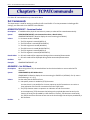
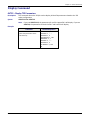
Chapter 8 – General AT Commands
Use these AT commands with SocketEthernet IP devices.
Set Commands
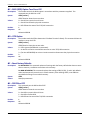
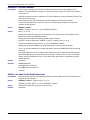
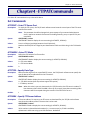
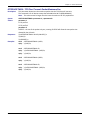
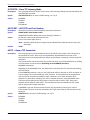
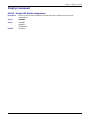
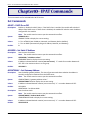
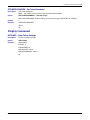
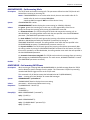
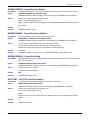
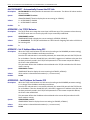
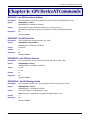
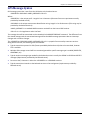
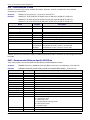
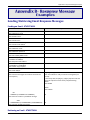
#DHCP – DHCP On or Off
Description:
Syntax:
Values:
Default:
Responses:
Enables or disables the DHCP client. If the DHCP client is enabled, the module will take the IP
address from DHCP server. If DHCP client is disabled, the module will take the static IP address
configured for the module.
Note: The module must be reset to put the command into effect.
AT#DHCP=<0,1>
AT#DHCP? Read or display the current setting.
AT#DHCP=0 Turn off DHCP (sets IP Address, Netmask, and Gateway back to defaults)
AT#DHCP=1 Turn on DHCP (automatically assigns IP Address, Netmask, and Gateway)
0
AT#DHCP=0 returns OK
AT#DHCP? returns 0 and OK
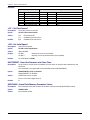
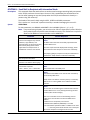
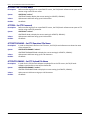
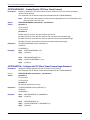
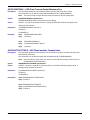
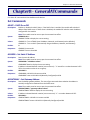
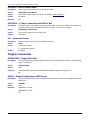
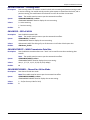
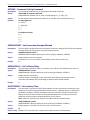
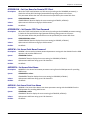
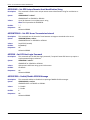
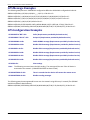
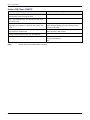
#IPADDR – Set Static IP Address
Description:
Syntax:
Values:
Default:
Responses:
Sets the static IP Address.
Note: The module must be reset to put the command into effect.
AT#IPADDR="<IP Address value>"
AT#IPADDR? Read or display the current setting.
IP Address in dotted decimal notation (xxx.xxx.xxx.xxx) "x" stands for a number between 0-255.
255 is the maximum value in an xxx group.
192.168.2.3
AT#IPADDR =192.168.1.10 returns and OK
AT#IPADDR? returns 192.168.1.10 (Manually Configured) and OK
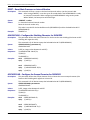
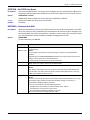
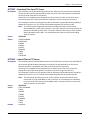
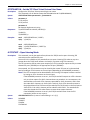
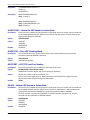
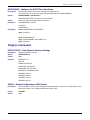
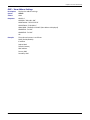
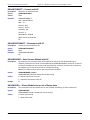
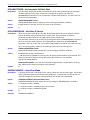
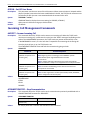
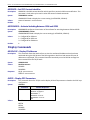
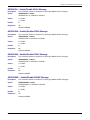
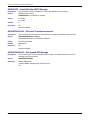
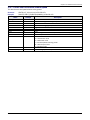
#IPGATEWAY – Set Gateway Address
Description:
Syntax:
Values:
Default:
Responses:
54
Sets the default gateway address. The view of get command shows whether the address is
statically configured or obtained from the DHCP server.
Note: The module must be reset to put the command into effect.
AT#IPGATEWAY="<gateway address value>"
AT#IPGATEWAY? Read or display the current setting.
IP Address in dotted decimal notation (xxx.xxx.xxx.xxxx). "x" = a number between 0-255.
192.168.2.1
AT#IPGATEWAY =192.168.1.11 returns and OK
AT#IPGATEWAY? returns 192.168.1.11 (Manually Configured) and OK
Universal IP AT Commands Reference Guide