1
2
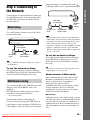
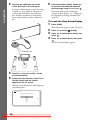
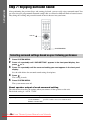
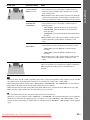
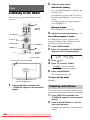
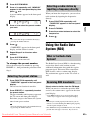
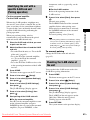
Select the radio station.
Automatic tuning
Tuner
Press and hold TUNING +/– until the auto
scanning starts.
[Auto Tuning] appears on the TV screen.
Scanning stops when the system tunes in a
station.
To stop the automatic tuning manually,
press TUNING +/–.
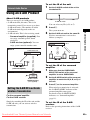
Listening to the Radio
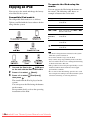
You can enjoy radio sound with the system’s
speakers.
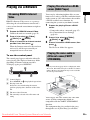
"/1
1
2
3
4
5
6
7
8
9
Manual tuning
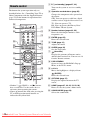
Number
buttons
Press TUNING +/– repeatedly.
3
0
D.TUNING
Adjust the volume by pressing 2 +/–.
If an FM program is noisy
C/X/x/c,
FUNCTION
PRESET +/–
TUNING +/–
x
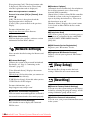
If an FM program is noisy, you can select
monaural reception. There will be no stereo
effect, but reception will improve.
1
2
SYSTEM
MENU
2 +/–
Press SYSTEM MENU.
Press X/x repeatedly until “FM MODE”
appears in the front panel display.
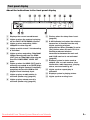
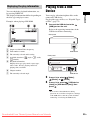
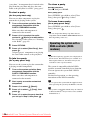
Current station
Current band and preset number
FM 7
88.00 MHz
SONY FM
3
4
Press
or c.
Press X/x to select “MONO.”
• “STEREO”: Stereo reception.
• “MONO”: Monaural reception.
5
Press SYSTEM MENU.
The system menu turns off.
To turn off the radio
Station name (European and
Russian models only)
1
Press FUNCTION repeatedly until
“TUNER FM” appears in the front panel
display.
Press "/1.
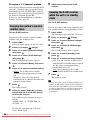
Presetting radio stations
You can preset up to 20 stations. Before tuning,
make sure to turn down the volume to minimum.
1
2
Press FUNCTION repeatedly until
“TUNER FM” appears in the front panel
display.
Press and hold TUNING +/– until the
auto scanning starts.
Scanning stops when the system tunes in a
station.
42GB
Downloaded
From TheatreSystem-Manual.com Manuals