1
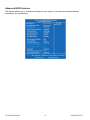
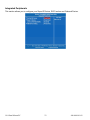
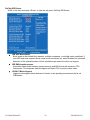
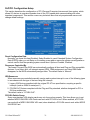
PnP/PCI Configuration Setup
This section describes the configuration of PCI (Personal Computer Interconnect) bus system, which
allows I/O devices to operate at speeds close to the CPU speed while communicating with other
important components. This section covers very technical items that only experienced users could
change default settings.
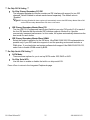
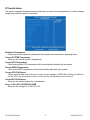
Reset Configuration Data
Normally, you leave this item Disabled. Select Enabled to reset Extended System Configuration
Data (ESCD) when you exit Setup or if installing a new add-on cause the system reconfiguration a
serious conflict that the operating system cannot boot. Options: Enabled, Disabled.
Resources Controlled By
The Award Plug and Play BIOS can automatically configure all boot and Plug and Play-compatible
devices. If you select Auto, all interrupt request (IRQ), DMA assignment, and Used DMA fields
disappear, as the BIOS automatically assigns them. The default value is “Manual”.
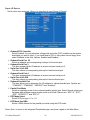
IRQ Resources
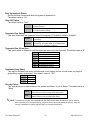
When resources are controlled manually, assign each system interrupt to one of the following types
in accordance with the type of devices using the interrupt:
1. Legacy ISA Devices compliant with the original PC AT bus specification, requiring a specific
interrupt (such as IRQ4 for serial port 1).
2. PCI/ISA PnP Devices compliant with the Plug and Play standard, whether designed for PCI or
ISA bus architecture.
The default value is “PCI/ISA PnP”.
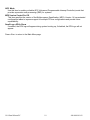
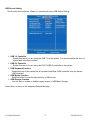
PCI/VGA Palette Snoop
Some non-standard VGA display cards may not show colors properly. This item allows you to set
whether MPEG ISA/VESA VGA Cards can work with PCI/VGA or not. When enabled, a PCI/VGA
can work with a MPEG ISA/VESA VGA card; when disabled, a PCI/VGA cannot work with a MPEG
ISA/VESA Card.
19.0 Panel Mount PC
31
486-0010-01-02