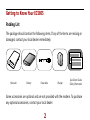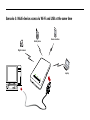
1
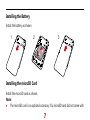
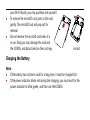
your Wi-Fi Router, you may purchase one yourself. To remove the microSD card, press in the card gently. The microSD card will pop out for removal. Do not remove the microSD card when it is in use. Doing so may damage the card and the EC5805, and data stored on the card may be lost. Charging the Battery Note: If the battery has not been used for a long time, it must be charged first. If the power indicator blinks red during the charging, you must wait for the power indicator to blink green, and then use the EC5805.