1
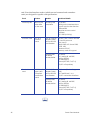
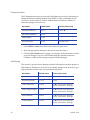
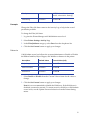
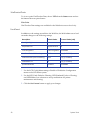
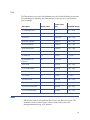
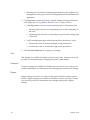
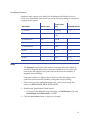
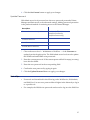
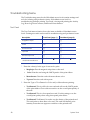
Troubleshooting Menu The Troubleshooting menu for the WebAdmin access level contains settings and tools for isolating card production issues. WebAdmin access level for troubleshooting includes printing Test Cards, viewing and printing the Activity Log, Reset Log, Reset Counters, and Reset Printer features. Test Card The Test Card menu selection shows the items available to WebAdmin access levels. Printing test cards can be useful in troubleshooting card production issues. Description Card Front (page 1) Magnetic Stripe Card Back (page 2) [] Color [X] [] Monochrome [] [] Topcoat [] [] Second Topcoat [] [] Test Pattern to use for Color and/or Monochrome [TestPattern1 ] [TestPattern1 ] 1. Enter the value(s) for the type of test card to print. • MagStripe: Encode magnetic stripe data on the card. • Color: Print the card using the YMCK panels of the print ribbon. • Monochrome: Print the card with monochrome color. • Topcoat: Print the card with topcoat. 2. Enter the Type of Test Pattern for Color and/or Monochrome printing. 58 • TestPattern1: This is a full-color test card and will use the YMCK panels of the print ribbon. Choose this test card to see the overall print quality of the card. • TestPattern2: This is a short panel test card. Use this setting to see the overall print quality when using short panel print ribbon. • TestPattern3: TestPattern3 is used to see the density of the printed card. This card prints a dense blue color card. This card will identify print intensity issues that can appear as wrinkles on the printed card. System Tools