1
Downloading an Item
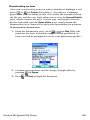
Once you’ve selected an item you wish to download, highlight it and
press
or
for Select (left softkey). You will see a summary
page for the item including its title, the vendor, the download detail,
the file size, and the cost. Links allow you to view the License Details
page, which outlines the price, license type, and length of license
for the download, and the Terms of Use page, which details the
Premium Services Terms of Use and your responsibility for payment.
To download a selected item:
1. From the information page, press
for Buy. (This will
purchase the item. If you have not previously purchased an
item, you will be prompted to create your purchasing profile.)
2. Confirm your purchase and the charge (if applicable) by
pressing
for Agree.
3. Press
for Start to begin the download.
Section 3B: Sprint PCS Vision
128