1
10.06.1999
1054ITIT.FM
Gigaset 1054 isdn, GBR: A30853-X200-B101-51-7619
s
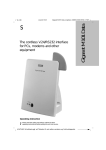
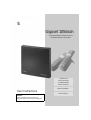
Gigaset 1054isdn
Cordless Digital DECT Telephone System
for EURO-ISDN Basic Connections
8 mobile units
can be connected.
2 corded terminals
can be connected.
Multicell capability
User Instructions
Attention:
Please read these User Instructions and
safety instructions before using this equipment!
Direct dialing in
10.06.1999
1054ITIT.FM
Gigaset 1054 isdn, GBR: A30853-X200-B101-51-7619
Guide for Quick installation
Installation steps for the Gigaset 1054isdn
1. Please read the Safety Instructions before starting (page 7).
2. Install the base station first (page 11).
3. Insert the battery in the mobile unit and charge as needed (page 15).
4. Register the mobile unit on base station (page 20 or 24).
Your Gigaset 1054isdn is now ready for use.
Preparation for using the ISDN-Functions
1. Please read the information for the ISDN connection (page 9).
2. Enter the multiple subscriber numbers (page 33 or 93).
3. Set the ring allocation (page 75 & 136).
You are now ready to use ISDN features.
Steps for installing the accessory devices
1. Connect the telephone, fax machine or
intercom (page 26).
2. Set the correct device type (page 74 &. 134).
Your device is now ready for use.
U2
10.06.1999
1054ITIT.FM
Gigaset 1054 isdn, GBR: A30853-X200-B101-51-7619
Overview Figures
Standard Mobile Unit 1000S
Front view
Explanation
Back view
14
15
1
Handset
2
Display
3
Number redial key
4
Save key
5
Speed dial key
6
Key pad
7
Internal key
8
Signal key
9
ON/OFF/LOCK key
10 Phone key
11 Microphone
Carry clip
12 Star key
13 Pound key
14 Ringer speaker
15 Battery compartment cover
11
Comfort Mobile Unit 1000C
Front view
Explanation
Back view
14
15
1
Handset
2
Display (backlit)
3
Dialog key
4
Dialog key
5
Menu key
6
Key pad (alphanumeric)
7
Internal key
8
Signal key
9
ON/OFF/LOCK key
10 Phone key
11 Microphone
Carry clip
12 Star key
13 Pound key
14 Ringer speaker
15 Battery compartment cover
U3
10.06.1999
1054ITIT.FM
Gigaset 1054 isdn, GBR: A30853-X200-B101-51-7619
Overview Figures
Base Station Gigaset 1054isdn
Front view
A
Back view
B
C
E
D
Explanation
Front view
Back view
A
Registration key:
Used to register mobile subscribers
B Non-cordless auxiliary device
with the call number 0
-lights when the AC power
adapter is connected
C Non-cordless auxiliary device
with the call number 9
-blinks during registration procedure
D Connector socket for
Euro-ISDN base connection
The lamp is identical to the
registration key!
E Connector socket for AC power
adapter C39280-Z4-C65
U4
10.06.1999
1054ISD.IVZ
Gigaset 1054 isdn, GBR: A30853-X200-B101-51-7619
Table of Contents
Guide for quick installation
Overview figures
Safety Instruction
Installation
The Equipment ............................................................................................................................ 8
System Code ............................................................................................................................... 8
Important Information for the Euro-ISDN Connection ................................................................. 9
Base Station
Contents of Package ................................................................................................................. 10
Accessories ............................................................................................................................... 10
Tips for Setting up your Base Station ........................................................................................ 11
Assembly / Connecting the Base Station .................................................................................. 12
Connection Options at the Base Station ................................................................................... 14
Default Setting of the Base Station ........................................................................................... 14
Mobile Units
Information for Wearers of Hearing Aids ................................................................................... 15
Inserting and Charging the Batteries ......................................................................................... 15
Assembling the Carry Clip on the Mobile Unit .......................................................................... 16
Important Information for using the Batteries ........................................................................... 16
Standard Mobile Unit
Display ....................................................................................................................................... 17
ON- OFF-, LOCK modes ............................................................................................................ 18
Changing Modes ....................................................................................................................... 19
Registrating a Standard Mobile Unit at a Base Station .............................................................. 20
Comfort Mobile Unit
Display ....................................................................................................................................... 21
ON-OFF-LOCK Mode ................................................................................................................. 22
Changing the Mode ................................................................................................................... 23
Registrating the Comfort Mobile Unit at a Base Station ............................................................ 24
Viewing your Internal Numbers ................................................................................................. 25
Non-Cordless Devices
Connector Socket ...................................................................................................................... 26
Connecting Telephones ............................................................................................................. 26
Connecting Non-Cordless Devices (other than telephones) ...................................................... 26
Connection Examples for Intercoms TFE .................................................................................. 27
For a quick overview of the most improtant functions please see starting on Seite 177
"Quick start guide for the standard and comfort mobile phones and accessory devices."
1
1
10.06.1999
1054ISD.IVZ
Gigaset 1054 isdn, GBR: A30853-X200-B101-51-7619
Inhaltsverzeichnis
Operating the Standard Mobile Unit
Basic Settings
Enter / Change System Code .................................................................................................... 29
Entering / Changing Mobile Unit PIN ......................................................................................... 30
Connecting and Starting Operation of the System: Multiple Device Connection ...................... 31
Connection / Operation Type of the System: Setting System Connection ................................ 32
Saving / Assigning Multiple Subscriber Numbers ...................................................................... 33
Setting the Ringer for the Mobile Unit ...................................................................................... 34
Activate/Deactivate the Automatic Line Assignment ................................................................ 35
Activate / Deactivate Automatic Call Answering ........................................................................ 35
Activate / Deactivate Call Pickup ............................................................................................... 36
Activate / Deactivate Call Waiting on a Busy External Line ....................................................... 36
Set Call Number Display ............................................................................................................ 37
Incoming Calls
Answering / Completing Calls ................................................................................................... 38
Call Pick-Up ............................................................................................................................... 39
Answering Call Waiting during an Internal Call ......................................................................... 40
Answering Call Waiting during an External Call ........................................................................ 40
Outgoing Calls
Using the Key Pad for External Calls ......................................................................................... 41
Using the Key Pad to Dial Externally as a En-Bloc Dialing ......................................................... 41
Redialing .................................................................................................................................... 42
Redial as as En-Bloc Dial Function ............................................................................................. 42
Internal Dialing to Another Mobile Unit or Auxiliary Device ....................................................... 43
Dial Internally using Collective Calling ....................................................................................... 43
Dialing Speed Dial Numbers ...................................................................................................... 44
Setting “Anonymous Calling“ for the Current Call .................................................................... 45
During a Call
Placing a Call on Hold ................................................................................................................ 46
Controlling the Answering Machine / Using Telephone Services .............................................. 47
Changing the Handset Volume .................................................................................................. 48
Mute Function ........................................................................................................................... 48
Speed Dial
Changing,Verifying and Storing Speed Dial Numbers ............................................................... 49
Delete All Speed Dial Numbers ................................................................................................. 50
Switching Functions
Consultation / Call Transfer ........................................................................................................ 51
Internal Consultation ................................................................................................................. 51
External Consultation ................................................................................................................ 52
Toggling ..................................................................................................................................... 53
Three Way Conference .............................................................................................................. 54
Parking an External Call ............................................................................................................. 55
Unparking a Parked External Call ............................................................................................... 55
External Call Forwarding ............................................................................................................ 56
Delete External Call Forwarding ................................................................................................ 57
Activate Internal Call Forwarding ............................................................................................... 58
Deactivate Internal Call Forwarding ........................................................................................... 58
Activate / Deactivate External Automatic Callback .................................................................... 59
Connection with Entrance Telephone ........................................................................................ 59
2
2
10.06.1999
1054ISD.IVZ
Gigaset 1054 isdn, GBR: A30853-X200-B101-51-7619
Table of Contents
Cost, Call Duration
Activate / Deactivate the Call Duration Display .......................................................................... 60
Activate / Deactivate the Call Cost or Call Time Unit Display .................................................... 61
Activate / Deactivate Cost Display for Previous Call .................................................................. 62
Set or Control Cost Factor ......................................................................................................... 62
Verify / Delete Cost Sums for Each Internal Subscriber ............................................................ 63
Verify / Delete Cost Sums for each Multiple Subscriber Number .............................................. 64
Locking
Activate / Deactivate the Lock for Outgoing Calls (System Lock) .............................................. 65
Verify / Save Emergency Numbers ............................................................................................ 66
Delete Emergency Number ....................................................................................................... 66
Storing Restricted Numbers ...................................................................................................... 67
Activate / Deactivate Restricted Numbers ................................................................................. 68
Deleting Restricted Numbers .................................................................................................... 68
Blocking Undesired Calls ........................................................................................................... 69
Set Authorization for Subscribers .............................................................................................. 70
Lock Mobile Unit / Activate Direct Dial .......................................................................................71
View, Delete, Store a Direct Dial Number ................................................................................. 72
Dialing a Direct Dial Number ..................................................................................................... 73
Removing a Lock on Mobile Unit .............................................................................................. 73
System Settings
Setting the Connection Configuration for the Internal Subscriber ..............................................74
Ring Allocation on a Multiple Device Connection ...................................................................... 75
Ring Allocation : Enter / Change Collective Call Group ...............................................................76
Ring Allocation: Enter / Change Group Call ................................................................................77
Ring Allocation: Set / Change Ring Count for Group Call .......................................................... 78
Setting Ring Allocation on a System Connection ...................................................................... 79
Ring Allocation for Entrance Telephone ..................................................................................... 80
Deactivating a Mobile Unit ........................................................................................................ 81
Restoring the Default Settings on the Base Station .................................................................. 82
Mobile Unit Settings
Activate / Deactivate Advisory and Warning Tones .................................................................... 83
Restoring the Mobile Unit’s Settings to Initialization Status ..................................................... 85
Operating the Comfort Mobile Unit
Using the Menu
Using the Dialog Keys ............................................................................................................... 86
Using the Menus ....................................................................................................................... 86
The Complete Menu ................................................................................................................. 86
Menu Structure for System Settings ......................................................................................... 87
Mode Dependent Menus .......................................................................................................... 88
3
3
10.06.1999
1054ISD.IVZ
Gigaset 1054 isdn, GBR: A30853-X200-B101-51-7619
Inhaltsverzeichnis
Basic Settings
Enter / Change System Code .................................................................................................... 89
Enter / Change Mobile Unit PIN ................................................................................................ 90
Connection / Operation Type of System: Setting Multiple Device Connection .......................... 91
Connection / Operation Type of System: : Setting System Connection .................................... 92
Storing / Assigning Multiple Subscriber Numbers ..................................................................... 93
Setting Dialog Language ............................................................................................................ 94
Setting the Ringer for the Mobile Unit ...................................................................................... 94
Setting Call Number Display ...................................................................................................... 95
Activate / Deactivate Call Pickup ............................................................................................... 96
Activate / Deactivate Call Waiting for Busy External Lines ........................................................ 96
Activate / Deactivate Automatic Line Seizure ............................................................................ 97
Incoming Call
Answering / Terminating a Call .................................................................................................. 98
Call Pickup ................................................................................................................................. 99
Answering Call Waiting during an Internal Call .........................................................................100
Answering Call Waiting during an External Call ........................................................................100
Outgoing Call
External Dialing from the Key Pad ............................................................................................ 101
Dialing Externally with the Key Pad as En-Bloc Dialing .............................................................102
Redial ........................................................................................................................................103
Redial as a En-bloc Dial ............................................................................................................103
Dial Internally to Another Mobile Unit or Other Device ............................................................104
Dialing from the Telephone Book .............................................................................................105
Setting the „Anonymous Call“ for the Current Call ..................................................................106
During a Call
Holding a Call ........................................................................................................................... 107
Accessing the Answering Machine / Using Telephone Services ..............................................108
Changing the Handset Volume ................................................................................................ 109
Mute Function ......................................................................................................................... 110
Telephone Book
Entering Letters and Numbers ................................................................................................ 111
Comfort Dialing with the Telephone Book .............................................................................. 112
Switching Functions
Internal Consultation Call / Call Transfer .................................................................................. 114
External Consultation .............................................................................................................. 115
Toggle ...................................................................................................................................... 116
Three Way Conference ........................................................................................................... 117
Parking an External Call ........................................................................................................... 118
Unparking a Parked, External Call ............................................................................................ 118
External Call Forwarding ......................................................................................................... 119
Deactivate External Call Forwarding for Individual Multiple Subscriber Number ......................120
Deactivate all External Call Forwarding Settings ......................................................................120
Activate Internal Call Forwarding ..............................................................................................121
Deactivate Internal Call Forwarding ..........................................................................................121
Activate Automatic External Call Back ......................................................................................122
Deactivate Automatic External Call Back ..................................................................................122
Connection with Door Intercom ...............................................................................................123
4
4
10.06.1999
1054ISD.IVZ
Gigaset 1054 isdn, GBR: A30853-X200-B101-51-7619
Table of Contents
Cost,Call Duration
Cost Display / Call Duration Display ..........................................................................................124
Activate / Deactivate Call Duration and Cost Display and Cost Factor ......................................125
Locking
Lock for Outgoing Call (System Lock) / /Emergency Numbers .................................................127
Edit Restricted Numbers / Activate, Deactivate Lock ...............................................................128
Delete All Lock Numbers ..........................................................................................................129
Blocking Unwanted Calls ..........................................................................................................130
Set Authorization for Subscribers .............................................................................................131
Lock Mobile Unit / Hotline Number / Changing the Mobile PIN .............................................. 132
Deactivate Mobile Unit Lock ................................................................................................... 132
System Settings
Introduction to Procedure for System Settings ........................................................................133
Setting the Connection Configuration for Internal Subscribers .................................................134
Ring Allocation for Door Intercom ............................................................................................135
Restoring the Default Settings on the Base Station .................................................................135
Ring Allocation on a Multiple Device Connection .....................................................................136
Set / Change a Ring Allocation on a Multiple Device Connection ............................................137
Ring Allocation: Set / Change Ring Count for Group Ring ........................................................138
Setting Ring Allocation on a System Connection .....................................................................139
Deactivating Mobile Units ........................................................................................................140
Mobile Settings
Settings ....................................................................................................................................141
Activate / Deactivate Advisory and Warning Tones ...................................................................142
Operating Other Devices
Outgoing Calls
Overview ..................................................................................................................................143
External Dialing with a Number Key Pad ..................................................................................143
Dialing Internally to Another Mobile Unit or Accessory Device ................................................143
Setting “Anonymous Call“ for the Current Call .........................................................................144
Verifying the Answering Machine / Using Telephone Services .................................................144
Incoming Calls
Call Pick-Up ..............................................................................................................................145
Answering Call Waiting ............................................................................................................145
Switching Functions
Set Internal Call Forwarding .....................................................................................................146
Delete Internal Call Forwarding ................................................................................................146
Placing a Call on Hold ...............................................................................................................146
Consultation Call / Call Transfer ................................................................................................147
Toggle .......................................................................................................................................149
Three Way Conference .............................................................................................................149
Activate External, Automatic Callback ......................................................................................150
Dedicative External, Automatic Callback ..................................................................................150
Parking an External Call ............................................................................................................150
Unparking a Parked External Call ..............................................................................................151
Connection with Door Intercom ...............................................................................................151
5
5
10.06.1999
1054ISD.IVZ
Gigaset 1054 isdn, GBR: A30853-X200-B101-51-7619
Inhaltsverzeichnis
Multicell System
Step by Step Procedure ...........................................................................................................152
General Overview .....................................................................................................................153
Possible Combinations .............................................................................................................154
Standard Mobile Unit
Registrating a Standard Mobile Unit on Multiple Base Stations ...............................................156
Base Station Selection Automatic / Manual / Combined ..........................................................157
Activate / Deactivate Base Station Number Display .................................................................158
Set Multicell Operation .............................................................................................................158
Allow / Suppress Change of Base Station during a Call ...........................................................159
Switching to Another Base Station during a Call ......................................................................160
Comfort Mobile Unit
Registrating the Comfort Mobile Unit on Multiple Base Station ..............................................161
Set Multicell Operation .............................................................................................................162
Base Station Select Automatic / Manual / Combined ...............................................................163
Allow / Suppress Base Station Switch during a Call .................................................................164
Switching to Another Base Station during a Call ......................................................................164
Operation with a Telephone System
General Overview .....................................................................................................................165
Activate the Features of the Telephone System .......................................................................165
Additional EURO-ISDN Features ...............................................................................................166
Acoustic Signals
Advisory and Warning Tones ....................................................................................................167
General Overview
Maintaining the System ............................................................................................................168
Technical Data ..........................................................................................................................168
Trouble Shooting .......................................................................................................................169
Warranty ...................................................................................................................................170
Contact Partner ....................................................................................................................... 170
Glossary ..................................................................................................................................171
Index ........................................................................................................................................174
Quick Start Guide- Standard Mobile Unit ........................................................................... 177
Quick Start Guide - Comfort Mobile Unit ............................................................................ 180
Quick Start Guide - Accessory Devices ............................................................................... 184
6
6
1054I-02.FM
10.06.1999
Gigaset 1054 isdn, GBR: A30853-X200-B101-51-7619
Safety Instructions
Warning
For your personal safety and protection you should never use the base station or any mobile
units in the bath or other wet environment. The devices are not water proof.
●
Use only Nickel Cadmium batteries (NiCd batteries)
(see “Important Information for Using Batteries“, (page 16).
●
Never use other chargeable batteries or normal (non chargeable) batteries.
These batteries could cause a short circuit or the battery coating could be damaged
(dangerous). Please observe the information labels in the battery compartment of the
mobile unit and battery chargers.
The symbols on the labels display the following:
- (see chapter “Inserting and Charging the Batteries“, page 15)
use only the type described in User Instructions
- use only chargeable batteries with the pole direction
+
-
●
Never put the batteries in water or in fire.
●
Do not dispose of defective batteries with normal household garbage.
●
During the charging process the batteries will get warm. This is normal and is not
dangerous.
●
Do not use foreign battery chargers, as this could damage the batteries.
Siemens provides the correct battery chargers.
●
Use only the included AC power adapter C 39280-Z4-C65.
●
The accessory devices connected with a cord (telephone, fax, intercoms....) that
contain open metal surfaces could collect unacceptably high levels of electric energy
for short periods of time, i.e. during a thunderstorm. Therefore, do not touch them.
●
Do not use the mobile unit in the proximity of explosives.
Certification for Base Station and Telephone Equipment
This telephone system has been certified by the BZT “Federal Office for the Certification of Telecommunications” (Bundesamt für Zulassungen in der Telekommunikation). It was certified
based on the EU regulation 91/263/EWG Telecommunication End User Devices.
It may be connected to and operated from any Euro-ISDN network and installation.
This device conforms to the requirements of EU regulations
and to the national amendments in Germany and France.
The conformance of this device with the above mentioned regulations is certified through the CE
symbol.
7
1054I-02.FM
10.06.1999
Gigaset 1054 isdn, GBR: A30853-X200-B101-51-7619
Installation
The Equipment
With the Gigaset 1054isdn, you have purchased a cordless Euro-ISDN system that offers the
advantage of “mobile telephoning“ with the comfort of a high quality ISDN telecommunication
installation.
The device has been designed using modern digital technology and conforms to the European
standard for cordless telephones (DECT) and the Euro-ISDN standard. Among other things, the
DECT technology offers a high level of security against undesired interception of telephone signals and good digital speech quality. Additionally, it provides the ability to easily expand the basic
configuration Gigaset 1054isdn - i.e. one base station and two mobile units - to a telephone system that will allow you to call both internally and externally. Mobile units of the model Gigaset
1000 and upward can be operated on Gigaset 1054isdn.
Therefore, Gigaset 1054isdn fulfills the needs of both private and professional users, for example, in office buildings and small businesses. In addition to the standard telephone functions, it
also offers:
●
Direct dialing to mobile units or accessory devices
●
2 external calls at the same time
●
Operation of two non-cordless and 8 mobile units on one base station
●
Free internal calls between 6 mobile units
●
Up to 6 mobile subscribers can be connected at the same time
●
Encoding of the transmission from the mobile unit and the base station
●
Operation of a mobile unit on up to four base stations in order to expand the area in which
you make or receive calls
●
Switching between 2 neighboring ISDN base stations during a call.
System Code
To install your base station or make changes to settings you must enter a four digit system code.
This is described in the operating instructions. When the system is delivered the system code is
set to "0000". When registrating the first mobile unit you must use the pre set system code
"0000". For blocking individual mobile units a separate mobile unit PIN code is available.
Recommendation:
We recommend that you change the system code after registrating the first mobile unit (see
page 29 or page 89). The system code “closes” your system to unauthorized users. The registration of additional components, or modifications to settings are only possible when the system
code has been entered.
8
1054I-02.FM
10.06.1999
Gigaset 1054 isdn, GBR: A30853-X200-B101-51-7619
Installation
Important Information for the Euro-ISDN Connection
Before you connect your Gigaset 1054isdn to the Euro-ISDN network you will need to acquire a
Euro-ISDN basic connection from your telecommunications company. You will receive detailed
information from your telecommunications company.
By selecting the type of connection and contracting additional services from your telecommunications company you will be able to define the required system functions. The connection is
made up of a network terminator to which the Gigaset 1054isdn can be connected. In general,
your ISDN system Gigaset 1054isdn can use two different connection types.
Connection Types
●
Multiple device connection
This type of connection allows you to connect and operate one or more devices. Parallel to
your Gigaset 1054isdn, you can connect additional ISDN devices; for example, an ISDN compatible fax machine or a PC with an ISDN card. It is possible to connect up to 4 Gigaset base
stations to a multiple device connection, allowing you to operate a multiple cell system (see
page 153). You can use up to 10 multiple call numbers on one multiple device connection.
You can assign these to the subscribers on the Gigaset 1054isdn so that they can be called
directly from outside the system. You can also assign multiple call numbers to the mobile
units on the Gigaset 1054isdn in the same manner as a subscriber on a multiple device connection, for example, like an ISDN fax machine.
●
System connection
The Gigaset 1054isdn is connected to the system connection as a stand alone telecommunications installation. The call number reserve is available using an installation call number and
the standard call number block with extensions. Especially with a higher number of subscribers (for example, 8 mobile units, 1 telephone, 1 fax machine) Gigaset 1054isdn can be operated economically in this configuration.
Within the scope of these types of connections the Deutsche Telekom AG offers two levels of
comfort that differ through the available services:
●
Standard connection
●
Comfort connection
Characteristics
The ISDN service features that you can contract from the Deutsche Telekom AG and use on your
Gigaset 1054isdn system are listed below. You will find more detailed information to the various
services in the glossary of the User Instructions (page 171).
●
Consultation calls
●
Toggle
●
Call parking (only multiple device connections)
●
Cost information
●
Call forwarding
●
Call waiting
●
Multiple call number (multiple device connections) ●
Automatic callback
●
3-Party conference
External call transfer
●
Direct call numbers (only system connections)
●
Transmission of your call number
●
Transmission of your partner’s call number
●
Operating information and error messages
On the comfort mobile unit Gigaset 1000C you will receive a number of operating instructions
and error messages from the ISDN system, for example, “subscriber busy” or “invalid call number”, etc.
9
1054I-02.FM
10.06.1999
Gigaset 1054 isdn, GBR: A30853-X200-B101-51-7619
Installation
Base Station
Contents of Package
1 Base station
2 ISDN connection cable
4 2 screws and plugs
5 User Instructions
3 AC power adapter
1
4
2
5
s
Gigaset 1054isdn
Schnurloses DECT-Telefonsystem
3
8 Mobilteile
anschließbar
2 schnurgebundene
Endgeräte anschließbar
Mehrzellenfähig
Bedienungsananleitung
Durchwahlfähig
Accessories
●
Mobile unit Gigaset 1000S
●
Battery charger Gigaset 1000L
●
Comfort mobile unit Gigaset 1000C
●
Batteries (for mobile unit)
●
Cordless connection socket Gigaset 1000TAE
10
1054I-02.FM
10.06.1999
Gigaset 1054 isdn, GBR: A30853-X200-B101-51-7619
Installation
Base Station
Tips for Setting up your Base Station
If you are using a telephone connected by a cord in addition to your cordless telephone, we recommend that you keep the largest possible distance between the base station and the telephone. This will help to avoid any possible sound distortions (for technical reasons) in the
telephone.
You should set the base station up in the center of the area in which you are planning to use the
telephones, for example:
in the entry way of the apartment,
in a central room of your house, office or apartment,
not in the cellar,
not in the attic.
The base station should be set up in a position with easy access, for example:
in an open area of the room,
not in a niche in the wall,
not behind metal doors heavy furniture or metal cabinets,
not in spaces that are blocked (by functional design) by thick concrete walls or metal
walls.
If you are also planning to use the telephone on your property outside of your home, then you
should set up the base station:
at the same height as the windows,
in a room that has a view of the property.
Set up location/ Selection of assembly location
When selecting the set up location you should consider the following criteria:
1. The telephone connection cable should reach to the socket for the ISDN connection.
2. There should be an electric 220/230V electric socket at the set up site to ensure supply of
electricity for the base station.
3. The set up site should not be near other devices, such as stereo and office equipment or microwave ovens, to avoid any possible interference.
The base station is designed for use in protected areas within a temperature range between 0
and +50 °C. For example, it should not be located in the bath, in the kitchen, in a damp cellar or
near a source of heat, such as a room heater. Direct sunlight should also be avoided.
11
1054I-02.FM
10.06.1999
Gigaset 1054 isdn, GBR: A30853-X200-B101-51-7619
Installation
Base Station
Operational Range
Depending on the surrounding conditions, the operational range is about 300 meters in the
open. In buildings, the operating distance is about 50 meters depending on the room layout and
construction methods.
If you leave the operational area, you will lose contact with the base station and the ON symbol
will blink in the display. If you have activated the operational range warning signal (this option is
not active when the phone is delivered), then you will also receive a warning signal when you
leave operational area.
Assembly / Connecting the Base Station
You can either set the device in the room (for example, on a desk or shelf) or attach it to the wall.
1.
First, insert the mini western plug of your telephone connection cable (ISDN connection
cable) in the socket marked "L1" (the underside of the base station).
2. Insert the mini western plug of the cable of the AC power adapter in the socket
marked „
“ (underside of the base station).
3. Place the cables in the dedicated cable channels.
If you would like to attach the base station to the wall, then follow steps 4 through 7, otherwise
move to step 8:
4. Drill two vertical holes (Ø 5mm) at a distance of 120 mm from one another.
5. Insert the correct plugs.
6. Screw the screws into the wall so that a space of about 5 mm is left between the wall and
the head of the screw.
7.
Hang the base station by inserting the heads of the screws into the holes on the base
station and then pull the base station down.
8. Insert the mini western plug of your telephone connection cable (ISDN connection cable)
into the telephone socket (IAE, see page 172).
9. Insert the AC power adapter into the 220/230V socket.
Note:
●
If electrical power is cut off or if the AC power adapter in not plugged in, then your telephone system will not work.
●
Use only the delivered AC adapter C 39280-Z4-C65
●
Make sure that you do not confuse the connection of the telephone cable and AC power
adapter on the base station. If you switch the two cables the base station will not work and
can be damaged.
12
1054I-02.FM
10.06.1999
Gigaset 1054 isdn, GBR: A30853-X200-B101-51-7619
Installation
Base Station
Connections for the Gigaset 1054isdn
Measurements for wall attachment
5 mm
170 mm
120 mm
5 mm
180 m m
13
1054I-02.FM
10.06.1999
Gigaset 1054 isdn, GBR: A30853-X200-B101-51-7619
Installation
Base Station
Connection Options at the Base Station
Mobile units
Extern
0221731550
Stumm
Rückfr.
Extern
F
0221731550
Stumm
1 2 3
4 5 6
7 8 9
* 0 #
IN
T
Rückfr.
F
1 2 3
4 5 6
7 8 9
* 0 #
IN
T
Gigaset 1054 isdn
back view
Power
supply
Fax machine
230V socket
ISDN-Network
teminator
Telephone
(IAE)
Corded
equipments
if available
(IAE)
ISDN-cord
Upon delivery, the default operation type setting is “multiple device connection“. The procedure
for changing the operation type setting to “installation connection“ is described on page 32 or
92.
Default Setting of the Base Station
The ISDN system is delivered with the following default settings:
Trunk authorization
Call waiting
Anonymous calling
Anonymous answering
Automatic line seizure
Call charge recording
Call factor
Call length display
Configuration ISDN connection
Configuration additional devices
Call allocation
System code
14
Full
ON
ON
ON
ON
OFF
0.00
ON
Multiple device operations local
Telephone
Collective call
0000
1054I-02.FM
10.06.1999
Gigaset 1054 isdn, GBR: A30853-X200-B101-51-7619
Installation
Mobile Units
The standard mobile unit can be operated within a temperature range between 10° C and 55° C.
The comfort mobile unit in a range between 0° C and 45° C. Keep them away from water.
Information for Wearers of Hearing Aids
Persons wearing hearing aids should be careful when using the telephone, because the frequencies can be intercepted by the hearing aid and, when strong enough, can cause a very unpleasant sound.
Inserting and Charging the Batteries
The mobile unit is powered by 2 batteries. For correct operation you must insert the batteries in
the battery compartment, and then close the compartment with the supplied cover.
1.
Insert the batteries in the mobile compartment
●
Hold the mobile unit with the key pad facing down. In the lower portion of the mobile unit
there is a compartment for inserting the batteries.
Insert the batteries that are supplied into the battery compartment as shown below. Make
sure to insert the batteries in the proper direction. The correct placement is displayed on a
label in the battery compartment (see figure below).
Insert the cover for the battery compartment into the designated slots (see figure) on the
mobile unit and then close the compartment.
●
●
Note:
If the batteries are not inserted correctly the mobile unit will not work.
2. Charging the batteries
The batteries are not charged at the time of delivery. To charge the batteries, the mobile unit
must be inserted in the battery charger (not supplied with Gigaset 1054isdn). The key pad can be
facing either up or down, but the underside of the mobile unit with the charge contacts must
touch the contacts in the battery charger.
If you have inserted the mobile unit correctly for charging, the LED (light-emitting diode ( B))
will remain lit.
Depending on the age of and manufacturer/type of the battery, the charge time will vary. The
charge logic of the mobile unit guarantees the optimal charging of the batteries every time.
15
1054I-02.FM
10.06.1999
Gigaset 1054 isdn, GBR: A30853-X200-B101-51-7619
Installation
Mobile Unit
Assembling the Carry Clip on the Mobile Unit
If needed, you can attach the carry clip. Hold the mobile unit with the key pad against the palm of
your hand. On the side at the same level as the display you will see small holes. Insert the clip in
one of the holes and then attach it to the hole on the other side.
Important Information for using the Batteries
The mobile unit is delivered with two AA size re-chargeable Nickel-Cadmium
batteries
●
●
●
●
Use only these batteries.
If you need to replace the batteries you must make sure that you use only the following type
of batteries: Panasonic P-60 AA, Philips R6 NC-P, Saft RC6, UCAR RC6, DAIMON ACCU
1000.
The use of other battery types or non re-chargeable batteries can cause functional problems
and could damage the equipment.
In such cases, the manufacturer offers no guarantee.
Do not use normal batteries! Use only approved re-chargable batteries!
When installing and operating the batteries, please remember the following principles:
●
●
●
●
●
Charge the batteries fully before the first use.
We recommend that you charge the batteries continually for 16 hours, for example overnight.
During the first week of use you should replace the mobile compartment in the charger
when you are not using it.
New batteries usually reach their full capacity, i.e. their full level of readiness, after a few
days of usage. Although the battery LED signals that the batteries of the mobile unit are
charged - LED off -, you must assume that the normal availability time will be less than normal in this start-up phase.
After the first thorough charging, the batteries will reach their normal operational status.
Under normal circumstances we recommend that you do not return the mobile unit to the
charger after every call.The batteries should be fully discharged from time to time.
Caution: The available usage time will be lower with partially-charged batteries
Make sure that the contacts do not come into contact with metallic or greasy surfaces.
Additional batteries (reserves) can be charged in the charger. You should use these to replace
the regular mobile unit batteries from time to time.
3. Battery charging and usage time
Mobile component
Gigaset 1000S
Gigaset 1000C
Usage for calls
up to 7 hours
up to 5 hours
Availability
up to 50 hours
up to 40 hours
Charging time in the mobile unit in the charger
approx. 5 hours
Charging time in the battery reserve box in the charger
approx. 24 hours
16
1054I-02.FM
10.06.1999
Gigaset 1054 isdn, GBR: A30853-X200-B101-51-7619
Installation
Standard Mobile Unit
Display
uUzAH -888888888
A BCD E F G H
In the top portion all numbers and character are
displayed, and in the lower portion the symbols
for the various operation conditions are displayed.
Symbol
Explanation
u
Display after pushing the signal key, ekey.
U
Display of calling forwarding, if programmed
z
Memory empty.
A
Display of blocking of unwanted calls, if programmed.
H
-
n
Display of the star key,
-
Display of the pound key, #key.
Symbol
Explanation
A
B
C
D
E
F
G
H
*
key.
Signals that the mobile unit is in memory operation and is not ready to dial.
Can be activated via the w key.
Battery symbol blinks about 5 to 10 minutes for the batteries are empty.
If the mobile unit is in the charging unit and being charged, then this symbol appears.
ON symbol. Can be activated via the u key.
-Seize symbol signifies that a radio channel to the base station exists.
Can be activated via the g key.
Signifies that the key pad has been switched to tone signalling (“tone dialing”).
Signifies that an external connection has been established via the base station.
Signifies that an internal connection has been established via the base station.
Signifies that the mobile unit is locked.
17
1054I-02.FM
10.06.1999
Gigaset 1054 isdn, GBR: A30853-X200-B101-51-7619
Installation
Standard Mobile Unit
ON- OFF-, LOCK modes
You can set the mobile unit to three different modes.
1
OFF
You cannot make a call and an
incoming call will not be signaled.
2
ON
You can place and receive calls.
If you wish to answer a call you need only
remove the mobile unit from the
charger
or
If the mobile unit was not in the charger
then you need only press the g key.
3
LOCK
The key pad is now protected from unwanted activity,
for example, when carrying it your pocket.
Incoming calls are received as if in the ON mode.
The mobile unit will switch itself into the ON
mode automatically.
Outgoing calls are not possible.
Note:
C
C
zzzz
C
C symbol
●
If the mobile unit is not within range of the base station, the
will blink in the display. You will not be able to use the unit.
●
A procedure can be cancelled by pressing the g key once or twice.
18
1054I-02.FM
10.06.1999
Gigaset 1054 isdn, GBR: A30853-X200-B101-51-7619
Installation
Standard Mobile Unit
Changing Modes
Switching from ON mode:
u
●
●
to the OFF mode:
Press the key until the display symbols disappear.
Key acknowledgement tone sounds.
to the LOCKmode:
Press the key briefly until the
display has updated itself.
Key acknowledgement tone sounds.
C
zzzz
C
Switching from OFF mode:
u
●
to the ON mode:
Press the key until the symbols
are displayed.
Key acknowledgement tone sounds.
C
or
Insert the mobile unit in
the battery charger
Key acknowledgement tone sounds.
Switching from LOCK mode:
u
●
u
●
to the ON mode:
Press the key briefly until
the display updates itself.
Key acknowledgement tone sounds.
C
zzzz
C
C
to the OFF mode:
press the key until the displayed
symbols are removed.
Key acknowledgement tone sounds.
Note:
●
For using the dialing and memory function, the mobile unit must be in the ON mode.
19
1054I-02.FM
10.06.1999
Gigaset 1054 isdn, GBR: A30853-X200-B101-51-7619
Installation
Standard Mobile Unit
Registrating a Standard Mobile Unit at a Base Station
Each mobile unit must be registrated at the base station. In doing this, please note the following:
1.
The mobile unit must be switched off.
If necessary, turn it off by pressing the
u key until the display is clear.
2. Press the registration key on the base station.
Use a pointed object for this, for example,
Registration key
a pencil or a pen.
The registration key will start to blink.
3. Then (within 1 minute),on the mobile unit:
The mobile unit must be turned off.
!
Press the 1 key and hold down.
(This stipulates the
base station number)
Additionally
u Push the ON key until the display on the screen
appears.
1-
C
o
Enter the system code.
The system code at the time of delivery
is 0000.
1-- -
#
Complete the entry of the system code.
1
C
Please wait until the connection to the
base station has been established.
At the time of first registration, all available internal station numbers appear in
the display, here, 1 to 8.
! ... (
C
12345678
A
CD
Enter the desired internal station number of the mobile unit; i.e. push one of
the number keys between 1 and 8;
here, for example, 2.
The mobile unit is registrated.
C
Note:
●
Up to 8 mobile units can be registrated on one base station.
●
If you have already registrated 8 mobile units, three dashes will be displayed during
the registration process after you enter the system code and a negative tone sounds.
Deactivating a mobile unit, see page 81.
●
20
1054I-02.FM
10.06.1999
Gigaset 1054 isdn, GBR: A30853-X200-B101-51-7619
Installation
Comfort Mobile Unit
Display
External
0123456
CONSLT..
The graphic display of the comfort mobile unit is flexible.
When dialing, the call number is displayed oversized using two
display lines.
In the last line you will see the display fields for the dialogue
keys.All displays are in clear, easy to understand text.
Some displays include graphics for easier understanding. These
are explained in the following table.
F
Dialog keys
Display
Explanation
You are being called
Set tone ring volume (6 levels)
Tone ringing deactivated
Set tone ring pitch (10 levels)
Set tone ring melody (10 levels)
Set handset volume (3 levels)
Set contrast (6 levels)
Signal tone on or off
Unlocked or locked status
If the charge of the batteries goes below a certain level,
this symbol appears periodically for 2 seconds
21
1054I-02.FM
10.06.1999
Gigaset 1054 isdn, GBR: A30853-X200-B101-51-7619
Installation
Comfort Mobile Unit
ON-OFF-LOCK Mode
You can set the mobile unit to three different modes.
1.
OFF
You cannot place a call and incoming calls will
not be signalled.
2. ON
You can place calls.
If a call comes in, then you must only
lift the mobile unit from the charger.
Station 1
TEL.BOOK
or
REDIAL
If the mobile unit was not in the charger,
then the
g
key must be pressed.
3. LOCK
The key pad is now protected from unintentional activity,
for example, when carrying it in your pocket
Incoming calls can be answered as with ON mode
The mobile unit switches itself automatically
to the ON mode.
Out going calls are not possible.
Note:
●
●
22
If the mobile unit is out of the range of the base station,
then the message “Srch. station X“ will blink in the display.
X stands for the selected base station number.
By pressing the g key once or twice
a procedure can be cancelled.
Keyboard
protected
Srch. Station 1
TEL.BOOK
REDIAL
1054I-02.FM
10.06.1999
Gigaset 1054 isdn, GBR: A30853-X200-B101-51-7619
Installation
Comfort Mobile Unit
Changing the Mode
Switching from the ON mode:
Station 1
u
●
to the OFF mode:
Press this key until the display is
cleared.
You will hear the acknowledgement tone.
u
●
To the LOCK mode:
Press this key briefly until the
display updates itself.
You will hear the acknowledgement tone.
TEL.BOOK
REDIAL
Keyboard
protected
Switch from OFF mode:
u
●
to the ON mode:
Press this key until the
display is active.
You will hear the acknowledgement tone.
or
●
Insert the mobile unit in the
battery charger.
You will hear the acknowledgement tone.
Srch. Station 1
TEL.BOOK
REDIAL
Station 1
TEL.BOOK
REDIAL
Switching from LOCK mode:
Keyboard
protected
u
u
●
●
to the ON mode:
Press this key briefly until the
display updates itself.
You will hear the acknowledgement tone.
Station 1
TEL.BOOK
REDIAL
to the OFF mode:
Press this key until the display
is cleared.
You will hear the acknowledgement tone.
Note:
●
For using the dialing and memory function, the mobile unit must be in the ON mode.
23
1054I-02.FM
10.06.1999
Gigaset 1054 isdn, GBR: A30853-X200-B101-51-7619
Installation
Comfort Mobile Unit
Registrating the Comfort Mobile Unit at a Base Station
Each mobile unit must be registrated at a base station.
Please note the following:
1. Press the registration key on the base station.
Use a pointed object for this, for example,
a pencil or a pen.
The registration key will start blinking.
Registration key
2. After this (within 1 minute),
on the mobile unit:
u
When you turn on a comfort mobile unit that
is not yet registrated to a base station, the
following is displayed.
ß
Press the F key,
Registrate unit!
Srch. Station
TEL.BOOK
ß
Press the F key, and
the main menu is displayed
Phone Book
Redial
Telephone lock
NEXT
OK
NEXT
Press until “Settings” is displayed in the
first line of the main menu.
Settings
Station selection
Service
NEXT
OK
OK
Press to select ”Settings”
.
The next menu level is displayed
NEXT
OK
NEXT
OK
Press until “registrat” is displayed in the
first line of the main menu
.
Press to select “Settings”
.
Scroll through the list to select the desired
base station.
Selecting the base station number.stipulates from which station you will operate
your mobile phon Here, station 1.
Handset volume
Ringer
Display contrast
NEXT
OK
Registrate
Language
Auto. Backlight
NEXT
OK
Station 1
Station 2
Station 3
NEXT
OK
Registration
Srch. Station 1
Continued
24
REDIAL
1054I-02.FM
10.06.1999
Gigaset 1054 isdn, GBR: A30853-X200-B101-51-7619
Installation
Comfort Mobile Unit
o
Enter the 4 digit system code. (The default
setting is “0000“). If necessary use.
to correct it.
NO
Press if you just wish to verify, but do not
want to registrate.
Enter
System Code:
* * - OK
Registrated
at
Station 1
NO
OK
or
This confirms whether you wish to registrate the comfort mobile unit at the base
station using this number.
OK
1
...
8
Select one of the available internal numbers
(for example, “4“).
Please enter
INT No.
1 2 3 4 5 6 7 8
The comfort mobile unit will be accessible
on this base station using this internal number
OK
OK
Confirms the internal number. If
necessary use
to correct.
Current INT No.:
4
End the registration procedure.
The comfort mobile unit will display at
which internal number it was registrated.
OK
Registrated
with
Internal No. 4
Note:
●
You can registrate your comfort mobile unit on up to four base stations.
●
Up to 8 mobile units can be registrated to one base station.
If you have already registrated 8 mobile units, the message “No available int. number” will
be displayed during the registration process, after you enter the system code.
●
Deactivating a mobile unit, see page 140
Viewing your Internal Numbers
ü
g
Press internal key.
Your subscriber number is displayed;
here 1.
Internal:
Current no.: 1
Press this key to return to idle status.
Station 1
COLL.CALL
TEL.BOOK
REDIAL
25
1054I-02.FM
10.06.1999
Gigaset 1054 isdn, GBR: A30853-X200-B101-51-7619
Installation
Non-Cordless Devices
Connector Socket
The base station Gigaset 1054isdn has two telephone sockets (B and C) that are available for
non-cordless end user devices. The connection sockets are automatically assigned internal call
numbers:
● Socket B (top) has the internal call number 0
● Socket C (bottom) has the internal call number 9
The connectors for the accessory equipment must have TAE plugs. The sockets of the Gigaset
1054isdn have the coding F/N.
The following can be connected
Internal call number
Registrate on system as
Telephone (socket B or C)
0 or 9
Telephone
Answering machine (socket B or C)
0 or 9
Telephone
Fax machine (socket B)
0
Fax or “Neutral“
Modems (socket B)
0
Modem
T-On-line (BTX) devices (socket B)
0
Modem
External clock (socket B or C)
0 or 9
Telephone
Intercom (socket C)
9
Intercom
Only certified non-cordless devices may be connected.
Connecting Telephones
A telephone can be connected and used immediately without any additional settings. The telephone, or non-cordless device doesn’t have to be registrated at the base station.
The dialing mode (pulse or tone) is recognized automatically and doesn’t need to be set manually. It is not possible to establish a connection with two non-cordless devices at the same time.
The signal key on the telephone key pad will not function once the telephone is connected to
Gigaset 1054isdn (Exception: Telephones with tone dialing).
The charges are not displayed on the telephone. However, the accumulating costs of each call
are recorded by the system. The charges for each subscriber and each multiple number can be
queried or deleted from a registrated mobile unit.
Connecting Non-Cordless Devices (other than telephones)
Using one of the registrated mobile units you can define the necessary settings for the additional
device connection.
You can stipulate whether you want to connect a fax machine, modem, BTX, an intercom or an
answering machine (see page 74 or page 134).
You can also define additional subscriber specific settings, for example, trunk authorization, ring
allocation, etc. using a registrated mobile unit.
When using a fax machine on Gigaset 1054isdn, you will need to set the fax machine for
operation behind a telecommunication installation (see the User’s Guide for your fax
machine).
You can use the following data transfer speeds on the subscriber connections:
●
Socket B (top), internal call number 0: up to 28,800 Baud
●
Socket C (bottom), internal call number 9: up to 9,600 Baud
26
1054I-02.FM
10.06.1999
Gigaset 1054 isdn, GBR: A30853-X200-B101-51-7619
Installation
Cord Connected Devices
Connection Examples for Intercoms TFE
The following example will show you how the Gigaset 1054isdn can be connected to different
intercom types using the Siemens intercom adapter (TFE) with an intercom interface. A door
intercom adapter can be acquired through a qualified retailer.
Door intercoms
RITTO
5760.00
2
6
+
+
or
Grothe
TL 290
L
U
O
B
or
Tuner
Siedle
TLM 511
12
11
9
+
or
Siedle
TLE 051
Siedle
PVG 402
12
11
14
+
12
11
9
+
TS
TS
KL1
9
+
c
b
TS2
Door Opener
Door Bell
TFE-Adapter box
S30817-K930-A200
UB2
UB1
TS1
KL2
Back view
Gigaset 1054isdn
Siedle Power Adapter
NG 402
b
a
b
a
TO2
TO1
b2
a2
KL1
KL2
b1
a1
Connection cable
Connection points for the TFE Adapter Box
a1/b1
Connection points for voice wires leading to Gigaset 1054isdn
TO1/TO2
Connection points for the door opener
KL1/KL2
Connection points for the doorbell
a2/b2
Connection point for voice wires leading to the door speaker
TS1/TS2
Activation contact for the hands-free calling amplifier
UB1/UB2
Connection points for the bell transformer
Note:
●
●
Ring allocation for the door intercom see page 80 or page 135
Connection to the door intercom see page 59 or page 123
27
1054I-02.FM
10.06.1999
Gigaset 1054 isdn, GBR: A30853-X200-B101-51-7619
Installation
Non-Cordless Devices
Connection Examples for Intercoms Using TFE
The following example shows how different types of door intercoms can be connected to
Gigaset 1054isdn using the Siemens door intercom adapter (TFE/V).
Grothe
TS 6216
L
O
B
U
RITTO
5760
2
+
+
6
Siedle
TLM 511
12
13
14
11
Back view
Gigaset 1054isdn
Siedle
TLM 051
12
+
14
11
Door bell transformer
8 - 12 V
220 V
Door opener function not possible
TFE/V
S30817-K936-A313
LS1
LS2
MIC+
MIC-
Bridge X1
Potentiometer
Bridge X2
AC
AC
TOE
TOE
KLI
KLI
B
A
Door Bell
connection cable
Recommended:
Possible background noise
can be eliminated
with the following
switching.
AC
1000uF
20V
40V/1A
AC
Considerations with the Door Intercom Adapter (TFE/V):
– The potentiometer should be set to the maximum volume (all the way to the right).
– The bridge X1 cannot be changed.
– Adjustment for bridge X2:
SIEDLE TLM 511
RITTO 5760
Grothe TS 6216
For the individual door stations the following different changes must be taken into consideration:
Door station
Changes in the door station
SIEDLE TLM 511/01
- Bridge 1, 3, 4 open.
- Replug wire from loudspeaker from “bl” pin to “12“
.
- No change
- Reclamp the yellow wire from “B” to “0”.
RITTO 5760
Grothe
28
1054I-06.FM
10.06.1999
Gigaset 1054 isdn, GBR: A30853-X200-B101-51-7619
Operating the Standard Mobile Unit
Basic Settings
Enter / Change System Code
For your security you can enter a new system code for your system. This protects your system
settings from modifications and the registrating of additional mobile units. All entries are made
from a mobile unit. The default system code is 0 0 0 0.
w #( *
Press the displayed keys one after
another
8
A
CD
o
Enter the previous system code.
8
CD
o
Enter new system code
(do not forget).
Each entered number replaces one of
the first 4 dashes.
8 - --- - - - - n
A
CD
o
Enter the new system code again.
Each entered number replaces one of
the second 4 dashes.
8
- - -CD
.
w
Each number entered replaces a dash.
When finished, 8 dashes are displayed.
Press the save key.
System code is now stored.
A
A
--
n
n
C
Note:
●
If you have entered an incorrect system code, a negative acknowledgement tone will sound
and the display will blink.
●
The procedure can be stopped by pressing the phone key.
●
If you forget the system code, then you will need technical assistance to access your system. Forgetting the system code is similar to losing a key. In this case you should contact the
sales or service representative.
29
1054I-06.FM
10.06.1999
Gigaset 1054 isdn, GBR: A30853-X200-B101-51-7619
Operating the Standard Mobile Unit
Basic Settings
Entering / Changing Mobile Unit PIN
In addition to the system code, you can also enter a PIN for each mobile unit. This protects your
saved personal information from unauthorized access. You will also need the mobile unit PIN for:
Locking the mobile unit and allowing direct dialing access, programming the direct dial access,
unlocking the mobile unit and changing the mobile unit’s PIN. The default setting for the PIN is
0 0 0 0.
w( ) Press the displayed keys one after
another.
8
A
C
____ 9
C
o
Enter previous mobile unit PIN.
Each entered number replaces one of
the 8 dashes.
8
o
Enter new mobile unit PIN
(do not forget).
Each entered number replaces one of
the first 4 dashes.
8 ____ ____ 9
o
Enter the new mobile unit PIN again.
Each entered number replaces one of
the second 4 dashes.
w
Press the save key again.
The process is now complete.
The new mobile unit PIN is now saved.
A
A
C
8
C
A
__ 9
____ 9
C
Note:
●
If you enter the incorrect mobile unit PIN, a negative acknowledgement tone will sound and
the display will blink.
●
The procedure can be stopped by pressing the save key.
●
If you forget a PIN, you will need technical assistance to reaccess the mobile unit. Forgetting
the PIN is similar to losing a key. In this case you should contact the sales or service representative.
30
1054I-06.FM
10.06.1999
Gigaset 1054 isdn, GBR: A30853-X200-B101-51-7619
Operating the Standard Mobile Unit
Basic Settings
Connecting and Starting Operation of the System: Multiple Device Connection
In addition to setting the connection type “Multiple Device Connection“ (see also page 9) you
can also set the operational mode, either local (one cell) or multiple cell operation (see also page
153). The default setting is multiple device connection and one cell operation.
Using this setting your Gigaset 1054isdn can only be operated on a multiple device connection
that was installed by the Deutsche Telekom AG.
The settings for the system connection are found on page 32.
w#!o
Press the displayed keys one after
another and then enter the system
code (default setting 0000).
Each entered number replaces one of
the dashes in the display
.
1____
CD
1
CD
A
A
__
z#* Press the displayed keys one after
another.
The actual settings will be displayed;
here multiple device connection, one
cell operation.
-n 1
Set one cell operation:
-n 1
!
Press the 1 key.
or multiple cell operation:
=
Press the 0 key.
A
A
CD
CD
-n 0 0
A
CD
When finished set the type of multiple cell operation:
=
Press this when you want to use multiple cell operation on a direct line.
-n 0 0
Press this when you want to use a multiple cell operation within a telephone
system.
-n 0 1
or:
!
w
Press the save key.
Settings are displayed.
A
A
CD
CD
C
Note:
●
Telephoning between internal subscribers using multiple base stations only makes sense,
when your Gigaset is connected to a telephone system.
The telephone system must support internal calling (see chapter “Multiple Cell Systems”
page 153).
31
1054I-06.FM
10.06.1999
Gigaset 1054 isdn, GBR: A30853-X200-B101-51-7619
Operating the Standard Mobile Unit
Basic Settings
Connection / Operation Type of the System: Setting System Connection
In addition to the connection type “System Connection“ (see also page 9) the dialing prefix and
system call number are also entered during this process.
When using this setting your Gigaset 1054isdn can only be operated with a system connection
that was installed by the German Telekom AG.
The settings for the multiple device connection are described on page 31.
w#!o
Press the displayed keys one after
another and then enter the system
code (default setting 0000).
Each of the entered numbers replaces a
dash in the display.
z#* Press the displayed keys one after
another.
The actual settings will be displayed;
here multiple device connection.
Set system connection:
“
o
z
o
z
o
w
Press the 2 key
Enter the international access code
(absolutely necessary):
(for example, for Germany 0049)
1____
CD
1
CD
A
A
-n 1
A
A
CD
- n 2 1 0049
A
CD
Press the redial key
Enter national area code (absolutely
necessary):
(for example, Munich 89)
Press redial key
Enter system call number:
(for example, 123456)
Press save key.
System operation is now set.
- n 2 2 89
A
CD
- n 2 3 123456
A
●
The length of the call number is limited to 8 digits.
●
Press * to delete the call number that was just displayed.
32
CD
-n 2 1
Note:
●
__
CD
C
After changing the setting to system connection, please restart the base station by unplugging and then replugging the power adapter.
1054I-06.FM
10.06.1999
Gigaset 1054 isdn, GBR: A30853-X200-B101-51-7619
Operating the Standard Mobile Unit
Basic Settings
Saving / Assigning Multiple Subscriber Numbers
When you contract a multiple device connection for either a standard or a comfort connection
from your telecommunications company, you will receive 3 multiple subscriber numbers (MSN)
(see also page 9 and the Glossary after page 171).
You can store these settings in your Gigaset 1054isdn using the following procedure. Using the
call number assignment function (page 75) you can then assign a multiple subscriber number to
each mobile unit or other device. You can contract additional multiple subscriber numbers, as
many as 10, from your telecommunications company.
w#!o
Press the displayed keys one after
another and then enter the system
code (default setting 0000).
Each entered number replaces a dash in
the display
z## Press the displayed keys one after
another.
The MSN with the number 1 will be displayed (if a MSN is already saved); here
MSN 34567800.
z
Press the redial key repeatedly to
search for an MSN.
Each MSN is preceded by a number. Up
to 10 are possible.
An MSN has not yet been assigned with
number 3.
1____
CD
1
CD
A
A
__
1 34567800
A
CD
2 23456789
A
CD
3z
CD
A
Enter new MSN
o
Enter the new 8 digit MSN for the number 3.
(Without country or local area code).
or
Change the current MSN number 2
*
o
w
3 45678901
A
CD
2 23456789
Press the star key to delete the old
MSN.
A
CD
2z
CD
Enter the new 8 digit MSN for the number 2.
2 23567890
Press the save key.
The settings are now saved.
A
A
CD
C
33
1054I-06.FM
10.06.1999
Gigaset 1054 isdn, GBR: A30853-X200-B101-51-7619
Operating the Standard Mobile Unit
Basic Settings
Setting the Ringer for the Mobile Unit
Volume
The ringer volume for the mobile unit can be set at one of six different levels. The range is:
Level 1 = quiet, level 6 = loud (default setting).
w
%
o
w
Press save key.
Press the 5 key.
The mobile unit ringer rings at the set
volume and the volume setting is displayed; here 2.
Press any key (1 through 6).
New settings; here 6.
A
C
52
A
C
56
C
A
C
Press the save key again.
Pitch
The ringer volume for the mobile unit can be set at 1 of 6 levels. The range is:
Level 1 = slow (default setting), level 6 = fast.
w
Press save key.
&
Press the 6 key.
The mobile unit ringer sounds using the
set pitch and the pitch level is displayed;
here 2.
o
w
34
Press any number key (1 through 6).
New setting; here 5.
Press the save key again.
A
C
62
A
C
65
C
A
C
1054I-06.FM
10.06.1999
Gigaset 1054 isdn, GBR: A30853-X200-B101-51-7619
Operating the Standard Mobile Unit
Basic Settings
Activate/Deactivate the Automatic Line Assignment
When you press the phone key you will receive an outside line immediately (default setting). If
this function is not active, then you will need to dial a “0“ to place a call on an external line.
w#!o
Press the displayed keys one after
another and the system code (default
setting 0000).
Each entered number will replace one of
the dashes in the display.
z*§ Press the displayed keys one after
another.
List of the registrated subscribers is displayed.
o
= or 1
w
The previous settings are displayed.
Select internal subscribes, i.e. press a
key between 1 and 8; here 2.
1____
A
1
A
__
CD
CD
n3 0123
A
CD
n3 2 1
A
CD
To activate press the 1 key (default settings).
To deactivate press the 0 key.
Press the save key,
Settings are displayed.
C
Activate / Deactivate Automatic Call Answering
When the automatic call answering is active you will be able to answer a call immediately upon
removing the mobile unit from the battery charger (otherwise the phone key must be pressed).
w§( Press these keys one after another.
The previous settings will be displayed
.
=or 1
w
38 1
A
C
To activate press the 1 key (default settings).
To deactivate press the 0 key.
Press the save key
Settings are stored.
C
35
1054I-06.FM
10.06.1999
Gigaset 1054 isdn, GBR: A30853-X200-B101-51-7619
Operating the Standard Mobile Unit
Basic Settings
Activate / Deactivate Call Pickup
In order to use call pickup (see page 39) this must be active (default setting). When you activate
or deactivate the call pickup function, it applies for the entire system.
w#!o
Press the displayed keys one after
another and then enter the system
code (default setting 0000).
Each entered number replaces one of
the dashes in the display
z*/ Press the displayed keys one after
another.
= or 1
w
1____
CD
1
CD
A
A
__
n7
A
CD
To activate press the 1 (default setting)
To deactivate press the 0 key.
C
Press the save key.
Settings are stored.
.Activate / Deactivate Call Waiting on a Busy External Line
If “call waiting”is activated and both external lines are busy, then you will be given notice of
another call through the call waiting tone. You can complete the current call and accept the new
one (see also page 40). In order to use this function you will need to contract a comfort connection from the German Telekom.
w#!o
Press the displayed keys one after
another and then enter the system
code (default setting 0000).
Each of the entered numbers replaces
one of the dashes in the display
z#! Press the displayed keys one after
another.
= or 1
w
36
1____
CD
1
CD
A
A
__
_1 1
A
CD
To activate, press the 1 (default setting)
To deactivate, press the 0 key.
Press the save key.
Settings are stored.
C
1054I-06.FM
10.06.1999
Gigaset 1054 isdn, GBR: A30853-X200-B101-51-7619
Operating the Standard Mobile Unit
Basic Settings
Set Call Number Display
You can use a number of different display functions with the ISDN basic connection:
● Display call number of caller
● Display the call number of the called communications partner
● Suppress the display of the caller’s call number for the communications partner.
The Gigaset 1054isdn offers you the ability to suppress your call number for your communications partner in two situations. If you would always like to place calls without displaying your call
number, then you should select “Anonymous Call“. If you would like to always suppress your call
number when you are called, you should select “Anonymous Answering“.
Activate / Deactivate “Anonymous Answering“:
w #!o
Press the displayed keys one after
another and then enter the system
code (default 0000).
Each entered number replaces one of
the dashes in the display.
Press these keys one after another.
z#" The actual value will be displayed.
= or 1
w
1____
CD
1
CD
A
A
__
-2 1
A
CD
Press the 0 key to deactivate.
Press the 1 key to activate. (default setting).
C
Press the save key.
Setting are stored.
Activate / Deactivate “Anonymous Calling“:
w#!o
Press the displayed keys one after
another and then enter the system
code (default setting 0000). Each of the
entered numbers replaces one of the
dashes in the display.
z#§ Press these keys one after another.
The actual values will be displayed.
= or 1
w
1____
A
CD
-3 1
CD
A
Press the 0 to deactivate
Press the 1 to activate (default setting.)
Press the save key.
The settings are stored.
C
37
1054I-06.FM
10.06.1999
Gigaset 1054 isdn, GBR: A30853-X200-B101-51-7619
Operating the Standard Mobile Unit
Incoming Calls
Answering / Completing Calls
An incoming call (internal and external) is signaled by a ring and the display of a mobile unit.
The display before answering a call:
An incoming external call:
The display will blink.
An incoming internal call (here from
mobile unit 2):
The display will blink.
- - -
C
F
2
C
G
Answering a call:
either
or
“Pick up”the mobile unit
from the battery charger,
Press the phone key g , if the
mobile unit is not in the battery charger.
The display during the call:
external
internal (here from mobile unit 2)
- - -
CD
2
CD
Ending a call:
either
Return the mobile unit to the battery
charger,
or
Press the phone key g ,if the
mobile unit was not returned to the battery charger.
The display upon completion:
38
C
F
G
1054I-06.FM
10.06.1999
Gigaset 1054 isdn, GBR: A30853-X200-B101-51-7619
Operating the Standard Mobile Unit
Incoming Calls
Call Pick-Up
You can accept external calls within your call group (page 75) even when the call was not signaled on your mobile unit (for example, with Call Forwarding, page 56).
The prerequisite is that the Call Pickup option is activated (see page 36).
g
we
Press the phone key.
Press these keys one after another, to
accept an external call
- - -
CD
F
CD
F
CD
F
or
when using automatic line occupancy (see page 35):
=
Press this key to accept the external
call.
39
1054I-06.FM
10.06.1999
Gigaset 1054 isdn, GBR: A30853-X200-B101-51-7619
Operating the Standard Mobile Unit
Incoming Calls
Answering Call Waiting during an Internal Call
The call waiting tone signals an external call during an existing call (Activate / Deactivate Call
Waiting, page 36). If you answer the external call during the internal call, then the internal call will
be terminated.
b
You are in the middle of an internal call
and you hear the call waiting tone.
we
Press these keys one after another to
answer the external call immediately.
or
g
A
Press the phone key to complete the
current call.
When the ringer sounds you can answer
the external call.
CD
3
FG
CD
FG
- - -
F
CD
Answering Call Waiting during an External Call
The call waiting tone signals an external call during an existing call (Activate / Deactivate Call
Waiting, page 36).
b
You are in the middle of an external call
and you hear the call waiting tone.
we
Press these keys one after another to
answer the external call immediately.
(the existing call will be placed on hold).
123456
CD
F
A
CD
F
You are now able to switch between the two calls
ü#
Press the keys one after another,
(terminate with e)
123456
CD
F
CD
F
CD
F
or initiate a 3 way conference
we
Press the keys one after another,
(terminate with e)
or return to the original call
e
40
Press this key.
1054I-06.FM
10.06.1999
Gigaset 1054 isdn, GBR: A30853-X200-B101-51-7619
Operating the Standard Mobile Unit
Outgoing Calls
Using the Key Pad for External Calls
After installing your Gigaset 1054isdn and the standard mobile unit you will generally be able to
make a call to a mobile unit that is switched to ON.
g
o
Press the phone key.
You will hear the dial tone and
the symbol in the display will blink.
Enter the desired call number.
It will be shown in the display;
here 123456,
You will hear the ring tone.
The subscriber will answer.
You can now carry on the external call...
CD
-- -
CD
123456
CD
F
F
to complete the call:
g
Press the phone key or return the
mobile unit to the battery charger.
C
Note:
●
If the outside line is occupied by another internal subscriber, then the “- - -“will blink in the
display of your mobile unit and you will hear the internal busy signal.
Using the Key Pad to Dial Externally as a En-Bloc Dialing
The “en-bloc function“ allows you to view the entered external call number in the display before
dialing.
o
g
Enter the desired call number. Here 1 2
3 4 5 6.
Press the phone key within 30 seconds.
In the display, the phone symbol will
blink. After this you will hear the dial
tone and the call number will be dialed.
The subscriber answers.
You can carry on the external call...
123456
C
CD
123456
CD
F
Completing the call:
g
Press the phone key or return the
mobile unit to the charger.
C
Note:
●
●
If you would like to change a number combination that was already dialed, then you should
press gor w two times.
The en-bloc dial function can contain up to 20 digits.
41
1054I-06.FM
10.06.1999
Gigaset 1054 isdn, GBR: A30853-X200-B101-51-7619
Operating the Standard Mobile Unit
Outgoing Calls
Redialing
Using redial allows you to automatically redial the last dialed external number from that phone.
g
Press the phone key.
You will hear the dial tone.
The line is busy
z
Press the redial key.
The call number will be displayed; here
1 2 3 4 5 6 7 8 and will then be dialed.
CD
-- -
CD
F
12345678
F
CD
Completing the call:
g
Press the phone key or return the
mobile unit to the battery charger.
C
Note:
●
●
●
The redial can have up to 20 digits.
Each newly entered call number will be stored, if it is different from the last three dialed call
numbers.
After pressing the redial key you can dial additional numbers manually. The manually entered
numbers will not be stored for the redial.
Redial as as En-Bloc Dial Function
When using the redial option as an en-bloc dial function, you can select one of the last three
dialed numbers.
z
z
g
The phone is not being used
Press the redial key,
the first call number appears.
12345678
Press the redial key again.
The last three call number will be displayed one after another.
34567890
Press the phone key to dial the selected
call number.
34567890
C
C
CCD F
Note:
●
42
Each newly entered call number will be stored if it is different from the last three dialed call
numbers.
1054I-06.FM
10.06.1999
Gigaset 1054 isdn, GBR: A30853-X200-B101-51-7619
Operating the Standard Mobile Unit
Outgoing Calls
Internal Dialing to Another Mobile Unit or Auxiliary Device
ü
o
Press internal key.
Your subscriber number is displayed;
here, for example, 1.
Enter the desired subscriber number,
i.e. a number key between 0 and 9; here
2, for example.
The subscriber number of the selected
mobile unit is displayed; here, for example, 2.
You hear the internal ring tone.
2
CD
G
CD
G
1
The subscriber answers and will see in
his display which subscriber is calling
him.
Completing the call:
g
Press the phone key or return the
mobile unit to the charger.
C
Note:
●
●
●
The internal subscriber numbers between 0 and 9 are available on your Gigaset 1054isdn.
To verify the internal subscriber number on the active base station press the internal ü .
Complete the call by returning the mobile unit to the battery charger or press the phone key
g.
If the mobile units are busy with internal calls, then an external call will be signaled with a call
waiting tone (page 40).
In this case, you can complete the internal call by returning the mobile unit to the battery
charger or pressing the phone key and then answering the external call after the ringer
sounds.
Dial Internally using Collective Calling
You will find an explanation of the collective call on page 75.
ü
*
Press the internal key.
You internal subscriber number will be
displayed; here 1.
Press the star key.
All called internal subscribers, mobile
units and accessory devices, will be displayed and dialed.
You will hear the internal ring tone.
One of the subscribers will answer
here, for example, 3
Completing the call:
g
Press the phone key or return the
mobile unit to the battery charger.
CD
G
236
CD
G
3
CD
G
1
C
43
1054I-06.FM
10.06.1999
Gigaset 1054 isdn, GBR: A30853-X200-B101-51-7619
Operating the Standard Mobile Unit
Outgoing Calls
Dialing Speed Dial Numbers
You can save up to 10 often used call numbers as speed dial numbers. The storing of speed dial
numbers is described on page 49.
g
ö
CD
-- -
F
CD
F
Press the speed dial number until the
desired speed dial number with the call
number is displayed (here. for example,
speed dial number 8).
8 123456
F
Enter the displayed number (here 8) to
dial the call number.
123456
F
Enter the desired speed dial number
(here 8). The desired speed dial number
will be displayed and dialed.
123456
CD
F
CD
F
Press the phone key.
You will hear the dial tone.
Press the speed dial number.
Search and dial:
ö
o
CD
CD
or
for direct dialing:
o
The subscriber answers.
You carry on the external call...
To complete the call:
g
Press the phone key or return the
mobile unit to the battery charger.
Note:
●
●
●
44
Speed dial numbers can be dialed as en-bloc dialing.
You can also dial additional numbers manually.
Speed dial numbers will not be stored for redial functions.
C
1054I-06.FM
10.06.1999
Gigaset 1054 isdn, GBR: A30853-X200-B101-51-7619
Operating the Standard Mobile Unit
Outgoing Calls
Setting “Anonymous Calling“ for the Current Call
You can suppress the display of your call number for your communication partner only for the
current call. Your call number will not be displayed on your communications partner’s telephone.
Your call is anonymous.
In order to use this function, you will need to contract the “case-by-case suppression of the call
number transmission“.
You want to establish an external connection anonymously:
w#$&
Press the displayed keys one after the
other.
w
o
Press the save key.
Dial the call number.
Your call number will not be displayed.
46
A
CD
-- -
12345
CD
F
CD
F
Note:
●
Upon completion of the call, Gigaset 1054isdn will return automatically to the original settings.
45
1054I-06.FM
10.06.1999
Gigaset 1054 isdn, GBR: A30853-X200-B101-51-7619
Operating the Standard Mobile Unit
During a Call
Placing a Call on Hold
You can “hold“ an active call, for example, to have a brief conversation away from the phone
.
Holding an internal call:
b
ü
e
You are making an internal call.
3
CD
G
Press the internal key.
Call number of the internal subscriber
and INT will blink.
3
CD
G
Press the signal key to stop the hold and
return to the call.
3
CD
G
1
Holding an internal call:
b
ü
e
You are making an external call.
Press the internal key.
The EXT will blink in the display.
Press the signal key to stop the hold and
return to the call.
123456
CD
F
CD
FG
123456
CD
F
Note:
●
When holding a call you can use additional telephone functions, for example,
....conduct a confidential conversation (page 51)
....transfer the held caller to another communications partner (page 51)
.... switch back and forth between the held caller and another communications partner
(toggle, page 53)
....establish a 3 way conference call (page 54).
46
1
1054I-06.FM
10.06.1999
Gigaset 1054 isdn, GBR: A30853-X200-B101-51-7619
Operating the Standard Mobile Unit
During a Call
Controlling the Answering Machine / Using Telephone Services
When you have an established connection you can use the mobile unit key pad, for example, to
use an answering machine, access a voice mail box or to use one of the services of the German
Telekom, such as “Cityruf“
, “Scall“, etc.
The required function conversion for the key pad during a call can be carried out using the following procedure. After you are finished you are able to enter the required information with the key
pad.
When you are finished the functional conversion will be reversed automatically.
b
You have established an external connection.
w
Press the save key.
*
Press the star key.
The functional conversion is active.
123456
Enter the desired numbers and symbols.
They will then be displayed; here the 7
and 8 are added to the call number.
12345678
o
123456
CD
F
A
CD
F
CD E F
CD E F
Note:
●
The temporary switch to tone dialing is only possible when a call is active.
●
Once you have switched over one time, you will be able to switch back and forth between
tone dialing and talking mode with the signal key.
●
The numbers and symbols that were entered and the switch will not be stored in the redial
memory.
●
During the switch the cost and call duration displays will be suppressed.
●
After completing the phone call the tone dialing function will be turned off automatically.
47
1054I-06.FM
10.06.1999
Gigaset 1054 isdn, GBR: A30853-X200-B101-51-7619
Operating the Standard Mobile Unit
During the Call
Changing the Handset Volume
You can set the handset volume in your mobile unit to one of three levels (1=normal to 3=loud).
This setting can only be set during a call or when the component is in the ON mode.
b
w =
!...§
w
You are making a call...
Press these keys one after another.
CD
F
The previous setting will be displayed
(default setting)
01
A
CD
F
Press the (1...3) keys (for example 2)
02
CD
F
CD
F
Press the save key.
The volume has been changed.
The display after setting the speaker
volume to: Level 2
(Display when not active)
Level 3
A
C
C
Mute Function
If you do not want you communications partner to hear you (for example, if you wish to speak
with someone else in the room), you can silence the mobile unit for a short time during an external call.
b
You are making a call...
Mute on:
ü
Press the internal key.
Your communication partner can no
longer hear you. Your internal call number will be displayed (e.g. 2). You can
now speak with someone else in the
room.
12345678
CD
F
CD
FG
Mute off:
48
e
Press the signal key.
You partner can hear you again.
b
You continue your phone call.
12345678
CD
F
12345678
F
CD
2
1054I-06.FM
10.06.1999
Gigaset 1054 isdn, GBR: A30853-X200-B101-51-7619
Operating the Standard Mobile Unit
Speed Dial
Changing,Verifying and Storing Speed Dial Numbers
You can store the 10 most frequently dialed numbers. Dialing the speed dial numbers is
described on page 44.
Note book function:
It is possible to store a call number as a speed dial number during a call.
w
Press the save key.
ö
Press the speed dial number.
0 ... )
Press one of the keys 0 to 9 to select a
speed dial storage place,
for example, 8.
The selected number “8“ will be displayed in the display on the left. Next to
the stored contents. When the speed
dial number is empty, z will be displayed, otherwise the stored number
will be displayed;
here 3 3 3 3 3 3.
A
C
A
C
8 333333
A
C
Verify stored number:
w
Press save key;
The old call number in speed dial slot 8
is confirmed.
C
or
store new number:
o
w
Enter the new call number;
for example,1 2 3 4 5 6.
Press the save key.
8 123456
A
C
C
Note:
●
You can save up to 10 speed dial lines of up to 20 characters that are made up of numbers,
pound sign, star and signal key. When storing longer call numbers, only the first 20 characters will be stored.
●
You can store speed dial numbers even without a connection to a base station.
●
When speed dial numbers are changed, the old call numbers are overwritten by the new call
numbers.
49
1054I-06.FM
10.06.1999
Gigaset 1054 isdn, GBR: A30853-X200-B101-51-7619
Operating the Standard Mobile Unit
Speed Dial
Delete All Speed Dial Numbers
w
(“
o
w
50
Press the save key.
A
C
Press the 8 and 2 key.
8 - --- 2
A
C
Enter the mobile unit PIN
(default setting 0000)
Each entered number replaces a dash in
the display.
8
-- 2
Press the save key.
Delete all speed dial numbers.
A
C
C
1054I-06.FM
10.06.1999
Gigaset 1054 isdn, GBR: A30853-X200-B101-51-7619
Operating the Standard Mobile Unit
Switching Functions
Consultation / Call Transfer
With your ISDN system you have the ability, to execute both internal and external consultation
functions.
Start consultation with:
ü
for an internal consultation call to another subscriber on Gigaset
1054isdn.
e
for an external consultation call.
Internal Consultation
b
ü
o
You are connected externally.
CD
F
CD
FG
2
CD
FG
0123
CD
FG
Press internal key.
Your internal number is displayed,
here 1.
Enter the desired subscriber number;
here 2.
or call all internal subscribers:
*
12345678
Press save key.
You will hear the internal ring tone, and a
subscriber will answer; here number 2.
You can speak with the internal subscriber.
1
Transferring a call:
g
Press the phone key or replace the
mobile unit in the battery charger.
C
or complete the internal consultation call and resume the external call:
e
Press the signal key.
You are connected to the external subscriber again. You can complete the
external call.
12345678
CD
F
Note:
●
After dialing the internal subscriber number, you can transfer the call immediately by “hanging up“ before the internal subscriber has answered.
●
If the subscriber doesn’t answer within 30 seconds, the caller will be returned to you.
51
1054I-06.FM
10.06.1999
Gigaset 1054 isdn, GBR: A30853-X200-B101-51-7619
Operating the Standard Mobile Unit
Switching Functions
External Consultation
b
You are connected externally.
e
Press the signal key.
o
12345678
CD
F
-- -
CD
F
Enter the desired external call number.
34567890
CD
F
You will hear the ring tone, the subscriber answers. You can conduct a consultation call with the external
subscriber.
34567890
CD
F
12345678
F
You can follow this procedure during an
internal call as well.
Complete external consultation call:
e
Press the signal key.
You are connected with the “held“
external subscriber again, and can complete the original call.
CD
Note:
●
52
If you complete the external consultation call, without returning to the original external call,
then you will be called back.
1054I-06.FM
10.06.1999
Gigaset 1054 isdn, GBR: A30853-X200-B101-51-7619
Operating the Standard Mobile Unit
Switching Functions
Toggling
When making a consultation call you can switch between the two connected calls as often as
you wish.
Toggling between an internal and external subscriber:
b
You have an external connection.
ü
Press the internal key.
Your internal number is displayed;
here 1.
o ,*
ü#
ü#
123456
FG
Press these keys one after another to
switch back to the internal call.
3
CD
FG
Press the signal key to hang up on the
internal partner.
Press the signal key to establish an
external consultation call.
Enter the desired external call number.
You conduct the external consultation
call
Press these keys one after another to
switch to the 1st external call.
Press these keys one after another to
switch back to the 2nd external call.
Completing the external consultation call:
e
FG
CD
e
ü#
CD
123456
You have an external connection.
ü#
FG
Press these keys one after another to
switch to the external call.
b
.
CD
3
Toggling between external subscribers:
o
F
Enter the desired subscriber number;
here 3.
Subscriber 3 answers. You conduct the
internal consultation call.
Complete the internal consultation call:
e
CD
Press the signal key to hang up on the
external partner.
123456
F
123456
CD
F
-- -
F
CD
CD
345678
F
123456
F
345678
F
123456
F
CD
CD
CD
CD
1
Note:
●
You can execute this procedure during an internal call as well.
53
1054I-06.FM
10.06.1999
Gigaset 1054 isdn, GBR: A30853-X200-B101-51-7619
Operating the Standard Mobile Unit
Switching Functions
Three Way Conference
During a consultation call you can bring both communications partners together in a three way
conference.
Three way conference from an internal consultation call:
b
ü
o ,*
we
You are connected externally.
Press the internal key.
The external call will be placed on hold.
CD
F
CD
FG
Enter the desired subscriber number;
here 3.
Subscriber 3 answers. You can conduct
the internal consultation call.
3
CD
FG
Press these keys one after another to
establish the three way conference.
3
CD
FG
Completing three way conference:
e
123456
Press the signal key to complete the
three way conference.
(the internal subscriber will be cut off).
123456
F
123456
CD
F
-- -
F
CD
Three way conference from an external consultation call:
b
You are connected externally.
e
Press the signal key,
The external call will be put on hold.
o
we
Enter the desired external call number.
You can now conduct the external consultation call.
Press these keys one after another to
establish the three way conference.
Completing the three way conference:
e
Press the signal key to complete the
three way conference (the 2nd external
subscriber will be cut off).
Note:
●
54
You can execute this procedure from an internal call as well.
CD
345678
CD
F
CD
F
123456
CD
F
1
1054I-06.FM
10.06.1999
Gigaset 1054 isdn, GBR: A30853-X200-B101-51-7619
Operating the Standard Mobile Unit
Swtiching Functions
Parking an External Call
You can park a call using a “park number“ (interrupt a call without breaking the connection) and
then pick it up at any another telephone, for example, a mobile unit, using the same park number
(unpark). The maximum parking duration is 3 minutes. The parking function is only possible on
the same multiple device connection.
If, for example, you have two base stations on a multiple device connection, you can transfer an
external call from the base station where it was answered and continue it from a second base
station without breaking the connection. In this way you can virtually double the range of your
mobile unit.
b
You are connected externally.
w#$"
Press these keys one after another.
o
w
Press a number key to assign a one
digit park number. Here number 7.
123456
CD
F
42
A
CD
F
42 7
CD
F
A
Press the save key.
The call is parked with the number 7
.Unparking a Parked External Call
The call can be unparked only on the multiple device connection on which it parked.
a
The mobile unit is not active
w#$§
o
w
43
Press these keys one after another.
A
CD
Use the number key pad to enter the
park number, here number 7.
43 7
CD
F
CD
F
A
Press the save key again.
You can continue with the call that you
parked before.
55
1054I-06.FM
10.06.1999
Gigaset 1054 isdn, GBR: A30853-X200-B101-51-7619
Operating the Standard Mobile Unit
Switching Functions
External Call Forwarding
You can forward an external call to another external subscriber.
There are three types of external call forwarding (see also “Glossary“, page 171)
●
immediate,
●
when busy,
●
delayed (after 5 rings).
The external call forwarding function can only be used on a multiple device connection together
with multiple subscriber numbers. Call forwarding can be set for each multiple subscriber number.
w#$!
41
A
CD
31
A
345678
32
A
98765
Use the number key pad to select the
multiple subscriber number using its
slotnumber (here 2).
32
A
CD
Use the number key pad to reenter the
number of an external subscriber to
whom the call should be forwarded.
32
123456
Press these keys one after another.
!...§
z
Use the number key pad to determine
the type of call forwarding (here 1):
1 Immediate call forwarding.
2 Call forwarding when busy.
3 Call forwarding delayed for 5 rings.
Press the redial key repeatedly to search
for multiple subscriber numbers.
Each MSN is preceded by a slot number, here number 2.
CD
CD
or:
o
o
w
A
CD
Press the save key to complete the procedure
A defined call forwarding option will be
shown with a ”U“ in the display when
üis pressed.
Once the call has been forwarded you will be charged for the connection from your phone
to the forwarded destination.
C
Example:
Below is a list of call forwarding definitions for 3 used multiple subscriber numbers.
3
1 08912345
(Multiple subscriber number 1)
1
2 77745678
(Multiple subscriber number 2)
2
3 0111111
(Multiple subscriber number 3)
These values mean:
Call forwarding when no one answers (for MSN 1)
Immediate forwarding (for MSN 2)
Call forwarding when busy (for MSN 3)
56
to 08912345
to 77745678
to 0111111
e.g. at home evenings.
e.g. on holiday
e.g. to the secretary.
1054I-06.FM
10.06.1999
Gigaset 1054 isdn, GBR: A30853-X200-B101-51-7619
Operating the Standard Mobile Unit
Switching Functions
Delete External Call Forwarding
You can delete call forwarding definitions individually or all at once.
Delete individual external call forwarding definitions:
w#$ =
z
40
Press these keys one after another.
A
CD
Press the redial key to page through the
list of multiple subscriber numbers that
you would like to delete individually
31
A
123456
32
A
345678
32
A
z
32
345678
.
=
Press the 0 key to delete this call forwarding definition.
CD
CD
CD
or do not delete the call forwarding definition:
z
w
Press the save key if you do not want to
delete it.
A
Press the save key to complete the procedure
CD
C
Note:
●
A call forwarding definition is shown in the display with a “U“
(Query by pressing
).
w#$
Press these keys one after another.
Press the key to delete all call forwarding definitions.
w
Note:
●
Press the save key.
40
A
CD
40 0
CD
A
CD
The displayed ”U“ for the call forwarding definition (query by pressing ü) will remain, if
other call forwarding definitions are still active.
57
1054I-06.FM
10.06.1999
Gigaset 1054 isdn, GBR: A30853-X200-B101-51-7619
Operating the Standard Mobile Unit
Switching Functions
Activate Internal Call Forwarding
You can forward an external call to another internal subscriber. The call can only be forwarded to
those subscribers that have not set any call forwarding definitions.
91
A
CD
Use the number key pad to enter the
number for the internal subscriber to
whom the call should be forwarded.
91 7
CD
Use the number key pad to enter the
number of rings before the call should
be forwarded.
91 7 3
w#) !
Press these keys one after another.
o
o
w
A
A
Press the save key.
CD
C
Note:
●
A call forwarding definition is shown in the display with a “U“
(Query by pressing ü).
Deactivate Internal Call Forwarding
w#) !
Press these keys one after another.
w
Press the save key.
91
A
CD
C
Note:
●
58
The displayed “U“ for the call forwarding definition (query by pressing ü) will remain, if
other call forwarding definitions are still active.
1054I-06.FM
10.06.1999
Gigaset 1054 isdn, GBR: A30853-X200-B101-51-7619
Operating the Standard Mobile Unit
Switching Functions
Activate / Deactivate External Automatic Callback
If you call someone externally whose line is busy, you can activate the “automatic call back“
function. As soon as the desired connection is free, you will be called back automatically. To use
the automatic call back function, you must have contracted the ISDN service feature “automatic
call back“ from the GermanTelekom AG (at the time of the release of these User Instructions,
this function was not yet available).
b
You call someone and hear the busy signal.
w#$ (
Press these keys one after another.
w
g
Press the save key.
123456
CD
F
48
CD
F
A
123456
A
Press the phone key.
Automatic call back is now active.
CD
F
C
Note:
●
The call back option is automatically released when the connection is established.
●
Using the same procedure you can deactivate an active call back.
Connection with Entrance Telephone
The entrance telephone can only be connected when using an accessory connection with the
internal number 9.
A call from the entance telephone is signaled
(3 short tones).
g
Press the phone key. You are now connected with the entrance telephone.
ü)
Press these keys one after another to
activate the door opener. The door
opener will be active for 3 seconds. You
can press the door opener more then
once.
g
The connection with the entrance telephone will remain active.
Press the phone key to complete the
connection with the entrance telephone.
9
G
CD
9
G
CD
G
9
G
C
9
CD
C
59
1054I-06.FM
10.06.1999
Gigaset 1054 isdn, GBR: A30853-X200-B101-51-7619
Operating the Standard Mobile Unit
Cost, Call Duration
Activate / Deactivate the Call Duration Display
The call duration display will start when the last digit has been dialed. Following the completion
of the call it will remain in the display for 4 seconds.
w#!o
z )&
1 or =
w
1____
Press the displayed keys one after
another and then enter the system
code (default setting 0000).
Each entered number replaces a dash in
the display.
CD
1
CD
Press the displayed keys one after
another.
After entering all numbers the previous
settings will be displayed.
96 1
A
A
__
A
CD
To activate press the 1 key (default setting).
To deactivate press the 0 key.
Press the save key.
The call duration display is now either
active or not active.
C
Min. Sec.
Call duration display:
Note:
●
The call duration display can show up to 99 minutes and 59 seconds.
●
If this number is exceeded, it will begin with 00-00 again.
60
00-00
CD
F
1054I-06.FM
10.06.1999
Gigaset 1054 isdn, GBR: A30853-X200-B101-51-7619
Operating the Standard Mobile Unit
Cost, Call Duration
Activate / Deactivate the Call Cost or Call Time Unit Display
Your Gigaset 1054isdn can display either the telephone time units, the costs or the call duration
in the display. The default setting has the call duration in the display.
If you need the display, or processing, of call costs, then you will need to contract the comfort
connection or other “connection cost transmissions“ from the German Telekom AG. Please
remember, though, that the unit counter of the German Telekom AG is the basis for your bill.
The following is recorded:
–
–
–
–
Call cost or time unit for individual calls on a mobile unit,
Total call cost or time unit for the mobile unit,
Total call cost or time unit for each multiple subscriber number,
Total call cost or time unit for the entire system.
Caution: When you activate or deactivate the cost or time unit display the call duration display
will be deactivated.
w#!o
Press the displayed keys one after
another and then enter the system
code (default setting 0000).
Each entered number replaces a dash in
the display.
z )&
“ or =
w
Press the displayed keys one after
another.
After entering the numbers the previous
settings will be displayed.
1____
CD
1
CD
A
A
__
96 1
A
CD
To activate press the 2 key (default setting)
To deactivate press the 0 key.
Press the save key.
C
Examples:
Call cost display:
Sum 23.46 and individual call cost 2.07
for the mobile unit. When the cost factor is set.
Call time unit display
Sum 598 and individual call time unit 46
for the mobile unit. When cost factor
0.00.
2346
.
F
207
.
000598
F
0046
CD
CD
61
1054I-06.FM
10.06.1999
Gigaset 1054 isdn, GBR: A30853-X200-B101-51-7619
Operating the Standard Mobile Unit
Cost, Call Duration
Activate / Deactivate Cost Display for Previous Call
If this function is set (the cost display must also be set), then the cost for the previous call will be
displayed before the next outgoing call. This makes sense, for example, in hotels and restaurants, to be able to see the call costs for the individual guests. For clearing options for the costs
see „Verify / Delete Cost Sums for Each Internal Subscriber“ on page 63 and following.
w#!o
Press the displayed keys one after
another and enter the system code
(default setting 0000).
Each entered number replaces a dash in
the display.
z*0 Press the displayed keys one after
another.
1 or =
w
1____
CD
1
CD
A
A
__
n0 0
A
CD
To activate press the 1 key (default setting)
To deactivate press the 0 key.
Press the save key to complete the process.
C
Set or Control Cost Factor
When the time unit / cost display is active, then your mobile unit will automatically display the
time units. If you would like to see the monetary value, then you need to enter a cost factor. The
cost factor applies for all registrated end user devices on Gigaset1054isdn.
w#("o
Press the displayed keys one after
another and enter the system code
(default setting 0000). Each entry
replaces a dash.
o
w
Note:
●
●
●
62
The actual setting is displayed
here 0.00
Enter cost factor (e.g. 0,12).
By pressing the star key, the decimal point
can be turned on or off.
Press the save key.
8 ____2
A
CD
A
CD
0. 00
A
CD
0. 12
C
If the cost factor is entered for the first time or changed, all existing individual and sum
entries will be deleted.
To check the cost factor follow this procedure without “Enter cost factor“
.
To display the time units again, enter “0.00“ as the new cost factor.
The cost factor can be set as high as 9.99 or 999 and applies to all subscribers.
1054I-06.FM
10.06.1999
Gigaset 1054 isdn, GBR: A30853-X200-B101-51-7619
Operating the Standard Mobile Unit
Cost, Call Duration
Verify / Delete Cost Sums for Each Internal Subscriber
w#(§o
Press the displayed keys one after
another and enter the system code
(default setting 0000). Each entry
replaces a dash.
The registrated internal subscribers will
be displayed.
Check cost sum
0...)
Enter the desired internal subscriber
number.
The cost sum and the costs for this subscriber are displayed.
8 ____ 3
A
CD
n12
A
456
A
33.00
CD
2.00
A
CD
0..00
0.00
A
CD
5.60
1.00
CD
Check cost sum:
ü
Should be pressed to check additional
cost sums.
or
Delete cost sum:
0
0...)
or
w
Should be pressed to delete the cost
sums of the selected subscriber.
Enter the next desired internal subscriber number.
Press the save key.
The procedure is complete.
C
Note:
●
In the display you see the costs that accrued in the most recent call on the right, and the
costs for all calls made by the subscriber on the left.
63
1054I-06.FM
10.06.1999
Gigaset 1054 isdn, GBR: A30853-X200-B101-51-7619
Operating the Standard Mobile Unit
Cost, Call Duration
Verify / Delete Cost Sums for each Multiple Subscriber Number
w#(§o
Press the displayed numbers one after
another and enter the system code
(default setting 0000). Each entry
replaces a dash.
The registrated internal subscribers will
be displayed.
Select and verify a multiple subscriber number:
*
z
or select directly:
8____3
A
CD
n12
456
A
Press the star key to select a multiple
1
subscriber number.
The first multiple subscriber number is displayed. The slot number precedes it.
Should be pressed to select another
2
multiple subscriber.
0...),# Should be pressed to use the slot number to select a multiple subscriber number.
0-9 represent the possible multiple subscriber numbers.
# represent the sum of all multiple subscriber numbers (total base station).
CD
A
2345678
A
4567890
A
A
CD
CD
23. 00 2. 10
CD
223. 00
CD
or
delete cost sum:
0
Should be pressed to delete the cost
sum for the selected multiple subscriber number of the total sum.
ü
Should be pressed to verify additional
cost sums.
w
Press the save key.
Procedure is complete.
or
A
0.. 00 0. 00
CD
C
Note:
●
64
In the display you see the costs that accrued in the most recent call on the right, and the
costs for all calls for each multiple subscriber number on the left
1054I-06.FM
10.06.1999
Gigaset 1054 isdn, GBR: A30853-X200-B101-51-7619
Operating the Standard Mobile Unit
Locking
Activate / Deactivate the Lock for Outgoing Calls (System Lock)
With the system lock you can lock your base station. It is then not possible to place any calls.
Exception: Calls with emergency numbers are possible, provided that they are stored. Four 16
digit emergency numbers can be stored (page 66).
Incoming calls can be accepted in the locked mode.
w#“$o
Press these keys one after another and
enter the system code
(default setting 0000).
1 or =
w
2 ____4
A
Each entered number replaces a dash in
the display.
2
Previous setting will be displayed.
1
A
A
CD
__4
CD
CD
To activate the lock press the 1 key.
To deactivate the lock press the 0 key (default setting).
Press the save key.
The system lock is now active or not
active.
C
Note:
●
If you have set the system lock with emergency numbers together with a telephone lock
with direct dial, then it is not possible to dial.
Exception: Emergency number is identical with the direct dial number.
65
1054I-06.FM
10.06.1999
Gigaset 1054 isdn, GBR: A30853-X200-B101-51-7619
Operating the Standard Mobile Unit
Locking
Verify / Save Emergency Numbers
In an emergency it is important that you are able to dial emergency number in spite of the active
system lock. You can store up to four 16 digit emergency numbers.
w#“%o
Press these keys one after another and
enter the system code
(default setting 0000).
z
0...)
w
A
CD
Each entered number replaces a dash in
the display.
2
To pscrollage through the emergency
numbers press the redial key repeatedly
1 110
A
CD
Slot number 2 is empty here.
2z
A
CD
Enter the emergency number for slot
number 2.
2 112
A
CD
3z
CD
You can change emergency numbers
that have already been stored by simply
overwriting them.
z
2____5
To continue scrollingthrough the list
press the redial key. All emergency
numbers can be entered in one procedure.
A
A
Press the save key.
Emergency numbers are stored.
__5
CD
C
Delete Emergency Number
w#“/o
Press these keys one after another
and enter the system code
(default setting 0000).
Each entered number replaces a dash in
the display.
w
66
Press the save key.
All emergency numbers will be deleted.
2____7
A
2
A
CD
__7
CD
C
1054I-06.FM
10.06.1999
Gigaset 1054 isdn, GBR: A30853-X200-B101-51-7619
Operating the Standard Mobile Unit
Locking
Storing Restricted Numbers
By storing restricted numbers, you can prevent numbers from being dialed that begin with one
of the restricted numbers. For example, if you set “00“ as a restricted number, then it will no
longer be possible to make calls to foreign countries. For each mobile unit you can store up to 3
separate restricted numbers (each from 1 to 8 digits). To activate the restricted numbers see
"Activate / Deactivate Restricted Numbers" on page 68.
w#(%o
Press these keys one after another and
enter the system code.
(default setting 0000).
Each entered number replaces a dash in
the display.
A
8
A
CD
__5
CD
01 23
A
CD
1 z
A
CD
Press the redial key.
Additional restricted number slots will
be displayed;
2 00
CD
Press the redial key again.
The third restricted number will be displayed, etc.
3 0190
The registrated subscribers will be displayed.
=...)
8 ____5
should be pressed to select a subscriber;
the first, here empty, restricted number
slot is displayed.
Verify the restricted number:
z
z
or
store restricted number:
z
o
w
Press the redial key.
Enter restricted number, e.g. 00
then a 2nd and 3rd restricted number.
Press the save key.
Restricted numbers are stored.
A
A
CD
1 z
1 00
A
CD
C
Note:
●
You can make changes by overwriting
67
1054I-06.FM
10.06.1999
Gigaset 1054 isdn, GBR: A30853-X200-B101-51-7619
Operating the Standard Mobile Unit
Locking
Activate / Deactivate Restricted Numbers
You will find explanations for restricted numbers on page 67.
w#($o
Press the displayed numbers one after
another and then enter the system
code (default setting 0000).
Each entered number replaces a dash in
the display.
=...)
1or =
w
8 ____4
A
8
A
CD
__4
CD
A list of the registrated subscribers will
be displayed.
01234
A
CD
Should be pressed to select the subscribers. Previous setting are displayed.
0
CD
A
To activate press the 1 key.
To deactivate press the 0 key (default setting)
Press the save key.
The restricted numbers are now active
or not active.
C
Note:
When you enter a restricted number you will hear a negative acknowledgement tone and
then a busy signal.
●
Deleting Restricted Numbers
You will find explanations for restricted numbers on page 67.
w#(/o
Press the displayed key one after
another and enter the system code
(default setting 0000).
Each entered number replaces a dash in
the display.
=...)
w
68
8 ____7
A
8
A
A list of the subscribers with a defined
restricted number is displayed.
A
Should be pressed to select a subscriber, here number 3.
A
Press the save key.
The restricted numbers for subscriber 3
are now deleted.
CD
__7
CD
1 34
CD
1
CD
4
C
1054I-06.FM
10.06.1999
Gigaset 1054 isdn, GBR: A30853-X200-B101-51-7619
Operating the Standard Mobile Unit
Locking
Blocking Undesired Calls
By entering up to three 16 digit call numbers you can stipulate which subscribers can call you. The calls
of all subscribers that have different call numbers will not be put through to you. If the block is active,
then it will be displayed on the mobile unit.
This block will not work, when the caller has suppressed the call number transmission to you (see Glossary, beginning on page 171) or when the call is coming from a non ISDN subscriber.
If no call numbers are programmed, then no calls will be accepted.
For better control we recommend that you activate the call number display.
Store / verify the call numbers for blocking undesired calls
w#$%
Press these keys one after another.
z
To search the call numbers, push the
redial key repeatedly.
Slot number 2 is empty here.
0...)
Enter the call number for slot number
2 for the calls that will be accepted.
Enter additional call numbers:
z
.
w
To scroll through press the redial key. All
call numbers can be defined and
entered as part of one process.
45
A
CD
1 1234567890123
A
CD
2z
CD
A
2 78901234
A
CD
3z
CD
A
C
Press the save key.
The call numbers are now stored.
Activate / deactivate the blocking of undesired calls
w#$$
Press these keys one after another
the actual settings are displayed
= or 1
w
44 0
A
CD
To activate press the 0 key,
To deactivate press the 1 key.
Press the save key.
The defined block against undesired
calls will be displayed with an “A“ after
you press ü.
A
CD
G
69
1054I-06.FM
10.06.1999
Gigaset 1054 isdn, GBR: A30853-X200-B101-51-7619
Operating the Standard Mobile Unit
Locking
Set Authorization for Subscribers
By defining authorizations for each registrated mobile unit you can determine which internal subscriber is permitted to make external, toll calls.
When delivered the device is capable of being used freely on outside lines.
1.
Full external authorization(= default setting)
The phone can be used for incoming and outgoing external calls.
2. Incoming authorization
The phone can only be used for receiving incoming calls. All attempts to dial externally will
be blocked.
3. Internal authorization
The phone can be used for internal calls only. All external dialing procedures are blocked. You
can only initiate a consultation call to an internal subscriber, but you cannot accept the external call and will receive a call back.
w#!o
Press the displayed keys one after
another and then enter the system
code (default setting 0000).
Each entered number replaces a dash in
the display
.
z* !
o
or
or
0
1
“
w
70
Press the displayed keys one after
another.
A list of the registrated subscribers will
be displayed.
Enter the internal number for the mobile
unit that you want to set, i.e. press a
key from the key pad between 0 and 9;
here number 2.
Previous settings will be displayed.
1____
CD
1
CD
A
A
__
n1 0123
A
CD
n1 2 1
A
CD
To activate incoming authorization press the 0 key.
To activate full external authorization press the 1 key (default setting).
To activate internal authorization press the 2 key
Press the save key.
Authorization is set.
C
1054I-06.FM
10.06.1999
Gigaset 1054 isdn, GBR: A30853-X200-B101-51-7619
Operating the Standard Mobile Unit
Locking
Lock Mobile Unit / Activate Direct Dial
You can lock your mobile unit and thus prevent its unauthorized or unwanted use.
If you have stored and activated a direct dial number, then only this direct dial number can be
dialed (page 73).
If you haven’t stored a direct dial number, then you can only receive incoming calls.
Deactivating the block on a mobile unit page 73.
.
A
C
8
C
w
Press the save key.
(
Press the 8 key.
!
Press the 1 key
8____1
Enter mobile unit PIN
(default setting 0000).
Each entered number
replaces a dash in the display.
8 __1
o
w
A
A
A
C
C
Press the save key.
The mobile unit is locked.
Example:
Display without a direct dial number.
Display with a direct dial number
0123
C
H
C
H
Note:
●
After locking the mobile unit the save key functions only to unlock the mobile unit (within 3
seconds) or to select the direct dial.
●
If you would like to lock the mobile unit without a direct dial number, you will first need to
delete any existing direct dial numbers (see “View, Delete, Save Direct Dial Numbers” on
page 72).
●
We recommend that you make a call using the number to verify the entry.
71
1054I-06.FM
10.06.1999
Gigaset 1054 isdn, GBR: A30853-X200-B101-51-7619
Operating the Standard Mobile Unit
Locking
View, Delete, Store a Direct Dial Number
You can lock your telephone for outgoing calls, yet permit the dialing of one direct dial number.
Only this stored call number can be dialed (page 73). This number can be, for example, the number where you can be reached while on holiday.
w
Press the save key.
(
Press the 8 key.
(
Press the 8 key.
o
check:
Enter the mobile unit PIN
(default setting 0000).
Each entered number
replaces a dash in the display.
A
C
8
C
A
8____8
A
C
8 __8
A
C
0123
A
C
Press the redial key.
A
C
Press the redial key.
A
C
After entering the last number the
stored direct dial number is displayed;
here 0123.
or delete:
z
or enter:
z
o
w
Enter the desired call number.
it will be shown in the display;
here 1 2 3 4 5 6 7 8 .
12345678
A
C
Press the save key.
The procedure is complete.
Note:
●
A direct dial number can have up to 20 characters and may contain numbers, the pound sign,
the star and signal key.
●
A direct dial number that was restrictedwith „Storing Restricted Numbers“ on page 67 will
not be dialed.
72
1054I-06.FM
10.06.1999
Gigaset 1054 isdn, GBR: A30853-X200-B101-51-7619
Operating the Standard Mobile Unit
Locking
Dialing a Direct Dial Number
o
Mobile component is locked.
0123
C
Press any key.
The direct dial number is dialed.
0123
CD
Press the phone key.
Mobile component remains locked.
0123
C
H
0123
A
C
H
8
C
To finish the call:
g
H
F
H
Removing a Lock on Mobile Unit
Mobile component is locked.
w
(
0
o
w
Press the save key.
The memory is opened.
Display without direct dial number
or
with direct dial number.
Within 3 seconds press the 8 key.
Press the 0 key.
Enter mobile unit PIN
(default setting 0000).
Each entered number replaces
a dash.
Press the save key.
The mobile unit is open.
A
8____0
A
C
8 __0
A
C
C
Note:
●
After pressing the save key you must press the 8 within 3 seconds, (otherwise the direct dial
number will be dialed).
73
1054I-06.FM
10.06.1999
Gigaset 1054 isdn, GBR: A30853-X200-B101-51-7619
Operating the Standard Mobile Unit
System Settings
Setting the Connection Configuration for the Internal Subscriber
You can define which types of devices can be served on the subscriber connections in the system.
Cordless devices (internal subscriber numbers 1 to 8) are either mobile units or cordless TAE
connections like Gigaset 1000TAE that allow, for example, the connection of telephones and fax
machine cordless to Gigaset 1054isdn. “Mobile unit“ is the default setting for these devices.
For the non cordless devices (internal subscriber numbers 0 and 9) the devices type “telephone“
is the default setting. Modems or fax machines should be connected to 0, and a door opener can
only be connected to connection 9.
w#!o
Press the displayed keys one after
another; enter the system code (default
setting 0000).
Each entered number replaces a dash in
the display.
z#= Press these keys one after another.
The internal subscriber number 0 with
the setting telephone will be displayed
1____
CD
1
CD
A
A
__
02
A
CD
1 1
A
CD
03
CD
Select the internal subscriber numbers:
z
To search for a subscriber number press
the redial key repeatedly.
The registrated internal subscriber numbers with the current settings will be
displayed
Exam; ple: For internal 1 a mobile unit is
setfor internal 0 a modem is set.
A
Setting the device to be connected:
Possible device types:
Taste
Device type
0
no Function
1
Mobile unit
2
Telephone
3
Modem
4
Fax machine
5
Entrance telephone
6
Neutral
(Telephone and Fax)
= ... &
w
74
Press the number keys to select the
device type, here, for example, a cord
connected connection 0 with fax.
Press the save key.
Settings are stored.
04
A
CD
C
1054I-06.FM
10.06.1999
Gigaset 1054 isdn, GBR: A30853-X200-B101-51-7619
Operating the Standard Mobile Unit
System Settings
Ring Allocation on a Multiple Device Connection
The setting of ring allocatioin determines:
1.
On which mobile units or other devices using which multiple subscriber number
external call number) an external call should be signaled.
2. Which multiple subscriber number (external call number) you can use for outgoing
external calls (important for displaying costs and call number)
With the ring allocation setting you can assign a multiple subscriber number to one or more internal call numbers. Reversed, only one internal call number can be assigned to one or more multiple subscriber numbers.
If you have assigned one subscriber multiple external numbers, for example to receive both business and private calls, then the first external number in the list will be used for cost calculations
for external calls.
The ring allocation is made by entering the internal number in the list of the collective call group
or in the group list for forwarding calls.
For internal subscribers who may receive call from external subscribers, then at least an “incoming authorization“ must be defined (see chapter „Set Authorization for Subscribers“ on page 70).
You can include up to 10 subscribers, 8 of these for mobile units, in the list of group calls or in the
group list for forwarding calls.
Subscribers, who are engaged in an internal or external call, who receive an external call will be
signaled through knocking (see also page 40).
Group call
●
●
●
●
The default setting is group call for all subscribers.
When registrated the subscribers will be included in this group automatically. This can be
changed later if needed.
An incoming external call will be signaled on the registrated mobile unit or other device and
can be answer at any mobile unit or other device.
A single call can be achieved by programming only one subscriber in the collection call list.
The groups of subscribers that are included in the collection call
Example:
external
call number
78901234
45678901
assigned
internal subscriber
1
2, 3, 4
Collective call with forwarding
●
An incoming external call will be signaled to the first subscriber group and can be answered
there. If a subscriber in the first group doesn’t answer, then the second call number will forwarded to the second call group.
Example:
external
call number
assigned internal subscriber
group 1
group 2
call after
forwarding to
78901234
45678901
2, 3
1
2, 3, 6, 7
1, 4, 6
6, 7
4, 6
75
1054I-06.FM
10.06.1999
Gigaset 1054 isdn, GBR: A30853-X200-B101-51-7619
Operating the Standard Mobile Unit
System Settings
Ring Allocation : Enter / Change Collective Call Group
Before creating a collective call group, you must store external call numbers (multiple subscriber
numbers, MSN) for a multiple device connection (see „Saving / Assigning Multiple Subscriber
Numbers“ on page 33).
When operating more than 6 cordless subscribers the call number display for the person called
will no longer function after the 6th subscriber. The last registrated subscribers will be affected
by this.
w#!o
Press the displayed keys one after
another and then enter the system
code (default setting 0000).
Each entered number replaces a dash in
the display
z*" Press these keys one after another
z
To search for the MSN press the redial
key repeatedly.
A number precedes each MSN.
Remember the number for the correct
MSN.
1____
A
1
A
__
CD
CD
1 23456789
A
CD
2 34567890
A
CD
A
CD
n2 1 0
0 ... )
To select the MSN press the desired
number for the; here number 1.
.
!
Press the 1 key for the collection call
group.
n2 1
0 ... )
Press the desired internal number to
enter the list of subscribers.
Subscribers with this internal number
will be assigned the selected MSN.
n2 1 0123
w
Press the save key.
Settings are saved.
A
A
CD
CD
C
Example:
external call number
12345678
23456789
assigned internal number
2, 3, 5
0, 3, 6
When, for example, an external call comes for 12345678 then the subscribers with the internal
numbers 2, 3, 5 will be signaled at the same time.
76
1054I-06.FM
10.06.1999
Gigaset 1054 isdn, GBR: A30853-X200-B101-51-7619
Operating the Standard Mobile Unit
System Settings
Ring Allocation: Enter / Change Group Call
Before you define forwarding with group subscriber lists, you must store external call numbers
(multiple subscriber numbers, MSN) for a multiple device connection (see „Saving / Assigning
Multiple Subscriber Numbers“ on page 33). When operating with more than 6 cordless subscribers the call number display for the person called will no longer function after the 6th subscriber.
The last registrated subscribers will be affected by this.
w#!o
Press the displayed keys one after
another and then enter the system
code (default setting 0000).
Each entered number replaces a dash in
the display
z*" Press these keys one after another
z
To search for the MSN press the redial
key repeatedly.
A number precedes each MSN.
Remember the number for the correct
MSN.
0 ... )
"
0 ... )
#
0 ... )
w
To select the MSN press the desired
number for the; here number 1.
Press the 2 key for the call forwarding..
Press the number key for the desired
internal number.
This selects the subscriber for the first
group.
Press the pound sign for the second
group.
Press the number key for the desired
internal number.
This selects the subscriber for the second group.
1____
A
1
A
__
CD
CD
1 23456789
A
CD
2 34567890
A
CD
A
CD
n2 1 0
n2 2
A
CD
n2 2 012
A
CD
n2 2 012-
A
CD
n2 2 012- 34
A
CD
C
Press the save key.
Settings are now stored.
Example:
External call number
12345678
Call group 1
2, 3, 5
Call group 2
1, 7
When, for example, an external call for 12345678 comes in, the subscribers with the internal numbers 2,
3, 5 will be signaled at the same time, after this the subscribers with the numbers 2, 3, 5, 1, 7.
77
1054I-06.FM
10.06.1999
Gigaset 1054 isdn, GBR: A30853-X200-B101-51-7619
Operating the Standard Mobile Unit
System Settings
Ring Allocation: Set / Change Ring Count for Group Call
Using the ring count, you can define the number of rings used to signal the first call group before
the second call group is signaled. The default setting is three ring cycles. You can choose from 1
to 9 rings.
w#!o
Press the displayed keys one after
another and then enter the system
code (default setting 0000).
Each entered number replaces a dash in
the display
z*& Press these keys one after another.
z
To page through the MSN press the
redial key repeatedly.
A number precedes each MSN. There
are a maximum of 10 MSN.
Remember the number for the correct
MSN.
0 ... )
! ... )
w
1____
A
1
A
__
CD
CD
1 23456789
A
CD
2 34567800
A
CD
1 23456789
A
CD
To select the MSN press the number
key for the desired MSN number MSN;
for example, number 1.
After selecting the MSN the actual setting for rings will be displayed:
here 4.
n6 4
Press the number key for the desired
number of rings: here 2
n6 2
Press the save key.
Settings are saved.
A
A
CD
CD
C
Example:
External call number
Call group 1
Call group 2
12345678
2, 3, 5
1, 7
If an external call comes in for 12345678 then the subscribers with the internal numbers 2, 3, 5
will be signaled twice simultaneously, then the subscribers with the internal numbers 2, 3, 5, 1, 7.
78
1054I-06.FM
10.06.1999
Gigaset 1054 isdn, GBR: A30853-X200-B101-51-7619
Operating the Standard Mobile Unit
System Settings
Setting Ring Allocation on a System Connection
On a system connection the ring allocation is automatic based on the assignment of the internal
subscriber numbers from the system number. You do not need to make any additional setting.
In cases when you cannot be reached, e.g., when your mobile unit is outside of the operational
range of the base station, you can use call forwarding to stipulate where the call should be transferred. You can define the internal call forwarding with either collective call or group ring.
w#!o
Press the displayed keys one after
another and then enter the system
code (default setting 0000).
Each entered number replaces a dash in
the display
.
z#$
Press these keys one after another
The current settings and the list of the
registrated subscribers will be displayed.
1____
A
1
A
__
CD
CD
-4 1 09123
A
CD
Press the 1 key
-4 1
CD
Internal number of the subscriber that
should receive the forwarded call
here numbers 1, 2.
-4 1 12
Call forwarding with collective call:
!
0 ... )
A
A
CD
Press the 2 key
-4 2
CD
Enter call group 1,here numbers 1, 2.
-4 1 12
or
Call forwarding with group call:
“
0 ... )
#
0 ... )
z
!... )
w
Press the pound sign
Enter call group 2,here numbers 3,5.
A
A
CD
-4 1 12- 35
A
CD
-4 1
CD
Press the redial key
Enter number of ring cycles,
here 5.
Press the save key.
The settings are stored.
A
5
C
79
1054I-06.FM
10.06.1999
Gigaset 1054 isdn, GBR: A30853-X200-B101-51-7619
Operating the Standard Mobile Unit
System Settings
Ring Allocation for Entrance Telephone
If you want to install an entrance telephone, you can define which internal subscriber should be
called from the entrance telephone. This internal subscriber is then able to operate the door
opener.
w#!o
Press the displayed keys one after
another and then enter the system
code (default setting 0000).
Each entered number replaces a dash in
the display
1____
A
1
A
__
CD
CD
z#& Press these keys one after another.
-6 0
0 ... )
-6 123
w
80
Should be press to enter the internal
number for the subscriber call list
Press the save key.
The settings are stored.
A
A
CD
CD
C
1054I-06.FM
10.06.1999
Gigaset 1054 isdn, GBR: A30853-X200-B101-51-7619
Operating the Standard Mobile Unit
System Settings
Deactivating a Mobile Unit
Each mobile unit can be deactivated using either that mobile unit or any other mobile unit.
w#/"o
Press the displayed keys one after
another and then enter the system
code (default setting 0000).
Each entered number replaces a dash in
the display
.
0... )
7____2
A
7
A
CD
__2
CD
All of the registrated subscribers will be
listed in the display, here numbers 1
through 8.
12345678
Enter the desired subscriber number for
the mobile unit that should be deactivated, here, for example 2 and 5.
1 34 678
A
A
CD
CD
If you press the 5 again the number will
be displayed again, i.e., the mobile unit
will not be deactivated.
w
Press the save key
Mobile unit 2 is no longer registrated.
C
Note:
●
Registrating a mobile unit see page 20.
81
1054I-06.FM
10.06.1999
Gigaset 1054 isdn, GBR: A30853-X200-B101-51-7619
Operating the Standard Mobile Unit
System Settings
Restoring the Default Settings on the Base Station
You can restore all of the default settings on the base station, for example, if you have lost track
of the current settings. To minimize the level of effort not all of the settings will be restored.
With this procedure the following:
a) Restored to
default settings
b) Deleted:
Settings
Configuration
Time units / costs
System code
Emergency numbers
Reg. mobile units
Restricted numbers
Ring allocation
Multiple / installation numbers.
w#!o
Press the displayed keys one after
another and then enter the system
code (default setting 0000).
Each entered number replaces a dash in
the display
z"%=
Press these keys one after another
to restore the default settings.
w
82
c) Unchanged:
Press the save key.
Settings are changed.
1____
A
1
A
__
25 0
A
CD
CD
CD
C
1054I-06.FM
10.06.1999
Gigaset 1054 isdn, GBR: A30853-X200-B101-51-7619
Operating the Standard Mobile Unit
Mobile Unit Settings
Activate / Deactivate Advisory and Warning Tones
Upon delivery the mobile units are set for optimal use. You can modify the settings for each of the
mobile units.
Activate / Deactivate Key Touch Tones
If this tone is active, the pressing of the keys will be confirmed with a tone.
w§! Press the save and the 3 and 1keys.
The previous settings are displayed.
= or 1
w
31 !
A
C
To activate press the 1 key (default setting)
To deactivate press the 0 key.
C
Press the save key.
The setting is stored.
Activate / Deactivate Negative Acknowledgement Tone
If this tone is active, then each incorrect entry will be reported with an acoustic tone.
w§$ Press the save and the 3 and 4 key.
The previous settings are displayed.
= or 1
w
34 1
A
C
To activate press the 1 key (default setting)
To deactivate press the 0 key.
C
Press the save key.
The setting is stored.
Activate / Deactivate Positive Acknowledgement Tone
If this tone is active all settings that were improperly made will be signaled by an acoustic tone.
w§/ Press the save and the 3 and 7 keys.
The previous settings are displayed.
37 1
A
= or 1
To activate press the 1 key (default setting)
To deactivate press the 0 key.
w
Press the save key.
The setting is stored.
C
C
83
1054I-06.FM
10.06.1999
Gigaset 1054 isdn, GBR: A30853-X200-B101-51-7619
Operating the Standard Mobile Unit
Mobile Unit Settings
Activate / Deactivate Battery Warning Tone
If this tone is active, a tone will sound to warn you to change batteries.
w§" Press the save and the 3 and 2 keys.
The previous settings are displayed.
= or 1
w
32 1
A
C
To activate press the 1 key (default setting)
To deactivate press the 0 key.
C
Press the save key.
The setting is stored.
Activate / Deactivate the Operational Range Warning Tone
If this tone is active the operational range limitations will be signaled with a tone.
w§§ Press the save and the 3 and 3 keys.
The previous settings are displayed.
33 1
A
= or 1
To activate press the 1 key (default setting)
To deactivate press the 0 key.
w
Press the save key.
The setting is stored.
C
C
Activate / Deactivate Synchronisation
if this tone is active, then the reentry into the operational range will be signaled with an acoustic
tone.
w§% Press the save and the 3 and 5 keys.
The previous settings are displayed.
35 1
A
= or 1
To activate press the 1 key (default setting)
To deactivate press the 0 key.
w
Press the save key.
The setting is stored.
84
C
C
1054I-06.FM
10.06.1999
Gigaset 1054 isdn, GBR: A30853-X200-B101-51-7619
Operating the Standard Mobile Unit
Mobile Unit Settings
Restoring the Mobile Unit’s Settings to Initialization Status
This procedure does the following
a) Restored to default settings:
•
•
•
•
•
•
•
Ringer volume
Ringer color
Battery warning tone
Range warning tone
Synchronisation tone
Automatic call answering
Acknowledgement tones
b) Deleted:
•
Redial memory
•
Speed dial memory
C
The mobile unit is in the ON mode.
w
(
Press the save key
ö Press the 1 and speed dial keys.
o
w
Enter mobile unit PIN (default setting 0000).
Each entered number will replace a dash in the
display.
Press the save key.
The settings are restored or deleted.
A
CD
1____z
A
1
A
CD
_z
CD
C
Note:
●
The mobile unit PIN will not be reset or deleted.
85
1054I-7A.FM
10.06.1999
Gigaset 1054 isdn, GBR: A30853-X200-B101-51-7619
Operating the Comfort Mobile Unit
Using the Menu
Using the Dialog Keys
External
0123456
CONSLT.
The comfort mobile unit has two dark, reserved fields in the bottom line of the display in which appropriate functions are displayed based on the current mode.
You can use these functions as needed by using the dialog keys
below them.
Example:
F
Dialog keys
To establish a consultation call press the dialog key
“CONSULTATION” function
ä
for the
In the following description of the operating procedures the function names will be used to represent the dialog keys. To start the function you will need to press the dialog key that is located
below.
Using the Menus
The menu key ß is located between the two dialogue keys. When you use this key, you can
access menus for exchange and setting functions, when the phone is not active or during a call.
Phone book
The main menu is on the left side of the display. This is displayed
when you press the F key in the non active mode.
Number Redial
Telephone lock
Three of the lines from the menu will be displayed. The rest of
the menu is displayed below.
NEXT
OK
F
The first line has a dark background.
Using the dialog key under the “OK“ you can select this function.
Using the dialog key under the “NEXT,“ you can scroll the menu.
The menu will move down one function at a time, so that you
will be able to see the rest of the menu items.
The Complete Menu
Telephone
Number redial
Telephone lock
Tones
Settings
Search station
Service
---------
86
To select a menu function with the “OK“ dialog key you must
move the dark bar to the desired function using the “NEXT“ dialog key.
Using the “NEXT“ dialog key you can scroll through the entire
menu.
The line that contains “----“ represents the end of the menu.
1054I-7A.FM
10.06.1999
Gigaset 1054 isdn, GBR: A30853-X200-B101-51-7619
Operating the Comfort Mobile Unit
Incoming Calls
Menu Structure for System Settings
The menus for the system settings use a hierachical structure. Generally, the settings are started
from the non-active mode. Additional setting options are also offered for other operational modes
(see ““Mode Dependent Menus“).
You can move step-by-step though the desired settings. The ß key also allows you to move
backwards through the menu levels (Main Menu - Service - System Settings - Equipment data).
This allows you to move quickly through the hierarchy levels.
If you would like to quit, regardless of your location in the menu structure and without making
any changes, then press the phone key g once, if needed, twice.
Your comfort mobile unit will execute an automatic stop after 30 seconds, if you do not press any
keys during this period.
Example:
For example, to set the call forwarding function, press the ß key in the non-active mode; then
select “Service“ from the main menu and then “Forwarding on“ from the service menu.
The figure below shows the general structure of the menuing system:
Non-active
ß
Telefonbuchg Main Menu
ß
Telephone
Phone book bk
NEXT
Number redial
Telephone lock
Tones
Settings
Search station
Service
- - - - - - - -
OK
ß
Service menu
NEXT
Gespr.entparkUnparking
Forwarding on
Sel.call enable
Anonymous call
Cancel registr.
Sys.settings
- - - - - - - -
NEXT
OK
Menu for system
settings
Dauer/Einheiten
Duration/Units
Call barring
Change Sys.Code
System lock
Initialisation
Line data
Equipment data
Configuration
Enter MSN
- - - - - - - NEXT
ß
OK
Equipment data
Autom.Belegen
Autom.seizure
Call pickup
Access rights
a/b line
Anonymmous call
Anonymmous ans.
Call waiting
- - - - - - - -
87
1054I-7A.FM
10.06.1999
Gigaset 1054 isdn, GBR: A30853-X200-B101-51-7619
Operating the Comfort Mobile Unit
Incoming Calls
Mode Dependent Menus
With the ß key you can access the appropriate menus in different operational modes when
using the phone, for example, dialing mode, internal call, external mode or consultation mode.
Example 1 “During an internal call“
b
You have an internal connection...
Internal
call with 2
MUTE
ß
Handset volume
Phone book
Ext. consultation
Temp.DTMF on
-------------------------
press...
Menu displayed (Complete menu left).
CONSLT.
Handset volume
Phone book
Ext. Consultation
NEXT
OK
You can find the correct functions with
“NEXT“ and then select them with “OK“
.
Example 2 “External consultation during an external call“
b
You have an external connection...
External
00:01:01
CONSLT.
CONSLT.
Should be pressed to establish an external
consultation call.
.
External
Please dial
TEL.BOOK
ß
Resume
Conference
Handset volume
Phone book
-------------------------
88
REDIAL
Press...
Menu displayed (Complete menu left).
You can find the correct functions with
“NEXT“ and then select them with “OK“
.
Resume
Conference
Handset volume
NEXT
OK
1054I-7A.FM
10.06.1999
Gigaset 1054 isdn, GBR: A30853-X200-B101-51-7619
Operating the Comfort Mobile Unit
Basic Settings
Enter / Change System Code
For your protection you can enter a new four digit system code for the system. This protects your
settings and guards against the registrating of additional mobile units.
All entries are made from a mobile unit. The default system code is „0000“
.
a
ß
The comfort mobile unit is in the non-active
mode.
Press and the main menu is displayed.
Scroll with NEXT...
until “Service“ is in the 1st line of the main
menu and...
Service
select “Service“ with OK.
The next menu level is displayed.
Scroll with NEXT...
System settings
until “System settings“ is in the 1st line of
the service menu and
then select with OK.
Enter the 4 digit system code, if needed,
make corrections with
Scroll with NEXT...
Change sys. code
until “Change sys. code” is in the 1st line
and then select with OK.
o
Enter new system code. Please do not forget!
Each entered number replaces a dash,
if needed, correct with
.
OK
Finish entries.
o
Repeat the new system code.
Each entered number replaces a dash.
OK
Should be pressed to complete entry.
Phone book
Number redial
Telephone lock
NEXT
OK
Service
- - - - - - - Phone book
NEXT
OK
Cancel call park
Forwarding on
Sel.call enable
NEXT
OK
System settings
- - - - - - - Cancel call park
NEXT
OK
Change
sys. code
* * _ _
OK
Duration/Units
Call barring
Change sys. code
OK
NEXT
Enter
new sys. code:
4 7 _ _
OK
Enter
new sys. code
* * _ _
OK
Note:
●
If you enter an incorrect system code a negative receipt tone will sound. If you forget the
system code, then you will need technical support to access the device. Forgetting the system code is like losing a key. In this case you should contact your sales or service representative.
89
1054I-7A.FM
10.06.1999
Gigaset 1054 isdn, GBR: A30853-X200-B101-51-7619
Operating the Comfort Mobile Unit
Basic Settings
Enter / Change Mobile Unit PIN
For your protection you can enter a new four digit PIN for each mobile unit. This protects your
settings and blocks your mobile units.
The default mobile unit PIN is “0000“
a
ß
The comfort mobile unit is in the non-active
mode.
Press and the main menu is displayed.
Scroll with NEXT...
until “Telephone lock“ is in the 1st line of
the main menu and...
Telephone lock
then select “Telephone lock“ with OK.
Enter 4 digit mobile unit PIN
After confirming with OK the following
menu is displayed
Scroll with NEXT...
Change PIN
until “Change PIN“ is in the 1st line and...
then select with OK.
o
Enter the new PIN. Please do not forget!
Each entered number replaces a dash,
if needed, correct with
.
OK
Complete entries.
o
Repeat new PIN.
Each entered number replaces a dash,.
SAVE
Should be pressed to complete entry.
Phone book
Number redial
Telephone lock
NEXT
OK
Telephone lock
Tones
Settings
NEXT
OK
Enter
PIN:
* * _ _
Lock on
Hotline No.
Del. Hotline No.
NEXT
OK
Change PIN
- - - - - - - Lock on
NEXT
OK
Enter
new PIN:
* * * _
Repeat
new PIN:
* * * *
SAVE
Note:
●
90
If you enter an incorrect PIN a negative acknowledgement tone will sound. If you forget the
PIN, then you will need technical support to access the device. Forgetting the PIN is like losing a key. In this case you should contact your sales or service representative.
1054I-7A.FM
10.06.1999
Gigaset 1054 isdn, GBR: A30853-X200-B101-51-7619
Operating the Comfort Mobile Unit
Basic Settings
Connection / Operation Type of System: Setting Multiple Device Connection
The Gigaset 1054isdn can be operated both on a multiple device connection and an installation
connection (see also page 9). Using the following procedure you can set the system for operation on a multiple device connection (default setting) and define either local or multiple cell operation (operation of the mobile unit on one or more base stations).
Using this setting your Gigaset 1054isdn can only be operated on a multiple device connection
that was installed by the German Telekom AG. You will find additional information for multiple cell
operation on page 153.
1. In the non-active mode press the ß key and select “Service“ from the main menu.
2. In the service menu select “System settings“ and enter the system code (default setting
0000) (see also page 133).
After entering the correct system code the
following menu is displayed:
Scroll in this menu with NEXT...
Configuration
until “Configuration“ is in the 1st line and
then select with OK.
Point to MP.
Press OK if you only wanted to check the
configuration or
using NEXT search for “Point to MP.“ and
set it with STORE (default setting)
You have now set the multiple device connection.
Press OK if you just wanted to confirm the
setting or
using NEXT search for Local-/Multicell operation
and set with STORE.
The individual setting options that you can
select with OK have the following impacts:
Local operation
Operation with one base station
i.e., one cell operation (default setting).
Multicell op.
Multiple cell operation
Operation with more than one base station
After setting multicell operation:
Either open or block the option of telephoning between internal subscribers using multiple base stations
Note:
●
Units/Duration
Call barring
Change Sys.Code
NEXT
OK
act:Point to MP.
new:Point to P.
- - - - - - - NEXT
OK
act:local op
new:multicell op.
- - - - - - - NEXT
OK
Internal connec.
within So-bus
disabled
OK
ENABLE
The ability to telephone between internal subscribers using multiple base stations makes
sense, for example, when your Gigaset 1054isdn is operating behind a telephone system.
The telephone system must support this internal calling (see “Multiple Cell System“ page
153).
91
1054I-7A.FM
10.06.1999
Gigaset 1054 isdn, GBR: A30853-X200-B101-51-7619
Operating the Comfort Mobile Unit
Basic Settings
Connection / Operation Type of System: : Setting System Connection
The Gigaset 1054isdn can be operated both on a multiple device connection and a system connection (see also page 9). Using the following procedure you can setup operation on a system
connection.
Using this setting your Gigaset 1054isdn can only be operated on a system connection that 1. In
the non-active mode press the ß key and select “Service“ from the main menu.
2. In the service menu select “System settings“ and enter the system code (default setting
0000) (see also page 128).
After entering the correct system code the
following menu is displayed:
Configuration
OK
Scroll in this menu with NEXT...
until “Configuration“ is in the 1st line and
then select with OK
Duration/Units
Call barring
Change sys. code
NEXT
OK
Press OK if you only wanted to verify
act:Point to MP.
new:Point to P..
- - - - - - - NEXT
OK
or
NEXT
Point to P.
using NEXT search for “Point to P.“ and
select with OK.
You have now set your system to system
connection
P/P-phonenumber
With OK select “P/P-phonenumber“
.
Now enter the complete system call number:
P/P-phonenumber
Call diversion
- - - - - - - NEXT
OK
o
National prefix
(e.g. 0049 for Germany),
0049_
o
After this enter the
local area code (e.g. 89 for Munich)
o
Last you enter the installation call
number that was assigned by the
phone company
National code?
SAVE
123456_
P/P-phonenumber?
SAVE
Note:
●
The length of the call number is limited to 8 digits.
●
After switching to the system connection, please restart the base station by unplugging the
power adapter and then plugging it in again.
92
1054I-7A.FM
10.06.1999
Gigaset 1054 isdn, GBR: A30853-X200-B101-51-7619
Operating the Comfort Mobile Unit
Basic Settings
Storing / Assigning Multiple Subscriber Numbers
If you have contracted a multiple device connection from the Telekom in either the standard or
the comfort package, then you will receive 3 multiple subscriber numbers (MSN) (see also page
9 and Glossary page 171).
Use the following procedure to store these number in your Gigaset 1054isdn. Using the call
assignment function (page 137) you can assign a multiple subscriber number (MSN) to each
mobile unit or other device. You can obtain up to 10 additional multiple subscriber numbers from
the Telekom.
1. In the non-active mode press the ß key and select “Service“ from the main menu.
2. In the service menu select “System settings“ and enter the system code (default setting
0000) (see also page 133).
After entering the correct system code the
following menu is displayed:
Scroll in this menu with NEXT...
Enter MSN
until “Enter MSN“ is in the 1st line of the
menu and select with OK.
MSN List
New entry
Delete MSN
-----------
The menu for editing the multiple subscriber
numbers is displayed (complete menu left).
New entry
Duration/Units
Call barring
Change Sys.Code
NEXT
OK
MSN List
New entry
Delete MSN
NEXT
OK
You can use NEXT and OK to search for and
select and edit the following options:
Enter multiple subscriber number (without
country prefix or area code).
12_
MSN.?
SAVE
MSN list
Delete MSN
View the multiple subscriber numbers and
change them individually.
For this the list of the already entered multiple subscriber numbers will be displayed.
12345678
23456789
- - - - - - - OK
NEXT
After selecting (with OK / NEXT) the desired
multiple subscriber number,
it can now be changed.
123456_
Delete individual multiple subscriber numbers.
MSN.?
OK
12345678
23456789
NEXT
DELETE
93
1054I-7A.FM
10.06.1999
Gigaset 1054 isdn, GBR: A30853-X200-B101-51-7619
Operating the Comfort Mobile Unit
Basic Settings
Setting Dialog Language
If you would like the display text to appear in a language other than the default setting (German),
then you can select from any of the following languages German, English, French, Spanish, and
Italian.
a
ß
The comfort mobile unit is in the non-active
mode.
Press the F key and the main menu is displayed:
Use NEXT to scroll through the main menu.
Settings
until “Settings“ is in the 1st line,
and select “Settings“ with OK.
Language
Select “Language“ in the same manner.
Use NEXT to scroll
and use OK to select the desired language.
Phone book
Number redial
Telephone lock
NEXT
OK
Settings
Search station
Service
NEXT
OK
Active: German
new: English
new: French
NEXT
OK
Setting the Ringer for the Mobile Unit
You can set the individual ringer characteristics; volume, pitch and melody. You have a choice of 7
levels for the volume, 10 levels for the pitch (tone frequency) and 10 levels for the melody.
a
ß
Settings
The comfort mobile unit is in the non-active
mode.
Press the F key to display the main menu:
Scroll in the main menu with NEXT...
until “Settings“ is in the 1st line,
and select “Settings“ with OK.
ToneP ringing
Tonering. volume
Tonering. pitch
Tonering. melody
----------Tonering. volume
Settings
Search station
Service
NEXT
OK
Selet “Tone ringing“ from the next menu
that is displayed.
The menu is displayed (complete menu left).
You can use NEXT and OK to scroll through
the menu to find, select and edit the following options:
Tonering. volume
Tonering. pitch
Tonering. melody
NEXT
OK
With NEXT scroll to the desired volume level
(while doing this you can hear the volume) and
save it with STORE.
It is also possible to turn the ringer off.
Tonering. volume
Tonering. pitch
Is set using the same procedure used for volume.
Tonering. melody
Is set using the same procedure used for volume.
94
Phone book
Number redial
Telephone lock
NEXT
OK
NEXT
SAVE
1054I-7A.FM
10.06.1999
Gigaset 1054 isdn, GBR: A30853-X200-B101-51-7619
Operating the Comfort Mobile Unit
Basic Settings
tSetting Call Number Display
You can use a number of options for displaying the call number on an ISDN base connection:
●
●
●
Display a call number from the caller
Display your call number for the called partner
Suppress the display your call number for the called partner
The Gigaset 1054isdn gives you the option of suppressing the display of your call number for
your partner in two situations. If you generally want to suppress your call number for your partner
when making a call, then you should select “Anonymous Call“. If you want to generally suppress
your call number for your partner when called, then your should select “Anonymous Answering“
.
1. In the non-active mode press the ß key and select “Service“ from the main menu.
2. In the service menu select “System settings“ and enter the system code (default setting
0000) (see also page 133).
After entering the correct system code the
following menu is displayed:
Equipment data
Autom.seizure
Call Pickup
Access rights
a/b line
Anonymous Call
Anonym. reponse
Call waiting
- - - - - - - -
Scroll in this menu with NEXT...
Dration/Units
Call barring
Change Sys.Code
NEXT
OK
until “Equipment data“ is in the 1st line and
and then select with OK.
The menu with the selection options for the
call number display is displayed (complete
menu left).
Autom.seizure
Call pickup
Access rights
NEXT
OK
You can use NEXT and OK to find, select
and edit the following options:
Anonymous call
Activate / Deactivate the display of your call
number for the called partner.
Anonym.response
Activate / Deactivate the display of your call
number for the calling partner.
Own phone No.
transmission
barred
DISABLE
OK
95
1054I-7A.FM
10.06.1999
Gigaset 1054 isdn, GBR: A30853-X200-B101-51-7619
Operating the Comfort Mobile Unit
Basic Settings
Activate / Deactivate Call Pickup
To use the call pickup function (see page 99), it must be active (default setting). The activation or
deactivation of the call pickup function applies to the entire system.
1. In the non-active mode press the ß key and select “Service“ from the main menu.
2. In the service menu select “System settings“ and enter the system code (default setting
0000) (see also page 133).
After entering the correct system code the
following menu is displayed:
Scroll in this menu with NEXT...
Equipment data
Call pickup
until “Equipment data“ is in the 1st line and
then select with OK.
Use NEXT to scroll...
until “Call pickup“ is in the 1st line and
OK
then select with OK.
OK
Press OK if you only want to verify
or deactivate call pick-up:
OFF
Duration/Units
Call barring
Change sys. code
NEXT
OK
Autom.seizure
Call pickup
Access rights
NEXT
OK
Call pickup
activated
OFF
OK
Use OFF to deactivate call pick-up.
Activate / Deactivate Call Waiting for Busy External Lines
If “call waiting“ is active and both external lines are busy, then you will be informed of another
call by a knocking tone. You can then finish the current call and answer the incoming call (page
100).
To be able to use this function you must contract a comfort connection from the German Telekom.
1. In the non-active mode press the ß key and select “Service“ from the main menu.
2. In the service menu select “System settings“ and enter the system code (default setting
0000) (see also page 133).
Duration/units
After entering the correct system code the
Call barring
following menu is displayed:
Change Sys.Code
Scroll in this menu with NEXT...
NEXT
OK
Equipment data
until “Equipment data“ is in the 1st line and
Autom.seizure
then select with OK.
Call pickup
Access rights
Use NEXT to scroll...
NEXT
OK
Call waiting
until “call waiting“ is in the 1st line and
then select with OK.
Call waiting
activated
OK
Press OK if you only want to verify
OFF
OK
or deactivate call waiting:
OFF
96
Use OFF to deactivate call waiting.
1054I-7A.FM
10.06.1999
Gigaset 1054 isdn, GBR: A30853-X200-B101-51-7619
Operating the Comfort Mobile Unit
Basic Settings
Activate / Deactivate Automatic Line Seizure
By pressing the phone key you will receive an outside line immediately (default setting). If this
function is not active, then you will need to dial a 0 to receive an outside line.
1. In the non-active mode press the ß key and select “Service“ from the main menu.
2. In the service menu select “System settings“ and enter the system code (default setting
0000) (see also page 133).
After entering the correct system code the
following menu is displayed:
Scroll in this menu with NEXT...
Equipment data
until “Equipment data“ is in the 1st line and
then select with OK.
Autom.seizure
OK
Duration/Units
Call barring
Change Sys.Code
NEXT
OK
Use OK to select “Autom. seizure“.
Autom.seizure
Call pickup
Access rights
NEXT
OK
Press OK if you only want to verify
Automatic
seizure from Int.:
1 2 _
OK
or
add / delete mobile unit numbers for automatic call allocation:
A list of the internal numbers is displayed.
1... By entering or deleting you can set the
desired internal number you.
here 1 to 4; if needed, correct with
.
SAVE
Automatic
seizure fromInt.:
1 2 3 4
SAVE
Use SAVE to save the settings.
97
1054I-7A.FM
10.06.1999
Gigaset 1054 isdn, GBR: A30853-X200-B101-51-7619
Operating the Comfort Mobile Unit
Incoming Call
Answering / Terminating a Call
An incoming call (external, internal) is signaled through the ringer and the mobile unit display.
Display before answering call
RING OFF
Incoming external call:
Call..01234567
Should be pressed to turn ringer off.
You can still answer the call as long as it is
still visible in the display.
RING OFF
Incoming internal display
(here mobile unit 2) display blinks.
Call from Intern 2
RING OFF
This is how you answer:
Either
by removing the mobile unit from the battery charger,
or
g
by pressing the phone key, if the mobile unit
is not in the battery charger.
Display after answering the call
external
External
CONSLT.
internal (here from mobile unit 2)
This is how you end a call:
g
Internal
Call with 2
MUTE
CONSLT.
Either
by pressing the phone key
or
by returning the mobile unit to the battery
charger.
Display after terminating the call
Station 1
TEL.BOOK
98
REDIAL
1054I-7A.FM
10.06.1999
Gigaset 1054 isdn, GBR: A30853-X200-B101-51-7619
Operating the Comfort Mobile Unit
Incoming Call
Call Pickup
You can pick-up a call within your call group (page 136) even when the call wasn’t directed to your
telephone (e.g., using call forwarding, page 120).
The requirement is that the call pickup function is active (see page 96).
You are called from an external line...
Call ..0123456
PICKUP
PICKUP
Should be pressed to answer the call.
External
External call
CONSLT.
or
if “Automatic ring allocation“ is active (page 97):
@
Press the 0 key to accept an external call.
External
CONSLT.
99
1054I-7A.FM
10.06.1999
Gigaset 1054 isdn, GBR: A30853-X200-B101-51-7619
Operating the Comfort Mobile Unit
Incoming Call
Answering Call Waiting during an Internal Call
The call waiting tone will signal you that an external call is coming in during an internal call. If you
want to answer the external call during the internal call, then the internal call will be completed.
The call waiting function can be turned on or off (page 96).
b
You have an internal connection and you
hear the call waiting tone.
PICKUP
Press this to answer the external call immediately
g
Press the phone key to end the current call.
Internal
External Call
PICKUP
or
You will hear the external call and can
answer.
External call
RING OFF
Answering Call Waiting during an External Call
The call waiting tone will signal you that an external call is coming in during another external call.
The call waiting function can be turned on or off (page 96).
External
You have an external connection and you
b
External call
hear the call waiting tone.
MUTE
PICKUP
Press this to answer the external call immediately; (the current call will be placed on
hold).
PICKUP
External 1
Ext. 2 waiting
TOGGLE
CONF
You can now switch back and forth between the two calls
TOGGLE
Press
CONF
TOGGLE
or establish a three way conference
CONF
External 2
Ext. 1 waiting
Conference
Press
CONF.END
or return to the original call
e
100
Press
The second call will be completed.
External
00:11:01
CONSLT.
1054I-7A.FM
10.06.1999
Gigaset 1054 isdn, GBR: A30853-X200-B101-51-7619
Operating the Comfort Mobile Unit
Outgoing Call
External Dialing from the Key Pad
After installing the base station and comfort mobile unit you can generally start making calls with
a mobile unit in the ON mode.
a
The comfort mobile unit is in the non-active
mode.
Station 1
TEL.BOOK
g
o
Press phone key.
You hear the dial tone.
Press the number keys to dial an external
number.
It will be shown oversized in the display,
here 12345678.
You hear the ring tone.
The subscriber answers.
You conduct the conversation...
External
Please dial
TEL.BOOK
or
a
REDIAL
External
12345678
TEL.BOOK
REDIAL
External
00:01:01
CONSLT.
To end the call:
g
DIAL
Press the phone key or return the mobile
unit to the charger.
In the display you will see the duration of
the call.
00:03:21
After 4 seconds the display returns to the
starting status.
Station 1
TEL.BOOK
ISDN line busy:
If the ISDN line is in use by another
Gigaset subscriber, then you will hear the
busy signal and see the following display:
REDIAL
Network section
busy
Mobile component not authorized for external use:
If, for example, your mobile unit has “no
external authorization“ (page 131), then you
cannot make an external call.
no
authorization
101
1054I-7A.FM
10.06.1999
Gigaset 1054 isdn, GBR: A30853-X200-B101-51-7619
Operating the Comfort Mobile Unit
Outgoing Call
Dialing Externally with the Key Pad as En-Bloc Dialing
En-bloc dialing allows you to review the entered external call number in the display before dialing.
a
The comfort mobile unit is in the non-active
mode.
Station 1
TEL.BOOK
o
Enter external call number.
It will be displayed oversized, here 1234567.
if necessary, correct with
.
g
Press the phone key within 30 seconds.
After this you will hear the dial tone and the
call will be dialed.
You hear the ring tone.
The subscriber answers.
You conduct the call...
REDIAL.
1234567_
PAUSE
WAHLW.
External
12345678
External
12345678
CONSLT.
To terminate the call:
g
a
or
Press the phone key or return the mobile
unit to the battery charger.
In the display you will see the duration of
the call.
00:03:21
Note:
●
The en-bloc dialing number can have a maximum of 20 digits.
●
The dialogue key
102
PAUSE has no meaning for the Euro-ISDN base connection.
1054I-7A.FM
10.06.1999
Gigaset 1054 isdn, GBR: A30853-X200-B101-51-7619
Operating the Comfort Mobile Unit
Outgoing Call
Redial
The redial function allows you to dial the most recently dialed external call number again.
g
REDIAL.
Press the phone key.
You hear the dial tone.
Should be pressed to use the redial function.
The call number is displayed; here
12345678.
The call number is dialed
The subscriber answers.
You conduct the call.
External
Please dial
TEL.BOOK
REDIAL
External
12345678
External
12345678
CONSLT.
To complete the call:
g
a
or
Press the phone key or return the mobile
unit to the battery charger.
In the display you will see the duration of
the call.
00:03:21
Note:
●
●
●
●
The redial number can have a maximum of 20 digits.
Each dialed number replaces the previous one.
After select DIAL you can also add additional number manually. The extra numbers will not
become part of the redial memory.
When disconnecting power, i.e., changing batteries, the redial memory will be deleted.
Redial as a En-bloc Dial
The redialing function allows you to dial the most recently dialed external call number again.
g
REDIAL
Press the phone key.
You hear the dial tone.
Should be pressed to use the redial function.
The call number is displayed; here
12345678.
The call number is dialed
The subscriber answers.
You conduct the call.
External
Please dial
TEL.BOOK
REDIAL
External
12345678
External
12345678
CONSLT.
103
1054I-7A.FM
10.06.1999
Gigaset 1054 isdn, GBR: A30853-X200-B101-51-7619
Operating the Comfort Mobile Unit
Outgoing Call
Dial Internally to Another Mobile Unit or Other Device
a
The comfort mobile unit is in the non-active
mode.
ü
Press the internal key.
Your subscriber number is displayed;
here 1.
Station 1
REDIAL
TEL.BOOK
Internal:
Own no.: 1
COLL.CALL
@...9
Enter the desired subscriber number, e.g.
one of the number keys between 0 and 9
here 2.
The internal subscriber number is displayed;
here 2.
or collective call (page 136):
COLL.CALL
Press the dialogue key or star key.
or *
You hear the internal dial tone.
All internal subscribers, either mobile or
accessory devices will be called.
The subscriber sees which subscriber is
calling him in his display before he answers.
You conduct the internal call.
Internal 1
calls Internal 2
Internal call to
2 3 4
Intern call
Connection with 2
MUTE
CONSLT.
To end the call:
g
a
or
Press the phone key or return the mobile
unit to the battery charger.
After 4 seconds the display will return to its
starting status.
Station 1
TEL.BOOK
REDIAL
Note:
●
The subscribers 0 to 9 are available on your Gigaset 1054isdn.
●
To verify the internal subscriber numbers press the internal key ü . You can complete the
procedure by returning the mobile unit to the battery charger or by pressing the phone key.
104
1054I-7A.FM
10.06.1999
Gigaset 1054 isdn, GBR: A30853-X200-B101-51-7619
Operating the Comfort Mobile Unit
Outgoing Call
Dialing from the Telephone Book
You can enter up to 100 names with telephone numbers in the telephone book (this depends on
the length of the name and call number). The storing and managing of the entries is described on
page 112.
You can access the stored names either by scrolling through the telephone book, or by entering
letters using the alpha key pad.
a
The comfort mobile unit is in the non-active
mode.
Station 1
TEL.BOOK
NEXT
Press this to open the telephone book.
TEL.BOOK
REDIAL
ANTON
BERTA
C‡SAR
NEXT
DIAL
BERTA
C‡SAR
DANIEL
NEXT
DIAL
Example:
Search by entering a letter, for example,
Letter B number key 2 twice quickly, or
Letter C number key 2 three times quickly,
or
Letter D number key 3 once.
BERTA
C‡SAR
DANIEL
NEXT
DIAL
Press this to dial the call number of the
selected subscriber.
External
You hear the ring.
The subscriber answers.
You conduct the call...
External
Search for a name by scrolling
or
enter the first letter:
22
DIAL
12345678
12345678
CONSLT.
To terminate the call:
g
a
or
Press the phone key or return the mobile
unit to the battery charger.
In the display you will see the duration of
the call.
Note:
●
If the name you are searching for is not found, you will hearing a warning tone.
105
1054I-7A.FM
10.06.1999
Gigaset 1054 isdn, GBR: A30853-X200-B101-51-7619
Operating the Comfort Mobile Unit
Outgoing Call
Setting the „Anonymous Call“ for the Current Call
With this function you can prevent the display of your call number on your partner’s telephone
(known as the “case-by-case suppression of call number“ by the Telekom).
a
ß
The comfort mobile unit is in the non-active
mode.
Press the F key; main menu is displayed.
In the main menu, scroll with NEXT ...
until “Service“ is in the 1st line and
Service
Anonymous call
106
then select “Service” with OK“.
Scroll in the next menu with NEXT ...
until “Anonymous Call“ is in the 1st line and
then select with OK.
The confirmation is done in 2 seconds and
the line will be opened automatically.
Phone book
Number redial
Telephone lock
NEXT
OK
Cancel call park
Forwarding on
Sel.call enable
NEXT
OK
Own phone no.
transmission
barred
1054I-7A.FM
10.06.1999
Gigaset 1054 isdn, GBR: A30853-X200-B101-51-7619
Operating the Comfort Mobile Unit
During a Call
Holding a Call
You can”hold“ a call, for example, to examine a document away from the phone.
Holding an internal call:
b
You have an internal connection.
Internal
Connection with 5
MUTE
ü
RESUME
Press this.
The call with internal subscriber 5 is placed
on hold.
Press this to release the hold.
e
or
CONSLT.
Internal
Int. 5 waiting
RESUME
R{CKNAHME
Internal
Connection with 5
STUMM
CONSLT.
Placing an external call on hold
b
You have an external connection.
External
012345678
CONSLT.
ü
RESUME
or
e
Press the internal key.
The call with the external subscriber is
placed on hold.
Press this to release the hold.
External waiting
External
RESUME
R{CKNAHME
012345678
CONSLT.
Note:
●
When an external call is placed on hold the cost and duration counters will continue to count.
107
1054I-7A.FM
10.06.1999
Gigaset 1054 isdn, GBR: A30853-X200-B101-51-7619
Operating the Comfort Mobile Unit
During a Call
Accessing the Answering Machine / Using Telephone Services
When a connection has been established you can use the key pad of the mobile unit to, for
example, access an answering machine or voice mail box, or use one of the services of the German Telekom AG, such as “Cityruf“, “Scall“, etc.
The required functional switch of the key pad (to “temp. tone dialing“) can be done using the following procedure during the established connection. Once this is done, you can enter the information required.
When finished, the key pad functional mode will be switched back automatically.
b
You have established an external connection.
External
12345678
CONSLT.
ß
Mute
Call park
Handset volume
Phone book
Temp.Tone dial.
------------
Press the F key and the menu is displayed.
Complete menu left.
In the menu press NEXT so often until
“Temp. Tone dia.l“ is in the first line
and then select it with OK.
The functional switch is active.
You can now enter number and symbols for
the transmission.
Mute
Call park
Handset volume
OK
NEXT
Temp. tone dial.
on
DTMF OFF
Restoring the functional mode (deactivating “Temp. Tone Dial):
DTMF OFF
108
Press this to deactivate the temporary tone
dialing function.
Temp. Tone dial.
deactivated
1054I-7A.FM
10.06.1999
Gigaset 1054 isdn, GBR: A30853-X200-B101-51-7619
Operating the Comfort Mobile Unit
During a Call
Changing the Handset Volume
You can adjust the handset volume of your mobile unit during a call. There are three
levels available (1=normal to 3=loud).
External
b
You have an external connection.
ß
Press the F key and the menu is displayed.
OK
Press OK to select “Handset volume“
.
The display shows the current setting, here
level 1 (normal).
CONSLT.
or
Set speaker volume:
NEXT
SAVE
Handset volume
Phone book
Cancel call park
NEXT
OK
Handset volume
Do not change setting:
OK
12345678
Press OK if you do not want to change the
setting.
Select the desired volume setting, here
level 2.
The second level is shaded a dark color.
NEXT
OK
Handset volume
NEXT
SAVE
Press SAVE to save the changed setting.
109
1054I-7A.FM
10.06.1999
Gigaset 1054 isdn, GBR: A30853-X200-B101-51-7619
Operating the Comfort Mobile Unit
During a Call
Mute Function
If you do not want you communications partner to hear you (for example, you have a brief discussion in your room), then you can temporarily silence the mobile unit.
External
b
You have an external connection.
ß
Press the F key and the menu is displayed.
12345678
CONSLT.
Handset volume
Phone book
Cancel call park
NEXT
OK
Mute on:
OK
Press OK
The communications partner can no longer
hear you.
You can ask a question in your room.
External
00:01:35
CONSLT.
Mute off:
ß
OK
b
110
Press the F key.
The menu is display
Press OK
The communications partner can hear you
again
You can activate the silencing function as
often as you like.
You can now continue your call...
Mic.on
Call park
Handset volume
NEXT
OK
External
00:02:38
CONSLT.
1054I-7A.FM
10.06.1999
Gigaset 1054 isdn, GBR: A30853-X200-B101-51-7619
Operating the Comfort Mobile Unit
Telephone Book
Entering Letters and Numbers
This section explains to you, how you can enter letters and numbers to manage the telephone
book.
Entering numbers:
1, 2 to @
You enter numbers (not on 1st place) by entering the
respective number key on the key pad 4 or 5 times.
Entering letters:
The key pad (number keys) can be used as an alpha key pad for entering names in the telephone
book. This entry method is only available when you are in the “Telephone Book“ menu.
The assignment of letters to numbers is printed on the keys:
1 2 3 4 5 67 8 9 @
The letters can be inserted by pressing the number key the same number of times reflected by
the position of the letter. The numbers are in last place.
The “0“ key contain special characters: Space “ “, Period”.“ and Dash “-“.
The 1 key contains the letters Ä, Ö and Ü. These characters can be entered beginning with
the first place in the name.
Additionally, you can enter the “Star“ * and “Pound Sign“ # symbols.
Sort Order:*, #, A, Ä
If you insert * and #on the first position in the name, then you can place the numbers that
you need most often at the top of the list and reach them quickly.
If you want to enter letters or special characters, follow the following procedures:
●
Press the respective number key the correct amount of times with 0.8 seconds and the letter will be displayed. The cursor will blink on the point of entry one time for each time you
press a key.
●
If the correct letter is displayed, wait until the cursor moves to the next place.
●
Once this happens enter the next letter.
●
You can enter a space by pressing the @key one time.
Deleting entries:
If you have made a mistake, you can erase the incorrect numbers and letters by pressing the
backspace key.
Each time you press the back space the previous character will be deleted.
111
1054I-7A.FM
10.06.1999
Gigaset 1054 isdn, GBR: A30853-X200-B101-51-7619
Operating the Comfort Mobile Unit
Telephone Book
Comfort Dialing with the Telephone Book
The comfort mobile unit contains a telephone book that can store up to 100 entries (58 when all
spaces are used: Names up to 16 places, call numbers up to 20 places). Before you use the
“Telephone Book“ menu, please read the chapter „Entering Letters and Numbers“ on page 111.
There are two methods of opening the telephone book:
If you want to dial a number from the telephone book, use the dialogue key “TEL.BOOK“
.
●
If you want to make new entries or change or delete existing entries, then you can do this by
pressing the ß key and then selecting the menu item “Telephone Book“
.
●
Dialing from the telephone book: (see also page 105):
For dialing you can open the telephone book
directly from the dialog key TEL.BOOK.
TEL.BOOK
DIAL
Press this to dial the call number of the
selected name.
Editing the telephone book:
ß
Dial entry
New entry
Change entry
Delete entry
Delet. phonebook
---------------
In the non-active mode press this key;
Main menu is displayed.
Select “Phone Book“ from the menu with
OK.
The menu for editing the telephone book is
displayed (complete menu left).
Select from the telephone
(see also page 105).
New entry
Enter new names and call numbers in the
telephone book...
first the call number...
... then the name.
The entries are stored in alphabetical order
in the telephone book.
Note:
112
TEL.BOOK
ANTON
BERTA
C‡SAR
NEXT
REDIAL
DIAL
Phone book
Number redial
Telephone lock
NEXT
OK
Dial entry
New entry
Change entry
NEXT
OK
You can use the NEXT and OK key to find,
select and edit the following options:
Dial entry
●
Station 1
01234567_
Phone No.?
OK
BAIER_
01234567
Name?
SAVE
You can use “* “ or “# “ before the name to place important entries at the top of your
telephone book.
Continued
1054I-7A.FM
10.06.1999
Gigaset 1054 isdn, GBR: A30853-X200-B101-51-7619
Operating the Comfort Mobile Unit
Change entry
Telephone Book
Change or check entries.
Scroll for the names that you want to
change with NEXT and select with OK
.
BAIER
BRUNNER
C˜SAR
NEXT
The call number will be offered for change
first.
(if needed, delete with back space
)
BAIER
01234567_
Phone No.?
OK
... then the name.
OK
BAIER_
01234567
Name?
SAVE
Finish with SAVE.
Delete entry
Delete individual entries.
or
NEXT
DELETE
Delet. Phonebook
Use NEXT to search for and mark the entry
you want to delete.
ANTON
BERTA
C˜SAR
NEXT
DELETE
Press this.
The entry is deleted.
Delete all entries in the telephone book at
one time.
This option is protected by you mobile unit
PIN.
Delete all
entries in
phone book?
NO
OK
113
1054I-7A.FM
10.06.1999
Gigaset 1054 isdn, GBR: A30853-X200-B101-51-7619
Operating the Comfort Mobile Unit
Switching Functions
Internal Consultation Call / Call Transfer
With your system you have the capability of conducting an internal consultation call and transferring external calls to other internal subscribers.
Starting internal consultation:
b
You have an external connection.
ü
Press;
The external call is placed on old.
1...9
Enter the desired internal number; here 3.
External
00:12:10
CONSLT.
External waiting
CONSLT.
Int. 1 calls 3
External waiting
CONSLT.
Press the star key to call all internal subscribers at one time.
Internal call to
0 1 2 3
External waiting
CONSLT.
You will hear the ring tone and a subscriber
will answer; here 3.
You speak with the subscriber.
Connection with 3
External waiting
or call all internal subscribers:
*
TOGGLE
CONF.
Call transferring:
g
Push the phone key or return the mobile
unit to the charger.
Station 1
TEL.BOOK
REDIAL
or
Complete the internal consultation and continue external call:
or
Note:
●
●
114
RESUME
Press this to end the consultation call
e
Press this to end the consultation call.
You are connected to the external subscriber again.
You can finish the external call.
Connection with 3
External waiting
RESUME
External
00:12:15
CONSLT.
After selecting the internal subscriber you can transfer the call immediately by hanging up
before the internal subscriber answers.
If the internal subscriber doesn’t answer within 30 seconds, then the call will return.
1054I-7A.FM
10.06.1999
Gigaset 1054 isdn, GBR: A30853-X200-B101-51-7619
Operating the Comfort Mobile Unit
Switching Functions
External Consultation
With your ISDN system you have the ability to make external consultation calls, for example, to
an external business associate.
Starting an external consultation call:
b
You have an external connection.
External
00:00:39
CONSLT.
CONSLT.
or e
o
Press, to start an external consultation call
External
Please dial
TEL.BOOK
REDIAL
External
Enter the desired external call numbers.
3456789
You will hear the ring tone, a subscriberr will
answer.
You can speak with the external subscriber.
External 1
Ext. 2 waiting
TOGGLE
CONF.
Finishing the external consultation call and continuing with the external call:
ß
Press the f key, the menu is displayed
OK
Press OK to end the consultation call.
You are connected to the external subscriber again.
You can continue the first external call.
RESUME
Conference
Handset volume
NEXT
OK
External
00:03:45
CONSLT.
or
g
a
or
Press this or return the mobile unit to the
battery charger.
You will be called back and can continue the
original call.
External
01234567
CONSLT.
Note:
●
If you do not dial a call number within 30 seconds of pressing the dialog key CONSLT., then
the consultation will be stopped in 30 seconds. After another 30 seconds you will be called
back for the original call.
115
1054I-7A.FM
10.06.1999
Gigaset 1054 isdn, GBR: A30853-X200-B101-51-7619
Operating the Comfort Mobile Unit
Switching Functions
Toggle
With a consultation call you can switch back and forth between the two active calls.
Toggle between internal and external subscribers:
b
TOGGLE
You have an internal consultation call., The
external partner is placed on hold.
You switch back to the original call
.
Consultation partner 5 is waiting.
TOGGLE
Press to return to the consultation call, etc...
Toggle with external subscriber:
b
TOGGLE
TOGGLE
You have an external consultation call, the
other external partner is placed on holder.
Connection mit 5
External waiting
TOGGLE
CONF.
External
Int. 5 waiting
TOGGLE
CONF.
Connect. with 5
External waiting
TOGGLE
CONF.
External 1
Ext. 2 waiting
TOGGLE
CONF.
External 2
Ext.1 waiting
You switch back to the original call.
Query call external 2 is waiting.
TOGGLE
Press to switch back to the external consultation, etc...
External 1
Ext. 2 waiting
TOGGLE
CONF.
CONF.
End toggle:
ß
OK
or
g
a
or
Press the F key, the menu is display
Press OK to stop the toggle
The first external subscriber is connected
with you again.
Press this or return the mobile unit to the
battery charger.
You will be called back and can complete
the call with the original partner.
Resume
Conference
Handset volume
NEXT
OK
Callback
RING OFF
External
00:05:34
Note:
●
●
●
116
CONSLT.
In the same manner you can switch between an internal call and an external consultation
call.
You can also use the ü# to toggle.
When in the consultation mode you can also initiate a three way conference.
1054I-7A.FM
10.06.1999
Gigaset 1054 isdn, GBR: A30853-X200-B101-51-7619
Operating the Comfort Mobile Unit
Switching Functions
Three Way Conference
During a consultation call you can initiate a three way conference with the other two communications partners. For this function costs and duration displays will not be visible. For a three way
conference with only external subscribers you must contract the ISDN service feature “Three
Way Conference“ from the German Telekom AG.
External call with internal consultation call:
b
You have an internal consultation call, the
external call is placed on hold
.
CONF.
Press this to connect with the internal and
external subscribers at the same time for a
three way conference.
Connection with 5
External waiting
TOGGLE
CONF.
Conference
CONF.END
Internal call with an external consultation call:
b
You have an external consultation call, the
internal call is placed on hold.
CONF.
Press this to connect the external and internal subscribers together for a three way
conference.
External
Int. 5 waiting
TOGGLE
CONF.
Conference
CONF.END
External call with an external consultation call
b
You have an external consultation call.
The original external partner is placed on
hol.
CONF.
Press this to connect both external subscribers together to a three way conference.
External 1
Ext. 2 waiting
TOGGLE
CONF.
Conference
CONF.END
End three way conference
CONF.END
or e
Press.
You continue the original, external call.
01234567
or
CONSLT.
g
or
External
a
Press this or return the mobile unit to the
battery charger to hang up on both subscribers.
117
1054I-7A.FM
10.06.1999
Gigaset 1054 isdn, GBR: A30853-X200-B101-51-7619
Operating the Comfort Mobile Unit
Switching Functions
Parking an External Call
You can park a call using a “park number“ (interrupt a call without breaking the connection) and
then pick it up at any another telephone, for example, a mobile unit, using the same park number
(unpark). The maximum parking duration is 3 minutes. The parking function is only possible on
the same multiple device connection.
If, for example, you have two base stations on a multiple device connection, you can transfer an
external call from the base station where it was answered and continue it from a second base
station without breaking the connection. In this way you can virtually double the range of your
mobile unit.
b
You have an external connection and would
like to continue on another mobile unit.
ß
Press F key; Menu is displayed.
Scroll the menu with NEXT...
Call park
until “Call park“ is displayed in the 1st line
and then select with OK.
Enter a number as the one digit park number, if needed, correct with
.
Use OK to park the call.
The call is not interrupted, rather it is placed
on hold.
External
12345678
CONSLT.
Mute
Call park
Handset volume
NEXT
OK
Please enter
park no.:_
OK
Unparking a Parked, External Call
The call be unparked only on the multiple device connection on which it parked.
a
The mobile unit on which you want to
unpark the call is in the non-active mode.
ß
Press the F key; Main menu is displayed.
Service
Scroll the menu with NEXT...
until “Service“ is in the 1st line and
then select “Service“ with OK.
Cancel call park
With OK select “Cancel call park“.
Enter the park number you assigned earlier,
if needed, correct with
.
Use OK to restart the previously parked call.
118
Phone book
Number redial
Telephone lock
NEXT
OK
Cancel call park
Forwarding on
Sel.call enable
NEXT
OK
Please enter
park no.:_
OK
1054I-7A.FM
10.06.1999
Gigaset 1054 isdn, GBR: A30853-X200-B101-51-7619
Operating the Comfort Mobile Unit
Switching Functions
External Call Forwarding
You can forward an external call to another external subscriber.
There are three types of external call forwarding (see also “Glossary“, page 171):
immediate,
●
●
when busy,
●
delayed (after 5 rings).
The external call forwarding function can only be used on multiple device connections together
with multiple subscriber numbers. Call forwarding can be set for the multiple subscriber number.
a
The mobile unit is in non-active mode.
ß
Press F key; Menu is displayed.
Service
Phone book
Number redial
Telephone lock
NEXT
OK
Scroll the main menu with NEXT until “Service“ is in the 1st line and then select with
OK.
Forwarding on
In the next menu scroll with NEXT until
“Forwarding on“ is in the 1st line and then
select with OK.
The menu for selecting the call forwarding
Internal
function is displayed.
External direct
(complete menu left).
Extern busy
The individual menu items are located with
Ext. with timeout NEXT.
-----------Use OK to select.
External direct
Select and activate external, immediate call
forwarding.
External busy
Set and activate external call forwarding
when busy.
or
or
Ext. with timeout Set and activate external call forwarding
with delay.
After selecting one of the above described
options a list of multiple subscriber numbers will be displayed from which you can
choose for the target of the forwarded call.
o
Enter the external call numbers to whom
you want to forward calls.
Cancel call park
Fowarding on
Sel. call enable
NEXT
OK
Internal
External direct
External busy
NEXT
OK
12345678
23456789
- - - - - - - NEXT
OK
External direct
12_
Phone No.?
OK
After establishing a forwarded call you will pay the costs for the connection from your
phone to the destination or the forwarded call.
Example:
You can use the external call forwarding function for:
External, direct call forwarding
External call forwarding when busy
External call forwarding with delay (if no one answers)
e.g., on holiday.
e.g., to the secretary.
e.g., to home, evenings.
119
1054I-7A.FM
10.06.1999
Gigaset 1054 isdn, GBR: A30853-X200-B101-51-7619
Operating the Comfort Mobile Unit
Switching Functions
Deactivate External Call Forwarding for Individual Multiple Subscriber Number
a
g
ß
The mobile unit is in the non-active mode.
Press the phone key.
“fnct. set. act.“ means that a system function has been set, for example an external
call forwarding.
Press.
Menu for the setting of system functions is
displayed.
Systemfunct. set
Use OK to select “Systemfunct. set“
Int.forwarding
Ext.forwarding
Sel.call enable
Ext.callback
- - - - - - - -
In the same manner use NEXT to scroll the
next menu until “Ext.forwarding“ is in the
1st line and then select with OK.
fnct. set. act
Please dial
TEL.BOOK
REDIAL
Systemfunct. set. Systemfkt.
Handset volume
Phone book
NEXT
OK
Int.forwarding
Ext.forwarding
Sel.call enable
NEXT
OK
In this menu you will only see items that
were set by you.
After the display of the forwarded multiple
subscriber numbers with forwarding types...
OK
press OK to check the call forwarding to the
multiple subscriber number.
OFF
Press OFF to deactivate the call forwarding
for each multiple subscriber number.
Div.01234567 to
67890145
OFF
OK
Call forwarding
cancelled
Deactivate all External Call Forwarding Settings
a
ß
Service
Call forward.off
The comfort mobile unit is in the non-active
mode.
Press the F key; Main menu is displayed.
Scroll the main menu with NEXT until
“Service“ is in the 1st line and then select
with OK.
Scroll the next menu until
“Call forward.off“ is in the 1st line and then
select with OK.
You will see the following confirmation for 2
seconds.
120
Phone Book
Number redial
Telephone lock
NEXT
OK
Cancel call park
Call forward. on
Call forward. off
NEXT
OK
All
call forwarding
cancelled
1054I-7A.FM
10.06.1999
Gigaset 1054 isdn, GBR: A30853-X200-B101-51-7619
Operating the Comfort Mobile Unit
Switching Functions
Activate Internal Call Forwarding
You can forward an external call to another internal subscriber. The call can only be forwarded to
those subscribers that haven’t set any call forwarding definitions.
a
ß
Service
The mobile unit is in the non-active mode.
Press the F key; Main menu is displayed.
Scroll the main menu with NEXT...
until “Service“ is in the 1st line and then
select with OK.
Call forward.on
Scroll the following menu with NEXT until
“Call forward. on“ is in the 1st line and then
select it with OK.
Internal
Use OK to select “Internal“.
NEXT
OK
NEXT
OK
Press this to select the internal subscriber
number to whom the call should be forwarded.
here 0.
Press to define the number of rings before
the call is forwarded.
Press to set the number of rings, here 3
(default setting).
Phone Book
Number redial
Telephone lock
NEXT
OK
Cancel call park
Call forward. on
Sel.call enable
NEXT
OK
Internal
External direct
External busy
NEXT
OK
to Internal 0
to Internal 1
to Internal 2
NEXT
OK
active: 3 cycles
new : 0 cycles
new : 1 cycles
NEXT
OK
Deactivate Internal Call Forwarding
g
ß
Systemfunct. set
Int.call forward
Press the phone key.
“fnct. set. act.“ means that a system function has been set, for example, internal call
forwarding.
Press the F key.
The menu for setting the system function is
displayed.
Select “Systemcunt. set”
Select “Int. call forward“
.
OK
Press to check the existing call forwarding
settings without deactivating them
AUS
Deactivate call forwarding.
or
fnct. set. act
Please dial
TEL.BOOK
REDIAL
Systemfunct. set
Handset volume
Cancel call park
NEXT
OK
Int. call forward
Ext.call forward.
Sel.call enable
NEXT
OK
Call forwarding
to Internal 2
OFF
OK
121
1054I-7A.FM
10.06.1999
Gigaset 1054 isdn, GBR: A30853-X200-B101-51-7619
Operating the Comfort Mobile Unit
Switching Functions
Activate Automatic External Call Back
If you call someone externally whose line is busy, you can activate the “automatic call back“
function. As soon as the desired connection is free, you will be called back automatically. To use
the automatic call back function, you must have contracted the ISDN service feature “automatic
call back“ from the Deutschen Telekom AG (at the time of the release of these User Instructions
this function was not yet available).
If this function is not available the dialog key CALLBACK is suppressed.
b
CALLBACK
You have an external connection.
The called connection is busy.
Press this to activate the automatic call back
function.
You will see this display for 2 seconds as
confirmation.
External
12345678
CALLBACK
Callback to Ext.
activated
Note:
The callback function will be deactivated automatically once the connection is made.
●
Deactivate Automatic External Call Back
a
g
ß
The comfort mobile unit is in the non-active
mode.
You have an outside line and can see that a
system function is active, for example, the
automatic call back.
Press the F key.
Menu is displayed.
Systemfunct.set. In the menu use OK to select “Systemfunct. set.”
Scroll the next menu with NEXT...
Ext.callback
122
until “Ext.callback“ is in the 1st line and
OK
then select with OK.
AUS
Use OFF to deactivate the automatic call
back function.
You will see this display for 2 seconds as a
confirmation.
fnct. set. act
Please dial
TEL.BOOK
REDIAL
Systemfunct. set
Handset volume
Cancel call park
NEXT
OK
Int.call forward.
Ext.call forward.
Sel.call enable
NEXT
OK
External callback
activated
OK
OFF
Ext. callback
dectivated
1054I-7A.FM
10.06.1999
Gigaset 1054 isdn, GBR: A30853-X200-B101-51-7619
Operating the Comfort Mobile Unit
Switching Functions
Connection with Door Intercom
The door intercom can only be connected with an accessory connection with the internal number 9. This function can only be used by subscribers that are entered for the door intercom in the
ring allocation settings (page 135).
A ring from the door intercom
(3 short rings).
g
Press the phone key.
You are connected to the door intercom.
OP DOOR
Press this to open the door.
The door opener will be active for 3 seconds.
You can press the door opener multiple
times.
The connection to the door intercom will
stay in effect.
g
Press the phone key to finish.
Door call to
Internal
connection with
door
OP DOOR
MUTE
Internal
Door open
Internal
connection with
door
MUTE
OP DOOR
123
1054I-7A.FM
10.06.1999
Gigaset 1054 isdn, GBR: A30853-X200-B101-51-7619
Operating the Comfort Mobile Unit
Cost,Call Duration
Cost Display / Call Duration Display
You can manage the accumulated cost sums and the cost for the most recent calls for each
mobile unit. The cost sums include only the costs that were accumulated by the specific mobile
unit. Setting the cost factor is described on page 125.
The settings for all mobile unit and other devices, whether for call duration, time units or costs, is
done using the mobile units. You can further determine, whether the call costs or time units
should be displayed before a call.
The costs for each mobile unit or other device and the cost sums for all devices can also be
cleared with a mobile unit.
Display time units
(Cost factor=0)
Time unit display for 4 seconds after the end
of the call.
External
0000026 00008
CONSLT.
External
0000026 00008
Sum
Cost display in monetary units
(Cost factor >0)
Cost display for 4 seconds after the end of
the call.
Single
External
23.07 2.07
CONSLT.
23.07 2.07
Sum
Call duration display
Single
If the call duration counter is active, then this will begin as soon as the connection has been
established.
The display:
After the connection is closed the call duration display stops and will remain in the display for 4 seconds.
124
00:07:59
Hours
Minutes
Seconds
1054I-7A.FM
10.06.1999
Gigaset 1054 isdn, GBR: A30853-X200-B101-51-7619
Operating the Comfort Mobile Unit
Cost, Call Duration
Activate / Deactivate Call Duration and Cost Display and Cost Factor
Your Gigaset 1054isdn can display either the telephone time units, the costs or the call duration
in the display. The default setting has the call duration in the display.
If you need the display or processing of call costs, then you wil need to contract the comfort connection or other “connection cost transmissions“ from the German Telekom AG. Please remember, though, that the unit counter of the German Telekom AG is the basis for your bill.
The select display types applies to all mobile units.
a
The comfort mobile unit is in the non-active
mode.
ß
Press the F key.
Main menu is displayed.
Service
Scroll the main menu with NEXT until
“Service“ is in the 1st line and then select
with OK.
System settings
Scroll with NEXT in the next menu until
“System settings“ is in the 1st line and then
select with OK.
After “System settings“ enter the 4 digit
system code (default setting 0000); if
needed, correct with
.
Duration/Units
Enter the system code and press OK.
Select “Duration/Units“ with OK.
Call duration
Units/Cost
The menu for setting the call duration or
Charge factor -.-- costs is displayed (complete menu left).
Charge factor --Seize displ.on
You can use NEXT an OK to select and edit
Total
the following options
Total per unit
:
- - - - - - - Call duration
Units/Cost
Activate / deactivate the call duration
display.
When the call duration is activated the display of all costs is deactivated automatically!
Activate / deactivate the cost unit display
When you activate the cost unit display the
call duration display will be deactivated
automatically!
Phone book
Number redial
Telephone lock
NEXT
OK
Cancel call park
Call forward. on
Sel.call enable
NEXT
OK
Enter
system code:
- - - OK
Duration/Units
Call barring
Change sys. code
NEXT
OK
Call duration
Units/Cost
Charge factor -.-NEXT
OK
Call duration
recording Ext
activated!
OK
OFF
Units/
Cost Ext
deactivated!
OK
ON
Continued
125
1054I-7A.FM
10.06.1999
Gigaset 1054 isdn, GBR: A30853-X200-B101-51-7619
Operating the Comfort Mobile Unit
Charge factor -.--
Charge factor ---
Define cost factor with decimal point.
Each time you change the cost factor the
cost sums will be set to zero!
Therefore, you should change the cost factor only at the end of a billing period.
Define cost factor without a decimal
point.
Each time you change the cost factor the
cost sums will be set to zero!
Therefore, you should change the cost factor only at the end of a billing period.
This display is capable of displaying costs in
foreign monetary units.
Seize display on
Total
Activate / deactivate the cost display for
the previous call.
(This cost display must be active!)
If this function is active then the cost for the
previous call will be displayed before dialing
the next call. This make sense, for example,
in hotels to monitor the call costs for the
guests. For the functions for restoring the
call costs please see “Deleting Sums“
Verify and Individually delete cost sums
for multiple subscriber numbers.
Scroll the individual multiple subscriber
numbers with NEXT.
The last sum in the list is the total sum for
the base station.
Total per unit
Verify or individually delete the costs
sums for each registrated mobile unit or
other connected device, i.e., for each internal subscriber.
Cost, Call Duration
Charge factor
1.-SAVE
Charge factor
--OK
Charge display
activated
after seizure
Chg.MSN:12345678
12.20
NEXT
DELETE
Total charges
123.50
NEXT
DELETE
INT1:
INT2:
56.50
4.30
NEXT
DELETE
Note:
●
●
●
126
If the cost factor is newly entered or changed, then all previous individual and sum entries
are deleted.
If you would like to see the time unit displayed, then enter “0.00“ as the new cost factor.
The cost factor can be set to a maximum of 9.99 of 999 and applies to all subscribers.
1054I-7A.FM
10.06.1999
Gigaset 1054 isdn, GBR: A30853-X200-B101-51-7619
Operating the Comfort Mobile Unit
Locking
Lock for Outgoing Call (System Lock) / /Emergency Numbers
With the system lock you can block your base station for outgoing calls. Incoming calls can still
be answered.
Exception: Calls with emergency numbers are possible, provided that they are saved. Four 16
digit emergency number can be saved.
1. In the non-active mode press the ß key and select “Service“ from the main menu.
2. In the service menu select “System settings“ and enter the system code (default setting
0000) (see also page 133).
After entering the correct system code the
following menu is displayed:
Lock on
Lock on
Phone No. list
New entry
Delete phone no
- - - - - - -
Scroll in the next menu with NEXT, until
“Lock on“ is in the 1st line and then select
with OK.
The menu for activating the system lock is
displayed (complete menu left).
Use NEXT and OK to select and edit the following options:
Lock on
Activate / deactivate the lock
Phone no. list
Verify / change emergency numbers
After selecting the emergency numbers
from a list and changed.
New entry
Enter emergency numbers
Duration/Units
call barring
Change Sys.Code
NEXT
OK
Lock on
Phone no. list
New entry
NEXT
OK
System lock
activated
12345678_
Emerg. no.?
OK
01_
Emerg. no.?
SAVE
Delete phone no.
Individually delete emergency numbers.
12345678
23456789
- - - - - - - DELETE
NEXT
Note:
●
If you have activated a telephone block with direct dialing at the same time as the system
lock with emergency number, then no numbers will be dialed. Exception: The direct dial
number is an emergency number.
127
1054I-7A.FM
10.06.1999
Gigaset 1054 isdn, GBR: A30853-X200-B101-51-7619
Operating the Comfort Mobile Unit
Locking
Edit Restricted Numbers / Activate, Deactivate Lock
By storing the restricted number you can prevent numbers from being dialed that begin with one
of the blocked numbers. For example, if you set “00“ as a restricted number, then it will no
longer be possible to make calls to foreign countries. For each mobile unit you can store up to 3
separate restricted numbers (each from 1 to 8 digits).
1. In the non-active mode press the ß key and select “Service“ from the main menu.
2. In the service menu select “System settings“ and enter the system code (default setting
0000) (see also page 133).
After entering the correct system code the
following menu is displayed:
Call barring
Lock Int0
Lock on
Lock no. list
New entry
Delete lock no.
- - - - - - - -
Use NEXT to scroll the next menu until “Call
barring“ is in the 1st line and then select
with OK.
Use NEXT to scroll the menu and then
select an internal subscriber for the
lock (e. “ Int0“), for whom the call number
lock is to apply
.
The menu for setting the lock numbers is
displayed (complete menu left).
Use NEXT and OK to select and edit the following options:
Lock on
Activate / deactivate the lock
using lock numbers.
After selecting “Lock ON“ this brief message is displayed.
Lock no. list
Check / change the lock number.
After selecting the lock number it can be
verified with OK
New entry
Enter lock numbers.
Duration/Units
Call barring
Change sys. code
NEXT
OK
Delete all
Lock Int0
Lock Int1
NEXT
OK
Lock on
Lock no. list
New entry
NEXT
OK
Lock numbers
for Int0
activated
No.1: 0180_
OK
No.1: 018_
SAVE
Delete lock no.
128
Delete individual lock numbers.
No.1: 0
No.2: 0190
No.3: 0180
NEXT
DELETE
1054I-7A.FM
10.06.1999
Gigaset 1054 isdn, GBR: A30853-X200-B101-51-7619
Operating the Comfort Mobile Unit
Locking
Delete All Lock Numbers
With this function all lock numbers are deleted.
1. In the non-active mode press the ß key and select “Service“ from the main menu.
2. In the service menu select “System settings“ and enter the system code (default setting
0000) (see also page 133).
After entering the correct system code the
following menu is displayed:
Call barring
Delete all
Use NEXT to scroll the next menu until “Call
barring“ is in the 1st line and
then confirm with OK. After selecting the
menu item “Call barring“ the next menu is
displayed:
Select “Delete All“ with OK.
All of the lock numbers for all subscribers
will be deleted at the same time.
The confirmation is displayed for 2 seconds.
Duration/Units
Call barring
Change ys.Code
NEXT
OK
Delete all
Lock Int0
Lock Int1
NEXT
OK
Entry
deleted
129
1054I-7A.FM
10.06.1999
Gigaset 1054 isdn, GBR: A30853-X200-B101-51-7619
Operating the Comfort Mobile Unit
Locking
Blocking Unwanted Calls
By entering up to three 16 digit call numbers you can determine, which subscribers you want to reach
you. The calls of all subscribers that have different call numbers will not be put through to you. If the
block is active, then it will be displayed on the mobile unit.
This block will not work, when the caller has suppressed the call number transmission to you (see Glossary page 171), or when the call is coming from a non ISDN subscriber.
For better control we recommend that you activate the call number display.
a
The comfort mobile unit is in the non-active
mode.
ß
Press
Main menu is displayed.
Use NEXT to scroll in the main menu...
Service
until “Service“ is in the 1st line and then
select with OK.
Scroll the next menu...
Sel.call enable
until “Sel.call enable“ is in the 1st line and
then select with OK.
Call enable
Phone no. list
New entry
Delete phone no.
- - - - - - - -
The menu for setting a block for incoming
calls is displayed.
(complete menu left).
Use NEXT and OK to select and edit the following options:
Call enable
Activate / deactivate a block for undesired
calls.
If a call number is not programmed, then all
calls will be blocked.
Call no. list
Check / change the call numbers for undesired calls.
New entry
Enter call numbers for undesired calls.
Delete call no.
Delete individual call numbers for undesired
calls.
130
Phone Book
Number redial
Telephone lock
NEXT
OK
Cancel call park
Call forward. on
Sel.call enable
NEXT
OK
Call enable
Phone no. list
New entry
NEXT
OK
1054I-7A.FM
10.06.1999
Gigaset 1054 isdn, GBR: A30853-X200-B101-51-7619
Operating the Comfort Mobile Unit
Locking
Set Authorization for Subscribers
By defining authorization for each registrated mobile unit you determine which internal subscriber is permitted to make external, toll calls.
When delivered the device is capable of being used freely on outside lines.
1.
Full external authorization(= default setting)
The phone can be used for incoming and outgoing external calls.
2. Incoming authorization
The phone can only be used for receiving incoming calls. All attempts to dial externally will
be blocked.
3. Internal authorization
The phone can be used for internal calls only. All external dialing procedures are blocked. You
can initiate a consultation call to an internal only subscriber, but you cannot accept the external call and will receive a call back.
1. In the non-active mode press the ß key and select “Service“ from the main menu.
2. In the service menu select “System settings“ and enter the system code (default setting
0000) (see also page 133).
After entering the correct system code the
following menu is displayed:
Scroll the menu with NEXT...
Equipment data
until “Equipment data“ is in the 1st line and
then select with OK.
Scroll the menu with NEXT...
Access rights
until “Access rights“ is in the 1st line and
then select with OK.
Scroll with NEXT to select internal subscribers for whom the authorizations will be set
and
Internal X
Dration/Units
Call barring
Change Sys.Code
NEXT
OK
Autom.seizure
Call pickup
Access rights
NEXT
OK
Internal 0
Internal 1
Internal 2
NEXT
OK
select with OK; here internal subscriber 0.
You can now set authorizations.
active: trunk acc.
new:
new:
NEXT
incoming
internal
OK
131
1054I-7A.FM
10.06.1999
Gigaset 1054 isdn, GBR: A30853-X200-B101-51-7619
Operating the Comfort Mobile Unit
Locking
Lock Mobile Unit / Hotline Number / Changing the Mobile PIN
Using the menu “Telephone lock“ you can make additional settings for hotline numbers or
mobile unit PIN numbers that will take affect with the mobile unit lock.
a
ß
Telephone lock
o
Lock on
Hotline No.
Del.hotline No.
Change PIN
- - - - - - - -
The mobile unit is in the non-active mode.
Press. Main menu is displayed.
Scroll the main menu with NEXT....
Phone book
Number redial
Telephone lock
NEXT
OK
until “Telephone lock“ is in the 1st line and
then select with OK.
Enter mobile unit PIN; (default setting
0000). Finish with OK, if needed,
correct with
.
The menu for setting lock functions is displayed (complete menu left).
You can use NEXT and OK to select and edit the
following options:
Enter
PIN:
* * * Lock on
Hotline no.
Del. hotline No.
NEXT
OK
Lock
Activate or deactivate the mobile unit lock.
Lock on
EIN
Hotline No.
Enter hotline number;
If a hotline number is programmed, then it
will be dialed in the lock mode when you
press a key on your mobile unit (see right).
Del. hotline No.
Delete hotline number.
Change PIN
The mobile unit PIN will need to be entered
two times for security reasons.
OK
Lock
Hotline number:
01234567
Deactivate Mobile Unit Lock
ß
OK
OFF
132
In the lock mode press F.
Within 3 seconds use OK to select “Lock
Off“.
If you wait longer than 3 seconds, then the
mobile unit will dial the entered direct dial
number.
o
Enter mobile unit PIN:
(default setting: 0000)
OK
Use OK to complete entry;
if needed, correct with
OK
Press OK to keep the settings
SAVE
or
use OFF to deactivate
use SAVE to save.
Lock off
---------------NEXT
OK
Enter
PIN:
* - - .
OK
Lock
OFF
OK
1054I-7A.FM
10.06.1999
Gigaset 1054 isdn, GBR: A30853-X200-B101-51-7619
Operating the Comfort Mobile Unit
System Settings
Introduction to Procedure for System Settings
The following procedural schema represents the procedures for most system settings. After
completing these procedures you will select the desired system setting from the menu.
a
The comfort mobile unit is in the non-active
mode
Station 2
TEL.BOOK
ß
Service
REDIAL
Press the F key, Main menu is displayed:
Use NEXT to scroll the main menu...
Phone book
Number redial
Telephone lock
NEXT
OK
until “Service“ is in the 1st line,
Service
- - - - - - - Phone book
NEXT
OK
and then select with OK.
Cancel call park
Call forward. on
Sel.call enable
NEXT
OK
Use NEXT to scroll the main menu...
until “System settings“ is in the 1st line,
System settings
o
OK
and then select with OK.
Enter the 4 digit system code
(default setting 0000)
correct with
, if needed.
Complete the entry of the system code with
OK.
After entering the system code the following menu is displayed:
Enter
system code:
- - - OK
Duration/Units
Call baring
Change sys. code
NEXT
OK
You will find the next steps explained in the
respective functional descriptions.
133
1054I-7A.FM
10.06.1999
Gigaset 1054 isdn, GBR: A30853-X200-B101-51-7619
Operating the Comfort Mobile Unit
System Settings
Setting the Connection Configuration for Internal Subscribers
You can define which types of devices can be served on the subscriber connections in the system.
Cordless devices (internal subscriber numbers 1 to 8) are either mobile units or cordless TAE
connections like Gigaset 1000TAE that allow, for example, the connection for telephones and fax
machines cordless to Gigaset 1054isdn. “Mobile unit“ is the default setting for these devices.
For the cord connected devices (internal subscriber numbers 0 and 9) the devices”type „telephone“ is the default setting. Modems or fax machines should be connected to 0, and a door
opener can only be connected to connection 9.
1. In the non-active mode press the ß key and select “Service“ from the main menu.
2. In the service menu select “System settings.“ and enter the system code (default setting
0000) (see also page 133).
After entering the correct system code the
following menu is displayed:
Scroll the menu with NEXT...
Equipment data
until “Equipment data“ is in the 1st line und
then select with OK.
a/b line
Scroll the menu with NEXT...
until “a/b line”is in the 1st line and then
select with OK.
Duration/Units
Call barring
Change Sys.Code
NEXT
OK
Autom.seizure
Call pickup
Access rights
NEXT
OK
Set cord connected subscriber connection (a/b connection):
a/b-connect. 0
active:Telephone
:Modem
new
:Fax
new
new
:neutral
new
:no funct.
- - - - - - - -
Scroll the menu with NEXT and select one
of the two accessory device connections
and select with OK; here “a/b connection 0“.
The menu for selecting the device type is
displayed (complete menu left).
Use NEXT to select the device type and
confirm with STORE; here “FAX“.
Neutral means fax and telephone
Set cordless subscriber connection:
Internal 1
active:Mobileset
:neutral
new
new
:Modem
new :Fax
new :Telephone
- - - - - - - -
134
Scroll the menu with NEXT...
until, for example, “Internal 1“ is in the 1st
line and then select with OK.
The menu for selecting the device type is
displayed (complete menu left).
Use NEXT to select a device type and confirm with STORE; here “Fax“
(FAX refers to a fax machine connected via a
Gigaset 1000TAE)
Neutral means fax and telephone
a/b-connect. 0
a/b-connect. 9
Internal 1
NEXT
OK
new :Fax
new :neutral
new :no funct.
SAVE
NEXT
a/b-connect. 0
a/b-connect. 9
Internal 1
NEXT
OK
new :FAX
new :Telephone
- - - - - - - SAVE
NEXT
1054I-7A.FM
10.06.1999
Gigaset 1054 isdn, GBR: A30853-X200-B101-51-7619
Operating the Comfort Mobile Unit
System Settings
Ring Allocation for Door Intercom
If you want to install a door intercom, you can define which internal subscriber should be called
from the door intercom. This internal subscriber is then able to operate the door opener.
1. In the non-active mode press the ß key and select ”Service“ from the main menu.
2. In the service menu select “System settings“ and enter the system code (default = 0000)
3. From the next menu select “Equipment data“(page 134).
a/b line
Select “a/b line” from the “Equipment
data” menu,
Scroll with NEXT...
a/b-connect. 9
new: Doorstation
or
OK
until „a/b connection 9“ is in the 1st line
and then select with OK.
Scroll with NEXT...
until “New: Doorstation“ is in the 1st line
and then select with OK.
The following list is displayed; here, for
example internal subscriber 1 and 2 are
entered.
a/b-connect. 0
a/b-connect. 9
Internal 1
NEXT
OK
active:Telephone
new
:Doorstation
new
:Modem
NEXT
OK
Door call to
1 2 _
OK
Press OK to verify
0 ...8
Enter single digit internal subscriber number, here 4; if needed, correct with
.
SAVE
Use SAVE to confirm the call assignment.
Door call to
1 2 4 _
SAVE
Restoring the Default Settings on the Base Station
You can restore all of the default settings on the base station, for example, if you have lost track
of the current settings. To minimize the level of effort not all of the settings will be restored. With
this procedure the following:
a) Restored to
b) Deleted:
c) Unchanged:
default settings
Settings
Configuration
Time units / costs
System code
Emergency numbers
Reg. mobile units
Restricted numbers
Ring allocation
Multiple / installation numbers.
1. In the non-active mode press the ß key and select “Service“ from the main menu.
2. In the service menu select “System settings“ and enter the system code (default setting
0000) (see also page 133).
Duration/Units
After entering the correct system code the
Call barring
following menu is displayed:
Change Sys.Code
(complete menu left)
NEXT
OK
Use NEXT to scroll the menu...
Initialisation
until “Initialisation“ is in the 1st line and
then select with OK.
This display will be visible for 2 seconds.
Initialisation.
set
135
1054I-7A.FM
10.06.1999
Gigaset 1054 isdn, GBR: A30853-X200-B101-51-7619
Operating the Comfort Mobile Unit
System Settings
Ring Allocation on a Multiple Device Connection
The setting of ring allocation stipulates:
1.
On which mobile units or other devices using which multiple subscriber number
external call number) an external call should be signal.
2. Which multiple subscriber number (external call number) you can use for outgoing
external calls (important for displaying costs and call number)
With the ring allocation setting you can assign a multiple subscriber number to one or more internal call numbers. Reversed one internal call number can be assigned to one or more multiple
subscriber numbers.
If you have assigned one subscriber multiple external numbers, for example, to receive both
business and private calls, then the first external number in the list will be used for cost calculations for external calls.
The ring allocation is made by entering the internal number in the list of the group call group or in
the group list for forwarding calls.
For internal subscribers that should receive calls from external subscribers, then at least an
“incoming authorization“ must be defined (see chapter „Set Authorization for Subscribers“ on
page 131). You can include up to 10 subscribers, 8 of these for mobile units, in the list of group
calls or in the group list for forwarding calls.
Subscribers, who are engaged in an internal or external call, that receive an external call will be
signalled through call waiting (see also page 100).
Collective call
The default setting is collective call for all subscribers.
When registrated the subscribers will be included in this group automatically. This can be
changed later if needed.
An incoming external call will be signaled on the registrated mobile unit or other device and
can be answer at any mobile unit or other device.
A single call can be achieved by programming only one subscriber in the group call list.
The groups of subscribers that are included in the group call
●
●
●
●
Example:
external
call number
78901234
45678901
assigned
internal subscriber
1
2, 3, 4
Collective call with forwarding
An incoming external call will be signaled to the first subscriber group and can be answered
there. If a subscriber in the first group doesn’t answer, then the second call number will forwarded to the second call group.
●
Example:
external
call number
assigned internal subscriber
group 1
group 2
call after
forwarding to
78901234
45678901
2, 3
1
2, 3, 6, 7
1, 4, 6
136
6, 7
4, 6
1054I-7A.FM
10.06.1999
Gigaset 1054 isdn, GBR: A30853-X200-B101-51-7619
Operating the Comfort Mobile Unit
System Settings
Set / Change a Ring Allocation on a Multiple Device Connection
Before you set the ring allocation, you need to store external call numbers on the multiple device
connection (multiple subscriber number, MSN) (see also „Storing / Assigning Multiple Subscriber Numbers“ on page 93).
When operating more than 6 cordless subscribers the call number display for the person called
will no longer function after the 6th subscriber. The last registrated subscribers will be affected
by this.
1. In the non-active mode press the ß key and select “Service“ from the main menu.
2. In the service menu select “System settings.“ and enter the system code (default setting
0000) (see also page 133).
Duration/Units
After entering the correct system code the
Call barring
following menu is displayed:
Change Sys.Code
Line data
MSN X
Use NEXT to scroll the menu...
NEXT
until “Line Data“ is in the 1st line and then
use OK to select.
MSN 1: 12345678
MSN 2: 34567890
Scroll with NEXT to select the multiple subscriber number for which the call assignment is to be set, for example, MSN 1...
and confirm with OK.
Ring allocation
Select Ring allocation with OK.
act: coll. call
new:group ring
- - - - - - - -
The menu for editing the call assignments is
displayed (complete menu left).
You can use NEXT and OK to select and edit
the following options:
Collective call
Enter / change group call.
After selecting “Collective call”“ the group
call list is displayed.
OK
NEXT
OK
Ring allocation
No. of cycles
---------------NEXT
OK
act: coll. call
neu: group ring
---------------NEXT
OK
Example: External call number assigned subscriber
12345678
2, 3, 5
For example, if an external call is received for 12345678, then the
subscribers with the internal numbers 2, 3, 5 are signalled.
Group ring
Enter / change group ringl
After selecting “Group ring” the lists for
group 1 and group 2 will be displayed one
after another
Ring stn. group1
1 2 3 _
SAVE
Example: External call number Call group 1
Call group 2
12345678
2, 3, 5
1, 7
For example, if an external call is received for 12345678, then the
subscribers with the internal numbers 2, 3, 5 and after that then the
subscribers with the internal numbers 2, 3, 5, 1, 7.
137
1054I-7A.FM
10.06.1999
Gigaset 1054 isdn, GBR: A30853-X200-B101-51-7619
Operating the Comfort Mobile Unit
System Settings
Ring Allocation: Set / Change Ring Count for Group Ring
Using the ring count you can define the number of rings used to signal the first call group before
the second call group is signaled. The default setting is three ring cycles. You can choose from 1
to 9 rings.
After selecting ”MSN X“ (see above)
the following menu is displayed:
MSN X
Use NEXT to scroll...
No. of cycles
OK
until “No. of cycles“ is in the 1st line and
then select with OK.
Press OK to verify the setting.
Ring allocation
No. of cycles
---------------NEXT
OK
Set number of
ring cycles
3
OK
or
1...9
SAVE
Press a number key to enter the ring cycle
count, here 5.
Press SAVE to save the setting.
Set number of
ring cycles
5
SAVE
Example:
External call number
Call group 1
Call group 2
12345678
2, 3, 5
1, 7
If an external calls come in for 12345678 then the subscribes with
the internal numbers 2, 3, 5 will be signaled twice at the same time,
then the subscribers with the internal numbers 2, 3, 5, 1, 7.
138
1054I-7A.FM
10.06.1999
Gigaset 1054 isdn, GBR: A30853-X200-B101-51-7619
Operating the Comfort Mobile Unit
System Settings
Setting Ring Allocation on a System Connection
On a system connection the call assignment is automatic based on the assignment of the internal subscriber numbers from the system number. You do not need to make any additional setting.
In cases when you cannot be reached, for example, when your mobile unit is outside of the operational range of the base station, you can use call forwarding to determine where the call should
be transferred. You can define the internal call forwarding with either collection call or group call.
1. In the non-active mode press the ß key and select “Service“ from the main menu.
2. In the service menu select “System settings“ and enter the system code (default setting
0000) (see also page 133).
Duration/Units
After entering the correct system code the
Call barring
following menu is displayed:
Change Sys.Code
NEXT
OK
Scroll the menu with NEXT...
until “Configuration“ is in the 1st line and
Configuration
then select with OK.
act:Point to MP
new:Point to P.
Use NEXT to scroll to “Point to P.” and then
Point to P.
- - - - - - - select with OK.
NEXT
OK
Call diversion
Scroll with NEXT to find “Call diversion“ and
select with OK
Call forwarding for collective call:
Use OK to select “Collective div.“.
0... 9
Enter internal subscriber that
should be forwarded to,
here 1,2
P/P-phone number
Call diversion
- - - - - - - NEXT
OK
Collective div.
Group diversion
- - - - - - - NEXT
OK
Call diversion?
1 2 _
OK
or
Call forwarding for group ring:
Use OK to select “Group diversionl“
0... 9
You can define two groups of internal subscribers that will be called
one after another.
Group diversion
- - - - - - - Collective div.
NEXT
OK
Group diversion1?
_
OK
1... 9
Set the number of ring cycles,
before the call is forwarded.
Set number of
ring cycles
3
SAVE
139
1054I-7A.FM
10.06.1999
Gigaset 1054 isdn, GBR: A30853-X200-B101-51-7619
Operating the Comfort Mobile Unit
System Settings
Deactivating Mobile Units
Each mobile unit can be deactivated using any other mobile unit.
a
ß
The comfort mobile unit is in the non-active
mode.
Press the F key; Main menu is displayed.
Use NEXT to scroll the main menu...
Service
Phone Book
Number redial
Telephone lock
NEXT
OK
until “Service“ is in the 1st line and
then select “Service“ with OK.
Scroll the next menu with NEXT...
until “Deactivate” is in the 1st line and
Deactivate
then select “Deactivate” with OK.
Enter the 4 digit system code
(default setting 0000)
if needed, correct with
.
o
1...8
Cancel call park
Call forward. on
Sel.call enable
NEXT
OK
Finish entering the system code with OK.
Enter
system code:
_ _ _ _
OK
The list of the registrated mobile units with
the associated internal numbers is displayed.
Deactivate device
on Station 1
1 2 3
OK
To deactivate, mark the internal number of
the mobile unit by entering the number, for
example, 2.
Deactivate device
on Station 1
1 2 3
SAVE
After pressing the 2 a second time removes
the marking i.e., the 2 will not be unregistrated.
SAVE
Use SAVE to confirm the unregistration of
number 2.
Note:
●
140
Registrating mobile units see page 24
Entry
saved
1054I-7A.FM
10.06.1999
Gigaset 1054 isdn, GBR: A30853-X200-B101-51-7619
Operating the Comfort Mobile Unit
Mobile Settings
Settings
a
The mobile unit is in the non-active mode.
ß
Press the F key; Main menu is displayed.
Scroll the main menu with NEXT...
Settings
Handset volume
Tone ringing
Display contrast
Registrate
Language
Autom. backlight
Multicell config
Initialisation
- - - - - - - Speaker volume
until “Settings“ is in the 1st line and then
select with OK.
The menu for the mobile unit settings is displayed (complete menu left).
Phone Book
Number redial
Telephone lock
NEXT
OK
Handset volume
Tone ringing
Display contrast
NEXT
OK
You can use NEXT and OK to select and edit
the following options:
Set speaker volume
(3 levels are available).
Handset volume
NEXT
Ringer
Display cContrast
Set ringer volume (page 94),
(7 levels available)
You can listen while you make the setting.
Set display contrast
(6 levels available).
Tonering.volume
NEXT
see page 24“.
Language
Set language (see page 94
Auto. Lighting
Activate / deactivate display lighting.
Default setting
OK
activ:English
new :Deutsch
new :Francais
NEXT
OK
Autom. Backlight
activated
OFF
MultipleCellConf. Set base station switch during a call (multiple
cell system, page 143)
OK
Displaycontrast
NEXT
Registrate
OK
Station 1
Station 2
Station 3
NEXT
OK
OK
Set default settings for mobile unit.
This setting is protected by the mobile unit PIN.
The telephone book entries will not be changed!
141
1054I-7A.FM
10.06.1999
Gigaset 1054 isdn, GBR: A30853-X200-B101-51-7619
Operating the Comfort Mobile Unit
Mobile Settings
Activate / Deactivate Advisory and Warning Tones
ß
Press the F key; Main menu is displayed.
Scroll the main menu with NEXT until...
Tones
Key click
Batt.warn. tone
Range tone
Acknowledg tone
Error tone
Sync.tone
-------------
Key click
“Tones“ is in the 1st line and then select
with OK.
The menu for setting the tones is displayed
(complete menu left).
Phone Book
Number redial
Telephone lock
NEXT
OK
Key click
Batt.warning tone
Range tone
NEXT
OK
You can use NEXT and OK to select and edit
the following options:
Acknowledgement tone when you press a
key
(key touch tone)
Touching the key is signaled in the current
mode; here not active.
After pressing ON you can deactivate and
reversed
.
Key click
ON
OK
Key click
OFF
The following settings are made using the same procedure as just described.
Batt.warn tone
Batteries are almost empty.
Range tone
Operational- range limitation.
Acknowledg. tone
Successful completion of a procedure (positive receipt tone).
Error tone
Incorrect entry (negative receipt tone).
Sync. tone
Mobile unit has connected successfully to a
base station.
142
SAVE
1054I-08.FM
10.06.1999
Gigaset 1054 isdn, GBR: A30853-X200-B101-51-7619
Operating Other Devices
Outgoing Calls
Overview
The operation procedures described below apply to installed non-cordless telephones. Other
accessory device types, such as fax machines, BTX, or modems, can be operated in the same
manner, provided they have a hand set or a phone key and key pad for dialing.
When using other accessory devices - except telephones - please take into consideration that
you will need to make some special settings before using them (see page 74 or page 134).
When using the other devices the keys should be pressed quickly to maintain the connection to
the dialing devices.
Entering R for some of the procedures is not necessary when using a telephone with
pulse dialing.
External Dialing with a Number Key Pad
After installing the telephone on the base station you will be able to make a call to another connected telephone.
c
0
o
Lift hand set.
You will hear the internal dial tone.
Press 0 for the outside line.
You will hear the external dial tone.
Dial external number.
You hear it ring. The subscriber will answer.
You conduct the call...
Note:
●
●
If the ISDN line is being used by another subscriber, you will hear a busy signal.
You can make an external call when the authorization is set to full external
(default setting).
Dialing Internally to Another Mobile Unit or Accessory Device
c
9
or
o
6
Lift hand set.
Press the 9 key.
Enter internal subscriber number.
Press 6 when you want to call all internal subscribers.
You hear it ring.
The first subscriber to answer will take the call.
You conduct the internal call...
Note:
●
When 2 external connections are active then it is not possible to establish a connection for 0.
143
1054I-08.FM
10.06.1999
Gigaset 1054 isdn, GBR: A30853-X200-B101-51-7619
Operating Other Devices
Incoming Calls
Setting “Anonymous Call“ for the Current Call
You can suppress the display of your call number for your communication partner only for the
current call. (You will need to contract the “case-by-case suppression of the call number transmission“ from the Telekom).
c
7467
0
o
Lift hand set.
Press these keys one after another.
The suppression of the call number display is active for this call.
Press 0 to obtain an outside line.
Dial external number.
Your call number will not be displayed for this call.
Verifying the Answering Machine / Using Telephone Services
When you have an established connection you can use the mobile unit key pad, for example, to
use an answering machine, access a voice mail box or to use one of the services of the German
Telekom, such as “Cityruf“
, “Scall“, etc.
The required functioned conversion for the key pad during a call can be carried out using the following procedure. After you are finished you are able to entered the required information with
the key pad.
When you are finished the functional conversion will be reversed automatically.
b
717
You have established an external connection.
Press these keys.
The functional switch is active.
You can now enter numbers for transmission.
a
144
Replace hand set,
The connection is closed
The functional switch is no longer active.
1054I-08.FM
10.06.1999
Gigaset 1054 isdn, GBR: A30853-X200-B101-51-7619
Operating Other Devices
Incoming Calls
Call Pick-Up
You can answer external calls even when thy are not directed to your telephone. This situation
can occur, for example, when an internal call forwarding function has been set, after a call has
been forwarded internally. The requirement is that your telephone is assigned to a group and the
call transferring function is active (default setting).
a
The accessory device is in the non-active mode.
An external call is signaled on another telephone.
c
78
Lift hand set.
Press the keys one after another,
You have accepted an external call.
Answering Call Waiting
The call waiting tone signals an external call during an existing call. If you want to answer the
external call during the internal call, then the internal call will be disconnected. The call waiting
function can be turned on or off from a mobile unit (pages 36 and 96).
If you answer the external call during another external call, the first call will be placed on hold.
b
R
78
You have a connection and hear the call waiting tone.
Press these keys one after another,
You answer the external call immediately.
or
a
Replace hand set.
The current call is terminated.
You are rung automatically and can answer the external call.
145
1054I-08.FM
10.06.1999
Gigaset 1054 isdn, GBR: A30853-X200-B101-51-7619
Operating Other Devices
Switching Functions
Set Internal Call Forwarding
You can forward an external call, that was directed to you, to another internal subscriber. The call
can only be forwarded to those subscribers that haven’t set any call forwarding definitions.
c
79 1
o
1... 9
a
Lift hand set.
Press these keys one after another to forward the call internally.
Press the number key pad to enter the call number of the
internal subscriber, to whom the call should be forwarded.
Press a number key to define the number of ring cycles
before the call is forwarded.
Replace hand set.
Call forwarding is set.
Delete Internal Call Forwarding
c
79 1
a
Lift hand set.
Press these keys one after another to delete the internal
call forwarding setting.
Replace hand set.
The internal call forwarding setting is deleted.
Placing a Call on Hold
You can place an active call on hold to, for example, have a brief conversation in the room.
c
R
9
R
8
or
You have an internal or external connection.
Press these keys to place the call on hold.
Press these keys to return to the call.
Note:
When a call is on hold you can use other exchange functions, for example to
●
●
●
●
146
make a brief private consultation call (page 147).
transfer the held call to the consultation call partner (page 147).
switch back and forth between the consultation call partner and the original partner (toggle,
(page 149).
establish a three way conference (page 149).
1054I-08.FM
10.06.1999
Gigaset 1054 isdn, GBR: A30853-X200-B101-51-7619
Operating Other Devices
Exchange Functions
Consultation Call / Call Transfer
With your ISDN system you have the ability to make both internal and external consultation calls,
for example, to an external business associate.
In general, the
internal consultation call is made with the
external consultation call with
R
90 .
R
99
keys and the
Initiating an internall consultation call:
b
You have an external connection.
R
Press these to place the call on hold.
9
9 ,o
Enter the desired internal subscriber number.
or
Press this to call all subscribers at one time.
You hear the internal ring, and a subscriber answer.
You can speak with the internal subscriber.
Completing the internal consultation call, transferring the call:
6
R
8
Press this,
You are connected to the external subscriber again.
You can complete the call.
Or transferring a call with consultation:
a
Replace the hand set
If the subscriber who is being called doesn’t answer within 30 seconds
the call will be returned to you.
Continued
147
1054I-08.FM
10.06.1999
Gigaset 1054 isdn, GBR: A30853-X200-B101-51-7619
Operating Other Devices
Exchange Functions
Initiating externall consultation call:
b
9
0
R
o
You have an external connection.
Press these keys to place the call on hold.
Press 0 to obtain an ISDN line.
Enter the external call number.
You hear the external ring, the subscriber answers.
You speak with the subscriber.
Completing the external consultation call, transferring the call:
R
8
.
Press these keys
You are connected to the original caller again
You can complete the call.
Or transferring a call without a consultation:
a
Replace hand set
If the subscriber who is being called doesn’t answer within
30 seconds the call will be returned to you.
Note:
●
If you do not dial a call number after pressing the R
back in 30 seconds.
148
9 keys, then you will be called
1054I-08.FM
10.06.1999
Gigaset 1054 isdn, GBR: A30853-X200-B101-51-7619
Operating Other Devices
Exchange Functions
Toggle
When making a consultation call you can switch between the two connected calls as often as
you wish.
Toggle with a telephone using pulse dialing
b
5
5
a
You have a consultation call.
Press the 5 to return to the original call.
Press the 5 to return to the consultation call, etc.
Replace the hand set to hang up on the consultation call partner.
You will be called automatically.
You can continue the original call.
Toggle with a telephone using tone dialing
b
5
R
You have a consultation call.
Press these to return to the original call.
Press the R to return to the consultation call.
R
Press the R to return to the original call etc.
R
a
Replace the hand set to hang up on the consultation call partner.
You will be rung automatically.
You can continue the original call
Three Way Conference
When making a consultation call you can link the two established connections together to a
three way conference.
b
R
R
7
8
You have a consultation call (internal or external).
Press these keys to establish the three way conference.
Press these keys to complete the three way conference.
You can continue the call with the original partner
Or finishing a three way conference:
a
Replace hand set
All calls are disconnected.
149
1054I-08.FM
10.06.1999
Gigaset 1054 isdn, GBR: A30853-X200-B101-51-7619
Operating Other Devices
Exchange Functions
Activate External, Automatic Callback
If you call someone externally whose line is busy, you can activate the “automatic callback“ function. As soon as the desired connection is free, you will be called back automatically. To use the
automatic callback function, you must have contracted the ISDN service feature “automatic callback“ from the German Telekom AG.
c
7487
a
You place an external call and hear the busy signal.
Press these keys one after another.
The external automatic callback function is set.
Replace hand set.
The external automatic callback function is active.
Note:
The callback function is deactivated automatically when the connection is established.
●
Dedicative External, Automatic Callback
The automatic callback function is active.
c
7487
a
Lift hand set.
Press these keys one after another.
The external automatic callback is deactivated.
Replace hand set.
The external automatic callback is no longer active.
Parking an External Call
You can park a call using a “park number“ (interrupt a call without breaking the connection) and
then pick it up at any another telephone, for example, a mobile unit, using the same park number
(unpark). The maximum parking duration is 3 minutes. The parking function is only possible on
the same multiple device connection (see also Glossary page 171).
c
R
742
Press these keys one after another to start the park function.
o
Press a number key to assign a park number.
7
Press 7 to park the call.
a
150
You have an external connection.
Replace hand set.
The connection is parked using the assigned number.
1054I-08.FM
10.06.1999
Gigaset 1054 isdn, GBR: A30853-X200-B101-51-7619
Operating Other Devices
Exchange Functions
Unparking a Parked External Call
You can only unpark the parked external call on the same multiple device connection on which it
was parked earlier.
c
743
Lift hand set.
Press these keys one after another to start the unparking function.
o
Press the number key to enter the park number.
7
Press the 7 key to unpark the call
You can continue the call.
Connection with Door Intercom
The door intercom can only be connected to an accessory device that has the internal number 9.
A call from the door intercom rings. (3 short rings)
c
R
9
Lift hand set.
You are connected to the door intercom.
Press these keys to operate the door opener.
The door opener will be active for 3 seconds.
You can press the door opener multiple times.
The connection to the door intercom remains intact.
a
Replace hand set to close the connection with the door
intercom.
151
1054I-09.FM
10.06.1999
Gigaset 1054 isdn, GBR: A30853-X200-B101-51-7619
Multicell System
Step by Step Procedure
In order to use Gigaset 1054isdn as a multicell system with no difficulty you should follow the following steps in the order that they are displayed below:
1
Read general overview
Page 153
2
Install additional basw station on the same multiple
device connection
Pages 10 - 14
3
Registrate the mobile unit on the other base
stations using the same internal number
Standard Mobile Pg. 156
Comfort Mobile Pg.161
4
Set the same ring allocations on all base station
(assign the same MSN to internal numbers)
Standard Mobile Pg.76
Comfort Mobile Pg.137
5
Set multicell operation on all base stations
Standard Mobile Pg.158
Comfort Mobile Pg.162
6
Set the following on all integrated base stations:
“Allow base station switch during call“
Standard Mobile Pg.159
Comfort Mobile Pg.164
7
Set display of base station number
(only standard mobile unit)
Standard Mobile Pg.158
8
Set base station selection mode
(automatic / manual / combined)
Standard Mobile Pg.157
Comfort Mobile Pg.163
On all base stations you will be able to:
●
Be reached using the same external call number
●
Make calls using the same external number
●
Manually switch base stations during a call
Internal connections are only possible from the same base station.
152
1054I-09.FM
10.06.1999
Gigaset 1054 isdn, GBR: A30853-X200-B101-51-7619
Multicell System
General Overview
Using the multicell system on Gigaset 1054isdn, you can make calls with mobile phones from
multiple base stations. By positioning the Gigaset 1054isdn strategically you can also expand the
area in which you can use your mobile unit.
●
You can registrate and use your mobile unit on up to 4 base stations in Gigaset 1054isdn.
●
Up to 8 mobile phones can be registrated on each Gigaset 1054isdn base station.
●
A mobile unit can make calls from each base station using the same call number (MSN).
●
A mobile unit can be reached with the same external call number (MSN) on each base station
●
A mobile unit can switch base stations (external call) during a call.
Organization of base stations and mobile phones
The following is recommended for operating mobile phones on multiple base stations:
●
●
●
●
●
Number the base stations, i.e., assign a number from 1 to 4.
Define the internal number for mobile phones that are being operated on a base station (see
“Registrating Standard Mobile Unit, Comfort Mobile Unit“, page 156, 161).
Registrate the mobile unit on base station 2 using the same number as on base station 1.
Registrate the mobile phones on base stations 3 and 4, if present.
Activate the display of the base station number in each mobile unit (see page 158), not necessary with comfort mobile unit (see “Activate / Deactivate the Base Station Number“, page
158).
Additionally, when using multicell system behind secondary installations with different connections:
●
Establish a collective call in the secondary installation so that a mobile unit can be reached at
the different connections.
Information for Usage
●
The mobile phones are connected to the base station through cellular radio waves, that is
shown in the actual display. All calls, both incoming and outgoing, can only be connected
through the displayed base station (even when the operational range overlaps that of the
next base station).
Internal calls are only possible within the range of the selected base station, not to other
base stations.
●
If the mobile unit moves into the operational range of another, new base station, the contact
to the original base station will be broken, and the connection with the new base station will
be established automatically (see “Base Station Selection Automatic / Manual / Combined“,
page 157, 163).
The automatic selection of the base station can be deactivated. You can define manually on
which base station the mobile unit should be operated (see “Base Station Selection Automatic /
Manual / Combined“, page 157, 163). This is important when in an overlap area between two
base stations. This makes it possible to define which base station should be used.
153
1054I-09.FM
10.06.1999
Gigaset 1054 isdn, GBR: A30853-X200-B101-51-7619
Multicell System
Possible Combinations
You can install the base station in a number of different spatial combinations, depending on the
number and desired operational range.
You must take into consideration that when using a multiple device connection the maximum
distance between the first and last base station is 150 meters.
In the multicell system on Gigaset 1054isdn you can use a mobile unit on multiple base stations.
You can registrate and operate your mobile unit on up to 4 base stations in Gigaset 1054isdn.
Point to
Multipoint
access
150m
Point to
Multipoint
access
150m
Point to
Multipoint
access
150m
154
Point to
Multipoint
access
150m
1054I-09.FM
10.06.1999
Gigaset 1054 isdn, GBR: A30853-X200-B101-51-7619
Multicell System
Example: Multicell System on a Multiple Device Connection
MU2
MU1
BS1
NT
D1
PtPA
MU3
BS2
D2
MU : Mobile unit
BS : Base station
D
: ISDN Anschlußdose
NT : Network terminator
PtPA : Point to point access
MU4
MU5
Procedure:
●
Install base stations 1 and 2
●
Install and registrate the mobile phones
Mobile unit 1
mobile unit 2
:
Mobile unit 5
on base station 1:
on base station 2:
internal number 1
internal number 2
:
internal number 5
internal number 1
internal number 2
:
internal number 5
All mobile phones are accessible for incoming external calls using the same external call number,
regardless, of the cell they are currently using. You can call with every mobile unit within the
operational range of both base stations.
You can switch base stations during an external call, without interrupting the call.
The area within which you can use your cordless telephone has almost doubled.
155
1054I-09.FM
10.06.1999
Gigaset 1054 isdn, GBR: A30853-X200-B101-51-7619
Multicell System
Standard Mobile Unit
Registrating a Standard Mobile Unit on Multiple Base Stations
You can registrate up to 8 mobile phones on one base station.
1.
The mobile unit must be turned off
if needed, turn it off by
pressing the u until the display goes blank.
2. On the base station on which you want
to registrate:
Press the registration key with a pointed
object (for example, pencil, pen, etc.).
Registration key will blink.
Registration key
3. After this on the mobile unit (within 1 minute):
The mobile unit must be turned off
!...$
u
o
#
Press the 1 or 2 or 3 or 4 key
and hold it in.
With the number keys between 1 and 4
you determine the base station number.
C
Enter the system code.
The default setting for the
system code is 0000.
1-- -
C
Finish entering the system code
Please wait until the connection is made
with the base station.
All available internal subscriber numbers
will be displayed;
here, for example 5 to 8.
!...(
1-
Press and hold the ON key until the display comes on.
Enter the desired internal subscriber
number for the mobile unit, i.e. press a
number key between 1 and 8; here 5.
The mobile unit is registrated at the
internal number 5 on base station1
1
A
-1-
C
5678
CD
C
Note:
●
156
If 8 mobile phones are already registrated, then after entering the system code during the
registration procedure 3 dashes will be displayed and a negative acknowledgement tone will
be heard.
1054I-09.FM
10.06.1999
Gigaset 1054 isdn, GBR: A30853-X200-B101-51-7619
Multicell System
Standard Mobile Unit
Base Station Selection Automatic / Manual / Combined
When you operate multiple base stations, then you can define on which base station you want to
operate your mobile phones. You have the choice between automatic, manual, or combined. The
setting is made when the mobile unit is not active.
1.
Automatic selection of the base station (default setting)
The mobile unit will select the base station for operation itself
● when it enters the base station’s range
● when base stations are “competing“ (in the overlap area) to the base station that it sees
as the best.
wü
Press these to start the procedure
=
Press the 0 key.
Automatic registration is set.
The 0 key will blink.
w
Press the store key.
01234
A
C
2. Manual selection of the base station:
You can define the base station to use when making a call; this is recommended for areas of
overlap.
wü
...
! $
w
Press these to start the procedure
Press the number of the base station
that you want to select.
The entered number will blink, here 1
Press the store key.
01234
A
C
01234
A
C
3.
Combined selection of the base station:
The mobile unit will search for the base station that you have set for 30 seconds. If it cannot
find it then it will look for the base station that offers the best connection.
wü
!
Enter the base station number that
should be searched for first.
Press the number again to set the combined search.
The 0 key and here the 1 key blinks,
w
Press the store key.
!
Note:
●
●
●
Press these to start the procedure
01234
A
C
01234
A
C
01234
A
C
Only registrated mobile phones can be operated on a base station.
If contact to a base station is lost during the search for another base station the ready symbol will blink in the display.
You can always be reached using the base station on which your mobile unit is registrated.
157
1054I-09.FM
10.06.1999
Gigaset 1054 isdn, GBR: A30853-X200-B101-51-7619
Multicell System
Standard Mobile Unit
Activate / Deactivate Base Station Number Display
If the display is active, then the current base station number will be displayed.
w§& Press these keys one after another.
The previous setting will be displayed.
0or !
w
36 1
A
C
To activate press the 1 key,
to deactivate press the 0 key. (default setting)
Press the save key again.
Display of base station number; here 1.
-1-
C
Note:
●
We recommend that you activate the display of the base station number when using the
mobile unit on multiple base stations
Set Multicell Operation
To use the multicell system, you must activate the multicell operation.
w#! o
Press these keys one after another and
then enter the system code.
Each number entered replaces a dash in
the display.
z#*
Press these keys one after another.
Activate multicell operation:
0
Press the 0 key
Set multicell operation for multiple device connection:
0
1____
A
-n 1
A
CD
CD
-n 0 0
A
CD
Press the 0 key when you want to set
up the multicell operation on a multiple
device connection.
or set multicell operation for system connection:
!
w
158
Press the 1 key when you want to setup
the multicell operation behind a telephone system.
Press the save key
The settings are saved.
-n 0 1
A
CD
C
1054I-09.FM
10.06.1999
Gigaset 1054 isdn, GBR: A30853-X200-B101-51-7619
Multicell System
Standard Mobile Unit
Allow / Suppress Change of Base Station during a Call
You can registrate and operate the mobile phones on different base stations of the Siemens
Gigaset-family. This includes non ISDN base stations.
To prevent the switch of an active call to a non ISDN base station, you must define to which base
station may be switched.
w
!
Press the store key
w
C
1 2
A
C
1 2
C
Press the 1 key
The base station numbers on which the
mobile unit is registrated are displayed,
here 1 and 2.
!...$
A
Press the number key,
to select the base station,
that can be used for a switch during a
call;
The selected base station number
blinks; here 2
Press the store key to finish
A
C
Note:
●
You can reverse a setting by repeating the procedure with the same base station number.
159
1054I-09.FM
10.06.1999
Gigaset 1054 isdn, GBR: A30853-X200-B101-51-7619
Multicell System
Standard Mobile Unit
Switching to Another Base Station during a Call
If you have installed a multicell system with at least two ISDN base stations, then you are able to
switch the ISDN base station during an external call without having to interrupt the external call.
If you determine that you have approached the limitation of the operational range of the base station and want to switch to the next base station, inform your communications partner that you
will pause for a moment to switch base stations.
b
#
You have an external call and reach the
limitations of the operational range.
You want to continue the call on the
next base station.
-1-
Press this to park the call.
CD
F
P
C
The system releases
You have two options:
1. Allow an automatic search for the next base station
(The automatic selection of the base
station must be set; see “Base Station
Selection Automatic/Manual/Combined“, page 157).
C
When the base station is found, the
number will be displayed (here 2).
#
Press this key to continue the call on the
new base station.
-2-
CD
F
or
2. Select the next base station manually.
(Manual selection of the base station
must be set; see “Base Station Selection Automatic/Manual/Combined“,page
157).
wü
!
...
$
w
#
160
Press these keys one after another.
Enter the number of the base station to
which you want to switch,
here 2.
Press the store key.
The mobile unit will search for the next
station. When the base station is
found...
Press this key to continue the call on the
other base station.
C
-2-
CD
F
1054I-09.FM
10.06.1999
Gigaset 1054 isdn, GBR: A30853-X200-B101-51-7619
Multicell System
Comfort Mobile Unit
Registrating the Comfort Mobile Unit on Multiple Base Station
1.
On the base station:
Press the registration key on the base station
with a pointed object (e.g. pencil, pen),
The registration key starts to blink.
Registration key
2. After this, on the mobile component (within 1 minute):
ß
Settings
Registrate
NEXT
Press the F key; Main menu is displayed.
Scroll the main menu with NEXT until “Settings“ is in the 1st line and select with OK.
Select “Registrate“ in the next menu.
Scroll to find the base stations.
OK
By selecting the base station you determine
on which base station your mobile unit will
be operated.
OK
Press this. The mobile unit searches for the
next available base station.
o
Enter the 4 digit system code (default setting “0000“).
If needed, correct with
OK
Confirm with OK if you want the comfort
mobile unit on the base station with this
number.
NO
Press this if you do not want to registrate.
or
1...8
Phone book
Redial
Telephone lock
NEXT
OK
Select one of the available internal numbers
(e.g., “4“).
In order to use the multicell system you
should registrate the mobile unit using the
same internal number on all other base stations.
Station 1
Station 2
Station 3
NEXT
OK
Registration
Srch. Station 1
Enter
system code:
* * - OK
Registrate
to
Station 1
NO
OK
Enter
Internal no.:
2 4 5 6 7 8
Continued
161
1054I-09.FM
10.06.1999
Gigaset 1054 isdn, GBR: A30853-X200-B101-51-7619
Multicell System
OK
Comfort Mobile Unit
Press OK to confirm the internal number.
Current INT no.:
4
OK
If needed, correct with
OK
Complete the registration procedure.
The comfort mobile unit will display with
which internal number it was registrated.
Registrated
with
internal no. 4
Note:
●
You can registrate your comfort mobile unit on up to 4 base stations.
●
You can registrate up to 8 mobile phones on a base station. If 8 mobile phones are already
registrated, then after you enter the system code during the registration process the text
“No free internal no.“ will be displayed.
●
When working with more than one base station, the base station number display function
should be active.
Set Multicell Operation
1. In the non-active mode press the ß key and select “Service“ from the main menu.
2. In the service menu select “System settings“ and enter the system code
(default setting 0000) (see also page 133).
After entering the correct system code the
following is displayed:
Configuration
Scroll the next menu with NEXT until “Configuration“ is in the 1st line...
and then select OK.
Point to MP.
Select “Point to MP.” with OK in the next
menu.
act:multicell op. Scroll the next menu with NEXT until “multicell op.“ is in the 1st line...
new:local op.
- - - - - - - and then select with OK
OK
or
ENABLE
Press this when you want to establish multicell operations on an outside line
Press this when you went to establish multicell operation behind a telephone system.
Note:
●
When you have a multicell operation, then the dialogue key
CHANGE will be in the display during an external call.
Time/Units
Phone no. barred
Change sys. code
NEXT
OK
act: Point to MP.
new: Point to P.
- - - - - - - - NEXT
OK
new: Multicell op.
act: local op.
- - - - - - - - NEXT
OK
Internal connec.
within S0-Bus
disabled
OK
ENABLE
External
00:02:45
CHANGE
162
CONSLT.
1054I-09.FM
10.06.1999
Gigaset 1054 isdn, GBR: A30853-X200-B101-51-7619
Multicell System
Comfort Mobile Unit
Base Station Select Automatic / Manual / Combined
When you operate multiple base station, then you can define on which base station you want to
operate your mobile phones. You have the choice between automatic, manual, or combined. The
setting is made when the mobile unit is not active.
1.
Automatic selection of the base station (default setting)
The mobile unit will select the base station for operation itself
● when it enters the base station’s range
●
when base stations are “competing“ (in the overlap area) to the base station that it sees
as the best.
2. Manual selection of the base station:
You can define the base station to use when making a call; this is recommended for areas of
overlap.
3.
Combined selection of the base station:
The mobile unit will search for the base station that you have set for 30 seconds. If it cannot
find it then it will look for the base station that offers the best connection.
a
ß
Search station
The comfort mobile unit is in the non-active
mode.
Press the F key; Main menu is displayed.
Scroll the main menu with NEXT and select
“Search station“ with OK.
Station 1
Station 2
Station 3
Station 4
Best Station
- - - - - -
The menu for setting the station is displayed
(complete menu left).
A multiple registration on up to 4 base stations is possible.
Station 1
With OK you can select, for example, Station 1; in this way you select the base manually.
After this you have the following setup
options:
Press this to confirm the manual selection
of the base station.
Press this to set the combined selection
function. The station selected with the
combined function is marked with a „*“.
NO
OK
Best Station
Phone book
Redial
Telephone lock
NEXT
OK
Station 1
Station 2
Best Station
NEXT
OK
You can use NEXT / OK to select the following options:
Autom. Search
when Station 1
is not available
NO
OK
Press OK to select the „Best Station“; so
that the automatic selection function.
Note:
●
●
●
Only registrated mobile phones can be operated on a base station.
If contact to a base station is lost during the search for another base station, the text
“Srch.station“ appears in the display.
You are always available using the base station on which your mobile unit is registrated.
163
1054I-09.FM
10.06.1999
Gigaset 1054 isdn, GBR: A30853-X200-B101-51-7619
Multicell System
Comfort Mobile Unit
Allow / Suppress Base Station Switch during a Call
You can registrate and operate the mobile phones on different base stations of the Siemens
Gigaset family. This includes non ISDN base stations.
To prevent the switch of an active call to a non ISDN base station, then you must define to which
base station may be switched.
ß
Settings
Multicell config
OK
or
OK
ON
Press the F key; Main menu is displayed
Scroll the main menu with NEXT until “Settings“ is in the 1st line and then select with
OK.
Scroll the menu for “Multicell Config.“ and
then select with OK.
Press this to select the base station, here
the station 1.
Press this to verify the settings
Press this to allow the switch during a call
(or when active, press OFF to deactivate)
The base station that you want to switch to
during a call will be displayed marked with a
“P“
.
Phone book
Redial
Telephone lock
NEXT
OK
Handset volume
Tone ringing
Display contrast
NEXT
OK
Station 1
Station 2
Station 3
NEXT
OK
Station 1
Call park inact.
ON
OK
Station 1P
Station 2
Station 3
NEXT
OK
Switching to Another Base Station during a Call
If you have installed a multicell system with at least two ISDN base stations, then you are able to
switch the ISDN base station during an external call without having to interrupt the external call.
If you determine that you have approached the limitation of the operational range of the base station and want to switch to the next base station, inform you communications partner that you
will pause for a moment to switch base stations.
External
You have an external connection.
01234567
b
CHANGE
CHANGE
Press CHANGE to switch from the operational range of one base station to that of
another base station.
You can continue the call on another base
station.
164
CONSLT.
Call parked
Srch.station
CHANGE
CONSLT.
External
CHANGE
CONSLT.
1054I-09.FM
10.06.1999
Gigaset 1054 isdn, GBR: A30853-X200-B101-51-7619
Operation with a Telephone System
General Overview
The Gigaset 1054isdn can be connected to and operated on Euro-ISDN subscriber connections
using the DSS1 protocol.
Generally, the multiple device connection is offered on the subscriber connection of the telephone system.
Before installing Gigaset 1054isdn you should establish which installation features and which
ISDN features can be used.
Activate the Features of the Telephone System
The numbers for the lines from a superior telephone system can be used by Gigaset 1054isdn.
You can use, for example, features such as call back, call forwarding, transferring, toggle, three
way conference, automatic call back, etc. Please observe the User Instructions of your telephone
system.
Example: Initiating consultation calls with standard mobile phones
During a call you can establish a consultation call to another subscriber in the telephone system.
Please observe the User Instructions of your telephone system.
b
e
o
You have a call...
12345
Press signal key.
You hear a dial tone.
12345u
Enter call number for the desired extension, for example, 3 4 5 6 7.
You make the consultation call.
12345u34567
CD
CD
F
F
CD
F
CD
F
Complete the consultation call.
e
Press the signal key.
Consultation call is completed.
You can continue the call with the
first partner...
12345
or
Transfer call
g
Press the phone key or return the
mobile unit to the battery charger.
C
165
1054I-09.FM
10.06.1999
Gigaset 1054 isdn, GBR: A30853-X200-B101-51-7619
Operation Behind a Telephone System
Example: Initiate consultation call with comfort mobile unit
During a call you can establish a consultation call to another subscriber in the telephone system.
Please observe the User Instructions of your telephone system.
b
You have a call...
External
34567
CONSLT.
CONSLT.
Press the dialog key.
You hear the dial tone.
External
Please dial
TEL.BOOK
o
OK
External
Enter the call number for the desired
extension, for example, 1 2 3 4 5.
12345
You make the consultation call...
External 1
Ext. 2 waiting
Complete consultation call
ß
REDIAL.
Press the f key; Main menu is displayed
Press OK to cancel the consultation call.
You can continue your call with the first
external subscriber.
TOGGLE
CONF.
Resume
Conference
Handset volume
NEXT
OK
External
34567
CONSLT.
or transfer the call
g
Press the phone key or return the
mobile unit to the battery charger.
Station 1
TEL.BOOK
REDIAL
Additional EURO-ISDN Features
Many Euro-ISDN telephone systems offer the subscriber connections a series of Euro-ISDN features, like those available on an open multiple device connection. You can activate these ISDN
features in the same manner as described earlier in these User Instructions.
Examples:
Multiple subscriber numbers
Call number display by communications partner
Call number display of the communication partner
Call waiting during a call
Call forwarding within the superior telephone system
To ascertain the ISDN functionality of the subscriber connections of the telephone system
please see the User Instructions for your telephone system.
166
1054I-10.FM
10.06.1999
Gigaset 1054 isdn, GBR: A30853-X200-B101-51-7619
Acoustic Signals
Advisory and Warning Tones
External call
beep
beep
0.8s Tone
Internal call
2s Pause
beep
beep
0.5s Tone
0.5s Tone
0.8s Pause
Call from the
door intercom
tüüt
beep
beep
beep
4.2s Pause
beep
tüüt
beep
3 x 0.2s Tone and 0.3s Pause
Call back/
Call return
0.8s Tone
Internal dial tone
beep
beep
0.8s Pause
beep
beep
beep
3 x 0.2s Tone and 0.3s Pause, repeats after 0.5s Pause
Internal busy signal
beep
beep
0.5s Tone
0.5s Tone
0.5s Pause
Warning tone
(battery almost empty)
beep
beep
30s Pause
0.1s Tone
Call waiting from
entrance telephone
beep
0.8s Tone
beep
Call waiting
beep
beep
Acknowl. tone
(positive
acknowl. tone)
beep
beep
Warning tone (leaving
the op. range))
and negative
acknowledg. tone
4 x short tones
beep
0.5s Tone
10s Pause
beep
0.3s Tone
(same rhythm as an external call)
beep
5s Pause
Note:
●
For activating and deactivating the signal tones please see page 83 and page 142
167
1054I-10.FM
10.06.1999
Gigaset 1054 isdn, GBR: A30853-X200-B101-51-7619
General Overview
Maintaining the System
To clean your base station and mobile component simply wipe it with a damp towel or antistatic
cloth. Never use a dry towel (danger of static electric build-up).
Technical Data
Standards
Number of channels
Frequencies
Duplex method
Channel raster
Bitrate
Modulation
Encoding
Broadcast power
Range
Base station
Dimensions (L x Wx H)
Assembly
Weight without power adapter
Power supply
Operational
environment (maximum):
Storage rtemperature
External line
Internal a/b connections
Mobile component
Operational time with full
batteries
Full usage
Readiness
Operational temperature
Weight with battery
Dimensions (L x Wx H)
Exceeding the Operational Range
I-CTR3, CTR 6, CTR 10
120 Duplex channels
1.88 GHz to 1.90 GHz
Time duplex with 10 ms frame length
1728 kHz
1152 kbit / s
GFSK
32 - kBit (ADPCM)
10 mW avg. power; 250 mW maximum power
outdoors
ca.300 meters
indoors
ca.50 meters
approx. 175 x 182 x 35 mm (H x W x D)
Wall adapter
approx. 460 g
220/230 V ~/50 Hz ((AC power adapter)
22,2 V~ / 275 mA
+0° C to +55° C
20% to 75% relative humidity
-10° C to +60° C
Euro-ISDN-Base connection (IAE)
Protocol
DSS1
Channel2B+D
2 x 64 kBit and 1 x 16 kBit
Transfer rate
192 kBit/sec
Frame frequency
4 kHz
Connection type
Miniwestern
Dialing method
DTMF/DPS (automatic)
Range
ca. 200 meters
Data transfer rate
28.000 / 9600 Bit/sec
Standard component Comfort component
approx. 7 hours
approx. 50 hours
10° C to +55° C
approx. 190 g
175 x 55 x 25 mm
approx. 5 hours
approx 40 hours
0° C to +45° C
approx. 190 g
175 x 55 x 25 mm
If you leave the operational range of the base station during a call, then a warning tone will sound
“Leaving Operational Range“. The call quality will become poor, especially when you are moving.
You should return to the area of the base station to improve call quality. If you plan to leave the
operational range on purpose and plan to take your mobile unit with you, you should turn it off to
save the batteries.
168
1054I-10.FM
10.06.1999
Gigaset 1054 isdn, GBR: A30853-X200-B101-51-7619
General Overview
Trouble Shooting
Not every problem is caused by a technical defect. You can save time and money if you can solve
some of the simpler problems yourself.
The following tips will help you.
Problem
No display
No dial tone, not possible to
place a call
Cellular connection with base
station is not possible, the ON
symbol is blinking
Mobile component does not
ring
Cannot program call forwarding
No calls
Possible cause
Mobile component is off
Solution
Press ON/OFF key
Battery empty
Switch the battery with the
reserve and charge, if needed
Check the connection of the
base station to the telephone
socket and plug in again
The connection cord is not
plugged in properly
or
Check the connection
between the base station and
the AC power supply.
Check the connection
between the base station and
the AC power supply, if necessary plug in again
Mobile component is not registered
Register the mobile component
Ringer volume too low
Increase ringer volume
Call assignment is incorrect
Multiple subscriber numbers
(MSN) not programmed
Call forwarding is active
Correct call assignments
Enter multiple subscriber
numbers (System settings)
Deactivate call forwarding
The power supply cord is not
plugged in properly
Base station is turned off
or
Call blocking is active
Deactivate call blocking
169
1054I-10.FM
10.06.1999
Gigaset 1054 isdn, GBR: A30853-X200-B101-51-7619
General Overview
Warranty
Siemens AG will guarantee the operation of this device for 6 months after the date of purchase.
Please keep your receipt as proof of purchase.
During the warranty period Siemens AG will repair any defects that are the result of faulty parts
or assembly. Siemens AG will decide whether to repair or replace a defective device.
Damages and defects that are the result of incorrect usage, wear and tear or attempts to repair
defects on your own are not covered by this warranty. The warranty does not cover consumer
materials or defects that have only minimal impact on the usability or value of the device.
The Siemens product that you have purchased is designed to fulfill the requirements of the
national German telephone network.
You can file a warranty claim directly with Siemens-Service
Contact Partner
When you have problems with your equipment please contact
Siemens-Service:
Telephone number in Germany: 0180 5333 222
Service hours:
Monday to Friday
8am - 7pm
Saturday
9am - 2pm
Note:
●
Please understand that the Siemens-Service can only help with technical defects.
●
For questions regarding proper usage, please contact your sales or service representative
●
For questions regarding the telephone connection please contact the Telekom or visit one of
the local telephone shops.
170
10.06.1999
1054IGLO.FM
Gigaset 1054 isdn, GBR: A30853-X200-B101-51-7619
Glossary
ADPCM
Adaptive Delta Pulse Code Modulation
A digital transmission procedure to copy an analog signal as a digital value and
then to transfer the difference of these values.
Authorization (COS)
When you set an authorization you can determine if your telephone can be used
for:
- outgoing and incoming external calls (full authorization),
- only incoming external calls and internal calls (incoming authorization),
- only internal calls (internal authorization),
Automatic Callback (multiple device connection feature)
If the person that you are calling is busy, then you can have yourself called back
by activating the automatic call back function
Call Forwarding (feature for all connections types)
- Immediate forwarding
- Delayed call forwarding after 15 seconds. This means that you will have time
to decide whether to answer the phone, or to have it forwarded after 15 seconds,
- Forward call when busy
Call Waiting
(Multiple device connection feature)
If you receive a call during an active call, then you will be signaled of this with
the call waiting tone. The call number of the caller is displayed.
You have the choice of answering or refusing the incoming call. The caller will
hear the busy signal.
Conference with 3 subscribers (multiple device connection feature)
You can have a connection with two external subscribers simultaneously (three
way conference).
Consultation Call (multiple device connection feature)
When you are making a call you can interrupt (without losing the connection)
and make another call, for example, to make an inquiry. When finished you can
continue with the original call.
Cost information/ Fee information (Feature of all connection types)
- During and at the end of a call
- At the end of a call
CTR
Common Technical Regulation; European certification requirement
DDI
Direct dial internal; call number for the ISDN system connection
DECT
Digital European Cordless Telephoning; European Standard
Direct Dial Number (System connection feature)
When you contract with Telekom, you will receive a system call number with a
standard call number block from 00 to 99, i.e. you can have up to 100 extensions.
With Gigaset 1054isdn, the basic call number will be linked to the internal call
number automatically (up to 10 subscribers), so that every subscriber will have
his or her own call number.
Because of the automatic combination of basic and internal subscriber numbers
with Gigaset 1054isdn, ring allocation is not necessary.
DPS
Pulse dialing; slow analog dialing procedure
The individual digits are dialed with impulses
171
10.06.1999
1054IGLO.FM
Gigaset 1054 isdn, GBR: A30853-X200-B101-51-7619
Glossary
DSS1
Digital Symbol System No. 1 for the Euro-ISDN protocol
DTMF
Dual-tone multiple frequency procedure; fast analog dialing procedure
The individual digits are dialed with dual tones
Emergency number
You can store up to 4 emergency numbers in Gigaset 1054isdn. You can dial the
emergency number even when Gigaset is blocked.
En-Bloc DialingThe entered call number is not dialed until the phone key is pressed.
Euro-ISDN
Integrated System Digital Network
GAP
Generic Access Profile; European standard for cellular connections
GFSK
Gaussian Frequency Shift Key;
Modulation process for cellular communications
IAE
ISDN connector; European standard ISDN connector
LCD
Liquid crystal display (mobile component display)
LED
Light-emitting diode (Registration light on the base station)
MSN
(multiple device connection feature)
Multiple subscriber number; external call number for ISDN multiple device connection without dialing prefix
Multiple subscriber number(MSN) (multiple device connection feature)
As many as 3: Feature of the standard and comfort connection.
Additional multiple subscriber numbers (up to 7) must be contracted. For each
of your connected telephones you can request a separate number.
The MSN is an external call number without international prefix or local area
code.
Parking (unparking) a call (multiple device connection feature)
You want to interrupt a phone call for a brief period (without losing the connection), because, for example,
- you move from your workstation
- you want to move to another telephone in the multiple device connection.
The parking duration cannot exceed three minutes.
PCM
Pulse Code Modulation;
Digital transmission procedure; an analog signal is transmitted in digital values.
PIN
Personal Identification Number in the mobile component
is used to block, or control access to the mobile component.
Subscriber
All participants on Gigaset 1054isdn whether mobile or connected by cord.
System code Base station identification number
Serves to block or control access to the system settings of the base station.
TAE
Subscriber connection unit; Standard analog connector in Germany
TBR
Technical Basis for Regulations;
European certification requirement; This is the preceding step to the CTR in the
certification process.
TC System
Telecommunications system
Toggle
(multiple device connection feature)
You are making a query call and switch back and forth between the two calls.
There are 2 connection between which you can toggle.
172
10.06.1999
1054IGLO.FM
Gigaset 1054 isdn, GBR: A30853-X200-B101-51-7619
Glossary
Transmission of your call number (feature for all connection types)
- Transmission of your call number to the called or calling subscriber
- General and case-by-case suppression of the transmission
(additional feature)
Transmission of the call number of your partner (feature for all connection types)
- Transmission of the call number of your partner
- General and case-by-case suppression of the transmission
(additional feature)
173
1054ISD.SIX
10.06.1999
Gigaset 1054 isdn, GBR: A30853-X200-B101-51-7619
Index
Index
A
Accessories ................................................ 10
Acknowledgement tone
Negative ............................................. 83
Positive ............................................... 83
Acoustic signals ....................................... 167
Advisory tones .................................... 83, 142
Allow base station switch ................. 159, 164
Anonymous answering ......................... 37, 95
Anonymous call ........................................ 144
Anonymous calling ................. 37, 45, 95, 106
Authorization
Internal ....................................... 70, 131
Authorization (COS) ................... 70, 131, 171
Automatic
Display light ...................................... 141
Line seizure .................................. 35, 97
Automatic external callback .. 9, 59, 122, 150,
171
Available usage time, mobile unit ............... 16
B
Base station
Housing ................................................ 4
Base station switch .......................... 159, 164
Base station switch, during call ................ 164
Basic settings ............................................. 29
Batteries ............................................... 15, 16
Important tips ..................................... 16
Warning tone .............................. 84, 142
Blocking
Unwanted calls ........................... 69, 130
C
Call
Answering .................................... 38, 98
Connecting ....................................... 114
External ...................................... 41, 101
Internal ....................................... 43, 104
Switching .................................. 147, 148
Terminate ........................................... 98
Transfer internal ....................... 147, 148
Transfer internally ............................ 114
Call assignment
Multiple device connection ............... 136
Ring count ........................................ 138
Call duration, cost .................................... 124
174
Call forwarding ..............................................9
External ............................................ 119
Internal ....................................... 58, 121
Call number display .....................................37
Call pickup ...........................................99, 145
Call waiting ..........................9, 36, 40, 96, 100
Callback ............................................147, 148
Cellular range ............................................168
Certification ...................................................7
Change in call status .................................160
Charging the batteries .................................15
Collective call ..................................75, 76, 77
Conference, 3-way ................................9, 171
Connecting, Base station ............................12
Connection
IAE, TAE ............................................ 14
Operation type .......................... 9, 14, 31
Connection options on the base station ......14
Consultation calls ..........................................9
External ............................................ 148
Internal ..................................... 114, 147
Contents of package ...................................10
Cost display before call .............................126
Cost factor ...........................................62, 126
Cost sum
Base station ..................................... 126
Multiple Subscriber Number ....... 64, 126
Per subscriber .................................. 126
Cost, call duration ...........................9, 60, 124
D
Deactivate, mobile unit ........................81, 140
DECT ....................................................8, 171
Dialing
External ............................................ 101
Internal ....................................... 43, 104
Dialing method ..........................108, 168, 172
Dialog keys ....................................................3
Direct dial ..................................................171
Direct inward dialing ............................8, 9, 71
Display ..................................................17, 21
Base station number ........................ 158
Call number .......................... 37, 95, 173
LED .............................. 20, 24, 161, 172
10.06.1999
1054ISD.SIX
Gigaset 1054 isdn, GBR: A30853-X200-B101-51-7619
Index
E
Emergency number .................................. 172
Emergency numbers ................................ 127
En-bloc dialing .................................... 42, 102
Entrance telephone ...................... 59, 80, 151
Euro-ISDN .................................................... 8
Important information ........................... 9
External call .............................................. 101
External call forwarding ............................ 119
External call parking ..................................... 9
External consultation call ................... 52, 115
F
Factory (default) settings ............................ 14
Base station ....................................... 14
Reset base station ........................... 135
Reset mobile unit ............................... 85
Full external authorization ........................ 131
G
General overview ..................................... 168
Glossary ................................... 171, 172, 173
Group ring ................................................ 136
H
Handset ringer ............................................ 34
Handset speaker volume ......................... 109
Handset volume ......................................... 48
Hearing aid ................................................. 15
Hold ............................................ 46, 107, 146
Hotline ...................................................... 170
I
IAE connection ................................... 14, 168
Incoming calls ........ 38, 89, 98, 101, 107, 145
Inserting, charging of batteries ................... 15
Installation .................................................. 17
Base station ....................................... 10
Comfort mobile unit ............................ 24
Standard mobile unit .......................... 17
Internal call ............................................... 104
Internal call forwarding ....................... 58, 121
Internal number .......................................... 43
K
Key acknowledgement tones ..................... 83
Key touch tone ......................................... 142
L
LED ............................................ 24, 161, 172
LOCK mode ......................................... 19, 22
Locking ............................................... 65, 127
Base station ............................... 65, 127
Mobile unit .................................. 71, 132
M
Maintaining the system ............................ 168
Menu
Key ..................................................... 87
Mode dependent ................................ 87
Structure ............................................. 87
Usage ................................................. 86
Mobile unit .................................................... 3
Deactivate .................................. 81, 140
PIN ....................................... 30, 90, 172
Registration .................................. 20, 24
Settings .............................................. 83
Mobile unit ringer ...................................... 141
MSN (Multiple Subscriber Number) .... 33, 93,
172
Multiple base stations ............................... 157
Multiple cell operation, set ................ 158, 162
Multiple cell system
Combinations ................................... 154
Example ........................................... 155
Multiple device connection ............... 9, 14, 31
Multiple frequency dialing ......................... 172
Multiple Subscriber Number (MSN) ..... 9, 172
Mute ................................................... 48, 110
N
Negative acknowledgement tone 83, 142, 167
Non-cordless devices ............................... 143
O
OFF mode ...................................... 18, 19, 22
ON/OFF/LOCK mode ........................... 18, 22
one ............................................................. 31
One cell operation ................................ 31, 91
One cell operation (local) ........................... 31
Operating time, mobile unit ...................... 168
Operation ................................................... 91
With a telephone system .................. 165
With auxiliary device ........................ 143
With multiple base stations ...... 156, 161
175
1054ISD.SIX
10.06.1999
Gigaset 1054 isdn, GBR: A30853-X200-B101-51-7619
Index
Operation range limitation
warning tone ....................................... 84
Operation range limitation warning tone .. 167
Operation type ............................................ 14
Operational range .............................. 12, 168
Outgoing calls ............................................ 41
P
Parking external call ........... 55, 118, 150, 172
Partial external authorization .............. 70, 131
PIN, mobile unit ............................ 30, 90, 172
Plug-in power supply ................................ 168
Positive acknowledgement tone . 83, 142, 167
Power supply
Base station ............................... 11, 168
Mobile unit ............................ 15, 16, 168
Q
Query the answering machine ........... 47, 108
R
Range tone ............................................... 142
Redial ................................................. 42, 103
Registration
Comfort mobile unit .......................... 161
On a base station ......................... 20, 24
Standard mobile unit ........................ 156
With multiple base stations ...... 156, 161
Registration key ................................... 20, 24
Restoring default settings
Base station ....................................... 82
Mobile unit .......................................... 85
Restricted numbers ............................ 67, 128
Ring allocation
Collective call ....................... 76, 77, 137
Entrance telephone ............................ 80
Group ring ........................................ 137
Multiple device connection ................. 75
Ring count .......................................... 78
System connection ..................... 79, 139
Ring count ................................................ 138
S
Safety Instructions .........................................7
Service ......................................................170
Set call number display ...............................95
Set language ...............................................94
Settings
Mobile unit .................................. 83, 141
System ............................................. 133
Setup location for base station ....................11
Single cell operation ....................................91
Speed dialing numbers
Dialing ................................................ 44
Storing, changing ............................... 49
Subscriber connection
Configuration ...................................... 74
Switching functions .....................51, 114, 146
Synchronization tone ...........................84, 142
System call number .....................................92
System code .............................8, 29, 89, 172
System connection ............................9, 14, 32
System settings .........................................133
T
TAE connection ...................................14, 168
Technical data ...........................................168
Telephone book ................................105, 112
Calling from ...................................... 105
Entering information ......................... 112
Telephone services .............................47, 108
Telephone system .....................................165
Temperature range .......................11, 15, 168
Three-way conference ................................54
Toggle .....................................9, 53, 116, 149
Tone dialing (DTMF) .................................168
Tones ................................................142, 167
Transmission
Call number .......................................... 9
Troubleshooting ........................................169
V
Volume
Handset ringer .................................... 34
W
Warning tones .....................................83, 142
Warranty ....................................................170
176
KB-
10.06.1999
Gigaset 1054 isdn, GBR: A30853-X200-B101-51-7619
Quick Start Guide- Standard Mobile Unit
In this section the most important settings and procedures are described briefly. Please see the
specific chapters for a more detailed description of these functions and those not mentioned
here.
You will find the page numbers for the more detailed descriptions with each brief description.
Settings
Switching the mobile unit between the ON / OFF/ LOCK modes (page 18)
u
When mobile unit is locked:
Press and hold: Mobile unit off
Press briefly: Mobile unit on
When mobile unit is ON:
Press and hold: Mobile unit off
Press briefly: Mobile unit locked
When mobile unit is OFF:
Press and hold: Mobile unit is ON
Registrating mobile unit (page 20)
o
! and u
Press registration key on base
station
Press and hold 1 and
then press ON key
#
Enter system
code
o
Press the
pound key
Enter available internal
subscriber number (1...8)
Save multiple subscriber number (MSN) (page 33)
w # !
Press these keys
one after another
o
z ##
Enter system code
Press these keys
one after another
z
o
w
Select
slot number
Enter multiple
subscriber number (MSN)
MSN is stored
Define ring allocation (page 75)
w#
!
o
Press these Enter
keys one
system
after another code
z#
z
“
Press these
keys one
after another
o
Select multiple
subscriber
number and
slot number
!
Enter
Select
slot num- “Group
ber
call“
o
w
Enter
internal
number
(1...8)
Store ring
allocation
Set handset speaker volume (page 48)
w =
!
Press these keys one after another
1: normal,
or
“
or
2: medium,
§
3: loud
w
Store volume
Set ringer volume (page 34)
w %
Press these keys one after
another
o
Select volume level with number keys (1 ... 6)
w
Volume stored
177
KB-
10.06.1999
Gigaset 1054 isdn, GBR: A30853-X200-B101-51-7619
Quick Start Guide- Standard Mobile Unit
Set ringer pitch (page 34)
w &
o
Press these keys one after
another
w
Select tone pitch with the number keys (1 ...
6)
Tone pitch stored
External call forwarding(page 56)
w#$!
!or
zo
“or
o
w
§
Press these keys one after
another
1: immediate
2: when busy
3: delayed
Select multiple
subscriber
number
Enter forwarding
number
Call forwarding
setting stored
Operating the Standard Mobile Unit
Answering a call (page 38)
g or c
Press the phone key or remove
the phone from charger
Dial external call number (page 41)
g
Press phone key
o
Enter number
Dial internal number
ü
Press internal key
o
Enter call number
Redial (most recent external call number page 42)
g
Press phone key
z
Call number dialed automatically
Store speed dial number (page 49)
wö
Press these keys one
after another
o
Enter storage slot number (0 ... 9) Enter call number
Dial speed dial number (page 44)
gö
Press these one after
another
178
o
o
Enter storage slot number (0 ... 9) the
number is dialed automatically
w
Call number
stored
KB-
10.06.1999
Gigaset 1054 isdn, GBR: A30853-X200-B101-51-7619
Quick Start Guide- Standard Mobile Unit
Set external automatic callback (page 59)
w # $ (w
When the called partner is busy, press these keys in this order to activate automatic callback.
Internal consultation call during external call (page 51)
ü
Press internal key
o
e
Dial internal call number. You
have set up a consultation call
Press signal key You can continue the
external call
External consultation call during an external call (page 52)
e
Press signal key
o
e
Dial external number. You have
set up the consultation call
Press signal key. You continue the external call
Transfer an external call to internal subscriber (page 51)
ü
Press internal key
o
g
Dial internal number
Press phone key
„Answer second “call waiting” call (page 40)
we
During an existing call press these keys after another to answer the call waiting call.
Toggle (page 53)
ü#
Press these keys in this sequence to switch between two active call
Three way conference (page 54)
üe
With two active calls you can press these keys in this sequence to link the two to a three way conference.
Anonymous calling (Suppress the display of your call number during current call, Pg. 45)
w#$&w
Before dialing, press these keys in this sequence. Your number will not be
displayed for your partner during the call.
o
Enter call number
179
KB-
10.06.1999
Gigaset 1054 isdn, GBR: A30853-X200-B101-51-7619
Quick Start Guide - Comfort Mobile Unit
In this section the most important settings and procedures are described briefly. Please see the
specific chapters for a more detailed description of these functions and those not mentioned
here.
You will find the page numbers for the more detailed descriptions with each brief description.
Settings
Switching the Mobile Unit between the ON / OFF/ LOCK modes (page 18)
u
When mobile unit is locked:
Press and hold: Mobile unit off
Press briefly: Mobile unit on
When mobile unit is ON:
Press and hold: Mobile unit off
Press briefly: Mobile unit locked
When mobile unit is OFF:
Press and hold: Mobile unit is ON
Register mobile unit (page 24)
ß
Press the registration key on
the base station
Press menu key
Registrate
OK
Settings
Select and confirm
OK
Select and confirm.
Follow the instructions in the display
Set multiple subscriber number (MSN) (page 93)
ß
Press menu key
Service
OK
System settings
OK
Select and confirm
o
Enter system
code
Enter MSN
OK
Select and confirm
Follow the instructions in display.
Define ring allocation (page 137)
ß
Press
menu
key
Service
OK
System settings
OK
Select and confirm
o
Enter
system
code
Line data
OK
Select and confirm
MSN?:123456
Select and confirm MSN
Follow the instructions in
the display
Set the handset speaker volume during call (page 109)
ß
Press menu key
180
Handset volume
Select and confirm
OK
NEXT
Set volume
OK
SAVE
Save setting
KB-
10.06.1999
Gigaset 1054 isdn, GBR: A30853-X200-B101-51-7619
Quick Start Guide - Comfort Mobile Unit
Set ringer volume (page 94)
ß
Press menu key
Settings
OK
Tone ringing
OK
Select after another and
confirm
Tonering.volume
OK
Select and confirm
NEXT
SAVE
Set and save
Set ringer tone pitch (page 94)
ß
Press menu key
Settings
OK
Tone ringing
OK
Select in sequence and
confirm
Tonering.pitch
OK
Select and confirm
NEXT
SAVE
Set and save
External call forwarding (page 119)
ß
Service
Press menu key
Select and confirm
OK
Call forwd.on
OK
Select and confirm
Follow instructions in the display
Operating the Comfort Mobile Unit
Answering a call (page 98)
g or c
Press phone key or lift phone from
battery charger
Dial external number (page 101)
g
Press phone key
o
Enter internal call number
Dial internal number (page 104)
ü
Press internal key
o
Enter call number
Redial (most recent external call number, page 103)
REDIAL
Press dialog key
DIAL
Press dialog key. Call number automatically dialed
181
KB-
10.06.1999
Gigaset 1054 isdn, GBR: A30853-X200-B101-51-7619
Quick Start Guide - Comfort Mobile Unit
Store call number and name in telephone book (page 111)
ß
OK
Phone book
Press menu key
Select and confirm
Follow instructions in the display
Dial call number from telephone book (page 105)
TEL.BOOK
NEXT
Press dialog key
Search for
name
DIAL
Press dialog key. Call number dialed automatically
Set external automatic callback (page 122)
CALLBACK
When the called subscriber is busy, press dialog key to
activate the automatic callback option.
Internal consultation call during external call (page 114)
ü
o
Press internal key
e
Dial internal call number
Press signal key.
You make the consultation call You continue the external call
External consultation call during external call (page 115)
o
CONSLT.
Press dialogue key
e
Dial external call number
Press signal key
You make the consultation call You continue the original call.
Transfer external call to internal subscriber (page 114)
ü
Press internal key
o
Dial internal call number
g
Press phone key
„Answering “call waiting” second call (page 100)
ACCEPT
During a current call press the dialog key to answer the call waiting.
Toggle (page 116)
TOGGLE
Press the dialog key to switch back and forth between two calls.
182
10.06.1999
KB-
Gigaset 1054 isdn, GBR: A30853-X200-B101-51-7619
Quick Start Guide - Comfort Mobile Unit
Three way conference (page 117)
CONF.
With two active calls press the dialog key to link both calls to a
three way conference.
„Anonymous call“
, (Suppress the display of your call number for your partner, Pg. 106)
ß
Before dialing call number
press menu key
Service
Select and confirm
OK
Anonymous call
OK
Select and confirm.
183
KB-
10.06.1999
Gigaset 1054 isdn, GBR: A30853-X200-B101-51-7619
Quick Start Guide - Accessory Devices
In this section the most important settings and procedures are described briefly. Please see the
specific chapters for a more detailed description of these functions and those not mentioned
here.
You will find the page numbers for the more detailed descriptions with each brief description.
Dial external number (page 143)
0
c
Lift hand set
o
Activate external line
Enter call number
Dial internal call number (page 143)
9
c
Lift hand set
o
Press to dial internally
Enter internal call number
Internal call numbers (page 143)
6
c
Lift hand set
Dial all internal call numbers
Set external automatic callback (page 150)
7487
When the called subscriber is busy, press these numbers to activate the automatic callback.
Internal consultation call during external call (page 147)
99
R
Press these key after
another
o
8
R
Dial internal call number
You make the consultation call
Press these key after another
You continue the external call.
External consultation call during external call (page 147)
90
R
Press these keys after
another
o
8
R
Dial external call number.
You make the consultation call.
Press these keys after another.
You continue the original call
Transfer external call to internal subscriber (page 147)
R
99
Press these keys in the
sequence shown
184
o
Dial internal call number
a
Replace handset
KB-
10.06.1999
Gigaset 1054 isdn, GBR: A30853-X200-B101-51-7619
Quick Start Guide - Accessory Device
Answer “call waiting” second call (page 145)
R
78
During a current call press the dialogue key to answer the calll waiting.
Toggle (page 149): Telephones with pulse dialing
5
...
5
To switch back and forth between active calls press the 5 key.
Toggle (page 149): Telephone with tone dialing
R
5
R
...
R
Press these keys after another Press the “R“ key to switch back and forth between to calls.
Three way conference (page 149)
R
7
With two active calls press the dialog key to link both calls to a three way conference.
”Anonymous Call“ (Suppress your call number for the called partner, Pg. 144)
7467
Before dialing the call number press these keys in this sequence.
Your call number will not be displayed by the called subscriber
o
Enter call number
185
Gigaset 1054 isdn, GBR: A30853-X200-B101-51-7619
1054I-RU.FM
Published by the division:
Private Communication Systems
Factory for Telephone Terminals
Kaiser-Wilhelm-Straße 56
D-46395 Bocholt
© Siemens AG 1997
Delivery options and technical
changes possible.
Order No. A30853-X200-B101-51-7619
Printed in Germany
(03/97)
Siemens Aktiengesellschaft
U6
Besonders umweltfreundliches Papier
50% Recyclinganteil
50% chlorfrei gebleicht
10.06.1999
10.06.1999
1054I-RU.FM
Gigaset 1054 isdn, GBR: A30853-X200-B101-51-7619
Note Page
Leerseite, die ggf. aus drucktechnischen Bedingungen am Ende der BA (mehrfach?) eingefügt werden muß
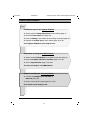
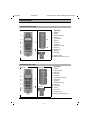
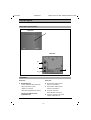
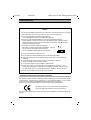

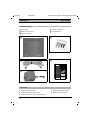
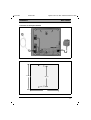
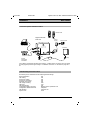
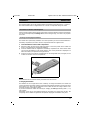
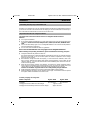
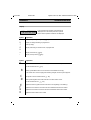
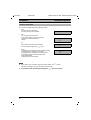
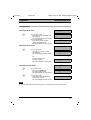
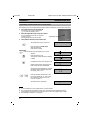
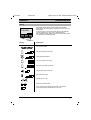
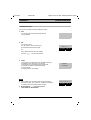
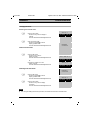
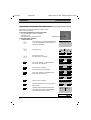
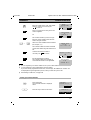
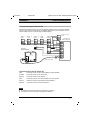
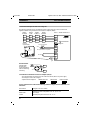
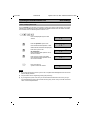
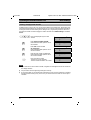

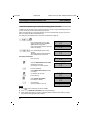
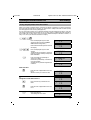
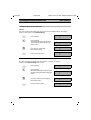
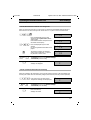
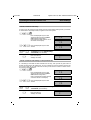
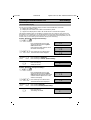
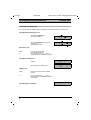

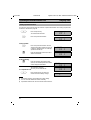

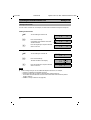
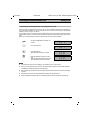
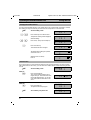

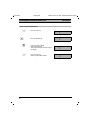
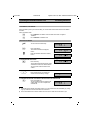
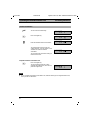

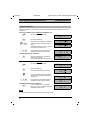
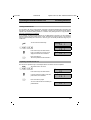
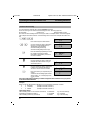
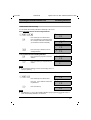
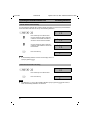
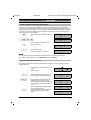
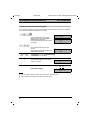


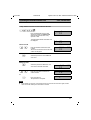

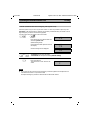
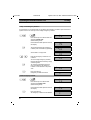
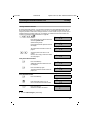
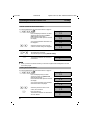
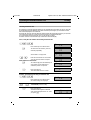
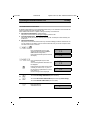
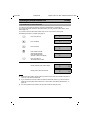
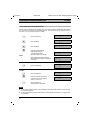
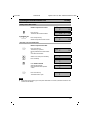
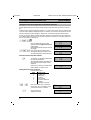
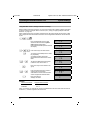
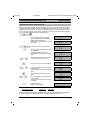
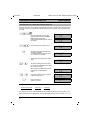
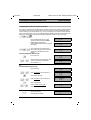
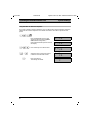
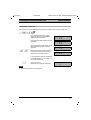

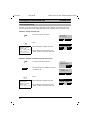
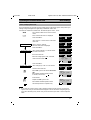
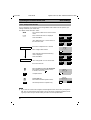
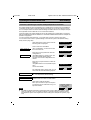
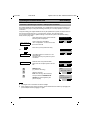
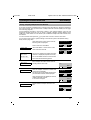
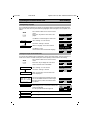

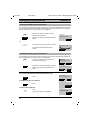
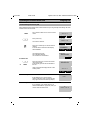
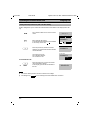
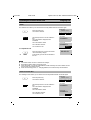

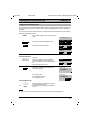
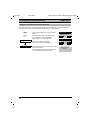

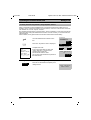

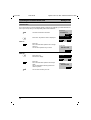

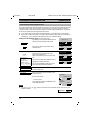
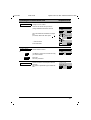
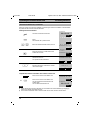

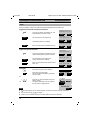
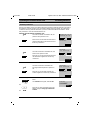
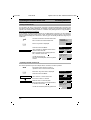
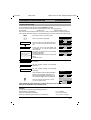
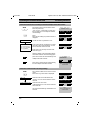
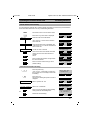
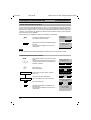

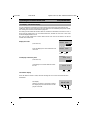
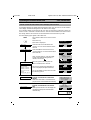
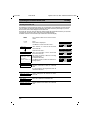
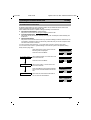
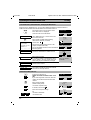
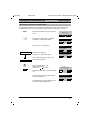
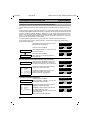
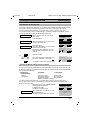
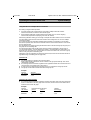
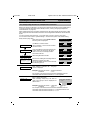

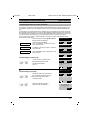
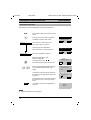

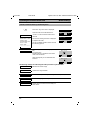


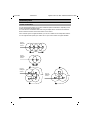
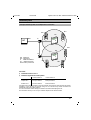
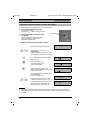

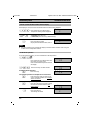

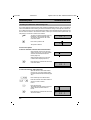
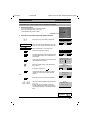
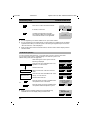
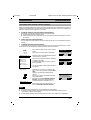
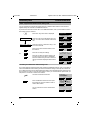
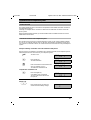
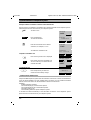
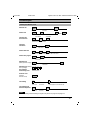


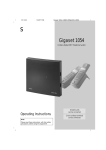


![[CTW100]](http://vs1.manualzilla.com/store/data/005810894_1-66009d11f3039a8ae7d003a87ac83c2b-150x150.png)