1
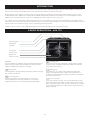
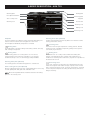
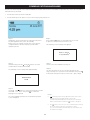
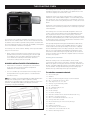
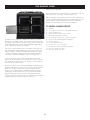
THE DATE/TIME SETTING SCREEN
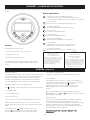
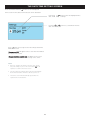
Press and hold Clock button
until the screen is displayed.
In this screen the time, date, month and year can be altered/set.
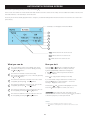
Press the
or
buttons to alter the highlighted time,
date, month and year settings.
Press the
or
buttons to cycle between the time,
date, month and year.
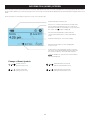
Press
button at any stage to save the settings and exit the
DATE/TIME screen.
‘Message sent OK’ will appear on the screen when the handset
is in range of the cooker.
‘Changes stored on handset only’ will appear on the screen,
when the controller handset is out of range of the cooker.
Notes
•
Even if no changes are made to the time, date, month
and year settings, a press of the clock button
is still
required, to return to the Home screen.
•
The day cannot be changed as the handset automatically
knows this information, when the date and year is set.
•
The Home screen will automatically appear after the
replacement of new batteries.
15