1
3.5 Notes on Charging
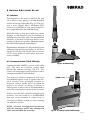
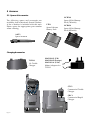
1. NiCad battery packs are supplied uncharged and need charging before use.
2. Charge the battery up to full charge when
not in use, although it may lose a proportion of
its charge after some months of storage.
3. Do not charge at temperatures below 0ºC
or above 40ºC.
4. Check battery level indicator during
switch on to determine remaining battery life.
5. Turn off if charging battery while fitted to
Axis.
6. Always try to fully discharge the battery
before recharging – repeated recharging of the
battery while it is partly discharged may create
a ‘memory effect’, preventing the battery
reaching full charge.
7. Dispose of used batteries carefully. The
contents of the batteries are harmful to wildlife.
8. Never expose to a naked flame.
BAT
Tx
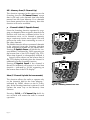
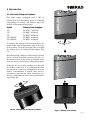
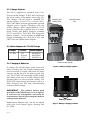
Fig 3.5 - 200/250 Battery Level Indicator
3.6 200/250 Battery Level Indicator
The battery level is shown when the radio is
first switched on, and also when transmitting
(Fig 3.5). This indicates the voltage at the battery terminals, not necessarily the charge
stored. Seven or eight bars represent a fully
charged battery, whilst four bars represent a
battery whose charge is almost drained.
HI LO
TX
BAT
RX
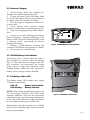
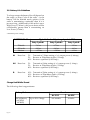
3.7 150 Battery Status LED
The battery status LED displays the current
condition of the battery.
LED off :
LED blinking :
Battery level nominal.
Battery level low.
NOTE - When using a lithium battery pack, the
low level battery indicator may flash under
transmit conditions. This does not necessarily
reflect the charge level remaining in the battery,
as it is due to the different voltage characteristics of a lithium battery pack under load.
Fig 3.6 - 150 Battery Status LED
Replacement and spare batteries are available
from your local Simrad Agent. Please quote the
relevant part number.
Page 19