1
PLAY
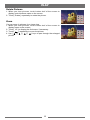
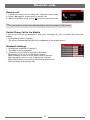
Rotate Pictures
1.W hen you view pictures, touch bottom half of the screen to
display control buttons menu on the screen.
2. Touch [ Rotate ] repeatedly to rotate the picture.
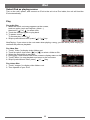
Zoom
You can zoom in pictures for a close view.
1.W hen you view pictures, touch bottom half of the screen to
display menu on the screen.
2. Touch [ 1/2 ] to display the 2nd menu, if necessary.
3. Touch [
] repeatedly to zoom the picture.
4.Use [
], [
], [
], [
] keys to pan through the enlarged
picture.
13