1
vShield Installation and Upgrade Guide
n
The vShield-Endpoint-Mux-Partners rule may be used by partners to install a host component. It is
disabled by default.
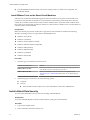
Install VMware Tools on the Guest Virtual Machines
VMware Tools include the vShield Thin Agent that must be installed on each guest virtual machine to be
protected. Virtual machines with VMware Tools installed are automatically protected whenever they are
started up on an ESX host that has the security solution installed. That is, protected virtual machines retain
the security protection through shut downs and restarts, and even after a vMotion move to another ESX host
with the security solution installed.
Prerequisites
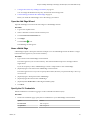
Make sure that the guest virtual machine has a supported version of Windows installed. The following
Windows operating systems are supported for vShield Endpoint 5.5:
n
Windows Vista (32 bit)
n
Windows 7 (32/64 bit)
n
Windows XP SP3 and above (32 bit)
n
Windows 2003 SP2 and above (32/64 bit)
n
Windows 2008 (32/64 bit)
n
Windows 2008 R2 (64 bit)
n
Windows 8 (32/64 bit)
n
Windows 2012 (64 bit)
Procedure
1
2
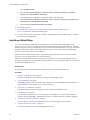
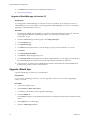
Select the type of installation for VMware Tools.
ESX Version of the Host
Action
ESX 5.0 Patch 1 or later
Follow the installation instructions in Installing and Configuring VMware
Tools till the point you see the Setup Type wizard.
ESX 4.1 Patch 3 or later
Follow the installation instructions in the Knowledge Base article
http://kb.vmware.com/kb/2008084 till the point you see the Setup Type
wizard.
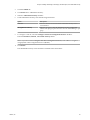
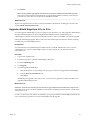
in the Setup Type wizard, select one of the following options:
n
Complete.
n
Custom.
n
From the VMware Device Drivers list, select VMCI Driver, then select vShield Driver.
Install vShield Data Security
You can install vShield Data Security only after installing vShield Endpoint.
Prerequisites
Verify that vShield Endpoint has been installed on the host and guest virtual machines..
Procedure
34
1
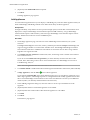
Log in to the vSphere Client.
2
Select an ESX host from the inventory tree.
VMware, Inc.